service NISSAN MAXIMA 2023 Owner's Guide
[x] Cancel search | Manufacturer: NISSAN, Model Year: 2023, Model line: MAXIMA, Model: NISSAN MAXIMA 2023Pages: 494, PDF Size: 5.7 MB
Page 141 of 494
•When cleaning the seat, never use
gasoline, benzine, thinner, or any simi-
lar materials.
• If any malfunctions are found or the
climate-controlled seat does not op-
erate, turn the switch off and have
the system checked. It is recom-
mended that you visit a NISSAN
dealer for this service.
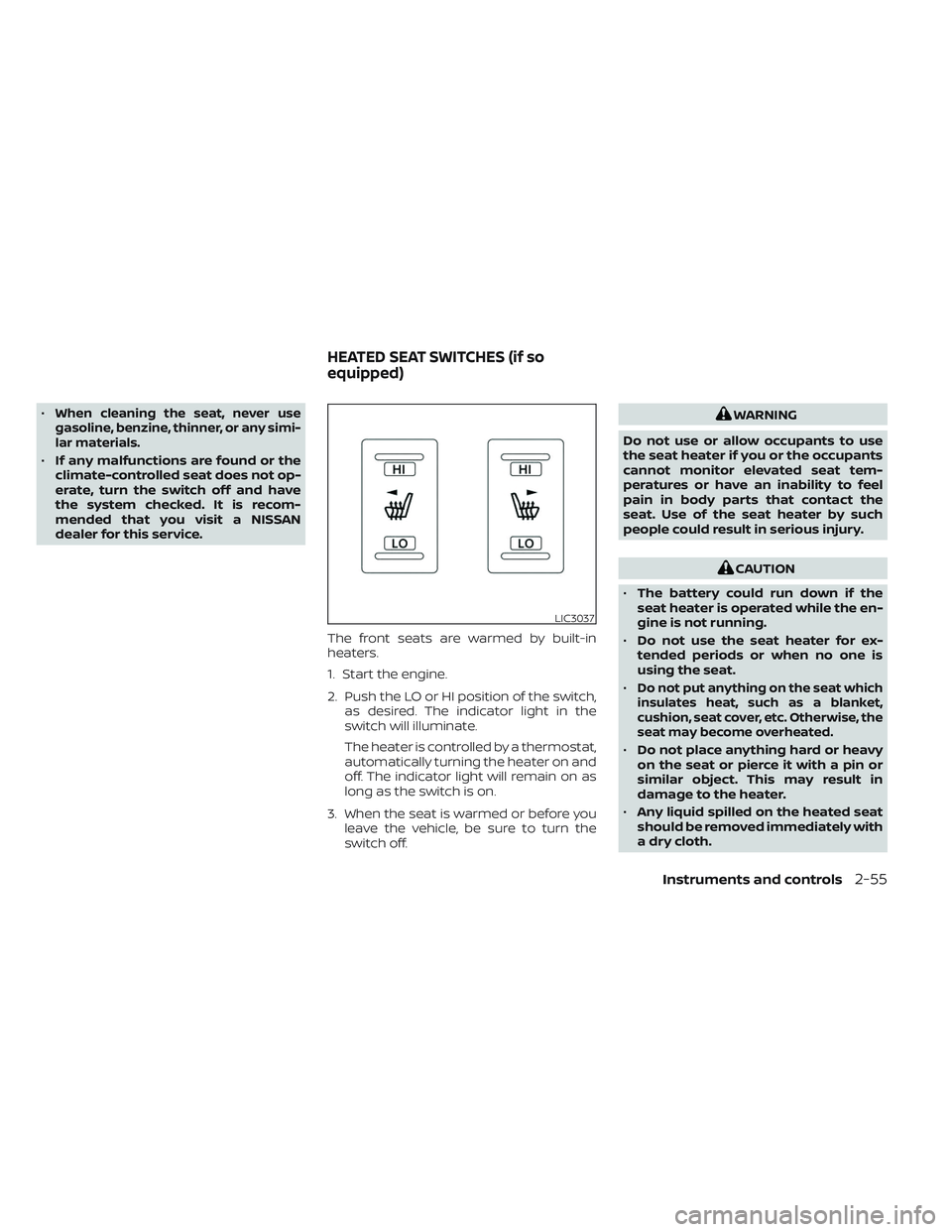
The front seats are warmed by built-in
heaters.
1. Start the engine.
2. Push the LO or HI position of the switch,as desired. The indicator light in the
switch will illuminate.
The heater is controlled by a thermostat,
automatically turning the heater on and
off. The indicator light will remain on as
long as the switch is on.
3. When the seat is warmed or before you leave the vehicle, be sure to turn the
switch off.
WARNING
Do not use or allow occupants to use
the seat heater if you or the occupants
cannot monitor elevated seat tem-
peratures or have an inability to feel
pain in body parts that contact the
seat. Use of the seat heater by such
people could result in serious injury.
CAUTION
• The battery could run down if the
seat heater is operated while the en-
gine is not running.
• Do not use the seat heater for ex-
tended periods or when no one is
using the seat.
•
Do not put anything on the seat which
insulates heat, such as a blanket,
cushion, seat cover, etc. Otherwise, the
seat may become overheated.
• Do not place anything hard or heavy
on the seat or pierce it with a pin or
similar object. This may result in
damage to the heater.
• Any liquid spilled on the heated seat
should be removed immediately with
a dry cloth.
LIC3037
HEATED SEAT SWITCHES (if so
equipped)
Instruments and controls2-55
Page 142 of 494

•When cleaning the seat, never use
gasoline, benzine, thinner, or any
similar materials.
• If any malfunctions are found or the
heated seat does not operate, turn
the switch off and have the system
checked. It is recommended that you
visit a NISSAN dealer for this service.
WARNING
Do not use or allow occupants to use
the seat heater if you or the occupants
cannot monitor elevated seat tem-
peratures or have an inability to feel
pain in body parts that contact the
seat. Use of the seat heater by such
people could result in serious injury.
CAUTION
• The battery could run down if the
seat heater is operated while the en-
gine is not running.
• Do not use the seat heater for ex-
tended periods or when no one is
using the seat.
•
Do not put anything on the seat which
insulates heat, such as a blanket,
cushion, seat cover, etc. Otherwise, the
seat may become overheated.
• Do not place anything hard or heavy
on the seat or pierce it with a pin or
similar object. This may result in
damage to the heater.
• Any liquid spilled on the heated seat
should be removed immediately with
a dry cloth.
• When cleaning the seat, never use
gasoline, benzine, thinner, or any
similar materials.
• If any malfunctions are found or the
heated seat does not operate, turn
the switch off and have the system
checked. It is recommended you visit
a NISSAN dealer for this service.
LIC3037
HEATED REAR SEAT SWITCHES (if so
equipped)
2-56Instruments and controls
Page 145 of 494
Push the VDC OFF switch again or restart
the engine to turn on the system. For addi-
tional information, see “Vehicle Dynamic
Control (VDC) system” (P. 5-115).
When the VDC OFF switch is used to turn off
the VDC system, the Intelligent Trace Con-
trol, Active Ride Control, Automatic Emer-
gency Braking (AEB) with Pedestrian Detec-
tion and Rear Automatic Braking (RAB)
systems are also turned off. For additional
information, see “Integrated Dynamics-
control Module” (P. 5-118), “Automatic Emer-
gency Braking (AEB) with Pedestrian Detec-
tion” (P. 5-85) and “Rear Automatic Braking
(RAB)” (P. 5-80).EMERGENCY SUPPORT
NissanConnect® Services provide various
services to support dealing with emergen-
cies of the subscribed vehicle and the
driver.
For example, in case of an illness or serious
injury, you can seek support by pressing the
in-vehicle Emergency Call (SOS) button and
connecting to the NissanConnect® Services
Response Center. The NissanConnect®
Services Response Center can specif y the
location of the vehicle via GPS, and the infor-
mation will be sent to the police or other
agencies as needed.
For information about other NissanConnect®
Services emergency support related ser-
vices, contact the NissanConnect® Cus-
tomer Support line at 1–855–426–6628 or
refer to the NissanConnect® Services web-
site www.nissanusa.com/connect (for U.S.)
or www.nissan.ca/nissanconnect (English) /
www.nissan.ca/nissanconnect/fr (French) (for
Canada).
WARNING
• Please note that the Automatic Colli-
sion Notification service and Emer-
gency Call function cannot be used in
the following conditions:
–
Emergency functions and services
will not be available without a paid
subscription to NissanConnect®
Services.
– The NissanConnect® Services net- work system is disabled.
– The vehicle moves outside the service area where the TCU
(Telematics Control Unit) is con-
nected to the system.
– The vehicle is outside the area where the cellular network service
is receivable.
–
The vehicle is in a location with poor
signal reception such as tunnels,
underground parking garages, be-
hind buildings or in mountainous
areas.
– The line is busy.
– The TCU (Telematics Control Unit) or other systems of your vehicle
are not working properly.
EMERGENCY CALL (SOS) BUTTON
Instruments and controls2-59
Page 146 of 494
– It may not be possible to make anemergency call depending on the
severity of a collision and/or
emergency.
• Park the vehicle in a safe location and
set the parking brake before operat-
ing the Emergency Call (SOS) button.
• Only use this service in case of an
emergency. There may be a penalty
for inappropriate use of the service.
• Radio waves could adversely affect
electric medical equipment. Indi-
viduals who use a pacemaker should
contact the device manufacturer re-
garding any possible effects before
using the system.
• The TCU (Telematics Control Unit) an-
tenna is installed inside the upper
central part of the instrument panel.
An occupant should not get any
closer to the antenna than specified
by the pacemaker manufacturer. The
radio waves from the TCU antenna
may adversely affect the operation
of the pacemaker while using the
NissanConnect® Services.
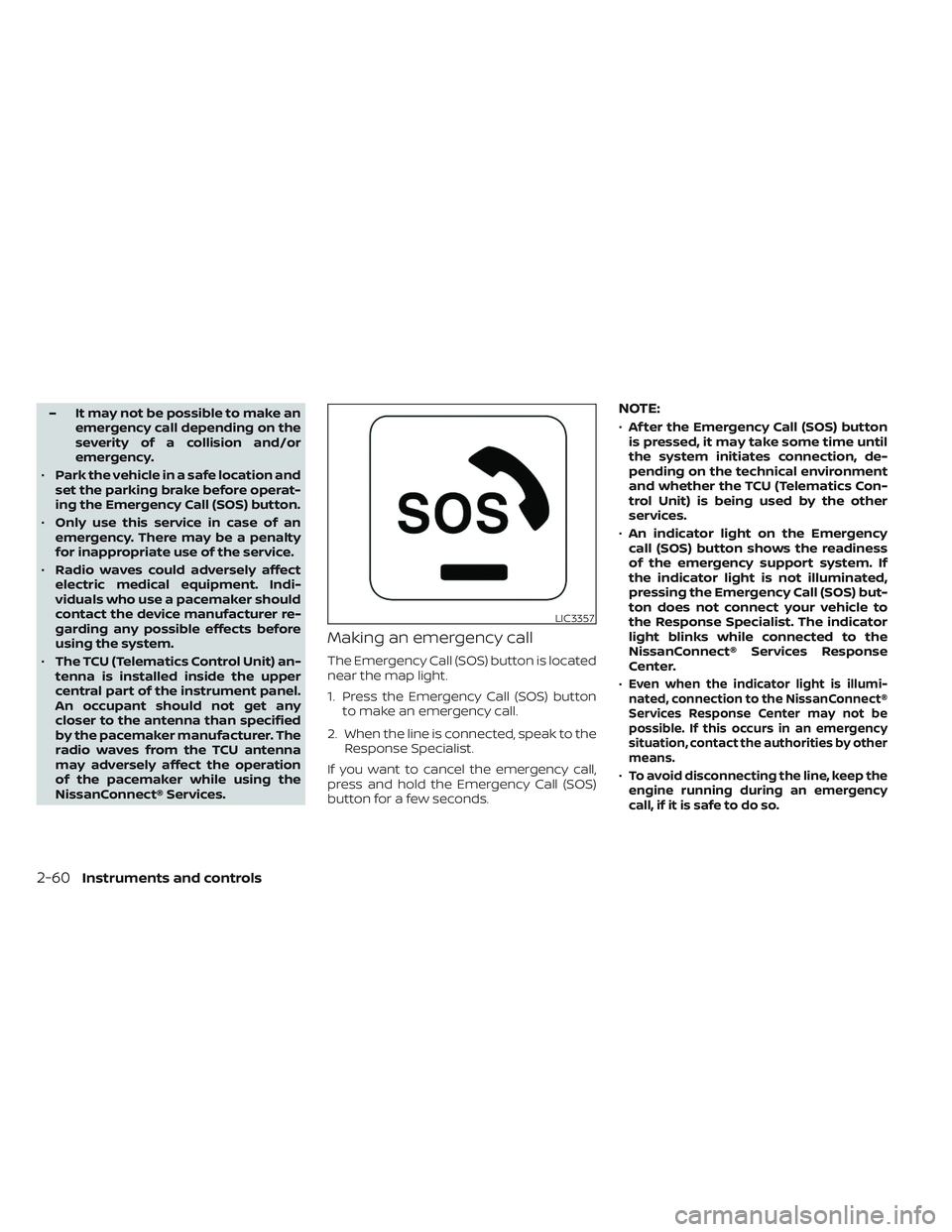
Making an emergency call
The Emergency Call (SOS) button is located
near the map light.
1. Press the Emergency Call (SOS) button to make an emergency call.
2. When the line is connected, speak to the Response Specialist.
If you want to cancel the emergency call,
press and hold the Emergency Call (SOS)
button for a few seconds.
NOTE:
• Af ter the Emergency Call (SOS) button
is pressed, it may take some time until
the system initiates connection, de-
pending on the technical environment
and whether the TCU (Telematics Con-
trol Unit) is being used by the other
services.
• An indicator light on the Emergency
call (SOS) button shows the readiness
of the emergency support system. If
the indicator light is not illuminated,
pressing the Emergency Call (SOS) but-
ton does not connect your vehicle to
the Response Specialist. The indicator
light blinks while connected to the
NissanConnect® Services Response
Center.
•
Even when the indicator light is illumi-
nated, connection to the NissanConnect®
Services Response Center may not be
possible. If this occurs in an emergency
situation, contact the authorities by other
means.
•To avoid disconnecting the line, keep the
engine running during an emergency
call,ifitissafetodoso.
LIC3357
2-60Instruments and controls
Page 157 of 494
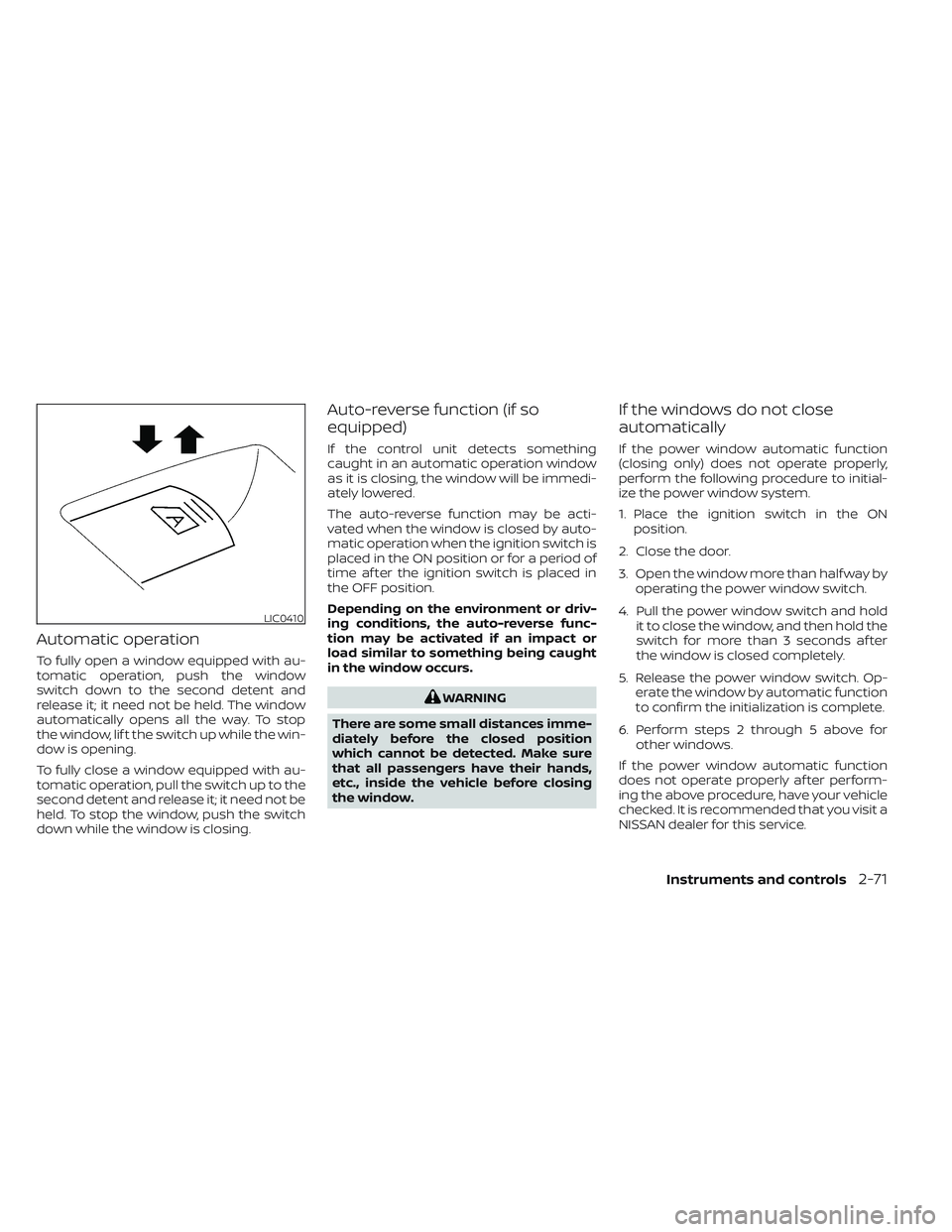
Automatic operation
To fully open a window equipped with au-
tomatic operation, push the window
switch down to the second detent and
release it; it need not be held. The window
automatically opens all the way. To stop
the window, lif t the switch up while the win-
dow is opening.
To fully close a window equipped with au-
tomatic operation, pull the switch up to the
second detent and release it; it need not be
held. To stop the window, push the switch
down while the window is closing.
Auto-reverse function (if so
equipped)
If the control unit detects something
caught in an automatic operation window
as it is closing, the window will be immedi-
ately lowered.
The auto-reverse function may be acti-
vated when the window is closed by auto-
matic operation when the ignition switch is
placed in the ON position or for a period of
time af ter the ignition switch is placed in
the OFF position.
Depending on the environment or driv-
ing conditions, the auto-reverse func-
tion may be activated if an impact or
load similar to something being caught
in the window occurs.
WARNING
There are some small distances imme-
diately before the closed position
which cannot be detected. Make sure
that all passengers have their hands,
etc., inside the vehicle before closing
the window.
If the windows do not close
automatically
If the power window automatic function
(closing only) does not operate properly,
perform the following procedure to initial-
ize the power window system.
1. Place the ignition switch in the ON position.
2. Close the door.
3. Open the window more than half way by operating the power window switch.
4. Pull the power window switch and hold it to close the window, and then hold the
switch for more than 3 seconds af ter
the window is closed completely.
5. Release the power window switch. Op- erate the window by automatic function
to confirm the initialization is complete.
6. Perform steps 2 through 5 above for other windows.
If the power window automatic function
does not operate properly af ter perform-
ing the above procedure, have your vehicle
checked. It is recommended that you visit a
NISSAN dealer for this service.
LIC0410
Instruments and controls2-71
Page 160 of 494

To close the sunshade:
• To fully close the sunshade, push theswitch
O2toward the close position until
it reaches the second detent.
• Pushing the switch
O2to the first detent
will close the moonroof only.
If the moonroof does not close
Have your moonroof checked and re-
paired. It is recommended that you visit a
NISSAN dealer for this service.
The rear sunshade operates when the
ignition switch is in the ACC or ON position.
The rear sunshade switch is located on the
lower instrument panel.
• To raise the sunshade, push the upperside of the switch
O1.
• To lower the sunshade, push the lower side of the switch
O2.
• The switch need not be held down.
CAUTION
• Do not place objects (such as news-
papers, handkerchiefs, etc.) on the
screen inlet port. Doing so may en-
tangle these objects in the screen
when it is extending or retracting,
causing improper operation or dam-
age to the screen.
• Do not push the sunshade arm with
your hands, etc., as this may deform
it. Improper operation or damage to
the screen may result.
LIC4933LIC3231
REAR POWER SUNSHADE (if so
equipped)
2-74Instruments and controls
Page 191 of 494
–Keep the pump nozzle in contact
with the container while you are
filling it.
– Use only approved portable fuel
containers for flammable liquid.
CAUTION
• Do not use a fuel containing more
than 15% ethanol in your vehicle. For
additional information, see “Fuel rec-
ommendation” (P. 10-4).
• The Loose Fuel Cap warning will ap-
pear if the fuel-filler cap is not prop-
erly tightened. It may take a few driv-
ing trips for the message to be
displayed. Failure to tighten the fuel-
filler cap properly af ter the Loose
Fuel Cap warning appears may cause
the
Malfunction Indicator Light
(MIL) to illuminate. •
Failure to tighten the fuel-filler cap
properly may cause the
Mal-
function Indicator Light (MIL) to illu-
minate. If the
light illuminates
because the fuel-filler cap is loose or
missing, tighten or install the cap and
continue to drive the vehicle. The
light should turn off af ter a few
driving trips. If thelight does not
turn off af ter a few driving trips, have
the vehicle inspected. It is recom-
mended that you visit a NISSAN
dealer for this service.
•
For additional information, see “Mal-
function Indicator Light (MIL)” (P. 2-13).
• If fuel is spilled on the vehicle body,
flush it away with water to avoid
paint damage. To remove the fuel-filler cap:
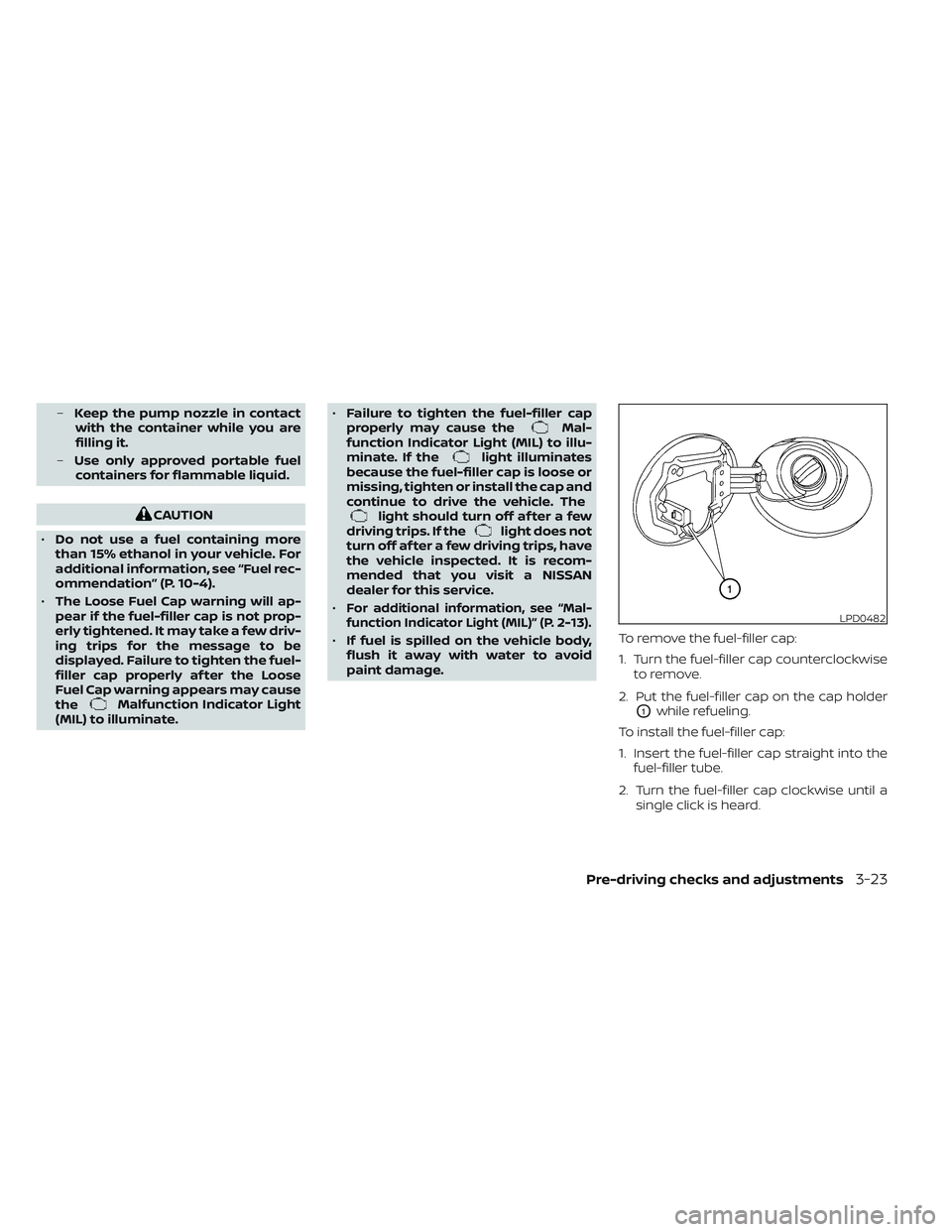
1. Turn the fuel-filler cap counterclockwise
to remove.
2. Put the fuel-filler cap on the cap holder
O1while refueling.
To install the fuel-filler cap:
1. Insert the fuel-filler cap straight into the fuel-filler tube.
2. Turn the fuel-filler cap clockwise until a single click is heard.
LPD0482
Pre-driving checks and adjustments3-23
Page 200 of 494
5. If there is a desire to change to anotherIntelligent Key while in the vehicle, the
user must place the ignition switch in
the OFF position and initiate communi-
cation from the desired Intelligent Key.
6. Ignition from ON position to the OFF
7. Unlock door with the desired Intelligent Key
8. The desired Intelligent Key number should appear on the meter display.
ENTRY/EXIT FUNCTION (if so
equipped)
This system is designed so that the driver's
seat and steering column will automati-
cally move when the shif t lever is in the P
(Park) position. This allows the driver to
easily get in and out of the driver’s seat.
The driver’s seat will slide backward and
the steering wheel will move up:
• When the driver's door is opened and theignition switch is in the OFF position.
• When the ignition switch is turned from ACC to OFF with the driver’s door open. The driver’s seat and steering wheel will
return to the previous position:
• When the ignition switch is turned to ACC
or ON while the shif t lever is in the P (Park)
position.
The entry/exit function can be adjusted or
canceled through the “Vehicle Settings” in
the vehicle information display by perform-
ing the following:
• Switch the Exit Seat Slide from ON to OFF.
• Switch the Exit Steering Up from ON to OFF.
SYSTEM OPERATION
The memory seat system will not work or
will stop operating under the following
conditions:
• When the vehicle speed is above 4 mph(7 km/h).
• When any of the memory switches are pushed while the memory seat system is
operating.
• When the switch for the driver’s seat and steering column is pushed while the
memory seat system is operating. • When the seat has already been moved
to the memorized position.
• When no seat position is stored in the memory switch.
• When the shif t lever is moved from P (Park) to any other position.
The memory seat system can be adjusted
and canceled. It is recommended you visit
a NISSAN dealer for this service.
3-32Pre-driving checks and adjustments
Page 202 of 494
Refer to the digital NissanConnect® Owner’s
manual using the QR code on this page,
or your printed NissanConnect® Owner’s
manual. This manual includes the following
information:
• NissanConnect® Services
• Navigation system
• Audio system
• Apple CarPlay®
• Android Auto™
• Bluetooth® Hands-Free Phone system
• Viewing information• Other settings
• Voice recognition
• General system information
LHA5682
NISSANCONNECT® OWNER’S
MANUAL
4-2Monitor, climate, audio, phone and voice recognition systems
Page 221 of 494
•Do not strike the cameras. They are
precision instruments. Doing so
could cause a malfunction or cause
damage resulting in a fire or an elec-
tric shock.
There are some areas where the system
will not show objects and the system does
not warn of moving objects. When in the
front or rear view display, an object below
the bumper or on the ground may not be
viewed
O1. When in the bird’s-eye view, a
tall object near the seam
O2of the camera
viewing areas will not appear in the
monitor.
The following are operating limitations and
do not represent a system malfunction:
• There may be a delay when switching between views.
• When the temperature is extremely high or low, the screen may not display objects
clearly.
• When strong light directly shines on the camera, objects may not be displayed
clearly.
• The screen may flicker under fluorescent light. • The colors of objects on the Intelligent
Around View® Monitor may differ some-
what from the actual color of objects.
• Objects on the Intelligent Around View® Monitor may not be clear and the color
of the object may differ in a dark
environment.
• There may be differences in sharpness between each camera view of the bird's-
eye view.
• Do not use wax on the camera lens. Wipe off any wax with a clean cloth that has
been dampened with a diluted mild
cleaning agent, then wipe with a dry
cloth.
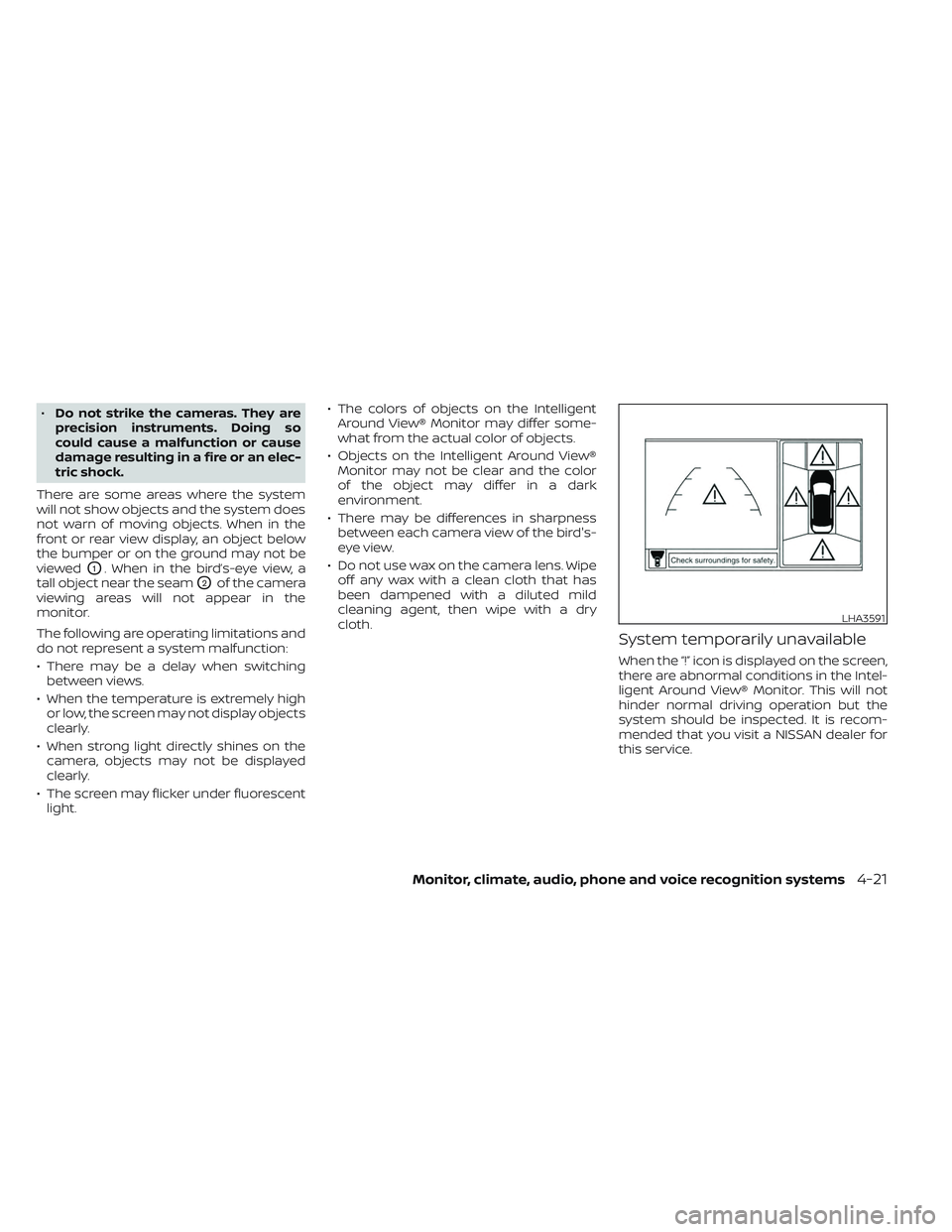
System temporarily unavailable
When the “!” icon is displayed on the screen,
there are abnormal conditions in the Intel-
ligent Around View® Monitor. This will not
hinder normal driving operation but the
system should be inspected. It is recom-
mended that you visit a NISSAN dealer for
this service.
LHA3591
Monitor, climate, audio, phone and voice recognition systems4-21