warning NISSAN MAXIMA 2023 Manual Online
[x] Cancel search | Manufacturer: NISSAN, Model Year: 2023, Model line: MAXIMA, Model: NISSAN MAXIMA 2023Pages: 494, PDF Size: 5.7 MB
Page 145 of 494
Push the VDC OFF switch again or restart
the engine to turn on the system. For addi-
tional information, see “Vehicle Dynamic
Control (VDC) system” (P. 5-115).
When the VDC OFF switch is used to turn off
the VDC system, the Intelligent Trace Con-
trol, Active Ride Control, Automatic Emer-
gency Braking (AEB) with Pedestrian Detec-
tion and Rear Automatic Braking (RAB)
systems are also turned off. For additional
information, see “Integrated Dynamics-
control Module” (P. 5-118), “Automatic Emer-
gency Braking (AEB) with Pedestrian Detec-
tion” (P. 5-85) and “Rear Automatic Braking
(RAB)” (P. 5-80).EMERGENCY SUPPORT
NissanConnect® Services provide various
services to support dealing with emergen-
cies of the subscribed vehicle and the
driver.
For example, in case of an illness or serious
injury, you can seek support by pressing the
in-vehicle Emergency Call (SOS) button and
connecting to the NissanConnect® Services
Response Center. The NissanConnect®
Services Response Center can specif y the
location of the vehicle via GPS, and the infor-
mation will be sent to the police or other
agencies as needed.
For information about other NissanConnect®
Services emergency support related ser-
vices, contact the NissanConnect® Cus-
tomer Support line at 1–855–426–6628 or
refer to the NissanConnect® Services web-
site www.nissanusa.com/connect (for U.S.)
or www.nissan.ca/nissanconnect (English) /
www.nissan.ca/nissanconnect/fr (French) (for
Canada).
WARNING
• Please note that the Automatic Colli-
sion Notification service and Emer-
gency Call function cannot be used in
the following conditions:
–
Emergency functions and services
will not be available without a paid
subscription to NissanConnect®
Services.
– The NissanConnect® Services net- work system is disabled.
– The vehicle moves outside the service area where the TCU
(Telematics Control Unit) is con-
nected to the system.
– The vehicle is outside the area where the cellular network service
is receivable.
–
The vehicle is in a location with poor
signal reception such as tunnels,
underground parking garages, be-
hind buildings or in mountainous
areas.
– The line is busy.
– The TCU (Telematics Control Unit) or other systems of your vehicle
are not working properly.
EMERGENCY CALL (SOS) BUTTON
Instruments and controls2-59
Page 147 of 494
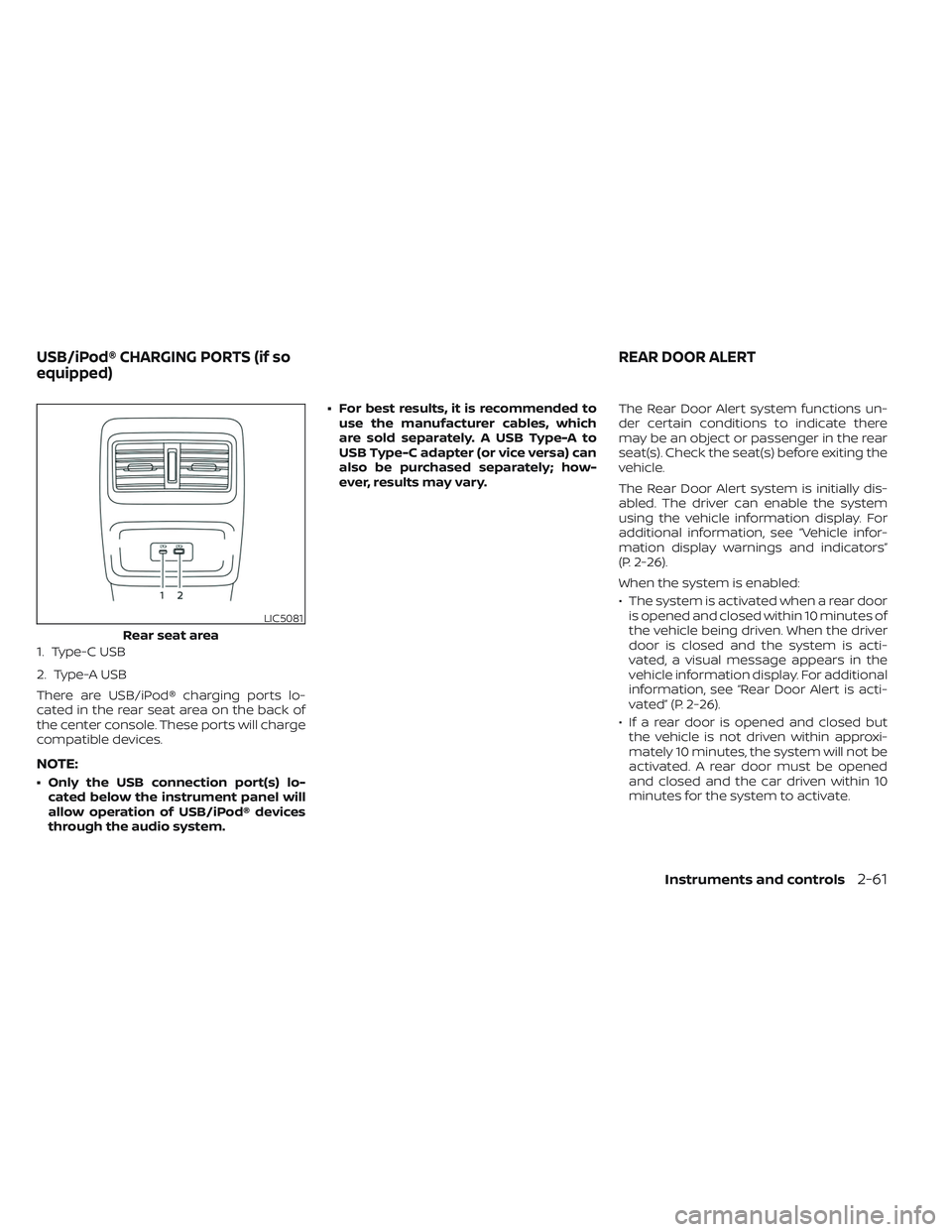
1. Type-C USB
2. Type-A USB
There are USB/iPod® charging ports lo-
cated in the rear seat area on the back of
the center console. These ports will charge
compatible devices.
NOTE:
• Only the USB connection port(s) lo-cated below the instrument panel will
allow operation of USB/iPod® devices
through the audio system. • For best results, it is recommended to
use the manufacturer cables, which
are sold separately. A USB Type-A to
USB Type-C adapter (or vice versa) can
also be purchased separately; how-
ever, results may vary. The Rear Door Alert system functions un-
der certain conditions to indicate there
may be an object or passenger in the rear
seat(s). Check the seat(s) before exiting the
vehicle.
The Rear Door Alert system is initially dis-
abled. The driver can enable the system
using the vehicle information display. For
additional information, see “Vehicle infor-
mation display warnings and indicators”
(P. 2-26).
When the system is enabled:
• The system is activated when a rear door
is opened and closed within 10 minutes of
the vehicle being driven. When the driver
door is closed and the system is acti-
vated, a visual message appears in the
vehicle information display. For additional
information, see “Rear Door Alert is acti-
vated” (P. 2-26).
• If a rear door is opened and closed but the vehicle is not driven within approxi-
mately 10 minutes, the system will not be
activated. A rear door must be opened
and closed and the car driven within 10
minutes for the system to activate.
LIC5081
Rear seat area
USB/iPod® CHARGING PORTS (if so
equipped) REAR DOOR ALERT
Instruments and controls2-61
Page 148 of 494
When the Rear Door Alert system is acti-
vated:
• When the driver puts the vehicle in the P(Park) position, a notification message
appears in the vehicle information dis-
play with the options to “Dismiss Mes-
sage” or “Disable Alert” if desired.• Select “Disable Alert” to temporarily disable for that stop.
• No selection or ‘Dismiss Message” will keep the alert enabled for that stop.
• If the alert is enabled when a driver exits the vehicle, a message will appear in the
vehicle information display that states
“Check Rear Seat for All Articles.”
If “Horn & Alert” setting is selected:
• An audible horn sound will occur af ter a short time unless a rear door is
opened and closed within a short time
to deactivate the alert.
• If the doors are locked before the alert is deactivated by opening a rear door,
the horn will sound.
• If the trunk is opened before a rear door is opened, the horn will be de-
layed until af ter the trunk is closed.NOTE:
If “Alert Only ” setting is selected, the
message alert will still be shown in the
vehicle information display but the horn
will not sound.
WARNING
• If the driver selects “Disable Alert”, no
audible alert will be provided regard-
less of rear door open/close status.
• There may be times when there is an
object or passenger in the rear
seat(s) but the audible alert does not
sound. For example, this may occur if
rear seat passengers enter or exit the
vehicle during a trip.
• The system does not directly detect
objects or passengers in the rear
seat(s). Instead, it can detect when a
rear door is opened and closed, indi-
cating that there may be something
in the rear seat(s).
NOTE:
There may be times when the horn
sounds but there are no objects or pas-
sengers in the rear seat(s).
For additional information, see “Rear Door
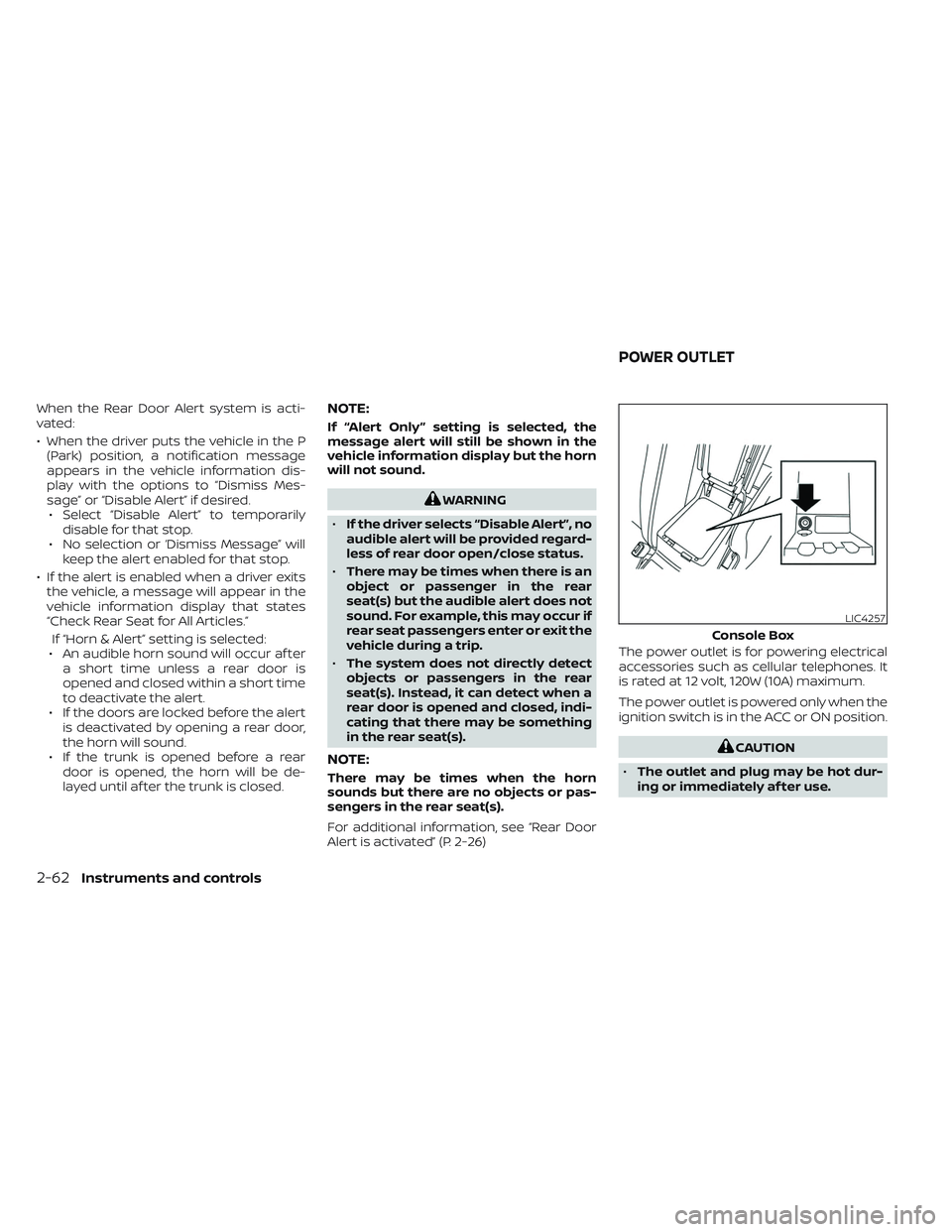
Alert is activated” (P. 2-26) The power outlet is for powering electrical
accessories such as cellular telephones. It
is rated at 12 volt, 120W (10A) maximum.
The power outlet is powered only when the
ignition switch is in the ACC or ON position.
CAUTION
• The outlet and plug may be hot dur-
ing or immediately af ter use.
LIC4257
Console Box
POWER OUTLET
2-62Instruments and controls
Page 151 of 494
WARNING
To ensure proper operation of the driv-
er’s and/or front passenger’s NISSAN Ad-
vanced Air Bag System (if so equipped),
please observe the following items:
•Do not allow a passenger in the rear
seat to push or pull on the seatback
pocket or head restraint/headrest.
• Do not place heavy loads heavier
than 9.1 lbs. (4 kg) on the seatback,
head restraint/headrest or in the
seatback pocket.
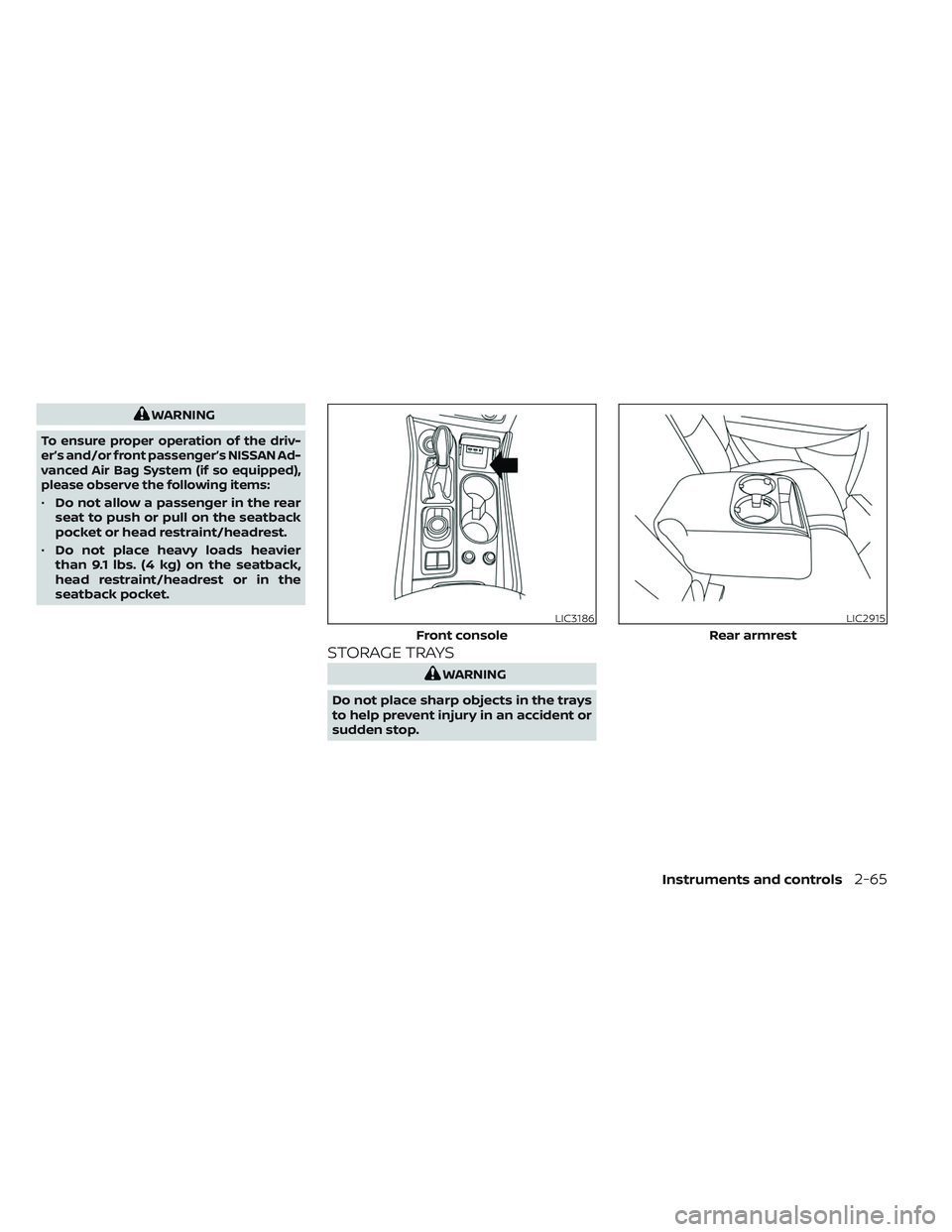
STORAGE TRAYS
WARNING
Do not place sharp objects in the trays
to help prevent injury in an accident or
sudden stop.
LIC3186
Front console
LIC2915
Rear armrest
Instruments and controls2-65
Page 152 of 494

GLOVE BOX
Open the glove box by pulling the handle.
Use the master key when locking or un-
locking the glove box.
WARNING
Keep glove box lid closed while driving
to help prevent injury in an accident or
a sudden stop.
CONSOLE BOX
To open the console box, press up on the
lever
O1and raise the lidO2.
To close, push the lid down until the lock
latches.
OVERHEAD SUNGLASSES
STORAGE
To open the sunglasses holder, push and
release.
Only store one pair of sunglasses in the
holder.
WARNING
Keep the sunglasses holder closed
while driving to avoid obstructing the
driver’s view and to help prevent an
accident.
LIC2429WIC1504LIC2312
2-66Instruments and controls
Page 155 of 494
POWER WINDOWS
WARNING
• Make sure that all passengers have
their hands, etc., inside the vehicle
while it is in motion and before clos-
ing the windows. Use the window
lock switch to prevent unexpected
use of the power windows.
• To help avoid risk of injury or death
through unintended operation of the
vehicle and/or its systems, including
entrapment in windows or inadver-
tent door lock activation, do not
leave children, people who require
the assistance of others or pets unat-
tended in your vehicle. Additionally,
the temperature inside a closed
vehicle on a warm day can quickly
become high enough to cause a
significant risk of injury or death to
people and pets.
The power windows operate when the
ignition switch is placed in the ON position
or for a period of time af ter the ignition
switch is placed in the OFF position. If the
driver's or passenger's door is opened dur-
ing this period of time, the power to the
windows is canceled.
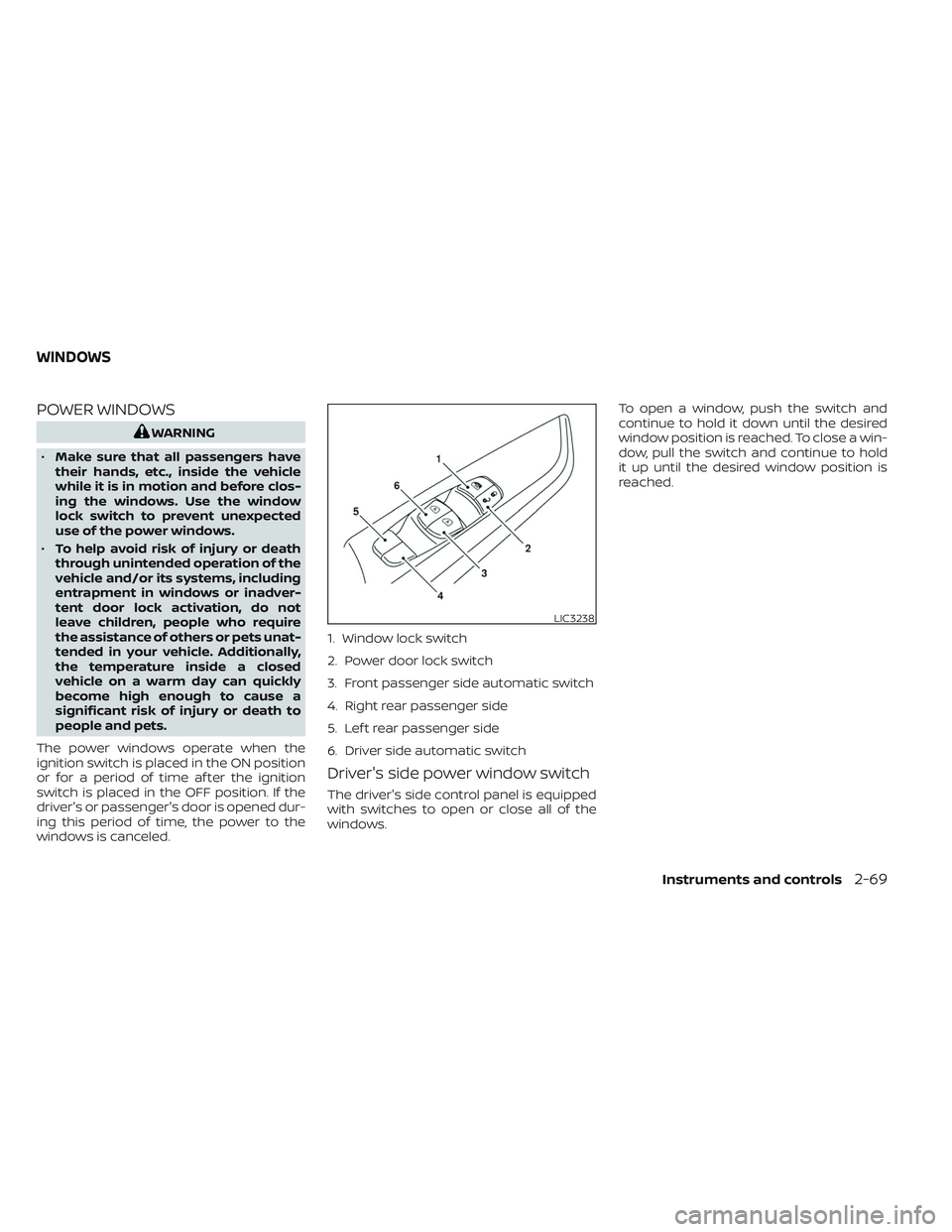
Driver's side power window switch
The driver's side control panel is equipped
with switches to open or close all of the
windows. To open a window, push the switch and
continue to hold it down until the desired
window position is reached. To close a win-
dow, pull the switch and continue to hold
it up until the desired window position is
reached.
LIC3238
1. Window lock switch
2. Power door lock switch
3. Front passenger side automatic switch
4. Right rear passenger side
5. Lef t rear passenger side
6. Driver side automatic switch
WINDOWS
Instruments and controls2-69
Page 157 of 494
Automatic operation
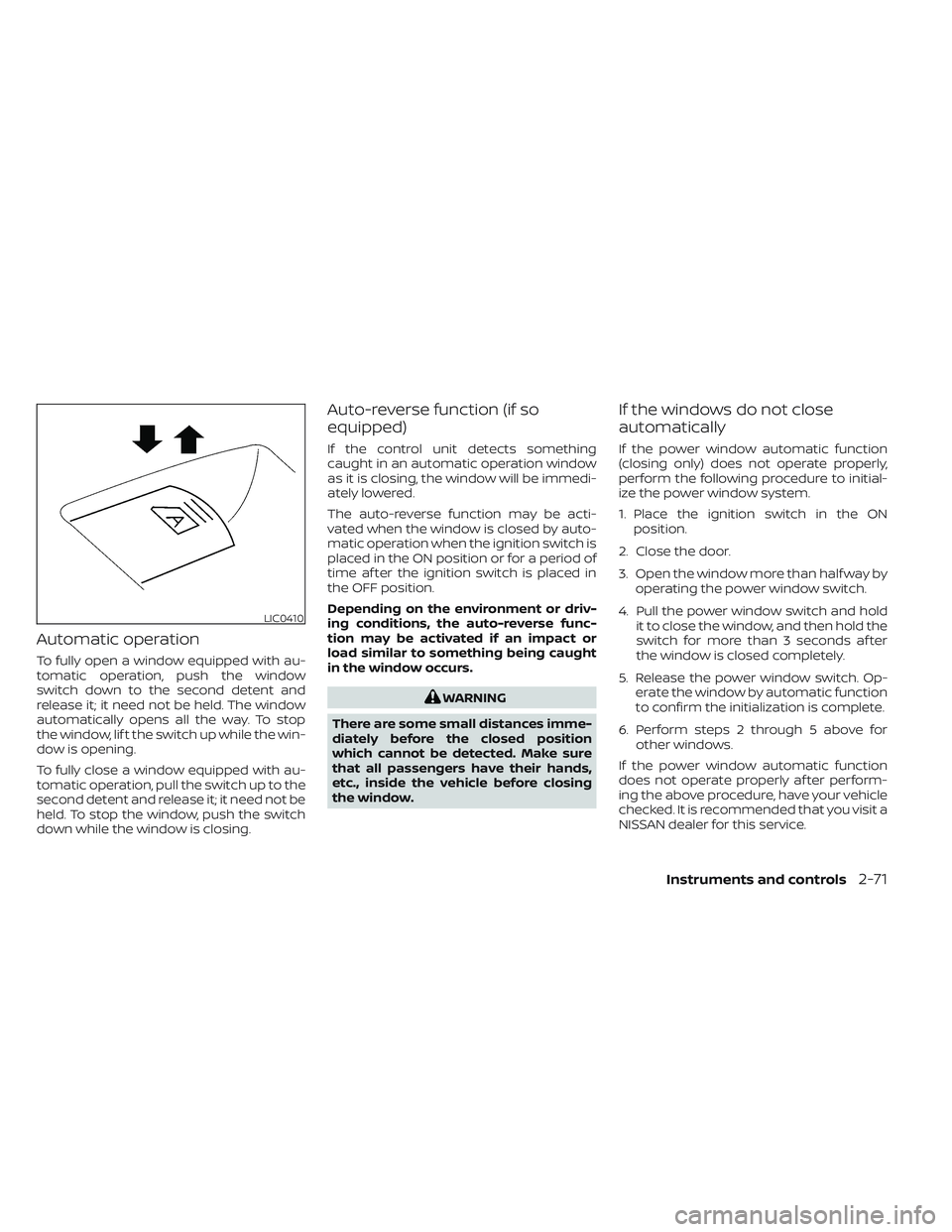
To fully open a window equipped with au-
tomatic operation, push the window
switch down to the second detent and
release it; it need not be held. The window
automatically opens all the way. To stop
the window, lif t the switch up while the win-
dow is opening.
To fully close a window equipped with au-
tomatic operation, pull the switch up to the
second detent and release it; it need not be
held. To stop the window, push the switch
down while the window is closing.
Auto-reverse function (if so
equipped)
If the control unit detects something
caught in an automatic operation window
as it is closing, the window will be immedi-
ately lowered.
The auto-reverse function may be acti-
vated when the window is closed by auto-
matic operation when the ignition switch is
placed in the ON position or for a period of
time af ter the ignition switch is placed in
the OFF position.
Depending on the environment or driv-
ing conditions, the auto-reverse func-
tion may be activated if an impact or
load similar to something being caught
in the window occurs.
WARNING
There are some small distances imme-
diately before the closed position
which cannot be detected. Make sure
that all passengers have their hands,
etc., inside the vehicle before closing
the window.
If the windows do not close
automatically
If the power window automatic function
(closing only) does not operate properly,
perform the following procedure to initial-
ize the power window system.
1. Place the ignition switch in the ON position.
2. Close the door.
3. Open the window more than half way by operating the power window switch.
4. Pull the power window switch and hold it to close the window, and then hold the
switch for more than 3 seconds af ter
the window is closed completely.
5. Release the power window switch. Op- erate the window by automatic function
to confirm the initialization is complete.
6. Perform steps 2 through 5 above for other windows.
If the power window automatic function
does not operate properly af ter perform-
ing the above procedure, have your vehicle
checked. It is recommended that you visit a
NISSAN dealer for this service.
LIC0410
Instruments and controls2-71
Page 158 of 494
POWER MOONROOF
The moonroof will only operate when the
ignition switch is in the ON position. The
power moonroof is operational for a period
of time, even if the ignition switch is placed
in the ACC or OFF position. If the driver's
door or the front passenger's door is
opened during this period of time, the
power to the moonroof is canceled.
Sliding the moonroof
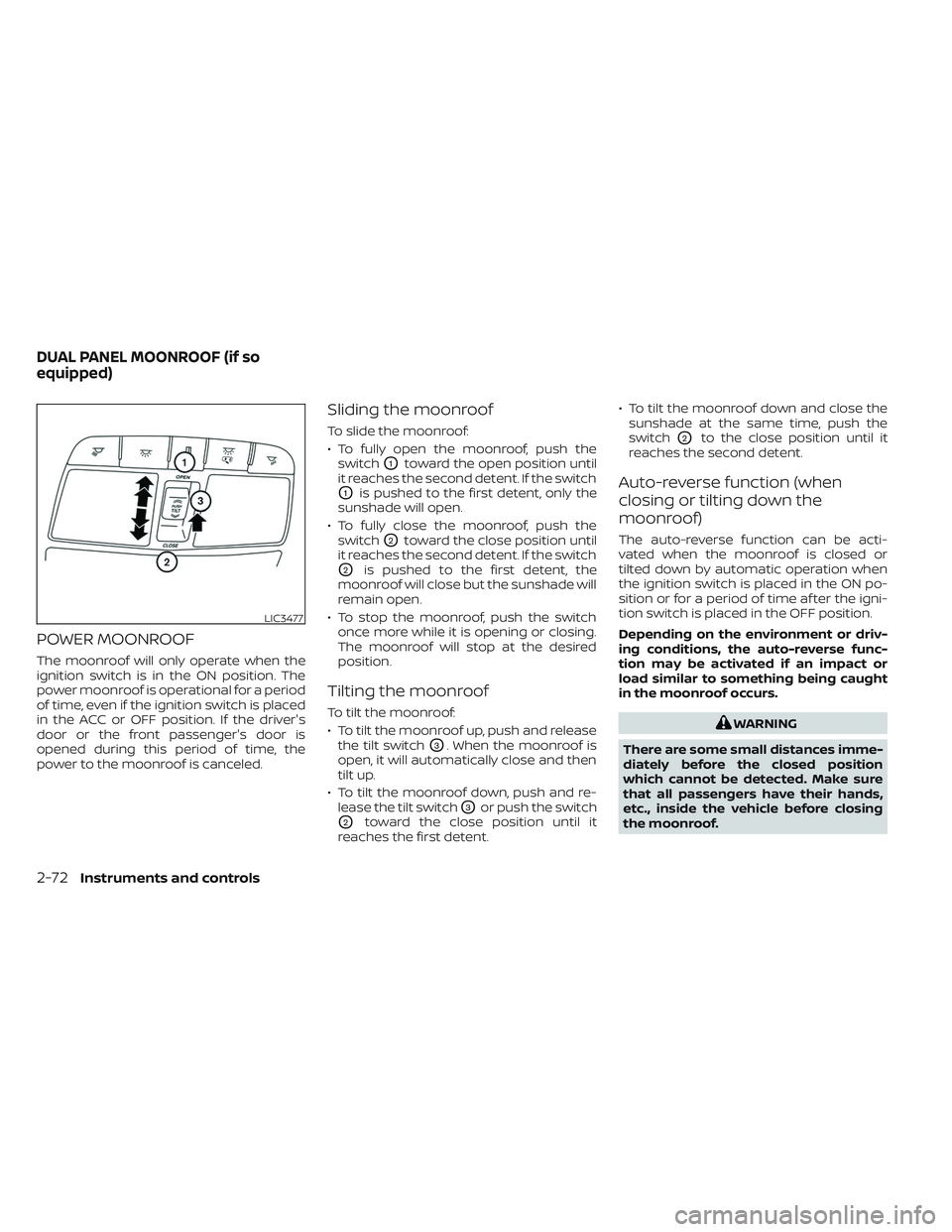
To slide the moonroof:
• To fully open the moonroof, push theswitch
O1toward the open position until
it reaches the second detent. If the switch
O1is pushed to the first detent, only the
sunshade will open.
• To fully close the moonroof, push the switch
O2toward the close position until
it reaches the second detent. If the switch
O2is pushed to the first detent, the
moonroof will close but the sunshade will
remain open.
• To stop the moonroof, push the switch once more while it is opening or closing.
The moonroof will stop at the desired
position.
Tilting the moonroof
To tilt the moonroof:
• To tilt the moonroof up, push and releasethe tilt switch
O3. When the moonroof is
open, it will automatically close and then
tilt up.
• To tilt the moonroof down, push and re- lease the tilt switch
O3or push the switch
O2toward the close position until it
reaches the first detent. • To tilt the moonroof down and close the
sunshade at the same time, push the
switch
O2to the close position until it
reaches the second detent.
Auto-reverse function (when
closing or tilting down the
moonroof)
The auto-reverse function can be acti-
vated when the moonroof is closed or
tilted down by automatic operation when
the ignition switch is placed in the ON po-
sition or for a period of time af ter the igni-
tion switch is placed in the OFF position.
Depending on the environment or driv-
ing conditions, the auto-reverse func-
tion may be activated if an impact or
load similar to something being caught
in the moonroof occurs.
WARNING
There are some small distances imme-
diately before the closed position
which cannot be detected. Make sure
that all passengers have their hands,
etc., inside the vehicle before closing
the moonroof.
LIC3477
DUAL PANEL MOONROOF (if so
equipped)
2-72Instruments and controls
Page 159 of 494
When closing
If the control unit detects something
caught in the moonroof as it moves to the
front, the moonroof will immediately open
backward.
When tilting down
If the control unit detects something
caught in the moonroof as it tilts down, the
moonroof will immediately tilt up.
If the auto-reverse function malfunctions
and repeats opening or tilting up the moon-
roof, keep pushing the tilt down switch within
5 seconds af ter it happens; the moonroof
will fully close gradually. Make sure nothing is
caught in the moonroof.
WARNING
• In an accident you could be thrown
from the vehicle through an open
moonroof. Always use seat belts and
child restraints.
• Do not allow anyone to stand up or
extend any portion of their body out
of the moonroof opening while the
vehicle is in motion or while the
moonroof is closing.
CAUTION
• Remove water drops, snow, ice or
sand from the moonroof before
opening.
• Do not place heavy objects on the
moonroof or surrounding area.
Sunshade
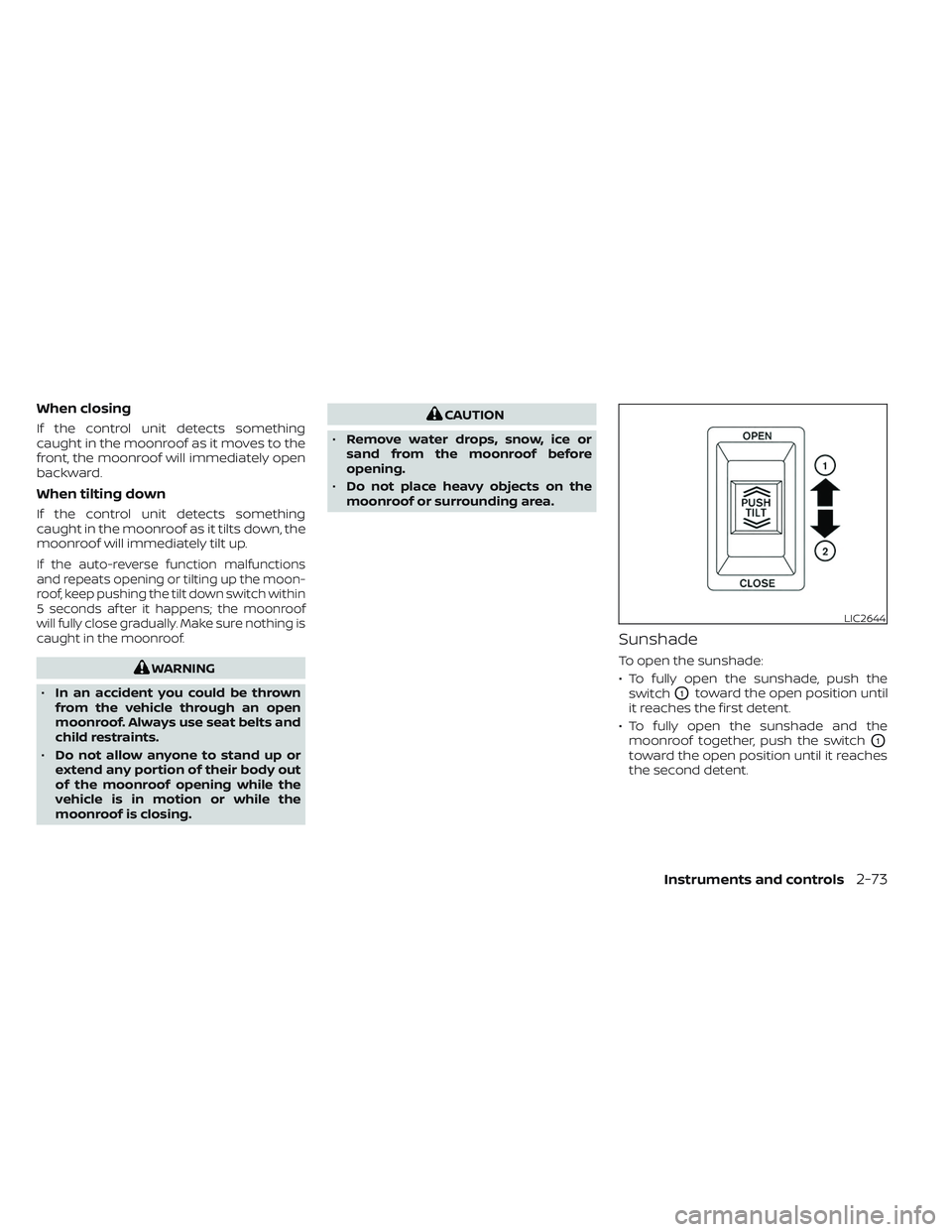
To open the sunshade:
• To fully open the sunshade, push the switch
O1toward the open position until
it reaches the first detent.
• To fully open the sunshade and the moonroof together, push the switch
O1
toward the open position until it reaches
the second detent.
LIC2644
Instruments and controls2-73
Page 163 of 494
The HomeLink® Universal Transceiver pro-
vides a convenient way to consolidate the
functions of up to three individual hand-
held transmitters into one built-in device.
HomeLink® Universal Transceiver:
• Will operate most Radio Frequency (RF)devices such as garage doors, gates,
home and office lighting, entry door locks
and security systems.
• Is powered by your vehicle's battery. No separate batteries are required. If the
vehicle's battery is discharged or is dis-
connected, HomeLink® will retain all
programming.
When the HomeLink® Universal Trans-
ceiver is programmed, retain the original
transmitter for future programming
procedures (Example: new vehicle pur-
chases). Upon sale of the vehicle, the
programmed HomeLink® Universal
Transceiver buttons should be erased for
security purposes. For additional infor-
mation, see “Programming HomeLink®”
(P. 2-77).WARNING
• Do not use the HomeLink® Universal
Transceiver with any garage door
opener that lacks safety stop and re-
verse features as required by federal
safety standards. (These standards
became effective for opener models
manufactured af ter April 1, 1982.) A
garage door opener which cannot
detect an object in the path of a clos-
ing garage door and then automati-
cally stop and reverse does not meet
current federal safety standards. Us-
ing a garage door opener without
these features increases the risk of
serious injury or death.
•
During the programming procedure
your garage door or security gate will
open and close (if the transmitter is
within range). Make sure that people
or objects are clear of the garage door,
gate, etc., that you are programming.
• Your vehicle's engine should be
turned off while programming the
HomeLink® Universal Transceiver. Do
not breathe exhaust gases; they con-
tain colorless and odorless carbon
monoxide. Carbon monoxide is dan-
gerous. It can cause unconscious-
ness or death.
PROGRAMMING HOMELINK®
The following steps show generic instruc-
tions on how to program a HomeLink®
button. If you have any questions or are
having difficulty programming your
HomeLink® buttons, refer to the HomeLink®
web site at: www.homelink.com/nissan or
call 1-800-355-3515.
NOTE:
It is also recommended that a new bat-
tery be placed in the hand-held trans-
mitter of the device being programmed
to HomeLink® for quicker programming
and accurate transmission of the radio-
frequency.
HOMELINK® UNIVERSAL
TRANSCEIVER (if so equipped)
Instruments and controls2-77