display NISSAN MURANO 2008 Owner's Guide
[x] Cancel search | Manufacturer: NISSAN, Model Year: 2008, Model line: MURANO, Model: NISSAN MURANO 2008Pages: 444, PDF Size: 6.09 MB
Page 174 of 444
Black plate (170,1)
Model "Z51-D" EDITED: 2008/ 6/ 26
HOW TO USE STATUS BUTTONTo display the status of the audio, climate control
system, fuel consumption and navigation system
(if so equipped) , push theSTATUSbutton. The
following information will appear when the
STATUSbutton is pushed.
Audio?Audio and Climate control system?
Audio and fuel consumption?Audio and
Navigation system (if so equipped)?AudioHOW TO USE BRIGHTNESS CON-
TROL AND DISPLAY ON/OFF BUTTONPush the “
OFF” button to switch the
display brightness to the daytime mode or the
nighttime mode, and to adjust the display
brightness using the multi-function controller
while the indicator is displayed at the bottom of
the screen.
The display brightness can also be adjusted
using the brightness UP button (+) or bright-
ness DOWN button ().
Push the “OFF” button for more than 2
seconds to turn the display off. Push the button
again to turn the display on.
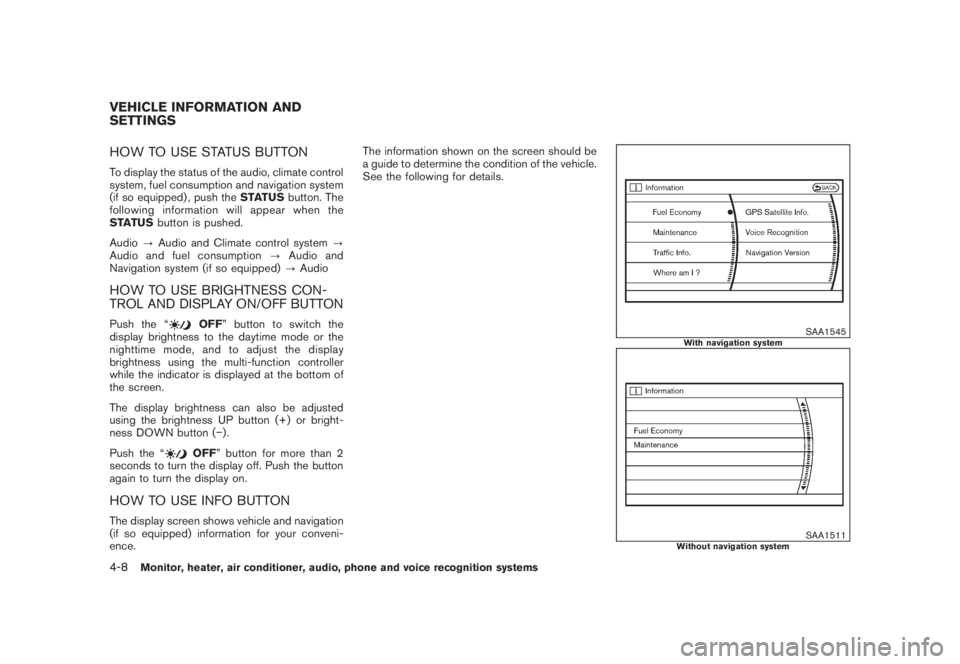
HOW TO USE INFO BUTTONThe display screen shows vehicle and navigation
(if so equipped) information for your conveni-
ence.The information shown on the screen should be
a guide to determine the condition of the vehicle.
See the following for details.
SAA1545
With navigation system
SAA1511
Without navigation system
VEHICLE INFORMATION AND
SETTINGS4-8
Monitor, heater, air conditioner, audio, phone and voice recognition systems
Page 175 of 444
Black plate (171,1)
Model "Z51-D" EDITED: 2008/ 6/ 26
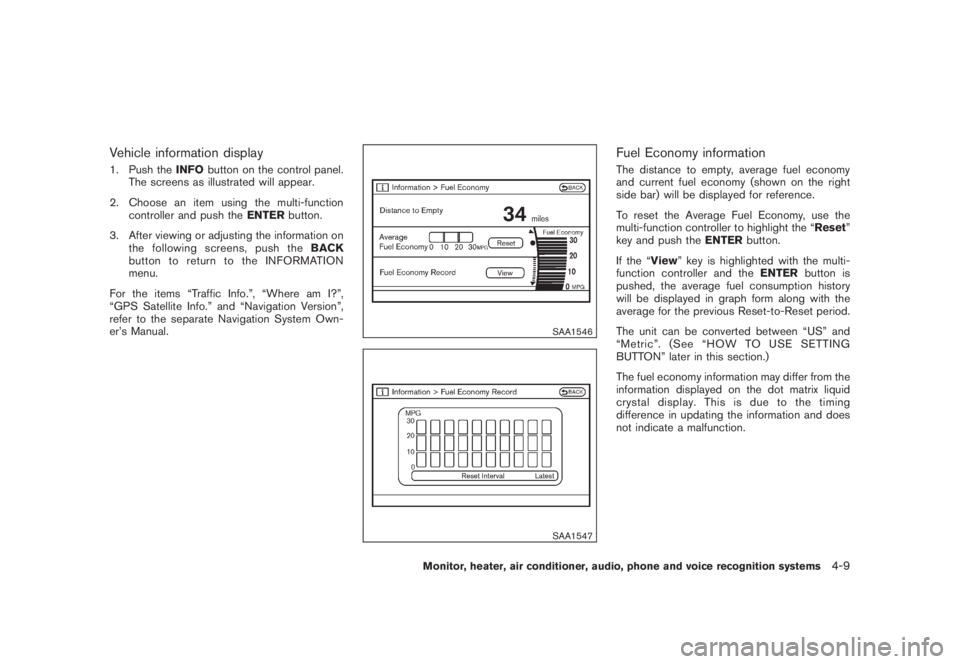
Vehicle information display1. Push theINFObutton on the control panel.
The screens as illustrated will appear.
2. Choose an item using the multi-function
controller and push theENTERbutton.
3. After viewing or adjusting the information on
the following screens, push theBACK
button to return to the INFORMATION
menu.
For the items “Traffic Info.”, “Where am I?”,
“GPS Satellite Info.” and “Navigation Version”,
refer to the separate Navigation System Own-
er’s Manual.
SAA1546SAA1547
Fuel Economy informationThe distance to empty, average fuel economy
and current fuel economy (shown on the right
side bar) will be displayed for reference.
To reset the Average Fuel Economy, use the
multi-function controller to highlight the “Reset”
key and push theENTERbutton.
If the “View” key is highlighted with the multi-
function controller and theENTERbutton is
pushed, the average fuel consumption history
will be displayed in graph form along with the
average for the previous Reset-to-Reset period.
The unit can be converted between “US” and
“Metric”. (See “HOW TO USE SETTING
BUTTON” later in this section.)
The fuel economy information may differ from the
information displayed on the dot matrix liquid
crystal display. This is due to the timing
difference in updating the information and does
not indicate a malfunction.
Monitor, heater, air conditioner, audio, phone and voice recognition systems
4-9
Page 176 of 444
Black plate (172,1)
Model "Z51-D" EDITED: 2008/ 6/ 26
SAA1554
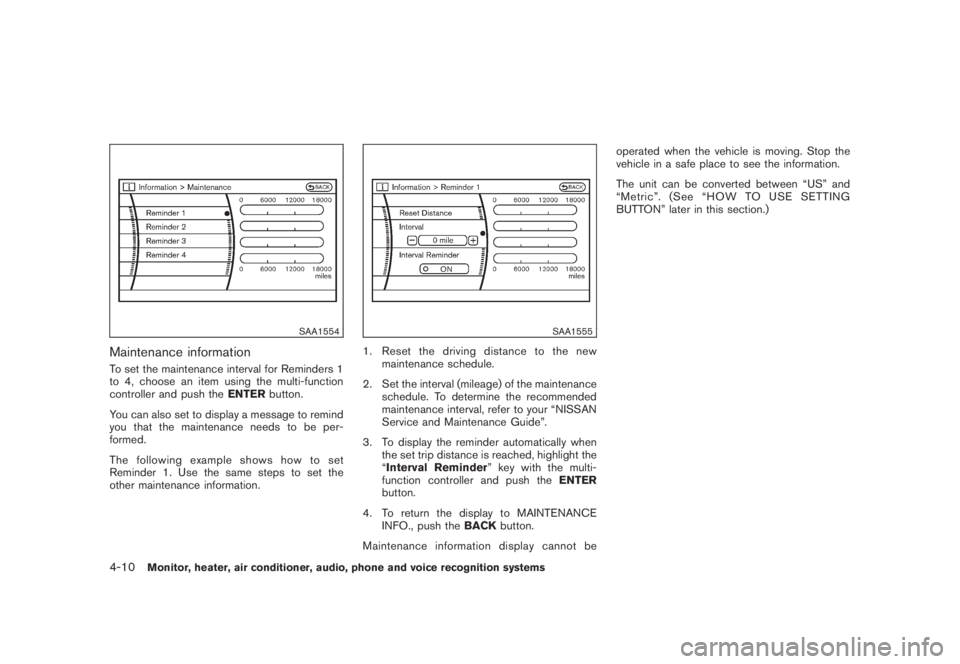
Maintenance informationTo set the maintenance interval for Reminders 1
to 4, choose an item using the multi-function
controller and push theENTERbutton.
You can also set to display a message to remind
you that the maintenance needs to be per-
formed.
The following example shows how to set
Reminder 1. Use the same steps to set the
other maintenance information.
SAA1555
1. Reset the driving distance to the new
maintenance schedule.
2. Set the interval (mileage) of the maintenance
schedule. To determine the recommended
maintenance interval, refer to your “NISSAN
Service and Maintenance Guide”.
3. To display the reminder automatically when
the set trip distance is reached, highlight the
“Interval Reminder” key with the multi-
function controller and push theENTER
button.
4. To return the display to MAINTENANCE
INFO., push theBACKbutton.
Maintenance information display cannot beoperated when the vehicle is moving. Stop the
vehicle in a safe place to see the information.
The unit can be converted between “US” and
“Metric”. (See “HOW TO USE SETTING
BUTTON” later in this section.)
4-10
Monitor, heater, air conditioner, audio, phone and voice recognition systems
Page 177 of 444
Black plate (173,1)
Model "Z51-D" EDITED: 2008/ 6/ 26
SAA1611
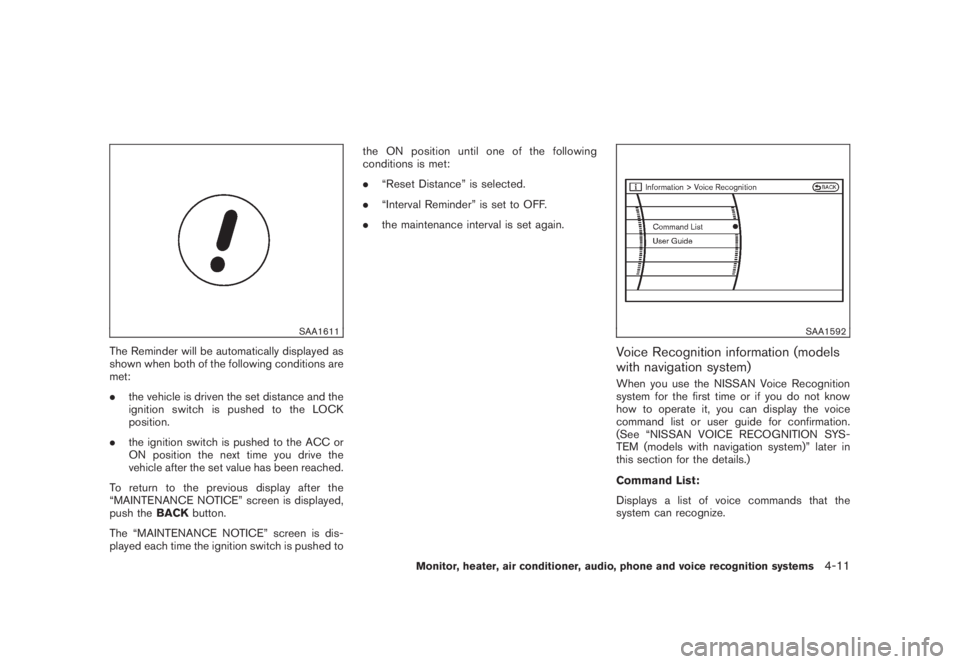
The Reminder will be automatically displayed as
shown when both of the following conditions are
met:
.the vehicle is driven the set distance and the
ignition switch is pushed to the LOCK
position.
.the ignition switch is pushed to the ACC or
ON position the next time you drive the
vehicle after the set value has been reached.
To return to the previous display after the
“MAINTENANCE NOTICE” screen is displayed,
push theBACKbutton.
The “MAINTENANCE NOTICE” screen is dis-
played each time the ignition switch is pushed tothe ON position until one of the following
conditions is met:
.“Reset Distance” is selected.
.“Interval Reminder” is set to OFF.
.the maintenance interval is set again.
SAA1592
Voice Recognition information (models
with navigation system)When you use the NISSAN Voice Recognition
system for the first time or if you do not know
how to operate it, you can display the voice
command list or user guide for confirmation.
(See “NISSAN VOICE RECOGNITION SYS-
TEM (models with navigation system)” later in
this section for the details.)
Command List:
Displays a list of voice commands that the
system can recognize.
Monitor, heater, air conditioner, audio, phone and voice recognition systems
4-11
Page 178 of 444
Black plate (174,1)
Model "Z51-D" EDITED: 2008/ 6/ 26
User Guide:
Displays a simplified operation manual of the
voice recognition system and how to use the
voice commands.
SAA1556
With navigation system
SAA1514
Without navigation system
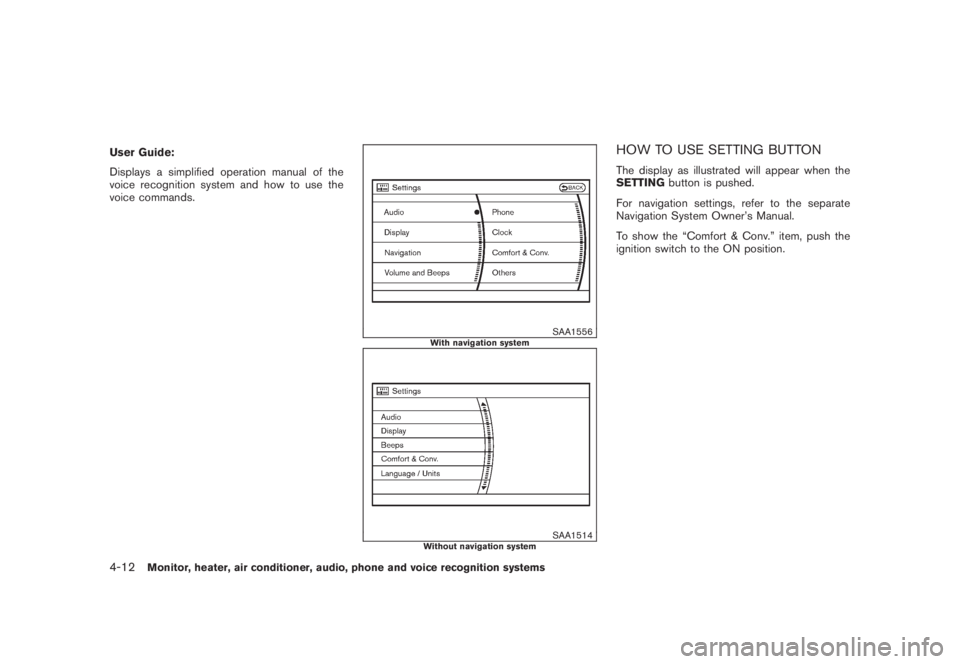
HOW TO USE SETTING BUTTONThe display as illustrated will appear when the
SETTINGbutton is pushed.
For navigation settings, refer to the separate
Navigation System Owner’s Manual.
To show the “Comfort & Conv.” item, push the
ignition switch to the ON position.
4-12
Monitor, heater, air conditioner, audio, phone and voice recognition systems
Page 179 of 444
Black plate (175,1)
Model "Z51-D" EDITED: 2008/ 6/ 26
SAA1557
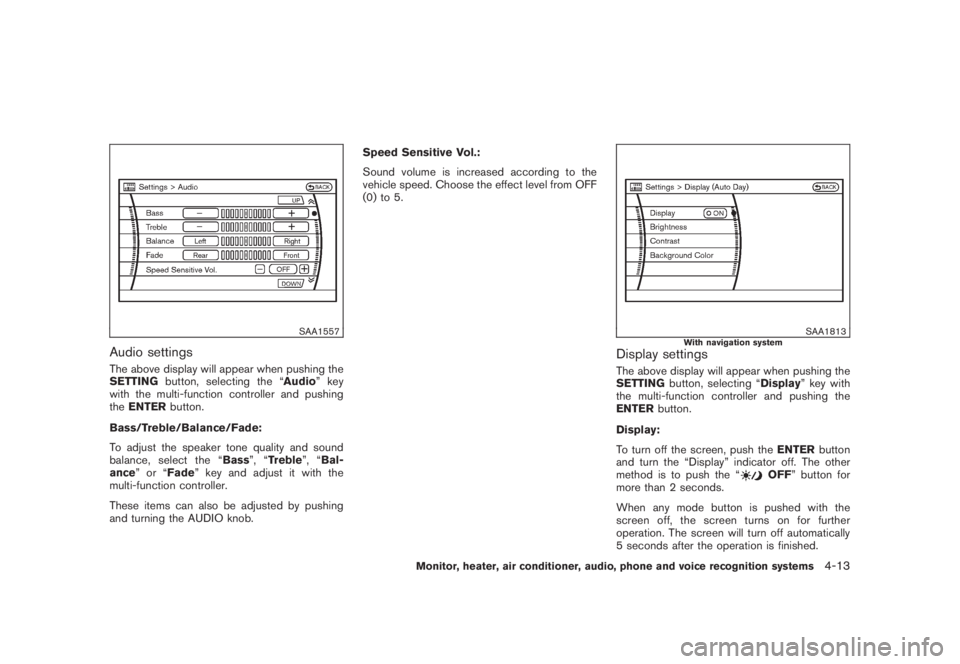
Audio settingsThe above display will appear when pushing the
SETTINGbutton, selecting the “Audio” key
with the multi-function controller and pushing
theENTERbutton.
Bass/Treble/Balance/Fade:
To adjust the speaker tone quality and sound
balance, select the “Bass”, “Treble”, “Bal-
ance”or“Fade” key and adjust it with the
multi-function controller.
These items can also be adjusted by pushing
and turning the AUDIO knob.Speed Sensitive Vol.:
Sound volume is increased according to the
vehicle speed. Choose the effect level from OFF
(0) to 5.
SAA1813
With navigation system
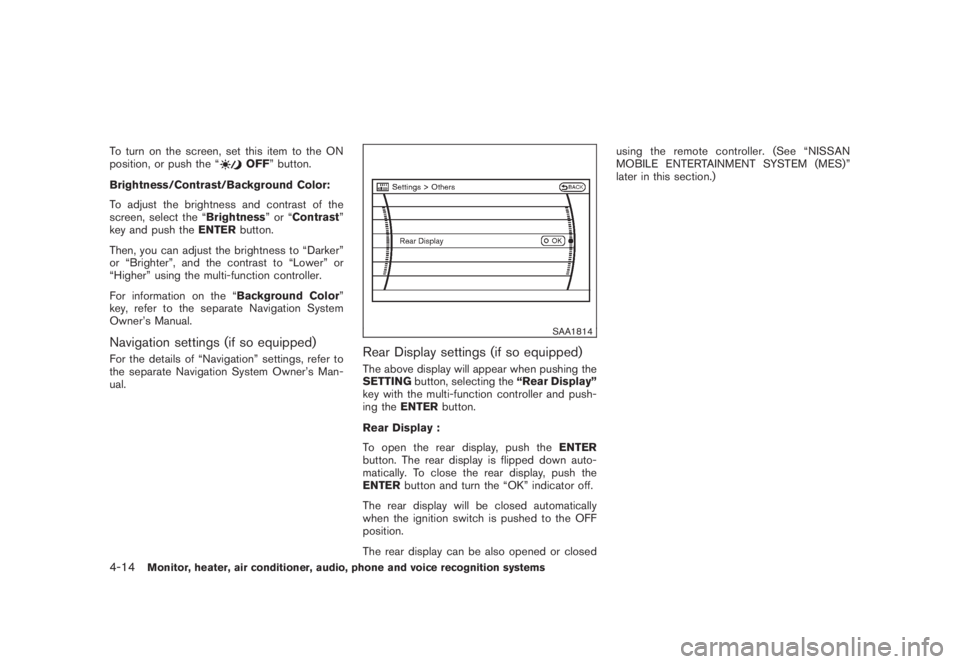
Display settingsThe above display will appear when pushing the
SETTINGbutton, selecting “Display” key with
the multi-function controller and pushing the
ENTERbutton.
Display:
To turn off the screen, push theENTERbutton
and turn the “Display” indicator off. The other
method is to push the “
OFF” button for
more than 2 seconds.
When any mode button is pushed with the
screen off, the screen turns on for further
operation. The screen will turn off automatically
5 seconds after the operation is finished.
Monitor, heater, air conditioner, audio, phone and voice recognition systems
4-13
Page 180 of 444
Black plate (176,1)
Model "Z51-D" EDITED: 2008/ 6/ 26
To turn on the screen, set this item to the ON
position, or push the “
OFF” button.
Brightness/Contrast/Background Color:
To adjust the brightness and contrast of the
screen, select the “Brightness”or“Contrast”
key and push theENTERbutton.
Then, you can adjust the brightness to “Darker”
or “Brighter”, and the contrast to “Lower” or
“Higher” using the multi-function controller.
For information on the “Background Color”
key, refer to the separate Navigation System
Owner’s Manual.
Navigation settings (if so equipped)For the details of “Navigation” settings, refer to
the separate Navigation System Owner’s Man-
ual.
SAA1814
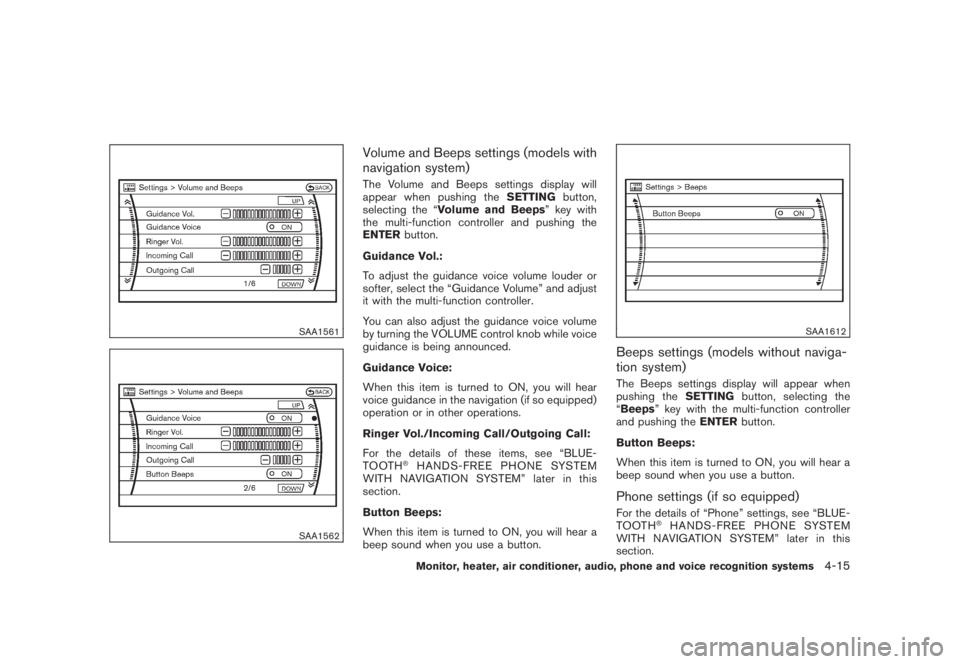
Rear Display settings (if so equipped)The above display will appear when pushing the
SETTINGbutton, selecting the“Rear Display”
key with the multi-function controller and push-
ing theENTERbutton.
Rear Display :
To open the rear display, push theENTER
button. The rear display is flipped down auto-
matically. To close the rear display, push the
ENTERbutton and turn the “OK” indicator off.
The rear display will be closed automatically
when the ignition switch is pushed to the OFF
position.
The rear display can be also opened or closedusing the remote controller. (See “NISSAN
MOBILE ENTERTAINMENT SYSTEM (MES)”
later in this section.)
4-14
Monitor, heater, air conditioner, audio, phone and voice recognition systems
Page 181 of 444
Black plate (177,1)
Model "Z51-D" EDITED: 2008/ 6/ 26
SAA1561SAA1562
Volume and Beeps settings (models with
navigation system)The Volume and Beeps settings display will
appear when pushing theSETTINGbutton,
selecting the “Volume and Beeps” key with
the multi-function controller and pushing the
ENTERbutton.
Guidance Vol.:
To adjust the guidance voice volume louder or
softer, select the “Guidance Volume” and adjust
it with the multi-function controller.
You can also adjust the guidance voice volume
by turning the VOLUME control knob while voice
guidance is being announced.
Guidance Voice:
When this item is turned to ON, you will hear
voice guidance in the navigation (if so equipped)
operation or in other operations.
Ringer Vol./Incoming Call/Outgoing Call:
For the details of these items, see “BLUE-
TOOTH
®HANDS-FREE PHONE SYSTEM
WITH NAVIGATION SYSTEM” later in this
section.
Button Beeps:
When this item is turned to ON, you will hear a
beep sound when you use a button.
SAA1612
Beeps settings (models without naviga-
tion system)The Beeps settings display will appear when
pushing theSETTINGbutton, selecting the
“Beeps” key with the multi-function controller
and pushing theENTERbutton.
Button Beeps:
When this item is turned to ON, you will hear a
beep sound when you use a button.Phone settings (if so equipped)For the details of “Phone” settings, see “BLUE-
TOOTH
®HANDS-FREE PHONE SYSTEM
WITH NAVIGATION SYSTEM” later in this
section.
Monitor, heater, air conditioner, audio, phone and voice recognition systems
4-15
Page 182 of 444
Black plate (178,1)
Model "Z51-D" EDITED: 2008/ 6/ 26
SAA2001
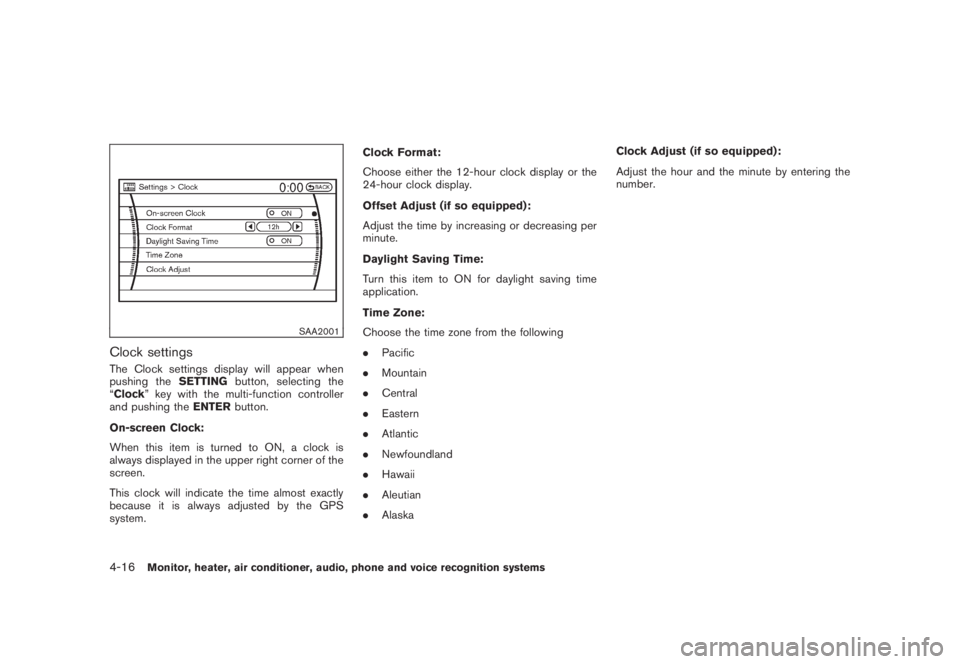
Clock settingsThe Clock settings display will appear when
pushing theSETTINGbutton, selecting the
“Clock” key with the multi-function controller
and pushing theENTERbutton.
On-screen Clock:
When this item is turned to ON, a clock is
always displayed in the upper right corner of the
screen.
This clock will indicate the time almost exactly
because it is always adjusted by the GPS
system.Clock Format:
Choose either the 12-hour clock display or the
24-hour clock display.
Offset Adjust (if so equipped):
Adjust the time by increasing or decreasing per
minute.
Daylight Saving Time:
Turn this item to ON for daylight saving time
application.
Time Zone:
Choose the time zone from the following
.Pacific
.Mountain
.Central
.Eastern
.Atlantic
.Newfoundland
.Hawaii
.Aleutian
.AlaskaClock Adjust (if so equipped):
Adjust the hour and the minute by entering the
number.4-16
Monitor, heater, air conditioner, audio, phone and voice recognition systems
Page 183 of 444
Black plate (179,1)
Model "Z51-D" EDITED: 2008/ 6/ 26
SAA1564SAA1565
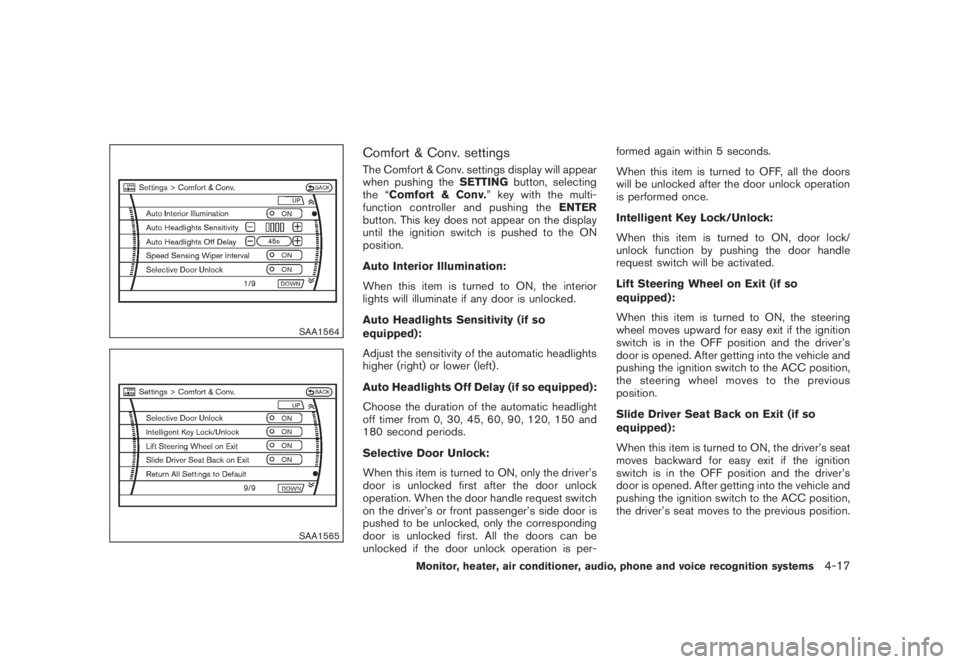
Comfort & Conv. settingsThe Comfort & Conv. settings display will appear
when pushing theSETTINGbutton, selecting
the “Comfort & Conv.” key with the multi-
function controller and pushing theENTER
button. This key does not appear on the display
until the ignition switch is pushed to the ON
position.
Auto Interior Illumination:
When this item is turned to ON, the interior
lights will illuminate if any door is unlocked.
Auto Headlights Sensitivity (if so
equipped):
Adjust the sensitivity of the automatic headlights
higher (right) or lower (left) .
Auto Headlights Off Delay (if so equipped):
Choose the duration of the automatic headlight
off timer from 0, 30, 45, 60, 90, 120, 150 and
180 second periods.
Selective Door Unlock:
When this item is turned to ON, only the driver’s
door is unlocked first after the door unlock
operation. When the door handle request switch
on the driver’s or front passenger’s side door is
pushed to be unlocked, only the corresponding
door is unlocked first. All the doors can be
unlocked if the door unlock operation is per-formed again within 5 seconds.
When this item is turned to OFF, all the doors
will be unlocked after the door unlock operation
is performed once.
Intelligent Key Lock/Unlock:
When this item is turned to ON, door lock/
unlock function by pushing the door handle
request switch will be activated.
Lift Steering Wheel on Exit (if so
equipped):
When this item is turned to ON, the steering
wheel moves upward for easy exit if the ignition
switch is in the OFF position and the driver’s
door is opened. After getting into the vehicle and
pushing the ignition switch to the ACC position,
the steering wheel moves to the previous
position.
Slide Driver Seat Back on Exit (if so
equipped):
When this item is turned to ON, the driver’s seat
moves backward for easy exit if the ignition
switch is in the OFF position and the driver’s
door is opened. After getting into the vehicle and
pushing the ignition switch to the ACC position,
the driver’s seat moves to the previous position.
Monitor, heater, air conditioner, audio, phone and voice recognition systems
4-17