battery NISSAN MURANO 2009 Owner´s Manual
[x] Cancel search | Manufacturer: NISSAN, Model Year: 2009, Model line: MURANO, Model: NISSAN MURANO 2009Pages: 443, PDF Size: 3.95 MB
Page 163 of 443
Black plate (13,1)
4 Monitor, heater, air conditioner, audio,
phone and voice recognition systems
Model "Z51-D" EDITED: 2007/ 10/ 2
Safety note....................................................... 4-2
Center multi-function control panel
(models with color display screen)......................... 4-2
How to use multi-function controller................... 4-4
How to use touch screen
(models with navigation system)........................ 4-4
Start-up screen (models with navigation system) . . . 4-6
Start menu................................................... 4-6
How to select menus on the screen................... 4-7
Vehicle information and settings............................. 4-8
How to use STATUS button.............................. 4-8
How to use brightness control and display ON/
OFF button................................................... 4-8
How to use INFO button.................................. 4-8
How to use SETTING button..........................4-12
Rearview monitor (if so equipped)........................4-19
How to read the displayed lines.......................4-20
How to park with predicted course lines............4-20
Difference between predicted and actual
distances...................................................4-22
How to adjust the screen...............................4-24
Operating tips.............................................4-24
Ventilators......................................................4-25
Heater and air conditioner..................................4-26
Automatic operation......................................4-28
Manual operation.........................................4-29
To turn the system off...................................4-30Operating tips.............................................4-30
In-cabin microfilter........................................4-30
Servicing air conditioner................................4-30
Audio system..................................................4-31
Audio operation precautions...........................4-31
FM-AM radio with Compact Disc (CD)
changer.....................................................4-39
FM-AM-SAT radio with Compact Disc (CD)
changer.....................................................4-44
CompactFlash (CF) player operation
(models with navigation system)......................4-49
iPod
®player operation (if so equipped)..............4-51
Music box hard drive
(models with navigation system)......................4-52
CD/CF (CompactFlash) care and cleaning.........4-59
Steering-wheel-mounted controls for audio
(if so equipped)...........................................4-60
Antenna.....................................................4-61
NISSAN Mobile Entertainment System (MES)
(if so equipped)...............................................4-62
DVD player operation precautions....................4-63
Digital Versatile Disc (DVD) system
components...............................................4-64
Remote controller and headphones battery
replacement................................................4-67
Before operating the DVD entertainment
system.......................................................4-68
Page 167 of 443
Black plate (165,1)
Model "Z51-D" EDITED: 2007/ 10/ 2
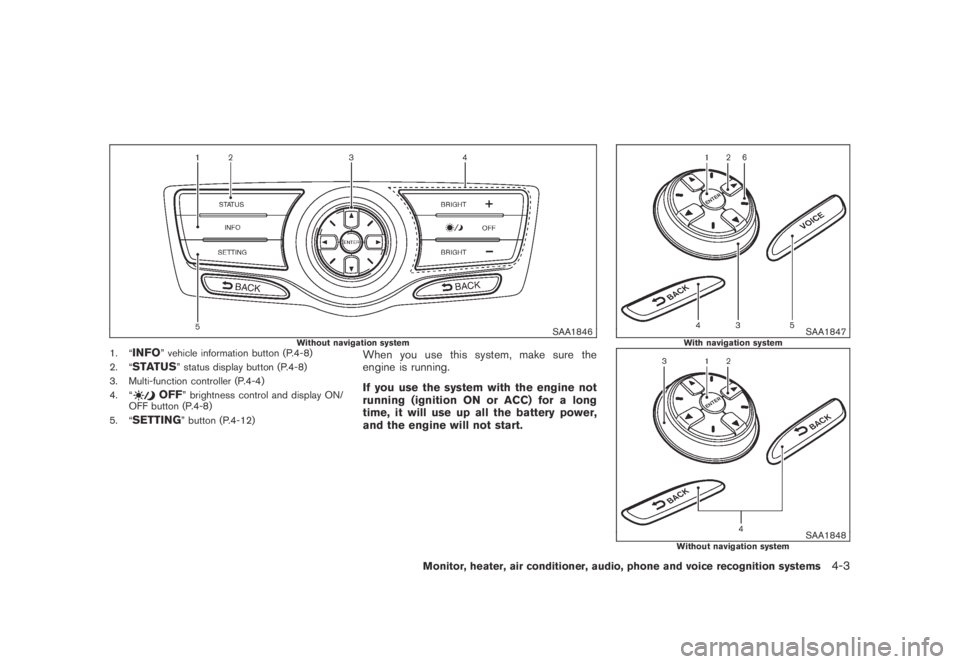
SAA1846Without navigation system1. “INFO” vehicle information button (P.4-8)
2. “
STATUS” status display button (P.4-8)
3. Multi-function controller (P.4-4)
4. “
OFF” brightness control and display ON/
OFF button (P.4-8)
5. “
SETTING” button (P.4-12)
When you use this system, make sure the
engine is running.
If you use the system with the engine not
running (ignition ON or ACC) for a long
time, it will use up all the battery power,
and the engine will not start.
SAA1847With navigation system
SAA1848Without navigation system
Monitor, heater, air conditioner, audio, phone and voice recognition systems4-3
Page 185 of 443
Black plate (183,1)
Model "Z51-D" EDITED: 2007/ 10/ 2
.On a snow-covered or slippery road,
there may be a difference between
the predicted course line and the
actual course line.
.If the battery is disconnected or
becomes discharged, the predicted
course lines may be displayed in-
correctly. If this occurs, please per-
form the following procedures:
— Turn the steering wheel from
lock to lock while the engine is
running.
— Drive the vehicle on a straight
road for more than 5 minutes.
.When the steering wheel is turned
with the ignition switch in the ACC
position, the predicted course lines
may be displayed incorrectly.
.The displayed lines will appear
slightly off to the right because the
rear view camera is not installed in
the rear center of the vehicle.
.The distance guide line and the
vehicle width line should be used
as a reference only when the vehicle
is on a level paved surface. The
distance viewed on the monitor is
for reference only and may bedifferent than the actual distance
between the vehicle and displayed
objects.
.When backing-up the vehicle up a
hill objects viewed in the monitor
are further than they appear. When
backing-up the vehicle down a hill,
objects viewed in the monitor are
closer than they appear. Use the
inside mirror or glance over your
shoulder to properly judge dis-
tances to other objects.
The vehicle width and predicted course
lines are wider than the actual width and
course.
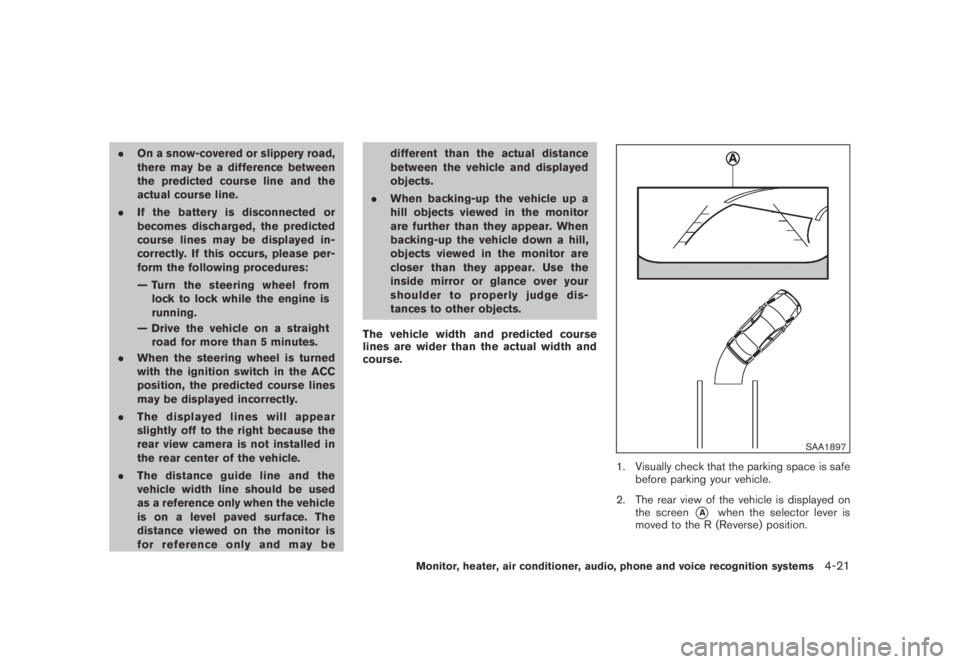
SAA1897
1. Visually check that the parking space is safe
before parking your vehicle.
2. The rear view of the vehicle is displayed on
the screen
*Awhen the selector lever is
moved to the R (Reverse) position.
Monitor, heater, air conditioner, audio, phone and voice recognition systems4-21
Page 196 of 443
Black plate (194,1)
Model "Z51-D" EDITED: 2007/ 10/ 2
Static and flutter: During signal interference from
buildings, large hills or due to antenna position,
usually in conjunction with increased distance
from the station transmitter, static or flutter can
be heard. This can be reduced by lowering the
treble setting to reduce the treble response.
Multipath reception: Because of the reflective
characteristics of FM signals, direct and re-
flected signals reach the receiver at the same
time. The signals may cancel each other,
resulting in momentary flutter or loss of sound.
AM radio reception:
AM signals, because of their low frequency, can
bend around objects and skip along the ground.
In addition, the signals can be bounced off the
ionosphere and bent back to earth. Because of
these characteristics. AM signals are also
subject to interference as they travel from
transmitter to receiver.
Fading: Occurs while the vehicle is passing
through freeway underpasses or in areas with
many tall buildings. It can also occur for several
seconds during ionospheric turbulence even in
areas where no obstacles exist.
Static: Caused by thunderstorms, electrical
power lines, electric signs and even traffic lights.Satellite radio reception:
When the satellite radio is first installed or the
battery has been replaced, the satellite radio
may not work properly. This is not a malfunction.
Wait more than 10 minutes with satellite radio
ON for satellite radio to receive all of the
necessary data.
The satellite radio mode requires an active XM
®
satellite radio service subscription. Satellite
radio is not available in Alaska, Hawaii and
Guam.
Satellite radio performance may be affected if
cargo carried on the roof blocks the satellite
radio signal.
If possible, do not put cargo near the satellite
antenna.
A build up of ice on the satellite radio antenna
can affect satellite radio performance. Remove
the ice to restore satellite radio reception.
SAA0480
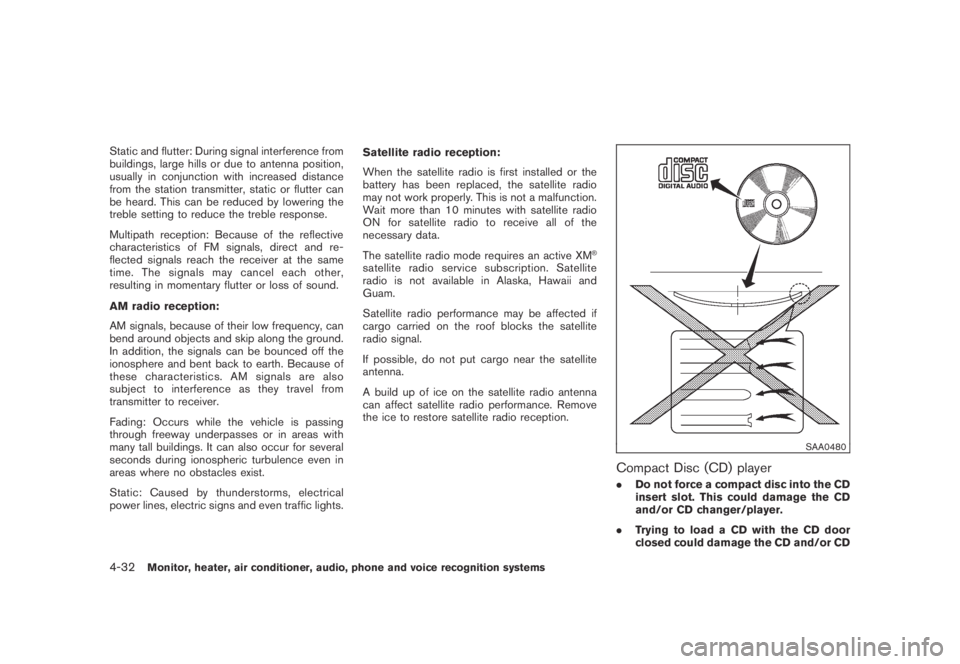
Compact Disc (CD) player
.Do not force a compact disc into the CD
insert slot. This could damage the CD
and/or CD changer/player.
.Trying to load a CD with the CD door
closed could damage the CD and/or CD
4-32Monitor, heater, air conditioner, audio, phone and voice recognition systems
Page 205 of 443
Black plate (203,1)
Model "Z51-D" EDITED: 2007/ 10/ 2
buttons*1to*6until a beep sound is
heard. (The radio mutes when the select
button is pushed.)
4. The channel indicator will then come on and
the sound will resume. Memorizing is now
complete.
5. Other buttons can be set in the same
manner.
If the battery cable is disconnected, or if the fuse
blows, the radio memory will be erased. In that
case, reset the desired stations.
Compact Disc (CD) changer operation
Push the ignition switch to the ACC or ON
position, push the LOAD button and insert the
compact disc into the slot with the label side
facing up. The compact disc will be guided
automatically into the slot and start playing.
After loading the disc, the number of tracks on
the disc and the play time will appear on the
display.
If the radio is already operating, it will auto-
matically turn off and the compact disc will play.
If the system has been turned off while the
compact disc was playing, pushing the ON·-
OFF/VOL control knob will start the compact
disc.
CD LOAD:
To insert a CD in the CD changer, push the
LOAD button for less than 1.5 seconds. Select
the loading position by pushing the CD insert
select button
*1to*6, then insert the CD.
To insert 6 CDs to the CD changer in
succession, push the LOAD button for more
than 1.5 seconds.
The inserted slot numbers will illuminate on the
display.
PLAY:
When the DISC (CD play) button is pushed with
the system off and the compact disc loaded, the
system will turn on and the compact disc will
start to play.
When the DISC button is pushed with the
compact disc loaded and the radio playing, the
radio will automatically be turned off and the
compact disc will start to play.
When the DISC button is pushed while a CD is
loaded and a medium is played using the
auxiliary input jacks, you can toggle back and
forth between CD and medium.
CD PLAY INFORMATION:
When the DISP button is pushed for less than
1.5 seconds while the CD is being played, the
disc information display will change as follows:
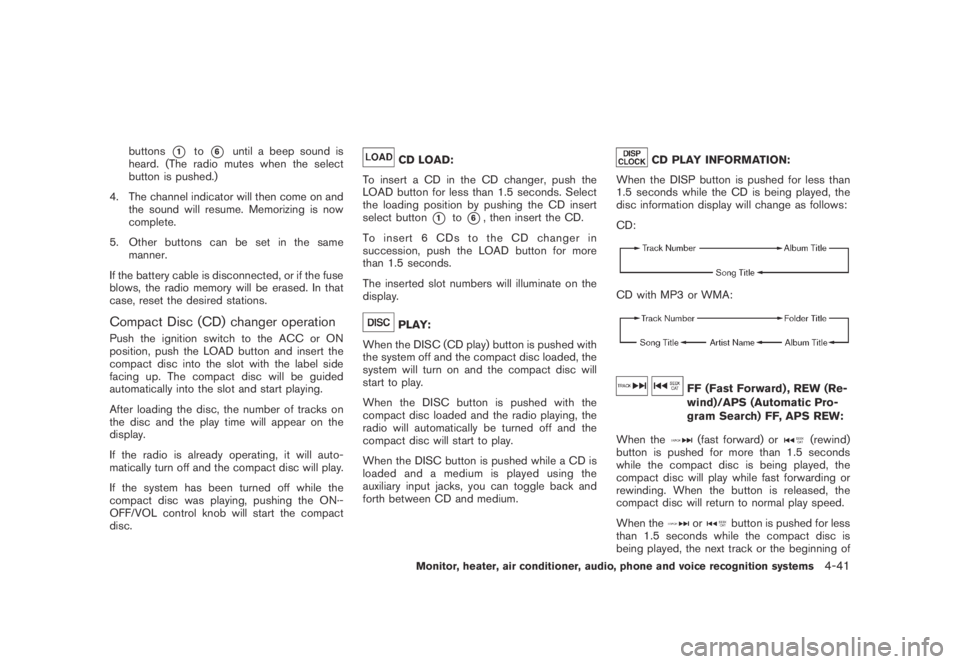
CD:
CD with MP3 or WMA:
FF (Fast Forward) , REW (Re-
wind)/APS (Automatic Pro-
gram Search) FF, APS REW:
When the
(fast forward) or(rewind)
button is pushed for more than 1.5 seconds
while the compact disc is being played, the
compact disc will play while fast forwarding or
rewinding. When the button is released, the
compact disc will return to normal play speed.
When the
orbutton is pushed for less
than 1.5 seconds while the compact disc is
being played, the next track or the beginning of
Monitor, heater, air conditioner, audio, phone and voice recognition systems4-41
Page 210 of 443
Black plate (208,1)
Model "Z51-D" EDITED: 2007/ 10/ 2
low frequencies and to stop at the next
broadcasting station.
.For XM satellite radio
Push the SEEK·CAT or TRACK button
orto tune to the first channel of the
next or previous category.
During satellite radio reception, the following
notices will be displayed under certain condi-
tions.
.NO SIGNAL (No signal is received while the
SAT tuner is connected.)
.OFF AIR (Broadcasting signed off)
.ANTENNA ERROR (Antenna connection
error)
.LOADING (When the initial setting is
performed)
.UPDATING (When the satellite radio sub-
scription is not active)
.INVALID CH (Invalid channel is received.)
SCAN tuning:
Push the SCAN tuning button to tune from low
to high frequencies and stops at each broad-
casting station for 5 seconds. Pushing the
button again during this 5 seconds period will
stop SCAN tuning and the radio will remaintuned to that station.
If the SCAN tuning button is not pushed within 5
seconds, SCAN tuning moves to the next
station.
*1to*6Station memory operations:
Twelve stations/channels can be set for the FM
band (6 for FM1, 6 for FM2) and the SAT radio
(6 for SAT1, 6 for SAT2) , and 6 stations can be
set for the AM band.
1. Choose the radio band using the radio band
select button.
2. Tune to the desired station using the SEEK,
SCAN or TUNE button.
3. Select the desired station/channel and keep
pushing any of the desired station preset
buttons
*1to*6until a beep sound is
heard. (The radio mutes when the select
button is pushed.)
4. The channel indicator will then come on and
the sound will resume. Memorizing is now
complete.
5. Other buttons can be set in the same
manner.
If the battery cable is disconnected, or if the fuse
blows, the radio memory will be erased. In that
case, reset the desired stations.Text:
When the “Text” key is selected with the multi-
function controller on the display and then the
ENTER button is pushed while the satellite radio
is being played, the text information will be
displayed on the screen.
.CH Name
.Category
.Name
.Title
.Other
Compact Disc (CD) player/changer op-
eration
Push the ignition switch to the ACC or ON
position, push the LOAD button (if so equipped)
and insert the compact disc into the slot with the
label side facing up. The compact disc will be
guided automatically into the slot and start
playing.
After loading the disc, the number of tracks on
the disc and the play time will appear on the
display.
If the radio is already operating, it will auto-
matically turn off and the compact disc will play.
If the system has been turned off while the
compact disc was playing, pushing the ON·-
4-46Monitor, heater, air conditioner, audio, phone and voice recognition systems
Page 215 of 443
Black plate (213,1)
Model "Z51-D" EDITED: 2007/ 10/ 2
iPod®PLAYER OPERATION (if so
equipped)
Connecting iPod
®
Open the console lid and connect the cable*1as illustrated, and then connect the other end of
the cable to your iPod®*2. Your vehicle is
equipped with the specialized cable for con-
necting the iPod
®to your vehicle audio unit. The
battery of your iPod®is charged during the
connection to the vehicle.
The display on the iPod
®shows a NISSAN
screen when the connection is completed.
While connecting the iPod
®to the vehicle, the
iPod®can only be operated by the vehicle audio
controls.
To disconnect the cable from the vehicle outlet,
fully depress the center connector button to
unlatch the connector and pull the connector
straight out of the outlet. To disconnect the
cable from the iPod
®, fully depress the side
connector buttons and pull the iPod®connector
straight out of the iPod®.
*iPod
®is a trademark of Apple Inc., registered in
the U.S. and other countries.
Compatibility
The following models are available:
.Third generation iPod
®(Firmware version
2.3 or later) (Audiobook and Podcast are notavailable)
.Fourth generation iPod
®(Firmware version
3.1.1 or later)
.Fifth generation iPod
®(Firmware version
1.1.2 or later)
.iPod
®mini (Firmware version 1.41 or later)
.iPod
®photo (Firmware version 1.2.1 or later)
.iPod
®nano (Firmware version 1.2 or later)
Make sure that your iPod
®firmware is updated.
Audio main operation
Push the ignition switch to the ACC or ON
position. Then, push the DISC/AUX button
repeatedly to switch to the iPod
®mode.
If the system has been turned off while the iPod
®
was playing, pushing the ON·OFF/VOL control
knob will start the iPod®.
DISC/AUX button:
When the DISC/AUX button is pushed with the
system off and the iPod
®connected, the system
will turn on. If another audio source is playing
and the iPod
®is connected, push the DISC
button repeatedly until the center display
changes to the iPod
®mode.Interface:
The interface for iPod
®operation shown on the
vehicle center display is similar to the iPod®
interface. Use the multi-function controller and
the ENTER or BACK button to play the iPod®
with your favorite settings.
The following items can be chosen from the
menu list screen. For further information about
each item, see the iPod
®Owner’s Manual.
.Playlists
.Artists
.Albums
.Songs
.Podcasts
.Genres
.Composers
.Audiobooks
The following touch-panel buttons shown on the
screen are also available:
.
: returns to the previous screen.
.
: plays/pauses the music selected.
Monitor, heater, air conditioner, audio, phone and voice recognition systems4-51
Page 227 of 443
Black plate (225,1)
Model "Z51-D" EDITED: 2007/ 10/ 2
of contact with skin, wash immedi-
ately with soap and water.
.Use a damp, soft cloth when clean-
ing the Mobile Entertainment Sys-
tem components. Do not use
solvents or cleaning solutions.
.Do not attempt to use the system in extreme
temperature conditions [below−48F
(−208C) or above 1588F (708C)].
.To avoid discharging the vehicle battery, do
not operate the system more than 15
minutes without starting the engine.
Movies will not be shown on the front display
while the vehicle is in any drive position to
reduce driver distraction. Audio is available
when a movie is played. To view movies in the
front display, stop the vehicle in a safe location,
move the selector lever to the P (Park) position
and apply the parking brake.
LHA0484
DVD player operation precautions
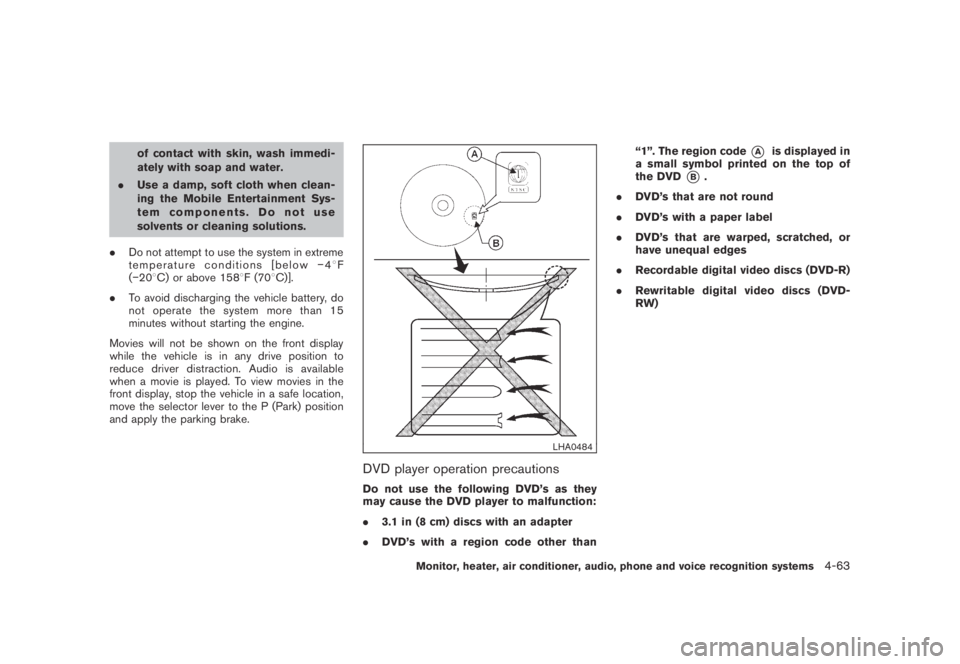
Do not use the following DVD’s as they
may cause the DVD player to malfunction:
.3.1 in (8 cm) discs with an adapter
.DVD’s with a region code other than“1”. The region code
*Ais displayed in
a small symbol printed on the top of
the DVD
*B.
.DVD’s that are not round
.DVD’s with a paper label
.DVD’s that are warped, scratched, or
have unequal edges
.Recordable digital video discs (DVD-R)
.Rewritable digital video discs (DVD-
RW)
Monitor, heater, air conditioner, audio, phone and voice recognition systems4-63
Page 230 of 443
Black plate (228,1)
Model "Z51-D" EDITED: 2007/ 10/ 2
SAA0721
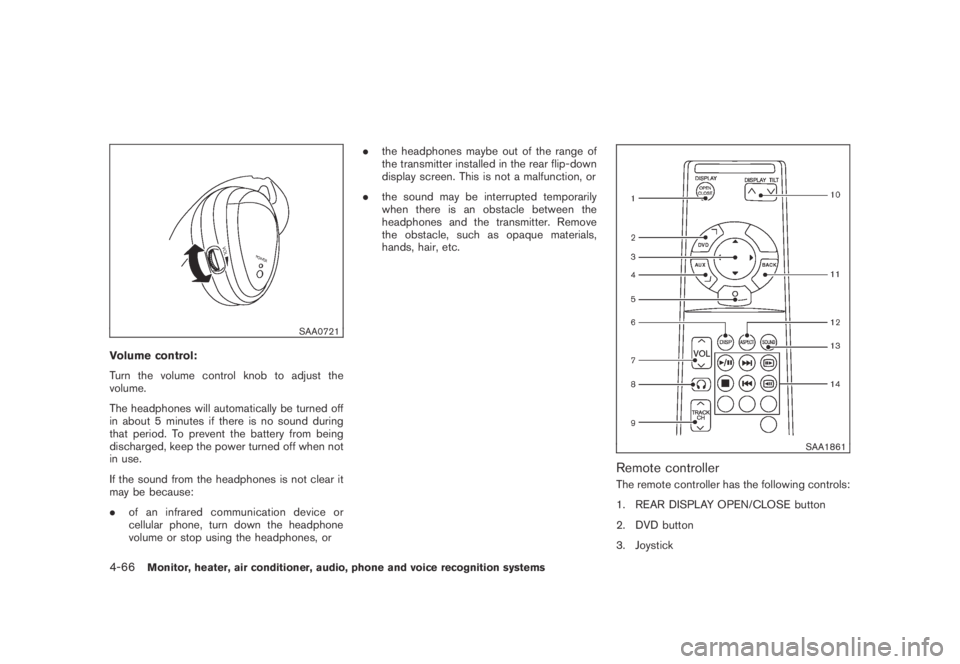
Volume control:
Turn the volume control knob to adjust the
volume.
The headphones will automatically be turned off
in about 5 minutes if there is no sound during
that period. To prevent the battery from being
discharged, keep the power turned off when not
in use.
If the sound from the headphones is not clear it
may be because:
.of an infrared communication device or
cellular phone, turn down the headphone
volume or stop using the headphones, or.the headphones maybe out of the range of
the transmitter installed in the rear flip-down
display screen. This is not a malfunction, or
.the sound may be interrupted temporarily
when there is an obstacle between the
headphones and the transmitter. Remove
the obstacle, such as opaque materials,
hands, hair, etc.
SAA1861
Remote controller
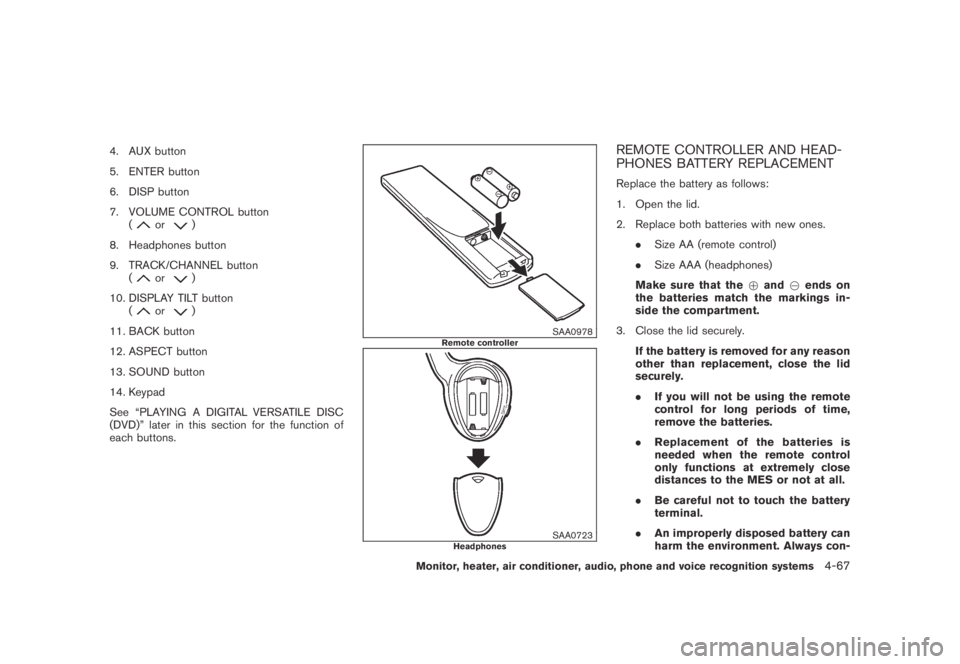
The remote controller has the following controls:
1. REAR DISPLAY OPEN/CLOSE button
2. DVD button
3. Joystick
4-66Monitor, heater, air conditioner, audio, phone and voice recognition systems
Page 231 of 443
Black plate (229,1)
Model "Z51-D" EDITED: 2007/ 10/ 2
4. AUX button
5. ENTER button
6. DISP button
7. VOLUME CONTROL button
(
or)
8. Headphones button
9. TRACK/CHANNEL button
(
or)
10. DISPLAY TILT button
(
or)
11. BACK button
12. ASPECT button
13. SOUND button
14. Keypad
See “PLAYING A DIGITAL VERSATILE DISC
(DVD)” later in this section for the function of
each buttons.
SAA0978Remote controller
SAA0723Headphones
REMOTE CONTROLLER AND HEAD-
PHONES BATTERY REPLACEMENT
Replace the battery as follows:
1. Open the lid.
2. Replace both batteries with new ones.
.Size AA (remote control)
.Size AAA (headphones)
Make sure that the+and7ends on
the batteries match the markings in-
side the compartment.
3. Close the lid securely.
If the battery is removed for any reason
other than replacement, close the lid
securely.
.If you will not be using the remote
control for long periods of time,
remove the batteries.
.Replacement of the batteries is
needed when the remote control
only functions at extremely close
distances to the MES or not at all.
.Be careful not to touch the battery
terminal.
.An improperly disposed battery can
harm the environment. Always con-
Monitor, heater, air conditioner, audio, phone and voice recognition systems4-67