wheel NISSAN MURANO 2016 3.G User Guide
[x] Cancel search | Manufacturer: NISSAN, Model Year: 2016, Model line: MURANO, Model: NISSAN MURANO 2016 3.GPages: 465, PDF Size: 6.59 MB
Page 103 of 465
If this indicator light comes on steady for 20 sec-
onds and then blinks for 10 seconds when the
engine is not running, it indicates that the vehicle
is not ready for an emission control system
inspection/maintenance test. For additional infor-
mation, refer to “Readiness for
inspection/maintenance (I/M) test” in the “Tech-
nical and consumer information” section of this
manual.
Operation
The MIL will come on in one of two ways:
●MIL on steady — An emission control system
malfunction has been detected. Check the
fuel-filler cap. If the LOOSE FUEL CAP
warning message is displayed in the odom-
eter, and the fuel-filler cap is loose or miss-
ing, tighten or install the cap and continue to
drive the vehicle. The
light should turn
off after a few driving trips. If the
light
does not turn off after a few driving trips,
have the vehicle inspected. It is recom-
mended you visit a NISSAN dealer for this
service. You do not need to have your vehicle
towed to the dealer.
●MIL blinking — An engine misfire has been
detected which may damage the emission
control system. To reduce or avoid emission
control system damage:– do not drive at speeds above 45 mph
(72 km/h);
– avoid hard acceleration or deceleration;
– avoid steep uphill grades;
– if possible, reduce the amount of cargo
being hauled.
The MIL may stop blinking and come on steady.
Have the vehicle inspected. It is recommended
you visit a NISSAN dealer for this service. You do
not need to have your vehicle towed to the dealer.
CAUTION
Continued vehicle operation without hav-
ing the emission control system checked
and repaired as necessary could lead to
poor driveability, reduced fuel economy,
and possible damage to the emission con-
trol system.
Security indicator light
This light blinks when the ignition switch is
placed in the OFF, LOCK or ACC (if so
equipped) position.
The blinking security indicator light indicates that
the security systems equipped on the vehicle are
operational.For additional information, refer to “Security sys-
tems” in this section.
Side light and headlight
indicator light (green)
The side light and headlight indicator light illumi-
nates when the side light or headlight position is
selected. For additional information, refer to
“Headlight and turn signal switch” in this section.
Slip indicator light
This indicator will blink when the VDC system is
operating, thus alerting the driver to the fact that
the road surface is slippery and the vehicle is
nearing its traction limits.
You may feel or hear the system working; this is
normal.
The light will blink for a few seconds after the
VDC system stops limiting wheel spin.
The
indicator light also comes on when
you place the ignition switch in the ON position.
The light will turn off after approximately 2 sec-
onds if the system is operational. If the light does
not come on have the system checked. It is
recommended you visit a NISSAN dealer for this
service.
2-14Instruments and controls
Page 105 of 465
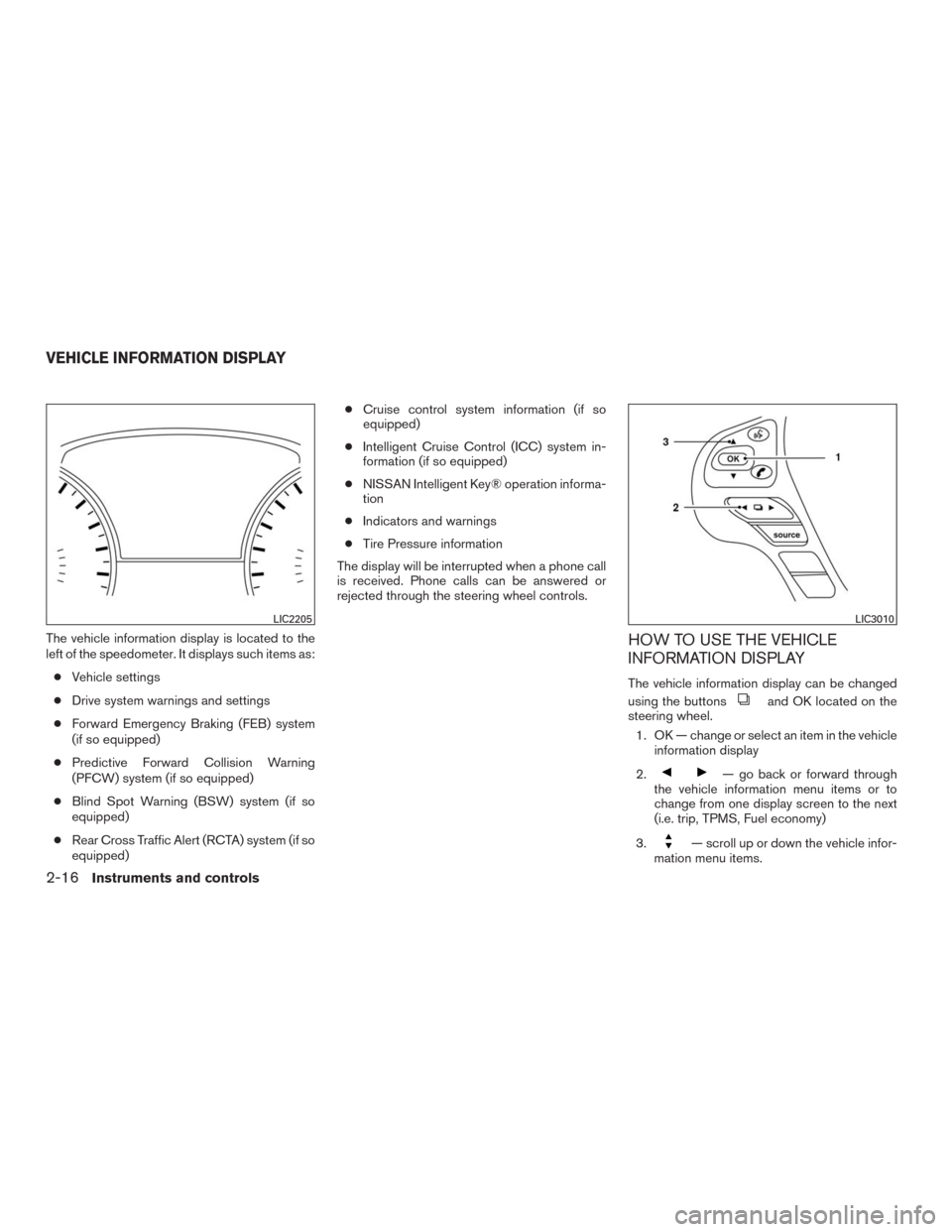
The vehicle information display is located to the
left of the speedometer. It displays such items as:
●Vehicle settings
●Drive system warnings and settings
●Forward Emergency Braking (FEB) system
(if so equipped)
●Predictive Forward Collision Warning
(PFCW) system (if so equipped)
●Blind Spot Warning (BSW) system (if so
equipped)
●Rear Cross Traffic Alert (RCTA) system (if so
equipped)●Cruise control system information (if so
equipped)
●Intelligent Cruise Control (ICC) system in-
formation (if so equipped)
●NISSAN Intelligent Key® operation informa-
tion
●Indicators and warnings
●Tire Pressure information
The display will be interrupted when a phone call
is received. Phone calls can be answered or
rejected through the steering wheel controls.HOW TO USE THE VEHICLE
INFORMATION DISPLAY
The vehicle information display can be changed
using the buttons
and OK located on the
steering wheel.
1. OK — change or select an item in the vehicle
information display
2.
— go back or forward through
the vehicle information menu items or to
change from one display screen to the next
(i.e. trip, TPMS, Fuel economy)
3.
— scroll up or down the vehicle infor-
mation menu items.
LIC2205LIC3010
VEHICLE INFORMATION DISPLAY
2-16Instruments and controls
Page 106 of 465
The OK,andbuttons also
control audio and control panel functions. For
additional information, refer to “Steering wheel
switch for audio control” in the “Display screen,
heater, air conditioner, audio and phone systems”
section of this manual.
STARTUP DISPLAY
When the vehicle in placed in the ON or ACC
position the screens that display in the vehicle
information display include:
●Active system status (if so equipped)
●Trip computer
●Tire pressure information
●Fuel economy
●Warnings●Outside air temperature
●Odometer/Twin Trip Odometer
●Audio
●Navigation (if so equipped)
●Settings
Warnings will only display if there are any pres-
ent. For additional information on warnings and
indicators, refer to “Vehicle information display
warnings and indicators” in this section.
To control what items display in the vehicle infor-
mation display, refer to “Main menu selection” in
this section.
SETTINGS
The setting mode allows you to change the infor-
mation displayed in the vehicle information display:
●Driver Assistance (if so equipped)
●Customize Display
●Vehicle Settings
●Maintenance
●Clock
●TPMS Settings
●Unit / Language
●Key-Linked Settings
●Factory Reset
Driver Assistance (if so equipped)
The driver assistance menu allows the user to
change the various driving aids.
Menu itemResult
Driving Aids Displays available Driving Aids
Blind Spot Allows user to turn the Blind Spot Warning (BSW) system ON/OFF. For additional information, refer to “Blind Spot Warning
(BSW)” in the “Starting and driving” section of this manual.
Emergency Brake Displays available Emergency Brake options
System Allows user to turn the Forward Emergency Braking (FEB) system ON/OFF. For additional information, refer to “Forward Emer-
gency Braking (FEB)” in the “Starting and driving” section of this manual.
Driver Attention Allows user to turn the Driver Attention Alert ON/OFF. For additional information, refer to “Driver Attention Alert” in the “Starting
and driving” section of this manual.
Timer Alert Allows user to turn the Timer Alert ON/OFF
Low Temperature Alert Allows user to turn the Low Temperature Alert ON/OFF
Instruments and controls2-17
Page 109 of 465
Maintenance
The maintenance menu allows the user to set
reminders for various vehicle maintenance items
For additional information, refer to the “NISSAN
Service and Maintenance Guide”.
WARNING
The tire replacement indicator is not a
substitute for regular tire checks, includ-
ing tire pressure checks. For additional
information, refer to “Changing wheels
and tires” in the “Maintenance and do-it-
yourself” section of this manual. Many fac-
tors including tire inflation, alignment,
driving habits and road conditions affect
tire wear and when tires should be re-
placed. Setting the tire replacement indi-
cator for a certain driving distance doesnot mean your tires will last that long. Use
the tire replacement indicator as a guide
only and always perform regular tire
checks. Failure to perform regular tire
checks, including tire pressure checks
could result in tire failure. Serious vehicle
damage could occur and may lead to a
collision, which could result in serious
personal injury or death.
Menu itemResult
Maintenance Displays various Maintenance settings
Oil and Filter Allows user to set an Oil and Filter maintenance reminder at a specific interval or reset the current one. This reminder ap-
pears when the user-set distance for oil and filter replacement has been reached.
Tire Allows user to set a Tire maintenance reminder at a specific interval or reset the current one. This reminder appears when
the user-set distance for tire replacement has been reached.
Other Allows user to set a maintenance reminder other than engine oil and tire replacement at a specific interval or reset the cur-
rent one. Other maintenance items can include air filter replacement and tire rotation.
Clock
Menu itemResult
Clock When selected, the following message appears: “Go to the settings menu on the center display to set clock”. For addi-
tional information, refer to “Audio system” in the “Display screen, heater, air conditioner, audio, and phone systems” section
of this manual (models without navigation) or the separate Navigation Owner’s Manual (if so equipped) (models with navi-
gation)
2-20Instruments and controls
Page 114 of 465
For additional information, refer to “NISSAN In-
telligent Key® battery discharge” in the “Starting
and driving” section of this manual.
Key ID Incorrect
This warning appears when the ignition switch is
placed from the OFF position and the Intelligent
Key is not recognized by the system. You cannot
start the engine with an unregistered key.
For additional information, refer to “NISSAN In-
telligent Key®” in the “Pre-driving checks and
adjustments” section of this manual.
Release Parking Brake
This warning illuminates in the message area of
the vehicle information display when the parking
brake is set and the vehicle is driven.
Low Fuel
This warning illuminates when the fuel level in the
fuel tank is getting low. Refuel as soon as it is
convenient, preferably before the fuel gauge
reaches 0 (Empty) .There will be a small re-
serve of fuel in the tank when the fuel
gauge needle reaches 0 (Empty) .
Low Washer Fluid
This warning illuminates when the windshield-
washer fluid is at a low level. Add windshield-
washer fluid as necessary. For additional informa-tion, refer to “Windshield-washer fluid” in the
“Maintenance and do-it-yourself” section of this
manual.
Door Open
This warning illuminates when a door has been
opened.
Liftgate Open
This warning illuminates when the liftgate has
been opened when the engine is running.
I-Key System Error: See Owner’s Manual
After the ignition switch is pushed to the ON
position, this light comes on for a period of time
and then turns off.
The I-Key System Error message warns of a
malfunction with the Intelligent Key system. If the
light comes on while the engine is stopped, it may
be impossible to start the engine.
If the light comes on while the engine is running,
you can drive the vehicle. However in these
cases, contact a NISSAN dealer for repair as
soon as possible.
Loose Fuel Cap
This warning appears when the fuel-filler cap is
not tightened correctly after the vehicle has been
refueled. For additional information, refer to“Fuel-filler cap” in the “Pre-driving checks and
adjustments” section of this manual.
Tire Pressure Low - Add Air
This warning appears when the low tire pressure
warning light in the meter illuminates and low tire
pressure is detected. The warning appears each
time the ignition switch is placed in the ON
position as long as the low tire pressure warning
light remains illuminated. If this warning appears,
stop the vehicle and adjust the tire pressures of
all four tires to the recommended COLD tire
pressure shown on the Tire and Loading Informa-
tion label. For additional information, refer to
“Low tire pressure warning light” in this section
and “Tire Pressure Monitoring System (TPMS)”
in the “Starting and driving” section of this
manual.
AWD Error: See Owner’s Manual (if so
equipped)
This warning appears when the all-wheel drive
system is not functioning properly while the en-
gine is running.
AWD High Temp. Stop Vehicle (if so
equipped)
This warning may appear while trying to free a
stuck vehicle due to increased oil temperature.
The driving mode may change to 2-Wheel Drive
(2WD) . If this warning is displayed, stop the
Instruments and controls2-25
Page 115 of 465
vehicle with the engine idling, as soon as it is safe
to do so. Then if the warning turns off, you can
continue driving.
AWD Tire Size Incorrect: See Owner’s
Manual (if so equipped)
This warning may appear if there is a large differ-
ence between the diameters of the front and rear
wheels. Pull off the road in a safe area, with the
engine idling. Check that all the tire sizes are the
same, that the tire pressure is correct and that the
tires are not excessively worn.
CVT Error: See Owner’s Manual
This warning illuminates when the there is a prob-
lem with the CVT system. If this warning comes
on, have the system checked. It is recommended
you visit a NISSAN dealer for this service.
Shipping Mode On Push Storage Fuse
This warning may appear if the extended storage
fuse switch is not pushed in (switched on) . When
this warning appears, push in (switch on) the
extended storage fuse switch to turn off the
warning. For additional information, refer to
“Fuses” in the “Maintenance and do-it-yourself”
section of this manual.
Power will turn off to save the battery
This message appears in the vehicle information
display after a period of time if the ignition switchis in the ACC or the ON position and if the vehicle
is in P (Park) . For additional information, refer to
“Push-button ignition switch positions” in the
“Starting and driving” section of this manual.
Power turned off to save the battery
This message appears after the ignition switch is
automatically turned to off. For additional infor-
mation, refer to “Push-button ignition switch po-
sitions” in the “Starting and driving” section of this
manual.
Reminder: Turn OFF headlights
This warning appears when the headlights are
left in the ON position when exiting the vehicle.
Place the headlight switch in the OFF or AUTO
position. For additional information, refer to
“Headlight and turn signal switch” in this section.
Alarm — Time for a break?
This indicator appears when the driver selected
set time is reached. The time can be set up to six
hours.
Driver Attention Alert - Take a break? (if
so equipped)
This alert appears when the system has detected
that the driver may be displaying fatigue or a lack
of attention.Driver Attention Alert Malfunction (if so
equipped)
This warning appears when the Driver Attention
Alert system is not functioning properly. For ad-
ditional information, refer to “driver attention
alert” in the Starting and driving” section of this
manual.
Cruise control indicator (if so equipped)
These indicators show the cruise control system
status.
For additional information, refer to “Cruise con-
trol” in the “Starting and driving” section of this
manual.
Intelligent Cruise Control (ICC) indicators
(if so equipped)
These indicators shows the Intelligent Cruise
Control (ICC) system status. The status is shown
by the color. For additional information, refer to
“Intelligent Cruise Control (ICC) System” in the
“Starting and driving” section of this manual.
Transmission Shift Position Indicator
This indicator shows the transmission shift posi-
tion.
2-26Instruments and controls
Page 125 of 465
Move the lever up or down until the turn
signal begins to flash, but the lever does not
latch, and release the lever. The turn signal
will automatically flash three times.
Choose the appropriate method to signal a lane
change based on road and traffic conditions.
For additional information on disabling the 3 flash
pass turn indicator, refer to “How to use the
vehicle information display” in this section.
FOG LIGHT SWITCH (if so equipped)
To turn the fog lights on, turn the headlight switch
to the
position, then turn the fog light
switch to the
position.
To turn the fog lights on with the headlight switch
in the AUTO position, the headlights must be on,
then turn the fog light switch to the
posi-
tion.
To turn the fog lights off, turn the fog light switch
to the OFF position.
The headlights must be on and the low beams
selected for the fog lights to operate. The fog
lights automatically turn off when the high beam
headlights are selected.To sound the horn, push near the horn icon on the
steering wheel.
WARNING
Do not disassemble the horn. Doing so
could affect proper operation of the
supplemental front air bag system. Tam-
pering with the supplemental front air bag
system may result in serious personal
injury.
LIC3256WIC0249
HORN
2-36Instruments and controls
Page 129 of 465
The heated steering wheel system is designed to
operate only when the surface temperature of the
steering wheel is below 68°F (20°C) .
Push the heated steering wheel switch to warm
the steering wheel after the engine starts. The
indicator light will come on.
If the surface temperature of the steering wheel is
below 68°F (20°C) , the system will heat the
steering wheel and cycle off and on to maintain a
temperature above 68°F (20°C) . The indicator
light will remain on as long as the system is on.
Push the switch again to turn the heated steering
wheel system off manually. The indicator light will
go off.NOTE:
If the surface temperature of the steering
wheel is above 68°F (20°C) when the switch
is turned on, the system will not heat the
steering wheel. This is not a malfunction.
The vehicle should be driven with the VDC sys-
tem on for most driving conditions.
If the vehicle is stuck in mud or snow, the VDC
system reduces the engine output to reduce
wheel spin. The engine speed will be reduced
even if the accelerator is depressed to the floor. If
maximum engine power is needed to free a stuck
vehicle, turn the VDC system off.
To turn off the VDC system, push the VDC OFF
switch. The
indicator will come on.
Push the VDC OFF switch again or restart the
engine to turn on the system. For additional infor-
mation, refer to “Vehicle Dynamic Control (VDC)
system” in the “Starting and driving” section of
this manual.
LIC3476LIC3344
HEATED STEERING WHEEL SWITCH
(if so equipped)VEHICLE DYNAMIC CONTROL (VDC)
OFF SWITCH
2-40Instruments and controls
Page 132 of 465
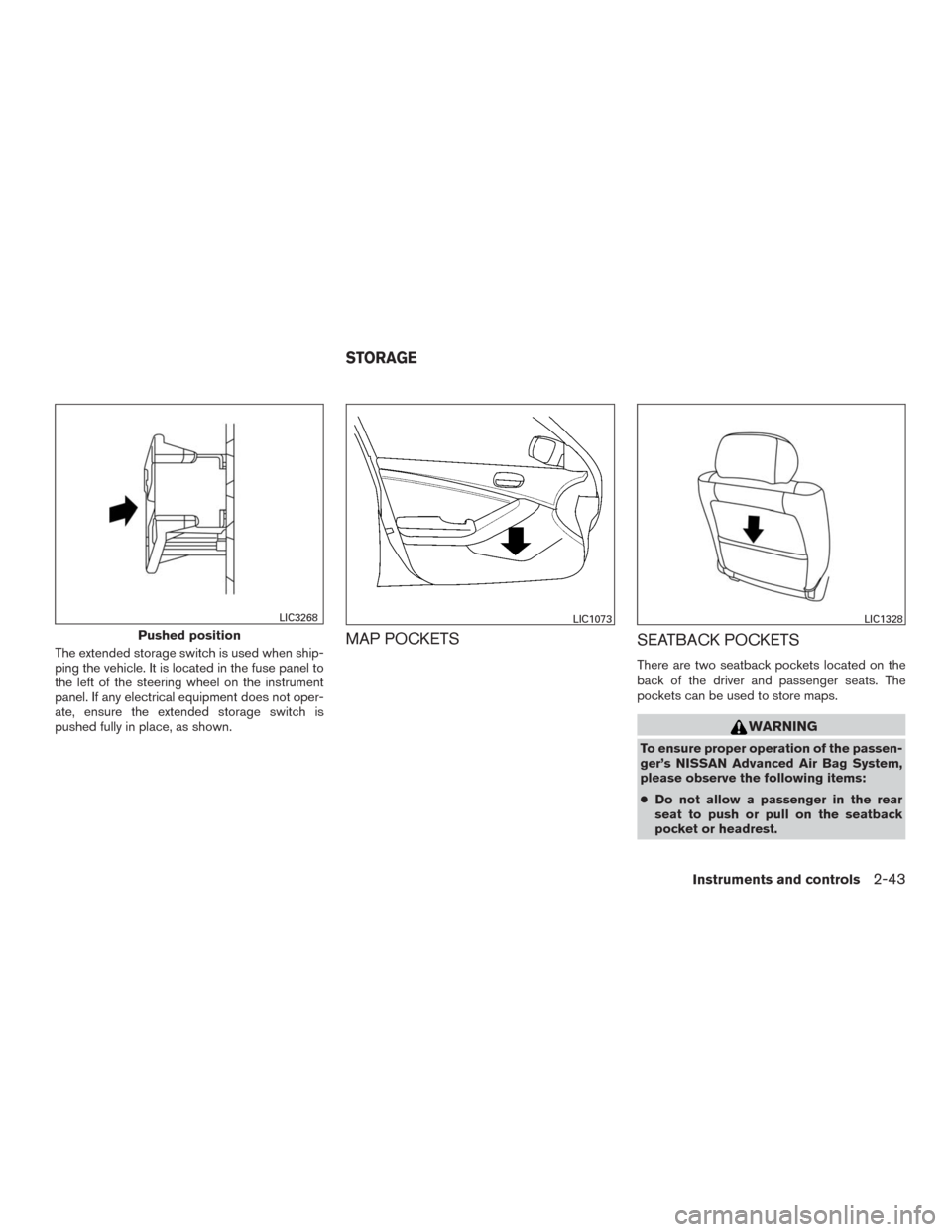
The extended storage switch is used when ship-
ping the vehicle. It is located in the fuse panel to
the left of the steering wheel on the instrument
panel. If any electrical equipment does not oper-
ate, ensure the extended storage switch is
pushed fully in place, as shown.MAP POCKETS
SEATBACK POCKETS
There are two seatback pockets located on the
back of the driver and passenger seats. The
pockets can be used to store maps.
WARNING
To ensure proper operation of the passen-
ger’s NISSAN Advanced Air Bag System,
please observe the following items:
●Do not allow a passenger in the rear
seat to push or pull on the seatback
pocket or headrest.
Pushed position
LIC3268LIC1073LIC1328
STORAGE
Instruments and controls2-43
Page 151 of 465
3 Pre-driving checks and adjustments
Keys .............................................3-2
NISSAN Intelligent Key® ........................3-2
NISSAN Vehicle Immobilizer System keys.........3-4
Doors............................................3-5
Locking with key................................3-5
Locking with inside lock knob....................3-6
Locking with power door lock switch . . ...........3-6
Automatic door locks...........................3-7
Child safety rear door lock.......................3-7
NISSAN Intelligent Key®...........................3-7
Operating range................................3-8
Door locks/unlocks precaution...................3-9
NISSAN Intelligent Key® Operation.............3-10
How to use the remote keyless entry
function......................................3-12
Warning signals...............................3-16
Troubleshooting guide.........................3-17
Remote Engine Start (if so equipped)...............3-19
Remote engine start operating range . . ..........3-19
Remote starting the vehicle.....................3-19
Extending engine run time......................3-20
Canceling a remote start.......................3-20
Conditions the remote start will not work.........3-20Hood...........................................3-21
Liftgate..........................................3-22
Operating the manual liftgate
(if so equipped)...............................3-22
Operating the power liftgate (if so equipped).....3-23
Power liftgate main switch (if so equipped).......3-25
Liftgate release................................3-26
Liftgate position setting........................3-27
Fuel-filler door...................................3-27
Opener operation..............................3-27
Fuel-filler cap.................................3-28
Steering wheel...................................3-30
Manual operation (if so equipped)...............3-30
Automatic operation (if so equipped).............3-31
Sun visors.......................................3-32
Vanity mirrors.................................3-32
Card holder
...................................3-33
Mirrors..........................................3-33
Manual anti-glare rearview mirror
(if so equipped)...............................3-33
Automatic Anti-glare rearview mirror
(if so equipped)...............................3-33
Outside mirrors...............................3-34
Automatic drive positioner (if so equipped)..........3-35