display NISSAN MURANO 2017 3.G Owners Manual
[x] Cancel search | Manufacturer: NISSAN, Model Year: 2017, Model line: MURANO, Model: NISSAN MURANO 2017 3.GPages: 466, PDF Size: 5.19 MB
Page 252 of 466
●Outgoing Calls
Speak this command to list the last five
outgoing calls from the vehicle. If the call
was to an entry in the phonebook, the name
will be displayed. Otherwise, the phone
number of the outgoing call will be dis-
played.
Say “Dial” to call the number or “Send Text”
to send a text message to that number. Say
“Next Entry” or “Previous Entry” to move
through the list of outgoing calls.
● Redial
Speak this command to call the last number
dialed.
● Call Back
Speak this command to call the number of
the last incoming call to the vehicle.
“Messaging” (if so equipped)
Speak this command to access text messaging
functions. For additional information, refer to
“Text messaging” in this section.
“Select Phone”
Speak this command to select a phone to use
from a list of those phones connected to the
vehicle.
MAKING A CALL
To make a call from a phone connected to the
vehicle’s Bluetooth® Hands-Free Phone Sys-
tem:
1. Press the
button on the steering
wheel.
2. The system will prompt you for a command. Say “Call”.
3. Select one of the available voice commands to continue:
● “(A Name)” — Speak the name of a phone-
book entry to place a call to that entry. The
system will respond with the name it inter-
preted from your command and will prompt
you to confirm that the name is correct. Say
“Yes” to initiate the call or “No” to hear an-
other name from the phonebook. ●
“Phone Number” — Speak this command to
place a call by inputting numbers. For 7– to
10–digit phone number, speak the numbers.
Say “Correction” at any time in the process
to correct a misspoken or misinterpreted
number. For phone numbers with more dig-
its or special characters, say “Special Num-
ber”, then speak the digits. Up to 24 digits
can be entered. Available special characters
are “start”, “pound”, “plus”, and “pause”.
When finished, say “Dial” to initiate the call.
Say “Correction” at any time in the process
to correct a misspoken or misinterpreted
number or character.
● “Redial” – Speak this command to dial the
number of the last outgoing call. The system
will display “Re-dialing
The name of the phonebook entry will be
displayed if it available, otherwise the num-
ber being re-dialed will be displayed.
● “Call Back” – Speak this command to dial
the number of the last incoming call. The
system will display “Calling back
book entry will be displayed if it available,
otherwise the number being called back will
be displayed.
Display screen, heater, air conditioner, audio and phone systems4-61
Page 253 of 466
RECEIVING A CALL
When a call is received by the phone connected
to the vehicle’s Bluetooth® Hands-Free Phone
System, the call information is displayed on either
the vehicle information display or both the vehicle
information display and he control panel display.
Press the
button to accept the call. Press
the
button to reject the call.
DURING A CALL
While a call is active, press thebutton to
access additional options. Speak one of the fol-
lowing commands:
● “Send” – Speak this command followed by
the digits to enter digits during the phone
call.
● “Mute On” or “Mute Off” – Speak the com-
mand to mute or unmute the system.
● “Transfer Call” – Speak this command to
transfer the call to the handset. To transfer
the call back from the handset to the
Bluetooth® Hands-Free Phone System,
press the
button and confirm when
prompted. If supported by the phone, the Bluetooth®
Hands-Free Phone System allows for call waiting
functionality. If a call is received while another call
is already active, a message will be displayed on
the screen. Press the
button to hold the
active call and switch to the second call. Press
the
button to reject the second call.
While the second call is active, pressing
the
button will allow the same commands
that are available during any call and two addi-
tional commands:
● “Switch Call” – Speak this command to hold
the second call and switch back to the origi-
nal call.
● “End Other Call” – Speak this command to
stay with the second call and end the original
call.
Press the
button to accept the call. Press
the
button to reject the call.
ENDING A CALL
To end an active call, press thebutton.
TEXT MESSAGING (if so equipped)
WARNING
● Laws in some jurisdictions may restrict
the use of “Text-to-Speech”. Check lo-
cal regulations before using this
feature.
● Laws in some jurisdictions may restrict
the use of some of the applications and
features, such as social networking and
texting. Check local regulations for any
requirements.
● Use the text messaging feature after
stopping your vehicle in a safe location.
If you have to use the feature while
driving, exercise extreme caution at all
times so full attention may be given to
vehicle operation.
● If you are unable to devote full attention
to vehicle operation while using the text
messaging feature, pull off the road to a
safe location and stop your vehicle.
4-62Display screen, heater, air conditioner, audio and phone systems
Page 254 of 466
NOTE:
This feature is automatically disabled if the
connected device does not support the
Message Access Profile (MAP) . For addi-
tional information, refer to the phone’s
Owner’s Manual for details and instruc-
tions.
NOTE:
Many phones may require special permis-
sion to enable text messaging. Check the
phone’s screen during Bluetooth® pairing.
For some phones, you may need to enable
‘Notifications’ in the phone’s Bluetooth®
menu for text messages to appear on the
headunit. For additional information, refer
to your phone’s Owner’s manual. Text mes-
sage integration requires that the phone
support MAP (Message Access Profile) for
both receiving and sending text messages.
Some phones may not support all text mes-
saging features. Please refer to
www.nissanusa.com/bluetooth or
www.nissan.ca/bluetooth for compatibility
information, as well as your device’s Own-
er’s manual.
The system allows for the sending and receiving
of text messages through the vehicle interface.Sending a text message:
1. Press the
button on the steering
wheel.
2. Say “Phone” after the tone.
3. Say “Send Text” after the tone.
4. The system will provide a list of available commands in order to determine the recipi-
ent of the text message. Choose from the
following:
● To (a name)
● Enter Number
● Missed Calls
● Incoming Calls
● Outgoing Calls
For additional information about these op-
tions, refer to “Voice commands” in this sec-
tion.
5. Once a recipient is chosen, the system prompts for which message to send. Nine
predefined messages are available as well
as three custom messages. To choose one
of the predefined messages, speak one of
the following after the tone:
● “Driving, can’t text” ●
“Call me”
● “On my way”
● “Running late”
● “Okay”
● “Yes”
● “No”
● “Where are you?”
● “When?”
● “Custom Messages”
To send one of the custom messages, say
“Custom Messages”. If more than one cus-
tom message is stored, the system will
prompt for the number of the desired cus-
tom message. For additional information on
setting and managing custom text mes-
sages, refer to “Bluetooth® settings” in this
section.
Reading a received text message:
1. Press the
button on the steering
wheel.
2. Say “Phone” after the tone.
3. Say “Read Text” after the tone.
Display screen, heater, air conditioner, audio and phone systems4-63
Page 255 of 466
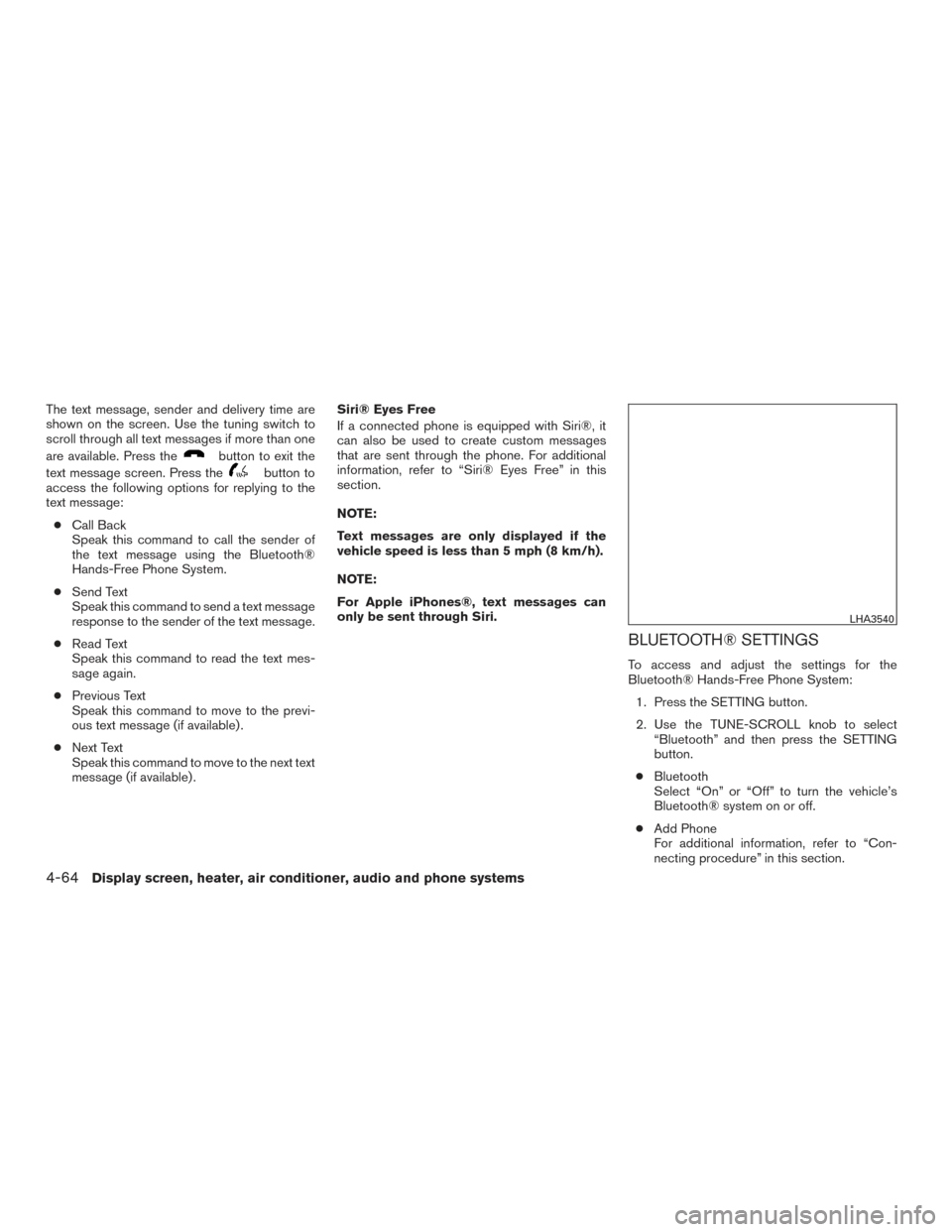
The text message, sender and delivery time are
shown on the screen. Use the tuning switch to
scroll through all text messages if more than one
are available. Press the
button to exit the
text message screen. Press the
button to
access the following options for replying to the
text message:
● Call Back
Speak this command to call the sender of
the text message using the Bluetooth®
Hands-Free Phone System.
● Send Text
Speak this command to send a text message
response to the sender of the text message.
● Read Text
Speak this command to read the text mes-
sage again.
● Previous Text
Speak this command to move to the previ-
ous text message (if available) .
● Next Text
Speak this command to move to the next text
message (if available) . Siri® Eyes Free
If a connected phone is equipped with Siri®, it
can also be used to create custom messages
that are sent through the phone. For additional
information, refer to “Siri® Eyes Free” in this
section.
NOTE:
Text messages are only displayed if the
vehicle speed is less than 5 mph (8 km/h).
NOTE:
For Apple iPhones®, text messages can
only be sent through Siri.
BLUETOOTH® SETTINGS
To access and adjust the settings for the
Bluetooth® Hands-Free Phone System:
1. Press the SETTING button.
2. Use the TUNE-SCROLL knob to select “Bluetooth” and then press the SETTING
button.
● Bluetooth
Select “On” or “Off” to turn the vehicle’s
Bluetooth® system on or off.
● Add Phone
For additional information, refer to “Con-
necting procedure” in this section.
LHA3540
4-64Display screen, heater, air conditioner, audio and phone systems
Page 256 of 466
●Delete Phone
Select to delete a phone from the displayed
list. The system will ask to confirm before
deleting the phone.
● Replace Phone
Select to replace a phone from the displayed
list. When a selection is made, the system
will ask to confirm before proceeding. The
recorded phonebook for the phone being
deleted will be saved as long as the new
phone’s phonebook is the same as the old
phone’s phonebook.
● Select Phone
Select to connect to a previously connected
phone from the displayed list.
● Phonebook Download
Select to turn on or off the automatic down-
load of a connected phone’s phonebook.
● Show Incoming Calls
Select “Driver Only” to have incoming call
information displayed only in the vehicle in-
formation display. Select “Both” to have in-
coming call information displayed in both the
vehicle information display and the center
display screen. ●
Text Message (if so equipped)
Select to turn on or off the vehicle’s text
messaging feature.
● New Text Sound (if so equipped)
Select to adjust the volume of the sound that
plays when a new text is received by a phone
connected to the Bluetooth® Hands-Free
Phone System. The setting all the way to the
left indicates that the new text sound will be
muted.
● Show Incoming Text (if so equipped)
Select “Driver Only” to have incoming text
messages displayed only in the vehicle infor-
mation display. Select “Both” to have incom-
ing text messages displayed in both the ve-
hicle information display and the center
display screen. Select “None” to have no
display of incoming text messages.
● Edit Custom Messages (if so equipped)
Select to set a custom message that will be
available with the standard options when
sending a text message. To set a custom
message, send a text message to your own
phone number while the phone is connected
to the system. Three custom messages can
be set. Custom messages can only be set
while the vehicle is stationary. ●
Auto Reply (if so equipped)
Select to turn on or off the Auto Reply func-
tion. When enabled, the vehicle will auto-
matically send a predefined text message to
the sender when a text message is received
while driving.
● Auto Reply Message (if so equipped)
Select to choose the message that is sent
when the Auto Reply function is enabled.
Choose from “I’m Driving” or one of the three
custom messages stored in the system.
● Vehicle Signature On/Off (if so equipped)
Select to choose whether or not the vehicle
signature is added to outgoing text mes-
sages from the vehicle. This message can-
not be changed or customized.
MANUAL CONTROL
While using the NISSAN Voice Recognition sys-
tem, it is possible to select menu options by using
the steering wheel controls instead of speaking
voice commands. To activate manual control
mode, press the PHONE/SEND (
) button
on the steering wheel to access the phone menu
and then push either up or down on the tuning
switch (
).
Display screen, heater, air conditioner, audio and phone systems4-65
Page 257 of 466
The manual control mode does not allow dialing a
phone number by digits. The user may select an
entry from the Phonebook or Recent Calls lists.
To reactivate NISSAN Voice Recognition, exit the
manual control mode by pressing and holding the
PHONE/END (
) button. At that time, press-
ing the PHONE/SEND (
) button will start
the Hands Free Phone System.
TROUBLESHOOTING GUIDE
The system should respond correctly to all voice
commands without difficulty. If problems are en-
countered, try the following solutions.
Where the solutions are listed by number, try
each solution in turn, starting with number 1, until
the problem is resolved.
Symptom Solution
System fails to interpret the command correctly. 1. Ensure that the command is valid. For additional information, refer to “Voice commands” in this section.
2. Ensure that the command is spoken after the tone.
3. Speak clearly without pausing between words and at a level appropriate to the ambient noise level in the vehicle.
4. Ensure that the ambient noise level is not excessive (for example, windows open or defroster on) . NOTE: If it is too
noisy to use the phone, it is likely that the voice commands will not be recognized.
5. If more than one command was said at a time, try saying the commands separately.
The system consistently selects the wrong entry from the
phone book. 1. Ensure that the phone book entry name requested matches what was originally stored. This can be confirmed by
using the “List Names” command. For additional information, refer to “Phonebook” in this section.
2. Replace one of the names being confused with a new name.
3. Please speak both first and last name of contact to improve recognition accuracy.
4-66Display screen, heater, air conditioner, audio and phone systems
Page 258 of 466

MEMO
Display screen, heater, air conditioner, audio and phone systems4-67
Page 263 of 466
Additional information:● Since the spare tire is not equipped with the
TPMS, the TPMS does not monitor the tire
pressure of the spare tire.
● The TPMS will activate only when the vehicle
is driven at speeds above 16 mph (25 km/h).
Also, this system may not detect a sudden
drop in tire pressure (for example a flat tire
while driving) .
● The low tire pressure warning light does not
automatically turn off when the tire pressure
is adjusted. After the tire is inflated to the
recommended pressure, the vehicle must be
driven at speeds above 16 mph (25 km/h) to
activate the TPMS and turn off the low tire
pressure warning light. Use a tire pressure
gauge to check the tire pressure.
● The “Tire Pressure Low — Add Air” warning
appears in the vehicle information display
when the low tire pressure warning light is
illuminated and low tire pressure is detected.
The “Tire Pressure Low — Add Air” warning
turns off when the low tire pressure warning
light turns off. ●
The “Tire Pressure Low — Add Air” warning
appears each time the ignition switch is
placed in the ON position as long as the low
tire pressure warning light remains illumi-
nated.
● The “Tire Pressure Low — Add Air” warning
does not appear if the low tire pressure
warning light illuminates to indicate a TPMS
malfunction.
● Tire pressure rises and falls depending on
the heat caused by the vehicle’s operation
and the outside temperature. Do not reduce
the tire pressure after driving because the
tire pressure rises after driving. Low outside
temperature can lower the temperature of
the air inside the tire which can cause a
lower tire inflation pressure. This may cause
the low tire pressure warning light to illumi-
nate. If the warning light illuminates, check
the tire pressure for all four tires.
● The Tire and Loading Information label (also
referred to as the vehicle placard or tire
inflation pressure label) is located in the
driver’s door opening. ●
You can also check the pressure of all tires
(except the spare tire) on the vehicle infor-
mation display screen. The order of the tire
pressure figures displayed on the screen
corresponds with the actual order of the tire
position.
For additional information, refer to “Low tire pres-
sure warning light” in the “Instruments and con-
trols” section and “Tire Pressure Monitoring Sys-
tem (TPMS)” in the “In case of emergency”
section of this manual.
WARNING
● Radio waves could adversely affect
electric medical equipment. Those who
use a pacemaker should contact the
electric medical equipment manufac-
turer for the possible influences before
use.
5-4Starting and driving
Page 268 of 466
DRIVING SAFETY PRECAUTIONS
Your NISSAN is designed for both normal and
off-road use. However, avoid driving in deep wa-
ter or mud as your NISSAN is mainly designed for
leisure use, unlike a conventional off-road ve-
hicle.
Remember that 2-wheel drive models are less
capable than all-wheel drive models for rough
road driving and extrication when stuck in deep
snow or mud, or the like.
Please observe the following precautions:
WARNING
●Spinning the front wheels on slippery
surface may cause the AWD warning
message to display and the AWD sys-
tem to automatically switch from the
AWD to the 2WD mode. This could re-
duce the traction. Be especially careful
when towing a trailer. (AWD models)
● Drive carefully when off the road and
avoid dangerous areas. Every person
who drives or rides in this vehicle
should be seated with their seat belt
fastened. This will keep you and your
passengers in position when driving
over rough terrain. ●
Do not drive across steep slopes. In-
stead drive either straight up or straight
down the slopes. Off-road vehicles can
tip over sideways much more easily
than they can forward or backward.
● Many hills are too steep for any vehicle.
If you drive up them, you may stall. If
you drive down them, you may not be
able to control your speed. If you drive
across them, you may roll over.
● Do not shift gears while driving on
downhill grades as this could cause
loss of control of the vehicle.
● Stay alert when driving to the top of a
hill. At the top there could be a drop-off
or other hazard that could cause an
accident.
● If your engine stalls or you cannot make
it to the top of a steep hill, never at-
tempt to turn around. Your vehicle could
tip or roll over. Always back straight
down in R (Reverse) gear and apply
brakes to control your speed.
● Heavy braking going down a hill could
cause your brakes to overheat and fade,
resulting in loss of control and an acci-
dent. Apply brakes lightly and use a low
gear to control your speed. ●
Unsecured cargo can be thrown around
when driving over rough terrain. Prop-
erly secure all cargo so it will not be
thrown forward and cause injury to you
or your passengers.
● Exceeding the roof rack capacity can
raise the center of gravity excessively
and affect the handling and stability of
the vehicle.
● Secure heavy loads in the cargo area as
far forward and as low as possible. Do
not equip the vehicle with tires larger
than specified in this manual. This could
cause your vehicle to roll over.
● Do not grip the inside or spokes of the
steering wheel when driving off-road.
The steering wheel could move sud-
denly and injure your hands. Instead
drive with your fingers and thumbs on
the outside of the rim.
● Before operating the vehicle, ensure
that the driver and all passengers have
their seat belts fastened.
● Always drive with the floor mats in place
as the floor may become hot.
Starting and driving5-9
Page 270 of 466
WARNING
Do not operate the push-button ignition
switch while driving the vehicle except in
an emergency. (The engine will stop when
the ignition switch is pushed three con-
secutive times in less than 1.5 seconds or
the ignition switch is pushed and held for
more than 2 seconds.) If the engine stops
while the vehicle is being driven, this
could lead to a crash and serious injury.When the ignition switch is pushed without de-
pressing the brake pedal, the ignition switch will
illuminate.
If the ignition switch is in the LOCK or OFF
position, push the ignition switch center:● Once to change to ACC.
● Two times to change to ON.
● Three times to change to OFF.
The shift lever can be moved from the P
(Park) position if the ignition switch is in
the ON position and the brake pedal is
depressed. If the battery of the vehicle is discharged,
the push-button ignition switch cannot be
moved from the LOCK position.
Some indicators and warnings for operation are
displayed on the vehicle information display. For
additional information, refer to “Vehicle informa-
tion display” in the “Instruments and controls”
section of this manual.
LSD2014
PUSH-BUTTON IGNITION SWITCH
Starting and driving5-11