maintenance NISSAN MURANO 2020 Owner´s Manual
[x] Cancel search | Manufacturer: NISSAN, Model Year: 2020, Model line: MURANO, Model: NISSAN MURANO 2020Pages: 518, PDF Size: 3.52 MB
Page 122 of 518
It is recommended that you visit a NISSAN
dealer for these services.
Unless checked and repaired, the supple-
mental restraint system (air bag system)
and/or the pretensioners may not function
properly. For additional information, refer to
“Supplemental Restraint System (SRS)” in
the “Safety—Seats, seat belts and supple-
mental restraint system” section of this
manual.
WARNING
If the supplemental air bag warning
light is on, it could mean that the front
air bag, side air bag, curtain air bag sys-
tems and/or pretensioner systems will
not operate in an accident. To help
avoid injury to yourself or others, have
your vehicle checked as soon as pos-
sible. It is recommended that you visit a
NISSAN dealer for this service.
INDICATOR LIGHTS
For additional information, refer to “Vehicle
information display” in this section.
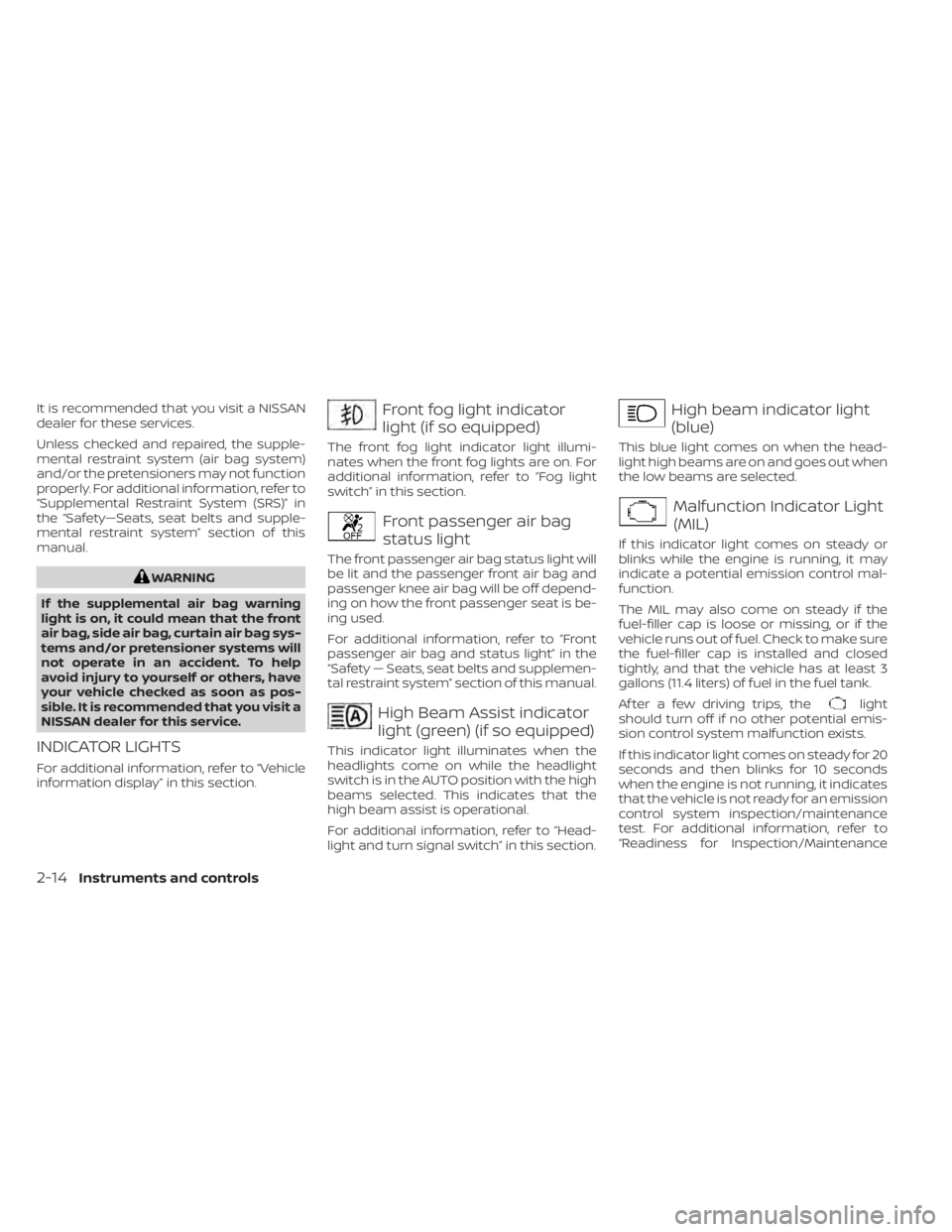
Front fog light indicator
light (if so equipped)
The front fog light indicator light illumi-
nates when the front fog lights are on. For
additional information, refer to “Fog light
switch” in this section.
Front passenger air bag
status light
The front passenger air bag status light will
be lit and the passenger front air bag and
passenger knee air bag will be off depend-
ing on how the front passenger seat is be-
ing used.
For additional information, refer to “Front
passenger air bag and status light” in the
“Safety — Seats, seat belts and supplemen-
tal restraint system” section of this manual.
High Beam Assist indicator
light (green) (if so equipped)
This indicator light illuminates when the
headlights come on while the headlight
switch is in the AUTO position with the high
beams selected. This indicates that the
high beam assist is operational.
For additional information, refer to “Head-
light and turn signal switch” in this section.
High beam indicator light
(blue)
This blue light comes on when the head-
light high beams are on and goes out when
the low beams are selected.
Malfunction Indicator Light
(MIL)
If this indicator light comes on steady or
blinks while the engine is running, it may
indicate a potential emission control mal-
function.
The MIL may also come on steady if the
fuel-filler cap is loose or missing, or if the
vehicle runs out of fuel. Check to make sure
the fuel-filler cap is installed and closed
tightly, and that the vehicle has at least 3
gallons (11.4 liters) of fuel in the fuel tank.
Af ter a few driving trips, the
light
should turn off if no other potential emis-
sion control system malfunction exists.
If this indicator light comes on steady for 20
seconds and then blinks for 10 seconds
when the engine is not running, it indicates
that the vehicle is not ready for an emission
control system inspection/maintenance
test. For additional information, refer to
“Readiness for Inspection/Maintenance
2-14Instruments and controls
Page 126 of 518
2.— go back or forward
through the vehicle information menu
items or to change from one display
screen to the next (i.e. trip, TPMS, fuel
economy).
The OK and
buttons also
control audio and control panel functions
in some conditions. Most screens and
menus offer instruction prompts of the
steering switch buttons to indicate how to
control the vehicle information display. An
orange cursor is shown to indicate where
you are in the available menu items. A scroll
bar with up and down arrows will appear if
there is more than one page of menu
items. For additional information, refer to
the separate NissanConnect® Owner’s
Manual.
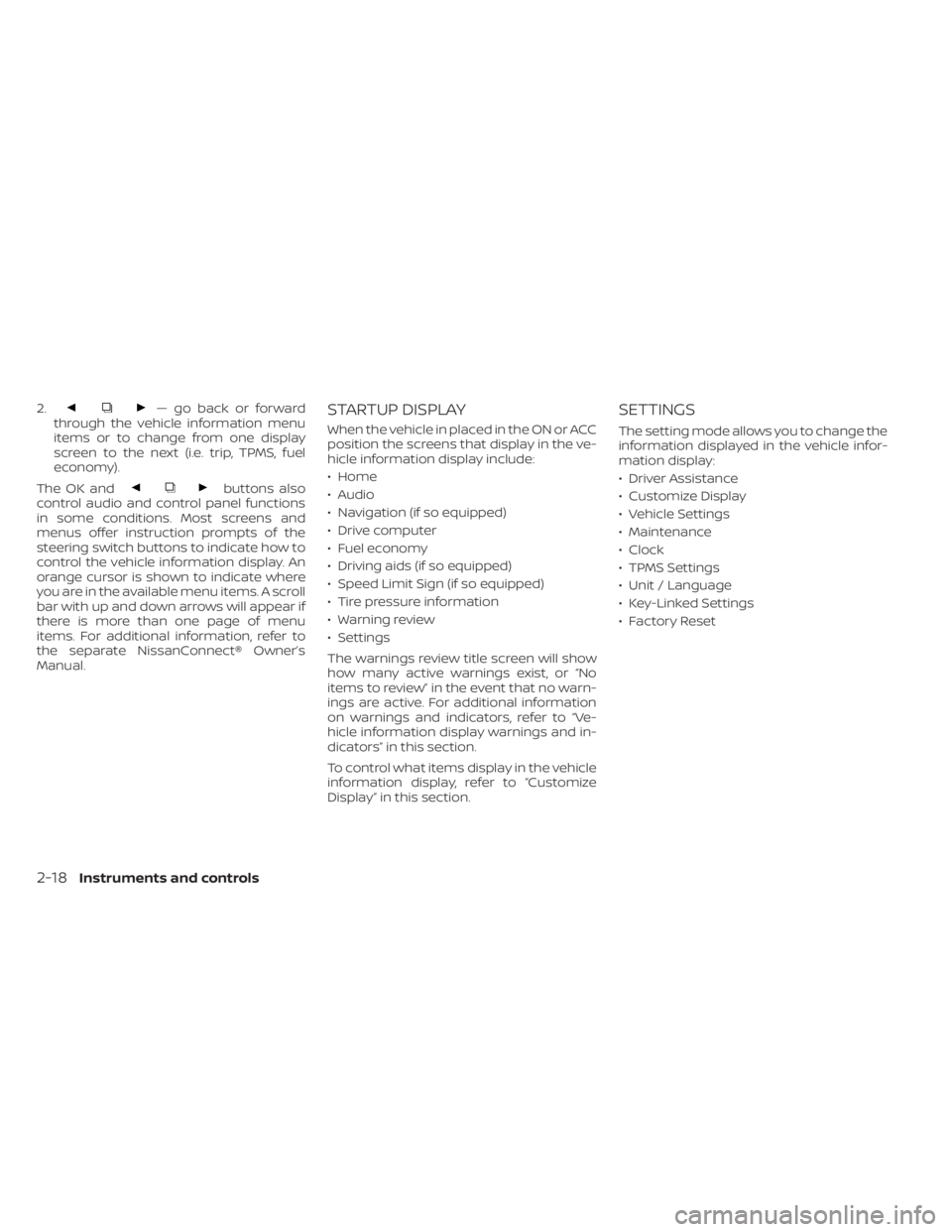
STARTUP DISPLAY
When the vehicle in placed in the ON or ACC
position the screens that display in the ve-
hicle information display include:
• Home
• Audio
• Navigation (if so equipped)
• Drive computer
• Fuel economy
• Driving aids (if so equipped)
• Speed Limit Sign (if so equipped)
• Tire pressure information
• Warning review
• Settings
The warnings review title screen will show
how many active warnings exist, or “No
items to review” in the event that no warn-
ings are active. For additional information
on warnings and indicators, refer to “Ve-
hicle information display warnings and in-
dicators” in this section.
To control what items display in the vehicle
information display, refer to “Customize
Display” in this section.
SETTINGS
The setting mode allows you to change the
information displayed in the vehicle infor-
mation display:
• Driver Assistance
• Customize Display
• Vehicle Settings
• Maintenance
• Clock
• TPMS Settings
• Unit / Language
• Key-Linked Settings
• Factory Reset
2-18Instruments and controls
Page 131 of 518
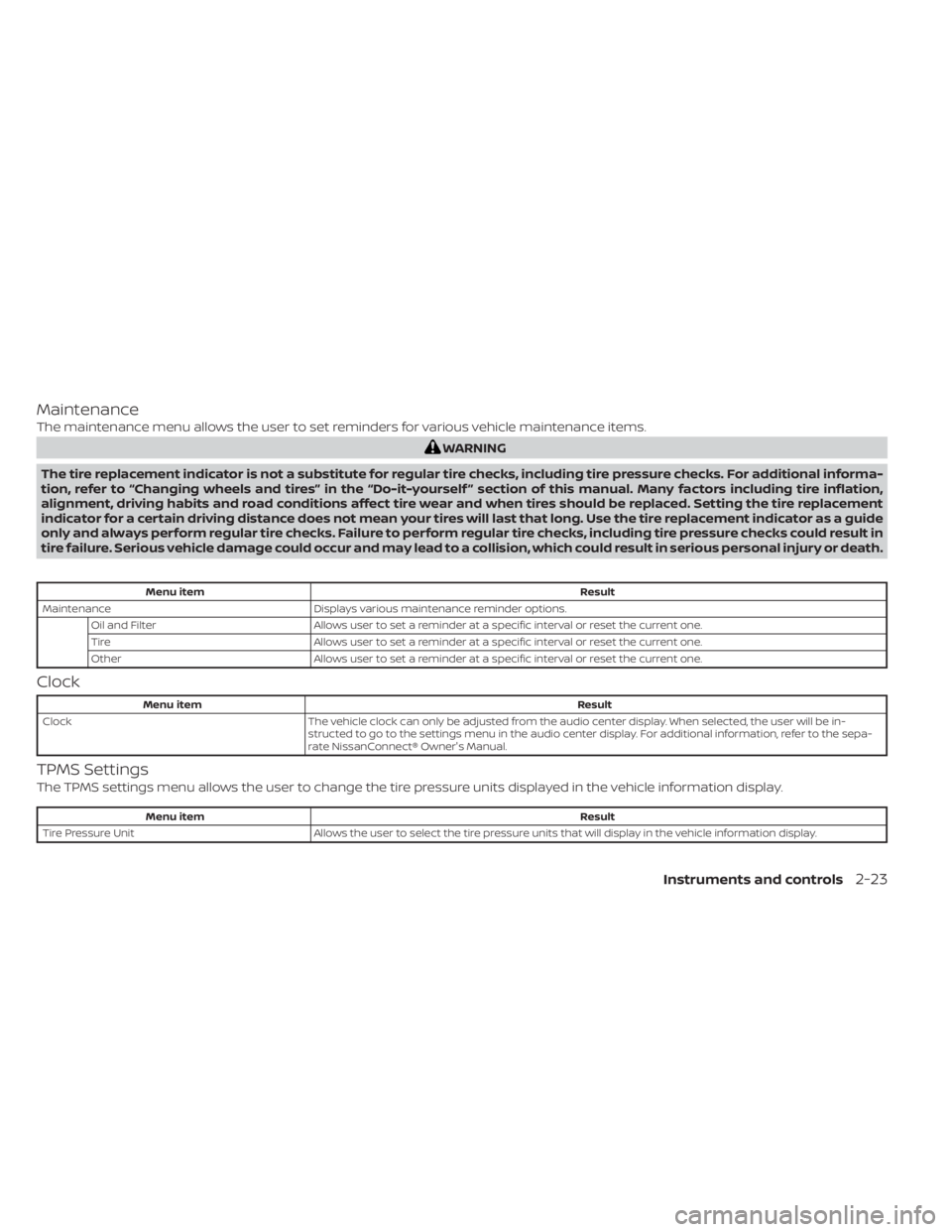
Maintenance
The maintenance menu allows the user to set reminders for various vehicle maintenance items.
WARNING
The tire replacement indicator is not a substitute for regular tire checks, including tire pressure checks. For additional informa-
tion, refer to “Changing wheels and tires” in the “Do-it-yourself ” section of this manual. Many factors including tire inflation,
alignment, driving habits and road conditions affect tire wear and when tires should be replaced. Setting the tire replacement
indicator for a certain driving distance does not mean your tires will last that long. Use the tire replacement indicator as a guide
only and always perform regular tire checks. Failure to perform regular tire checks, including tire pressure checks could result in
tire failure. Serious vehicle damage could occur and may lead to a collision, which could result in serious personal injury or death.
Menu item Result
Maintenance Displays various maintenance reminder options.
Oil and Filter Allows user to set a reminder at a specific interval or reset the current one.
Tire Allows user to set a reminder at a specific interval or reset the current one.
Other Allows user to set a reminder at a specific interval or reset the current one.
Clock
Menu item Result
Clock The vehicle clock can only be adjusted from the audio center display. When selected, the user will be in-
structed to go to the settings menu in the audio center display. For additional information, refer to the sepa-
rate NissanConnect® Owner's Manual.
TPMS Settings
The TPMS settings menu allows the user to change the tire pressure units displayed in the vehicle information display.
Menu item Result
Tire Pressure Unit Allows the user to select the tire pressure units that will display in the vehicle information display.
Instruments and controls2-23
Page 150 of 518
When the vehicle speed lowers to less than
approximately 16 mph (25 km/h), the head-
light uses the low beam.
To turn off the High Beam Assist system,
turn the headlight switch to the
posi-
tion or select the low beam position by
placing the lever in the neutral position.
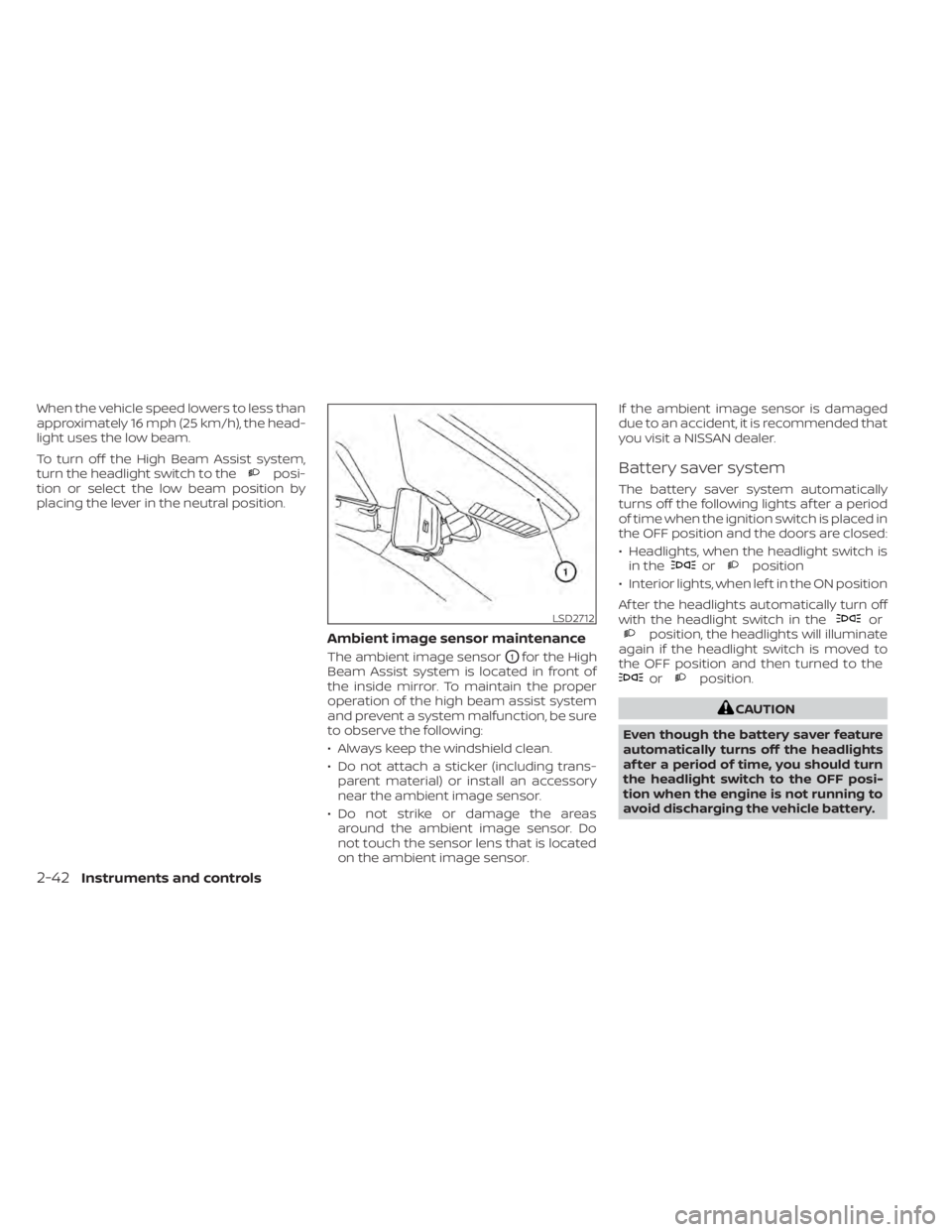
Ambient image sensor maintenance
The ambient image sensorO1for the High
Beam Assist system is located in front of
the inside mirror. To maintain the proper
operation of the high beam assist system
and prevent a system malfunction, be sure
to observe the following:
• Always keep the windshield clean.
• Do not attach a sticker (including trans- parent material) or install an accessory
near the ambient image sensor.
• Do not strike or damage the areas around the ambient image sensor. Do
not touch the sensor lens that is located
on the ambient image sensor. If the ambient image sensor is damaged
due to an accident, it is recommended that
you visit a NISSAN dealer.
Battery saver system
The battery saver system automatically
turns off the following lights af ter a period
of time when the ignition switch is placed in
the OFF position and the doors are closed:
• Headlights, when the headlight switch is
in the
orposition
• Interior lights, when lef t in the ON position
Af ter the headlights automatically turn off
with the headlight switch in the
orposition, the headlights will illuminate
again if the headlight switch is moved to
the OFF position and then turned to the
orposition.
CAUTION
Even though the battery saver feature
automatically turns off the headlights
af ter a period of time, you should turn
the headlight switch to the OFF posi-
tion when the engine is not running to
avoid discharging the vehicle battery.
LSD2712
2-42Instruments and controls
Page 223 of 518
4 Monitor, climate, audio, phone and
voice recognition systems
NissanConnect® Owner’s Manual...............4-2
RearView Monitor (if so equipped) ...............4-3
RearView Monitor system operation ..........4-4
How to read the displayed lines ..............4-4
Difference between predicted and
actual distances .............................4-5
How to park with predicted course
lines ..........................................4-6
Adjusting the screen .........................4-8
How to turn on and off predicted
course lines ..................................4-8
RearView Monitor system limitations .........4-8
System maintenance ........................4-9
Intelligent Around View Monitor
(if so equipped) ................................. 4-10
Intelligent Around View Monitor system
operation .................................... 4-11
Difference between predicted and
actual distances ............................ 4-15
How to park with predicted course
lines ......................................... 4-16
How to switch the display ...................4-17Adjusting the screen
........................ 4-18
Intelligent Around View Monitor system
limitations .................................. 4-19
System maintenance ....................... 4-21
Moving Object Detection (MOD)
(if so equipped) ................................. 4-22
MOD system operation ......................4-23
Turning MOD on and off .....................4-24
MOD system limitations .....................4-25
System maintenance .......................4-26
Vents .......................................... 4-26
Heater and Air Conditioner (automatic) .........4-28
Automatic operation ........................ 4-29
Manual operation ........................... 4-30
Operating tips ............................... 4-31
Servicing air conditioner ........................4-31
USB/iPod® charging port .......................4-32
Antenna ........................................ 4-32
Car phone or CB radio .......................... 4-32
iPod®/iPhone® ................................. 4-33
Page 231 of 518
•When washing the vehicle with high
pressure water, be sure not to spray it
around the camera. Otherwise, water
may enter the camera unit causing
water condensation on the lens, a
malfunction, fire or an electric shock.
• Do not strike the camera. It is a preci-
sion instrument. Otherwise, it may
malfunction or cause damage result-
ing in a fire or an electric shock.
The following are operating limitations and
do not represent a system malfunction:
• When the temperature is extremely high or low, the screen may not clearly display
objects.
• When strong light directly shines on the camera, objects may not be displayed
clearly.
• Vertical lines may be seen in objects on the screen. This is due to strong reflected
light from the bumper.
• The screen may flicker under fluorescent light.
• The colors of objects on the RearView Monitor may differ somewhat from the
actual color of objects.
• Objects on the monitor may not be clear in a dark environment. • There may be a delay when switching
between views.
• If dirt, rain or snow accumulate on the camera, the RearView Monitor may not
display objects clearly. Clean the camera.
• Do not use wax on the camera lens. Wipe off any wax with a clean cloth dampened
with a diluted mild cleaning agent, then
wipe with a dry cloth.
SYSTEM MAINTENANCE
CAUTION
• Do not use alcohol, benzine or thin-
ner to clean the camera. This will
cause discoloration.
• Do not damage the camera as the
monitor screen may be adversely
affected.
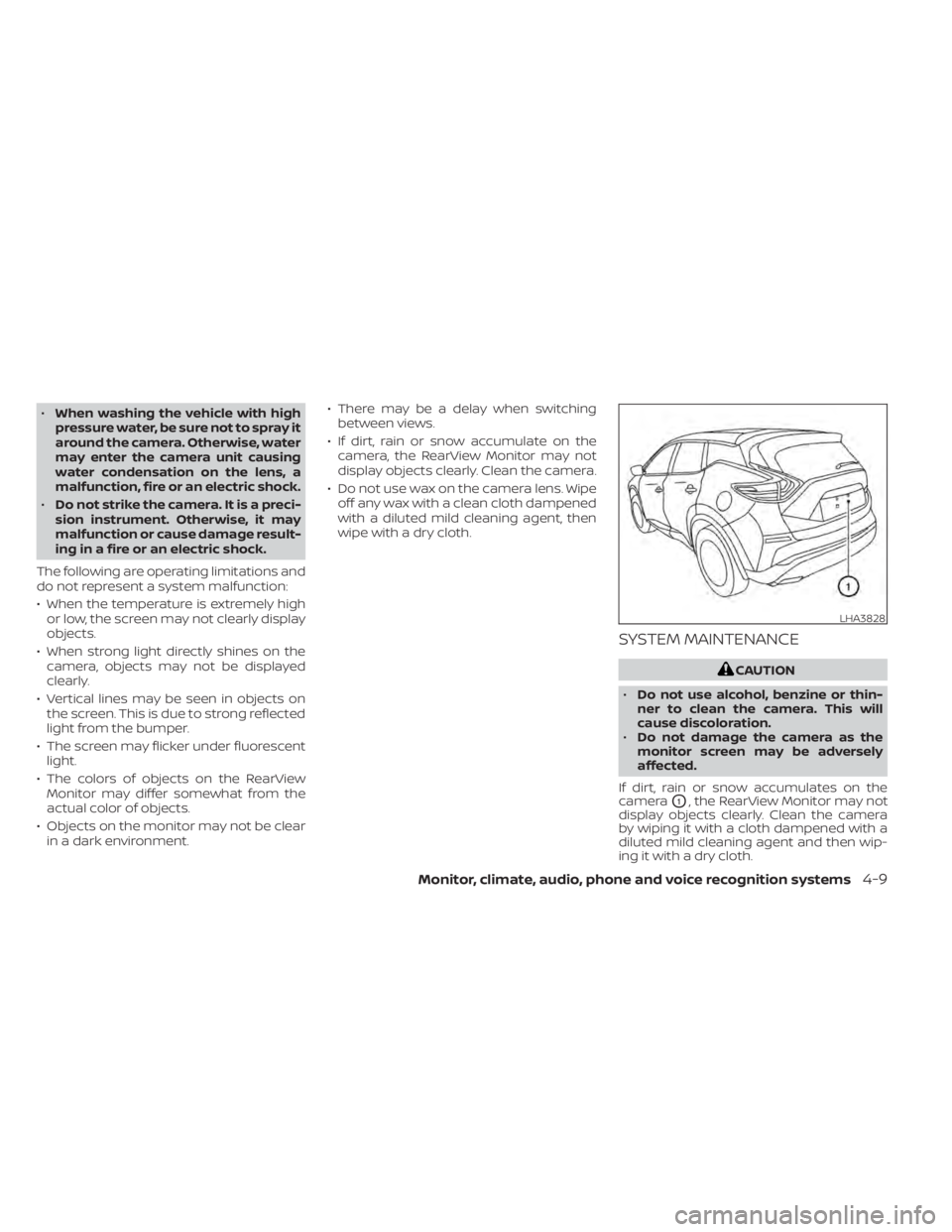
If dirt, rain or snow accumulates on the
camera
O1, the RearView Monitor may not
display objects clearly. Clean the camera
by wiping it with a cloth dampened with a
diluted mild cleaning agent and then wip-
ing it with a dry cloth.
LHA3828
Monitor, climate, audio, phone and voice recognition systems4-9
Page 243 of 518
SYSTEM MAINTENANCE
CAUTION
• Do not use alcohol, benzine or thin-
ner to clean the camera. This will
cause discoloration.
• Do not damage the cameras as the
monitor screen may be adversely
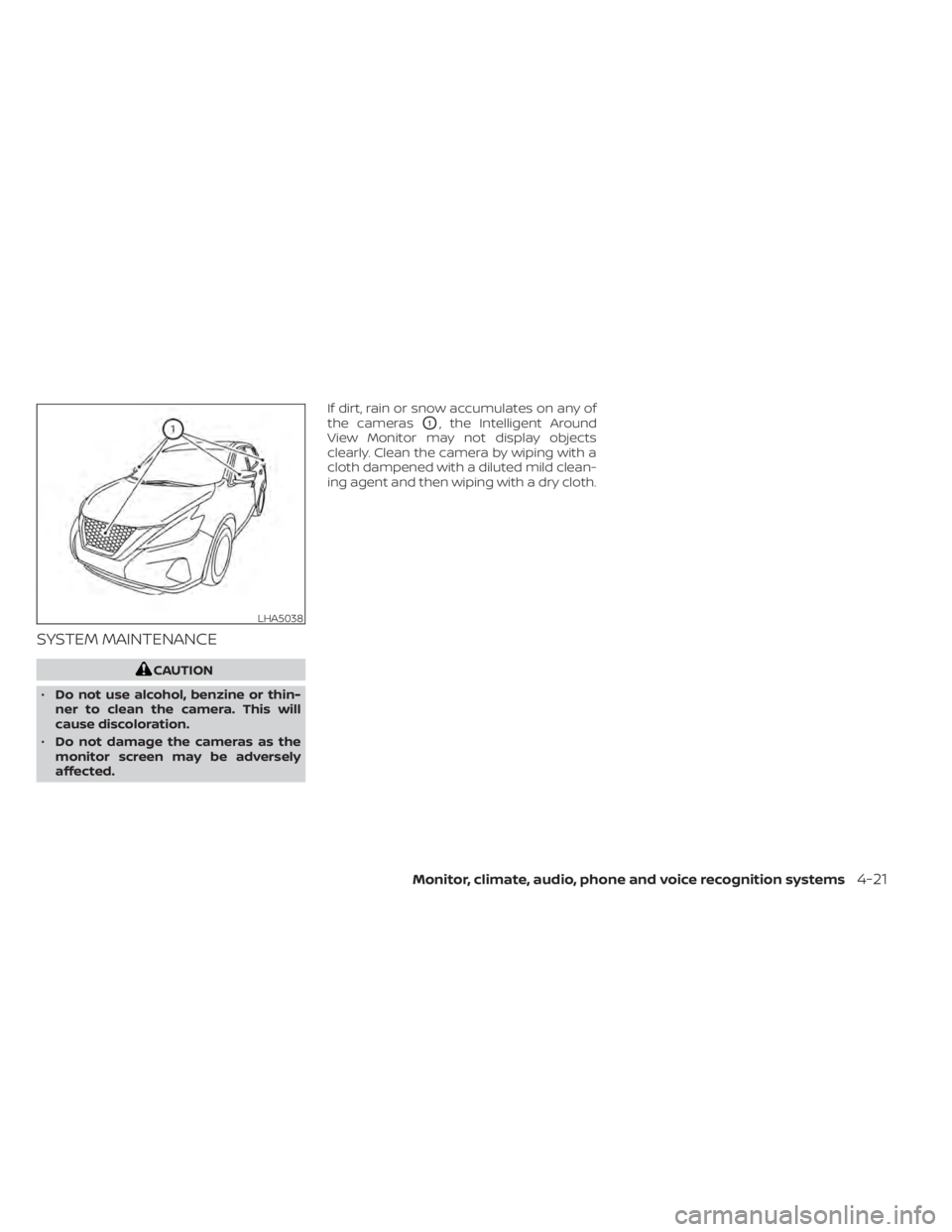
affected. If dirt, rain or snow accumulates on any of
the cameras
O1, the Intelligent Around
View Monitor may not display objects
clearly. Clean the camera by wiping with a
cloth dampened with a diluted mild clean-
ing agent and then wiping with a dry cloth.
LHA5038
Monitor, climate, audio, phone and voice recognition systems4-21
Page 248 of 518
SYSTEM MAINTENANCE
CAUTION
• Do not use alcohol, benzine or thin-
ner to clean the camera. This will
cause discoloration.
• Do not damage the camera as the
monitor screen may be adversely
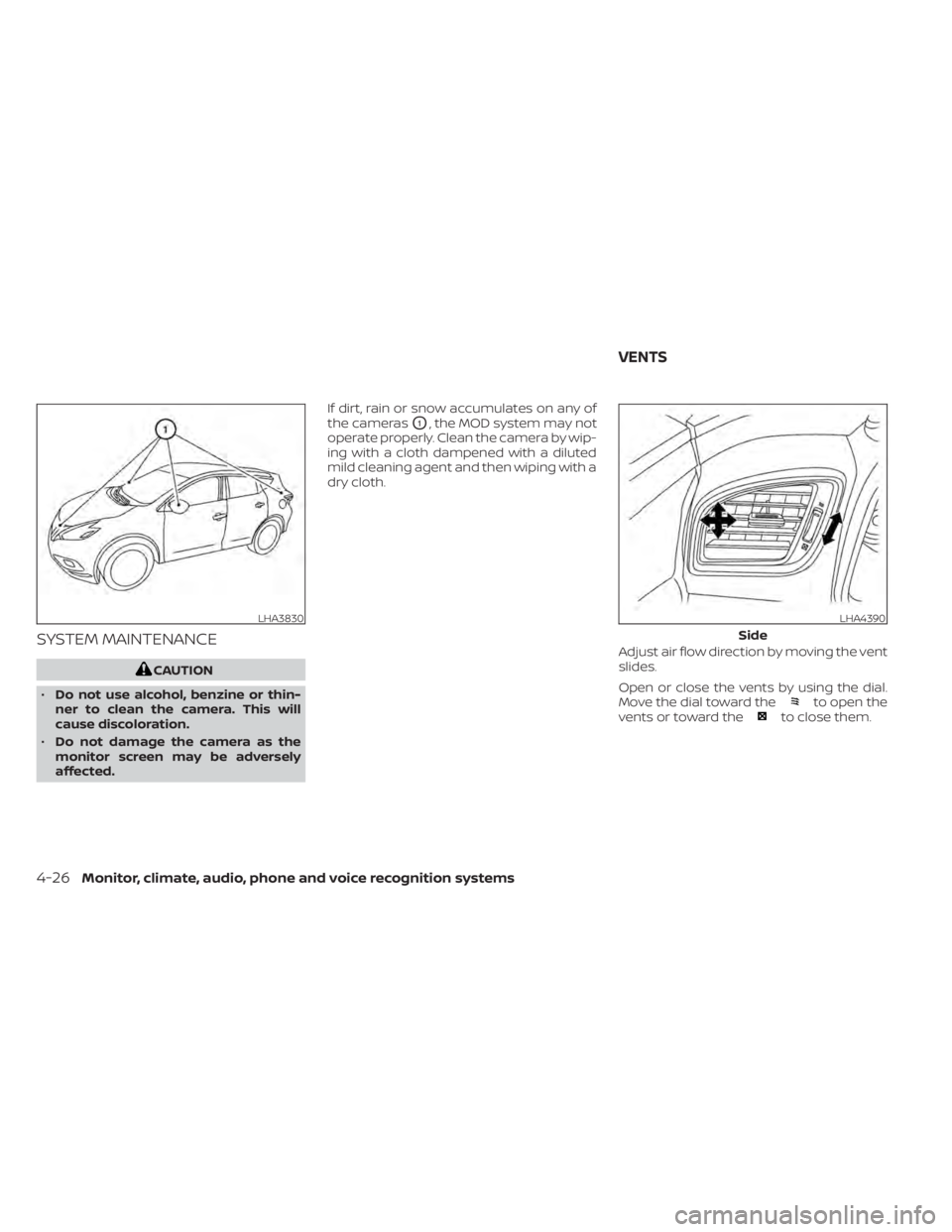
affected. If dirt, rain or snow accumulates on any of
the cameras
O1, the MOD system may not
operate properly. Clean the camera by wip-
ing with a cloth dampened with a diluted
mild cleaning agent and then wiping with a
dry cloth.
Adjust air flow direction by moving the vent
slides.
Open or close the vents by using the dial.
Move the dial toward the
to open the
vents or toward theto close them.
LHA3830LHA4390
Side
VENTS
4-26Monitor, climate, audio, phone and voice recognition systems
Page 257 of 518
5 Starting and driving
Precautions when starting and driving..........5-4
Exhaust gas (carbon monoxide) ..............5-4
Three-way catalyst ...........................5-4
Tire Pressure Monitoring System
(TPMS) .......................................5-5
On-pavement and off-road driving
precautions ..................................5-9
Avoiding collision and rollover ................5-9
Off-roadrecovery ............................5-9
Rapid air pressure loss ......................5-10
Drinking alcohol/drugs and driving ..........5-10
Driving safety precautions ....................5-11
Push-button ignition switch ....................5-13
Operating range ............................ 5-14
Push-button ignition switch positions .......5-14
Emergency engine shut off ..................5-15
NISSAN Intelligent Key® battery
discharge ................................... 5-15
NISSAN Vehicle Immobilizer System .........5-16
Before starting the engine .....................5-16
Starting the engine ............................. 5-17
Remote Engine Start (if so equipped) ........5-17
Driving the vehicle .............................. 5-18
Continuously Variable Transmission
(CVT) ........................................ 5-18
Parking brake .................................. 5-23Traffic Sign Recognition (TSR) (if so equipped) . . . 5-24
System operation ........................... 5-25
Turning the Traffic Sign Recognition
(TSR) system on and off .....................5-26
System temporarily unavailable .............5-26
System malfunction ......................... 5-26
System maintenance .......................5-26
Lane Departure Warning (LDW)
(if so equipped) ................................. 5-27
LDW system operation ......................5-28
How to enable/disable the LDW system .....5-29
LDW system limitations .....................5-30
System temporarily unavailable .............5-31
System malfunction ......................... 5-31
System maintenance ....................... 5-31
Intelligent Lane Intervention (I-LI)
(if so equipped) ................................. 5-32
I-LI system operation ........................ 5-33
How to enable/disable the I-LI system ......5-34
I-LI
system limitations ....................... 5-35
System temporarily unavailable .............5-36
System malfunction ......................... 5-37
System maintenance .......................5-37
Blind Spot Warning (BSW) (if so equipped) .......5-38
BSW system operation ......................5-40
How to enable/disable the BSW system .....5-41
Page 258 of 518
BSW system limitations.....................5-42
BSW driving situations .......................5-43
System temporarily unavailable .............5-46
System maintenance .......................5-47
Rear Cross Traffic Alert (RCTA) (if so equipped) . . 5-48 RCTA system operation .....................5-49
How to enable/disable the RCTA
system ...................................... 5-51
RCTA system limitations .....................5-52
System temporarily unavailable .............5-54
System maintenance .......................5-55
Cruise control (if so equipped) ..................5-57
Precautions on cruise control ...............5-57
Cruise control operations ...................5-57
Intelligent Cruise Control (ICC) (if so equipped) . . 5-59 How to select the cruise control mode ......5-61
Vehicle-to-vehicle distance control
mode ....................................... 5-61
Vehicle-to-vehicle distance control
mode operation ............................. 5-62
Vehicle-to-vehicle distance control
mode switches ............................. 5-64
Vehicle-to-vehicle distance control
mode limitations ............................ 5-71
System temporarily unavailable .............5-75 System maintenance
....................... 5-77
Conventional (fixed speed) cruise
control mode ............................... 5-79
Rear Automatic Braking (RAB) (if so equipped) . . 5-83 RAB system operation .......................5-84
Turning the RAB system on/off ..............5-86
RAB system limitations ......................5-87
System malfunction ......................... 5-88
System maintenance .......................5-88
Automatic Emergency Braking (AEB)
(if so equipped) ................................. 5-89
AEB system operation .......................5-90
Turning the AEB system on/off ..............5-91
AEB system limitations ......................5-92
System temporarily unavailable .............5-93
System malfunction ......................... 5-94
System maintenance .......................5-95
Automatic Emergency Braking (AEB) with
Pedestrian Detection (if so equipped) ...........5-96
AEB
with Pedestrian Detection system
operation ................................... 5-98
Turning the AEB with Pedestrian
Detection system on/off ...................5-100
AEB with Pedestrian Detection system
limitations ................................. 5-101