engine oil NISSAN MURANO 2022 Owners Manual
[x] Cancel search | Manufacturer: NISSAN, Model Year: 2022, Model line: MURANO, Model: NISSAN MURANO 2022Pages: 508, PDF Size: 3.27 MB
Page 17 of 508
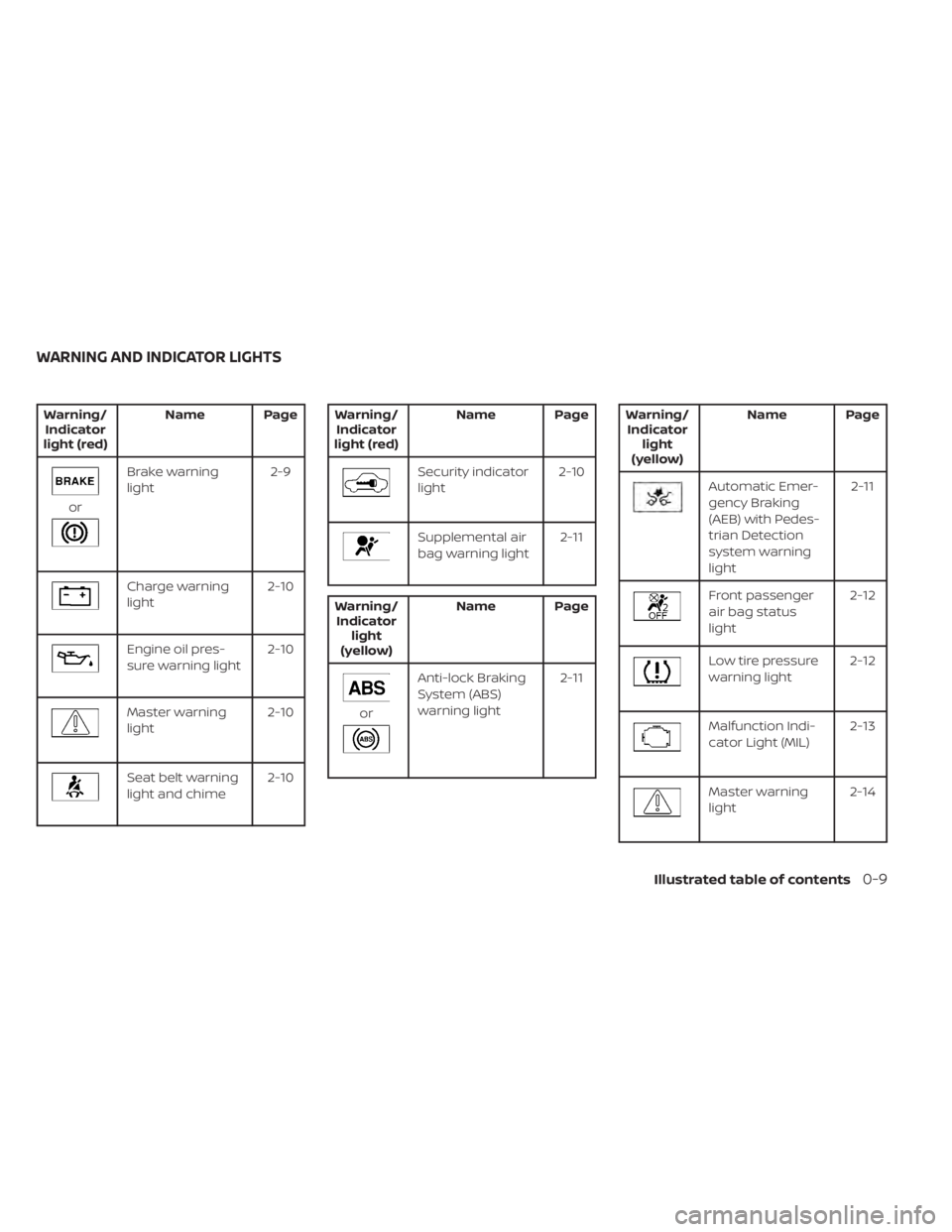
Brake warning
light2-9
Charge warning
light2-10
Engine oil pres-
sure warning light2-10
Master warning
light2-10
Seat belt warning
light and chime2-10
Supplemental air
bag warning light 2-11
Anti-lock Braking
System (ABS)
warning light2-11
Front passenger
air bag status
light2-12
Low tire pressure
warning light
2-12
Malfunction Indi-
cator Light (MIL) 2-13
Master warning
light2-14
WARNING AND INDICATOR LIGHTS
Illustrated table of contents0-9
Page 100 of 508
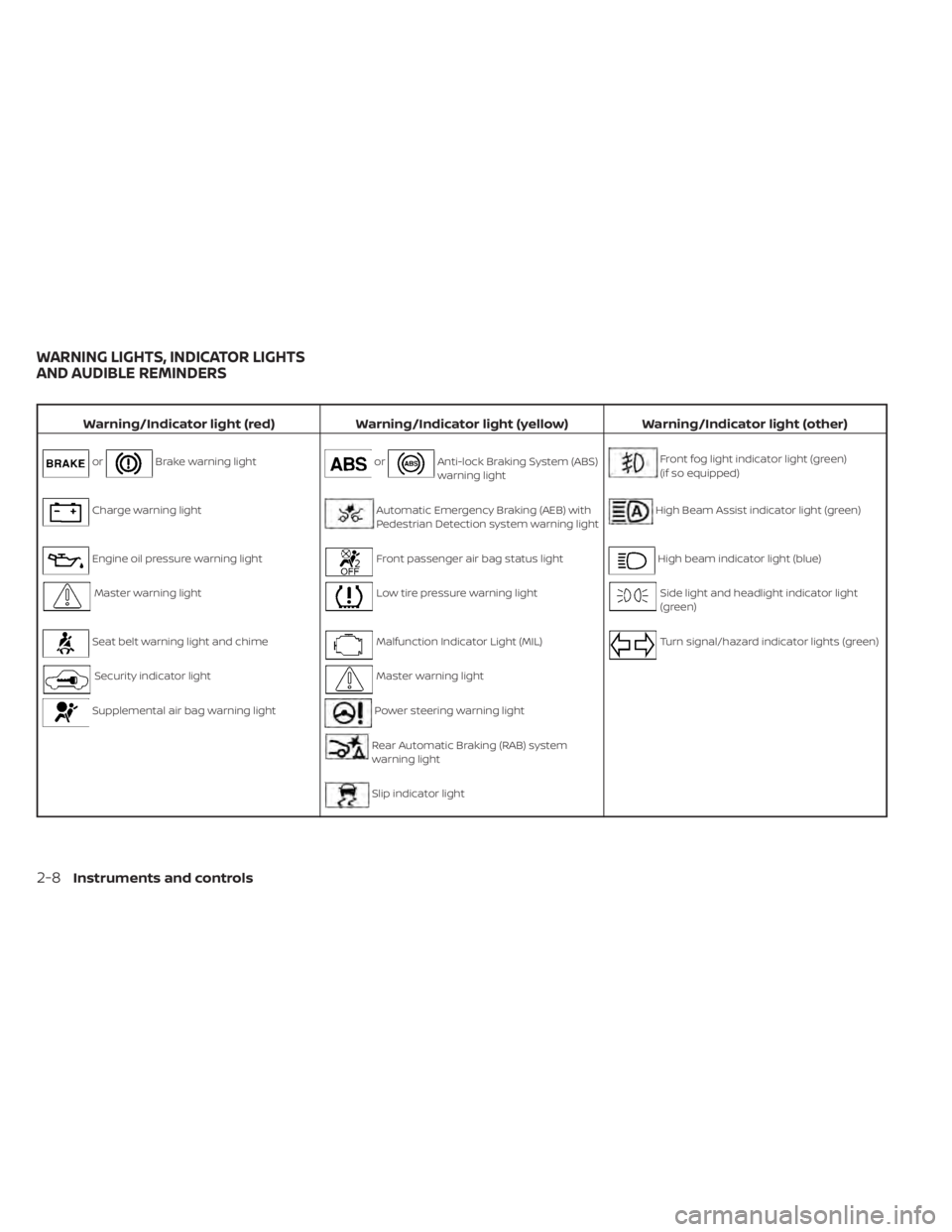
Brake warning lightorAnti-lock Braking System (ABS)
warning lightFront fog light indicator light (green)
(if so equipped)
Charge warning lightAutomatic Emergency Braking (AEB) with
Pedestrian Detection system warning lightHigh Beam Assist indicator light (green)
Engine oil pressure warning lightFront passenger air bag status lightHigh beam indicator light (blue)
Master warning lightLow tire pressure warning lightSide light and headlight indicator light
(green)
Seat belt warning light and chimeMalfunction Indicator Light (MIL)Turn signal/hazard indicator lights (green)
Security indicator lightMaster warning light
Supplemental air bag warning lightPower steering warning light
Rear Automatic Braking (RAB) system
warning light
Slip indicator light
WARNING LIGHTS, INDICATOR LIGHTS
AND AUDIBLE REMINDERS
2-8Instruments and controls
Page 114 of 508
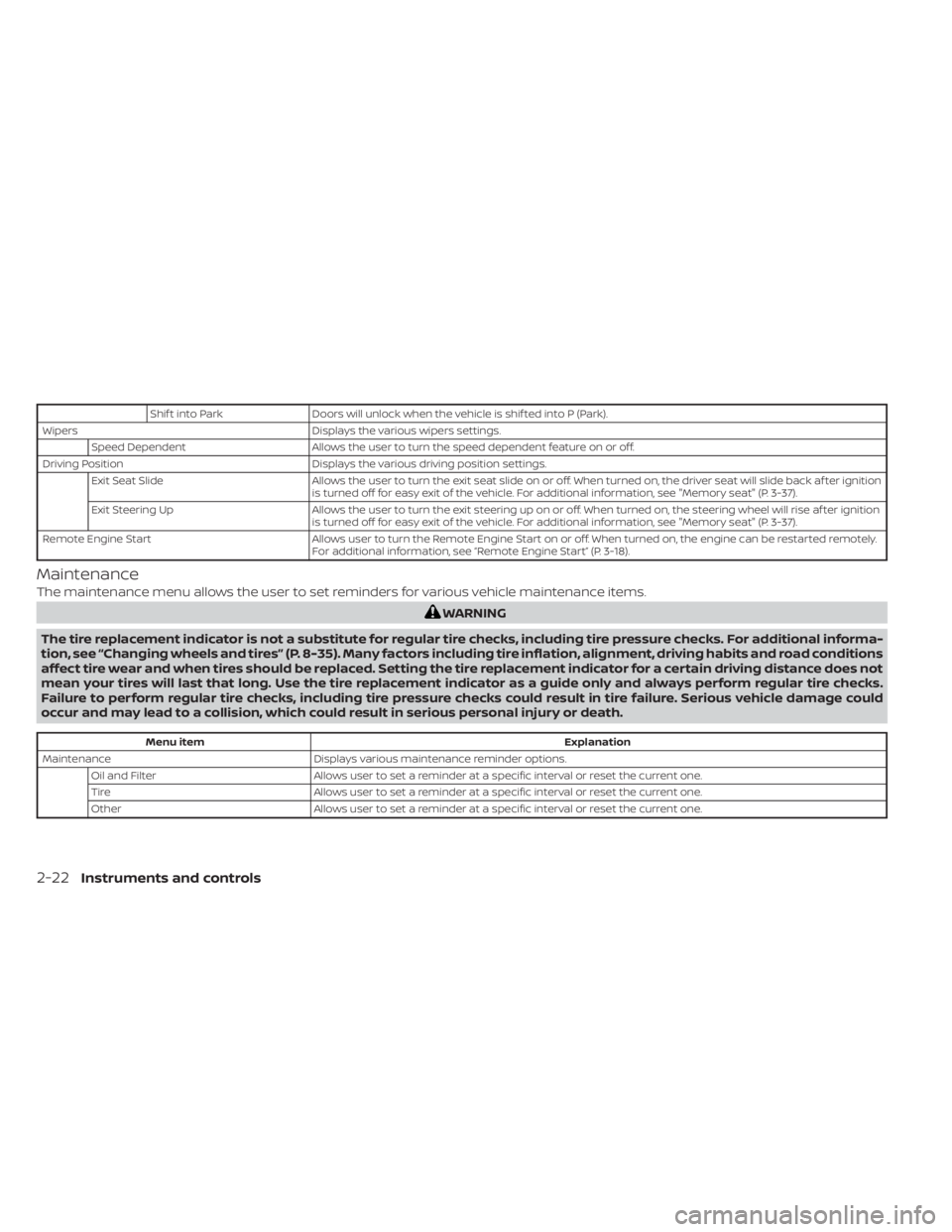
Shif t into ParkDoors will unlock when the vehicle is shif ted into P (Park).
Wipers Displays the various wipers settings.
Speed Dependent Allows the user to turn the speed dependent feature on or off.
Driving Position Displays the various driving position settings.
Exit Seat Slide Allows the user to turn the exit seat slide on or off. When turned on, the driver seat will slide back af ter ignition
is turned off for easy exit of the vehicle. For additional information, see "Memory seat" (P. 3-37).
Exit Steering Up Allows the user to turn the exit steering up on or off. When turned on, the steering wheel will rise af ter ignition
is turned off for easy exit of the vehicle. For additional information, see "Memory seat" (P. 3-37).
Remote Engine Start Allows user to turn the Remote Engine Start on or off. When turned on, the engine can be restarted remotely.
For additional information, see “Remote Engine Start” (P. 3-18).
Maintenance
The maintenance menu allows the user to set reminders for various vehicle maintenance items.
Menu item Explanation
Maintenance Displays various maintenance reminder options.
Oil and Filter Allows user to set a reminder at a specific interval or reset the current one.
Tire Allows user to set a reminder at a specific interval or reset the current one.
Other Allows user to set a reminder at a specific interval or reset the current one.
2-22Instruments and controls
Page 235 of 508
OPERATING TIPS
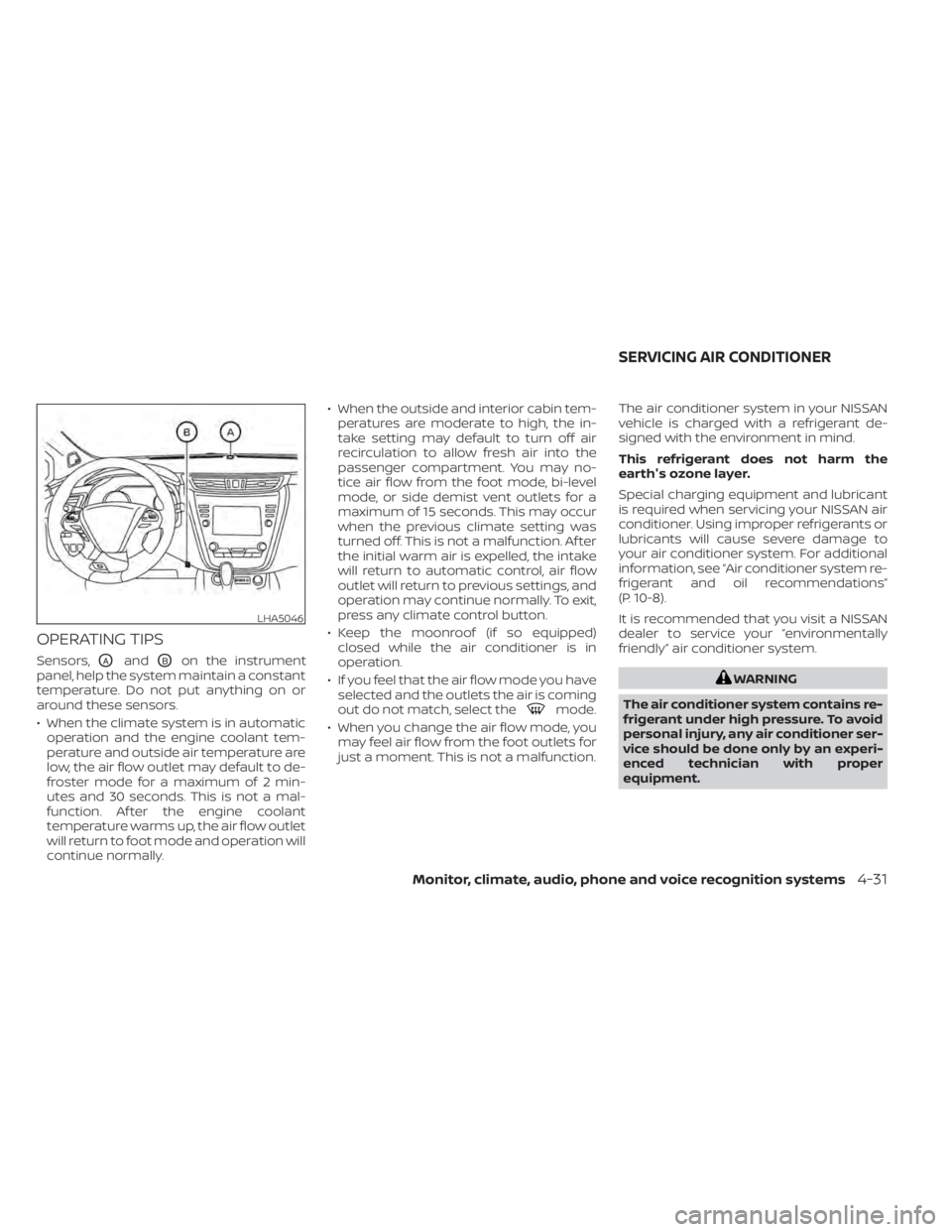
Sensors,OAandOBon the instrument
panel, help the system maintain a constant
temperature. Do not put anything on or
around these sensors.
• When the climate system is in automatic operation and the engine coolant tem-
perature and outside air temperature are
low, the air flow outlet may default to de-
froster mode for a maximum of 2 min-
utes and 30 seconds. This is not a mal-
function. Af ter the engine coolant
temperature warms up, the air flow outlet
will return to foot mode and operation will
continue normally. • When the outside and interior cabin tem-
peratures are moderate to high, the in-
take setting may default to turn off air
recirculation to allow fresh air into the
passenger compartment. You may no-
tice air flow from the foot mode, bi-level
mode, or side demist vent outlets for a
maximum of 15 seconds. This may occur
when the previous climate setting was
turned off. This is not a malfunction. Af ter
the initial warm air is expelled, the intake
will return to automatic control, air flow
outlet will return to previous settings, and
operation may continue normally. To exit,
press any climate control button.
• Keep the moonroof (if so equipped) closed while the air conditioner is in
operation.
• If you feel that the air flow mode you have selected and the outlets the air is coming
out do not match, select the
mode.
• When you change the air flow mode, you may feel air flow from the foot outlets for
just a moment. This is not a malfunction. The air conditioner system in your NISSAN
vehicle is charged with a refrigerant de-
signed with the environment in mind.
This refrigerant does not harm the
earth's ozone layer.
Special charging equipment and lubricant
is required when servicing your NISSAN air
conditioner. Using improper refrigerants or
lubricants will cause severe damage to
your air conditioner system. For additional
information, see “Air conditioner system re-
frigerant and oil recommendations”
(P. 10-8).
It is recommended that you visit a NISSAN
dealer to service your “environmentally
friendly ” air conditioner system.
Monitor, climate, audio, phone and voice recognition systems4-31
Page 353 of 508
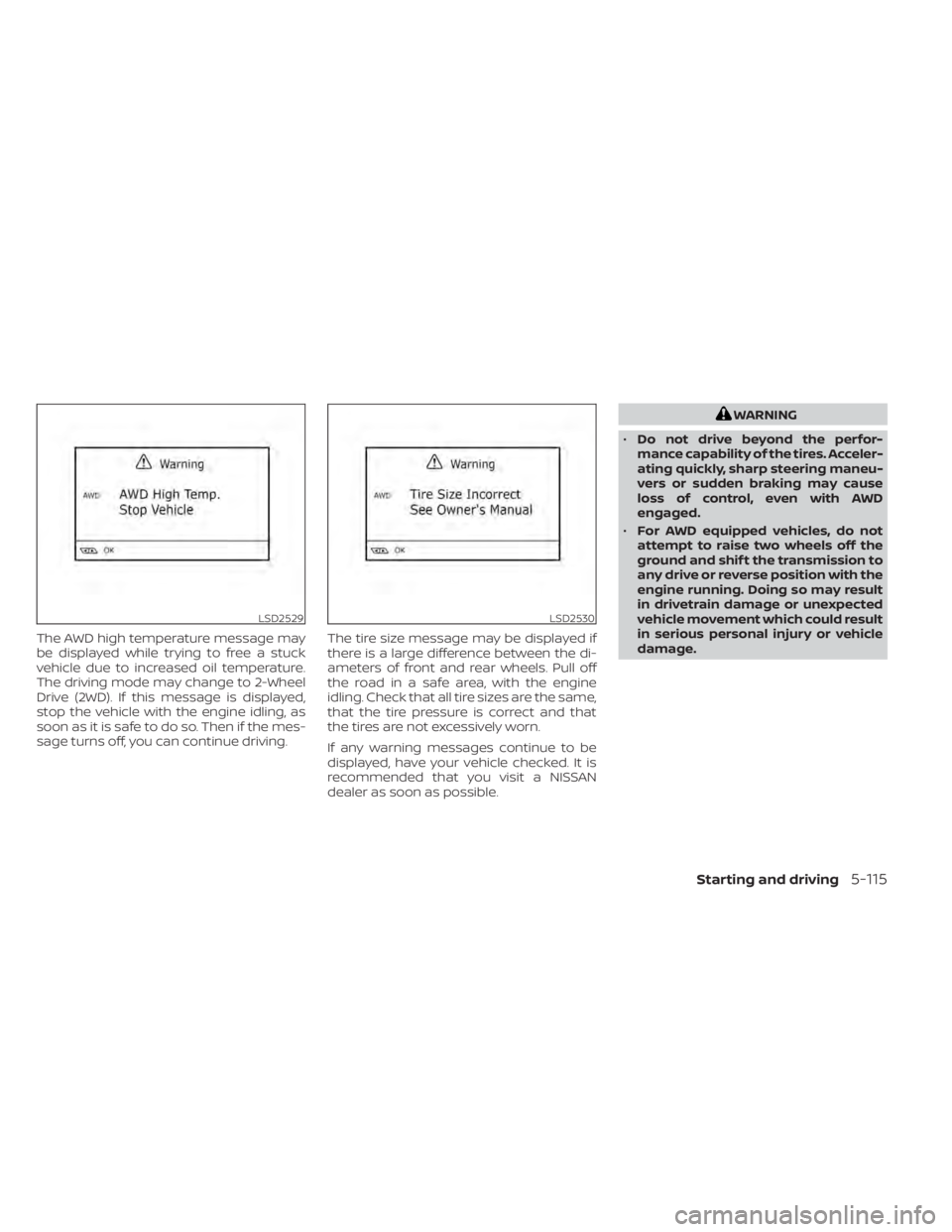
The AWD high temperature message may
be displayed while trying to free a stuck
vehicle due to increased oil temperature.
The driving mode may change to 2-Wheel
Drive (2WD). If this message is displayed,
stop the vehicle with the engine idling, as
soon as it is safe to do so. Then if the mes-
sage turns off, you can continue driving.The tire size message may be displayed if
there is a large difference between the di-
ameters of front and rear wheels. Pull off
the road in a safe area, with the engine
idling. Check that all tire sizes are the same,
that the tire pressure is correct and that
the tires are not excessively worn.
If any warning messages continue to be
displayed, have your vehicle checked. It is
recommended that you visit a NISSAN
dealer as soon as possible.
LSD2530
Page 392 of 508
When performing any inspection or main-
tenance work on your vehicle, always take
care to prevent serious accidental injury to
yourself or damage to the vehicle. The fol-
lowing are general precautions which
should be closely observed.
CAUTION
• Do not work under the hood while
the engine is hot. Turn the engine off
and wait until it cools down. •
Avoid contact with used engine oil
and coolant. Improperly disposed
engine oil, engine coolant and/or
other vehicle fluids can damage the
environment. Always conform to lo-
cal regulations for disposal of vehicle
fluid.
• Never leave the engine or Continu-
ously Variable Transmission (CVT) re-
lated component harnesses discon-
nected while the ignition switch is in
the ON position.
• Never connect or disconnect the bat-
tery or any transistorized compo-
nent while the ignition switch is in
the ON position.
This “Do-it-yourself ” section gives instruc-
tions regarding only those items which are
relatively easy for an owner to perform.
A Genuine NISSAN service manual is also
available. For additional information, see
“Owner's Manual/Service Manual order in-
formation” (P. 10-33).
You should be aware that incomplete or
improper servicing may result in operating
difficulties or excessive emissions, and
could affect warranty coverage. If in doubt
about any servicing, it is recommended
that you have it done by a NISSAN dealer.
MAINTENANCE PRECAUTIONS
8-2Do-it-yourself
Page 396 of 508
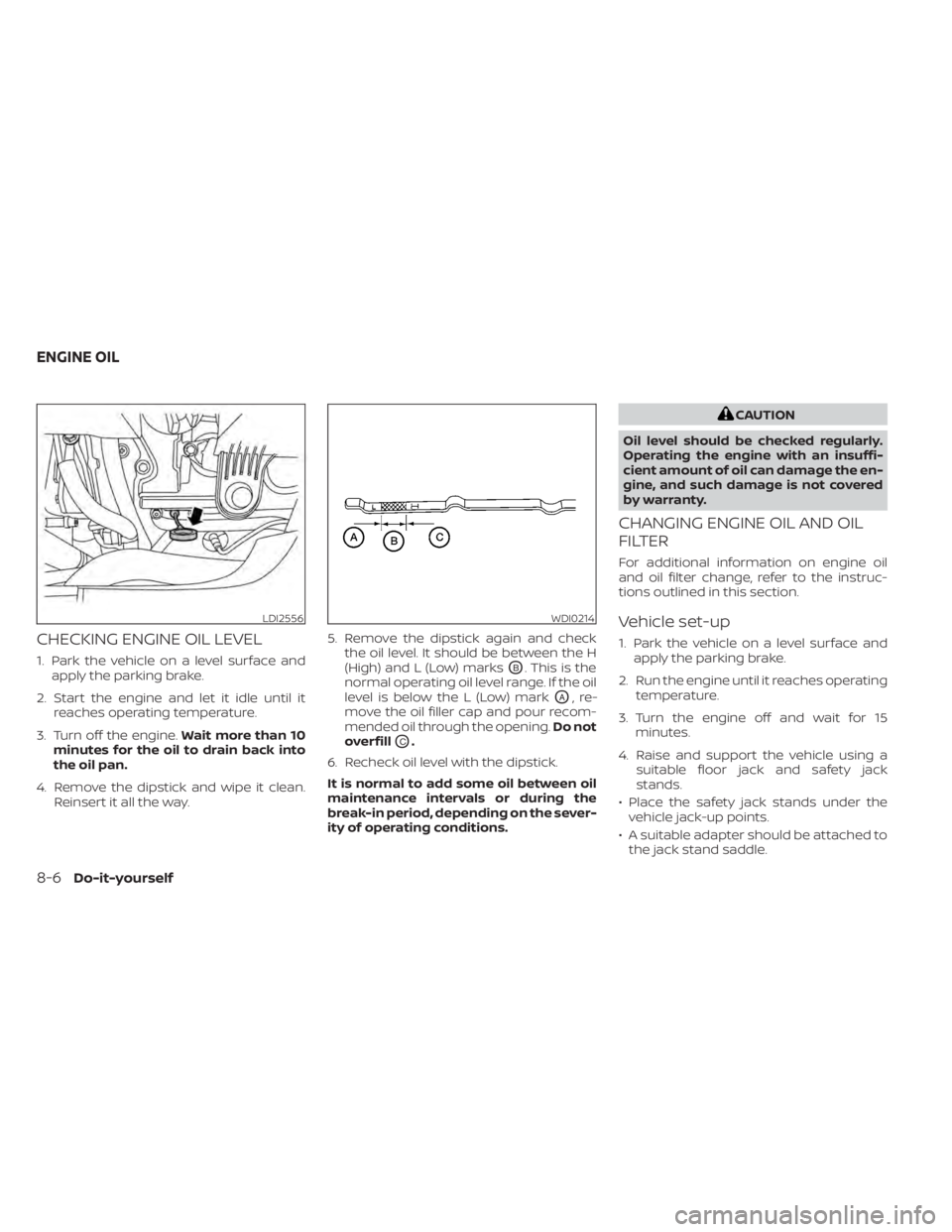
CHECKING ENGINE OIL LEVEL
1. Park the vehicle on a level surface andapply the parking brake.
2. Start the engine and let it idle until it reaches operating temperature.
3. Turn off the engine. Wait more than 10
minutes for the oil to drain back into
the oil pan.
4. Remove the dipstick and wipe it clean. Reinsert it all the way. 5. Remove the dipstick again and check
the oil level. It should be between the H
(High) and L (Low) marksOB. This is the
normal operating oil level range. If the oil
level is below the L (Low) mark
OA,re-
move the oil filler cap and pour recom-
mended oil through the opening. Do not
overfill
OC.
6. Recheck oil level with the dipstick.
It is normal to add some oil between oil
maintenance intervals or during the
break-in period, depending on the sever-
ity of operating conditions.
CAUTION
Oil level should be checked regularly.
Operating the engine with an insuffi-
cient amount of oil can damage the en-
gine, and such damage is not covered
by warranty.
CHANGING ENGINE OIL AND OIL
FILTER
For additional information on engine oil
and oil filter change, refer to the instruc-
tions outlined in this section.
Vehicle set-up
1. Park the vehicle on a level surface and apply the parking brake.
2. Run the engine until it reaches operating temperature.
3. Turn the engine off and wait for 15 minutes.
4. Raise and support the vehicle using a suitable floor jack and safety jack
stands.
• Place the safety jack stands under the vehicle jack-up points.
• A suitable adapter should be attached to the jack stand saddle.
LDI2556WDI0214
ENGINE OIL
Page 399 of 508
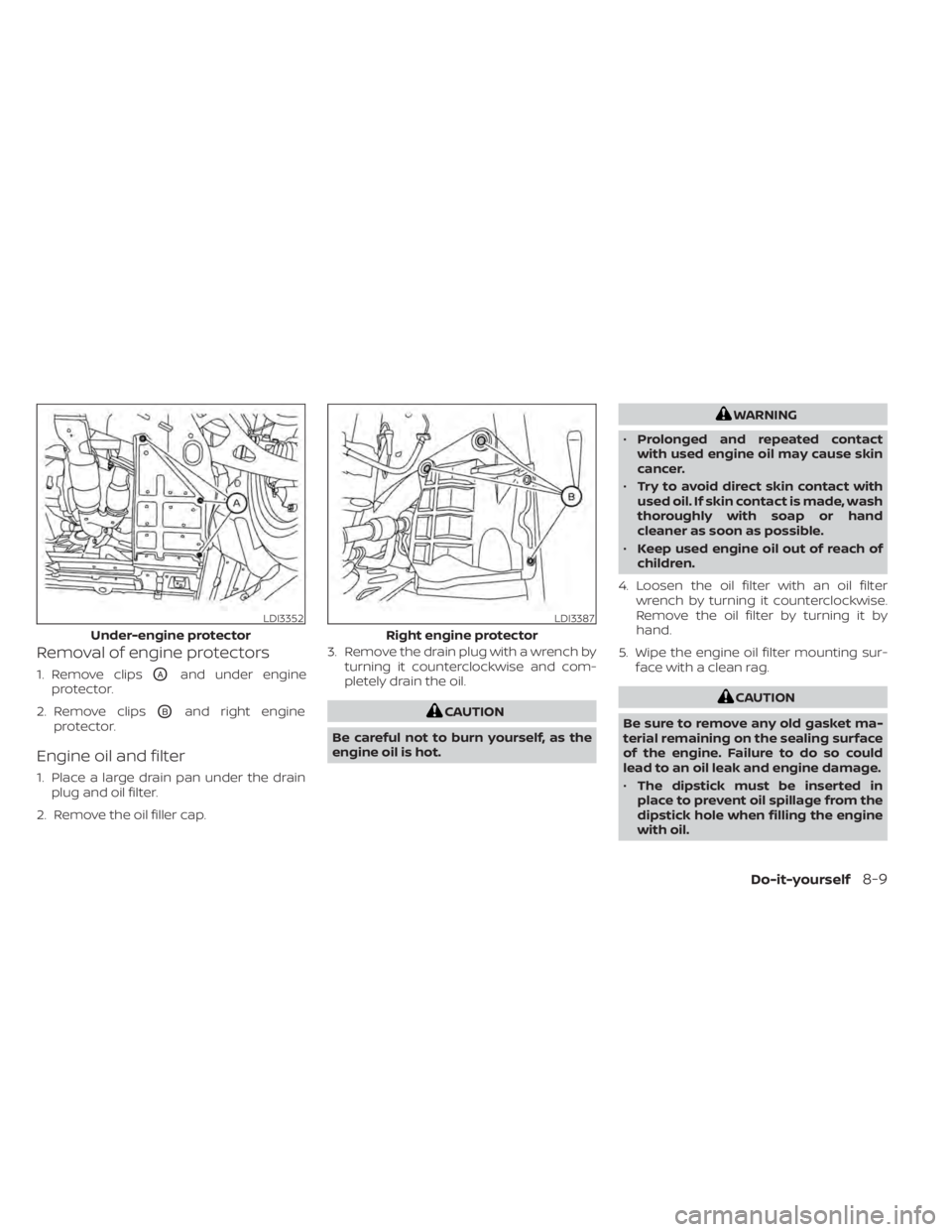
Removal of engine protectors
1. Remove clipsOAand under engine
protector.
2. Remove clips
OBand right engine
protector.
Engine oil and filter
1. Place a large drain pan under the drain plug and oil filter.
2. Remove the oil filler cap. 3. Remove the drain plug with a wrench by
turning it counterclockwise and com-
pletely drain the oil.
WARNING
• Prolonged and repeated contact
with used engine oil may cause skin
cancer.
• Try to avoid direct skin contact with
used oil. If skin contact is made, wash
thoroughly with soap or hand
cleaner as soon as possible.
• Keep used engine oil out of reach of
children.
4. Loosen the oil filter with an oil filter wrench by turning it counterclockwise.
Remove the oil filter by turning it by
hand.
5. Wipe the engine oil filter mounting sur- face with a clean rag.
Do-it-yourself8-9
Page 400 of 508
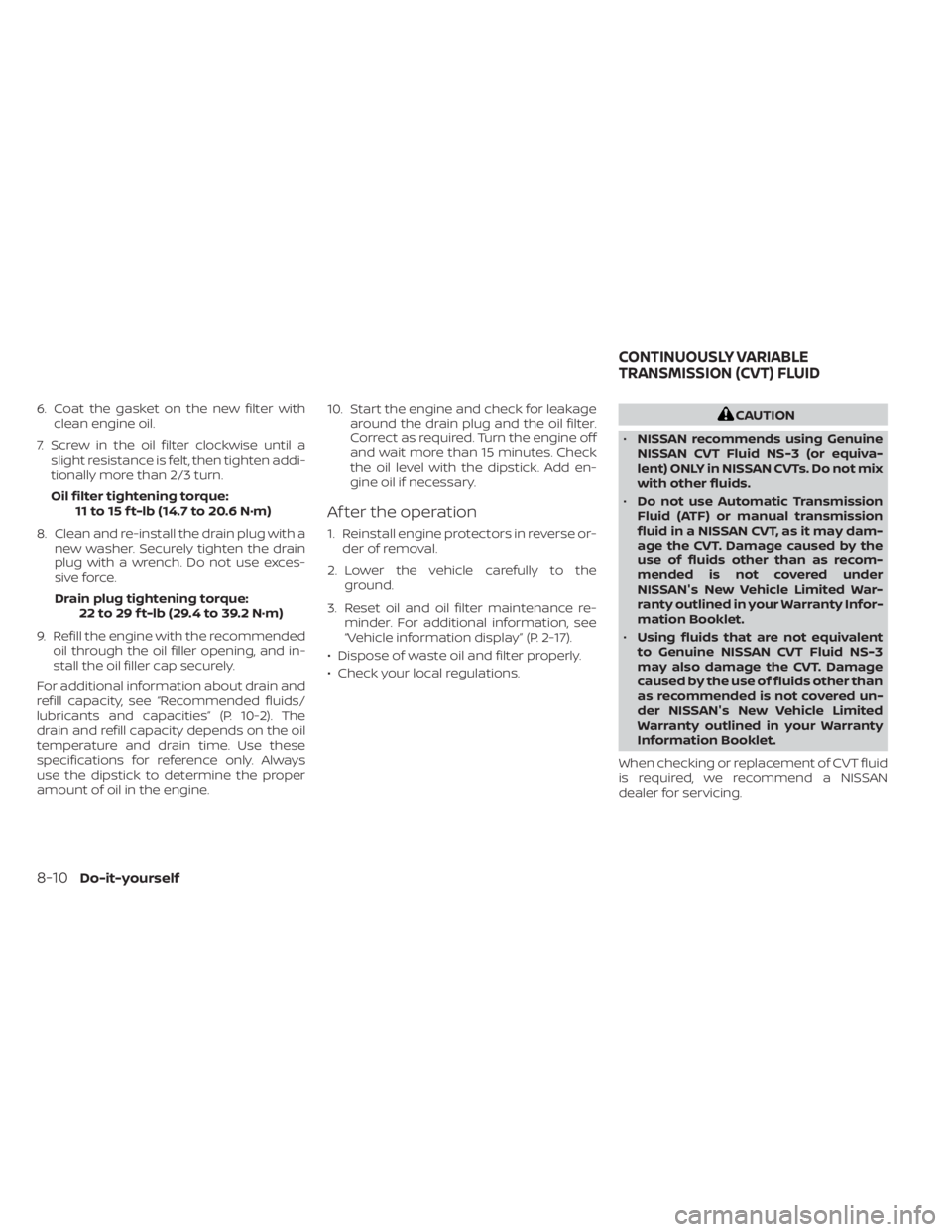
6. Coat the gasket on the new filter withclean engine oil.
7. Screw in the oil filter clockwise until a slight resistance is felt, then tighten addi-
tionally more than 2/3 turn.
Oil filter tightening torque: 11 to 15 f t-lb (14.7 to 20.6 N·m)
8. Clean and re-install the drain plug with a new washer. Securely tighten the drain
plug with a wrench. Do not use exces-
sive force.
Drain plug tightening torque: 22 to 29 f t-lb (29.4 to 39.2 N·m)
9. Refill the engine with the recommended oil through the oil filler opening, and in-
stall the oil filler cap securely.
For additional information about drain and
refill capacity, see “Recommended fluids/
lubricants and capacities” (P. 10-2). The
drain and refill capacity depends on the oil
temperature and drain time. Use these
specifications for reference only. Always
use the dipstick to determine the proper
amount of oil in the engine. 10. Start the engine and check for leakage
around the drain plug and the oil filter.
Correct as required. Turn the engine off
and wait more than 15 minutes. Check
the oil level with the dipstick. Add en-
gine oil if necessary.
Af ter the operation
1. Reinstall engine protectors in reverse or-der of removal.
2. Lower the vehicle carefully to the ground.
3. Reset oil and oil filter maintenance re- minder. For additional information, see
“Vehicle information display” (P. 2-17).
• Dispose of waste oil and filter properly.
• Check your local regulations.
Page 462 of 508
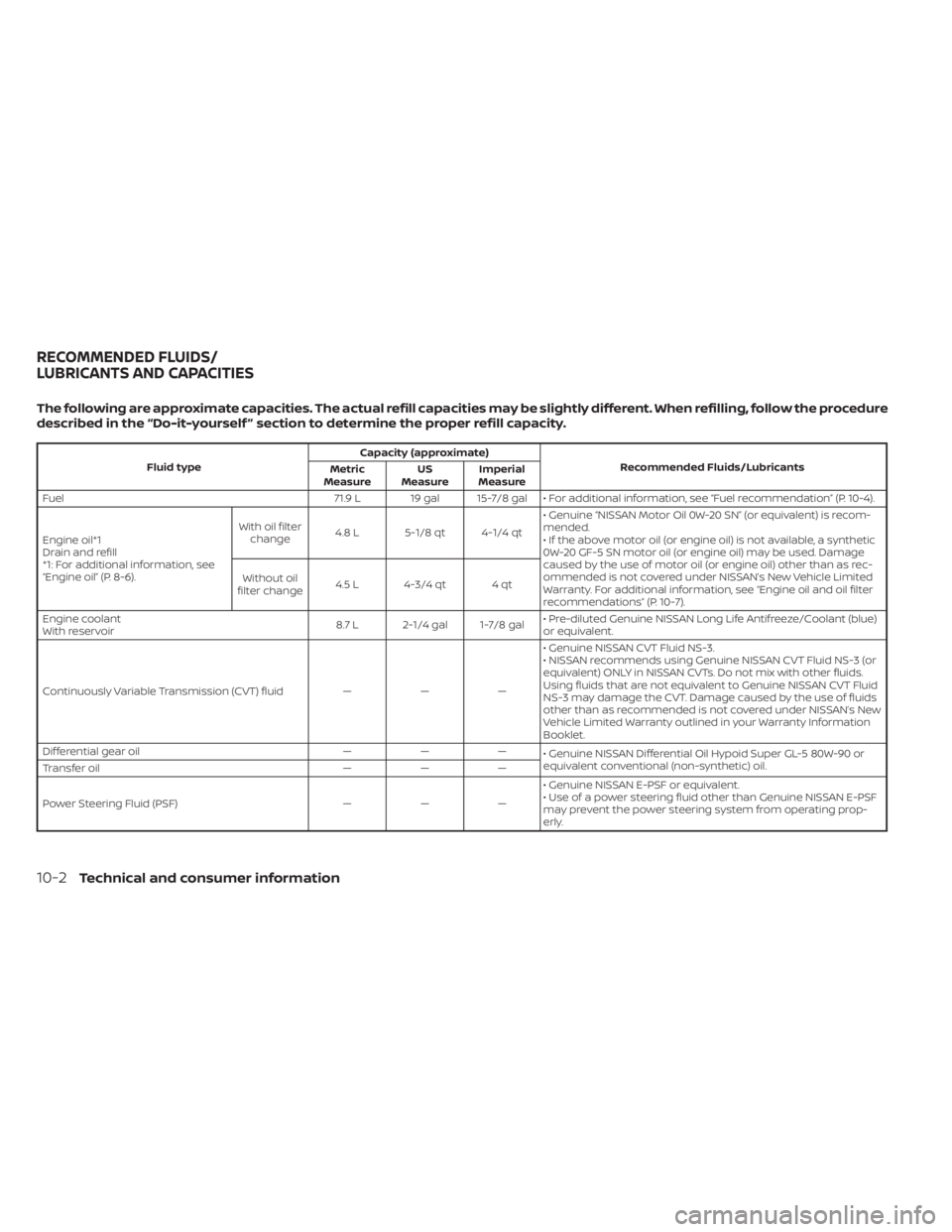
Fluid typeCapacity (approximate)
Recommended Fluids/Lubricants
Metric
Measure US
Measure Imperial
Measure
Fuel 71.9 L 19 gal 15-7/8 gal • For additional information, see “Fuel recommendation” (P. 10-4).
Engine oil*1
Drain and refill
*1: For additional information, see
“Engine oil” (P. 8-6). With oil filter
change 4.8 L 5-1/8 qt 4-1/4 qt • Genuine “NISSAN Motor Oil 0W-20 SN” (or equivalent) is recom-
mended.
• If the above motor oil (or engine oil) is not available, a synthetic
0W-20 GF-5 SN motor oil (or engine oil) may be used. Damage
caused by the use of motor oil (or engine oil) other than as rec-
ommended is not covered under NISSAN’s New Vehicle Limited
Warranty. For additional information, see “Engine oil and oil filter
recommendations” (P. 10-7).
Without oil
filter change 4.5 L 4-3/4 qt 4 qt
Engine coolant
With reservoir 8.7 L 2-1/4 gal 1-7/8 gal• Pre-diluted Genuine NISSAN Long Life Antifreeze/Coolant (blue)
or equivalent.
Continuously Variable Transmission (CVT) fluid — — — • Genuine NISSAN CVT Fluid NS-3.
• NISSAN recommends using Genuine NISSAN CVT Fluid NS-3 (or
equivalent) ONLY in NISSAN CVTs. Do not mix with other fluids.
Using fluids that are not equivalent to Genuine NISSAN CVT Fluid
NS-3 may damage the CVT. Damage caused by the use of fluids
other than as recommended is not covered under NISSAN’s New
Vehicle Limited Warranty outlined in your Warranty Information
Booklet.
Differential gear oil — — — • Genuine NISSAN Differential Oil Hypoid Super GL-5 80W-90 or
equivalent conventional (non-synthetic) oil.
Transfer oil — — —
Power Steering Fluid (PSF) — — — • Genuine NISSAN E-PSF or equivalent.
• Use of a power steering fluid other than Genuine NISSAN E-PSF
may prevent the power steering system from operating prop-
erly.
RECOMMENDED FLUIDS/
LUBRICANTS AND CAPACITIES
10-2Technical and consumer information