steering wheel NISSAN MURANO 2023 User Guide
[x] Cancel search | Manufacturer: NISSAN, Model Year: 2023, Model line: MURANO, Model: NISSAN MURANO 2023Pages: 518, PDF Size: 5.46 MB
Page 108 of 518
•When the power steering warning
light illuminates with the engine run-
ning, there will be no power assist for
the steering. You will still have control
of the vehicle, but the steering will be
harder to operate. Have the power
steering system checked. It is recom-
mended that you visit a NISSAN
dealer for this service.
When the ignition switch is placed in the ON
position, the power steering warning light
illuminates. Af ter starting the engine, the
power steering warning light turns off. This
indicates the power steering is operational.
If the power steering warning light illumi-
nates while the engine is running, it may
indicate the power steering is not function-
ing properly and may need servicing. Have
the power steering checked. It is recom-
mended that you visit a NISSAN dealer for
this service.
When the power steering warning light illu-
minates with the engine running, there will
be no power assist for the steering, but you
will still have control of the vehicle. At this
time, greater steering effort is required to
operate the steering wheel, especially in
sharp turns and at low speeds. For additional information, see “Power
steering” (P. 5-120).
Rear Automatic Braking
(RAB) system warning light
This light comes on when the ignition
switch is placed in the ON position. It turns
off af ter the engine is started.
This light illuminates when the RAB system
is turned off in the vehicle information
display.
If the light illuminates when the RAB sys-
tem is on, it may indicate that the system is
unavailable. For additional information, see
“Rear Automatic Braking (RAB)” (P. 5-83).
Slip indicator light
This indicator light will blink when the Ve-
hicle Dynamic Control (VDC) system is op-
erating, thus alerting the driver to the fact
that the road surface is slippery and the
vehicle is nearing its traction limits.
You may feel or hear the system working;
this is normal.
The light will blink for a few seconds af ter
the VDC system stops limiting wheel spin.The
indicator light also comes on
when you place the ignition switch in the
ON position. The light will turn off af ter ap-
proximately 2 seconds if the system is op-
erational. If the light does not come on
have the system checked. It is recom-
mended that you visit a NISSAN dealer for
this service.
Vehicle Dynamic Control
(VDC) OFF indicator light
This indicator light comes on when the
VDC OFF switch is pushed to off. This indi-
cates the VDC system has been turned off.
Push the VDC OFF switch again or restart
the engine and the system will operate
normally. For additional information, see
“Vehicle Dynamic Control (VDC) system”
(P. 5-123).
The VDC OFF indicator light also comes on
when you place the ignition switch in the
ON position. The light will turn off af ter
about 2 seconds if the system is opera-
tional. If the light stays on or comes on
along with the
indicator light while
you are driving, have the VDC system
checked. It is recommended that you visit a
NISSAN dealer for this service.
2-16Instruments and controls
Page 110 of 518
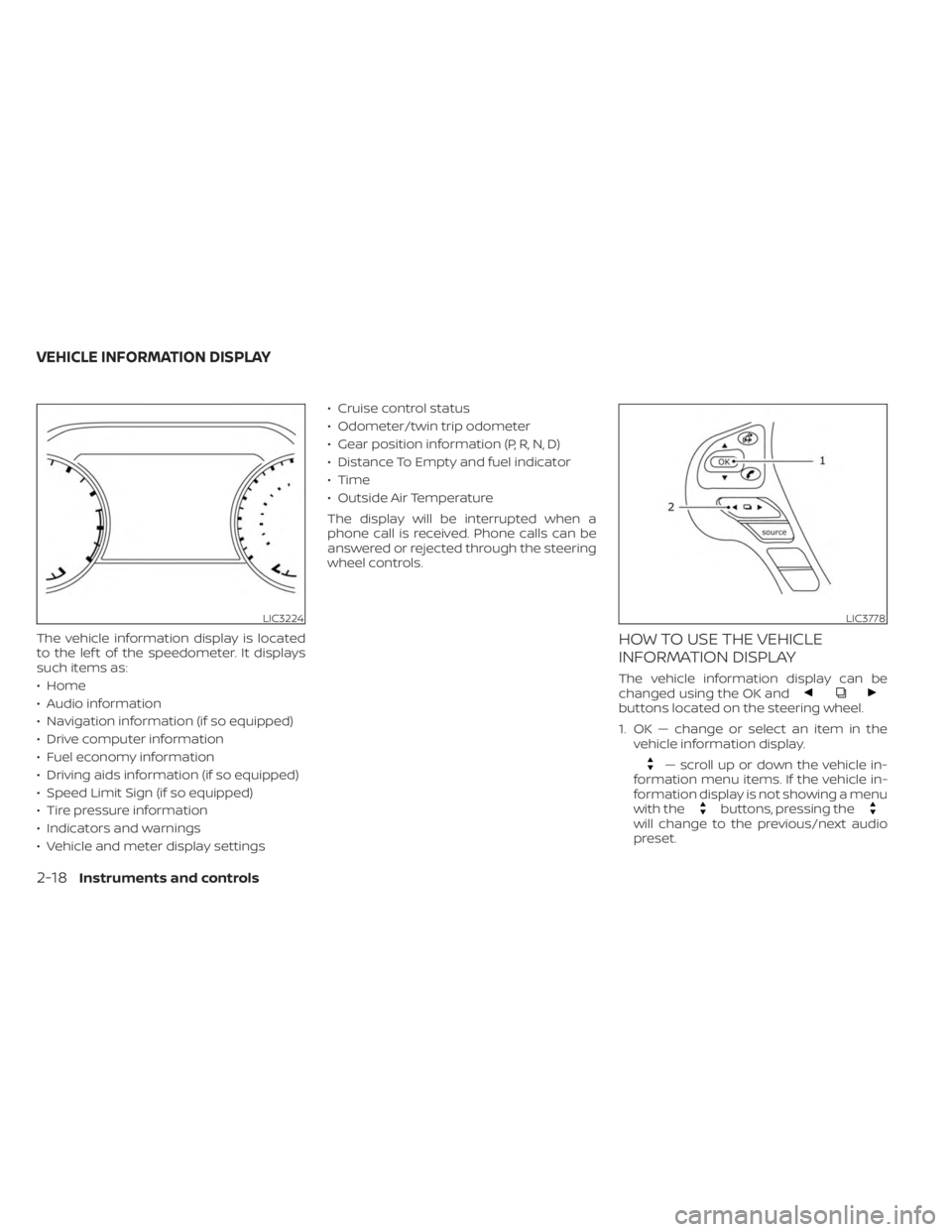
The vehicle information display is located
to the lef t of the speedometer. It displays
such items as:
• Home
• Audio information
• Navigation information (if so equipped)
• Drive computer information
• Fuel economy information
• Driving aids information (if so equipped)
• Speed Limit Sign (if so equipped)
• Tire pressure information
• Indicators and warnings
• Vehicle and meter display settings• Cruise control status
• Odometer/twin trip odometer
• Gear position information (P, R, N, D)
• Distance To Empty and fuel indicator
• Time
• Outside Air Temperature
The display will be interrupted when a
phone call is received. Phone calls can be
answered or rejected through the steering
wheel controls.HOW TO USE THE VEHICLE
INFORMATION DISPLAY
The vehicle information display can be
changed using the OK and
buttons located on the steering wheel.
1. OK — change or select an item in the
vehicle information display.
— scroll up or down the vehicle in-
formation menu items. If the vehicle in-
formation display is not showing a menu
with the
buttons, pressing thewill change to the previous/next audio
preset.
LIC3224LIC3778
VEHICLE INFORMATION DISPLAY
2-18Instruments and controls
Page 115 of 518
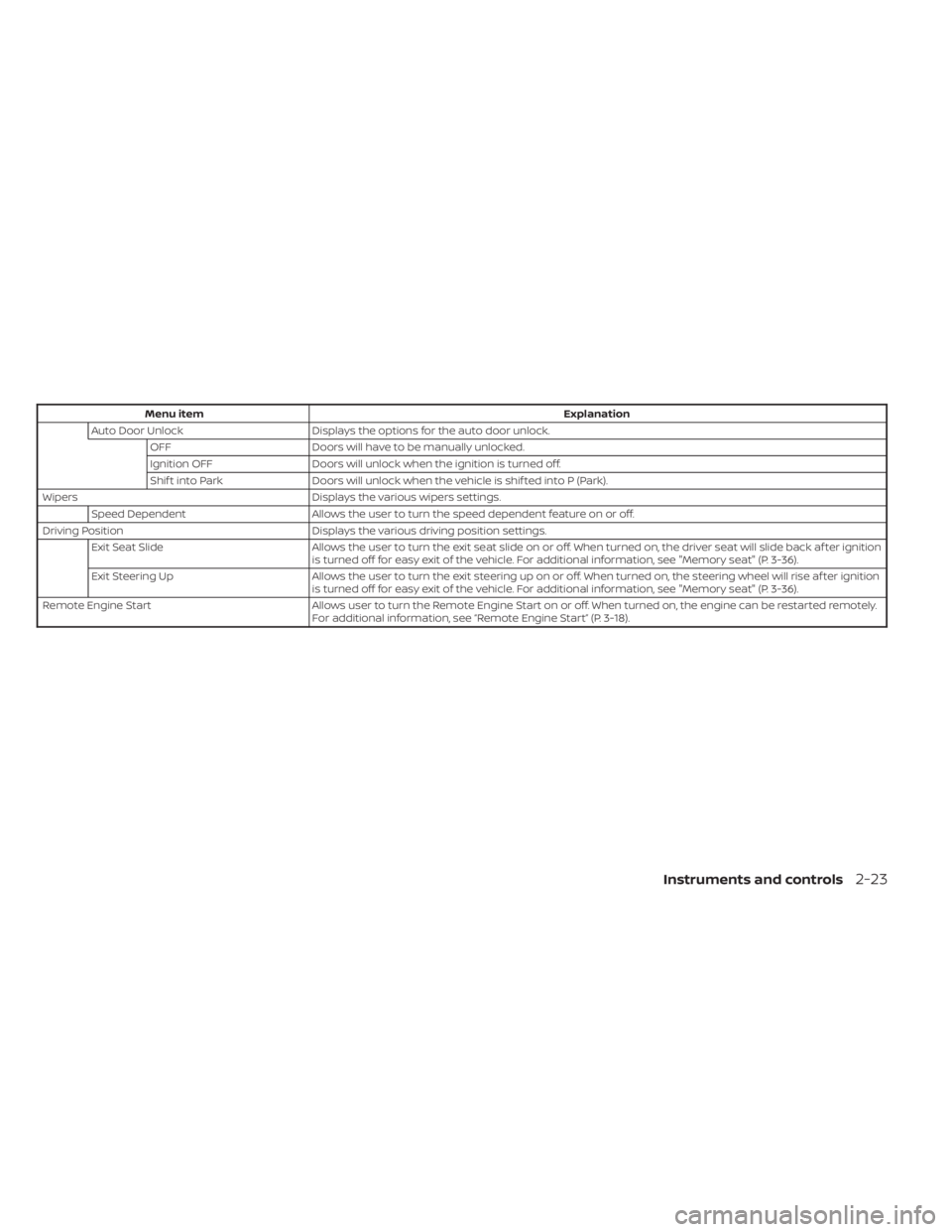
Menu itemExplanation
Auto Door Unlock Displays the options for the auto door unlock.
OFF Doors will have to be manually unlocked.
Ignition OFF Doors will unlock when the ignition is turned off.
Shif t into Park Doors will unlock when the vehicle is shif ted into P (Park).
Wipers Displays the various wipers settings.
Speed Dependent Allows the user to turn the speed dependent feature on or off.
Driving Position Displays the various driving position settings.
Exit Seat Slide Allows the user to turn the exit seat slide on or off. When turned on, the driver seat will slide back af ter ignition
is turned off for easy exit of the vehicle. For additional information, see "Memory seat" (P. 3-36).
Exit Steering Up Allows the user to turn the exit steering up on or off. When turned on, the steering wheel will rise af ter ignition
is turned off for easy exit of the vehicle. For additional information, see "Memory seat" (P. 3-36).
Remote Engine Start Allows user to turn the Remote Engine Start on or off. When turned on, the engine can be restarted remotely.
For additional information, see “Remote Engine Start” (P. 3-18).
Instruments and controls2-23
Page 119 of 518
NOTE:
This system is disabled until a driver en-
ables it using the vehicle information
display. For additional information, see
“How to use the vehicle information dis-
play ” (P. 2-18).
For additional information, see “Rear Door
Alert” (P. 2-53).
Rear Door Alert is activated
When the system is enabled, this message
appears when the Rear Door Alert system
is active and can remind the driver to check
the back seat.
• Using the steering wheel switch, a drivercan select “Dismiss Message” to clear the
display for a period of time. If no selection
is made, this message automatically
turns off af ter a period of time.
• Using the steering wheel switch, a driver can select “Disable Alert” to disable the
horn alert for the remainder of the cur-
rent trip.
WARNING
Selecting “Dismiss Message” during a
stop within a trip temporarily dis-
misses the message for that stop with-
out turning the system off. Alerts can
be provided for other stops during the
trip. Selecting “Disable Alert” turns off
the Rear Door Alert system for the re-
mainder of a trip and no audible alert
will be provided.
NOTE:
This system is disabled until a driver en-
ables it using the vehicle information
display. For additional information, see
“How to use the vehicle information dis-
play ” (P. 2-18).
For additional information, see “Rear Door
Alert” (P. 2-53).
Door/lif tgate Open
This warning appears when a door or the
lif tgate has been opened.
Headlight System Error: See Owner’s
Manual
This warning appears when the LED head-
lights are not functioning properly.
If this warning appears, have your system
checked. It is recommended that you visit a
NISSAN dealer for this service.
Loose Fuel Cap
This warning appears when the fuel-filler
cap is not tightened correctly af ter the ve-
hicle has been refueled. For additional in-
formation, see “Fuel-filler cap” (P. 3-29).
Low Fuel
This warning appears when the fuel level in
the fuel tank is getting low. Refuel as soon
as it is convenient, preferably before the
fuel gauge reaches 0 (Empty). There will be
a small reserve of fuel in the tank when
the fuel gauge needle reaches 0 (Empty).
Low Outside Temperature
This warning appears if the outside tem-
perature is below 37°F (3°C). The tempera-
ture can be changed to display in Celsius or
Fahrenheit. For additional information, see
“Settings” (P. 2-19).
Instruments and controls2-27
Page 122 of 518
For additional information, see “Automatic
Emergency Braking (AEB) with Pedestrian
Detection” (P. 5-88).
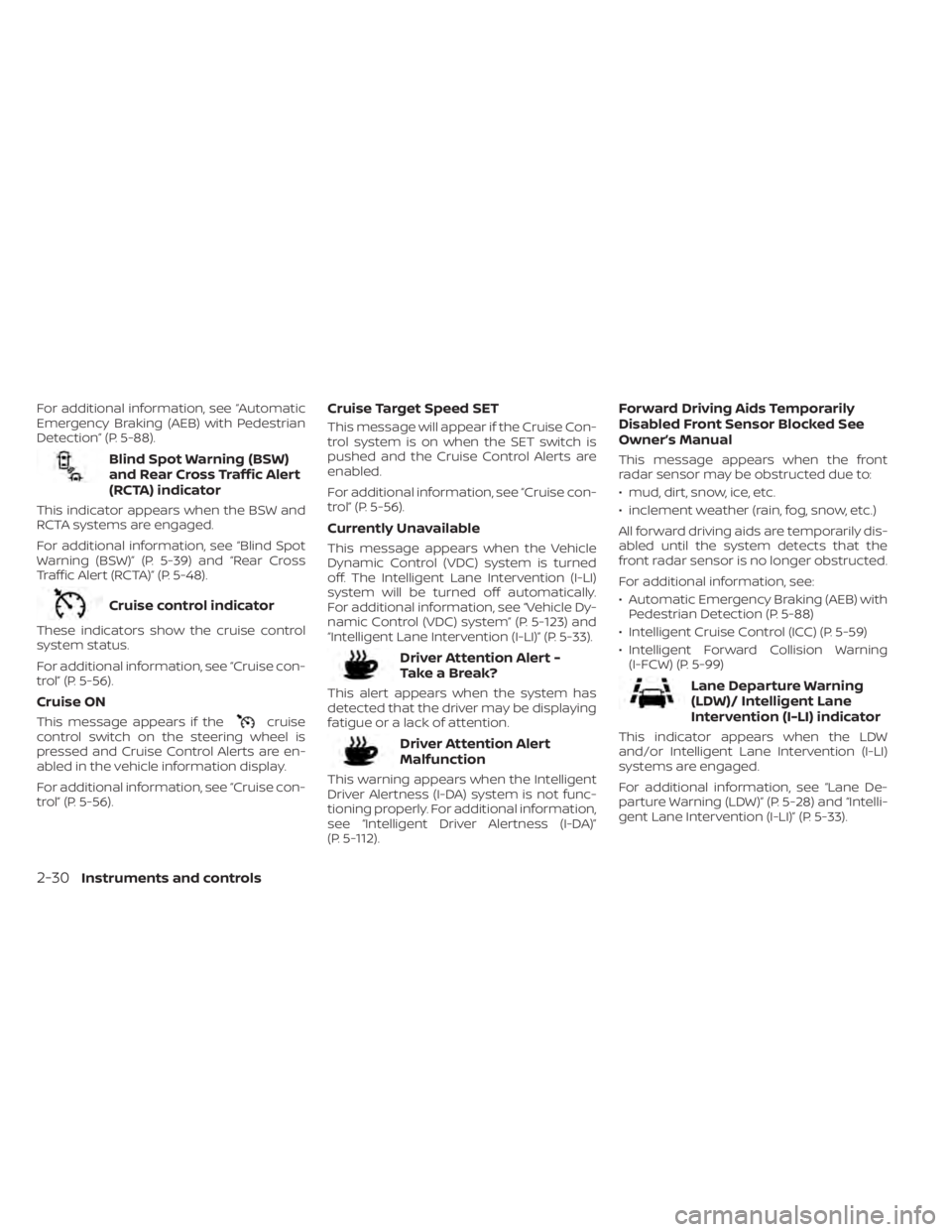
Blind Spot Warning (BSW)
and Rear Cross Traffic Alert
(RCTA) indicator
This indicator appears when the BSW and
RCTA systems are engaged.
For additional information, see “Blind Spot
Warning (BSW)” (P. 5-39) and “Rear Cross
Traffic Alert (RCTA)” (P. 5-48).
Cruise control indicator
These indicators show the cruise control
system status.
For additional information, see “Cruise con-
trol” (P. 5-56).
Cruise ON
This message appears if thecruise
control switch on the steering wheel is
pressed and Cruise Control Alerts are en-
abled in the vehicle information display.
For additional information, see “Cruise con-
trol” (P. 5-56).
Cruise Target Speed SET
This message will appear if the Cruise Con-
trol system is on when the SET switch is
pushed and the Cruise Control Alerts are
enabled.
For additional information, see “Cruise con-
trol” (P. 5-56).
Currently Unavailable
This message appears when the Vehicle
Dynamic Control (VDC) system is turned
off. The Intelligent Lane Intervention (I-LI)
system will be turned off automatically.
For additional information, see “Vehicle Dy-
namic Control (VDC) system” (P. 5-123) and
“Intelligent Lane Intervention (I-LI)” (P. 5-33).
Driver Attention Alert -
TakeaBreak?
This alert appears when the system has
detected that the driver may be displaying
fatigue or a lack of attention.
Driver Attention Alert
Malfunction
This warning appears when the Intelligent
Driver Alertness (I-DA) system is not func-
tioning properly. For additional information,
see “Intelligent Driver Alertness (I-DA)”
(P. 5-112).
Forward Driving Aids Temporarily
Disabled Front Sensor Blocked See
Owner’s Manual
This message appears when the front
radar sensor may be obstructed due to:
• mud, dirt, snow, ice, etc.
• inclement weather (rain, fog, snow, etc.)
All forward driving aids are temporarily dis-
abled until the system detects that the
front radar sensor is no longer obstructed.
For additional information, see:
• Automatic Emergency Braking (AEB) with Pedestrian Detection (P. 5-88)
• Intelligent Cruise Control (ICC) (P. 5-59)
• Intelligent Forward Collision Warning (I-FCW) (P. 5-99)
Lane Departure Warning
(LDW)/ Intelligent Lane
Intervention (I-LI) indicator
This indicator appears when the LDW
and/or Intelligent Lane Intervention (I-LI)
systems are engaged.
For additional information, see “Lane De-
parture Warning (LDW)” (P. 5-28) and “Intelli-
gent Lane Intervention (I-LI)” (P. 5-33).
2-30Instruments and controls
Page 123 of 518
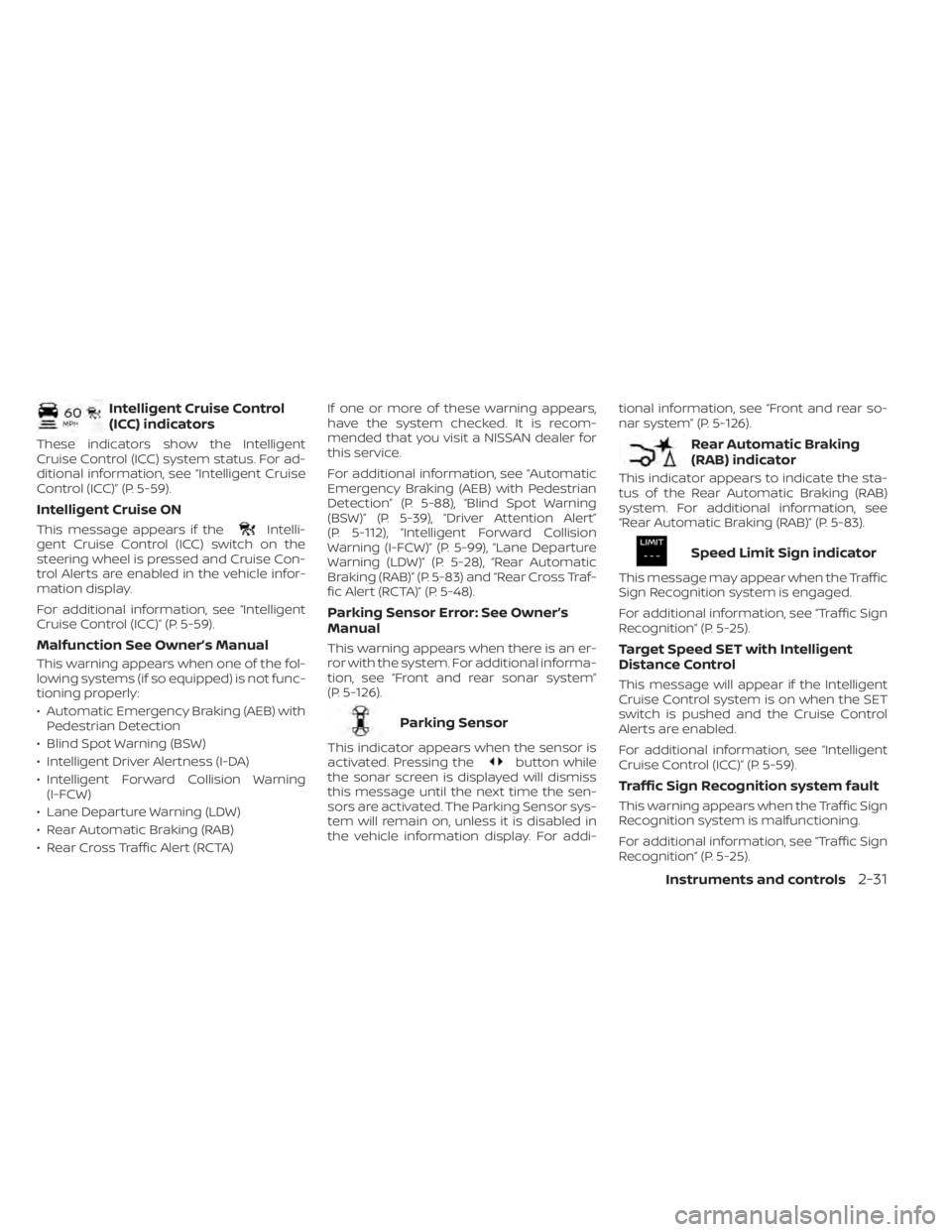
Intelligent Cruise Control
(ICC) indicators
These indicators show the Intelligent
Cruise Control (ICC) system status. For ad-
ditional information, see “Intelligent Cruise
Control (ICC)” (P. 5-59).
Intelligent Cruise ON
This message appears if theIntelli-
gent Cruise Control (ICC) switch on the
steering wheel is pressed and Cruise Con-
trol Alerts are enabled in the vehicle infor-
mation display.
For additional information, see “Intelligent
Cruise Control (ICC)” (P. 5-59).
Malfunction See Owner’s Manual
This warning appears when one of the fol-
lowing systems (if so equipped) is not func-
tioning properly:
• Automatic Emergency Braking (AEB) with Pedestrian Detection
• Blind Spot Warning (BSW)
• Intelligent Driver Alertness (I-DA)
• Intelligent Forward Collision Warning (I-FCW)
• Lane Departure Warning (LDW)
• Rear Automatic Braking (RAB)
• Rear Cross Traffic Alert (RCTA) If one or more of these warning appears,
have the system checked. It is recom-
mended that you visit a NISSAN dealer for
this service.
For additional information, see “Automatic
Emergency Braking (AEB) with Pedestrian
Detection” (P. 5-88), “Blind Spot Warning
(BSW)” (P. 5-39), “Driver Attention Alert”
(P. 5-112), “Intelligent Forward Collision
Warning (I-FCW)” (P. 5-99), “Lane Departure
Warning (LDW)” (P. 5-28), “Rear Automatic
Braking (RAB)” (P. 5-83) and “Rear Cross Traf-
fic Alert (RCTA)” (P. 5-48).
Parking Sensor Error: See Owner’s
Manual
This warning appears when there is an er-
ror with the system. For additional informa-
tion, see “Front and rear sonar system”
(P. 5-126).
Parking Sensor
This indicator appears when the sensor is
activated. Pressing thebutton while
the sonar screen is displayed will dismiss
this message until the next time the sen-
sors are activated. The Parking Sensor sys-
tem will remain on, unless it is disabled in
the vehicle information display. For addi- tional information, see “Front and rear so-
nar system” (P. 5-126).
Rear Automatic Braking
(RAB) indicator
This indicator appears to indicate the sta-
tus of the Rear Automatic Braking (RAB)
system. For additional information, see
“Rear Automatic Braking (RAB)” (P. 5-83).
Speed Limit Sign indicator
This message may appear when the Traffic
Sign Recognition system is engaged.
For additional information, see “Traffic Sign
Recognition” (P. 5-25).
Target Speed SET with Intelligent
Distance Control
This message will appear if the Intelligent
Cruise Control system is on when the SET
switch is pushed and the Cruise Control
Alerts are enabled.
For additional information, see “Intelligent
Cruise Control (ICC)” (P. 5-59).
Traffic Sign Recognition system fault
This warning appears when the Traffic Sign
Recognition system is malfunctioning.
For additional information, see “Traffic Sign
Recognition” (P. 5-25).
Instruments and controls2-31
Page 137 of 518
The headlights must be on and the low
beams selected for the fog lights to oper-
ate. The fog lights automatically turn off
when the high beam headlights are
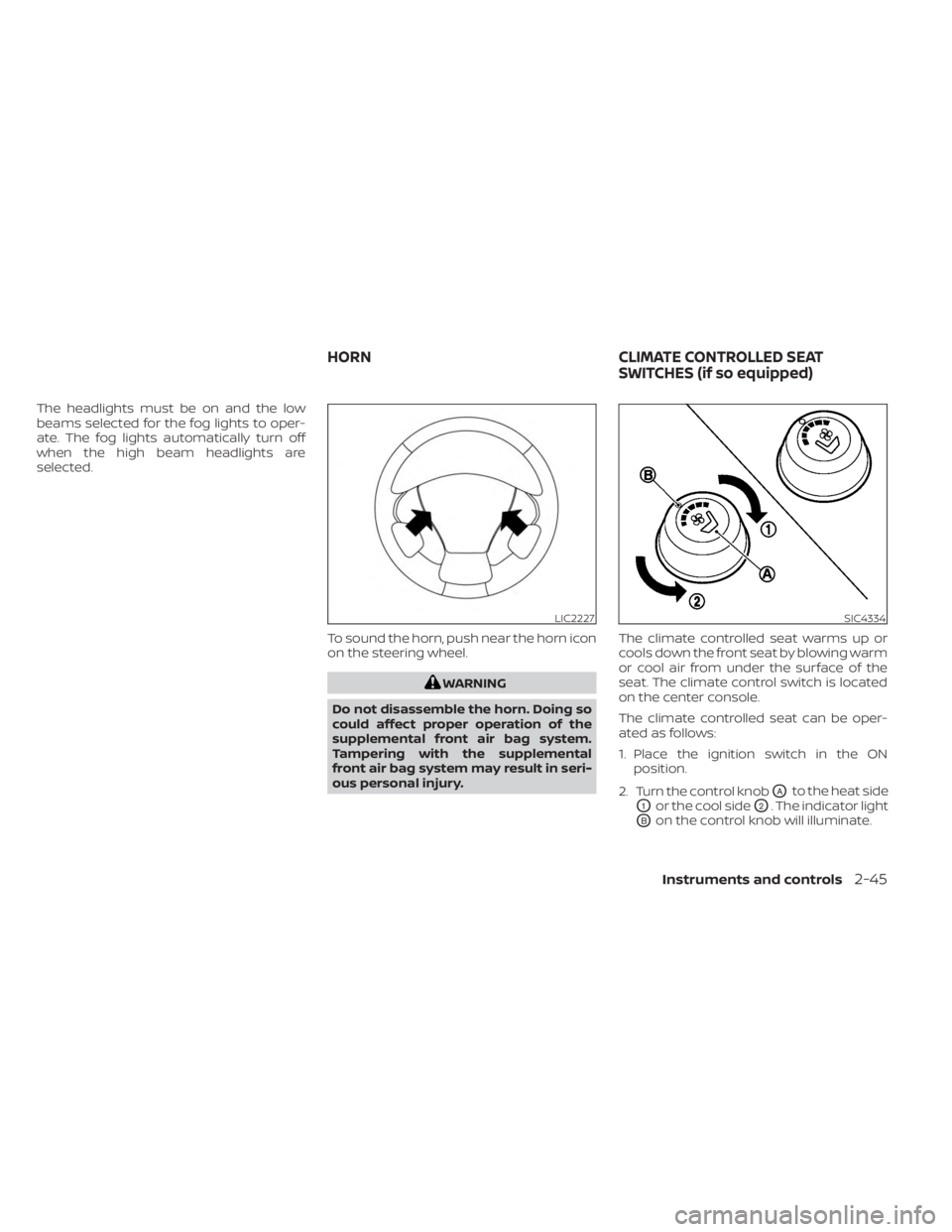
selected.To sound the horn, push near the horn icon
on the steering wheel.
WARNING
Do not disassemble the horn. Doing so
could affect proper operation of the
supplemental front air bag system.
Tampering with the supplemental
front air bag system may result in seri-
ous personal injury. The climate controlled seat warms up or
cools down the front seat by blowing warm
or cool air from under the surface of the
seat. The climate control switch is located
on the center console.
The climate controlled seat can be oper-
ated as follows:
1. Place the ignition switch in the ON
position.
2. Turn the control knob
OAto the heat side
O1or the cool sideO2. The indicator light
OBon the control knob will illuminate.
LIC2227SIC4334
HORN CLIMATE CONTROLLED SEAT
SWITCHES (if so equipped)
Instruments and controls2-45
Page 141 of 518
3. When the seat is warmed or before youleave the vehicle, be sure to turn the
switch off.
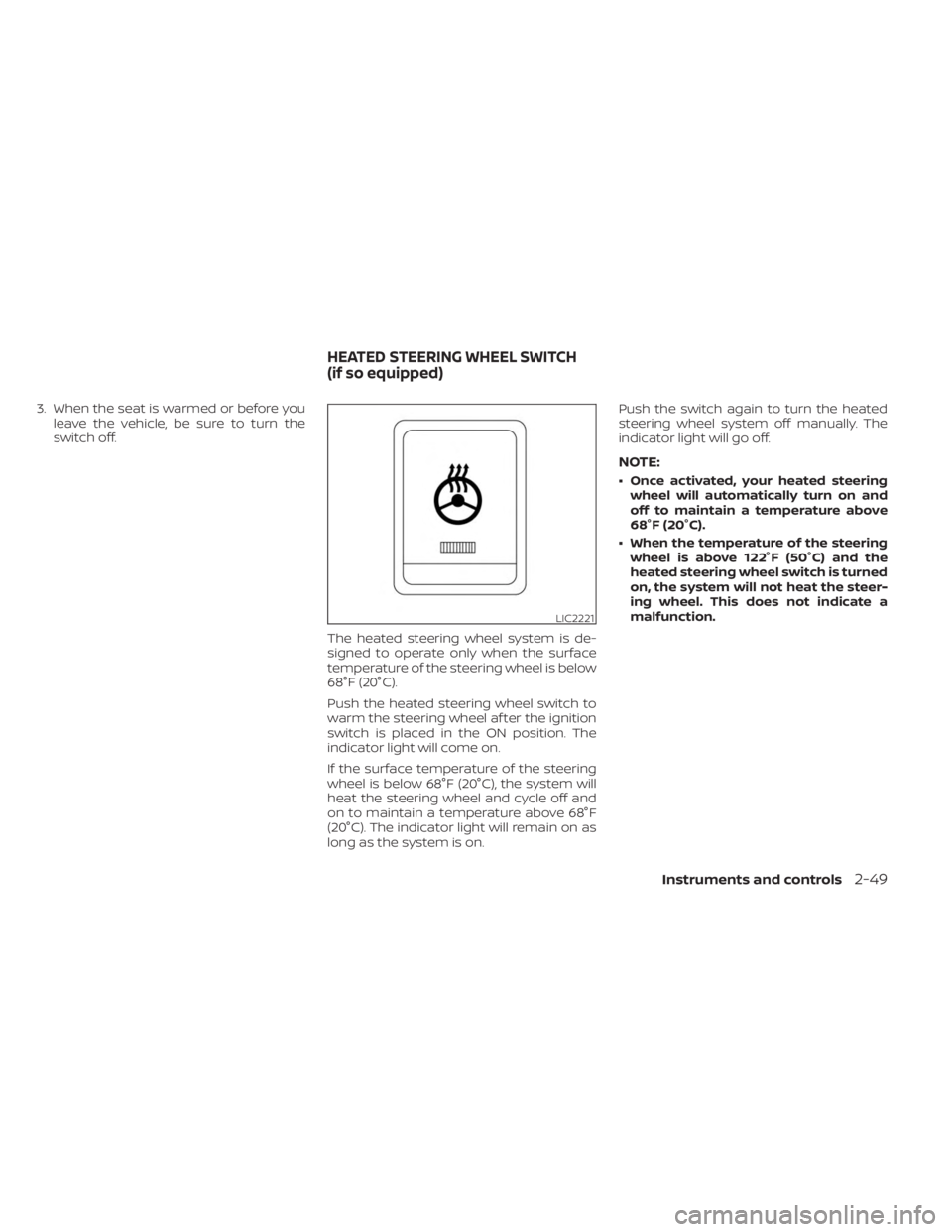
The heated steering wheel system is de-
signed to operate only when the surface
temperature of the steering wheel is below
68°F (20°C).
Push the heated steering wheel switch to
warm the steering wheel af ter the ignition
switch is placed in the ON position. The
indicator light will come on.
If the surface temperature of the steering
wheel is below 68°F (20°C), the system will
heat the steering wheel and cycle off and
on to maintain a temperature above 68°F
(20°C). The indicator light will remain on as
long as the system is on. Push the switch again to turn the heated
steering wheel system off manually. The
indicator light will go off.
NOTE:
• Once activated, your heated steering
wheel will automatically turn on and
off to maintain a temperature above
68°F (20°C).
• When the temperature of the steering wheel is above 122°F (50°C) and the
heated steering wheel switch is turned
on, the system will not heat the steer-
ing wheel. This does not indicate a
malfunction.
LIC2221
HEATED STEERING WHEEL SWITCH
(if so equipped)
Instruments and controls2-49
Page 147 of 518
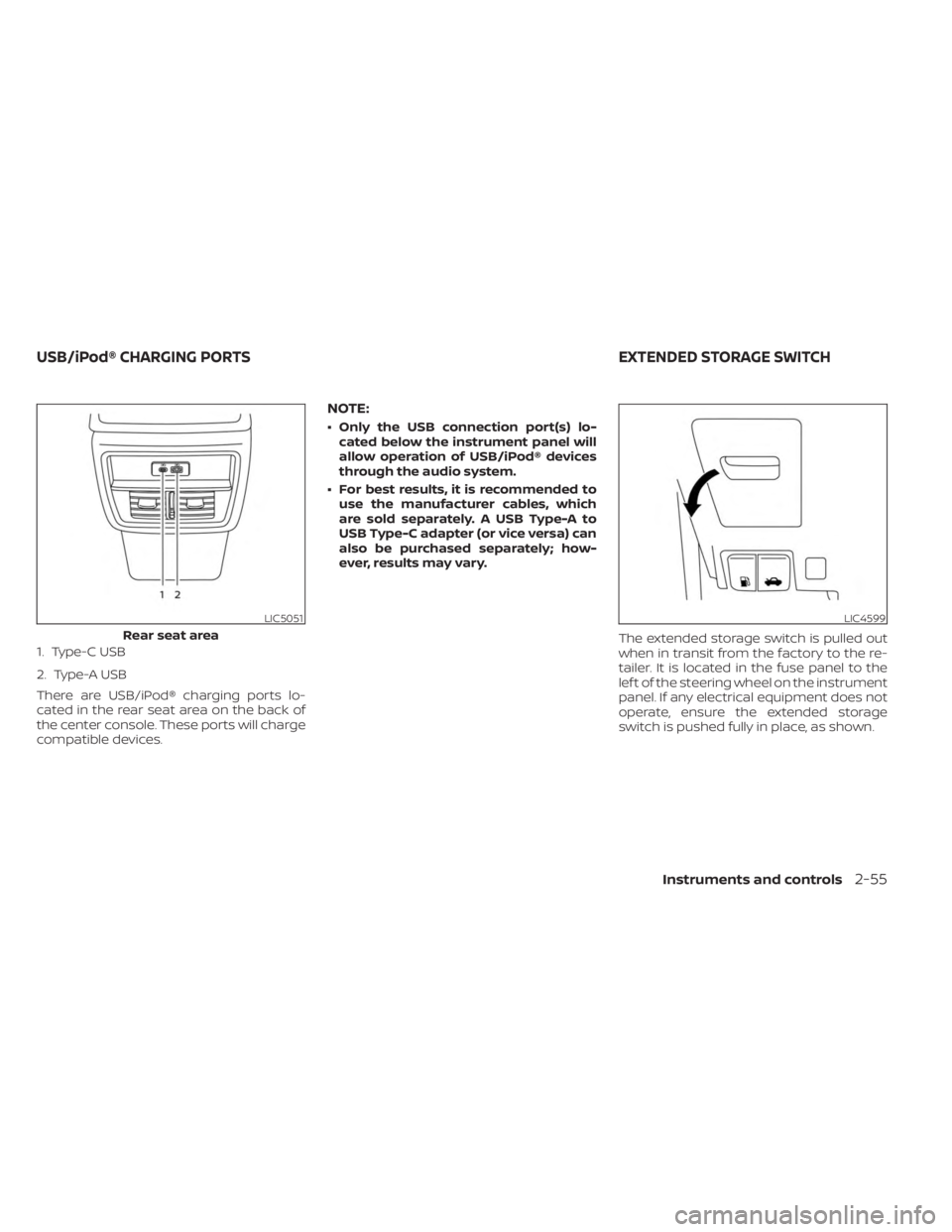
1. Type-C USB
2. Type-A USB
There are USB/iPod® charging ports lo-
cated in the rear seat area on the back of
the center console. These ports will charge
compatible devices.
NOTE:
• Only the USB connection port(s) lo-cated below the instrument panel will
allow operation of USB/iPod® devices
through the audio system.
• For best results, it is recommended to use the manufacturer cables, which
are sold separately. A USB Type-A to
USB Type-C adapter (or vice versa) can
also be purchased separately; how-
ever, results may vary.
The extended storage switch is pulled out
when in transit from the factory to the re-
tailer. It is located in the fuse panel to the
lef t of the steering wheel on the instrument
panel. If any electrical equipment does not
operate, ensure the extended storage
switch is pushed fully in place, as shown.
LIC5051
Rear seat area
LIC4599
USB/iPod® CHARGING PORTS EXTENDED STORAGE SWITCH
Instruments and controls2-55
Page 168 of 518
3 Pre-driving checks and adjustments
Keys.............................................3-2NISSAN Intelligent Key® .......................3-2
NISSAN Vehicle Immobilizer System
keys..........................................3-4
Doors ...........................................3-5
Locking with key .............................3-5
Locking with inside lock knob ................3-6
Locking with power door lock switch .........3-6
Automatic door locks ........................3-6
Child safety rear door lock .................... 3-7
NISSAN Intelligent Key® system .................. 3-7
Operating range .............................3-8
Door locks/unlocks precaution ...............3-9
NISSAN Intelligent Key® Operation ............3-9
How to use the remote keyless entry
function ..................................... 3-12
Warning signals ............................. 3-16
Troubleshooting guide ......................3-16
Remote Engine Start (if so equipped) ...........3-18
Remote Engine Start operating range .......3-18
Remote starting the vehicle .................3-19
Extending engine run time ..................3-19
Canceling a Remote Engine Start ...........3-19
Conditions the Remote Engine Start will
notwork .................................... 3-20
Hood ........................................... 3-21Lif tgate
........................................ 3-21
Operating the manual lif tgate
(if so equipped) .............................. 3-22
Operating the power lif tgate
(if so equipped) .............................. 3-22
Motion-Activated Lif tgate
(if so equipped) .............................. 3-25
Lif tgate release ............................. 3-26
Lif tgate position setting
(if so equipped) .............................. 3-28
Fuel-filler door .................................. 3-28
Opener operation ........................... 3-28
Fuel-filler cap ................................ 3-29
Steering wheel ................................. 3-31
Manual operation (if so equipped) ...........3-31
Automatic operation (if so equipped) ........3-31
Sun visors ...................................... 3-32
Vanity mirrors ............................... 3-33
Card holder ................................. 3-33
Mirrors ......................................... 3-34
Manual anti-glare rearview mirror
(if
so equipped) .............................. 3-34
Automatic anti-glare rearview mirror
(if so equipped) .............................. 3-34
Outside mirrors ............................. 3-35