warning light NISSAN MURANO 2023 Service Manual
[x] Cancel search | Manufacturer: NISSAN, Model Year: 2023, Model line: MURANO, Model: NISSAN MURANO 2023Pages: 518, PDF Size: 5.46 MB
Page 135 of 518
If the ambient image sensor is damaged
due to an accident, it is recommended that
you visit a NISSAN dealer.
Battery saver system
The battery saver system automatically
turns off the following lights af ter a period
of time when the ignition switch is placed in
the OFF position and the doors are closed:
• Headlights, when the headlight switch isin the
orposition
• Interior lights, when lef t in the ON position
Af ter the headlights automatically turn off
with the headlight switch in the
orposition, the headlights will illuminate
again if the headlight switch is moved to
the OFF position and then turned to the
orposition.
CAUTION
Even though the battery saver feature
automatically turns off the headlights
af ter a period of time, you should turn
the headlight switch to the OFF posi-
tion when the engine is not running to
avoid discharging the vehicle battery.
LED DAYTIME RUNNING LIGHTS
(DRL) SYSTEM
The LED DRL automatically illuminate at
100% intensity when the engine is started
and the parking brake released. The LED
Daytime Running Lights (DRL) operate with
the headlight switch in any position. When
you turn the headlight switch to the
position for full illumination, the LED DRL
illuminate at a lower intensity.
If the parking brake is applied before the
engine is started, the LED DRL do not illumi-
nate. The LED DRL illuminate when the
parking brake is released. The LED DRL will
remain on until the ignition switch is placed
in the OFF position.
At dusk, the headlights, interior controls and
switches will automatically illuminate if the
headlight switch is in the AUTO position.
WARNING
When the LED DRL system is active, tail
lights on your vehicle are not on. It is
necessary at dusk to turn on your head-
lights. Failure to do so could cause an
accident injuring yourself and others.
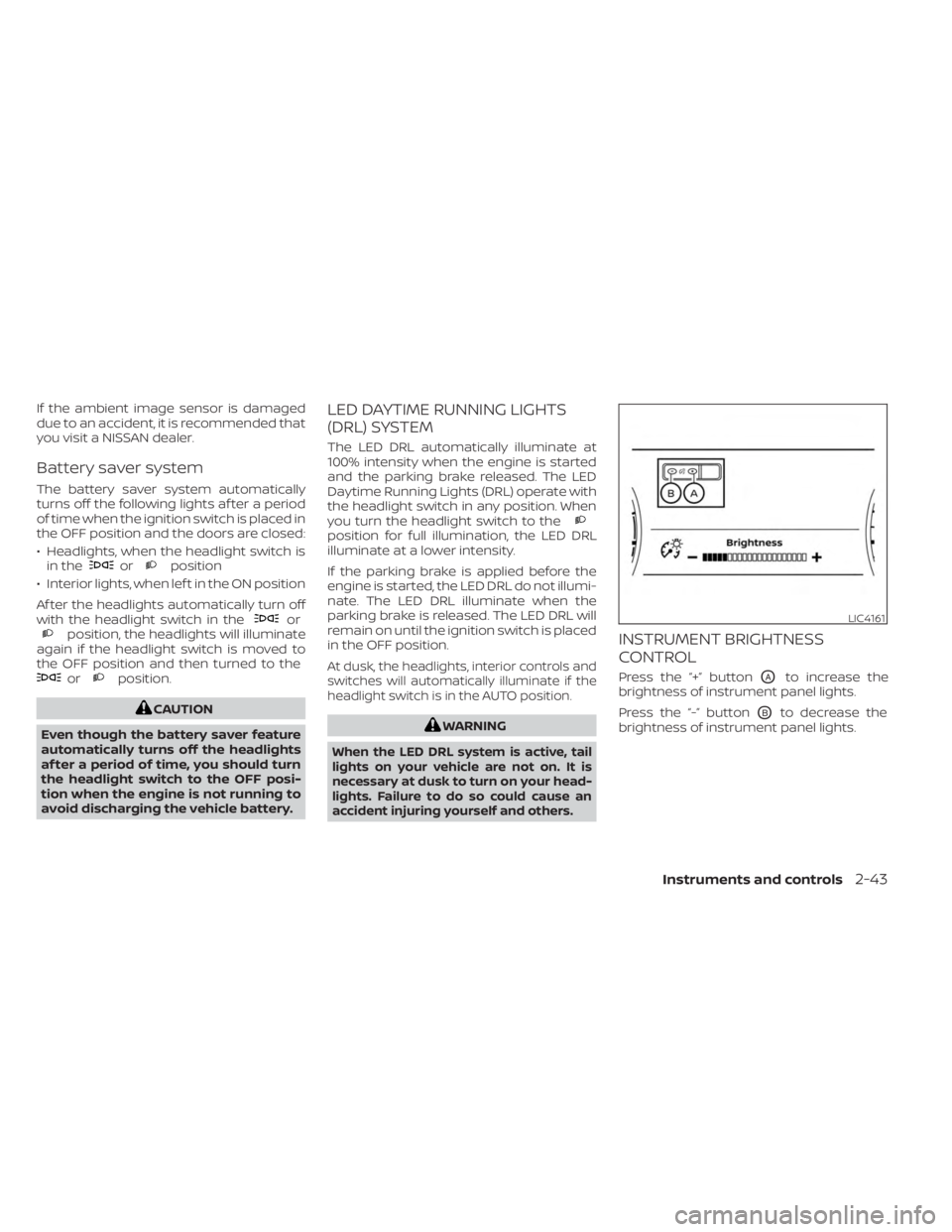
INSTRUMENT BRIGHTNESS
CONTROL
Press the “+” buttonOAto increase the
brightness of instrument panel lights.
Press the “-” button
OBto decrease the
brightness of instrument panel lights.
LIC4161
Instruments and controls2-43
Page 137 of 518
The headlights must be on and the low
beams selected for the fog lights to oper-
ate. The fog lights automatically turn off
when the high beam headlights are
selected.To sound the horn, push near the horn icon
on the steering wheel.
WARNING
Do not disassemble the horn. Doing so
could affect proper operation of the
supplemental front air bag system.
Tampering with the supplemental
front air bag system may result in seri-
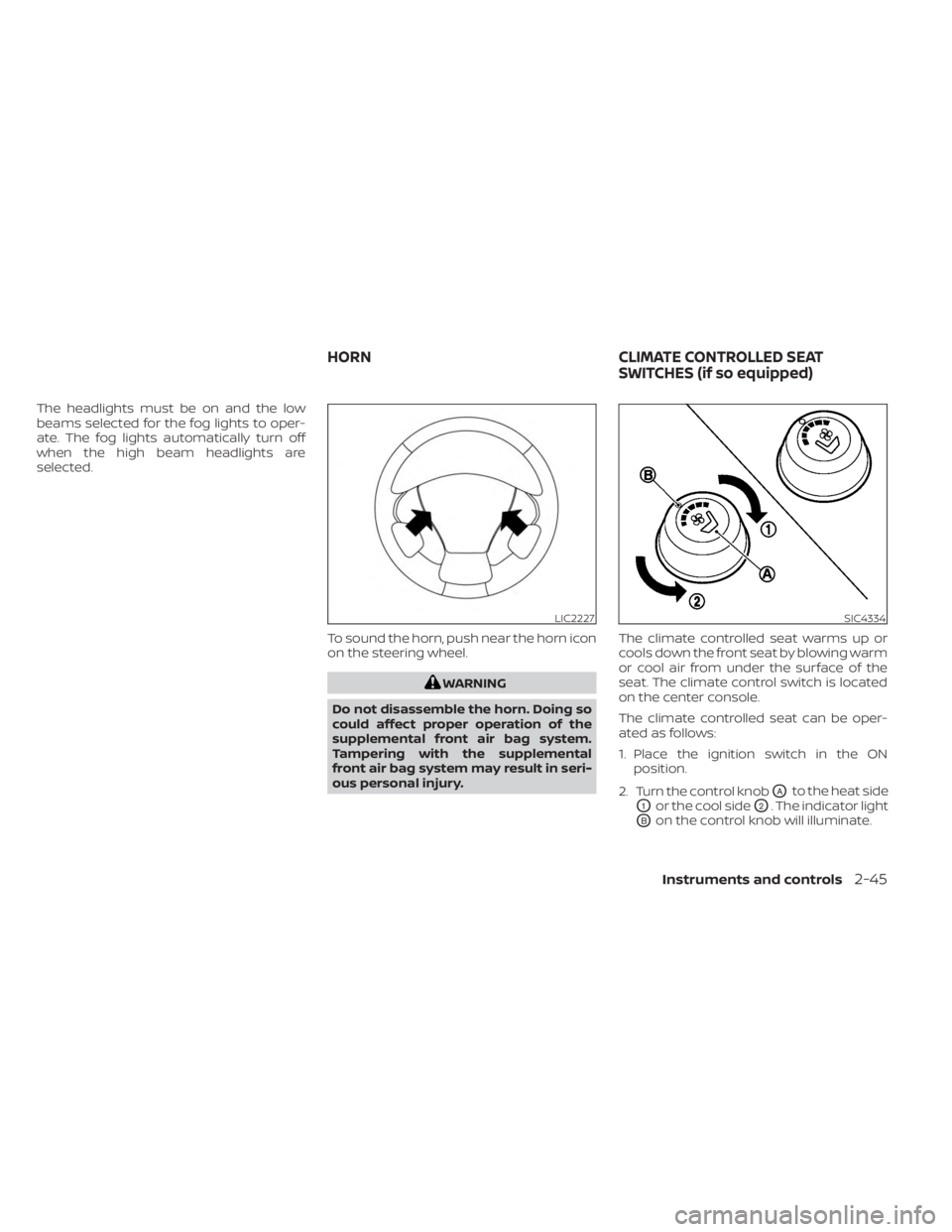
ous personal injury. The climate controlled seat warms up or
cools down the front seat by blowing warm
or cool air from under the surface of the
seat. The climate control switch is located
on the center console.
The climate controlled seat can be oper-
ated as follows:
1. Place the ignition switch in the ON
position.
2. Turn the control knob
OAto the heat side
O1or the cool sideO2. The indicator light
OBon the control knob will illuminate.
LIC2227SIC4334
HORN CLIMATE CONTROLLED SEAT
SWITCHES (if so equipped)
Instruments and controls2-45
Page 138 of 518
3. Adjust the desired amount of air usingthe control knob. The climate controlled
seat blower remains on low speed for
approximately 60 seconds af ter turning
the switch on or selecting the desired
temperature.
4. When the vehicle's interior is warmed or cooled, or before you leave the vehicle,
be sure to turn the control knob to the
off (center) position. The indicator light
OBon the control knob goes off with the
switch in the off (center) position.
To check the air filter for the climate con-
trolled seat, it is recommended that you
visit a NISSAN dealer.
WARNING
Do not use or allow occupants to use
the climate controlled seats if you or
the occupants cannot monitor seat
temperatures or have an inability to
feel pain in those body parts in contact
with the seat. Use of the climate con-
trolled seats by such people could re-
sult in serious injury.
CAUTION
• The battery could run down if the cli-
mate control seat is operated while
the engine is not running.
• Do not use the climate control seat
for extended periods or when no one
is using the seat.
•
Do not put anything on the seat which
insulates heat, such as a blanket,
cushion, seat cover, etc. Otherwise, the
seat may become overheated.
•Do not place anything hard or heavy
on the seat or pierce it with a pin or
similar objects. This may result in
damage to the climate controlled seat.
• Any liquid spilled on the seat should
be removed immediately with a dry
cloth.
• The climate controlled seat has an air
filter. Do not operate the climate con-
trolled seat without an air filter. This
may result in damage to the system.
• When cleaning the seat, never use
gasoline, benzine, thinner, or any
similar materials. •
If any malfunctions are found or the
climate controlled seat does not op-
erate, turn the switch off and have
the system checked. It is recom-
mended that you visit a NISSAN
dealer for this service.
2-46Instruments and controls
Page 139 of 518
WARNING
Do not use or allow occupants to use
the seat heater if you or the occupants
cannot monitor elevated seat tem-
peratures or have an inability to feel
pain in those body parts in contact with
the seat. Use of the seat heater by such
people could result in serious injury.
CAUTION
• The battery could run down if the
seat heater is operated while the en-
gine is not running.
• Do not use the seat heater for ex-
tended periods or when no one is us-
ing the seat.
•
Do not put anything on the seat which
insulates heat, such as a blanket,
cushion, seat cover, etc. Otherwise, the
seat may become overheated.
• Do not place anything hard or heavy
on the seat or pierce it with a pin or
similar object. This may result in
damage to the heater.
• Any liquid spilled on the heated seat
should be removed immediately with
a dry cloth.
• When cleaning the seat, never use
gasoline, benzine, thinner, or any
similar materials.
• If any malfunctions are found or the
heated seat does not operate, turn
the switch off and have the system
checked. It is recommended that you
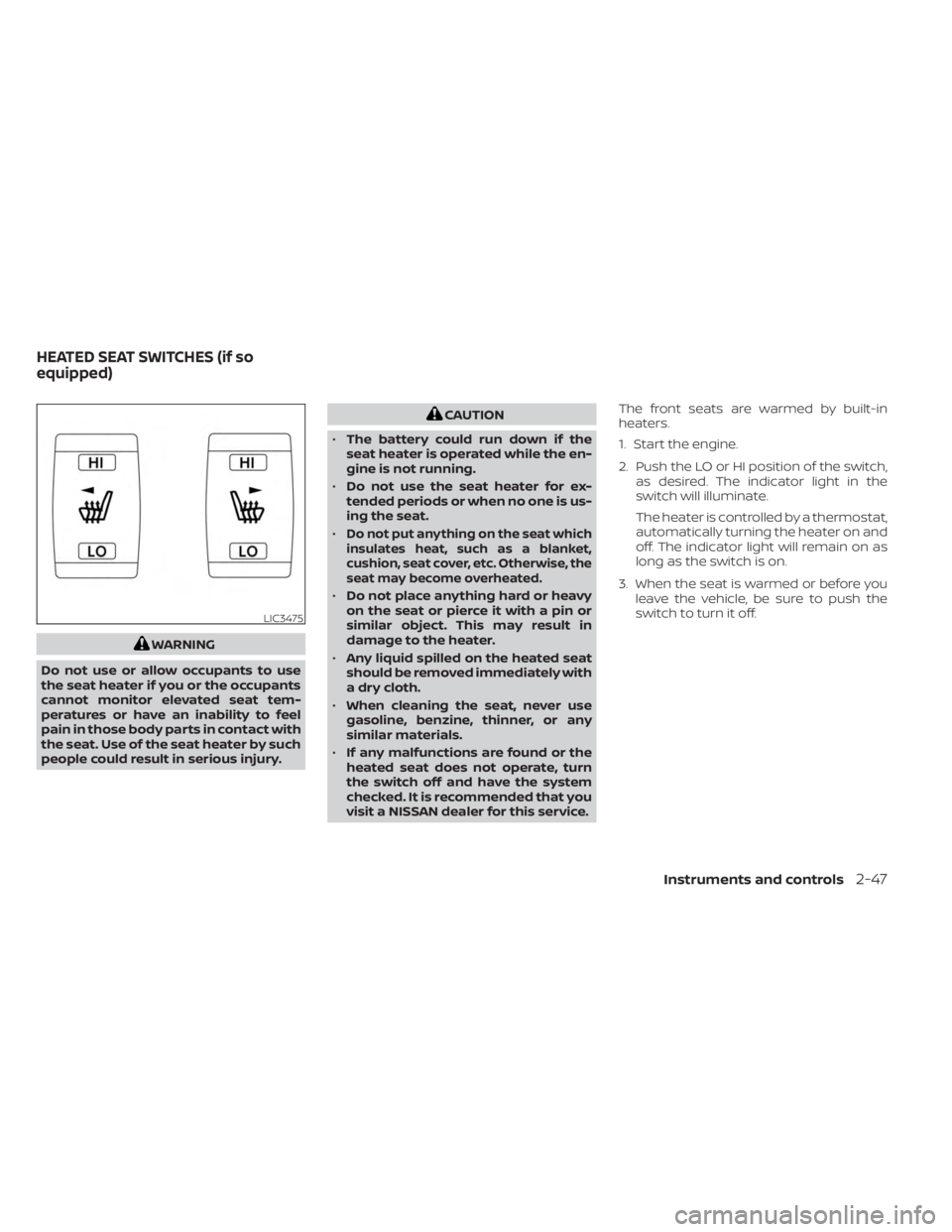
visit a NISSAN dealer for this service. The front seats are warmed by built-in
heaters.
1. Start the engine.
2. Push the LO or HI position of the switch,
as desired. The indicator light in the
switch will illuminate.
The heater is controlled by a thermostat,
automatically turning the heater on and
off. The indicator light will remain on as
long as the switch is on.
3. When the seat is warmed or before you leave the vehicle, be sure to push the
switch to turn it off.
LIC3475
HEATED SEAT SWITCHES (if so
equipped)
Instruments and controls2-47
Page 140 of 518
WARNING
Do not use or allow occupants to use
the seat heater if you or the occupants
cannot monitor elevated seat tem-
peratures or have an inability to feel
pain in body parts that contact the
seat. Use of the seat heater by such
people could result in serious injury.
CAUTION
• The battery could run down if the
seat heater is operated while the en-
gine is not running.
• Do not use the seat heater for ex-
tended periods or when no one is us-
ing the seat.
•
Do not put anything on the seat which
insulates heat, such as a blanket,
cushion, seat cover, etc. Otherwise, the
seat may become overheated.
• Do not place anything hard or heavy
on the seat or pierce it with a pin or
similar object. This may result in
damage to the heater.
• Any liquid spilled on the heated seat
should be removed immediately with
a dry cloth.
• When cleaning the seat, never use
gasoline, benzine, thinner, or any
similar materials.
• If any malfunctions are found or the
heated seat does not operate, turn
the switch off and have the system
checked. It is recommended that you
visit a NISSAN dealer for this service.
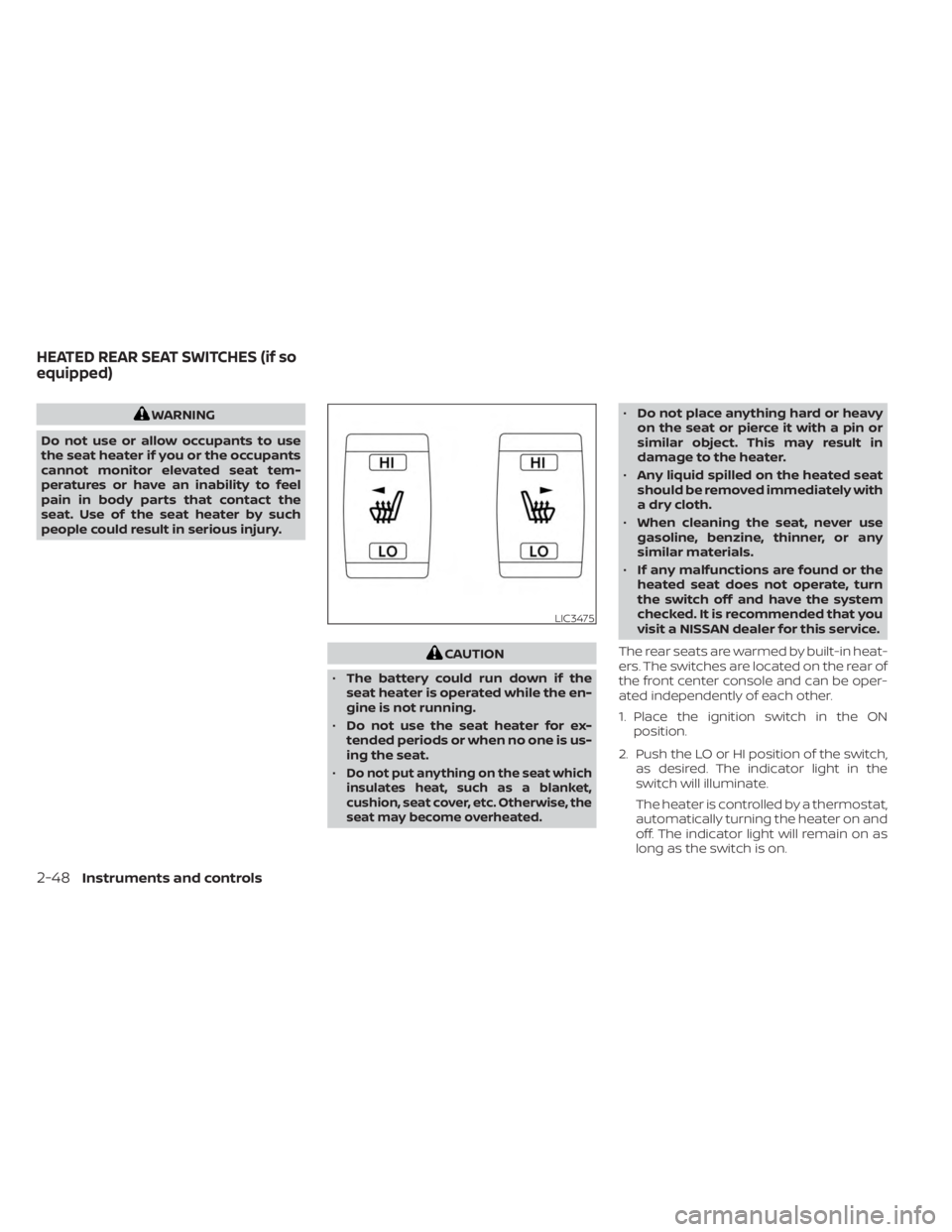
The rear seats are warmed by built-in heat-
ers. The switches are located on the rear of
the front center console and can be oper-
ated independently of each other.
1. Place the ignition switch in the ON position.
2. Push the LO or HI position of the switch, as desired. The indicator light in the
switch will illuminate.
The heater is controlled by a thermostat,
automatically turning the heater on and
off. The indicator light will remain on as
long as the switch is on.
LIC3475
HEATED REAR SEAT SWITCHES (if so
equipped)
2-48Instruments and controls
Page 163 of 518
CAUTION
Do not use for extended periods of time
with the engine stopped. This could re-
sult in a discharged battery. The HomeLink® Universal Transceiver pro-
vides a convenient way to consolidate the
functions of up to three individual hand-
held transmitters into one built-in device.
HomeLink® Universal Transceiver:
• Will operate most radio frequency de-
vices such as garage doors, gates, home
and office lighting, entry door locks and
security systems.
• Is powered by your vehicle's battery. No separate batteries are required. If the
vehicle's battery is discharged or is dis-
connected, HomeLink® will retain all
programming.
When the HomeLink® Universal Trans-
ceiver is programmed, retain the original
transmitter for future programming pro-
cedures (Example: new vehicle purchases).
Upon sale of the vehicle, the programmed
HomeLink® Universal Transceiver buttons
should be erased for security purposes.
For additional information, see “Program-
ming HomeLink®” (P. 2-72).
WARNING
• Your vehicle's engine should be
turned off while programming the
HomeLink® Universal Transceiver. For
additional information, see “Push-
button ignition switch” (P. 5-13). Do
not breathe exhaust gases; they con-
tain colorless and odorless carbon
monoxide. Carbon monoxide is dan-
gerous. It can cause unconscious-
ness or death.
• Do not use the HomeLink® Universal
Transceiver with any garage door
opener that lacks safety stop and re-
verse features as required by federal
safety standards. (These standards
became effective for opener models
manufactured af ter April 1, 1982.) A
garage door opener which cannot
detect an object in the path of a clos-
ing garage door and then automati-
cally stop and reverse does not meet
current federal safety standards. Us-
ing a garage door opener without
these features increases the risk of
serious injury or death.
HOMELINK® UNIVERSAL
TRANSCEIVER (if so equipped)
Instruments and controls2-71
Page 175 of 518
CHILD SAFETY REAR DOOR LOCK
Child safety locks help prevent the rear
doors from being opened accidentally,
especially when small children are in the
vehicle.
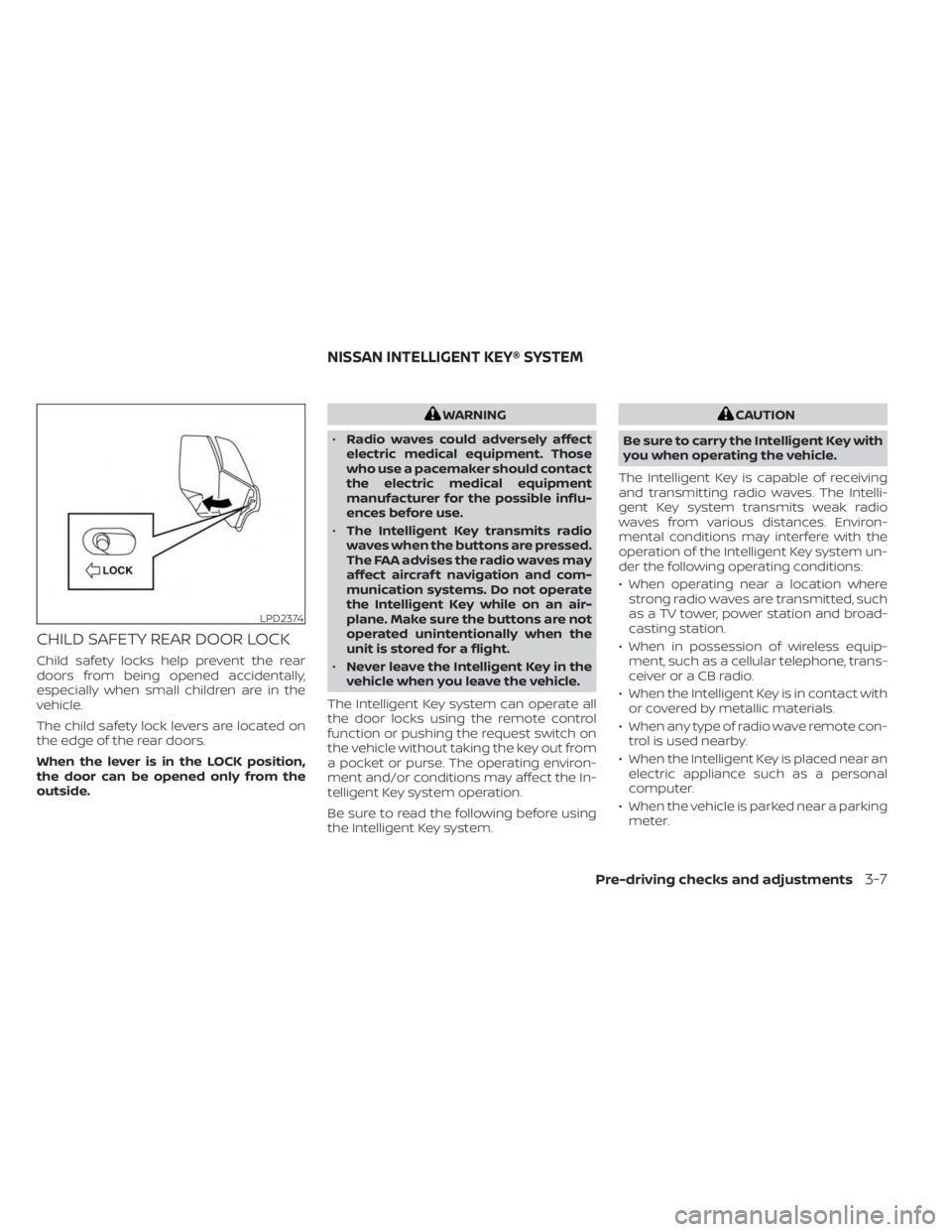
The child safety lock levers are located on
the edge of the rear doors.
When the lever is in the LOCK position,
the door can be opened only from the
outside.
WARNING
• Radio waves could adversely affect
electric medical equipment. Those
who use a pacemaker should contact
the electric medical equipment
manufacturer for the possible influ-
ences before use.
• The Intelligent Key transmits radio
waves when the buttons are pressed.
The FAA advises the radio waves may
affect aircraf t navigation and com-
munication systems. Do not operate
the Intelligent Key while on an air-
plane. Make sure the buttons are not
operated unintentionally when the
unit is stored for a flight.
• Never leave the Intelligent Key in the
vehicle when you leave the vehicle.
The Intelligent Key system can operate all
the door locks using the remote control
function or pushing the request switch on
the vehicle without taking the key out from
a pocket or purse. The operating environ-
ment and/or conditions may affect the In-
telligent Key system operation.
Be sure to read the following before using
the Intelligent Key system.CAUTION
Be sure to carry the Intelligent Key with
you when operating the vehicle.
The Intelligent Key is capable of receiving
and transmitting radio waves. The Intelli-
gent Key system transmits weak radio
waves from various distances. Environ-
mental conditions may interfere with the
operation of the Intelligent Key system un-
der the following operating conditions:
• When operating near a location where strong radio waves are transmitted, such
as a TV tower, power station and broad-
casting station.
• When in possession of wireless equip- ment, such as a cellular telephone, trans-
ceiver or a CB radio.
• When the Intelligent Key is in contact with or covered by metallic materials.
• When any type of radio wave remote con- trol is used nearby.
• When the Intelligent Key is placed near an electric appliance such as a personal
computer.
• When the vehicle is parked near a parking meter.
LPD2374
NISSAN INTELLIGENT KEY® SYSTEM
Pre-driving checks and adjustments3-7
Page 178 of 518
Locking doors
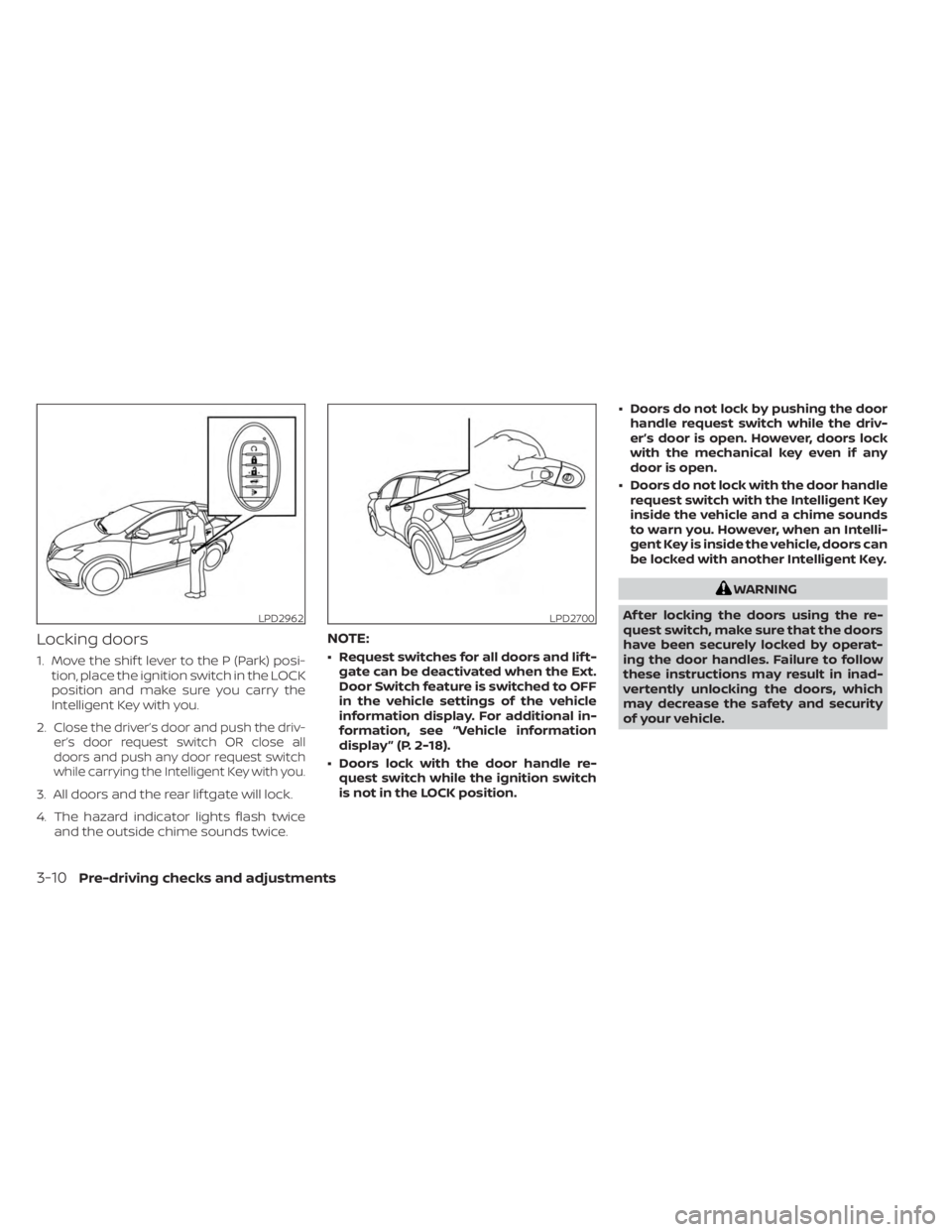
1. Move the shif t lever to the P (Park) posi-tion, place the ignition switch in the LOCK
position and make sure you carry the
Intelligent Key with you.
2.
Close the driver’s door and push the driv-
er’s door request switch OR close all
doors and push any door request switch
while carrying the Intelligent Key with you.
3. All doors and the rear lif tgate will lock.
4. The hazard indicator lights flash twice and the outside chime sounds twice.
NOTE:
• Request switches for all doors and lif t-gate can be deactivated when the Ext.
Door Switch feature is switched to OFF
in the vehicle settings of the vehicle
information display. For additional in-
formation, see “Vehicle information
display ” (P. 2-18).
• Doors lock with the door handle re- quest switch while the ignition switch
is not in the LOCK position. • Doors do not lock by pushing the door
handle request switch while the driv-
er’s door is open. However, doors lock
with the mechanical key even if any
door is open.
• Doors do not lock with the door handle request switch with the Intelligent Key
inside the vehicle and a chime sounds
to warn you. However, when an Intelli-
gent Key is inside the vehicle, doors can
be locked with another Intelligent Key.
WARNING
Af ter locking the doors using the re-
quest switch, make sure that the doors
have been securely locked by operat-
ing the door handles. Failure to follow
these instructions may result in inad-
vertently unlocking the doors, which
may decrease the safety and security
of your vehicle.
LPD2962LPD2700
3-10Pre-driving checks and adjustments
Page 182 of 518
Locking doors
1. Place the ignition switch in the LOCKposition.
2. Close all doors.
3. Press the
button on the Intelli-
gent Key.
4. The hazard indicator lights flash twice and the horn beeps once.
5. All doors will be locked.
WARNING
Af ter locking the doors using the Intel-
ligent Key, be sure that the doors have
been securely locked by operating the
door handles. Failure to follow these in-
structions may result in inadvertently
unlocking the doors, which may de-
crease the safety and security of your
vehicle.
Unlocking doors
1. Press thebutton on the Intelligent
Key to unlock the driver’s door.
2. The hazard indicator lights flash once and the driver’s door unlocks. 3. Press the
button again within 1
minute to unlock all doors.
NOTE:
The Selective Unlock feature can be
changed using the “Vehicle Settings”
menu on the vehicle information display.
For additional information, see “Vehicle
information display ” (P. 2-18).
All doors will be locked automatically un-
less one of the following operations is per-
formed within 1 minute af ter pressing the
button:
• Opening any doors.
• Pushing the ignition switch.
Using the interior lights
The interior lights illuminate for a period of
time when a door is unlocked and the inte-
rior light switch is in the DOOR position.
The lights can be turned off without waiting
by performing one of the following
operations:
• Placing the ignition switch in the ON position.
• Locking the doors with the Intelligent Key.
• Switching the interior lights switch to the “OFF” position. For additional information, see “Interior
lights” (P. 2-69).
Opening windows
The Intelligent Key allows you to simultane-
ously open windows equipped with auto-
matic operation.
To open the windows, press and hold the
button on the Intelligent Key for
lon-
ger than 3 seconds.
The door windows will lower while holding
down the
button on the Intelligent
Key.
NOTE:
The windows will stop lowering at the
time thebutton is released.
3-14Pre-driving checks and adjustments
Page 183 of 518
Closing windows (if so equipped)
WARNING
When the closing feature is operating,
parts of the body could become
trapped in the closing area of the side
window. There is a risk of injury. Ob-
serve the complete closing procedure
when the closing feature is operating.
When closing, make sure that no parts
of the body are in the closing area. No
one/no pets should be lef t in the car
when locking doors, raising windows
and leaving.
The Intelligent Key allows you to simultane-
ously close windows equipped with auto-
matic operation.
All doors must be closed and the key must
be outside the vehicle.
To close the windows, press and hold the
button on the Intelligent Key for lon-
ger than 3 seconds af ter all doors are
locked.
The door windows will close while pressing
the
button on the Intelligent Key.
To interrupt closing of the windows, release
the
button.
Releasing the rear lif tgate (if so
equipped)
The rear lif tgate can be opened and closed
by performing the following:
• Press the
button for longer than 1
second to open the rear lif tgate.
• Press the
button again for longer
than 1 second to close the rear lif tgate.
When the
button is pressed during
the open or close process, the lif tgate
motors will stop. When the
button is
pressed again for longer than 1 second the
lif tgate will reverse direction.
Using the panic alarm
If you are near your vehicle and feel threat-
ened, you may activate the panic alarm to
call attention by pressing and holding the
button on the Intelligent Key for lon-
ger than 0.5 seconds.
The panic alarm and headlights will stay on
for a period of time.
The panic alarm stops when:
• It has run for a period of time.
• Any button is pressed on the Intelligent Key. • The request switch on the driver or pas-
senger door is pushed and the Intelligent
Key is in range of the door handle.
Answer back horn feature
If desired, the answer back horn feature
can be deactivated using the Intelligent
Key. When it is deactivated and the
button is pressed, the hazard indicator
lights flash twice. When thebutton is
pressed, neither the hazard indicator lights
nor the horn operates.
NOTE:
If you change the Answer Back Horn
feature with the Intelligent Key, the ve-
hicle information display screen will
show the current mode af ter the igni-
tion switch has been cycled from the
OFF to the ON position. The vehicle in-
formation display screen can also be
used to change the answer back horn
mode.
For additional information, see “Ve-
hicle settings” (P. 2-18).
Pre-driving checks and adjustments
3-15