power steering NISSAN MURANO 2023 Owners Manual
[x] Cancel search | Manufacturer: NISSAN, Model Year: 2023, Model line: MURANO, Model: NISSAN MURANO 2023Pages: 518, PDF Size: 5.46 MB
Page 18 of 518
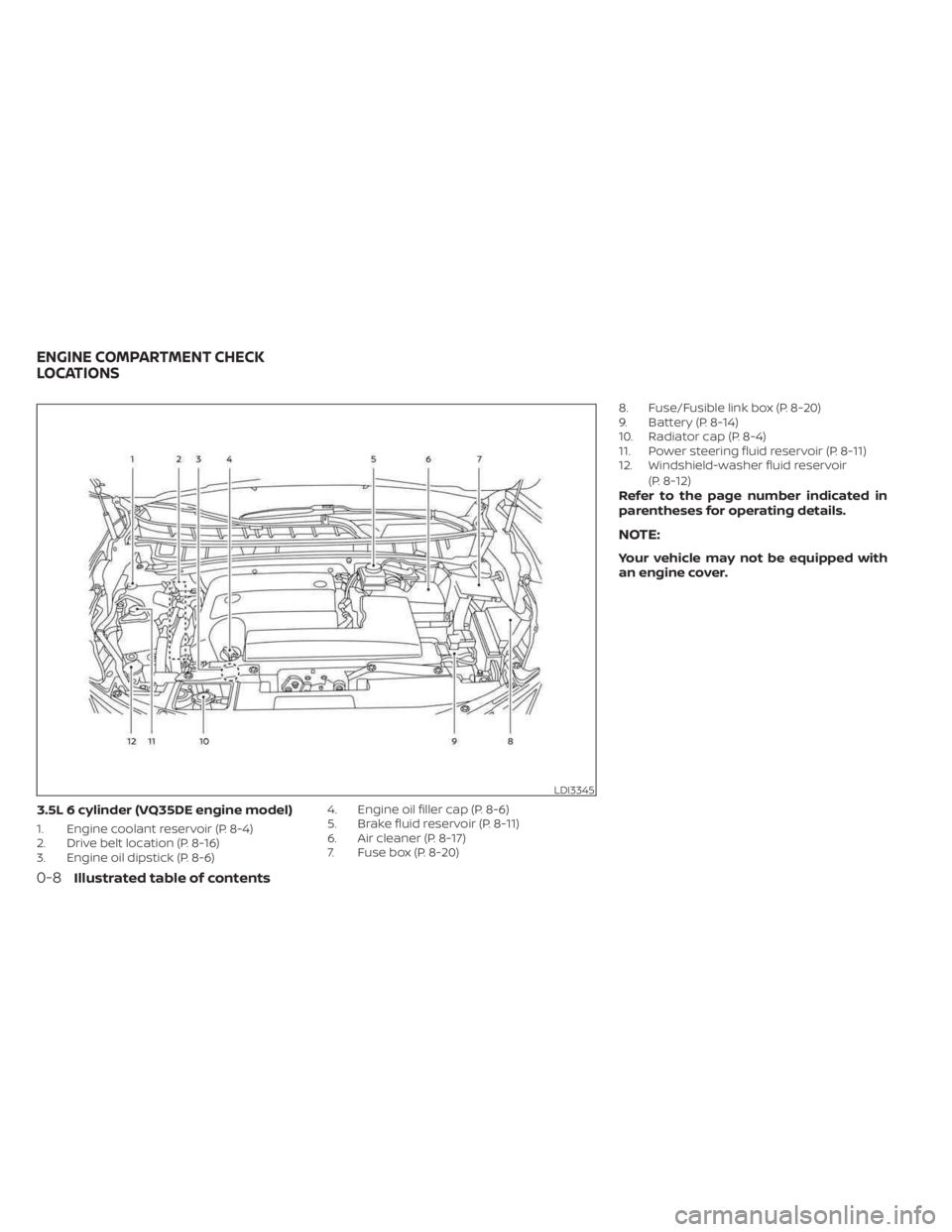
3.5L 6 cylinder (VQ35DE engine model)
1. Engine coolant reservoir (P. 8-4)
2. Drive belt location (P. 8-16)
3. Engine oil dipstick (P. 8-6)4. Engine oil filler cap (P. 8-6)
5. Brake fluid reservoir (P. 8-11)
6. Air cleaner (P. 8-17)
7. Fuse box (P. 8-20)8. Fuse/Fusible link box (P. 8-20)
9. Battery (P. 8-14)
10. Radiator cap (P. 8-4)
11. Power steering fluid reservoir (P. 8-11)
12. Windshield-washer fluid reservoir
(P. 8-12)
Refer to the page number indicated in
parentheses for operating details.
NOTE:
Your vehicle may not be equipped with
an engine cover.
LDI3345
ENGINE COMPARTMENT CHECK
LOCATIONS
0-8Illustrated table of contents
Page 20 of 518
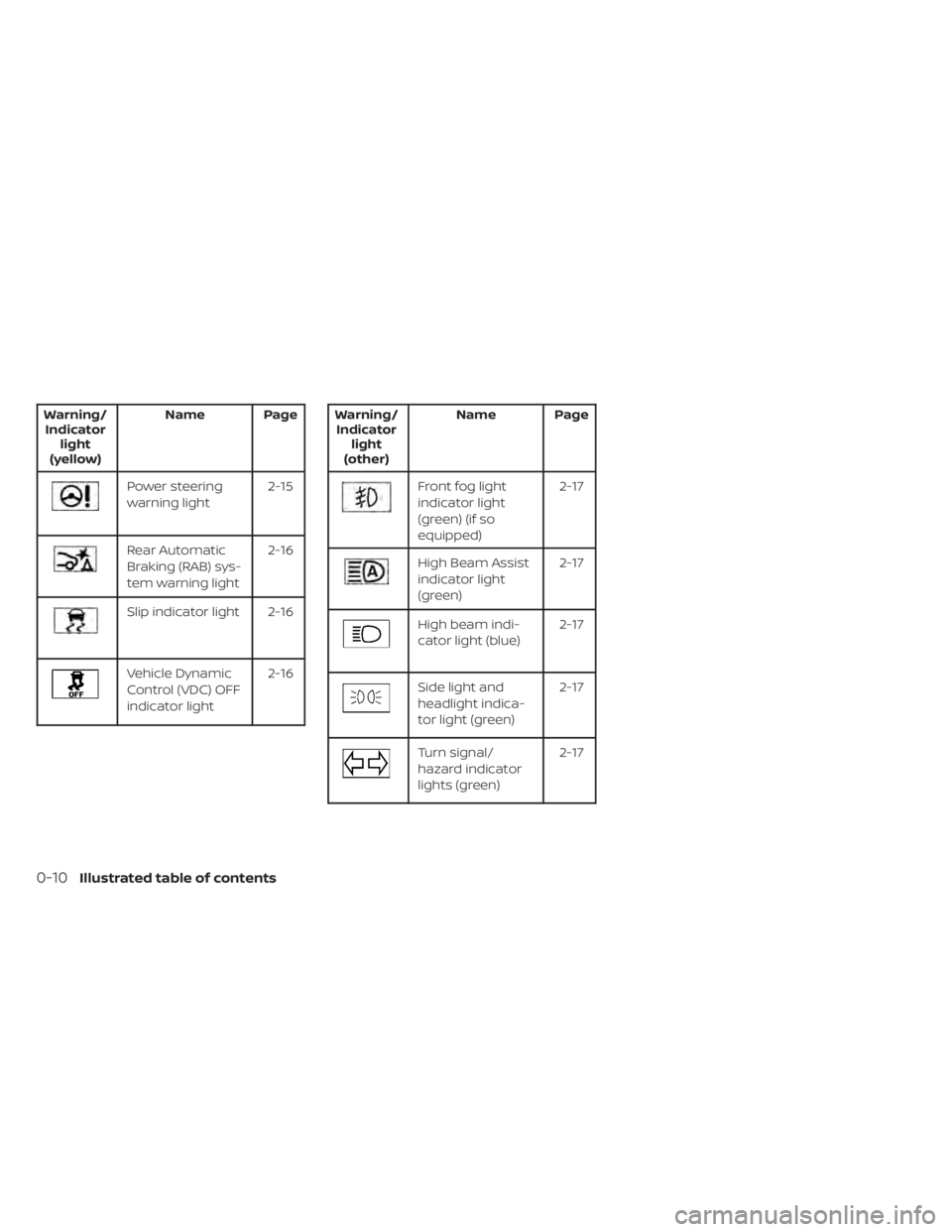
Warning/Indicator light
(yellow) Name Page
Power steering
warning light
2-15
Rear Automatic
Braking (RAB) sys-
tem warning light2-16
Slip indicator light 2-16
Vehicle Dynamic
Control (VDC) OFF
indicator light2-16
Warning/
Indicator light
(other) Name Page
Front fog light
indicator light
(green) (if so
equipped) 2-17
High Beam Assist
indicator light
(green)
2-17
High beam indi-
cator light (blue)
2-17
Side light and
headlight indica-
tor light (green)2-17
Turn signal/
hazard indicator
lights (green)2-17
0-10Illustrated table of contents
Page 92 of 518
2 Instruments and controls
Instrument panel................................2-2
Meters and gauges .............................2-4
Speedometer and odometer .................2-4
Tachometer ..................................2-6
Engine coolant temperature gauge ..........2-6
Fuel gauge ................................... 2-7
Distance To Empty (DTE) ..................... 2-7
Eco Drive Report (if so equipped) .............2-8
Warning lights, indicator lights and audible
reminders .......................................2-9
Checking lights .............................. 2-10
Warning/Indicator lights (red) ...............2-10
Warning/Indicator lights (yellow) ............2-12
Warning/Indicator lights (other) .............2-17
Audible reminders ........................... 2-17
Vehicle information display .....................2-18
How to use the vehicle information
display ...................................... 2-18
Startup display .............................. 2-19
Settings ..................................... 2-19
Vehicle information display warnings
and indicators ............................... 2-26
Security systems ............................... 2-32
Vehicle security system .....................2-32
NISSAN Vehicle Immobilizer System .........2-34
Wiper and washer switch .......................2-35Switch operation
............................ 2-35
Rear switch operation .......................2-36
Rear window and outside mirror
(if so equipped) defroster switch ...............2-37
Headlight and turn signal switch ...............2-38
Headlight control switch ....................2-38
LED Daytime Running Lights (DRL)
system ...................................... 2-43
Instrument brightness control ..............2-43
Turn signal switch ........................... 2-44
Fog light switch (if so equipped) .............2-44
Horn ........................................... 2-45
Climate controlled seat switches
(if so equipped) ................................. 2-45
Heated seat switches (if so equipped) ..........2-47
Heated rear seat switches (if so equipped) .....2-48
Heated steering wheel switch (if so equipped) . . 2-49
Dynamic
driver assistance switch ..............2-50
Vehicle Dynamic Control (VDC) OFF switch .....2-50
Emergency call (SOS) button (if so equipped) . . . 2-51 Emergency support ......................... 2-51
Rear Door Alert ................................. 2-53
Power outlets .................................. 2-54
12v outlets .................................. 2-54
USB/iPod® charging ports ......................2-55
Page 101 of 518
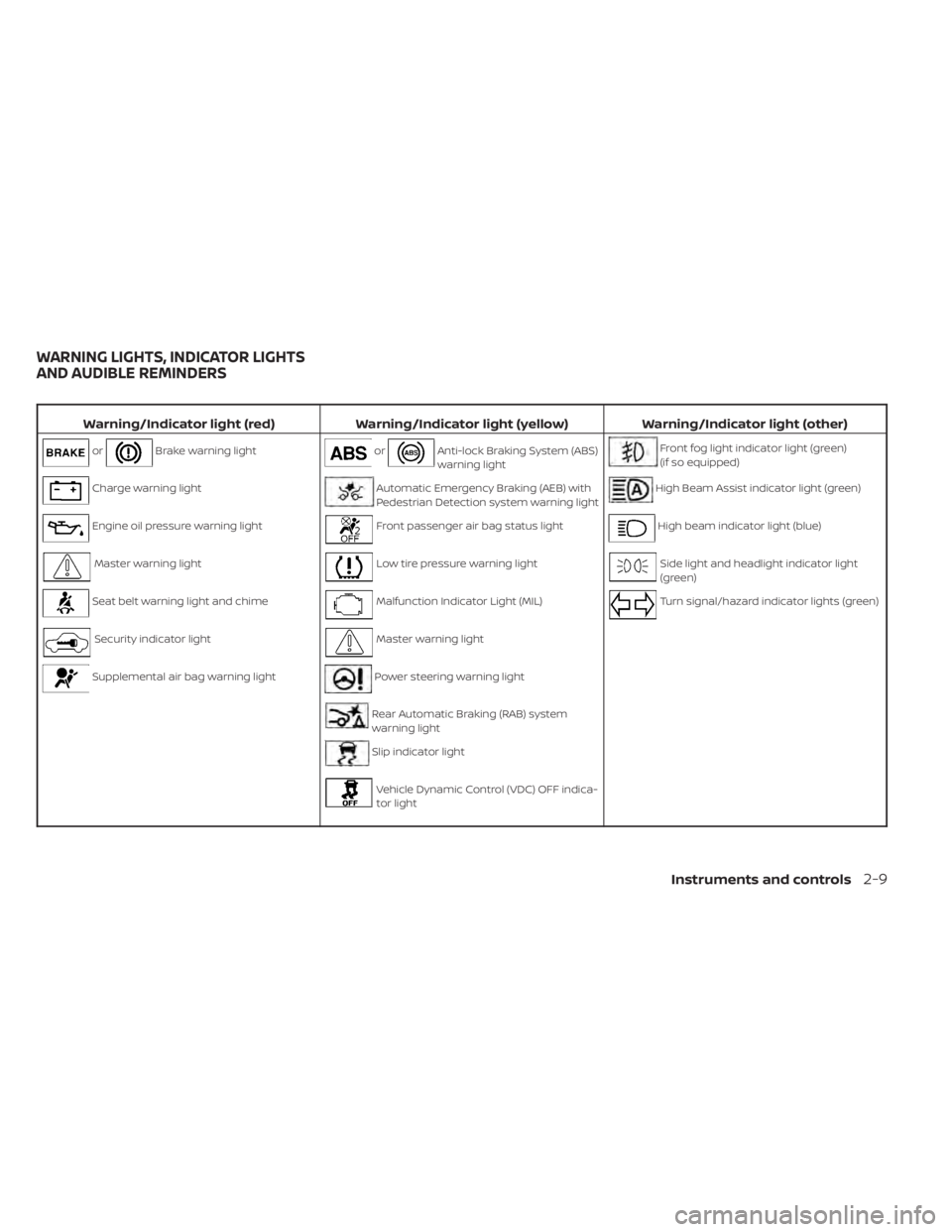
Warning/Indicator light (red)Warning/Indicator light (yellow) Warning/Indicator light (other)
orBrake warning lightorAnti-lock Braking System (ABS)
warning lightFront fog light indicator light (green)
(if so equipped)
Charge warning lightAutomatic Emergency Braking (AEB) with
Pedestrian Detection system warning lightHigh Beam Assist indicator light (green)
Engine oil pressure warning lightFront passenger air bag status lightHigh beam indicator light (blue)
Master warning lightLow tire pressure warning lightSide light and headlight indicator light
(green)
Seat belt warning light and chimeMalfunction Indicator Light (MIL)Turn signal/hazard indicator lights (green)
Security indicator lightMaster warning light
Supplemental air bag warning lightPower steering warning light
Rear Automatic Braking (RAB) system
warning light
Slip indicator light
Vehicle Dynamic Control (VDC) OFF indica-
tor light
WARNING LIGHTS, INDICATOR LIGHTS
AND AUDIBLE REMINDERS
Instruments and controls2-9
Page 107 of 518
Operation
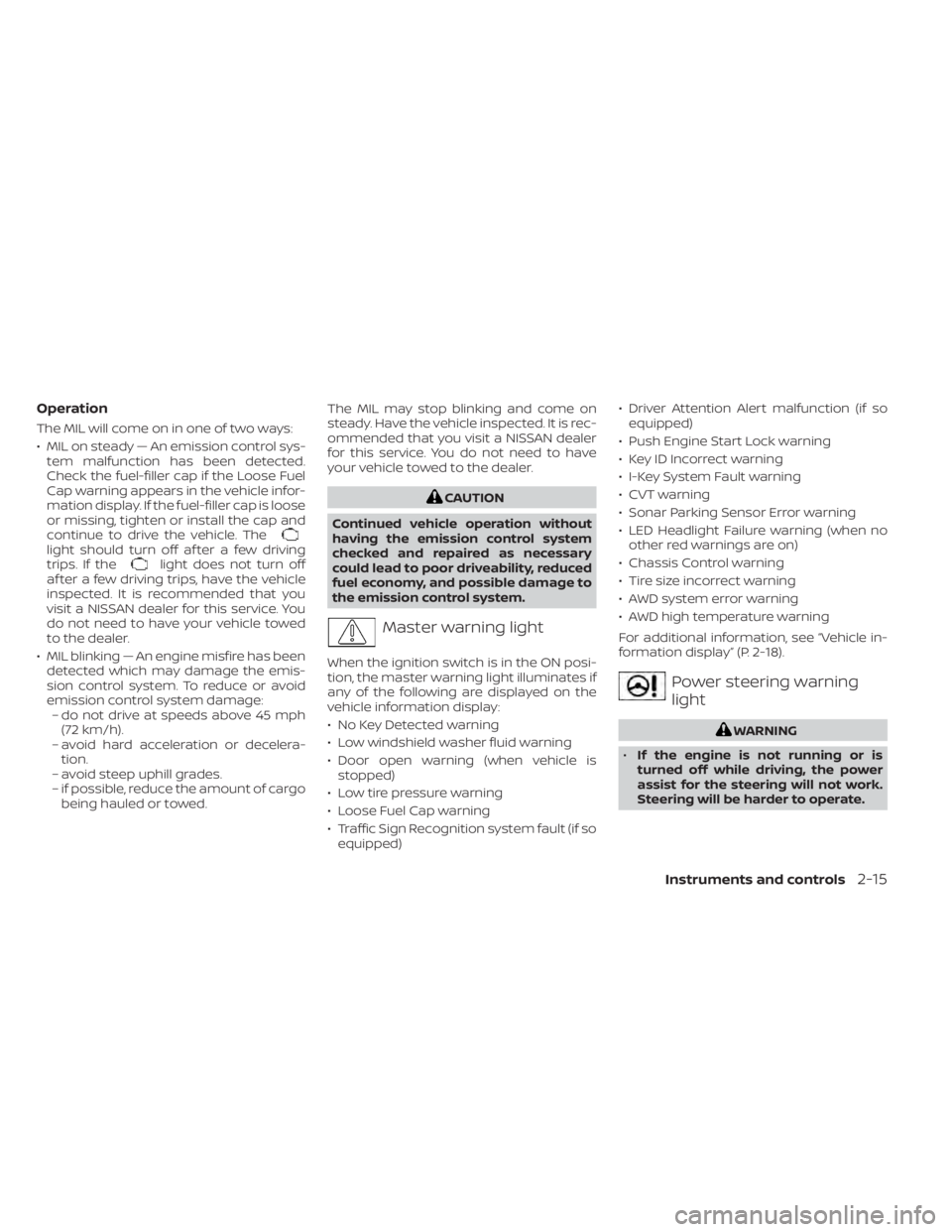
The MIL will come on in one of two ways:
• MIL on steady — An emission control sys-tem malfunction has been detected.
Check the fuel-filler cap if the Loose Fuel
Cap warning appears in the vehicle infor-
mation display. If the fuel-filler cap is loose
or missing, tighten or install the cap and
continue to drive the vehicle. The
light should turn off af ter a few driving
trips. If thelight does not turn off
af ter a few driving trips, have the vehicle
inspected. It is recommended that you
visit a NISSAN dealer for this service. You
do not need to have your vehicle towed
to the dealer.
• MIL blinking — An engine misfire has been detected which may damage the emis-
sion control system. To reduce or avoid
emission control system damage:– do not drive at speeds above 45 mph (72 km/h).
– avoid hard acceleration or decelera- tion.
– avoid steep uphill grades.
– if possible, reduce the amount of cargo being hauled or towed. The MIL may stop blinking and come on
steady. Have the vehicle inspected. It is rec-
ommended that you visit a NISSAN dealer
for this service. You do not need to have
your vehicle towed to the dealer.
CAUTION
Continued vehicle operation without
having the emission control system
checked and repaired as necessary
could lead to poor driveability, reduced
fuel economy, and possible damage to
the emission control system.
Master warning light
When the ignition switch is in the ON posi-
tion, the master warning light illuminates if
any of the following are displayed on the
vehicle information display:
• No Key Detected warning
• Low windshield washer fluid warning
• Door open warning (when vehicle is stopped)
• Low tire pressure warning
• Loose Fuel Cap warning
• Traffic Sign Recognition system fault (if so equipped) • Driver Attention Alert malfunction (if so
equipped)
• Push Engine Start Lock warning
• Key ID Incorrect warning
• I-Key System Fault warning
• CVT warning
• Sonar Parking Sensor Error warning
• LED Headlight Failure warning (when no other red warnings are on)
• Chassis Control warning
• Tire size incorrect warning
• AWD system error warning
• AWD high temperature warning
For additional information, see “Vehicle in-
formation display” (P. 2-18).
Power steering warning
light
WARNING
• If the engine is not running or is
turned off while driving, the power
assist for the steering will not work.
Steering will be harder to operate.
Instruments and controls2-15
Page 108 of 518
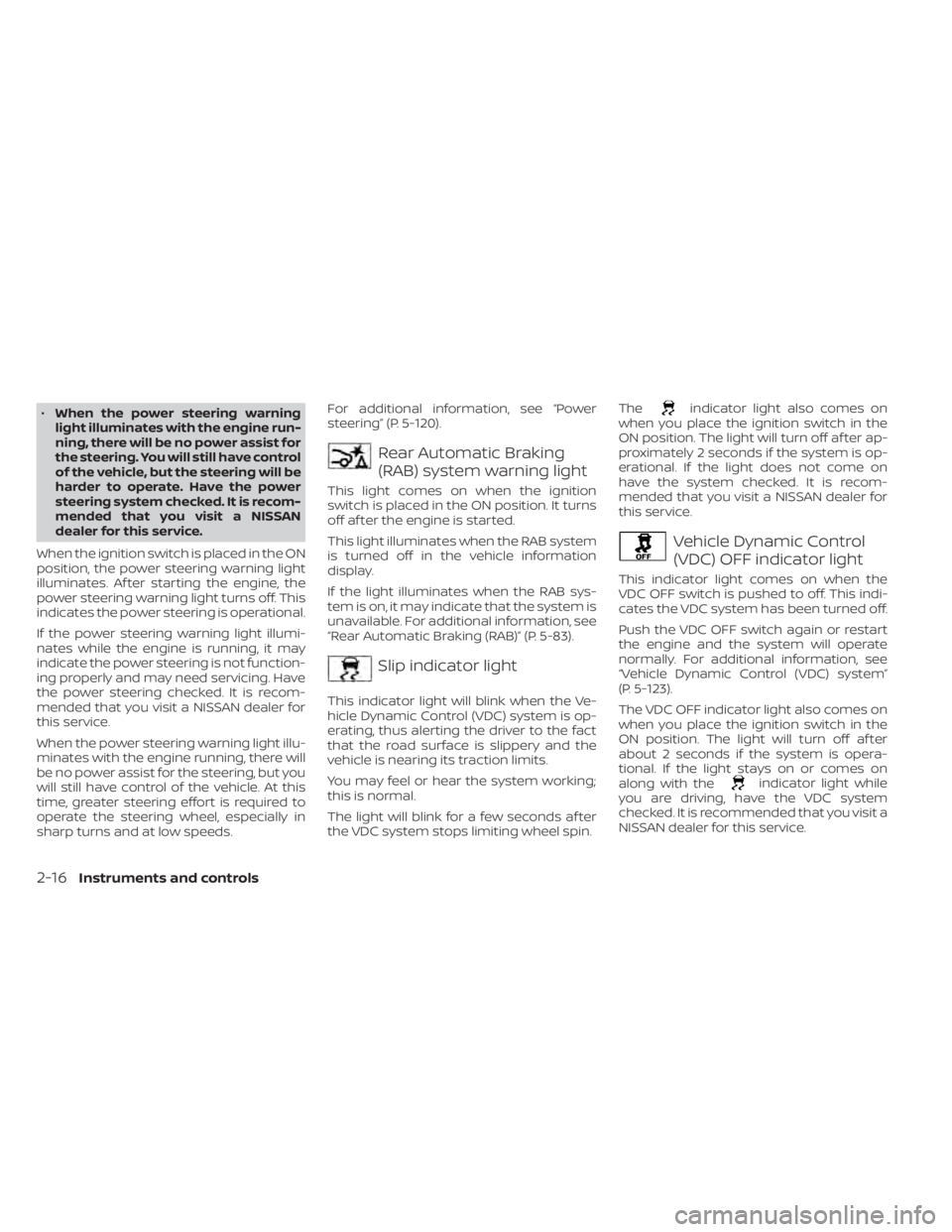
•When the power steering warning
light illuminates with the engine run-
ning, there will be no power assist for
the steering. You will still have control
of the vehicle, but the steering will be
harder to operate. Have the power
steering system checked. It is recom-
mended that you visit a NISSAN
dealer for this service.
When the ignition switch is placed in the ON
position, the power steering warning light
illuminates. Af ter starting the engine, the
power steering warning light turns off. This
indicates the power steering is operational.
If the power steering warning light illumi-
nates while the engine is running, it may
indicate the power steering is not function-
ing properly and may need servicing. Have
the power steering checked. It is recom-
mended that you visit a NISSAN dealer for
this service.
When the power steering warning light illu-
minates with the engine running, there will
be no power assist for the steering, but you
will still have control of the vehicle. At this
time, greater steering effort is required to
operate the steering wheel, especially in
sharp turns and at low speeds. For additional information, see “Power
steering” (P. 5-120).
Rear Automatic Braking
(RAB) system warning light
This light comes on when the ignition
switch is placed in the ON position. It turns
off af ter the engine is started.
This light illuminates when the RAB system
is turned off in the vehicle information
display.
If the light illuminates when the RAB sys-
tem is on, it may indicate that the system is
unavailable. For additional information, see
“Rear Automatic Braking (RAB)” (P. 5-83).
Slip indicator light
This indicator light will blink when the Ve-
hicle Dynamic Control (VDC) system is op-
erating, thus alerting the driver to the fact
that the road surface is slippery and the
vehicle is nearing its traction limits.
You may feel or hear the system working;
this is normal.
The light will blink for a few seconds af ter
the VDC system stops limiting wheel spin.The
indicator light also comes on
when you place the ignition switch in the
ON position. The light will turn off af ter ap-
proximately 2 seconds if the system is op-
erational. If the light does not come on
have the system checked. It is recom-
mended that you visit a NISSAN dealer for
this service.
Vehicle Dynamic Control
(VDC) OFF indicator light
This indicator light comes on when the
VDC OFF switch is pushed to off. This indi-
cates the VDC system has been turned off.
Push the VDC OFF switch again or restart
the engine and the system will operate
normally. For additional information, see
“Vehicle Dynamic Control (VDC) system”
(P. 5-123).
The VDC OFF indicator light also comes on
when you place the ignition switch in the
ON position. The light will turn off af ter
about 2 seconds if the system is opera-
tional. If the light stays on or comes on
along with the
indicator light while
you are driving, have the VDC system
checked. It is recommended that you visit a
NISSAN dealer for this service.
2-16Instruments and controls
Page 168 of 518
3 Pre-driving checks and adjustments
Keys.............................................3-2NISSAN Intelligent Key® .......................3-2
NISSAN Vehicle Immobilizer System
keys..........................................3-4
Doors ...........................................3-5
Locking with key .............................3-5
Locking with inside lock knob ................3-6
Locking with power door lock switch .........3-6
Automatic door locks ........................3-6
Child safety rear door lock .................... 3-7
NISSAN Intelligent Key® system .................. 3-7
Operating range .............................3-8
Door locks/unlocks precaution ...............3-9
NISSAN Intelligent Key® Operation ............3-9
How to use the remote keyless entry
function ..................................... 3-12
Warning signals ............................. 3-16
Troubleshooting guide ......................3-16
Remote Engine Start (if so equipped) ...........3-18
Remote Engine Start operating range .......3-18
Remote starting the vehicle .................3-19
Extending engine run time ..................3-19
Canceling a Remote Engine Start ...........3-19
Conditions the Remote Engine Start will
notwork .................................... 3-20
Hood ........................................... 3-21Lif tgate
........................................ 3-21
Operating the manual lif tgate
(if so equipped) .............................. 3-22
Operating the power lif tgate
(if so equipped) .............................. 3-22
Motion-Activated Lif tgate
(if so equipped) .............................. 3-25
Lif tgate release ............................. 3-26
Lif tgate position setting
(if so equipped) .............................. 3-28
Fuel-filler door .................................. 3-28
Opener operation ........................... 3-28
Fuel-filler cap ................................ 3-29
Steering wheel ................................. 3-31
Manual operation (if so equipped) ...........3-31
Automatic operation (if so equipped) ........3-31
Sun visors ...................................... 3-32
Vanity mirrors ............................... 3-33
Card holder ................................. 3-33
Mirrors ......................................... 3-34
Manual anti-glare rearview mirror
(if
so equipped) .............................. 3-34
Automatic anti-glare rearview mirror
(if so equipped) .............................. 3-34
Outside mirrors ............................. 3-35
Page 243 of 518
System maintenance......................5-110
Intelligent Driver Alertness (I-DA) ...............5-112
Intelligent Driver Alertness system
operation .................................. 5-112
How to enable/disable the Intelligent
Driver Alertness (I-DA) system ..............5-113
Intelligent Driver Alertness (I-DA)
system limitations ......................... 5-114
Break-in schedule ............................. 5-115
Fuel efficient driving tips .......................5-115
Increasing fuel economy ......................5-116
All-Wheel Drive (AWD) (if so equipped) ...........5-117
Parking/parking on hills .......................5-119
Power steering ................................ 5-120
Brake system ................................. 5-121
Brake precautions .......................... 5-121
Anti-lock Braking System (ABS) .............5-121
Brake Assist ................................ 5-123Vehicle Dynamic Control (VDC) system
........5-123
Rise-up and build-up ....................... 5-124
Brake force distribution ....................5-125
Hill start assist system ........................5-126
Front and rear sonar system (if so equipped) . . 5-126 System operation .......................... 5-127
How to enable/disable the front and
rear sonar system .......................... 5-129
Sonar limitations ........................... 5-130
System temporarily unavailable ............5-130
System maintenance ......................5-130
Cold weather driving .......................... 5-131
Freeing a frozen door lock ..................5-131
Antifreeze .................................. 5-131
Battery..................................... 5-131
Draining of coolant water ..................5-131
Tire equipment ............................. 5-131
Special winter equipment ..................5-132
Driving on snow or ice ......................5-132
Page 358 of 518
WARNING
•
Do not drive beyond the performance
capability of the tires. Accelerating
quickly, sharp steering maneuvers or
sudden braking may cause loss of
control, even with AWD engaged.
• For AWD equipped vehicles, do not
attempt to raise two wheels off the
ground and shif t the transmission to
any drive or reverse position with the
engine running. Doing so may result
in drivetrain damage or unexpected
vehicle movement which could result
in serious personal injury or vehicle
damage.
•
Do not attempt to test an AWD
equipped vehicle on a 2-wheel dyna-
mometer (such as the dynamometers
used by some states for emissions test-
ing) or similar equipment even if the
other two wheels are raised off the
ground. Make sure that you inform the
test facility personnel that your vehicle
is equipped with AWD before it is placed
on a dynamometer. Using the wrong
test equipment may result in drivetrain
damage or unexpected vehicle move-
ment which could result in serious per-
sonal injury or vehicle damage.
CAUTION
• Do not operate the engine on a free
roller when any of the wheels are
raised.
• If you use the free roller, rotate four
wheels with the same speed without
raising any wheels.
• If an AWD warning message is dis-
played while driving there may be a
malfunction in the AWD system. Re-
duce the vehicle speed immediately
and have your vehicle checked. It is
recommended that you visit a
NISSAN dealer as soon as possible.
• The powertrain may be damaged if
you continue driving when the AWD
temperature or tire size incorrect
messages are displayed
• If the AWD high temperature mes-
sage is displayed while you are driv-
ing, pull off the road in a safe area,
and idle the engine. The driving
mode will change to 2WD to prevent
the AWD system from malfunction-
ing. If the warning message turns off,
you can drive again. •
If the tire size incorrect message is
displayed while you are driving, pull
off the road in a safe area with the
engine idling. Check that all tire sizes
are the same, that the tire pressure is
correct and that the tires are not ex-
cessively worn.
• If a warning message continues to be
displayed af ter the above opera-
tions, have your vehicle checked as
soon as possible. It is recommended
that you visit a NISSAN dealer for this
service.
5-118Starting and driving
Page 360 of 518
•HEADED UPHILL OR DOWNHILL, NO
CURB
OC:
Turn the wheels toward the side of the
road so the vehicle will move away
from the center of the road if it moves.
4. Place the ignition switch in the LOCK position.WARNING
• If the engine is not running or is
turned off while driving, the power
assist for the steering will not work.
Steering will be harder to operate.
• When the power steering warning
light illuminates with the engine run-
ning, there will be no power assist for
the steering. You will still have control
of the vehicle, but the steering will be
harder to operate. Have the power
steering system checked. It is recom-
mended that you visit a NISSAN
dealer for this service.
The power steering system is designed to
provide power assist while driving to oper-
ate the steering wheel with light force.
When the steering wheel is operated re-
peatedly or continuously while parking or
driving at a very low speed, the power as-
sist for the steering wheel will be reduced.
This is to prevent overheating of the power
steering system and protect it from getting
damaged. While the power assist is re-
duced, steering wheel operation will be-
come heavy. When the temperature of the
power steering system goes down, the
power assist level will return to normal. Avoid repeating such steering wheel op-
erations that could cause the power steer-
ing system to overheat.
You may hear a sound when the steering
wheel is operated quickly. However, this is
not a malfunction.
If the power steering warning light illumi-
nates while the engine is running, it may
indicate the power steering system is not
functioning properly and may need servic-
ing. Have the power steering system
checked. It is recommended that you visit a
NISSAN dealer for this service.
When the power steering warning light illu-
minates with the engine running, there will
be no power assist for the steering, but you
will still have control of the vehicle. At this
time, greater steering effort is required to
operate the steering wheel, especially in
sharp turns and at low speeds.
For additional information, see “Power
steering warning light” (P. 2-15).
POWER STEERING
5-120Starting and driving