air condition NISSAN MURANO PLATINUM 2015 Owners Manual
[x] Cancel search | Manufacturer: NISSAN, Model Year: 2015, Model line: MURANO PLATINUM, Model: NISSAN MURANO PLATINUM 2015Pages: 424, PDF Size: 4.49 MB
Page 78 of 424
WARNING
To ensure proper operation of the passen-
ger’s advanced air bag system, please ob-
serve the following items.
●Do not allow a passenger in the rear
bench seats to push or pull on the seat-
back pocket.
● Do not place heavy loads heavier than
2.2 lb (1 kg) on the seatback, head
restraint/headrest or in the seatback
pocket.
● Do not store luggage behind the seat
that can press into the seatback.
● Do not position the front passenger
seat so it contacts the rear bench seats.
If the front seat does contact the rear
bench seats, the air bag system may
determine a sensor malfunction has oc-
curred and the front passenger air bag
status light may illuminate and the
supplemental air bag warning light may
flash. ●
If a forward-facing child restraint is in-
stalled in the front passenger seat, do
not position the front passenger seat so
the child restraint contacts the instru-
ment panel. If the child restraint does
contact the instrument panel, the sys-
tem may determine the seat is occupied
and the passenger air bag may deploy
in a collision. Also the front passenger
air bag status light may not illuminate.
For additional information, refer to
“Child restraints” in this section for in-
formation about installing and using
child restraints.
● Confirm the operating condition with
the front passenger air bag status light.
● If you notice that the front passenger air
bag status light is not operating as de-
scribed in this section, please take your
vehicle to a NISSAN dealer to check the
occupant classification system.
● Until you have confirmed with your
dealer that your passenger seat occu-
pant classification system is working
properly, position the occupants in the
rear seating positions. This vehicle is equipped with the NISSAN Ad-
vanced Air Bag System for the driver and front
passenger seats. This system is designed to
meet certification requirements under U.S. regu-
lations. It is also permitted in Canada.
All of the
information, cautions and warnings in this
manual must be followed.
The driver supplemental front-impact air bag is
located in the center of the steering wheel. The
passenger supplemental front-impact air bag is
mounted in the dashboard above the glove box.
The front air bags are designed to inflate in higher
severity frontal collisions, although they may in-
flate if the forces in another type of collision are
similar to those of a higher severity frontal impact.
They may not inflate in certain frontal collisions.
Vehicle damage (or lack of it) is not always an
indication of proper front air bag system opera-
tion.
The NISSAN Advanced Air Bag System has dual
stage inflators. It also monitors information from
the crash zone sensor and the Air bag Control
Unit (ACU) . Inflator operation is based on the
severity of a collision and seat belt usage for the
driver. For the front passenger, the Occupant
Classification Sensor is also monitored. Based
on information from the sensor, only one front air
bag may inflate in a crash, depending on the
crash severity. Additionally, the front passenger
air bag may be automatically turned off under
Safety—Seats, seat belts and supplemental restraint system1-55
Page 79 of 424
some conditions, depending on the weight de-
tected on the passenger seat and how the seat
belt is used. If the front passenger air bag is OFF,
the passenger air bag status light will be illumi-
nated (if the seat is unoccupied, the light will not
be illuminated, but the air bag will be off) . For
additional information, refer to “Front passenger
air bag and status light” in this section. One front
air bag inflating does not indicate improper per-
formance of the system.
If you have any questions about your air bag
system, please contact NISSAN or a NISSAN
dealer. If you are considering modification of your
vehicle due to a disability, you may also contact
NISSAN. Contact information is contained in the
front of this Owner’s Manual.
When a front air bag inflates, a fairly loud noise
may be heard, followed by the release of smoke.
This smoke is not harmful and does not indicate a
fire. Care should be taken to not inhale it, as it may
cause irritation and choking. Those with a history
of a breathing condition should get fresh air
promptly.
Front air bags, along with the use of seat belts,
help to cushion the impact force on the face and
chest of the front occupants. They can help save
lives and reduce serious injuries. However, an
inflating front air bag may cause facial abrasionsor other injuries. Front air bags, other than the
driver’s knee air bag, do not provide restraint to
the lower body.
Even with NISSAN Advanced Air Bags, seat
belts should be correctly worn and the driver and
passenger seated upright as far as practical
away from the steering wheel or instrument
panel. The front air bags inflate quickly in order to
help protect the front occupants. Because of this,
the force of the front air bag inflating can increase
the risk of injury if the occupant is too close to, or
is against, the front air bag module during infla-
tion.
The front air bags deflate quickly after a collision.
The front air bags operate only when the
ignition switch is placed in the ON position.
After placing the ignition switch in the ON
position, the supplemental air bag warning
light illuminates. The supplemental air bag
warning light will turn off after about 7 sec-
onds if the system is operational.
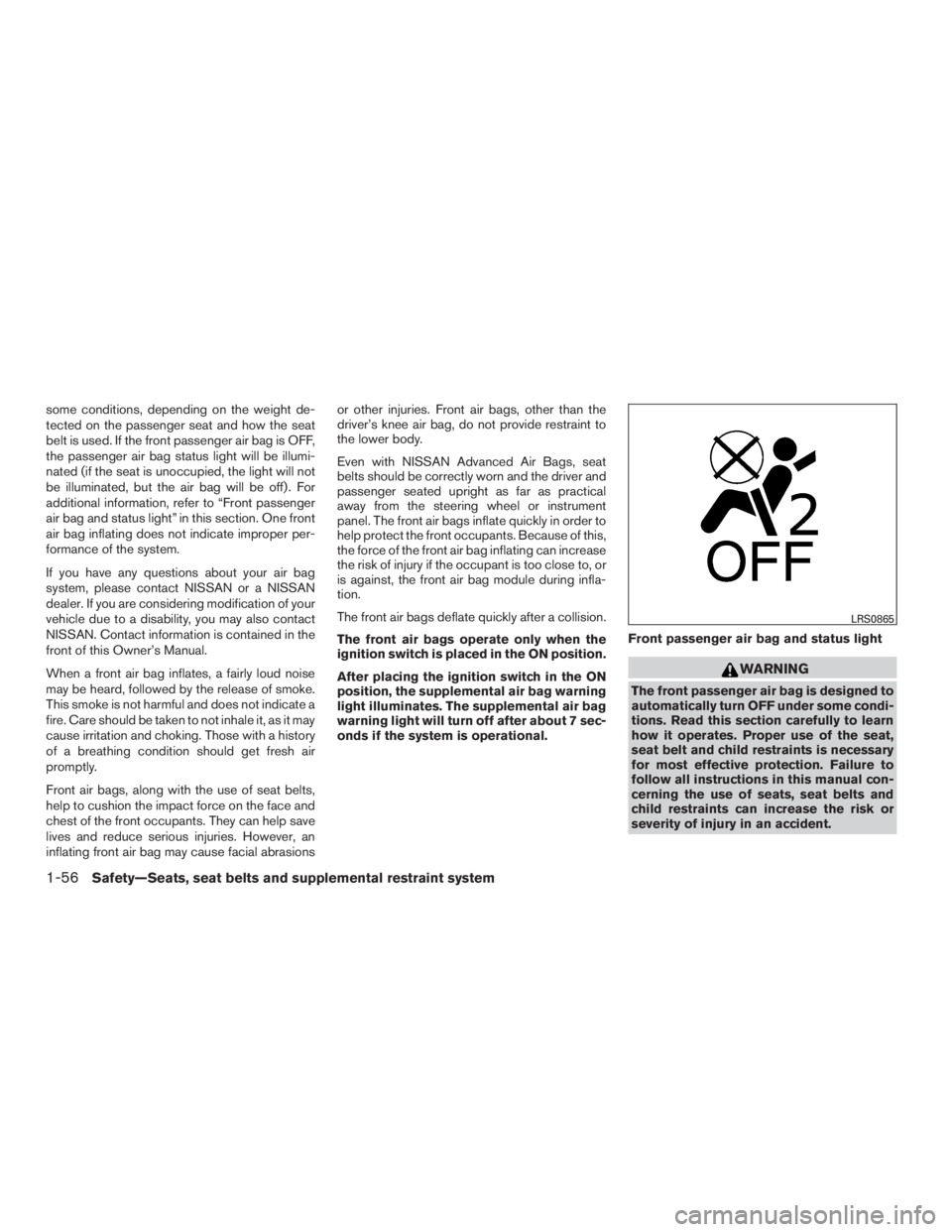
Front passenger air bag and status light
Page 87 of 424
When the knee air bag inflates, a fairly loud noise
may be heard, followed by release of smoke. This
smoke is not harmful and does not indicate a fire.
Care should be taken not to inhale it, as it may
cause irritation and choking. Those with a history
of a breathing condition should get fresh air
promptly.
The knee air bag helps to cushion the impact
force on the knees of the driver. It can help
reduce serious injuries. However, an inflating
knee air bag may cause abrasions or other inju-
ries. The knee air bag provides restraint to the
lower body.
The knee air bag inflates quickly in order to help
protect the occupants. Because of this, the force
of the knee air bag inflating can increase the risk
of injury if the occupant is too close to, or is
against, this air bag module during inflation. The
knee air bag will deflate quickly after the collision
is over OR the knee air bag will remain inflated for
a short time.
The knee air bag operates only when the
ignition switch is placed in the ON position.
After placing the ignition switch in the ON
position, the supplemental air bag warning
light illuminates. The supplemental air bag
warning light will turn off after about 7 sec-
onds if the system is operational.
Page 88 of 424
●No unauthorized changes should be
made to any components or wiring of
the pretensioner system. This is to pre-
vent damage to or accidental activation
of the pretensioners. Tampering with
the pretensioner system may result in
serious personal injury.
● Work around and on the pretensioner
system should be done by a NISSAN
dealer. Installation of electrical equip-
ment should also be done by a NISSAN
dealer. Unauthorized electrical test
equipment and probing devices should
not be used on the pretensioner system.
● If you need to dispose of a pretensioner
or scrap the vehicle, contact a NISSAN
dealer. Incorrect disposal procedures
could cause personal injury.
The pretensioner system may activate with the
supplemental air bag system in certain types of
collisions. Working with the seat belt retractor,
the pretensioner helps tighten the seat belt when
the vehicle becomes involved in certain types of
collisions, helping to restrain front seat occu-
pants.
The pretensioner is encased with the seat belt
retractor. These seat belts are used the same way
as conventional seat belts. When a pretensioner activates, smoke is re-
leased and a loud noise may be heard. This
smoke is not harmful and does not indicate a fire.
Care should be taken not to inhale it, as it may
cause irritation and choking. Those with a history
of a breathing condition should get fresh air
promptly.
After pretensioner activation, load limiters allow
the seat belt to release webbing (if necessary) to
reduce forces against the chest.
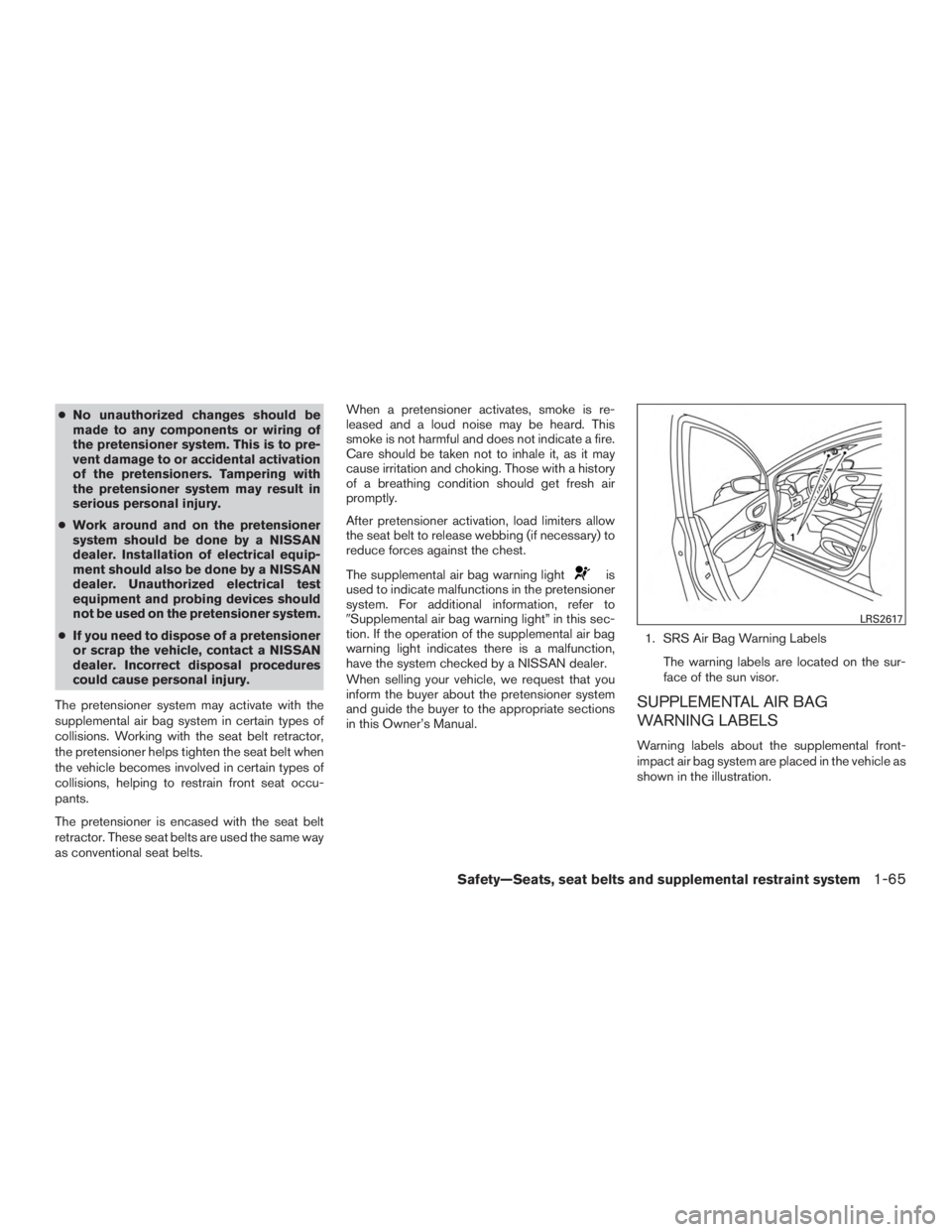
The supplemental air bag warning light
Page 103 of 424
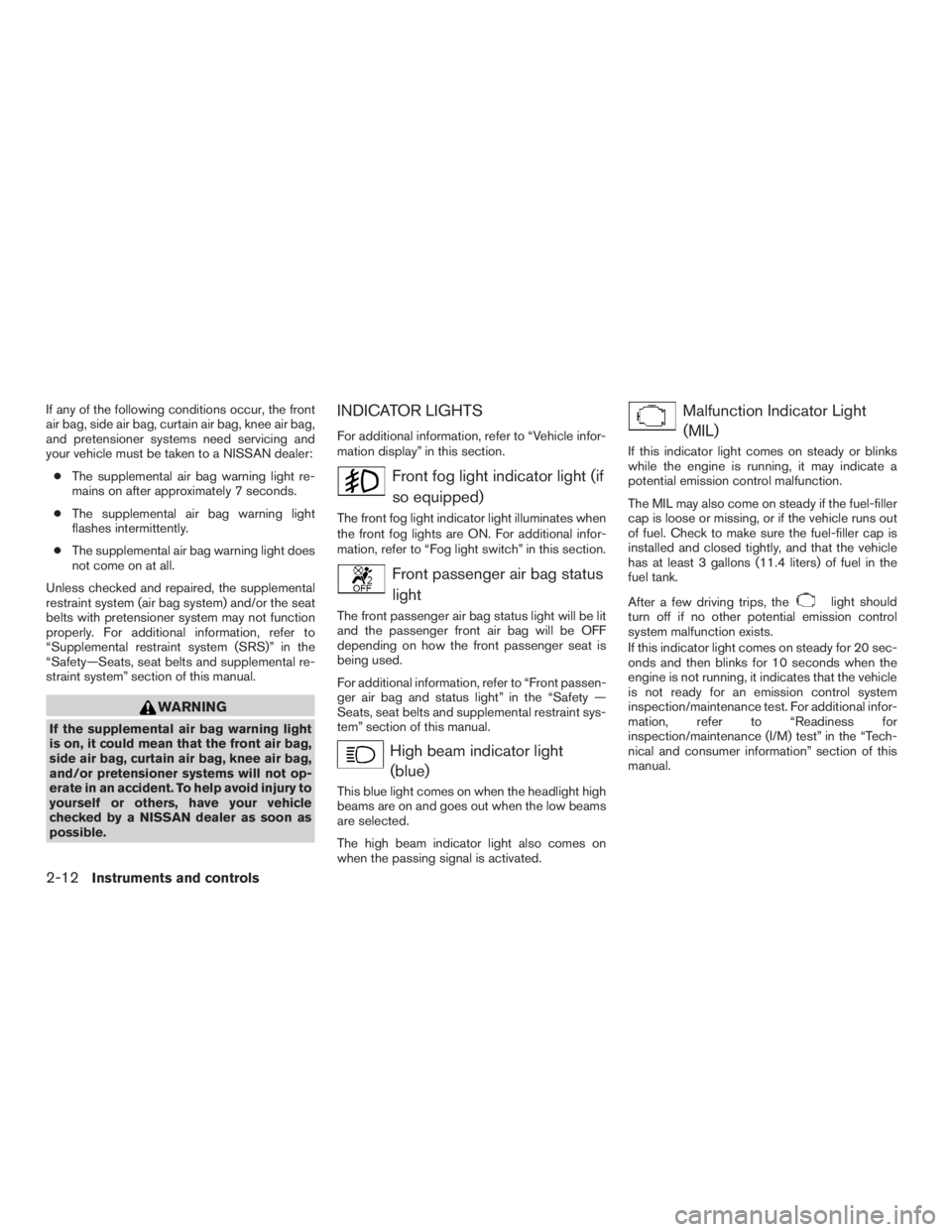
If any of the following conditions occur, the front
air bag, side air bag, curtain air bag, knee air bag,
and pretensioner systems need servicing and
your vehicle must be taken to a NISSAN dealer:● The supplemental air bag warning light re-
mains on after approximately 7 seconds.
● The supplemental air bag warning light
flashes intermittently.
● The supplemental air bag warning light does
not come on at all.
Unless checked and repaired, the supplemental
restraint system (air bag system) and/or the seat
belts with pretensioner system may not function
properly. For additional information, refer to
“Supplemental restraint system (SRS)” in the
“Safety—Seats, seat belts and supplemental re-
straint system” section of this manual.
Page 187 of 424
WARNING
●Positioning of the heating or air condi-
tioning controls and display controls
should not be done while driving in or-
der that full attention may be given to
the driving operation.
● Do not disassemble or modify this sys-
tem. If you do, it may result in accidents,
fire, or electrical shock.
● Do not use this system if you notice any
abnormality, such as a frozen screen or
lack of sound. Continued use of the
system may result in accident, fire or
electric shock.
● In case you notice any foreign object in
the system hardware, spill liquid on it,
or notice smoke or smell coming from it,
stop using the system immediately and
contact a NISSAN dealer. Ignoring such
conditions may lead to accidents, fire or
electrical shock.
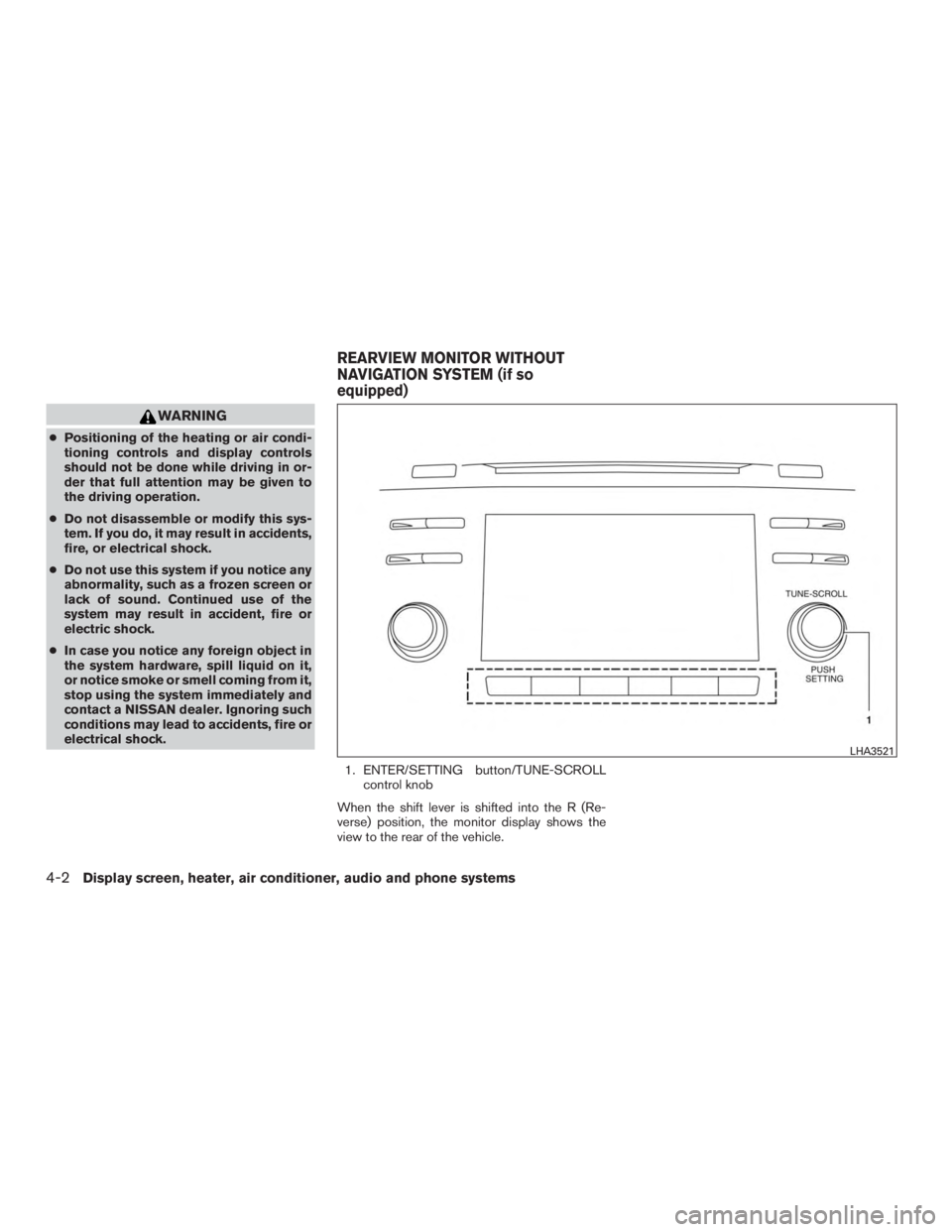
1. ENTER/SETTING button/TUNE-SCROLLcontrol knob
When the shift lever is shifted into the R (Re-
verse) position, the monitor display shows the
view to the rear of the vehicle.
Page 206 of 424
WARNING
●The MOD system is not a substitute for
proper vehicle operation and is not de-
signed to prevent contact with the ob-
jects surrounding the vehicle. When
maneuvering, always use the outside
mirrors and rearview mirror and turn
and check the surrounding to ensure it
is safe to maneuver.
● The system is deactivated at speeds
above 6 mph (10 km/h). It is reactivated
at lower speeds.
● The system is not designed to prevent
contact with all objects.
● The MOD system does not have the
function to detect the surrounding sta-
tionary objects.
Display screen, heater, air conditioner, audio and phone systems4-21
Page 214 of 424
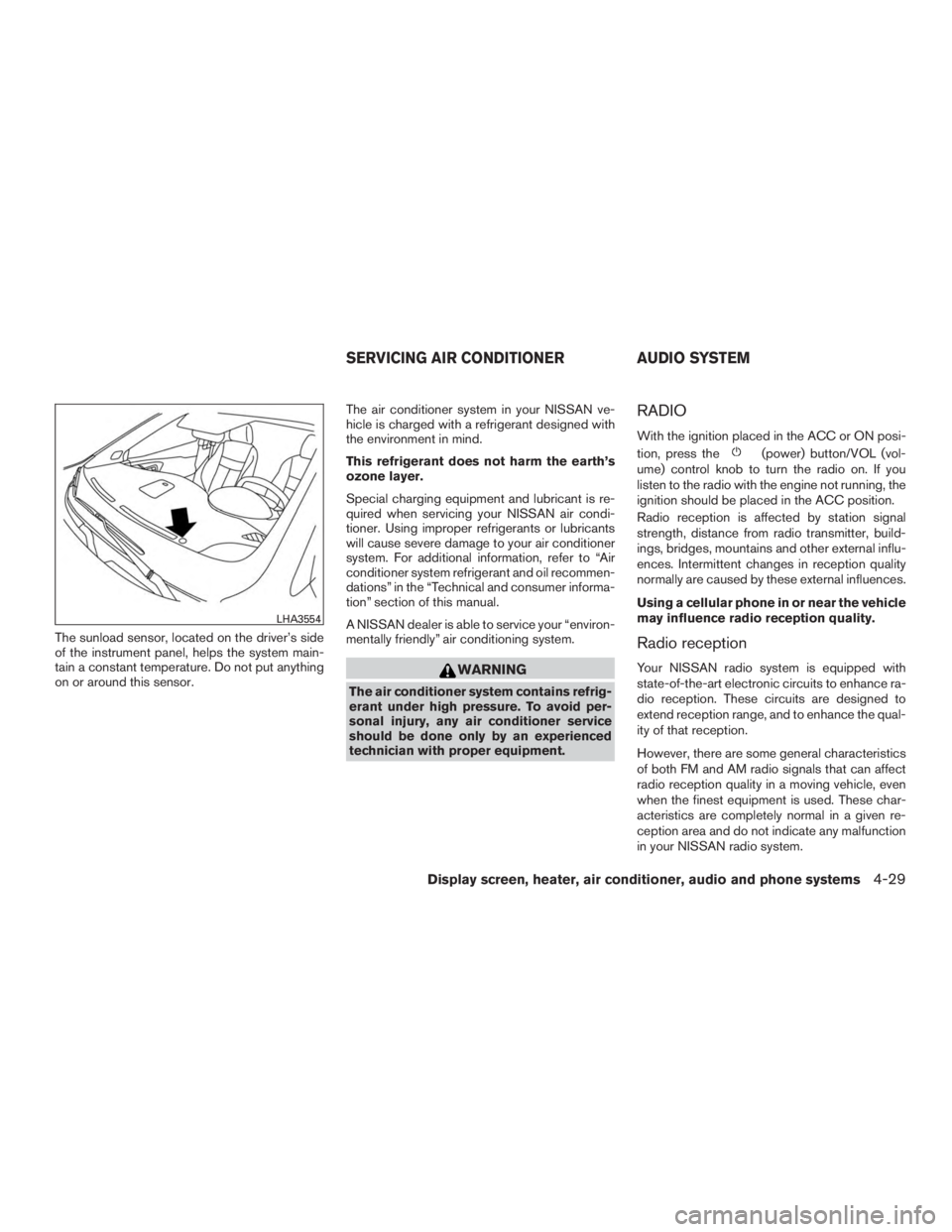
The sunload sensor, located on the driver’s side
of the instrument panel, helps the system main-
tain a constant temperature. Do not put anything
on or around this sensor.The air conditioner system in your NISSAN ve-
hicle is charged with a refrigerant designed with
the environment in mind.
This refrigerant does not harm the earth’s
ozone layer.
Special charging equipment and lubricant is re-
quired when servicing your NISSAN air condi-
tioner. Using improper refrigerants or lubricants
will cause severe damage to your air conditioner
system. For additional information, refer to “Air
conditioner system refrigerant and oil recommen-
dations” in the “Technical and consumer informa-
tion” section of this manual.
A NISSAN dealer is able to service your “environ-
mentally friendly” air conditioning system.
Page 230 of 424
CAUTION
●Do not force the USB device into the
USB port. Inserting the USB device
tilted or up-side-down into the port may
damage the port. Make sure that the
USB device is connected correctly into
the USB port.
● Do not grab the USB port cover (if so
equipped) when pulling the USB device
out of the port. This could damage the
port and the cover.
● Do not leave the USB cable in a place
where it can be pulled unintentionally.
Pulling the cable may damage the port.
Refer to your device manufacturer’s owner infor-
mation regarding the proper use and care of the
device.
To connect an iPod® to the vehicle so that the
iPod® can be controlled with the audio system
controls and display screen, use the USB con-
nection port located on the center console near
the cupholders, or the other on the back of the
rear center console facing the rear seats. Con-
nect the iPod®-specific end of the cable to the
iPod® and the USB end of the cable to the USB
connection port on the vehicle. If your iPod®
supports charging via a USB connection, its bat- tery will be charged while connected to the ve-
hicle with the ignition switch in the ACC or ON
position.
While connected to the vehicle, the iPod® can
only be operated by the vehicle audio controls.
To disconnect the iPod® from the vehicle, re-
move the USB end of the cable from the USB
connection port on the vehicle, then remove the
cable from the iPod®.
* iPod® is a trademark of Apple Inc., registered in
the U.S. and other countries.
Compatibility
The following models are compatible:
● iPod® Classic - 5th Generation (firmware
version 1.3.0 or later)
● iPod® Classic - 6th Generation (firmware
version 2.0.1 or later)
● iPod® Classic - 7th Generation (firmware
version 2.0.4 or later)
● iPod® nano - 1st generation (firmware ver-
sion 1.3.1 or later)
● iPod® nano - 2nd generation (firmware ver-
sion 1.1.3 or later)
● iPod® nano - 3rd generation (firmware ver-
sion 1.1.3 or later) ●
iPod® nano - 4th generation (firmware ver-
sion 1.0.4 or later)
● iPod® nano - 5th generation (firmware ver-
sion 1.0.2 or later)
● iPod® nano - 6th generation (firmware ver-
sion 1.1 or later)
● iPod® Touch - 2nd generation (firmware
version 4.2.1 or later)
● iPod® Touch - 3rd generation (firmware ver-
sion 5.1 or later) (minimum iOS 5.0 required
for smartphone integration)
● iPod® Touch - 4th generation (firmware ver-
sion 5.1 or later) (minimum iOS 5.0 required
for smartphone integration)
● iPhone® 3G (firmware version 4.2.1 or later)
● iPhone® 3GS (firmware version 5.1 or later)
(minimum iOS 5.0 required for smartphone
integration)
● iPhone® 4 (firmware version 5.1 or later)
(minimum iOS 5.0 required for smartphone
integration)
● iPhone® 4S (firmware version 5.1 or later)
(minimum iOS 5.0 required for smartphone
integration)
Display screen, heater, air conditioner, audio and phone systems4-45
Page 255 of 424
Operation1. Add air to the tire.
2. After a few seconds, the hazard indicators will start flashing.
3. When the designated pressure is reached, the horn beeps once and the hazard indica-
tors stop flashing.
4. Perform the above steps for each tire. ●If the tire is over-inflated more than ap-
proximately 4 psi (30 kPa) , the horn
beeps and the hazard indicators flash
three times. To correct the pressure, push
the core of the valve stem on the tire
briefly to release pressure. When the
pressure reaches the designated pres-
sure, the horn beeps once.
● If the hazard indicator does not flash
within approximately 15 seconds after
starting to inflate the tire, it indicates that
the Easy Fill Tire Alert is not operating.
● The TPMS will not activate the Easy Fill
Tire Alert under the following conditions:
– If there is interference from an external device or transmitter.
– The air pressure from the inflation device is not sufficient to inflate the tire. – There is a malfunction in the TPMS sys-
tem.
– There is a malfunction in the horn or haz- ard indicators.
– The identification code of the tires pres- sure sensor is not registered to the sys-
tem.
– The battery of the tire pressure sensor is low.
● If the Easy Fill Tire Alert does not operate
due to TPMS interference, move the ve-
hicle about 3 ft (1 m) backward or forward
and try again.
If the Easy Fill Tire Alert is not working, use a tire
pressure gauge.
ON-PAVEMENT AND OFF-ROAD
DRIVING PRECAUTIONS
Utility vehicles have a significantly higher
rollover rate than other types of vehicles.
They have higher ground clearance than passen-
ger cars to make them capable of performing in a
variety of on-pavement and off-road applications.
This gives them a higher center of gravity than
ordinary vehicles. An advantage of higher ground
clearance is a better view of the road, allowing
you to anticipate problems. However, they are not designed for cornering at the same speeds as
conventional 2-wheel drive vehicles any more
than low-slung sports cars are designed to per-
form satisfactorily under off-road conditions. If at
all possible, avoid sharp turns at high speeds. As
with other vehicles of this type, failure to operate
this vehicle correctly may result in loss of control
or vehicle rollover. In a rollover crash, an unbelted
person is significantly more likely to die than a
person wearing a seat belt.
For additional information, refer to “Driving safety
precautions” in this section.
AVOIDING COLLISION AND
ROLLOVER