ron NISSAN NOTE 2006 Repair Manual
[x] Cancel search | Manufacturer: NISSAN, Model Year: 2006, Model line: NOTE, Model: NISSAN NOTE 2006Pages: 235, PDF Size: 2.29 MB
Page 108 of 235
![NISSAN NOTE 2006 Repair Manual Unlocking the unit
If the battery supply to the vehicle is interrupted, the
audio unit will lock.
When the power is restored and the unit switched
on, the display will show [Radio Code:] and it will b](/img/5/56797/w960_56797-107.png "NISSAN NOTE 2006 Repair Manual Unlocking the unit
If the battery supply to the vehicle is interrupted, the
audio unit will lock.
When the power is restored and the unit switched
on, the display will show [Radio Code:] and it will b")
Unlocking the unit
If the battery supply to the vehicle is interrupted, the
audio unit will lock.
When the power is restored and the unit switched
on, the display will show [Radio Code:] and it will be
unlocked when the codes have been entered cor-
rectly.
Unlocking procedure:
Read this section very carefully. It is important
that the instructions are followed precisely.
To unlock the audio unit, proceed as follows:
1. Turn the ignition switch to the Acc or ON posi-
tion.
2. [Radio Code:] is displayed along with four nu-
merical zero digits.
3. Press preset button <
j1 > the number of times
corresponding with the first digit of the radio
code.For example, if the radio code is 5169: for the
first digit, “5”, press the preset button <
j1 > five
times.
4. The second, third, and fourth digits of the radio
code must be entered, in the same way, only
now using preset buttons <
j2>,
For example, press <
j2 > once,
and
5. Press with a long press preset button <
j6>to
confirm the code. If you entered the code cor-
rectly the unit will switch on.
6. If the code is entered incorrectly a notification
message ([INCORRECT PIN]) and the number
of attempts left ([REMAINING TRIES: XX]) will
be shown.
After reading the message, press the
button to return to the entry screen and enter the
correct radio code.
– If the wrong code is entered after the third
attempt, the audio unit will lock for 60 min-
utes. The display will show a count down timer
from 60 to 0 (minutes). After 60 minutes enter
the correct radio code.
– If the wrong code is entered after eight sets
of three entries, the audio unit will lock per-
manently. Contact a NISSAN dealer for fur-
ther details.
AUDIO MAIN OPERATION
The audio unit operates when the ignition switch is
in Acc or ON position.
mPower ON/OFF button
Press the<>button to switch on the audio unit.
If the audio unit was switched off using the ignition
switch, it can also be switched on with the ignition
switch. The source that was playing immediately
before the unit was switched off will resume playing
and the volume will be set to the previous volume
level.
The audio unit can be switched off by pressing
<
>, or by turning the ignition switch to the “OFF”
or LOCK position.
mVolume (VOL) level control
Turn the
adjust the volume level.
The audio unit is equipped with a speed control vol-
ume function, this means that the audio system au-
tomatically adjusts the volume level in relation to
vehicle speed. For details, see “SPD VOL (Speed
volume) control” later in this section.
Mute button
Press the<>button to mute the sound and
[MUTE] appears in the display. To cancel the mode,
use any of the following options:
– Press<
>again.
NAA1192
4-24Heater and air conditioner, and audio system
Page 109 of 235
– Turn the
– Press the
RADIO OPERATION
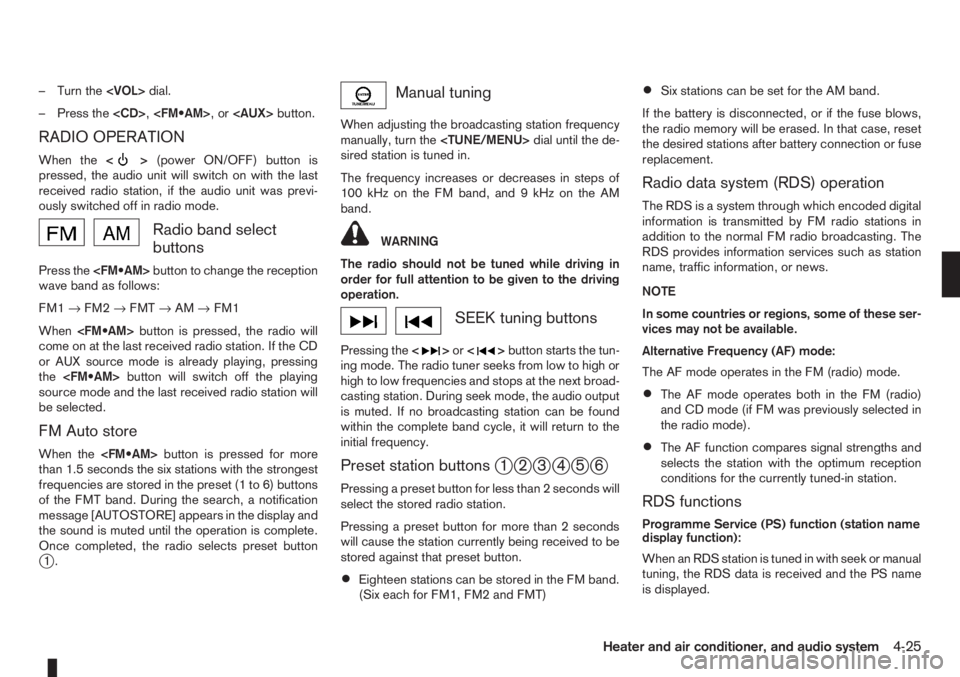
When the<>(power ON/OFF) button is
pressed, the audio unit will switch on with the last
received radio station, if the audio unit was previ-
ously switched off in radio mode.
Radio band select
buttons
Press the
wave band as follows:
FM1→FM2→FMT→AM→FM1
When
come on at the last received radio station. If the CD
or AUX source mode is already playing, pressing
the
source mode and the last received radio station will
be selected.
FM Auto store
When the
than 1.5 seconds the six stations with the strongest
frequencies are stored in the preset (1 to 6) buttons
of the FMT band. During the search, a notification
message [AUTOSTORE] appears in the display and
the sound is muted until the operation is complete.
Once completed, the radio selects preset button
j1.
Manual tuning
When adjusting the broadcasting station frequency
manually, turn the
sired station is tuned in.
The frequency increases or decreases in steps of
100 kHz on the FM band, and 9 kHz on the AM
band.
WARNING
The radio should not be tuned while driving in
order for full attention to be given to the driving
operation.
SEEK tuning buttons
Pressing the<>or<>button starts the tun-
ing mode. The radio tuner seeks from low to high or
high to low frequencies and stops at the next broad-
casting station. During seek mode, the audio output
is muted. If no broadcasting station can be found
within the complete band cycle, it will return to the
initial frequency.
Preset station buttonsj1j2j3j4j5j6
Pressing a preset button for less than 2 seconds will
select the stored radio station.
Pressing a preset button for more than 2 seconds
will cause the station currently being received to be
stored against that preset button.
•Eighteen stations can be stored in the FM band.
(Six each for FM1, FM2 and FMT)
•Six stations can be set for the AM band.
If the battery is disconnected, or if the fuse blows,
the radio memory will be erased. In that case, reset
the desired stations after battery connection or fuse
replacement.
Radio data system (RDS) operation
The RDS is a system through which encoded digital
information is transmitted by FM radio stations in
addition to the normal FM radio broadcasting. The
RDS provides information services such as station
name, traffic information, or news.
NOTE
In some countries or regions, some of these ser-
vices may not be available.
Alternative Frequency (AF) mode:
The AF mode operates in the FM (radio) mode.
•The AF mode operates both in the FM (radio)
and CD mode (if FM was previously selected in
the radio mode).
•The AF function compares signal strengths and
selects the station with the optimum reception
conditions for the currently tuned-in station.
RDS functions
Programme Service (PS) function (station name
display function):
When an RDS station is tuned in with seek or manual
tuning, the RDS data is received and the PS name
is displayed.
Heater and air conditioner, and audio system4-25
Page 110 of 235
TA Traffic announcement
This function operates in FM (Radio), CD or AUX
mode.
•Pressing the
The TA indicator is displayed while TA mode is
on.
•When
switched off and the TA indicator will disappear
from the display.
Traffic announcement interrupt function:
When a traffic announcement is received, the an-
nouncement is tuned in and the display shows a
notification message with the radio station name e.g.
[TA: Radio 1].
Once the traffic announcement has finished, the unit
returns to the source that was active before the traf-
fic announcement started.
If
the traffic announcement interrupt mode is can-
celled. The TA mode returns to the standby mode
and the audio unit returns to the previous source.
SETUP BUTTON
To configure Audio, Clock, Bluetooth, Language or
Scroll direction settings, perform the following pro-
cedure:
1. Press the
2. Press the
clockwise, the display will appear in the following
order:
[Audio]⇔[Clock]⇔[Bluetooth]⇔[Language]
⇔[Scroll Direction]
After the desired levels have been set, press either
the <
> (Back) button repeatedly, the
pressing any buttons to exit the menu screen.
Display brightness (Day/Night mode)
Press the
switch the display brightness between the daytime
and nighttime mode.
Audio adjustments
Press the
screen then select [Audio].
Each time the
will change as follows:
[Bass]→[Treble]→[Balance]→[Fade]→[AUX
VOL]→[SPD VOL]→setup menu screen [Audio]
→[Bass]
Bass control:
Use this control to enhance or attenuate bass re-
sponse sound.
Turn the
clockwise to adjust the bass settings then press
Use this control to enhance or attenuate the treble.
Turn the
clockwise to adjust the treble settings then press
Balance control:
Use this control to adjust the balance of the volume
between the left and right speakers.
Turn the
clockwise to adjust the left/right balance then press
Fade (Fader) control:
Use this control to adjust the balance of the volume
between the front and rear (where fitted) speakers.
Turn the
clockwise to adjust the front/rear balance then press
AUX VOL (Auxiliary volume) control:
Use this control to adjust the volume output from the
auxiliary source.
Turn the
clockwise to select [LO], [MID], or [HI] mode then
press
4-26Heater and air conditioner, and audio system
Page 112 of 235
![NISSAN NOTE 2006 Repair Manual •Inserting a CD recorded with MP3/WMA files,
the audio unit will automatically detect and
[MP3CD] will be indicated.
•An error notification message will be
displayed when inserting a wrong disc ty](/img/5/56797/w960_56797-111.png "NISSAN NOTE 2006 Repair Manual •Inserting a CD recorded with MP3/WMA files,
the audio unit will automatically detect and
[MP3CD] will be indicated.
•An error notification message will be
displayed when inserting a wrong disc ty")
•Inserting a CD recorded with MP3/WMA files,
the audio unit will automatically detect and
[MP3CD] will be indicated.
•An error notification message will be
displayed when inserting a wrong disc type
(e.g. DVD), or the player cannot read the CD
disc. Eject the disc and insert another disc.
CD button
Press the
CD. Playing starts from the track that was being
played when the CD play mode was switched off.
Audio main operation
List view:
While the track is being played, press either the
>button to display the available
tracks in a listed view mode. To select a track from
the list, or a track to start listening from, turn the
Quick search:
In the list view mode, quick search can be per-
formed to find a track from the list.
Push the
of the track title then press
a list of the available tracks will be displayed. Select,
and press
Fast Forward (Cue), Fast
Reverse (Review) buttons:
When the<
>(Cue) or<>(Review) button
is pressed continuously, the track will be played at
high speed. When the button is released, the track
will be played at normal playing speed.
Track up/down buttons:
Pressing the <
>or<> button once, the
track will be skipped forward to the next track or
backward to the beginning of the current played
track. Press the<
>or<>button more than
once to skip through the tracks.
Folder browsing:
If the recorded media contains folders with music
files, pressing the<
>or<>button will play
in sequence the tracks of each folder.
To select a preferred folder:
1. Press the
>button and a list
of tracks in the current folder is displayed.
2. Press the<
>button.
3. Turn the
folder.
4. Press
turn the
If the current selected folder contains sub folders,
press
folders will be displayed. Turn the
lect. Select the [Root] folder item when songs are
recorded additionally in the root folder.
To return to the previous folder screen, press
<
>.
Repeat button:
Push the<
/j1>button and the current track
will be played continuously.
button:
Push the<
/j2>button and all the tracks will
be played in a random order.
<
/j5 > button:
While a CD with recorded music information tags
(CD-text/ID3–text tags) is being played, the title of
the played track is displayed. If the title information
is not provided then [Track] is displayed.
When the<
/j5>button is pressed repeat-
edly, further information about the track can be dis-
played along with the track title as follows:
CD:
Track time→Artist name→Track title→Album
title→Track time
CD with MP3/WMA:
Track time→Artist name→Album title→Folder
name→Track time
4-28Heater and air conditioner, and audio system
Page 119 of 235
Bluetooth®is a wireless radio communication stan-
dard. This system offers a hands-free facility for your
mobile telephone to enhance driving comfort.
In order to use your mobile phone with the Blue-
tooth
®of the audio system, the mobile phone must
first be setup. For details, see “BLUETOOTH®
settings” later in this section or “BLUETOOTH®
settings” earlier in this section. Once it has been
setup, the hands-free mode is automatically acti-
vated on the registered mobile phone (via Blue-
tooth
®) when it comes into range.
A notification message appears on the audio display
when the phone is connected, when an incoming
call is being received, as well as when a call is initi-
ated.
When a call is active, the audio system, microphone
(located in the ceiling in front of the rear view mir-
ror), and steering wheel switches enable hands-free
communication.
If the audio system is in use at the time, the radio,
CD, or AUX source mode will be muted and will stay
muted until the active call has ended.
The Bluetooth
®system may be not be able to con-
nect with your mobile phone for the following rea-
sons:
•The mobile phone is too far away from the ve-
hicle.
•The Bluetooth®mode on your mobile phone has
not been activated.
•Your mobile phone has not been paired with the
Bluetooth®system of the audio unit.
•The mobile phone does not support Bluetooth®
technology (BT Core v2.0).
NOTE
•For models with NISSAN Connect (Audio with
Navigation system) see the separately pro-
vided Owner’s Manual.
•For details, see your mobile phone’s Owner’s
Manual.
•For assistance with your mobile phone inte-
gration, please visit your local NISSAN dealer.
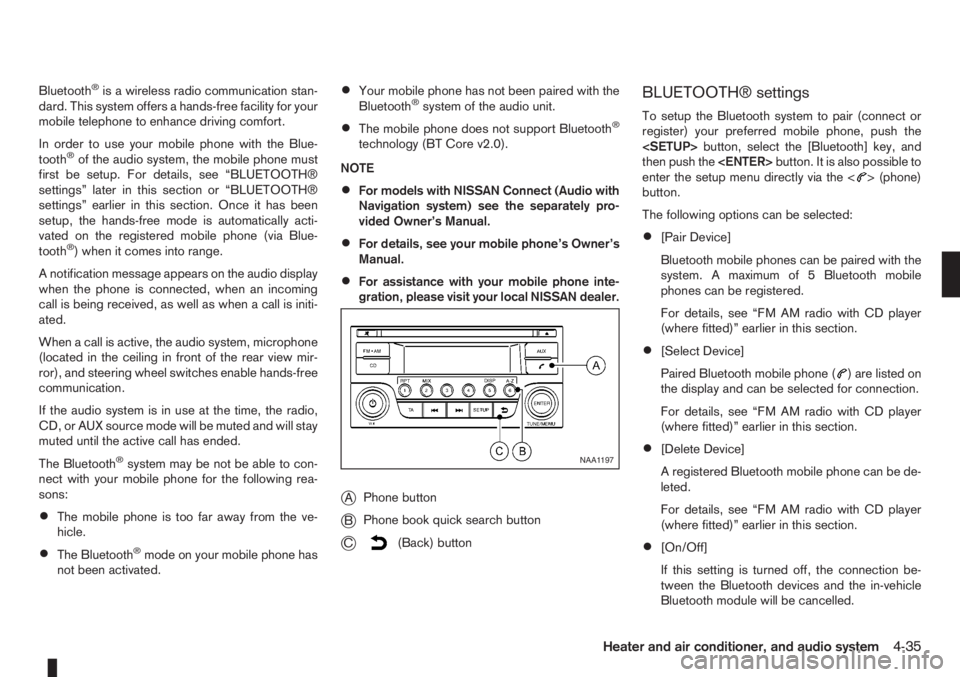
jAPhone button
jBPhone book quick search button
jC(Back) button
BLUETOOTH® settings
To setup the Bluetooth system to pair (connect or
register) your preferred mobile phone, push the
then push the
enter the setup menu directly via the <
> (phone)
button.
The following options can be selected:
•[Pair Device]
Bluetooth mobile phones can be paired with the
system. A maximum of 5 Bluetooth mobile
phones can be registered.
For details, see “FM AM radio with CD player
(where fitted)” earlier in this section.
•[Select Device]
Paired Bluetooth mobile phone (
) are listed on
the display and can be selected for connection.
For details, see “FM AM radio with CD player
(where fitted)” earlier in this section.
•[Delete Device]
A registered Bluetooth mobile phone can be de-
leted.
For details, see “FM AM radio with CD player
(where fitted)” earlier in this section.
•[On/Off]
If this setting is turned off, the connection be-
tween the Bluetooth devices and the in-vehicle
Bluetooth module will be cancelled.
NAA1197
Heater and air conditioner, and audio system4-35
Page 123 of 235
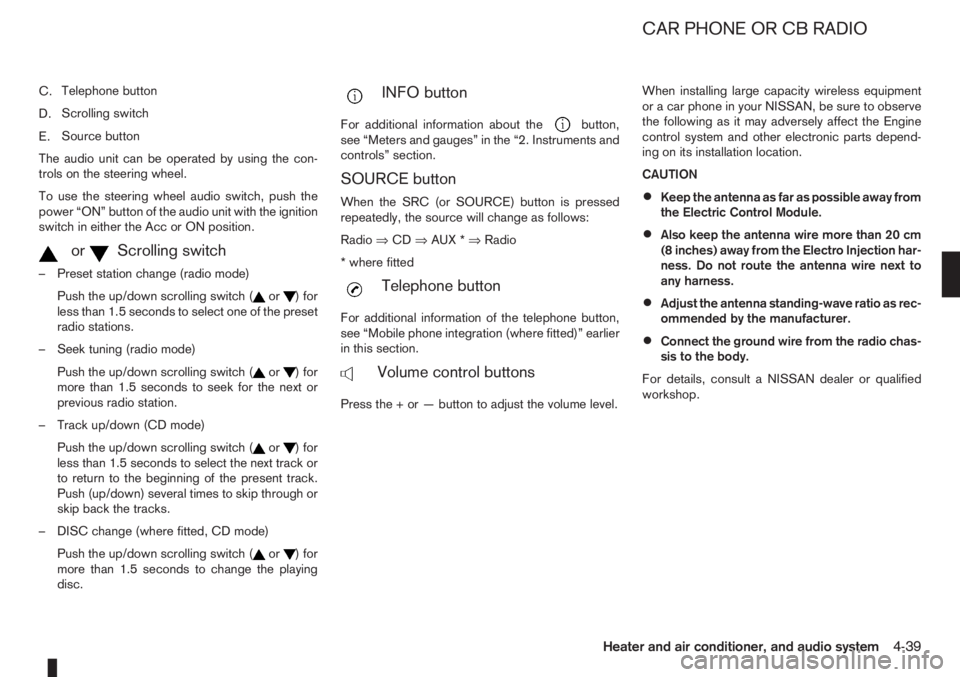
C.Telephone button
D.Scrolling switch
E.Source button
The audio unit can be operated by using the con-
trols on the steering wheel.
To use the steering wheel audio switch, push the
power “ON” button of the audio unit with the ignition
switch in either the Acc or ON position.
mormScrolling switch
– Preset station change (radio mode)
Push the up/down scrolling switch (
or) for
less than 1.5 seconds to select one of the preset
radio stations.
– Seek tuning (radio mode)
Push the up/down scrolling switch (
or) for
more than 1.5 seconds to seek for the next or
previous radio station.
– Track up/down (CD mode)
Push the up/down scrolling switch (
or) for
less than 1.5 seconds to select the next track or
to return to the beginning of the present track.
Push (up/down) several times to skip through or
skip back the tracks.
– DISC change (where fitted, CD mode)
Push the up/down scrolling switch (
or) for
more than 1.5 seconds to change the playing
disc.
mINFO button
For additional information about thebutton,
see “Meters and gauges” in the “2. Instruments and
controls” section.
SOURCE button
When the SRC (or SOURCE) button is pressed
repeatedly, the source will change as follows:
Radio⇒CD⇒AUX *⇒Radio
* where fitted
mTelephone button
For additional information of the telephone button,
see “Mobile phone integration (where fitted)” earlier
in this section.
mVolume control buttons
Press the + or — button to adjust the volume level.When installing large capacity wireless equipment
or a car phone in your NISSAN, be sure to observe
the following as it may adversely affect the Engine
control system and other electronic parts depend-
ing on its installation location.
CAUTION
•Keep the antenna as far as possible away from
the Electric Control Module.
•Also keep the antenna wire more than 20 cm
(8 inches) away from the Electro Injection har-
ness. Do not route the antenna wire next to
any harness.
•Adjust the antenna standing-wave ratio as rec-
ommended by the manufacturer.
•Connect the ground wire from the radio chas-
sis to the body.
For details, consult a NISSAN dealer or qualified
workshop.
CAR PHONE OR CB RADIO
Heater and air conditioner, and audio system4-39
Page 125 of 235
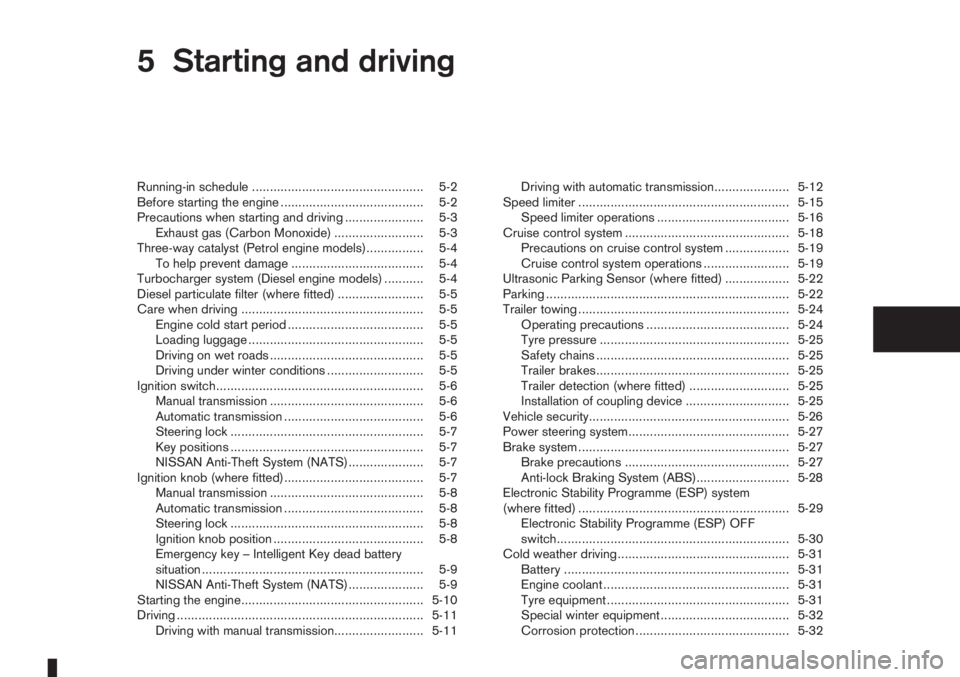
5Starting and drivingStarting and driving
Running-in schedule ................................................ 5-2
Before starting the engine ........................................ 5-2
Precautions when starting and driving ...................... 5-3
Exhaust gas (Carbon Monoxide) ......................... 5-3
Three-way catalyst (Petrol engine models)................ 5-4
To help prevent damage ..................................... 5-4
Turbocharger system (Diesel engine models) ........... 5-4
Diesel particulate filter (where fitted) ........................ 5-5
Care when driving ................................................... 5-5
Engine cold start period ...................................... 5-5
Loading luggage ................................................. 5-5
Driving on wet roads ........................................... 5-5
Driving under winter conditions ........................... 5-5
Ignition switch.......................................................... 5-6
Manual transmission ........................................... 5-6
Automatic transmission ....................................... 5-6
Steering lock ...................................................... 5-7
Key positions ...................................................... 5-7
NISSAN Anti-Theft System (NATS)..................... 5-7
Ignition knob (where fitted)....................................... 5-7
Manual transmission ........................................... 5-8
Automatic transmission ....................................... 5-8
Steering lock ...................................................... 5-8
Ignition knob position .......................................... 5-8
Emergency key – Intelligent Key dead battery
situation .............................................................. 5-9
NISSAN Anti-Theft System (NATS)..................... 5-9
Starting the engine................................................... 5-10
Driving ..................................................................... 5-11
Driving with manual transmission......................... 5-11Driving with automatic transmission..................... 5-12
Speed limiter ........................................................... 5-15
Speed limiter operations ..................................... 5-16
Cruise control system .............................................. 5-18
Precautions on cruise control system .................. 5-19
Cruise control system operations ........................ 5-19
Ultrasonic Parking Sensor (where fitted) .................. 5-22
Parking .................................................................... 5-22
Trailer towing ........................................................... 5-24
Operating precautions ........................................ 5-24
Tyre pressure ..................................................... 5-25
Safety chains ...................................................... 5-25
Trailer brakes...................................................... 5-25
Trailer detection (where fitted) ............................ 5-25
Installation of coupling device ............................. 5-25
Vehicle security........................................................ 5-26
Power steering system............................................. 5-27
Brake system ........................................................... 5-27
Brake precautions .............................................. 5-27
Anti-lock Braking System (ABS).......................... 5-28
Electronic Stability Programme (ESP) system
(where fitted) ........................................................... 5-29
Electronic Stability Programme (ESP) OFF
switch................................................................. 5-30
Cold weather driving................................................ 5-31
Battery ............................................................... 5-31
Engine coolant .................................................... 5-31
Tyre equipment ................................................... 5-31
Special winter equipment.................................... 5-32
Corrosion protection ........................................... 5-32
Page 129 of 235
WARNING
•Be careful not to burn yourself with exhaust
gases.
•Do not park the vehicle over flammable mate-
rials such as dry grass, waste paper or rags,
as they may burn easily.
NISSAN GREEN PROGRAM
The diesel particulate filter reduces the amount of
materials that affect the environment by collecting
the particulate matter included in exhaust gases.
Particulate matter that has accumulated in the filter
is automatically burned and converted into harmless
substances while driving the vehicle.
CAUTION
The filter becomes extremely hot after burning
particulate matter.
If the diesel particulate filter warning light comes on,
it indicates that particulate matter has accumulated
in the filter to the specified limit. Particulate matter
collected in the filter cannot be burned under low
speed driving conditions.
As soon as safely possible, drive the vehicle at a
high speed (more than approximately 60 km/h (37.5
MPH) until the filter warning light goes out. Always
conform to local regulations.
When the accumulated particulate matter has been
completely burned, the filter warning light will go
out.
WARNING
•If the vehicle continues to be driven at a low
speed with the diesel particulate filter warn-
ing light illuminated, the fail-safe will limit en-
gine revolutions and/or torque. In this case,
the engine oil must be replaced and the pro-
cess of burning accumulated particulate mat-
ter must be carried out by a NISSAN dealer or
qualified workshop.
•Use engine oil for diesel particulate filter
equipped models. For details, see “Capaci-
ties and recommended fuel/lubricants” in the
“9. Technical information” section.Driving your vehicle to fit the circumstances is es-
sential for your safety and comfort. As a driver, you
should be the one who knows best how to drive in
the given circumstances.
ENGINE COLD START PERIOD
Due to the higher engine speeds when the engine is
cold, extra caution must be exercised when select-
ing a gear during the engine warm-up period after
starting the engine.
LOADING LUGGAGE
Loads, their distribution and the attachment of equip-
ment (coupling devices, roof luggage carriers, etc.)
will change the driving characteristics of the vehicle
considerably. Driving style and speed must be ad-
justed accordingly.
DRIVING ON WET ROADS
•Avoid starting off, accelerating and stopping sud-
denly.
•Avoid sharp turns or lane changes.
•Extra distance should be kept from the vehicle in
front.
•When water covers the road surface in puddles,
small streams, etc, REDUCE SPEED to prevent
aquaplaning which will cause skidding and loss
of control. Worn tyres increase this risk.
DRIVING UNDER WINTER
CONDITIONS
•Drive safely.
DIESEL PARTICULATE FILTER
(where fitted)CARE WHEN DRIVING
Starting and driving5-5
Page 130 of 235
•Avoid starting off, accelerating or stopping sud-
denly.
•Avoid sharp turns or lane changes.
•Avoid sudden steering actions.
•Extra distance should be kept from the vehicle in
front.
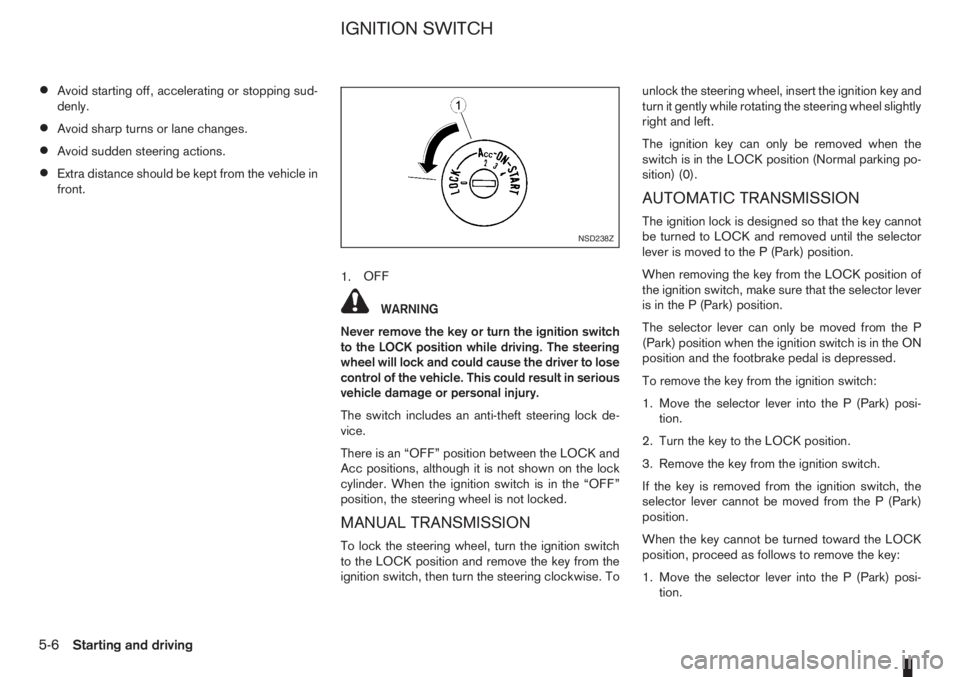
1.OFF
WARNING
Never remove the key or turn the ignition switch
to the LOCK position while driving. The steering
wheel will lock and could cause the driver to lose
control of the vehicle. This could result in serious
vehicle damage or personal injury.
The switch includes an anti-theft steering lock de-
vice.
There is an “OFF” position between the LOCK and
Acc positions, although it is not shown on the lock
cylinder. When the ignition switch is in the “OFF”
position, the steering wheel is not locked.
MANUAL TRANSMISSION
To lock the steering wheel, turn the ignition switch
to the LOCK position and remove the key from the
ignition switch, then turn the steering clockwise. Tounlock the steering wheel, insert the ignition key and
turn it gently while rotating the steering wheel slightly
right and left.
The ignition key can only be removed when the
switch is in the LOCK position (Normal parking po-
sition) (0).
AUTOMATIC TRANSMISSION
The ignition lock is designed so that the key cannot
be turned to LOCK and removed until the selector
lever is moved to the P (Park) position.
When removing the key from the LOCK position of
the ignition switch, make sure that the selector lever
is in the P (Park) position.
The selector lever can only be moved from the P
(Park) position when the ignition switch is in the ON
position and the footbrake pedal is depressed.
To remove the key from the ignition switch:
1. Move the selector lever into the P (Park) posi-
tion.
2. Turn the key to the LOCK position.
3. Remove the key from the ignition switch.
If the key is removed from the ignition switch, the
selector lever cannot be moved from the P (Park)
position.
When the key cannot be turned toward the LOCK
position, proceed as follows to remove the key:
1. Move the selector lever into the P (Park) posi-
tion.NSD238Z
IGNITION SWITCH
5-6Starting and driving
Page 148 of 235
•Turn the ignition switch to the LOCK position
and remove the key/Intelligent Key (where fit-
ted).Your new vehicle was designed to be used primarily
to carry passengers and luggage.
Remember that towing a trailer will place additional
loads on your vehicle’s engine, drive-train, steering,
braking and other systems. Towing a trailer will also
exaggerate other conditions, such as sway caused
by crosswinds, rough road surfaces or passing
trucks. Driving style and speed must be adjusted
according to the circumstances. Before towing a
trailer, see a NISSAN dealer or qualified workshop
for an explanation of towing equipment and its
proper use.
OPERATING PRECAUTIONS
•Avoid towing a trailer during the running-in
schedule.
•Choose proper coupling devices (trailer hitch,
safety chain, roof carrier, etc.) for your vehicle
and trailer. These devices are available from a
NISSAN dealer or qualified workshop where you
can also obtain more detailed information about
trailer towing.
Heavy-duty kits are available at a NISSAN dealer
or qualified workshop.
•It is advisable to contact a NISSAN dealer or
qualified workshop for towing details, before
towing a trailer up steep slopes for long dis-
tances.
•Never allow the total trailer load (trailer weight
plus its cargo weight) to exceed the maximum
set for the coupling device.Contact a NISSAN dealer or qualified workshop
for more information on this matter.
•The trailer must be loaded so that heavy goods
are distributed over the axle and as low in the
trailer as possible. Poor load distribution can se-
riously affect the stability of the trailer and tow
vehicle.
•Do not exceed the maximum permitted vertical
load on the trailer hitch.
•Before driving, make sure that the lighting sys-
tem of the trailer works properly.
•Avoid abrupt starts, accelerations and stops.
•Avoid sharp turns and lane changes.
•Always drive your vehicle at a moderate speed.
•Always block the wheels on both vehicle and
trailer when parking. Apply the handbrake (where
fitted) on the trailer. Parking on a steep slope is
not recommended.
If parking on a steep slope is unavoidable it is
also advisable to put the vehicle into gear, or
select P (Park, AT models), and turn the front
wheels into the kerb (in addition to the other pre-
cautions described). Before parking on a steep
slope consider the incline (the towing weights
quoted are for a 12% slope).
•Follow the trailer manufacturer’s instructions.
TRAILER TOWING
5-24Starting and driving