meters NISSAN NOTE 2008 Owners Manual
[x] Cancel search | Manufacturer: NISSAN, Model Year: 2008, Model line: NOTE, Model: NISSAN NOTE 2008Pages: 235, PDF Size: 2.29 MB
Page 7 of 235
0Illustrated table of contentsIllustrated table of contents
Air bag system ......................................................... 0-2
Exterior front and rear .............................................. 0-3
Front .................................................................. 0-3
Rear ................................................................... 0-3
Instrument and control layout ................................... 0-4
Left-hand drive (LHD) models ............................. 0-5
Right-hand drive (RHD) models........................... 0-7Meters and gauges .................................................. 0-8
Engine compartment ................................................ 0-9
CR14DE engine ................................................. 0-9
HR16DE engine ................................................. 0-10
Euro 4 K9K engine ............................................. 0-12
Euro 5 K9K engine ............................................. 0-12
Page 11 of 235
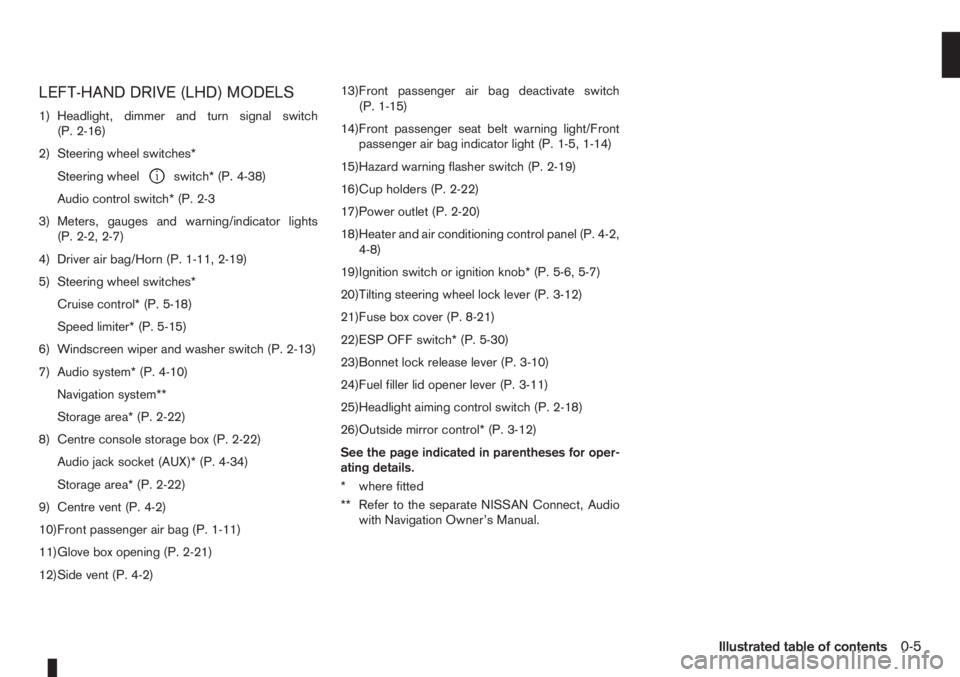
LEFT-HAND DRIVE (LHD) MODELS
1) Headlight, dimmer and turn signal switch
(P. 2-16)
2) Steering wheel switches*
Steering wheel
switch* (P. 4-38)
Audio control switch* (P. 2-3
3) Meters, gauges and warning/indicator lights
(P. 2-2, 2-7)
4) Driver air bag/Horn (P. 1-11, 2-19)
5) Steering wheel switches*
Cruise control* (P. 5-18)
Speed limiter* (P. 5-15)
6) Windscreen wiper and washer switch (P. 2-13)
7) Audio system* (P. 4-10)
Navigation system**
Storage area* (P. 2-22)
8) Centre console storage box (P. 2-22)
Audio jack socket (AUX)* (P. 4-34)
Storage area* (P. 2-22)
9) Centre vent (P. 4-2)
10)Front passenger air bag (P. 1-11)
11)Glove box opening (P. 2-21)
12)Side vent (P. 4-2)13)Front passenger air bag deactivate switch
(P. 1-15)
14)Front passenger seat belt warning light/Front
passenger air bag indicator light (P. 1-5, 1-14)
15)Hazard warning flasher switch (P. 2-19)
16)Cup holders (P. 2-22)
17)Power outlet (P. 2-20)
18)Heater and air conditioning control panel (P. 4-2,
4-8)
19)Ignition switch or ignition knob* (P. 5-6, 5-7)
20)Tilting steering wheel lock lever (P. 3-12)
21)Fuse box cover (P. 8-21)
22)ESP OFF switch* (P. 5-30)
23)Bonnet lock release lever (P. 3-10)
24)Fuel filler lid opener lever (P. 3-11)
25)Headlight aiming control switch (P. 2-18)
26)Outside mirror control* (P. 3-12)
See the page indicated in parentheses for oper-
ating details.
* where fitted
** Refer to the separate NISSAN Connect, Audio
with Navigation Owner’s Manual.
Illustrated table of contents0-5
Page 13 of 235
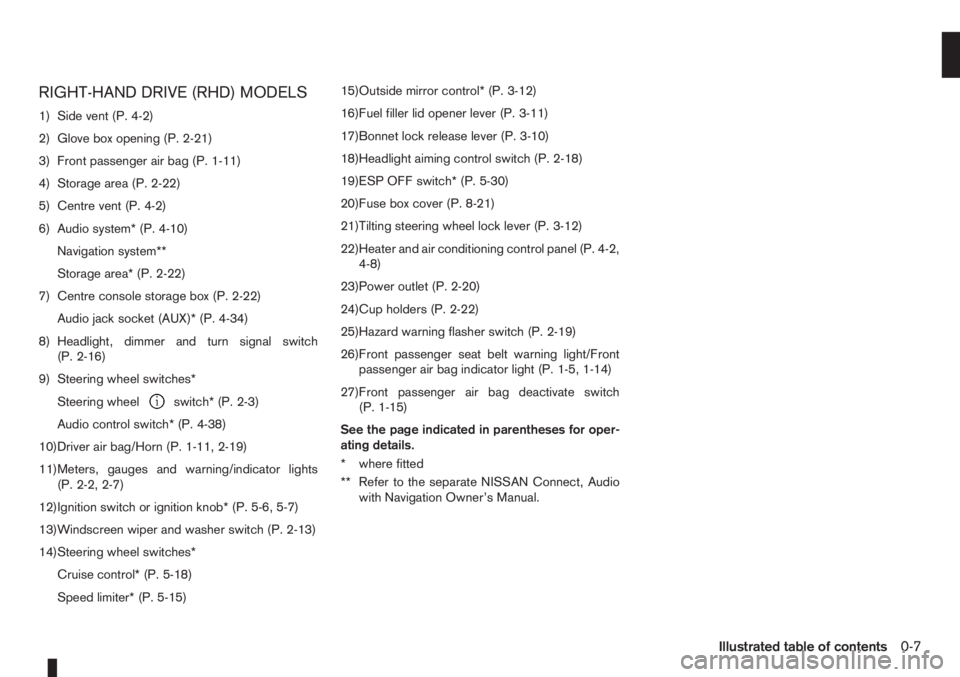
RIGHT-HAND DRIVE (RHD) MODELS
1) Side vent (P. 4-2)
2) Glove box opening (P. 2-21)
3) Front passenger air bag (P. 1-11)
4) Storage area (P. 2-22)
5) Centre vent (P. 4-2)
6) Audio system* (P. 4-10)
Navigation system**
Storage area* (P. 2-22)
7) Centre console storage box (P. 2-22)
Audio jack socket (AUX)* (P. 4-34)
8) Headlight, dimmer and turn signal switch
(P. 2-16)
9) Steering wheel switches*
Steering wheel
switch* (P. 2-3)
Audio control switch* (P. 4-38)
10)Driver air bag/Horn (P. 1-11, 2-19)
11)Meters, gauges and warning/indicator lights
(P. 2-2, 2-7)
12)Ignition switch or ignition knob* (P. 5-6, 5-7)
13)Windscreen wiper and washer switch (P. 2-13)
14)Steering wheel switches*
Cruise control* (P. 5-18)
Speed limiter* (P. 5-15)15)Outside mirror control* (P. 3-12)
16)Fuel filler lid opener lever (P. 3-11)
17)Bonnet lock release lever (P. 3-10)
18)Headlight aiming control switch (P. 2-18)
19)ESP OFF switch* (P. 5-30)
20)Fuse box cover (P. 8-21)
21)Tilting steering wheel lock lever (P. 3-12)
22)Heater and air conditioning control panel (P. 4-2,
4-8)
23)Power outlet (P. 2-20)
24)Cup holders (P. 2-22)
25)Hazard warning flasher switch (P. 2-19)
26)Front passenger seat belt warning light/Front
passenger air bag indicator light (P. 1-5, 1-14)
27)Front passenger air bag deactivate switch
(P. 1-15)
See the page indicated in parentheses for oper-
ating details.
* where fitted
** Refer to the separate NISSAN Connect, Audio
with Navigation Owner’s Manual.
Illustrated table of contents0-7
Page 14 of 235
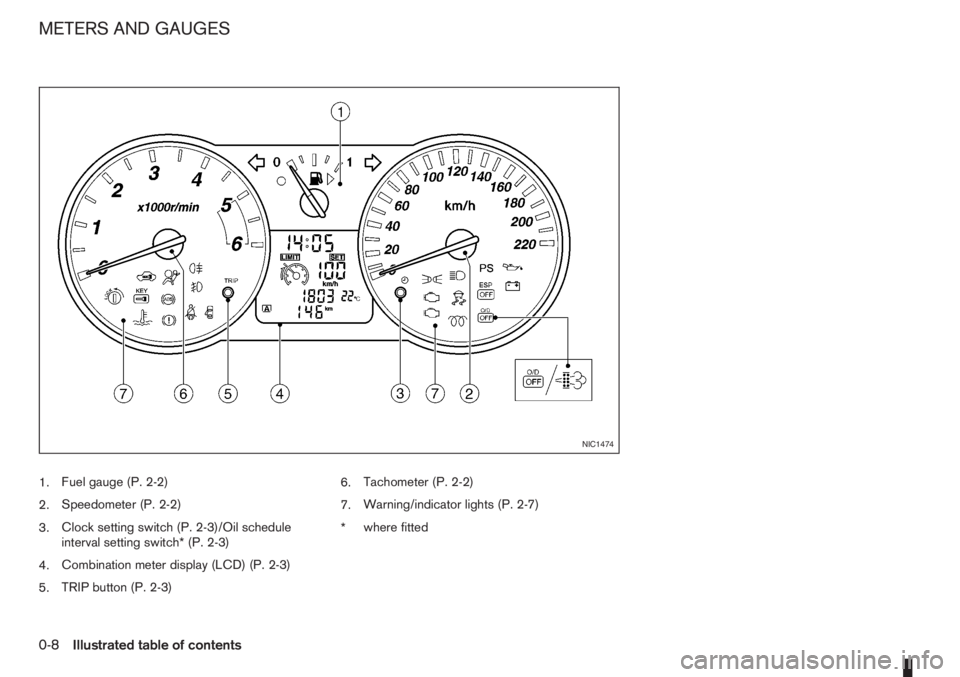
1.Fuel gauge (P. 2-2)
2.Speedometer (P. 2-2)
3.Clock setting switch (P. 2-3)/Oil schedule
interval setting switch* (P. 2-3)
4.Combination meter display (LCD) (P. 2-3)
5.TRIP button (P. 2-3)6.Tachometer (P. 2-2)
7.Warning/indicator lights (P. 2-7)
*where fitted
NIC1474
METERS AND GAUGES
0-8Illustrated table of contents
Page 43 of 235
2Instruments and controlsInstruments and controls
Meters and gauges .................................................. 2-2
Speedometer...................................................... 2-2
Tachometer ........................................................ 2-2
Fuel gauge ......................................................... 2-2
Combination meter display (LCD) ....................... 2-3
Odometer/twin trip odometer .............................. 2-3
Trip computer (where fitted)................................ 2-3
Outside temperature display ............................... 2-4
Engine oil level information (where fitted)............. 2-4
Digital clock ........................................................ 2-5
Warning/indicator lights and audible reminders ........ 2-7
Checking bulbs .................................................. 2-7
Warning lights .................................................... 2-7
Indicator lights .................................................... 2-11
Audible reminders............................................... 2-12
Wiper and washer switch ........................................ 2-13
Windscreen wiper and washer switch ................. 2-13
Rear window ...................................................... 2-14
Defogger switch ...................................................... 2-15
Rear window defogger ....................................... 2-15
Outside mirror defogger (where fitted) ................ 2-15
Headlight and turn signal switch............................... 2-16
Headlight switch ................................................. 2-16
Turn signal switch ............................................... 2-17
Fog light switch ....................................................... 2-17
Front fog light (where fitted) ................................ 2-17Rear fog light switch ........................................... 2-18
Headlight aiming control .......................................... 2-18
Headlight aiming control switch........................... 2-18
Hazard warning flasher switch ................................. 2-19
Horn ........................................................................ 2-19
Seat heating (where fitted) ....................................... 2-19
Power outlet ............................................................ 2-20
Storage ................................................................... 2-21
Glove box ........................................................... 2-21
Centre console storage box ................................ 2-22
Cup holder ......................................................... 2-22
Rear foldable tables (where fitted)....................... 2-23
Seat pockets (where fitted) ................................. 2-23
Convenience hook (where fitted)......................... 2-23
Under seat storage tray (where fitted) ................. 2-23
“Flexi-board” System (where fitted) ..................... 2-24
Utility hooks (where fitted)................................... 2-25
Power windows ....................................................... 2-25
Driver’s side main switch .................................... 2-26
Passenger’s side switch ..................................... 2-26
Automatic operation ............................................ 2-26
Interior lights ............................................................ 2-27
Room light .......................................................... 2-27
Map light (where fitted) ....................................... 2-28
Luggage compartment light ................................ 2-28
Page 44 of 235
For an overview of the instruments of the instru-
ments and controls, see “Instrument and control
layout” in the “0. Illustrated table of contents” sec-
tion.
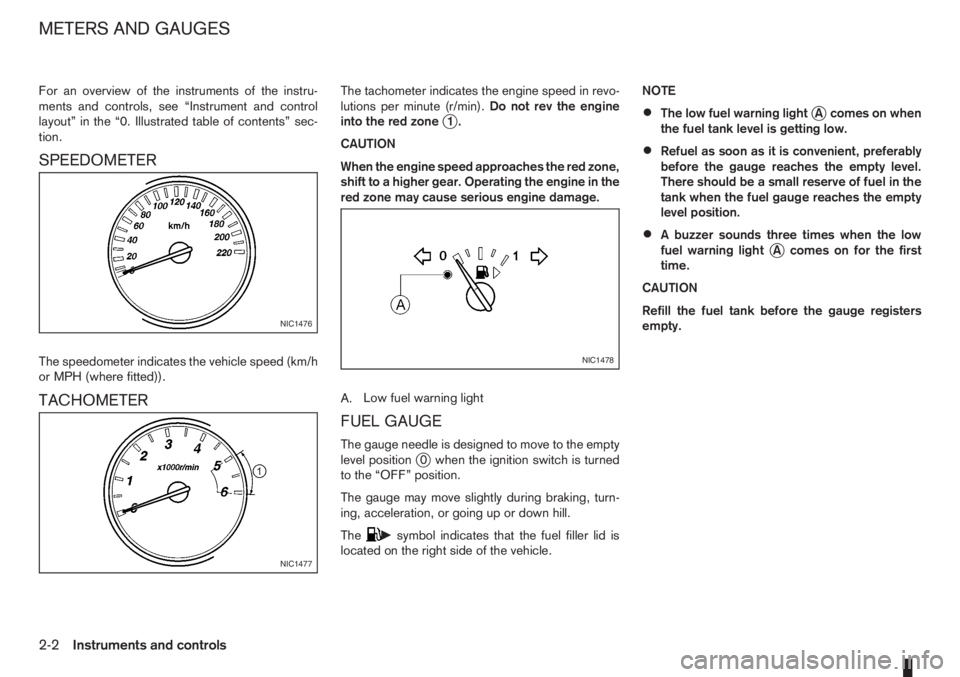
SPEEDOMETER
The speedometer indicates the vehicle speed (km/h
or MPH (where fitted)).
TACHOMETER
The tachometer indicates the engine speed in revo-
lutions per minute (r/min).Do not rev the engine
into the red zone
j1.
CAUTION
When the engine speed approaches the red zone,
shift to a higher gear. Operating the engine in the
red zone may cause serious engine damage.
A.Low fuel warning light
FUEL GAUGE
The gauge needle is designed to move to the empty
level positionj0 when the ignition switch is turned
to the “OFF” position.
The gauge may move slightly during braking, turn-
ing, acceleration, or going up or down hill.
The
csymbol indicates that the fuel filler lid is
located on the right side of the vehicle.NOTE
•The low fuel warning lightjA comes on when
the fuel tank level is getting low.
•Refuel as soon as it is convenient, preferably
before the gauge reaches the empty level.
There should be a small reserve of fuel in the
tank when the fuel gauge reaches the empty
level position.
•A buzzer sounds three times when the low
fuel warning lightjA comes on for the first
time.
CAUTION
Refill the fuel tank before the gauge registers
empty.
NIC1476
NIC1477
NIC1478
METERS AND GAUGES
2-2Instruments and controls
Page 79 of 235
WARNING
•Do not drive with the back door opened. This
could allow dangerous exhaust gases to be
drawn into the vehicle.
•Closely supervise children when they are
around the vehicle to prevent them from play-
ing and being locked in the luggage compart-
ment where they could be seriously injured.
Keep the vehicle locked, with the back door
closed, when not in use, and prevent chil-
dren’s access to the vehicle’s keys.
NISSAN ANTI-THEFT SYSTEM (NATS)
The NISSAN Anti-Theft System (NATS)* will not
allow the engine to start without the use of the reg-
istered NATS key.
* Immobilizer
If the engine fails to start using the registered NATS
key, it may be due to interference from another
NATS key, an automated toll road device or an auto-
mated payment device on the key ring. Restart the
engine using the following procedure:
1. Leave the ignition switch in the ON position for
approximately 5 seconds.
2. Turn the ignition switch to the “OFF” or LOCK
position and wait approximately 5 seconds.
3. Repeat steps 1 and 2.
4. Restart the engine while holding the device
(which may have caused the interference) sepa-
rated from the registered NATS key or NATS
Intelligent Key (where fitted).
If this procedure allows the engine to start,
NISSAN recommends placing the registered
NATS key or NATS Intelligent Key (where fitted)
on a separate key-ring to avoid interference from
other devices.
NATS security warning light
The security warning light blinks whenever the igni-
tion switch is in the LOCK, “OFF” or Acc position.
This function indicates that NATS is equipped on
the vehicle.
If the NISSAN Anti-Theft System (NATS) is mal-
functioning, this light will remain on while the ignition
key is in the ON position.
If the light remains on and/or the engine will not
start, see your NISSAN dealer for NATS service
as soon as possible. Please bring all NATS keys
or NATS Intelligent Keys when visiting your
NISSAN dealer for service.
Additional information for RHD models
If the NATS is malfunctioning, this light will turn on
after flashing six times while the ignition switch is in
the ON position.
However, if the NATS security warning light turns
off after the light has remained on for 15 minutes,
SIC2045Z
Meters and gauges
SECURITY SYSTEM
Pre-driving checks and adjustments3-9
Page 123 of 235
C.Telephone button
D.Scrolling switch
E.Source button
The audio unit can be operated by using the con-
trols on the steering wheel.
To use the steering wheel audio switch, push the
power “ON” button of the audio unit with the ignition
switch in either the Acc or ON position.
mormScrolling switch
– Preset station change (radio mode)
Push the up/down scrolling switch (
or) for
less than 1.5 seconds to select one of the preset
radio stations.
– Seek tuning (radio mode)
Push the up/down scrolling switch (
or) for
more than 1.5 seconds to seek for the next or
previous radio station.
– Track up/down (CD mode)
Push the up/down scrolling switch (
or) for
less than 1.5 seconds to select the next track or
to return to the beginning of the present track.
Push (up/down) several times to skip through or
skip back the tracks.
– DISC change (where fitted, CD mode)
Push the up/down scrolling switch (
or) for
more than 1.5 seconds to change the playing
disc.
mINFO button
For additional information about thebutton,
see “Meters and gauges” in the “2. Instruments and
controls” section.
SOURCE button
When the SRC (or SOURCE) button is pressed
repeatedly, the source will change as follows:
Radio⇒CD⇒AUX *⇒Radio
* where fitted
mTelephone button
For additional information of the telephone button,
see “Mobile phone integration (where fitted)” earlier
in this section.
mVolume control buttons
Press the + or — button to adjust the volume level.When installing large capacity wireless equipment
or a car phone in your NISSAN, be sure to observe
the following as it may adversely affect the Engine
control system and other electronic parts depend-
ing on its installation location.
CAUTION
•Keep the antenna as far as possible away from
the Electric Control Module.
•Also keep the antenna wire more than 20 cm
(8 inches) away from the Electro Injection har-
ness. Do not route the antenna wire next to
any harness.
•Adjust the antenna standing-wave ratio as rec-
ommended by the manufacturer.
•Connect the ground wire from the radio chas-
sis to the body.
For details, consult a NISSAN dealer or qualified
workshop.
CAR PHONE OR CB RADIO
Heater and air conditioner, and audio system4-39
Page 225 of 235
– Power door lock switch ................................................... 3-7
– Steering lock ............................................................ 5-7, 5-8
– Super Lock system .......................................................... 3-6
M
Maintenance
– General maintenance ....................................................... 8-2
– Maintenance precautions ................................................. 8-4
– Maintenance requirements ............................................... 8-2
– Seat belt maintenance ..................................................... 1-9
Manual transmission
– Driving with manual transmission ................................... 5-11
Meters and gauges ............................................................... 2-2
– Digital clock ..................................................................... 2-5
– Fuel gauge ...................................................................... 2-2
– Odometer ........................................................................ 2-3
– Oil change schedule set-up ............................................. 2-4
– Outside temperature display ............................................ 2-4
– Speedometer .................................................................. 2-2
– Tachometer ..................................................................... 2-2
– Trip computer .................................................................. 2-3
– Twin trip odometer .......................................................... 2-3
Mirror .................................................................................. 3-12
– Inside rear-view mirror ................................................... 3-12
– Outside rear-view mirrors .............................................. 3-12
– Vanity mirror .................................................................. 3-13
Mobile phone integration ..................................................... 4-34
N
NISSAN Anti-Theft System (NATS) ................................ 5-7, 5-9
– NATS immobilizer radio approval number ......................... 9-8
– NATS security indicator light ............................................ 3-9O
Odometer ............................................................................. 2-3
– Twin trip .......................................................................... 2-3
Oil
– Changing engine oil ......................................................... 8-9
– Changing engine oil filter ............................................... 8-11
– Checking engine oil level ................................................. 8-9
– Engine oil ........................................................................ 8-8
– Oil change schedule set-up ............................................. 2-4
– Recommended lubricants ................................................ 9-2
– Recommended SAE viscosity number .............................. 9-4
Outside temperature display .................................................. 2-4
Overheat
– Engine overheat ............................................................. 6-11
P
Parking ............................................................................... 5-22
– Ultrasonic parking sensor .............................................. 5-22
Phone
– Bluetooth® .................................................................... 4-34
– Mobile phone integration ............................................... 4-34
Power
– Power steering system .................................................. 5-27
– Power window — Driver’s side (Reinitialisation
procedure) .................................................................... 8-16
Power outlet ........................................................................ 2-20
Power windows ................................................................... 2-25
– Automatic operation ....................................................... 2-26
– Driver’s side main switch ............................................... 2-26
– Passenger’s side switch ................................................ 2-26
Pre-tensioner seat belt system ............................................... 1-9
Precaution
– Seat belt usage ............................................................... 1-6
Index10-5
Page 231 of 235
Have your car serviced regularly
Regular service allows you to run your vehicle in
optimal condition and with the best fuel efficiency.
Have your vehicle serviced by your NISSAN dealer
or a qualified workshop to ensure that it is main-
tained to its original standard.
•In case of emergency ... 6-2
(Flat tyre, engine will not start, overheating, tow-
ing)
•How to start the engine ... 5-2
•How to read the meters and gauges ... 2-2
•Maintenance and do-it-yourself ... 8-2
•Technical information ... 9-2
QUICK REFERENCE