psi NISSAN NOTE 2011 Owners Manual
[x] Cancel search | Manufacturer: NISSAN, Model Year: 2011, Model line: NOTE, Model: NISSAN NOTE 2011Pages: 235, PDF Size: 2.29 MB
Page 106 of 235
COMPACT DISC (CD) PLAYER
OPERATION
Turn the ignition switch to the Acc or ON position,
and insert the CD into the slot with the label side
facing up. The CD will be guided automatically into
the slot and will start playing.
After loading the CD and the track number will ap-
pear on the display.
If the radio is already operating, it will automatically
turn off and the CD player will start playing.
CAUTION
•Do not force the compact disc into the slot.
This could damage the player.
•Do not use 8 cm (3.1 in) discs.
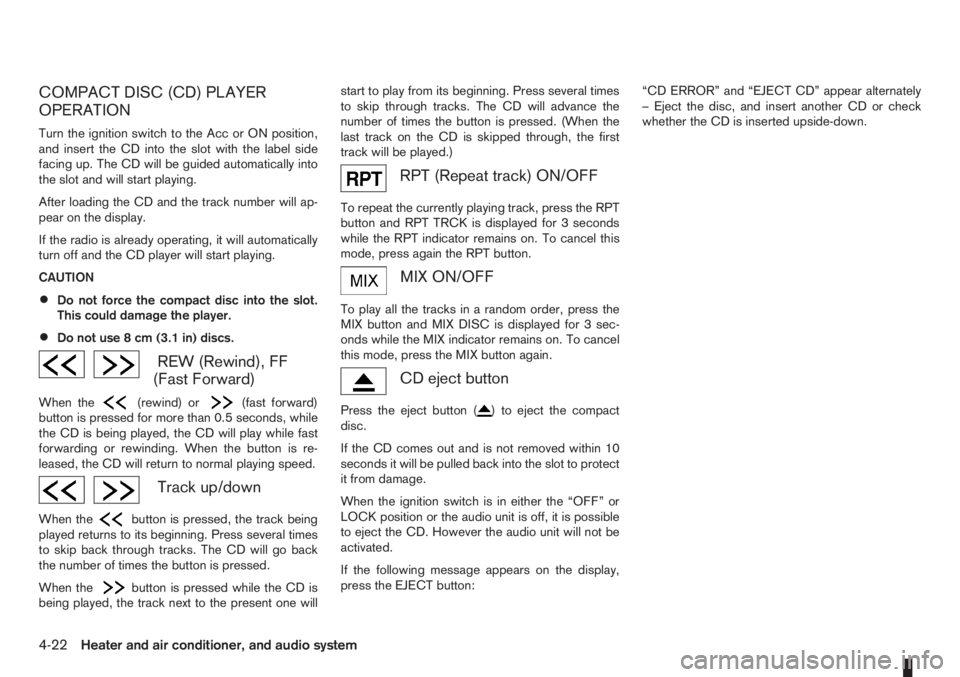
REW (Rewind), FF
(Fast Forward)
When the(rewind) or(fast forward)
button is pressed for more than 0.5 seconds, while
the CD is being played, the CD will play while fast
forwarding or rewinding. When the button is re-
leased, the CD will return to normal playing speed.
Track up/down
When thebutton is pressed, the track being
played returns to its beginning. Press several times
to skip back through tracks. The CD will go back
the number of times the button is pressed.
When the
button is pressed while the CD is
being played, the track next to the present one willstart to play from its beginning. Press several times
to skip through tracks. The CD will advance the
number of times the button is pressed. (When the
last track on the CD is skipped through, the first
track will be played.)
RPT (Repeat track) ON/OFF
To repeat the currently playing track, press the RPT
button and RPT TRCK is displayed for 3 seconds
while the RPT indicator remains on. To cancel this
mode, press again the RPT button.
mMIX ON/OFF
To play all the tracks in a random order, press the
MIX button and MIX DISC is displayed for 3 sec-
onds while the MIX indicator remains on. To cancel
this mode, press the MIX button again.
CD eject button
Press the eject button () to eject the compact
disc.
If the CD comes out and is not removed within 10
seconds it will be pulled back into the slot to protect
it from damage.
When the ignition switch is in either the “OFF” or
LOCK position or the audio unit is off, it is possible
to eject the CD. However the audio unit will not be
activated.
If the following message appears on the display,
press the EJECT button:“CD ERROR” and “EJECT CD” appear alternately
– Eject the disc, and insert another CD or check
whether the CD is inserted upside-down.
4-22Heater and air conditioner, and audio system
Page 113 of 235
Track details:
A long press on the<
/j5>button will turn the
display into a detailed overview and after a few sec-
onds it returns to the main display, or press
<
/j5>briefly.
CD eject button
CD player:
Press the <
> (eject) button and the CD will be
ejected.
Ejecting CD (with ignition switch in “OFF” or
LOCK):
When the ignition switch is in the “OFF” or LOCK
position it is possible to eject the currently played
CD. However the audio unit will not be activated.
Press the <
> button and the CD will be ejected.
NOTE
•When the CD is ejected and not removed
within 8 seconds, it will automatically retract
into the slot to protect it from damage.
•If an error message appears in the display,
press <> to eject the faulty CD and insert
another CD or check if the ejected CD is in-
serted upside down.
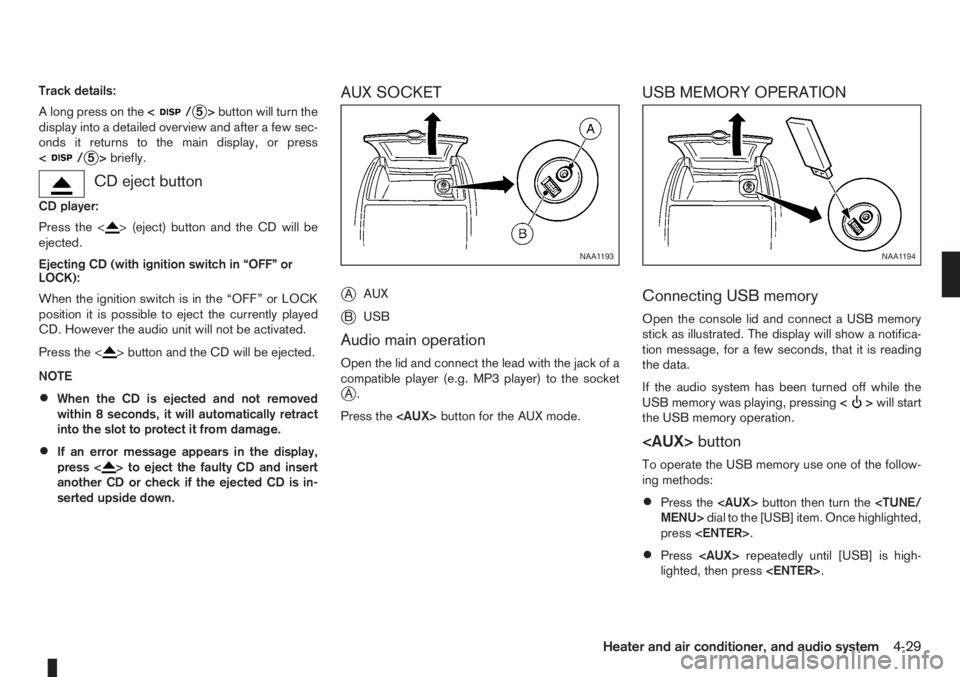
AUX SOCKET
j
AAUX
jBUSB
Audio main operation
Open the lid and connect the lead with the jack of a
compatible player (e.g. MP3 player) to the socket
jA.
Press the
USB MEMORY OPERATION
Connecting USB memory
Open the console lid and connect a USB memory
stick as illustrated. The display will show a notifica-
tion message, for a few seconds, that it is reading
the data.
If the audio system has been turned off while the
USB memory was playing, pressing<
>will start
the USB memory operation.
To operate the USB memory use one of the follow-
ing methods:
•Press the
press
•Press
lighted, then press
NAA1193NAA1194
Heater and air conditioner, and audio system4-29
Page 164 of 235
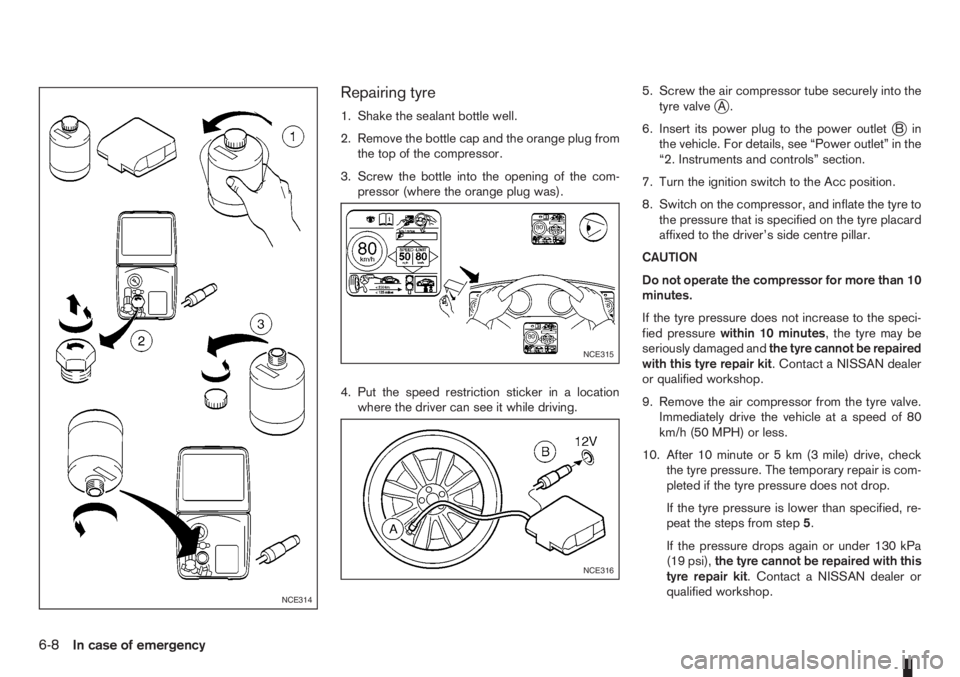
Repairing tyre
1. Shake the sealant bottle well.
2. Remove the bottle cap and the orange plug from
the top of the compressor.
3. Screw the bottle into the opening of the com-
pressor (where the orange plug was).
4. Put the speed restriction sticker in a location
where the driver can see it while driving.5. Screw the air compressor tube securely into the
tyre valvejA.
6. Insert its power plug to the power outlet
jBin
the vehicle. For details, see “Power outlet” in the
“2. Instruments and controls” section.
7. Turn the ignition switch to the Acc position.
8. Switch on the compressor, and inflate the tyre to
the pressure that is specified on the tyre placard
affixed to the driver’s side centre pillar.
CAUTION
Do not operate the compressor for more than 10
minutes.
If the tyre pressure does not increase to the speci-
fied pressurewithin 10 minutes, the tyre may be
seriously damaged andthe tyre cannot be repaired
with this tyre repair kit. Contact a NISSAN dealer
or qualified workshop.
9. Remove the air compressor from the tyre valve.
Immediately drive the vehicle at a speed of 80
km/h (50 MPH) or less.
10. After 10 minute or 5 km (3 mile) drive, check
the tyre pressure. The temporary repair is com-
pleted if the tyre pressure does not drop.
If the tyre pressure is lower than specified, re-
peat the steps from step5.
If the pressure drops again or under 130 kPa
(19 psi),the tyre cannot be repaired with this
tyre repair kit. Contact a NISSAN dealer or
qualified workshop.
NCE314
NCE315
NCE316
6-8In case of emergency