warning NISSAN NOTE 2012 Workshop Manual
[x] Cancel search | Manufacturer: NISSAN, Model Year: 2012, Model line: NOTE, Model: NISSAN NOTE 2012Pages: 235, PDF Size: 2.29 MB
Page 79 of 235
WARNING
•Do not drive with the back door opened. This
could allow dangerous exhaust gases to be
drawn into the vehicle.
•Closely supervise children when they are
around the vehicle to prevent them from play-
ing and being locked in the luggage compart-
ment where they could be seriously injured.
Keep the vehicle locked, with the back door
closed, when not in use, and prevent chil-
dren’s access to the vehicle’s keys.
NISSAN ANTI-THEFT SYSTEM (NATS)
The NISSAN Anti-Theft System (NATS)* will not
allow the engine to start without the use of the reg-
istered NATS key.
* Immobilizer
If the engine fails to start using the registered NATS
key, it may be due to interference from another
NATS key, an automated toll road device or an auto-
mated payment device on the key ring. Restart the
engine using the following procedure:
1. Leave the ignition switch in the ON position for
approximately 5 seconds.
2. Turn the ignition switch to the “OFF” or LOCK
position and wait approximately 5 seconds.
3. Repeat steps 1 and 2.
4. Restart the engine while holding the device
(which may have caused the interference) sepa-
rated from the registered NATS key or NATS
Intelligent Key (where fitted).
If this procedure allows the engine to start,
NISSAN recommends placing the registered
NATS key or NATS Intelligent Key (where fitted)
on a separate key-ring to avoid interference from
other devices.
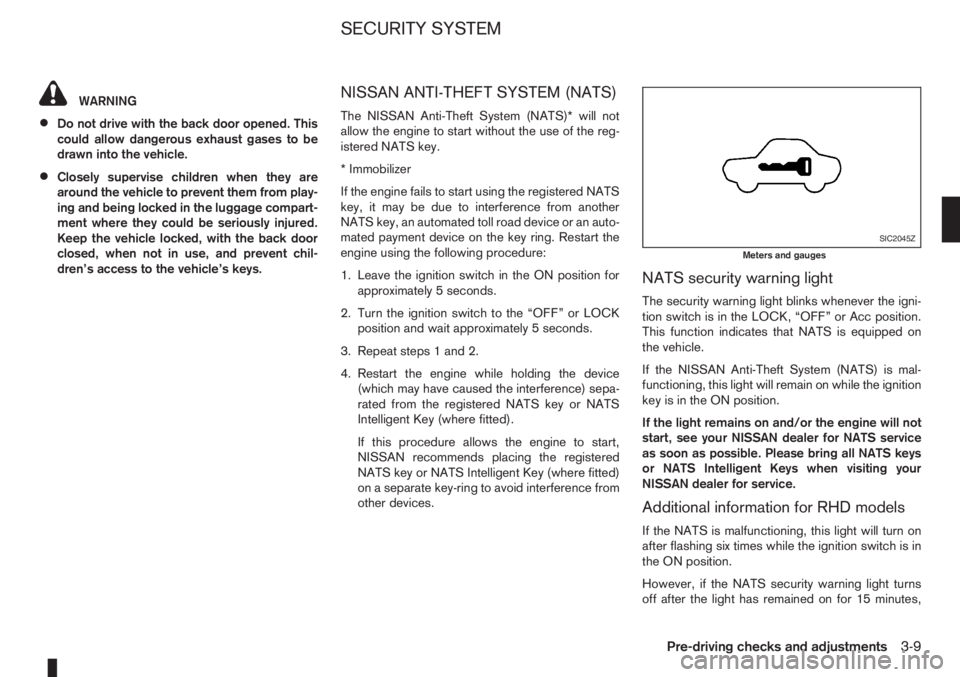
NATS security warning light
The security warning light blinks whenever the igni-
tion switch is in the LOCK, “OFF” or Acc position.
This function indicates that NATS is equipped on
the vehicle.
If the NISSAN Anti-Theft System (NATS) is mal-
functioning, this light will remain on while the ignition
key is in the ON position.
If the light remains on and/or the engine will not
start, see your NISSAN dealer for NATS service
as soon as possible. Please bring all NATS keys
or NATS Intelligent Keys when visiting your
NISSAN dealer for service.
Additional information for RHD models
If the NATS is malfunctioning, this light will turn on
after flashing six times while the ignition switch is in
the ON position.
However, if the NATS security warning light turns
off after the light has remained on for 15 minutes,
SIC2045Z
Meters and gauges
SECURITY SYSTEM
Pre-driving checks and adjustments3-9
Page 80 of 235
there is a 10 second time slot to start the engine
after the ignition is turned off. See your NISSAN
dealer for NATS service as soon as possible.
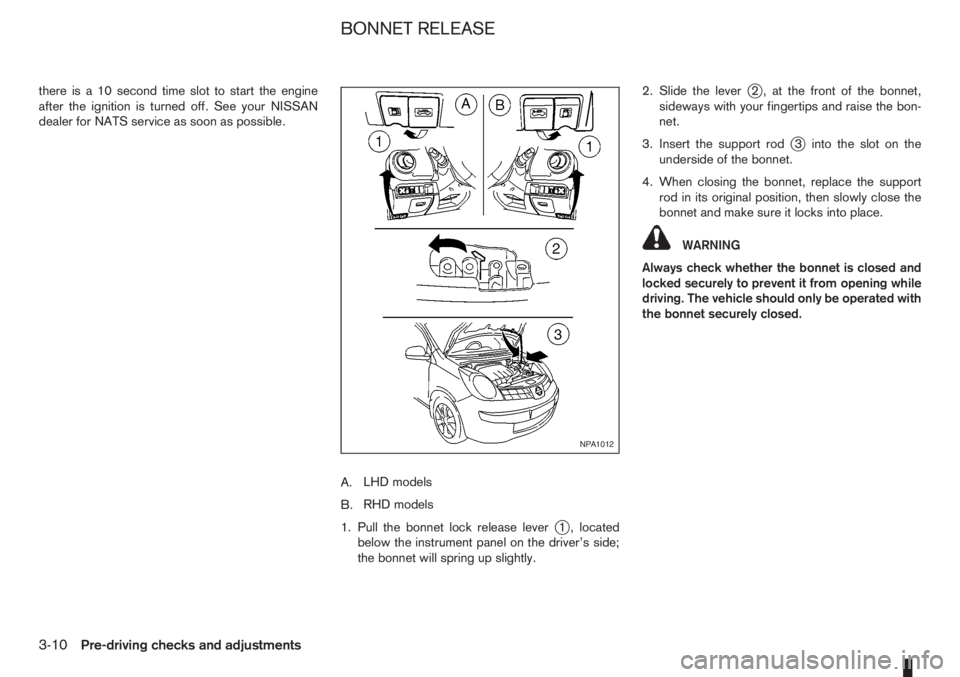
A.LHD models
B.RHD models
1. Pull the bonnet lock release lever
j1 , located
below the instrument panel on the driver’s side;
the bonnet will spring up slightly.2. Slide the lever
j2 , at the front of the bonnet,
sideways with your fingertips and raise the bon-
net.
3. Insert the support rod
j3 into the slot on the
underside of the bonnet.
4. When closing the bonnet, replace the support
rod in its original position, then slowly close the
bonnet and make sure it locks into place.
WARNING
Always check whether the bonnet is closed and
locked securely to prevent it from opening while
driving. The vehicle should only be operated with
the bonnet securely closed.
NPA1012
BONNET RELEASE
3-10Pre-driving checks and adjustments
Page 81 of 235
FUEL FILLER LID OPENER LEVER
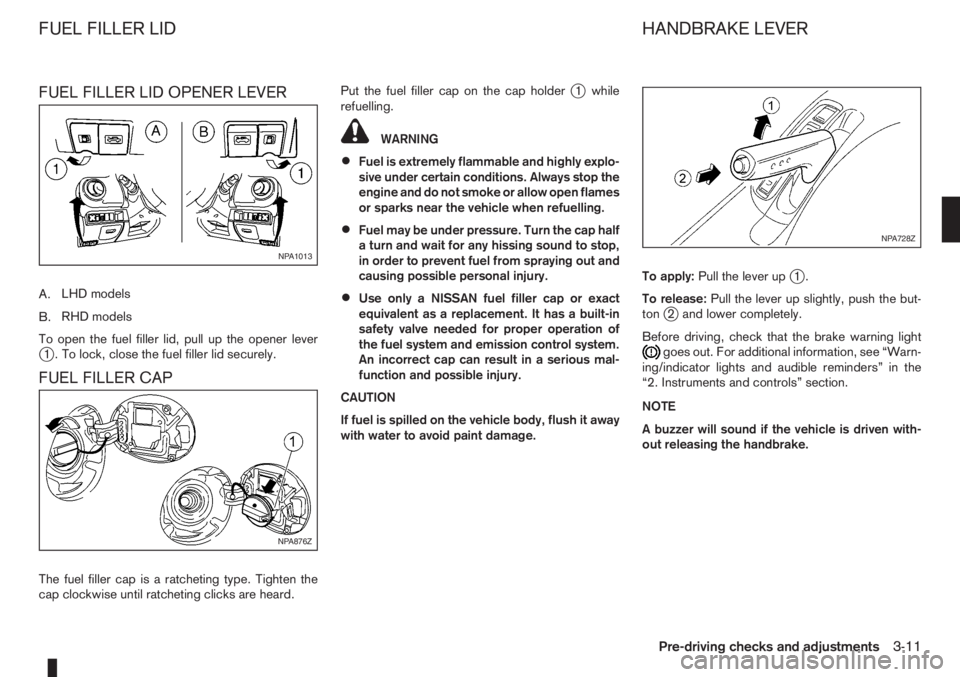
A.LHD models
B.RHD models
To open the fuel filler lid, pull up the opener lever
j1 . To lock, close the fuel filler lid securely.
FUEL FILLER CAP
The fuel filler cap is a ratcheting type. Tighten the
cap clockwise until ratcheting clicks are heard.Put the fuel filler cap on the cap holder
j1 while
refuelling.
WARNING
•Fuel is extremely flammable and highly explo-
sive under certain conditions. Always stop the
engine and do not smoke or allow open flames
or sparks near the vehicle when refuelling.
•Fuel may be under pressure. Turn the cap half
a turn and wait for any hissing sound to stop,
in order to prevent fuel from spraying out and
causing possible personal injury.
•Use only a NISSAN fuel filler cap or exact
equivalent as a replacement. It has a built-in
safety valve needed for proper operation of
the fuel system and emission control system.
An incorrect cap can result in a serious mal-
function and possible injury.
CAUTION
If fuel is spilled on the vehicle body, flush it away
with water to avoid paint damage.To apply:Pull the lever up
j1.
To release:Pull the lever up slightly, push the but-
ton
j2 and lower completely.
Before driving, check that the brake warning light
goes out. For additional information, see “Warn-
ing/indicator lights and audible reminders” in the
“2. Instruments and controls” section.
NOTE
A buzzer will sound if the vehicle is driven with-
out releasing the handbrake.
NPA1013
NPA876Z
NPA728Z
FUEL FILLER LID HANDBRAKE LEVER
Pre-driving checks and adjustments3-11
Page 82 of 235
WARNING
Do not adjust the steering wheel while driving.
You could lose control of your vehicle and cause
an accident.
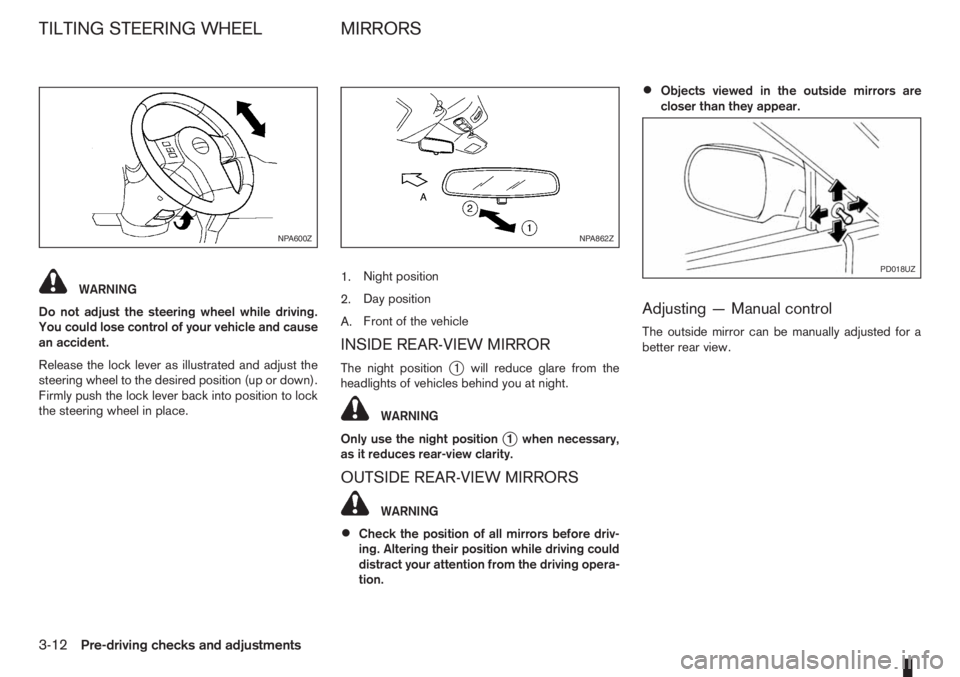
Release the lock lever as illustrated and adjust the
steering wheel to the desired position (up or down).
Firmly push the lock lever back into position to lock
the steering wheel in place.1.Night position
2.Day position
A.Front of the vehicle
INSIDE REAR-VIEW MIRROR
The night positionj1 will reduce glare from the
headlights of vehicles behind you at night.
WARNING
Only use the night position
j1 when necessary,
as it reduces rear-view clarity.
OUTSIDE REAR-VIEW MIRRORS
WARNING
•Check the position of all mirrors before driv-
ing. Altering their position while driving could
distract your attention from the driving opera-
tion.
•Objects viewed in the outside mirrors are
closer than they appear.
Adjusting — Manual control
The outside mirror can be manually adjusted for a
better rear view.
NPA600ZNPA862Z
PD018UZ
TILTING STEERING WHEEL MIRRORS
3-12Pre-driving checks and adjustments
Page 84 of 235
WARNING
Never put anything on the rear parcel shelf, no
matter how small. Any object on it could cause
an injury in an accident or when the brakes are
applied suddenly.
CAUTION
The rear parcel shelf flap provides a hide-awayfacility to the luggage compartment whether the
rear seat is at its rearmost position or not. Do not
store objects onto the rear parcel shelf flap as it
may impair the sliding operation of the rear seat.
REAR PARCEL SHELF REMOVAL
1. Slide the rear bench seat forward through the
back door opening. See “Rear seat” in the
“1. Safety — seats, seat belts and supplemental
restraint system” section for further details.
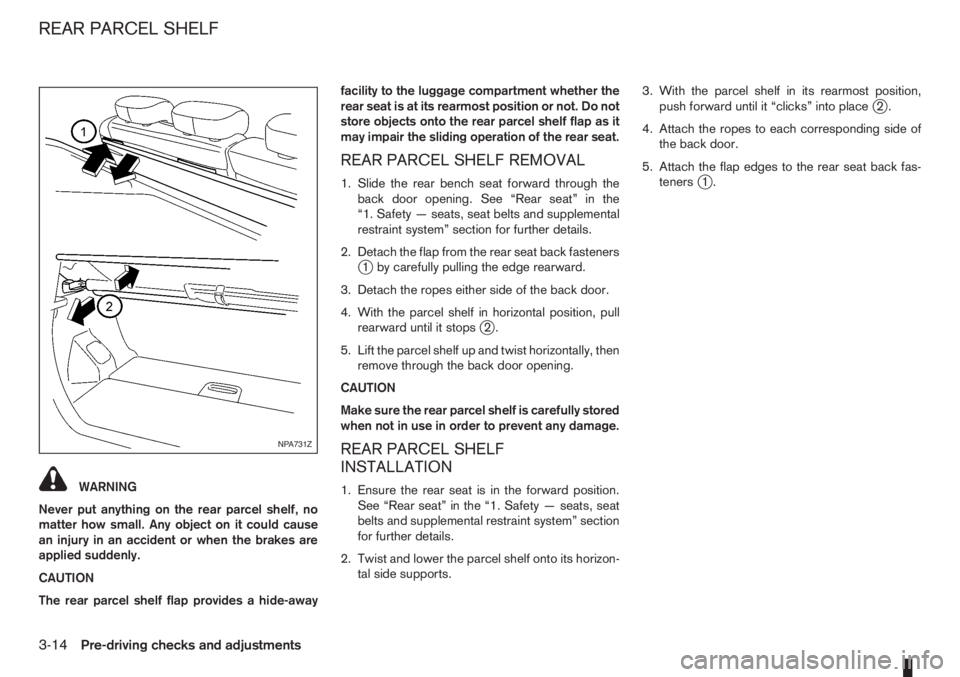
2. Detach the flap from the rear seat back fasteners
j1 by carefully pulling the edge rearward.
3. Detach the ropes either side of the back door.
4. With the parcel shelf in horizontal position, pull
rearward until it stops
j2.
5. Lift the parcel shelf up and twist horizontally, then
remove through the back door opening.
CAUTION
Make sure the rear parcel shelf is carefully stored
when not in use in order to prevent any damage.
REAR PARCEL SHELF
INSTALLATION
1. Ensure the rear seat is in the forward position.
See “Rear seat” in the “1. Safety — seats, seat
belts and supplemental restraint system” section
for further details.
2. Twist and lower the parcel shelf onto its horizon-
tal side supports.3. With the parcel shelf in its rearmost position,
push forward until it “clicks” into place
j2.
4. Attach the ropes to each corresponding side of
the back door.
5. Attach the flap edges to the rear seat back fas-
teners
j1.
NPA731Z
REAR PARCEL SHELF
3-14Pre-driving checks and adjustments
Page 86 of 235
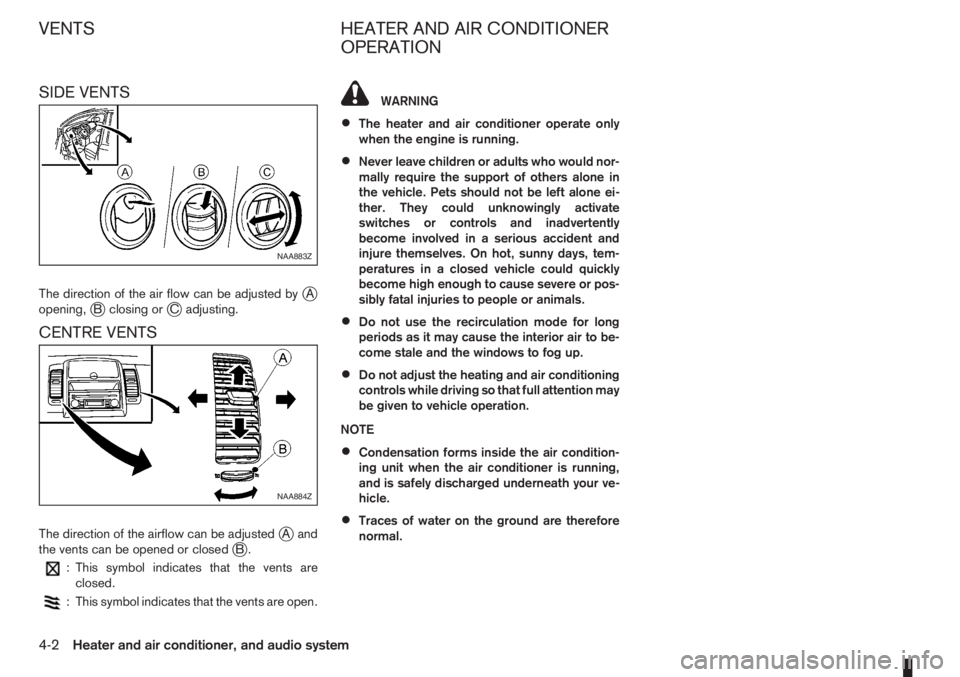
SIDE VENTS
The direction of the air flow can be adjusted byjA
opening,jB closing orjC adjusting.
CENTRE VENTS
The direction of the airflow can be adjustedjAand
the vents can be opened or closedjB.
: This symbol indicates that the vents are
closed.
: This symbol indicates that the vents are open.
WARNING
•The heater and air conditioner operate only
when the engine is running.
•Never leave children or adults who would nor-
mally require the support of others alone in
the vehicle. Pets should not be left alone ei-
ther. They could unknowingly activate
switches or controls and inadvertently
become involved in a serious accident and
injure themselves. On hot, sunny days, tem-
peratures in a closed vehicle could quickly
become high enough to cause severe or pos-
sibly fatal injuries to people or animals.
•Do not use the recirculation mode for long
periods as it may cause the interior air to be-
come stale and the windows to fog up.
•Do not adjust the heating and air conditioning
controls while driving so that full attention may
be given to vehicle operation.
NOTE
•Condensation forms inside the air condition-
ing unit when the air conditioner is running,
and is safely discharged underneath your ve-
hicle.
•Traces of water on the ground are therefore
normal.
NAA883Z
NAA884Z
VENTS HEATER AND AIR CONDITIONER
OPERATION
4-2Heater and air conditioner, and audio system
Page 89 of 235
Operating tips
•In order to improve the heater operation, clear
the snow and ice from the wiper blade and air
inlet in front of the windscreen.
•After parking in the sun, drive for two or three
minutes with the windows open to vent hot air
from the passenger compartment. Then close
the windows to allow the acceleration of the air
conditioner’s cooling operation.
•Keep the windows closed while the air condi-
tioner is operating.
•The air conditioning system should be operated
for about 10 minutes, at least once a month. This
helps prevent damage to the system due to lack
of lubrication.
•If the coolant temperature warning light comes
on, turn the air conditioner off. For additional
information, see “Engine overheat” in the “6. In
case of emergency” section.
•If the engine coolant reaches an extremely high
temperature, the air conditioning system will au-
tomatically turn off. This may happen for example
if the engine runs at idle speed for a long time on
a hot day.
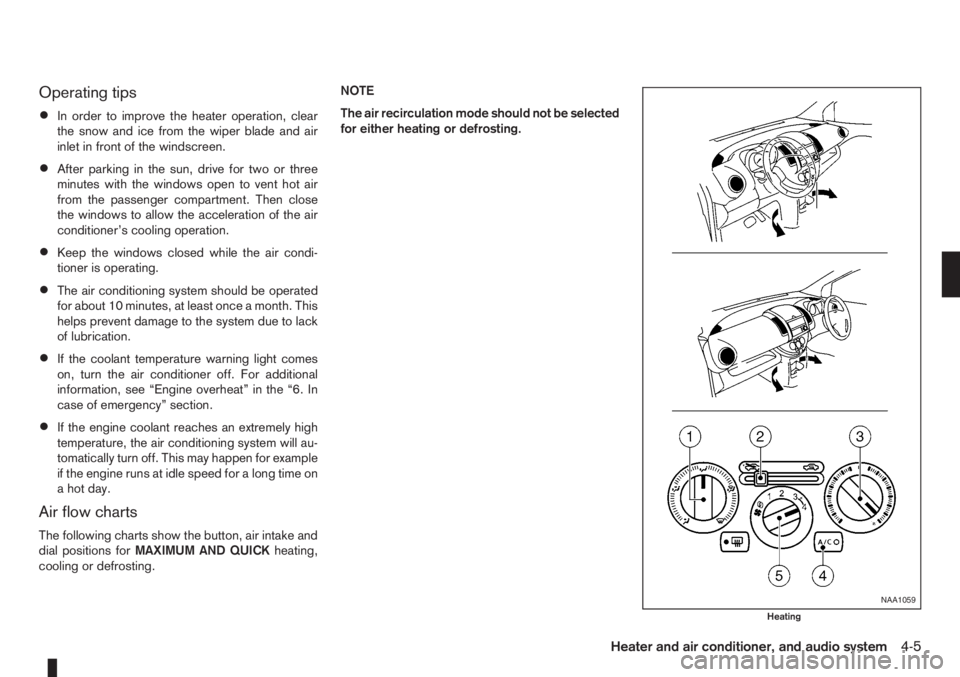
Air flow charts
The following charts show the button, air intake and
dial positions forMAXIMUM AND QUICKheating,
cooling or defrosting.NOTE
The air recirculation mode should not be selected
for either heating or defrosting.
NAA1059
Heating
Heater and air conditioner, and audio system4-5
Page 94 of 235
•If the coolant temperature warning light comes
on, turn the air conditioner off. For additional
information, see “Engine overheat” in the “6. In
case of emergency” section.
•If the engine coolant reaches an extremely high
temperature, the air conditioning system will au-
tomatically turn off. This may happen for example
if the engine runs at idle speed for a long time on
a hot day.
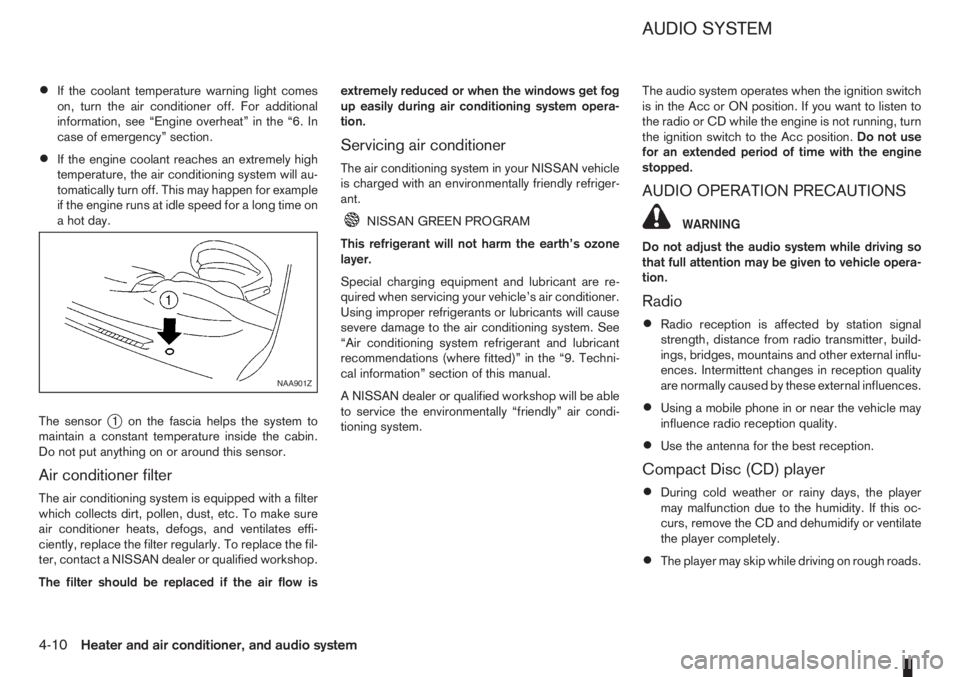
The sensor
j1 on the fascia helps the system to
maintain a constant temperature inside the cabin.
Do not put anything on or around this sensor.
Air conditioner filter
The air conditioning system is equipped with a filter
which collects dirt, pollen, dust, etc. To make sure
air conditioner heats, defogs, and ventilates effi-
ciently, replace the filter regularly. To replace the fil-
ter, contact a NISSAN dealer or qualified workshop.
The filter should be replaced if the air flow isextremely reduced or when the windows get fog
up easily during air conditioning system opera-
tion.
Servicing air conditioner
The air conditioning system in your NISSAN vehicle
is charged with an environmentally friendly refriger-
ant.
NISSAN GREEN PROGRAM
This refrigerant will not harm the earth’s ozone
layer.
Special charging equipment and lubricant are re-
quired when servicing your vehicle’s air conditioner.
Using improper refrigerants or lubricants will cause
severe damage to the air conditioning system. See
“Air conditioning system refrigerant and lubricant
recommendations (where fitted)” in the “9. Techni-
cal information” section of this manual.
A NISSAN dealer or qualified workshop will be able
to service the environmentally “friendly” air condi-
tioning system.The audio system operates when the ignition switch
is in the Acc or ON position. If you want to listen to
the radio or CD while the engine is not running, turn
the ignition switch to the Acc position.Do not use
for an extended period of time with the engine
stopped.
AUDIO OPERATION PRECAUTIONS
WARNING
Do not adjust the audio system while driving so
that full attention may be given to vehicle opera-
tion.
Radio
•Radio reception is affected by station signal
strength, distance from radio transmitter, build-
ings, bridges, mountains and other external influ-
ences. Intermittent changes in reception quality
are normally caused by these external influences.
•Using a mobile phone in or near the vehicle may
influence radio reception quality.
•Use the antenna for the best reception.
Compact Disc (CD) player
•During cold weather or rainy days, the player
may malfunction due to the humidity. If this oc-
curs, remove the CD and dehumidify or ventilate
the player completely.
•The player may skip while driving on rough roads.
NAA901Z
AUDIO SYSTEM
4-10Heater and air conditioner, and audio system
Page 103 of 235
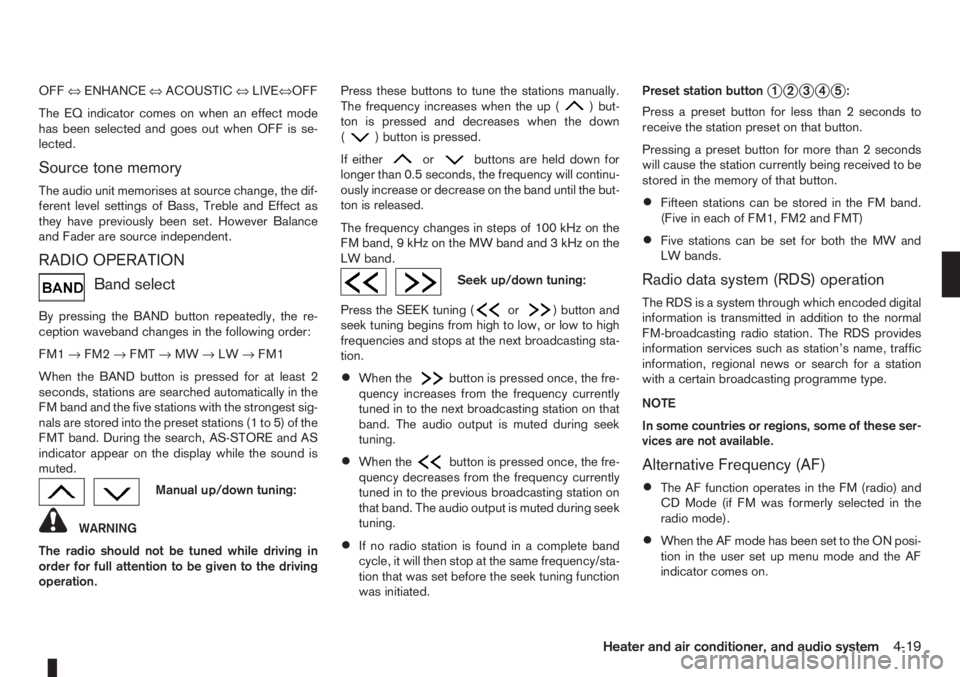
OFF⇔ENHANCE⇔ACOUSTIC⇔LIVE⇔OFF
The EQ indicator comes on when an effect mode
has been selected and goes out when OFF is se-
lected.
Source tone memory
The audio unit memorises at source change, the dif-
ferent level settings of Bass, Treble and Effect as
they have previously been set. However Balance
and Fader are source independent.
RADIO OPERATION
Band select
By pressing the BAND button repeatedly, the re-
ception waveband changes in the following order:
FM1→FM2→FMT→MW→LW→FM1
When the BAND button is pressed for at least 2
seconds, stations are searched automatically in the
FM band and the five stations with the strongest sig-
nals are stored into the preset stations (1 to 5) of the
FMT band. During the search, AS-STORE and AS
indicator appear on the display while the sound is
muted.
Manual up/down tuning:
WARNING
The radio should not be tuned while driving in
order for full attention to be given to the driving
operation.Press these buttons to tune the stations manually.
The frequency increases when the up (
) but-
ton is pressed and decreases when the down
(
) button is pressed.
If either
orbuttons are held down for
longer than 0.5 seconds, the frequency will continu-
ously increase or decrease on the band until the but-
ton is released.
The frequency changes in steps of 100 kHz on the
FMband,9kHzontheMWbandand3kHzonthe
LW band.
Seek up/down tuning:
Press the SEEK tuning (
or) button and
seek tuning begins from high to low, or low to high
frequencies and stops at the next broadcasting sta-
tion.
•When thebutton is pressed once, the fre-
quency increases from the frequency currently
tuned in to the next broadcasting station on that
band. The audio output is muted during seek
tuning.
•When thebutton is pressed once, the fre-
quency decreases from the frequency currently
tuned in to the previous broadcasting station on
that band. The audio output is muted during seek
tuning.
•If no radio station is found in a complete band
cycle, it will then stop at the same frequency/sta-
tion that was set before the seek tuning function
was initiated.Preset station button
j1j2j3j4j5:
Press a preset button for less than 2 seconds to
receive the station preset on that button.
Pressing a preset button for more than 2 seconds
will cause the station currently being received to be
stored in the memory of that button.
•Fifteen stations can be stored in the FM band.
(Five in each of FM1, FM2 and FMT)
•Five stations can be set for both the MW and
LW bands.
Radio data system (RDS) operation
The RDS is a system through which encoded digital
information is transmitted in addition to the normal
FM-broadcasting radio station. The RDS provides
information services such as station’s name, traffic
information, regional news or search for a station
with a certain broadcasting programme type.
NOTE
In some countries or regions, some of these ser-
vices are not available.
Alternative Frequency (AF)
•The AF function operates in the FM (radio) and
CD Mode (if FM was formerly selected in the
radio mode).
•When the AF mode has been set to the ON posi-
tion in the user set up menu mode and the AF
indicator comes on.
Heater and air conditioner, and audio system4-19
Page 109 of 235
– Turn the
– Press the
RADIO OPERATION
When the<>(power ON/OFF) button is
pressed, the audio unit will switch on with the last
received radio station, if the audio unit was previ-
ously switched off in radio mode.
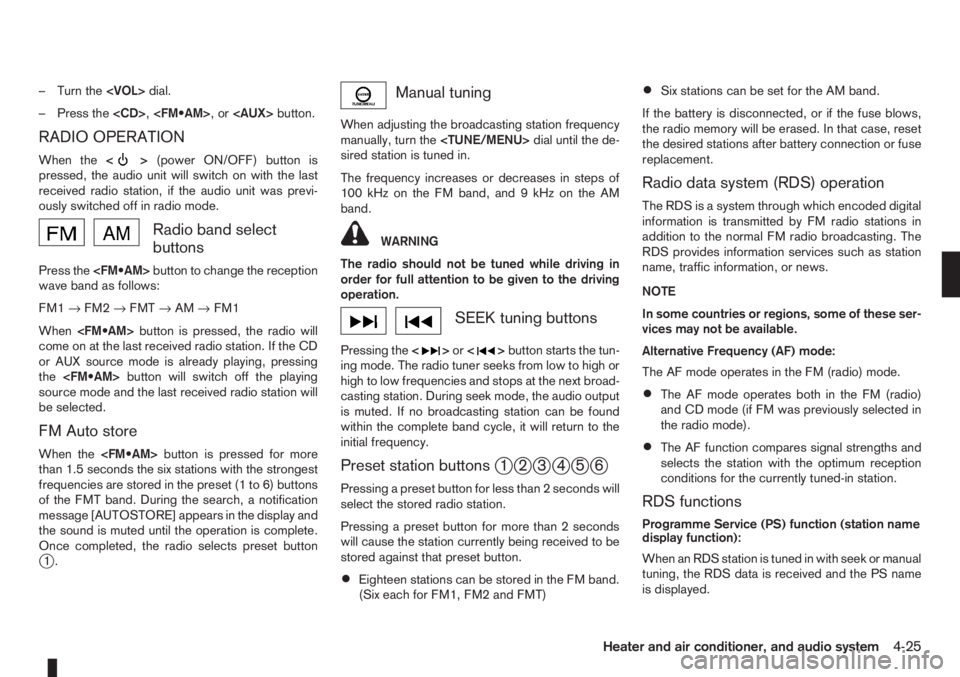
Radio band select
buttons
Press the
wave band as follows:
FM1→FM2→FMT→AM→FM1
When
come on at the last received radio station. If the CD
or AUX source mode is already playing, pressing
the
source mode and the last received radio station will
be selected.
FM Auto store
When the
than 1.5 seconds the six stations with the strongest
frequencies are stored in the preset (1 to 6) buttons
of the FMT band. During the search, a notification
message [AUTOSTORE] appears in the display and
the sound is muted until the operation is complete.
Once completed, the radio selects preset button
j1.
Manual tuning
When adjusting the broadcasting station frequency
manually, turn the
sired station is tuned in.
The frequency increases or decreases in steps of
100 kHz on the FM band, and 9 kHz on the AM
band.
WARNING
The radio should not be tuned while driving in
order for full attention to be given to the driving
operation.
SEEK tuning buttons
Pressing the<>or<>button starts the tun-
ing mode. The radio tuner seeks from low to high or
high to low frequencies and stops at the next broad-
casting station. During seek mode, the audio output
is muted. If no broadcasting station can be found
within the complete band cycle, it will return to the
initial frequency.
Preset station buttonsj1j2j3j4j5j6
Pressing a preset button for less than 2 seconds will
select the stored radio station.
Pressing a preset button for more than 2 seconds
will cause the station currently being received to be
stored against that preset button.
•Eighteen stations can be stored in the FM band.
(Six each for FM1, FM2 and FMT)
•Six stations can be set for the AM band.
If the battery is disconnected, or if the fuse blows,
the radio memory will be erased. In that case, reset
the desired stations after battery connection or fuse
replacement.
Radio data system (RDS) operation
The RDS is a system through which encoded digital
information is transmitted by FM radio stations in
addition to the normal FM radio broadcasting. The
RDS provides information services such as station
name, traffic information, or news.
NOTE
In some countries or regions, some of these ser-
vices may not be available.
Alternative Frequency (AF) mode:
The AF mode operates in the FM (radio) mode.
•The AF mode operates both in the FM (radio)
and CD mode (if FM was previously selected in
the radio mode).
•The AF function compares signal strengths and
selects the station with the optimum reception
conditions for the currently tuned-in station.
RDS functions
Programme Service (PS) function (station name
display function):
When an RDS station is tuned in with seek or manual
tuning, the RDS data is received and the PS name
is displayed.
Heater and air conditioner, and audio system4-25