radio NISSAN NV PASSENGER VAN 2018 Owner's Guide
[x] Cancel search | Manufacturer: NISSAN, Model Year: 2018, Model line: NV PASSENGER VAN, Model: NISSAN NV PASSENGER VAN 2018Pages: 426, PDF Size: 4.52 MB
Page 268 of 426
∙ The TIRE PRES warning does not appearif the low tire pressure warning light illu-
minates to indicate a TPMS malfunc-
tion. Instead, TPMS ERROR will appear in
the trip computer.
∙ Tire pressure rises and falls depending on the heat caused by the vehicle’s op-
eration and the outside temperature.
Do not reduce the tire pressure af ter
driving because the tire pressure rises
af ter driving. Low outside temperature
can lower the temperature of the air
inside the tire which can cause a lower
tire inflation pressure. This may cause
the low tire pressure warning light to
illuminate. If the warning light illumi-
nates, check the tire pressure for all four
tires.
∙ The Tire and Loading Information label is located in the driver’s door opening.
For additional information, refer to “Low tire
pressure warning light” in the “Instruments
and controls” section and “Tire Pressure
Monitoring System (TPMS)” in the “In case of
emergency” section of this manual.WARNING
∙ Radio waves could adversely affect electric medical equipment. Those
who use a pacemaker should contact
the electric medical equipment
manufacturer for the possible influ-
ences before use.
∙ If the low tire pressure warning light illuminates while driving, avoid sud-
den steering maneuvers or abrupt
braking, reduce vehicle speed, pull off
the road to a safe location and stop
the vehicle as soon as possible. Driv-
ing with under-inflated tires may per-
manently damage the tires and in-
crease the likelihood of tire failure.
Serious vehicle damage could occur
and may lead to an accident and could
result in serious personal injury.
Check the tire pressure for all four
tires. Adjust the tire pressure to the
recommended COLD tire pressure
shown on the Tire and Loading Infor-
mation label to turn the low tire pres-
sure warning light off. If you have a flat
tire, replace it with a spare tire as soon
as possible. (For additional informa-
tion, refer to “Flat tire” in the “In case of
emergency ” section of this manual.) ∙ When replacing a wheel without the
TPMS such as the spare tire, when a
spare tire is mounted or a wheel is
replaced, tire pressure will not be indi-
cated, the TPMS will not function and
the low tire pressure warning light will
flash for approximately 1 minute. The
light will remain on af ter 1 minute.
Have your tires replaced and/or TPMS
system reset as soon as possible. It is
recommended that you visit a NISSAN
dealer for this service.
∙ Replacing tires with those not origi- nally specified by NISSAN could affect
the proper operation of the TPMS.
∙ Do not inject any tire liquid or aerosol tire sealant into the tires, as this may
cause a malfunction of the tire pres-
sure sensors.
CAUTION
Do not place metalized film or any
metal parts (antenna, etc.) on the win-
dows. This may cause poor reception of
the signals from the tire pressure sen-
sors, and the TPMS will not function
properly.
Starting and driving5-5
Page 269 of 426
Some devices and transmitters may tem-
porarily interfere with the operation of the
TPMS and cause the low tire pressure
warning light to illuminate.
Some examples are:∙ Facilities or electric devices using simi- lar radio frequencies are near the ve-
hicle.
∙ If a transmitter set to similar frequen- cies is being used in or near the vehicle.
∙ If a computer (or similar equipment) or a DC/AC converter is being used in or
near the vehicle.
The low tire pressure warning light may
illuminate in the following cases: ∙ If the vehicle is equipped with a wheel and tire without TPMS.
∙ If the TPMS has been replaced and the ID has not been registered.
∙ If the wheel is not originally specified by NISSAN. FCC Notice:
For USA:
This device complies with Part 15 of the
FCC Rules. Operation is subject to the fol-
lowing two conditions: (1) This device
may not cause harmful interference, and
(2) this device must accept any interfer-
ence received, including interference
that may cause undesired operation.
NOTE:
Changes or modifications not expressly
approved by the party responsible for
compliance could void the user’s author-
ity to operate the equipment.
For Canada:
This device complies with Industry
Canada licence-exempt RSS standard(s).
Operation is subject to the following two
conditions: (1) this device may not cause
interference, and (2) this device must ac-
cept any interference, including interfer-
ence that may cause undesired opera-
tion of the device.AVOIDING COLLISION AND
ROLLOVER
WARNING
Failure to operate this vehicle in a safe
and prudent manner may result in loss
of control or an accident.
Be alert and drive defensively at all times.
Obey all traffic regulations. Avoid excessive
speed, high speed cornering, or sudden
steering maneuvers, because these driving
practices could cause you to lose control of
your vehicle.
As with any vehicle, loss of control could
result in a collision with other vehicles or
objects or cause the vehicle to roll over,
particularly if the loss of control causes
the vehicle to slide sideways.
Be attentive at all times, and avoid driving
when tired. Never drive when under the in-
fluence of alcohol or drugs (including pre-
scription or over-the-counter drugs which
may cause drowsiness). Always wear your
seat belt as outlined in the “Safety – Seats,
seat belts and supplemental restraint sys-
tem” section of this manual, and also in-
struct your passengers to do so.
5-6Starting and driving
Page 273 of 426
IGNITION SWITCH POSITIONS
LOCK: Normal parking position (0)
OFF: (1)
The engine can be turned off without lock-
ing the steering wheel.
ACC: (Accessories) (2)
This position activates electrical accesso-
ries such as the radio when the engine is
not running.
ON: Normal operating position (3)
This position turns on the ignition system
and the electrical accessories.
START: (4)
This position starts the engine. As soon as
the engine has started, release the key. It
automatically returns to the ON position.
NISSAN VEHICLE IMMOBILIZER
SYSTEM (if so equipped)
The NISSAN Vehicle Immobilizer System
will not allow the engine to start without
the use of the registered key.
If the engine fails to start using a registered
key (for example, when interference is
caused by another registered key, an auto-
mated toll road device or automatic pay-
ment device on the key ring), restart the
engine using the following procedures:1. Leave the ignition switch in the ON po- sition for approximately 5 seconds.
2. Place the ignition switch in the OFF or LOCK position, and wait approximately
10 seconds.
3. Repeat steps 1 and 2.
4. Restart the engine while holding the device (which may have caused the in-
terference) separate from the regis-
tered key.
If the no start condition re-occurs, NISSAN
recommends placing the registered key on
a separate key ring to avoid interference
from other devices. ∙ Make sure the area around the vehicle is
clear.
∙ Check fluid levels such as engine oil, coolant, brake fluid, and windshield-
washer fluid as frequently as possible,
or at least whenever you refuel.
∙ Check that all windows and lights are clean.
∙ Visually inspect tires for their appear- ance and condition. Also check tires for
proper inflation.
∙ Check that all doors are closed.
∙ Position seat and adjust head restraints/headrests.
∙ Adjust inside and outside mirrors.
∙ Fasten seat belts and ask all passen- gers to do likewise.
∙ Check the operation of warning lights when the ignition switch is placed in the
ON position. For additional information,
refer to “Warning lights, indicator lights
and audible reminders” in the “Instru-
ments and controls” section of this
manual.
BEFORE STARTING THE ENGINE
5-10Starting and driving
Page 300 of 426
WARNING
∙ Radio waves could adversely affectelectric medical equipment. Those
who use a pacemaker should contact
the electric medical equipment
manufacturer for the possible influ-
ences before use.
∙ If the low tire pressure warning light illuminates while driving, avoid sud-
den steering maneuvers or abrupt
braking, reduce vehicle speed, pull off
the road to a safe location and stop
the vehicle as soon as possible. Driv-
ing with under-inflated tires may per-
manently damage the tires and in-
crease the likelihood of tire failure.
Serious vehicle damage could occur
and may lead to an accident and could
result in serious personal injury.
Check the tire pressure for all four
tires. Adjust the tire pressure to the
recommended COLD tire pressure
shown on the Tire and Loading Infor-
mation label to turn the low tire pres-
sure warning light OFF. If you have a
flat tire, replace it with a spare tire as
soon as possible. ∙ When replacing a wheel without TPMS
such as the spare tire, TPMS will not
function and the low tire pressure
warning light will flash for approxi-
mately 1 minute. The light will remain
on af ter 1 minute. Have your tires re-
placed and/or TPMS system reset as
soon as possible. It is recommended
that you visit a NISSAN dealer for
these services.
∙ Replacing tires with those not origi- nally specified by NISSAN could affect
the proper operation of the TPMS.
∙ Do not inject any tire liquid or aerosol tire sealant into the tires, as this may
cause a malfunction of the tire pres-
sure sensors.
CHANGING A FLAT TIRE
If you have a flat tire, follow the instructions
below:
Stopping the vehicle
1. Safely move the vehicle off the road and
away from traffic.
2. Turn on the hazard warning flashers. 3. Park on a level surface and apply the
parking brake. Move the shif t lever to P
(Park).
4. Turn off the engine.
5. Raise the hood to warn other traffic and to signal professional road assis-
tance personnel that you need assis-
tance.
6. Have all passengers get out of the ve- hicle and stand in a safe place, away
from traffic and clear of the vehicle.
WARNING
∙ Make sure the parking brake is se-curely applied and the shif t lever is
shif ted into P (Park).
∙ Never change tires when the vehicle is on a slope, ice or slippery areas. This is
hazardous.
∙ Never change tires if oncoming traffic is close to your vehicle. Wait for pro-
fessional road assistance.
In case of emergency6-3
Page 316 of 426
∙ Wax your vehicle only af ter a thoroughwashing. Follow the instructions sup-
plied with the wax.
∙ Do not use a wax containing any abra- sives, cutting compounds or cleaners
that may damage the vehicle finish.
Machine compounding or aggressive pol-
ishing on a base coat/clear coat paint fin-
ish may dull the finish or leave swirl marks.
REMOVING SPOTS
Remove tar and oil spots, industrial dust,
insects, and tree sap as quickly as possible
from the surface of the paint to avoid last-
ing damage or staining. Special cleaning
products are available at a NISSAN dealer
or any automotive accessory store. It is
recommended that you visit a NISSAN
dealer for these products.
UNDERBODY
In areas where road salt is used in winter, it
is necessary to clean the underbody regu-
larly in order to prevent dirt and salt from
building up and causing the acceleration of
corrosion on the underbody and suspen-
sion. Before the winter period and again in
the spring, the underseal must be checked
and, if necessary, re-treated.
GLASS
Use glass cleaner to remove smoke and
dust film from the glass surfaces. It is nor-
mal for glass to become coated with a film
af ter the vehicle is parked in the hot sun.
Glass cleaner and a sof t cloth will easily
remove this film.
CAUTION
When cleaning the inside of the win-
dows, do not use sharp-edged tools,
abrasive cleaners or chlorine-based
disinfectant cleaners. They could dam-
age the electrical conductors, radio an-
tenna elements or rear window de-
froster elements.
CHROME PARTS
Clean all chrome parts regularly with a
non-abrasive chrome polish to maintain
the finish.
TIRE DRESSINGS
NISSAN does not recommend the use of
tire dressings. Tire manufacturers apply a
coating to the tires to help reduce discolor-
ation of the rubber. If a tire dressing is ap-
plied to the tires, it may react with the coat-
ing and form a compound. This compound may come off the tire while driving and
stain the vehicle paint.
If you choose to use a tire dressing, take the
following precautions:
∙ Use a water-based tire dressing. The coating on the tire dissolves more easily
than with an oil-based tire dressing.
∙ Apply a light coat of tire dressing to help prevent it from entering the tire
tread/grooves (where it would be diffi-
cult to remove).
∙ Wipe off excess tire dressing using a dry towel. Make sure the tire dressing is
completely removed from the tire
tread/grooves.
∙ Allow the tire dressing to dry as recom- mended by the tire dressing manufac-
turer.
Appearance and care7-3
Page 353 of 426
If you have a flat tire, refer to “Flat tire” in
the “In case of emergency ” section of
this manual.
TIRE PRESSURE
Tire Pressure Monitoring System
(TPMS)
WARNING
Radio waves could adversely affect
electric medical equipment. Those who
use a pacemaker should contact the
electric medical equipment manufac-
turer for the possible influences before
use.
This vehicle is equipped with the Tire Pres-
sure Monitoring System (TPMS). It monitors
tire pressure of all four tires except the
spare. When the low tire pressure warning
light is lit, and the TIRE PRES warning ap-
pears in the trip computer, one or more of
your tires is significantly under-inflated.
The TPMS will activate only when the ve-
hicle is driven at speeds above 16 mph
(25 km/h). Also, this system may not detect
a sudden drop in tire pressure (for example
a flat tire while driving). For additional information, refer to “Low tire
pressure warning light” in the “Instruments
and controls” section, “Tire Pressure Moni-
toring System (TPMS)” in the “Starting and
driving” section and “Flat tire” in the “In case
of emergency” section of this manual.
Tire inflation pressure
Check the tire pressures (including
the spare) of ten and always prior to
long distance trips. The recom-
mended tire pressure specifications
are shown on the F.M.V.S.S./C.M.V.S.S.
certification label or the Tire and
Loading Information label under the
“Cold Tire Pressure” heading. The Tire
and Loading Information label is af-
fixed to the driver side center pillar.
Tire pressures should be checked
regularly because:
∙ Most tires naturally lose air over time.
∙ Tires can lose air suddenly when driven over potholes or other ob-
jects or if the vehicle strikes a
curb while parking.
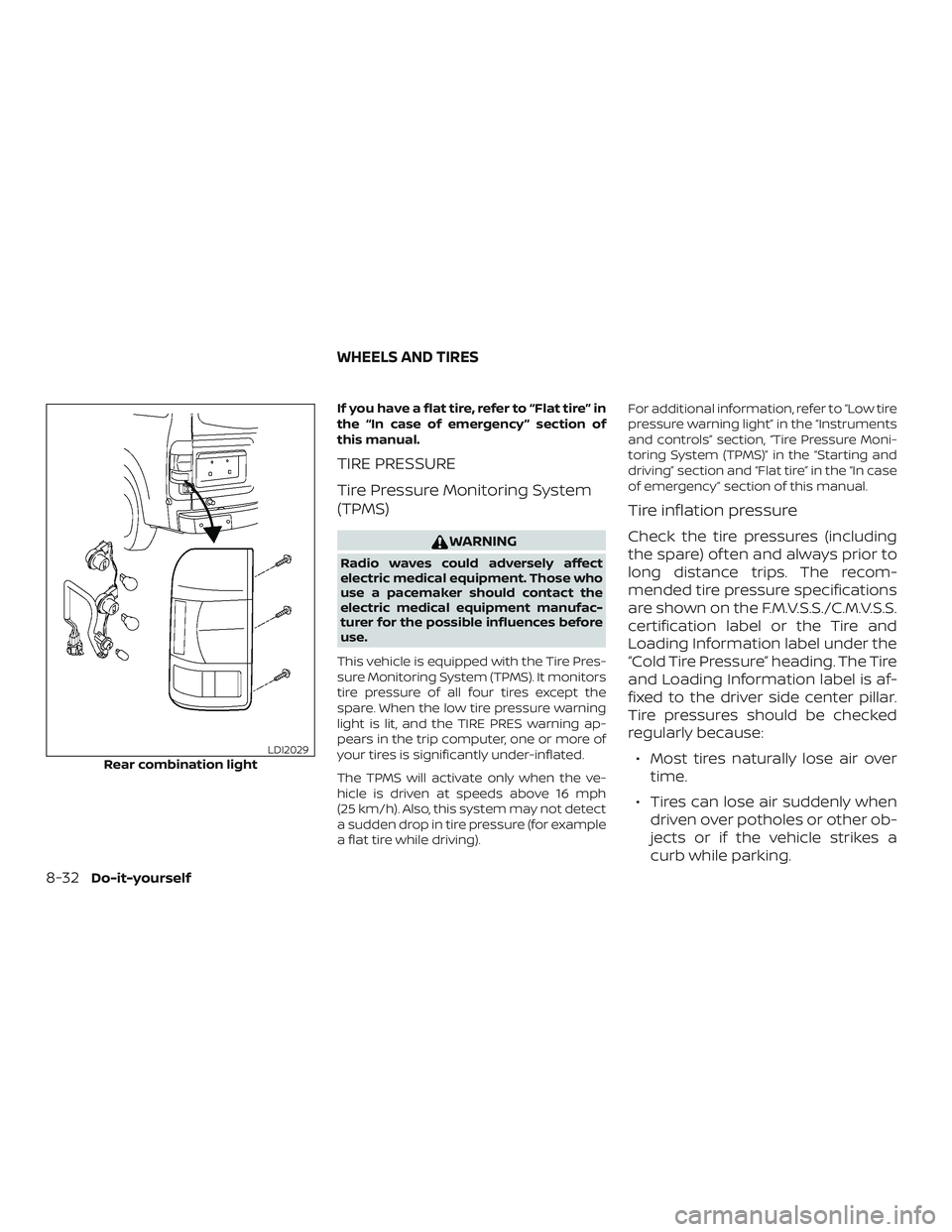
Rear combination lightLDI2029
WHEELS AND TIRES
8-32Do-it-yourself
Page 418 of 426
11 Index
5-Speed automatic transmission
fluid(ATF)....................8-12
7-speed automatic transmission
fluid (ATF) (gasoline engine only)......8-12
A
Active Brake Limited Slip (ABLS)
system .....................5-26
Air bag (See supplemental
restraint
system) .................... .1-55
Air bag system Front (See supplemental front
impact air bag system) .........1-61
Air bag warning labels ............1-66
Airbagwarninglight .........1-66, 2-23
Air bag warning light,
supplemental ..............1-66, 2-23
Air cleaner ...................8-18
Air cleaner housing filter ..........8-18
Air conditioner Air conditioner operation ....4-23,4-28
Air conditioner specification label . .10-13
Air conditioner system refrigerant
and oil recommendations .......10-8
Air conditioner system refrigerant
recommendations ............10-8
Heater and air conditioner
controls...............4-19,4-28
Rear seat air conditioner ........4-31
Servicing air conditioner .....4-24,4-32Alarm system (See
vehicle security system)
..........2-26
Anchor point locations ............1-37
Antenna ....................4-73
Antifreeze ...................5-32
Anti-lock brake warning light ........2-19
Anti-lock Braking System (ABS) ......5-24
Apps .......................4-74
Audible reminders ..............2-26
Audiosystem.................4-32 AMradioreception............4-33
Bluetooth® audio .........4-69,4-70
Bluetooth® streaming audio ......4-70
Compact disc (CD)
player.............4-45,4-51,4-58
FM/AM radio with
compact disc (CD) player ........4-42
FM/AM/SAT radio with
compact disc (CD) player .....4-47,4-53
FMradioreception............4-33
iPod®Player ............4-64,4-66
iPod® player operation ......4-64,4-66
Radio ....................4-32
Steering wheel audio control
switch....................4-72
USBinterface............4-60,4-62
USB (Universal Serial Bus)
Connection Port ..........4-60,4-62
Automatic Automatic power window switch . . .2-51
Automatic transmission position
indicatorlight...............2-24 Driving with automatic
transmission................5-13
Automatic anti-glare inside mirror ....3-18
Automatic door locks .............3-8
Automatic transmission fluid temperature
gauge ......................2-8
AUXjack....................4-55
B
Back button ...................4-7
Back door ....................3-7
Battery..................5-32,8-15 Charge warning light ..........2-20
Battery replacement ............8-26
Keyfob................8-26,8-27
Before starting the engine .........5-10
Belt(Seedrivebelt)..............8-17
Bluetooth® audio ...........4-69,4-70
Bluetooth® hands-free phone system . .4-75
Bluetooth® Hands-Free Phone System
withNavigationSystem ..........4-86
Bluetooth® streaming audio with
NavigationSystem..............4-70
Bluetooth® streaming audio without
Navigation System (if so equipped) . . .4-69
Booster seats .................1-51
Brake Anti-lock Braking System (ABS) ....5-24
B
rakefluid.................8-13
Brakelight(Seestoplight).......8-30
Brakesystem...............5-24
Page 419 of 426
Brakewarninglight............2-20
Brakewearindicators.......2-26,8-21
Parking brake operation.........5-18
Self-adjustingbrakes...........8-21
Brake assist ...................5-25
Brakefluid....................8-13
Brakes......................8-21
Brake system ..................5-24
Break-in schedule ...............5-20
Brightness/contrast button .........4-10
Brightness control Instrument panel .............2-33
Bulb replacement ...............8-30
C
Capacities and recommended
fuel/lubricants.................10-2
Cargolight...................2-53
Cargo (See
vehicle loading information) ........10-14
Car phone or CB radio ............4-74
CDcareandcleaning.............4-72
CD player (See
audio system) ...........4-45,4-51,4-58
Check engine indicator light
(See malfunction indicator lamp) .....2-24
Checking bulbs .................2-19
Check tire pressure ..............2-13
Childrestraints........1-29, 1-30, 1-32, 1-34 LATCH (Lower Anchors and Tethers
forCHildren)System ...........1-34
Precautions on child
restraints.........1-32, 1-40, 1-46, 1-52 Top tether strap anchor point
locations..................
.1-37
Child restraint with top tether strap . . . .1-37
Child safety sliding door lock .........3-8
Chimes, audible reminders .........2-26
Cleaningexteriorandinterior......7-2,7-4
Clock setting (models with
NavigationSystem)...............4-7
Clock setting (models without
NavigationSystem)....4-43,4-44,4-48,4-50
C.M.V.S.S. certification label .........10-12
Cold weather driving .............5-32
Compact disc (CD) player . . .4-45, 4-51, 4-58
Compass ....................2-14
Console box ..................2-44
Control panel buttons .............4-4
Back button .................4-7
Brightness/contrast button .......4-10
Settingbutton................4-7
Withnavigationsystem..........4-5
Controls Audio controls (steering wheel) .....4-72
Heater and air conditioner
controls................4-19,4-28
Rear seat air conditioner .........4-31
Coolant Capacities and recommended
fuel/lubricants...............10-2
Changing engine coolant .........8-7
Checking engine coolant level ......8-7
Engine coolant temperature gauge . .2-6
Corrosionprotection..............7-6
Cruisecontrol...........5-18,5-18,5-19
Cupholders...................2-47
Curtain side-impact and rollover
airbag..................... .1-63D
Daytime Running Lights (DRL) system . .2-32
Defroster switch Rear window and outside mirror
defrosterswitch..............2-30
Dimensions and weights ..........10-10
Dimmer switch for instrument panel . . .2-33
Display controls (see
control panel buttons) .............4-4
Door locks ....................3-3
Door open warning light ...........2-20
Drivebelt.....................8-17
Driving Coldweatherdriving...........5-32
Driving with automatic
transmission ................5-13
Precautions when starting
anddriving.............. .5-2, 5-3
Driving the vehicle ...............5-12
E
Economy - fuel .................5-22
Emission control information label . . . .10-12
Emission control system warranty . . . .10-32
Engine Before starting the engine ........5-10
C
apacities and recommended
fuel/lubricants...............10-2
Changing engine coolant .........8-7
Changing engine oil ............8-9
Changing engine oil filter .........8-11
Checking engine coolant level ......8-7
Checking engine oil level .........8-8
11-2
Page 422 of 426
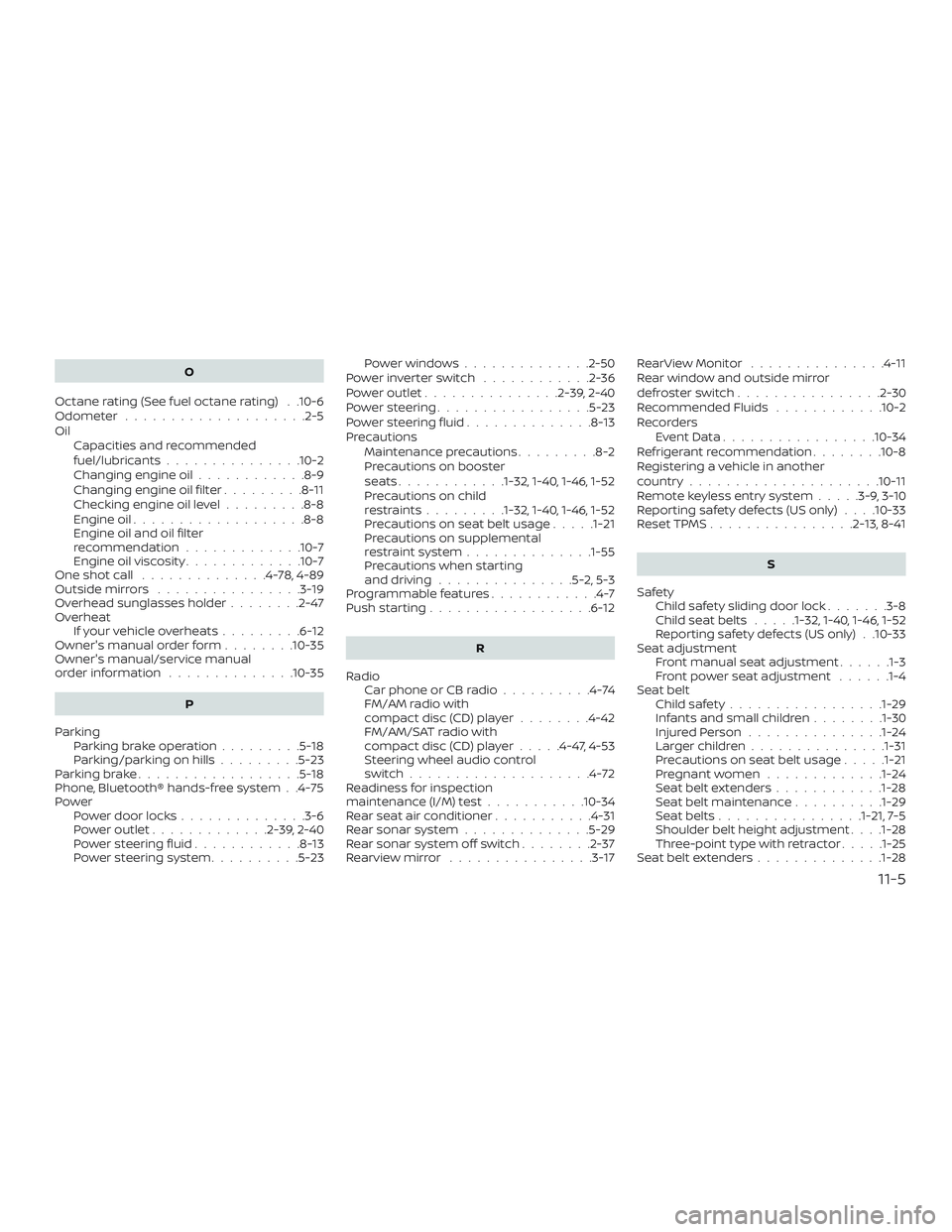
O
Octane rating (See fuel octane rating) . .10-6
Odometer ....................2-5
Oil Capacities and recommended
fuel/lubricants...............10-2
Changing engine oil ............8-9
Changing engine oil filter .........8-11
Checking engine oil level .........8-8
Engine oil ...................8-8
Engine oil and oil filter
recommendation .............10-7
Engine oil viscosity .............10-7
One shot call ..............4-78,4-89
Outsidemirrors ................3-19
Overhead sunglasses holder ........2-47
Overheat Ifyourvehicleoverheats.........6-12
Owner's manual order form ........10-35
Owner's manual/service manual
orderinformation ..............10-35
P
Parking Parking brake operation .........5-18
Parking/parkingonhills.........5-23
Parkingbrake..................5-18
Phone, Bluetooth® hands-free system . .4-75
Power Power door locks ..............3-6
Poweroutlet.............2-39,2-40
Powersteeringfluid............8-13
Power steering system ..........5-23 Powerwindows..............2-50
Powerinverterswitch ............2-36
Poweroutlet...............2-39,2-40
Powersteering.................5-23
Powersteeringfluid..............8-13
Precautions Maintenance precautions .........8-2
Precautions on booster
seats............1-32, 1-40, 1-46, 1-52
Precautions on child
restraints.........1-32, 1-40, 1-46, 1-52
Precautions on seat belt usage .....1-21
Precautions on supplemental
restraint system ..............1-55
Precautions when starting
and driving ...............5-2,5-3
Programmable features ............4-7
Push starting ..................6-12
R
Radio Car phone or CB radio ..........4-74
FM/AM radio with
compact disc (CD) player ........4-42
FM/AM/SAT radio with
compact disc (CD) player .....4-47,4-53
Steering wheel audio control
switch....................4-72
Readiness for inspection
maintenance (I/M) test ...........10-34
Rear seat air conditioner ...........4-31
Rear sonar system ..............5-29
Rear sonar system off switch ........2-37
Rearviewmirror ............... .3-17RearViewMonitor ...............4-11
Rear window and outside mirror
defrosterswitch................2-30
Recommended Fluids
............10-2
Recorders EventData.................10-34
Refrigerant recommendation ........10-8
Registering a vehicle in another
country .....................10-11
Remote keyless entry system .....3-9,3-10
Reporting safety defects (US only) . . . .10-33
Reset TPMS ................2-13,8-41
S
Safety Child safety sliding door lock .......3-8
Childseatbelts .....1-32, 1-40, 1-46, 1-52
Reporting safety defects (US only) . .10-33
Seat adjustment Front manual seat adjustment ......1-3
F
ront power seat adjustment ......1-4
Seat belt Childsafety................ .1-29
Infants and small children ........1-30
InjuredPerson.............. .1-24
Largerchildren.............. .1-31
Precautionsonseatbeltusage.....1-21
Pregnant women .............1-24
Seat belt extenders ............1-28
Seat belt maintenance ..........1-29
Seatbelts................1-21, 7-5
Shoulder belt height adjustment . . . .1-28
Three-pointtypewithretractor.....1-25
Seat belt extenders ..............1-28
11-5