ignition NISSAN PATHFINDER 2002 R50 / 2.G Owner's Manual
[x] Cancel search | Manufacturer: NISSAN, Model Year: 2002, Model line: PATHFINDER, Model: NISSAN PATHFINDER 2002 R50 / 2.GPages: 288, PDF Size: 2.49 MB
Page 71 of 288
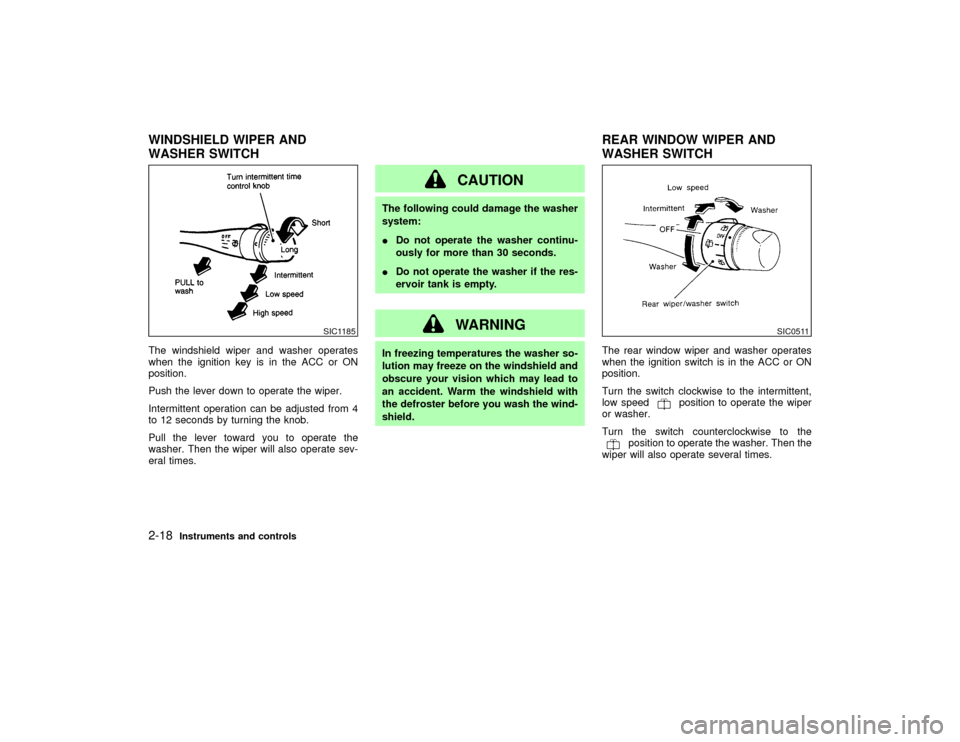
The windshield wiper and washer operates
when the ignition key is in the ACC or ON
position.
Push the lever down to operate the wiper.
Intermittent operation can be adjusted from 4
to 12 seconds by turning the knob.
Pull the lever toward you to operate the
washer. Then the wiper will also operate sev-
eral times.
CAUTION
The following could damage the washer
system:
IDo not operate the washer continu-
ously for more than 30 seconds.
IDo not operate the washer if the res-
ervoir tank is empty.
WARNING
In freezing temperatures the washer so-
lution may freeze on the windshield and
obscure your vision which may lead to
an accident. Warm the windshield with
the defroster before you wash the wind-
shield.The rear window wiper and washer operates
when the ignition switch is in the ACC or ON
position.
Turn the switch clockwise to the intermittent,
low speed
position to operate the wiper
or washer.
Turn the switch counterclockwise to the
position to operate the washer. Then the
wiper will also operate several times.
SIC1185
SIC0511
WINDSHIELD WIPER AND
WASHER SWITCHREAR WINDOW WIPER AND
WASHER SWITCH2-18
Instruments and controls
Z
01.9.21/R50-D/V5
X
Page 73 of 288
HEADLIGHT SWITCH
LightingTurn the switch to the AUTO position:
When the ignition key is in the ON position, the
tail light, headlight, instrument light and other
lights turn on automatically, depending on the
brightness of the surroundings. The headlight
will automatically turn off 5 minutes after the
ignition switch is turned to the OFF position
and the driver's or front passenger's door is
opened.
The headlight will also automatically turn off 45
seconds after a front door is opened and
closed.
When the light switch is turned to the
position, the headlight low or high beam
will turn off.
Turn the switch to the
position:
The side combination, tail, license plate and
instrument lights will come on.
Turn the switch to theposition:
Headlights will come on and all the other lights
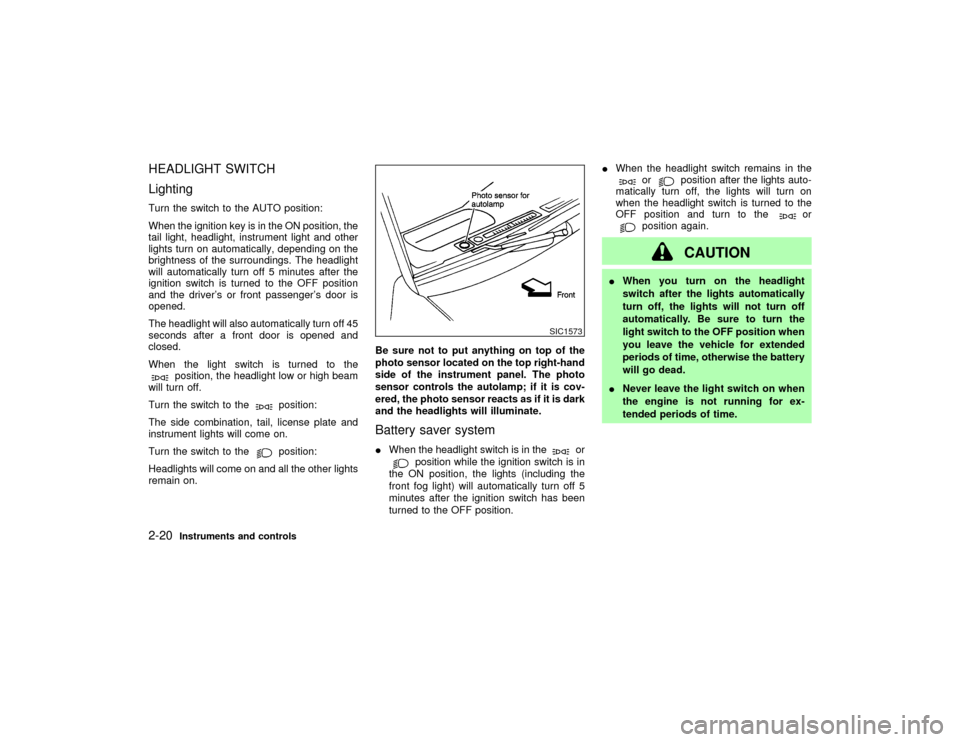
remain on.Be sure not to put anything on top of the
photo sensor located on the top right-hand
side of the instrument panel. The photo
sensor controls the autolamp; if it is cov-
ered, the photo sensor reacts as if it is dark
and the headlights will illuminate.
Battery saver systemIWhen the headlight switch is in the
or
position while the ignition switch is in
the ON position, the lights (including the
front fog light) will automatically turn off 5
minutes after the ignition switch has been
turned to the OFF position.IWhen the headlight switch remains in the
or
position after the lights auto-
matically turn off, the lights will turn on
when the headlight switch is turned to the
OFF position and turn to the
or
position again.
CAUTION
IWhen you turn on the headlight
switch after the lights automatically
turn off, the lights will not turn off
automatically. Be sure to turn the
light switch to the OFF position when
you leave the vehicle for extended
periods of time, otherwise the battery
will go dead.
INever leave the light switch on when
the engine is not running for ex-
tended periods of time.
SIC1573
2-20
Instruments and controls
Z
01.9.21/R50-D/V5
X
Page 74 of 288

Instrument brightness controlThe instrument brightness control operates
when the light switch is in the
or
position.
Turn the control to adjust the brightness of
instrument panel lights and power window
switch lights.
When the control is turned upward until a click
sound is heard, the light intensity will be at
maximum. When the control is turned down-
ward until a click sound is heard or felt, the
light will be turned off.
Headlight beam selectTo select the high beam, push the lever for-
ward. Pull it back to select the low beam.Passing signalPulling the lever toward you will turn on the
passing signal even when the headlight switch
is off.Daytime running light system
(Canada only)The headlights automatically illuminate at a
reduced intensity when the engine is started
with the parking brake released. The daytime
running lights operate with the headlight switch
in the off position or in the
position. Turn
the headlight switch to theposition for
full illumination when driving at night.
If the parking brake is applied before the
engine is started, the daytime running lights do
not illuminate. The daytime running lights illu-
minate once the parking brake is released.
The daytime running lights will remain on until
the ignition switch is turned off.
SIC0922
SIC1445
Instruments and controls
2-21
Z
01.9.21/R50-D/V5
X
Page 76 of 288
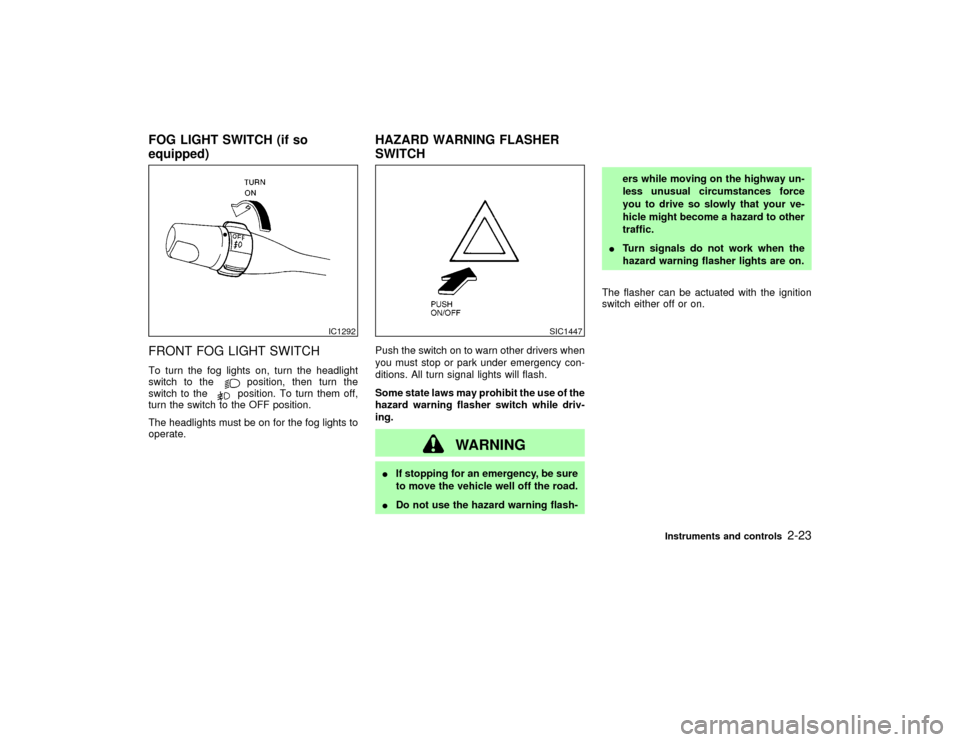
FRONT FOG LIGHT SWITCHTo turn the fog lights on, turn the headlight
switch to the
position, then turn the
switch to theposition. To turn them off,
turn the switch to the OFF position.
The headlights must be on for the fog lights to
operate.Push the switch on to warn other drivers when
you must stop or park under emergency con-
ditions. All turn signal lights will flash.
Some state laws may prohibit the use of the
hazard warning flasher switch while driv-
ing.
WARNING
IIf stopping for an emergency, be sure
to move the vehicle well off the road.
IDo not use the hazard warning flash-ers while moving on the highway un-
less unusual circumstances force
you to drive so slowly that your ve-
hicle might become a hazard to other
traffic.
ITurn signals do not work when the
hazard warning flasher lights are on.
The flasher can be actuated with the ignition
switch either off or on.
IC1292
SIC1447
FOG LIGHT SWITCH (if so
equipped)HAZARD WARNING FLASHER
SWITCH
Instruments and controls
2-23
Z
01.9.21/R50-D/V5
X
Page 88 of 288
POWER WINDOWS
WARNING
IMake sure that all passengers have
their hands, etc. inside the vehicle
before closing the windows. Use the
window lock switch to prevent unex-
pected use of the power windows.
IDo not leave children unattended in-
side the vehicle. They could unknow-ingly activate switches or controls
and become trapped in a window.
Unattended children could become
involved in serious accidents.
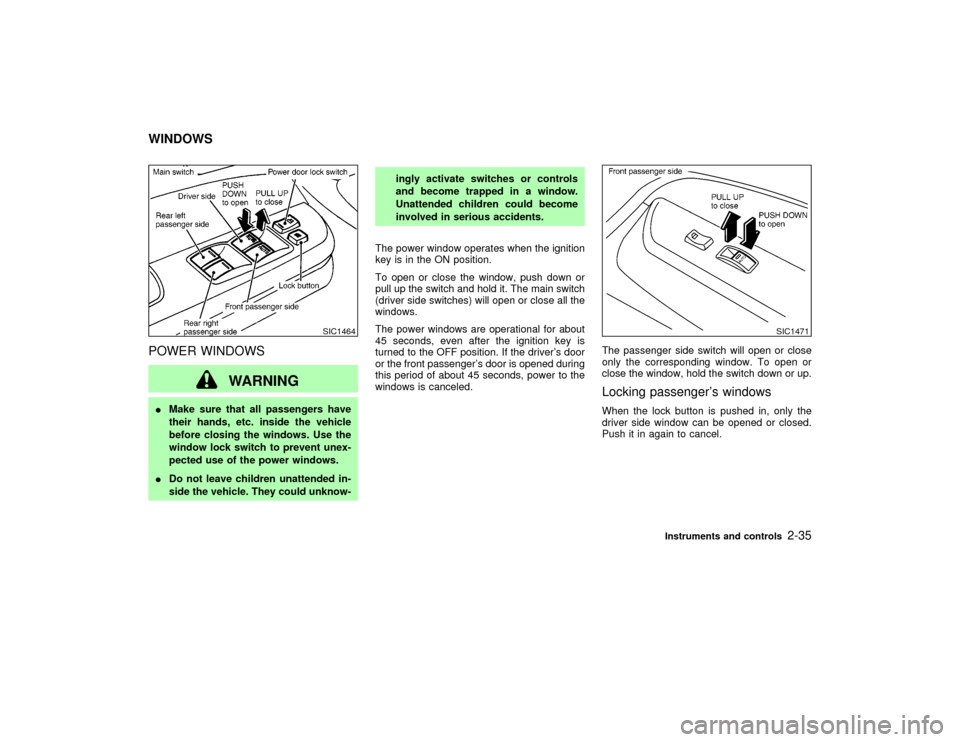
The power window operates when the ignition
key is in the ON position.
To open or close the window, push down or
pull up the switch and hold it. The main switch
(driver side switches) will open or close all the
windows.
The power windows are operational for about
45 seconds, even after the ignition key is
turned to the OFF position. If the driver's door
or the front passenger's door is opened during
this period of about 45 seconds, power to the
windows is canceled.The passenger side switch will open or close
only the corresponding window. To open or
close the window, hold the switch down or up.
Locking passenger's windowsWhen the lock button is pushed in, only the
driver side window can be opened or closed.
Push it in again to cancel.
SIC1464
SIC1471
WINDOWS
Instruments and controls
2-35
Z
01.9.21/R50-D/V5
X
Page 89 of 288
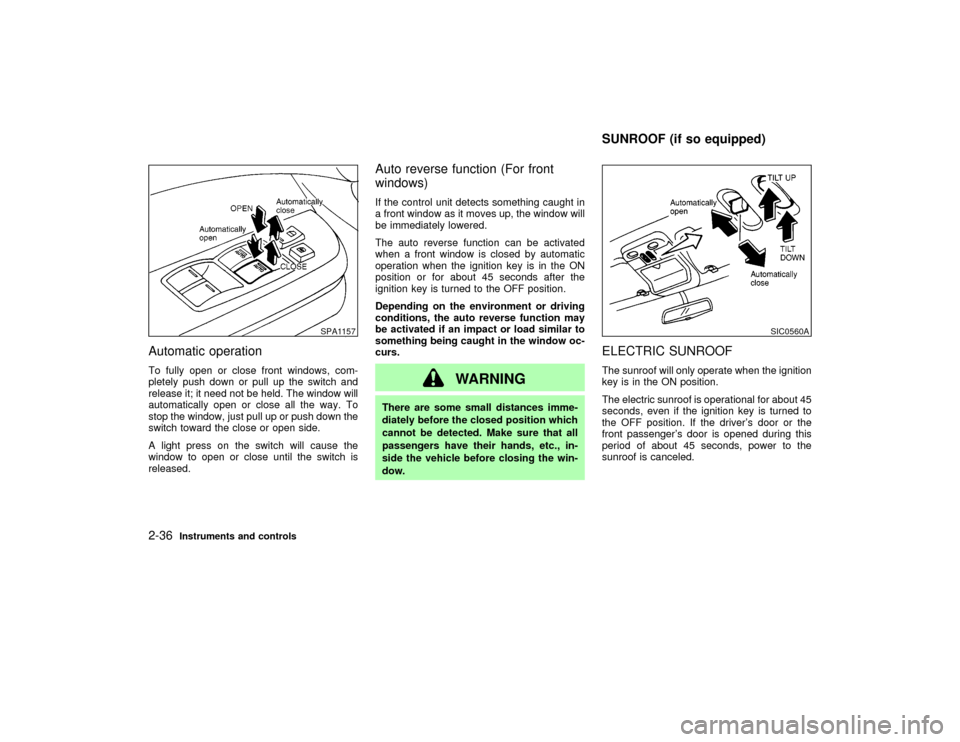
Automatic operationTo fully open or close front windows, com-
pletely push down or pull up the switch and
release it; it need not be held. The window will
automatically open or close all the way. To
stop the window, just pull up or push down the
switch toward the close or open side.
A light press on the switch will cause the
window to open or close until the switch is
released.
Auto reverse function (For front
windows)If the control unit detects something caught in
a front window as it moves up, the window will
be immediately lowered.
The auto reverse function can be activated
when a front window is closed by automatic
operation when the ignition key is in the ON
position or for about 45 seconds after the
ignition key is turned to the OFF position.
Depending on the environment or driving
conditions, the auto reverse function may
be activated if an impact or load similar to
something being caught in the window oc-
curs.
WARNING
There are some small distances imme-
diately before the closed position which
cannot be detected. Make sure that all
passengers have their hands, etc., in-
side the vehicle before closing the win-
dow.
ELECTRIC SUNROOFThe sunroof will only operate when the ignition
key is in the ON position.
The electric sunroof is operational for about 45
seconds, even if the ignition key is turned to
the OFF position. If the driver's door or the
front passenger's door is opened during this
period of about 45 seconds, power to the
sunroof is canceled.
SPA1157
SIC0560A
SUNROOF (if so equipped)
2-36
Instruments and controls
Z
01.9.21/R50-D/V5
X
Page 90 of 288
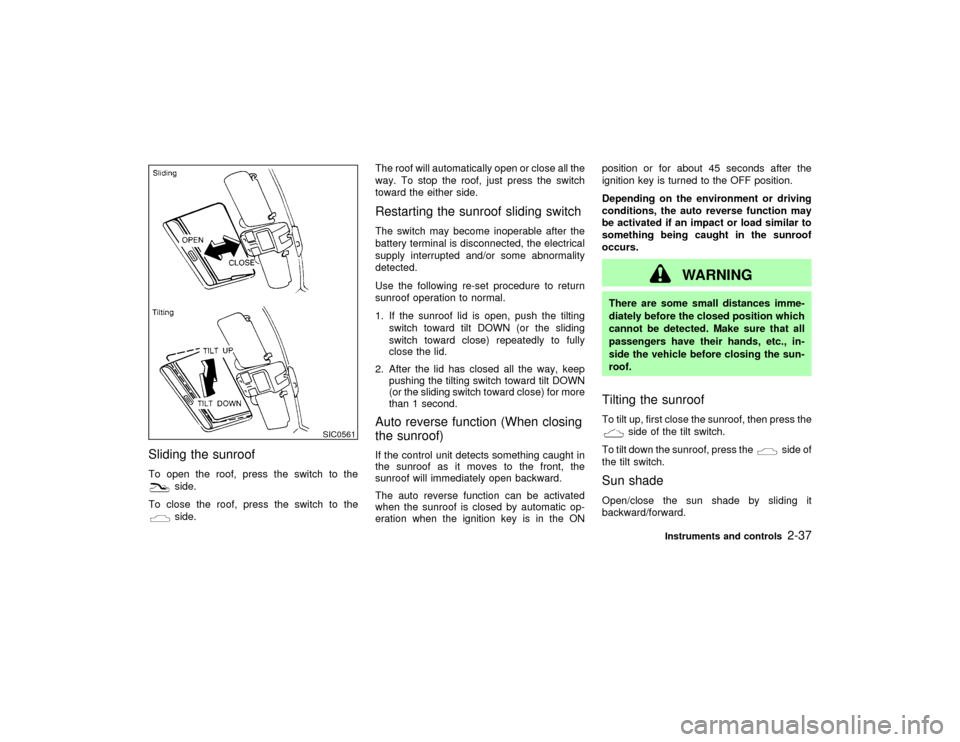
Sliding the sunroofTo open the roof, press the switch to the
side.
To close the roof, press the switch to theside.The roof will automatically open or close all the
way. To stop the roof, just press the switch
toward the either side.
Restarting the sunroof sliding switchThe switch may become inoperable after the
battery terminal is disconnected, the electrical
supply interrupted and/or some abnormality
detected.
Use the following re-set procedure to return
sunroof operation to normal.
1. If the sunroof lid is open, push the tilting
switch toward tilt DOWN (or the sliding
switch toward close) repeatedly to fully
close the lid.
2. After the lid has closed all the way, keep
pushing the tilting switch toward tilt DOWN
(or the sliding switch toward close) for more
than 1 second.Auto reverse function (When closing
the sunroof)If the control unit detects something caught in
the sunroof as it moves to the front, the
sunroof will immediately open backward.
The auto reverse function can be activated
when the sunroof is closed by automatic op-
eration when the ignition key is in the ONposition or for about 45 seconds after the
ignition key is turned to the OFF position.
Depending on the environment or driving
conditions, the auto reverse function may
be activated if an impact or load similar to
something being caught in the sunroof
occurs.
WARNING
There are some small distances imme-
diately before the closed position which
cannot be detected. Make sure that all
passengers have their hands, etc., in-
side the vehicle before closing the sun-
roof.Tilting the sunroofTo tilt up, first close the sunroof, then press the
side of the tilt switch.
To tilt down the sunroof, press the
side of
the tilt switch.
Sun shadeOpen/close the sun shade by sliding it
backward/forward.
SIC0561
Instruments and controls
2-37
Z
01.9.21/R50-D/V5
X
Page 92 of 288
The ceiling light will stay on for about 30
seconds when:
IThe driver's door is unlocked by the keyfob,
a key or the power door lock switch when all
doors are locked.
IThe driver's door is opened and then closed
without the key in the ignition switch.
IThe key is removed from the ignition switch
while all doors are closed.
The ceiling light will turn off while the 30
second timer is activated when:
IThe driver's door is locked with the keyfob,
a key or the power door lock switch.
IThe ignition switch is turned ON.
When the interior light switch or the personal
light switch is in the ON position, the interior,
personal and vanity mirror lights will automati-
cally turn off 30 minutes after the ignition
switch has been turned to the OFF position to
save the battery. To turn on the lights again,
insert the key into the ignition switch and move
it to the ON position.
After the above procedure, the interior, per-
sonal, or vanity mirror lights will automatically
turn off 30 minutes after the latest operation ofthe following with the ignition switch in the
ACC or OFF position:
IOpening or closing any door
ILocking or unlocking any door with the
keyfob, a key, or the power door lock switch
IInserting or removing a key from the ignition
switch
These lights will turn on again when any of the
above operations is performed after the lights
have turned off automatically. (The lights will
turn off 30 minutes after the latest operation of
the above as well.)
CAUTION
ITurn off the interior, personal and
vanity mirror lights when you leave
the vehicle.
IDo not use for extended periods of
time with the engine stopped. This
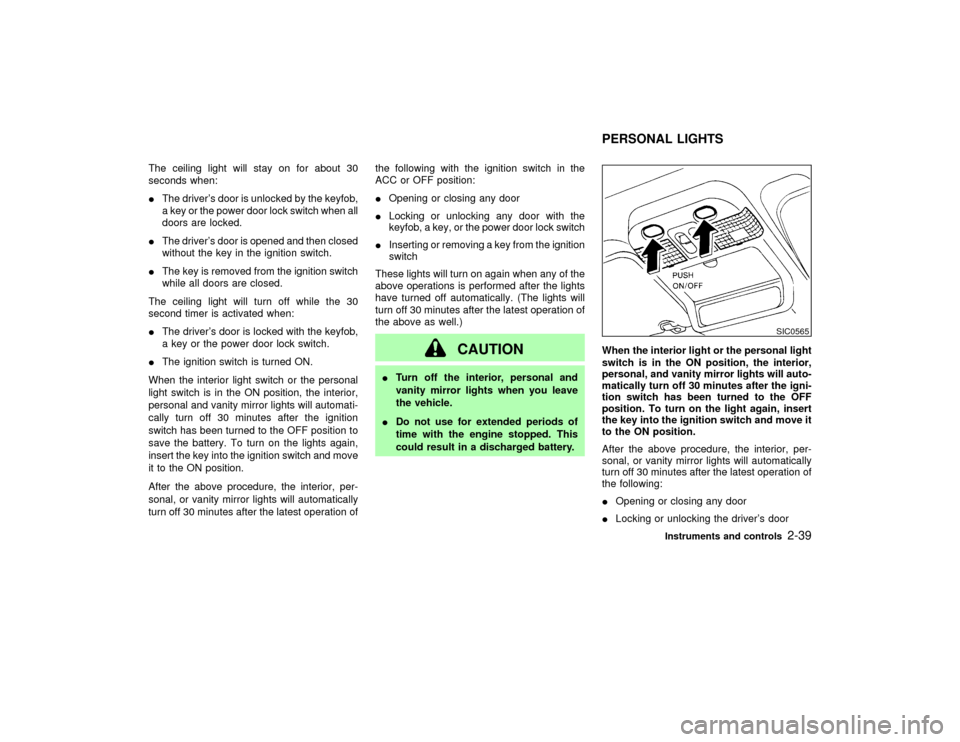
could result in a discharged battery.When the interior light or the personal light
switch is in the ON position, the interior,
personal, and vanity mirror lights will auto-
matically turn off 30 minutes after the igni-
tion switch has been turned to the OFF
position. To turn on the light again, insert
the key into the ignition switch and move it
to the ON position.
After the above procedure, the interior, per-
sonal, or vanity mirror lights will automatically
turn off 30 minutes after the latest operation of
the following:
IOpening or closing any door
ILocking or unlocking the driver's door
SIC0565
PERSONAL LIGHTS
Instruments and controls
2-39
Z
01.9.21/R50-D/V5
X
Page 93 of 288
IInserting or removing a key from the ignition
switch
These lights will turn on again when any of the
above operations is performed after the lights
have turned off automatically. (The lights will
turn off 30 minutes after the latest operation of
the above as well.)
CAUTION
ITurn off the interior, personal and
vanity mirror lights when you leave
the vehicle.
IDo not use for extended periods of
time with the engine stopped. This
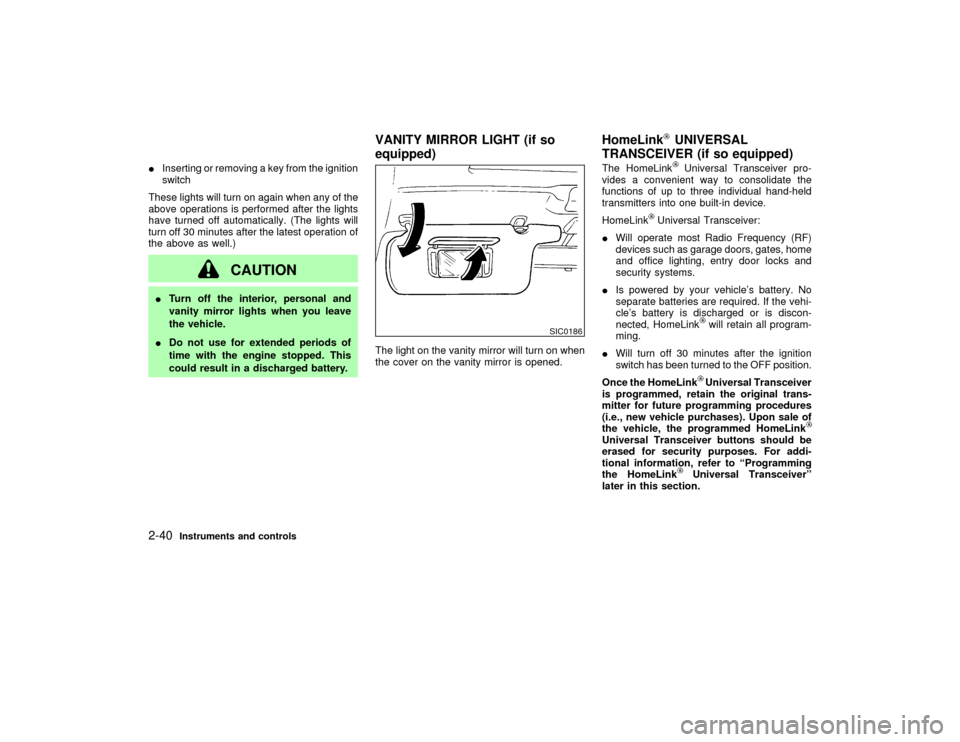
could result in a discharged battery.The light on the vanity mirror will turn on when
the cover on the vanity mirror is opened.The HomeLink
Universal Transceiver pro-
vides a convenient way to consolidate the
functions of up to three individual hand-held
transmitters into one built-in device.
HomeLink
Universal Transceiver:
IWill operate most Radio Frequency (RF)
devices such as garage doors, gates, home
and office lighting, entry door locks and
security systems.
IIs powered by your vehicle's battery. No
separate batteries are required. If the vehi-
cle's battery is discharged or is discon-
nected, HomeLink
will retain all program-
ming.
IWill turn off 30 minutes after the ignition
switch has been turned to the OFF position.
Once the HomeLinkUniversal Transceiver
is programmed, retain the original trans-
mitter for future programming procedures
(i.e., new vehicle purchases). Upon sale of
the vehicle, the programmed HomeLink
Universal Transceiver buttons should be
erased for security purposes. For addi-
tional information, refer to ªProgramming
the HomeLink
Universal Transceiverº
later in this section.
SIC0186
VANITY MIRROR LIGHT (if so
equipped)HomeLink
UNIVERSAL
TRANSCEIVER (if so equipped)
2-40
Instruments and controls
Z
01.9.21/R50-D/V5
X
Page 94 of 288
WARNING
IDo not use the HomeLink
Universal
Transceiver with any garage door
opener that lacks safety stop and
reverse features as required by fed-
eral safety standards. (These stan-
dards became effective for opener
models manufactured after April 1,
1982.) A garage door opener which
cannot detect an object in the path of
a closing garage door and then auto-
matically stop and reverse, does not
meet current federal safety stan-
dards. Using a garage door opener
without these features increases the
risk of serious injury or death.
IDuring programming, your garage
door or gate may open or close. Make
sure that people and objects are clear
of the garage door or gate that you
are programming.
IYour vehicle's engine should be
turned off while programming the
HomeLink
Universal Transceiver.
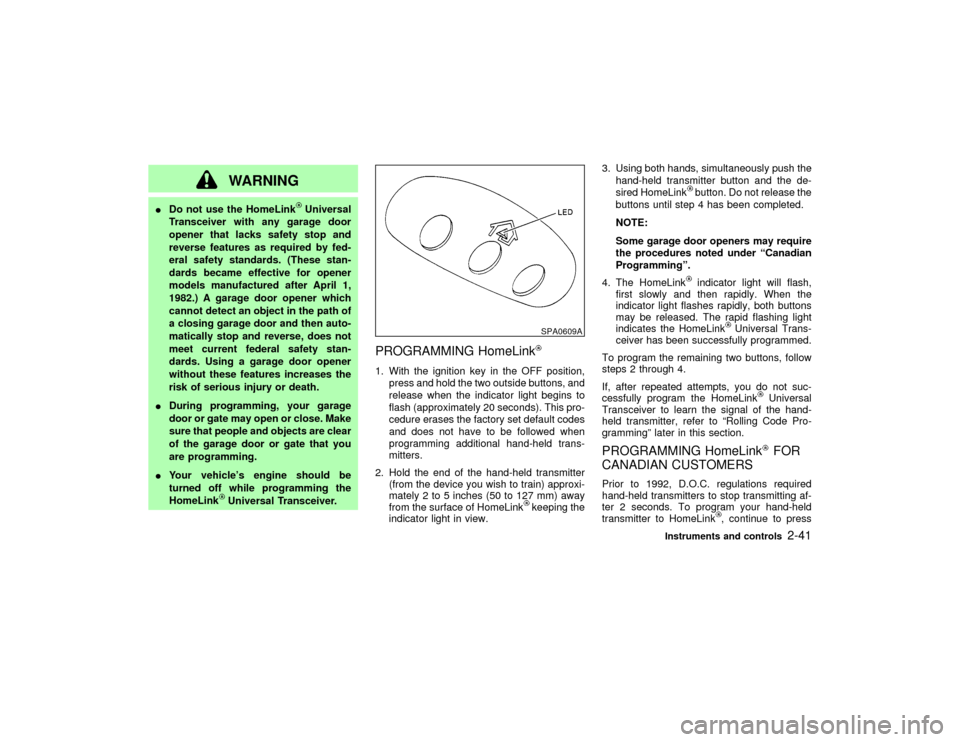
PROGRAMMING HomeLink1. With the ignition key in the OFF position,
press and hold the two outside buttons, and
release when the indicator light begins to
flash (approximately 20 seconds). This pro-
cedure erases the factory set default codes
and does not have to be followed when
programming additional hand-held trans-
mitters.
2. Hold the end of the hand-held transmitter
(from the device you wish to train) approxi-
mately 2 to 5 inches (50 to 127 mm) away
from the surface of HomeLink
keeping the
indicator light in view.3. Using both hands, simultaneously push the
hand-held transmitter button and the de-
sired HomeLink
button. Do not release the
buttons until step 4 has been completed.
NOTE:
Some garage door openers may require
the procedures noted under ªCanadian
Programmingº.
4. The HomeLinkindicator light will flash,
first slowly and then rapidly. When the
indicator light flashes rapidly, both buttons
may be released. The rapid flashing light
indicates the HomeLink
Universal Trans-
ceiver has been successfully programmed.
To program the remaining two buttons, follow
steps 2 through 4.
If, after repeated attempts, you do not suc-
cessfully program the HomeLink
Universal
Transceiver to learn the signal of the hand-
held transmitter, refer to ªRolling Code Pro-
grammingº later in this section.
PROGRAMMING HomeLink
FOR
CANADIAN CUSTOMERS
Prior to 1992, D.O.C. regulations required
hand-held transmitters to stop transmitting af-
ter 2 seconds. To program your hand-held
transmitter to HomeLink
, continue to press
SPA0609A
Instruments and controls
2-41
Z
01.9.21/R50-D/V5
X