warning NISSAN PATHFINDER 2009 Owner´s Manual
[x] Cancel search | Manufacturer: NISSAN, Model Year: 2009, Model line: PATHFINDER, Model: NISSAN PATHFINDER 2009Pages: 471, PDF Size: 5.9 MB
Page 448 of 471
Temperature conditions can also affect towing.
For example, towing a heavy trailer in high outside
temperatures on graded roads can affect engine
performance and cause overheating. The engine
protection mode, which helps reduce the chance
of engine damage, could activate and automati-
cally decrease engine power. Vehicle speed may
decrease under high load. Plan your trip carefully
to account for trailer and vehicle load, weather
and road conditions.
WARNING
Overheating can result in reduced engine
power and vehicle speed. The reduced
speed may be lower than other traffic,
which could increase the chance of a col-
lision. Be especially careful when driving.
If the vehicle cannot maintain a safe driv-
ing speed, pull to the side of the road in a
safe area. Allow the engine to cool and
return to normal operation. See “If your
vehicle overheats” in the “In case of emer-
gency” section of this manual.
CAUTION
Vehicle damage resulting from improper
towing procedures is not covered by
NISSAN warranties.
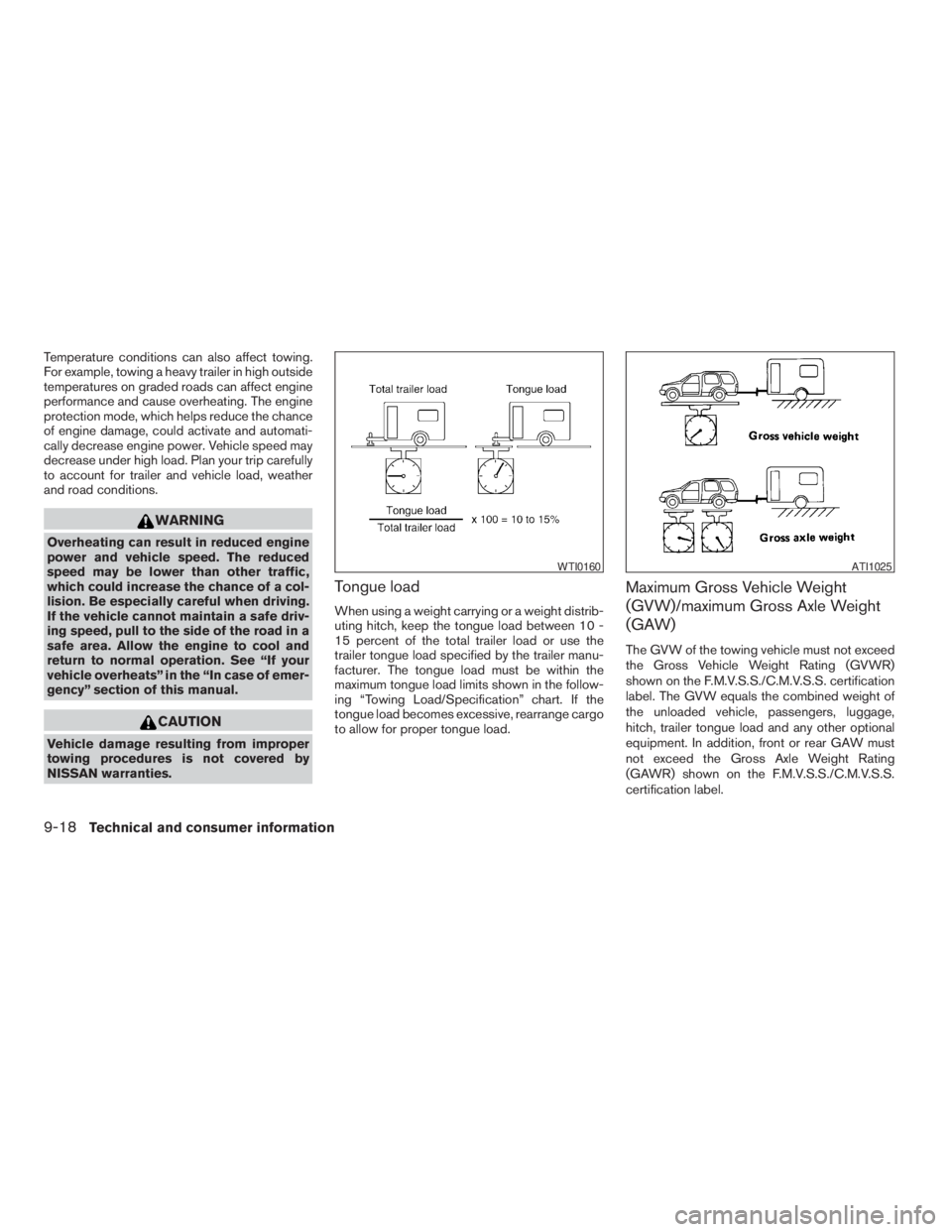
Tongue load
When using a weight carrying or a weight distrib-
uting hitch, keep the tongue load between 10 -
15 percent of the total trailer load or use the
trailer tongue load specified by the trailer manu-
facturer. The tongue load must be within the
maximum tongue load limits shown in the follow-
ing “Towing Load/Specification” chart. If the
tongue load becomes excessive, rearrange cargo
to allow for proper tongue load.
Maximum Gross Vehicle Weight
(GVW)/maximum Gross Axle Weight
(GAW)
The GVW of the towing vehicle must not exceed
the Gross Vehicle Weight Rating (GVWR)
shown on the F.M.V.S.S./C.M.V.S.S. certification
label. The GVW equals the combined weight of
the unloaded vehicle, passengers, luggage,
hitch, trailer tongue load and any other optional
equipment. In addition, front or rear GAW must
not exceed the Gross Axle Weight Rating
(GAWR) shown on the F.M.V.S.S./C.M.V.S.S.
certification label.
WTI0160ATI1025
9-18Technical and consumer information
ZREVIEW COPYÐ2009 Pathfinder(pat)
Owners ManualÐUSA_English(nna)
05/29/08Ðdebbie
X
Page 451 of 471
WARNING
Trailer hitch components have specific
weight ratings. Your vehicle may be ca-
pable of towing a trailer heavier than the
weight rating of the hitch components.
Never exceed the weight rating of the
hitch components. Doing so can cause
serious personal injury or property
damage.
Hitch ball
Choose a hitch ball of the proper size and weight
rating for your trailer:
cThe required hitch ball size is stamped on
most trailer couplers. Most hitch balls also
have the size printed on the top of the ball.
cChoose the proper class hitch ball based on
the trailer weight.
cThe diameter of the threaded shank of the
hitch ball must be matched to the ball mount
hole diameter. The hitch ball shank should
be no more than 1/16” smaller than the hole
in the ball mount.
cThe threaded shank of the hitch ball must be
long enough to be properly secured to the
ball mount. There should be at least 2
threads showing beyond the lock washer
and nut.
Ball mount
The hitch ball is attached to the ball mount and
the ball mount is inserted into the hitch receiver.
Choose a proper class ball mount based on the
trailer weight. Additionally, the ball mount should
be chosen to keep the trailer tongue level with the
ground.
Weight carrying hitches
A weight carrying or “dead weight” ball mount is
one that is designed to carry the whole amount of
tongue weight and gross weight directly on the
ball mount and on the receiver.
Weight distribution hitch
This type of hitch is also called a “load-leveling” or
“equalizing” hitch. A set of bars attach to the ball
mount and to the trailer to distribute the tongue
weight (hitch weight) of your trailer. Many vehicles
can’t carry the full tongue weight of a given trailer,
and need some of the tongue weight transferred
through the frame and pushing down on the front
wheels. This gives stability to the tow vehicle.
A weight-distributing hitch system (Class IV) is
recommended if you plan to tow trailers with a
maximum weight over 5,000 lbs. Check with the
trailer and towing equipment manufacturers to
determine if they recommend the use of a weight-
distributing hitch system.NOTE:
A weight-distributing hitch system may af-
fect the operation of trailer surge brakes. If
you are considering use of a weight-
distributing hitch system with a surge
brake-equipped trailer, check with the
surge brake, hitch or trailer manufacturer
to determine if and how this can be done.
Follow the instructions provided by the manufac-
turer for installing and using the weight-
distributing hitch system.
General set-up instructions are as follows:
1. Park unloaded vehicle on a level surface.
With the ignition on and the doors closed,
allow the vehicle to stand for several minutes
so that it can level.
2. Measure the height of a reference point on
the front and rear bumpers at the center of
the vehicle.
3. Attach the trailer to the vehicle and adjust
the hitch equalizers so that the front bumper
height is within0-.5inches (0 – 13 mm) of
the reference height measured in step 2. The
rear bumper should be no higher than the
reference height measured in step 2.
Technical and consumer information9-21
ZREVIEW COPYÐ2009 Pathfinder(pat)
Owners ManualÐUSA_English(nna)
05/29/08Ðdebbie
X
Page 452 of 471
WARNING
Properly adjust the weight distributing
hitch so the rear of the bumper is no
higher than the measured reference
height when the trailer is attached. If the
rear bumper is higher than the measured
reference height when loaded, the vehicle
may handle unpredictably which could
cause a loss of vehicle control and cause
serious personal injury or property
damage.
Sway control device
Sudden maneuvers, wind gusts, and buffeting
caused by other vehicles can affect trailer han-
dling. Sway control devices may be used to help
control these affects. If you choose to use one,
contact a reputable trailer hitch supplier to make
sure the sway control device will work with the
vehicle, hitch, trailer and the trailer’s brake sys-
tem. Follow the instructions provided by the
manufacturer for installing and using the sway
control device.
Class I hitch
Class I trailer hitch equipment (receiver, ball
mount and hitch ball) can be used to tow trailers
of a maximum weight of 2,000 lb (909 kg) .
Class II hitch
Class II trailer hitch equipment (receiver, ball
mount and hitch ball) can be used to tow trailers
of a maximum weight of 3,500 lb (1,510 kg) .
Class III hitch
Class III trailer hitch equipment (receiver, ball
mount and hitch ball) can be used to tow trailers
of a maximum weight of 5,000 lb (2,272 kg) .
The genuine NISSAN step bumper is considered
a Class III ball mount.
Class IV hitch
Class IV trailer hitch equipment (receiver, ball
mount and hitch ball) can be used to tow trailers
of a maximum weight of 10,000 lb (4,545 kg) . A
weight distributing hitch should be used to tow
trailers that weigh over 5,000 lb (2,272 kg) .
Your vehicle may be equipped with Class IV
trailer hitch equipment that has a 10,000 lb
(4,545 kg) maximum weight rating, but your ve-
hicle is only capable of towing the maximum
trailer weights shown in the “Towing Load/
Specification” chart earlier in this section.
CAUTION
cSpecial hitches which include frame re-
inforcements are required for towing
above 2,000 lb (907 kg) . Suitable genu-
ine NISSAN hitches, ball mounts and
hitch balls for pickup trucks and sport
utility vehicles are available at a
NISSAN dealer.
cThe hitch should not be attached to or
affect the operation of the impact-
absorbing bumper.
cDo not use axle-mounted hitches.
cDo not modify the vehicle exhaust sys-
tem, brake system, etc. to install a
trailer hitch.
cTo reduce the possibility of additional
damage if your vehicle is struck from
the rear, where practical, remove the
receiver when not in use.
cRegularly check that all trailer hitch
mounting bolts are securely mounted.
cWhen towing with the hitch ball
mounted to the rear bumper, do not
make sharp turns. The trailer may con-
tact the bumper and cause damage to
the bumper or trailer.
9-22Technical and consumer information
ZREVIEW COPYÐ2009 Pathfinder(pat)
Owners ManualÐUSA_English(nna)
05/30/08Ðbarbara
X
Page 454 of 471
WARNING
Never connect a trailer brake system di-
rectly to the vehicle brake system.
Pre-towing tips
cBe certain your vehicle maintains a level
position when a loaded and/or unloaded
trailer is hitched. Do not drive the vehicle if it
has an abnormal nose-up or nose-down
condition; check for improper tongue load,
overload, worn suspension or other possible
causes of either condition.
cAlways secure items in the trailer to prevent
load shift while driving.
cKeep the cargo load as low as possible in
the trailer to keep the trailer center of gravity
low.
cLoad the trailer so approximately 60% of the
trailer load is in the front half and 40% is in
the back half. Also make sure the load is
balanced side to side.
cCheck your hitch, trailer tire pressure, ve-
hicle tire pressure, trailer light operation, and
trailer wheel lug nuts every time you attach a
trailer to the vehicle.cBe certain your rearview mirrors conform to
all federal, state or local regulations. If not,
install any mirrors required for towing before
driving the vehicle.
cDetermine the overall height of the vehicle
and trailer so the required clearance is
known.
Trailer towing tips
In order to gain skill and an understanding of the
vehicle’s behavior, you should practice turning,
stopping and backing up in an area which is free
from traffic. Steering stability and braking perfor-
mance will be somewhat different than under
normal driving conditions.
cAlways secure items in the trailer to prevent
load shift while driving.
cLock the trailer hitch coupler with a pin or
lock to prevent the coupler from inadvert-
ently becoming unlatched.
cAvoid abrupt starts, acceleration or stops.
cAvoid sharp turns or lane changes.
cAlways drive your vehicle at a moderate
speed.cWhen backing up, hold the bottom of the
steering wheel with one hand. Move your
hand in the direction in which you want the
trailer to go. Make small corrections and
back up slowly. If possible, have someone
guide you when you are backing up.
Always block the wheels on both vehicle and
trailer when parking. Parking on a slope is not
recommended; however, if you must do so:CAUTION
If you move the shift selector lever to the P
(Park) position before blocking the
wheels and applying the parking brake,
transmission damage could occur.
1. Apply and hold the brake pedal.
2. Have someone place blocks on the downhill
side of the vehicle and trailer wheels.
3. After the wheel blocks are in place, slowly
release the brake pedal until the blocks ab-
sorb the vehicle load.
4. Apply the parking brake.
5. Shift the transmission into P (Park) .
9-24Technical and consumer information
ZREVIEW COPYÐ2009 Pathfinder(pat)
Owners ManualÐUSA_English(nna)
05/29/08Ðdebbie
X
Page 455 of 471
6. Make sure theindicator light (if so
equipped) indicates the transfer case is in
4H, 4L, or 2H and that the ATP light is off. If
the
indicator light is flashing, or the
ATP light is ON, make sure the transmission
is in P (Park) (AT) and turn the 4WD switch
to 2WD or 4H. See “Automatic transmission
park warning light” in the “Instruments and
controls” section and “Using four wheel
drive (4WD)” in the “Starting and driving”
section.
7. Turn off the engine.
To drive away:
1. Start the vehicle.
2. Apply and hold the brake pedal.
3. Shift the transmission into gear.
4. Release the parking brake.
5. Drive slowly until the vehicle and trailer are
clear from the blocks.
6. Apply and hold the brake pedal.
7. Have someone retrieve and store the blocks.cWhile going downhill, the weight of the
trailer pushing on the tow vehicle may de-
crease overall stability. Therefore, to main-
tain adequate control, reduce your speed
and shift to a lower gear. Avoid long or
repeated use of the brakes when descend-
ing a hill, as this reduces their effectiveness
and could cause overheating. Shifting to a
lower gear instead provides “engine brak-
ing” and reduces the need to brake as fre-
quently.
cIf the engine coolant temperature rises to a
high temperature, refer to “If your vehicle
overheats” in the “In case of emergency”
section of this owner’s manual.
cTrailer towing requires more fuel than normal
circumstances.
cAvoid towing a trailer for your vehicle’s first
500 miles (805 km) .
cFor the first 500 miles (805 km) that you do
tow, do not drive over 50 MPH (80 km/h) .
cHave your vehicle serviced more often than
at intervals specified in the recommended
Maintenance Schedule in the “NISSAN Ser-
vice and Maintenance Guide”.cWhen making a turn, your trailer wheels will
be closer to the inside of the turn than your
vehicle wheels. To compensate for this,
make a larger than normal turning radius
during the turn.
cCrosswinds and rough roads will adversely
affect vehicle/trailer handling, possibly caus-
ing vehicle sway. When being passed by
larger vehicles, be prepared for possible
changes in crosswinds that could affect ve-
hicle handling.
Do the following if the trailer begins to sway:
1. Take your foot off the accelerator pedal to
allow the vehicle to coast and steer as
straight ahead as the road conditions allow.
This combination will help stabilize the ve-
hicle
– Do not correct trailer sway by steering or
applying the brakes.
2. When the trailer sway stops, gently apply the
brakes and pull to the side of the road in a
safe area.
3. Try to rearrange the trailer load so it is bal-
anced as described earlier in this section.
Technical and consumer information9-25
ZREVIEW COPYÐ2009 Pathfinder(pat)
Owners ManualÐUSA_English(nna)
05/29/08Ðdebbie
X
Page 457 of 471
DOT (Department of Transportation) Quality
Grades: All passenger car tires must conform to
federal safety requirements in addition to these
grades.
Quality grades can be found where applicable on
the tire sidewall between tread shoulder and
maximum section width. For example:
Treadwear 200 Traction AA Temperature A
Treadwear
The treadwear grade is a comparative rating
based on the wear rate of the tire when tested
under controlled conditions on a specified gov-
ernment test course. For example, a tire graded
150 would wear one and one-half (1 1/2) times
as well on the government course as a tire graded
100. The relative performance of tires depends
upon the actual conditions of their use, however,
and may depart significantly from the norm due to
variations in driving habits, service practices and
differences in road characteristics and climate.
Traction AA, A, B and C
The traction grades, from highest to lowest, are
AA, A, B, and C. Those grades represent the
tire’s ability to stop on wet pavement as mea-
sured under controlled conditions on specified
government test surfaces of asphalt and con-
crete. A tire marked C may have poor traction
performance.WARNING
The traction grade assigned to this tire is
based on straight-ahead braking traction
tests, and does not include acceleration,
cornering, hydroplaning, or peak traction
characteristics.
Temperature A, B and C
The temperature grades are A (the highest) , B,
and C, representing the tire’s resistance to the
generation of heat, and its ability to dissipate heat
when tested under controlled conditions on a
specified indoor laboratory test wheel. Sustained
high temperature can cause the material of the
tire to degenerate and reduce tire life, and exces-
sive temperature can lead to sudden tire failure.
The grade C corresponds to a level of perfor-
mance which all passenger car tires must meet
under the Federal Motor Safety Standard No.
109. Grades B and A represent higher levels of
performance on the laboratory test wheel than
the minimum required by law.
WARNING
The temperature grade for this tire is es-
tablished for a tire that is properly inflated
and not overloaded. Excessive speed,
under-inflation, or excessive loading, ei-
ther separately or in combination, can
cause heat build-up and possible tire
failure.
UNIFORM TIRE QUALITY GRADING
Technical and consumer information9-27
ZREVIEW COPYÐ2009 Pathfinder(pat)
Owners ManualÐUSA_English(nna)
05/29/08Ðdebbie
X
Page 459 of 471
WARNING
Always drive the vehicle in a safe and
prudent manner according to traffic con-
ditions and obey all traffic laws.
1. Start the engine when the engine coolant
temperature gauge needle points to C. Al-
low the engine to idle until the gauge needle
points between the C and H (normal oper-
ating temperature) .
2. Accelerate the vehicle to 55 MPH (88 km/
h) , then quickly release the accelerator
pedal completely and keep it released for at
least 10 seconds.
3. Quickly depress the accelerator pedal for a
moment, then drive the vehicle at a speed of
53 - 60 MPH (86 - 96 km/h) for at least 9
minutes.
4. Stop the vehicle.
5. Accelerate the vehicle to 35 MPH (55 km/h)
and maintain the speed for 20 seconds.
6. Repeat steps 4 through 5 at least 10 times.
7. Accelerate the vehicle to 55 MPH (88 km/h)
and maintain the speed for at least 3 min-
utes.
8. Stop the vehicle. Place the shift selector in
the P (Park) or N (Neutral) position.9. Turn the engine off.
10. Repeat steps1-8atleast one more time.
If steps 1 through 7 are interrupted, repeat the
preceding step. Any safe driving mode is accept-
able between steps. Do not stop the engine until
step 7 is completed.This vehicle is equipped with an Event Data Re-
corder (EDR) . The main purpose of an EDR is to
record, in certain crash or near crash-like situa-
tions, such as an air bag deployment or hitting a
road obstacle, data that will assist in understand-
ing how a vehicle’s systems performed. The EDR
is designed to record data related to vehicle
dynamics and safety systems for a short period of
time, typically 30 seconds or less. The EDR in this
vehicle is designed to record such data as:
cHow various systems in your vehicle were
operating;
cWhether or not the driver and passenger
safety belts were buckled/fastened;
cHow far (if at all) the driver was depressing
the accelerator and/or brake pedal; and,
cHow fast the vehicle was traveling.
cSounds are not recorded.
These data can help provide a better understand-
ing of the circumstances in which crashes and
injuries occur. NOTE: EDR data are recorded by
your vehicle only if a nontrivial crash situation
occurs; no data are recorded by the EDR under
normal driving conditions and no personal data
(e.g. name, gender, age and crash location) are
recorded. However, other parties, such as law
enforcement, could combine the EDR data with
the type of personally identifying data routinely
acquired during a crash investigation.
EVENT DATA RECORDERS (EDR)
Technical and consumer information9-29
ZREVIEW COPYÐ2009 Pathfinder(pat)
Owners ManualÐUSA_English(nna)
05/29/08Ðdebbie
X
Page 463 of 471
10 Index
4WD warning light...............2-16
A
Active brake limited slip (ABLS) system
(if so equipped).................5-35
Active Head Restraint..............1-7
Adjusting pedal position............3-25
Air bag (See supplemental restraint
system).....................1-41
Air bag system
Front (See supplemental front impact
air bag system)...............1-49
Air bag warning labels.............1-56
Air bag warning light...........1-56, 2-19
Air cleaner housing filter............8-19
Air conditioner
Air conditioner operation..........4-40
Air conditioner service...........4-48
Air conditioner specification label.....9-11
Air conditioner system refrigerant and
oil recommendations.............9-6
Heater and air conditioner
controls................4-38, 4-45
Rear seat air conditioner..........4-47
Servicing air conditioner..........4-48
Air flow charts..................4-42
Alarm system
(See vehicle security system).........2-23
Anchor point locations.............1-24
Antenna.....................4-88Anti-lock brake warning light..........2-14
Anti-lock Braking System (ABS)........5-34
Audible reminders................2-22
Audio system..................4-48
Compact Disc (CD) changer.......4-63
Compact disc (CD) player.....4-57, 4-71
Audio System
CompactFlash (CF) player.........4-73
Audio system
FM/AM radio with compact disc (CD)
player....................4-55
FM/AM/SAT radio with compact disc (CD)
changer...................4-60
FM/AM/SAT radio with compact disc (CD)
player....................4-68
Audio System
Music Box hard-disk drive audio
system....................4-75
Audio system
Radio....................4-48
Rear audio controls.............4-87
Audio System
Settings................4-60, 4-68
Audio system
Steering wheel audio control switch. . . .4-86
Autolight switch.................2-29
Automatic
Automatic drive positioner.........3-30
Automatic power window switch.....2-50
Automatic transmission position indicator
light.....................2-19Driving with automatic transmission. . . .5-14
Transmission selector lever lock
release....................5-17
Automatic anti-glare inside mirror.......3-27
AUX jack.................4-66, 4-73
B
Battery......................8-15
Charge warning light............2-15
Before starting the engine...........5-13
Belt (See drive belt)..............8-18
Block heater
Engine....................5-41
BluetoothThands-free phone
system.................4-105, 4-120
Booster seats..................1-36
Brake
Anti-lock Braking System (ABS)......5-34
Brake fluid..................8-14
Brake light (See stop light).........8-32
Brake system................5-33
Brake warning light.............2-15
Brake wear indicators........2-22, 8-24
Parking brake operation..........5-19
Self-adjusting brakes............8-24
Brakes......................8-24
Break-in schedule................5-21
Brightness control
Instrument panel..............2-31
Brightness/contrast button.......4-18, 4-34
ZREVIEW COPYÐ2009 Pathfinder(pat)
Owners ManualÐUSA_English(nna)
06/13/08Ðdebbie
X
Page 464 of 471
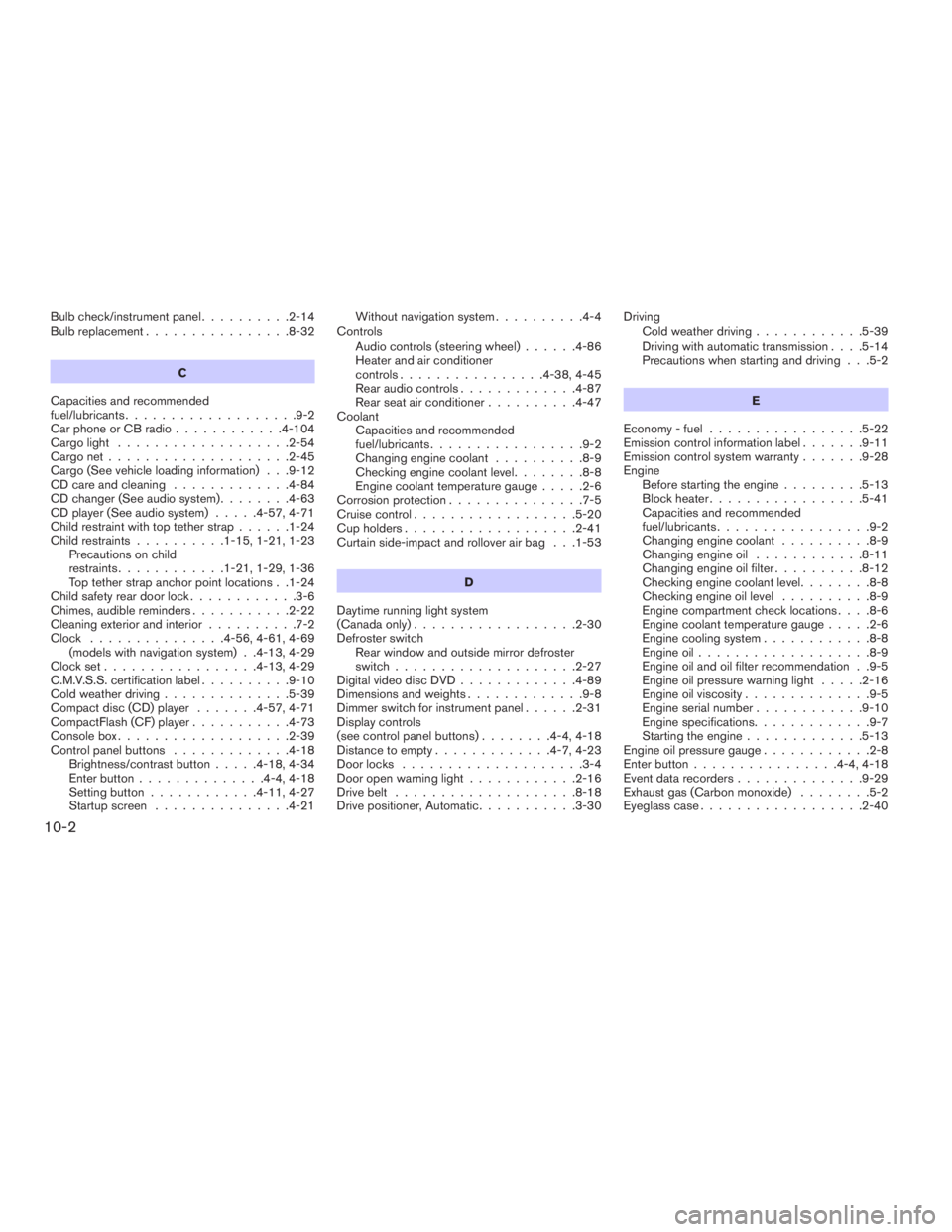
Bulb check/instrument panel..........2-14
Bulb replacement................8-32
C
Capacities and recommended
fuel/lubricants...................9-2
Car phone or CB radio............4-104
Cargo light...................2-54
Cargo net....................2-45
Cargo (See vehicle loading information) . . .9-12
CD care and cleaning.............4-84
CD changer (See audio system)........4-63
CD player (See audio system).....4-57, 4-71
Child restraint with top tether strap......1-24
Child restraints..........1-15, 1-21, 1-23
Precautions on child
restraints............1-21, 1-29, 1-36
Top tether strap anchor point locations . .1-24
Child safety rear door lock............3-6
Chimes, audible reminders...........2-22
Cleaning exterior and interior..........7-2
Clock...............4-56, 4-61, 4-69
(models with navigation system) . .4-13, 4-29
Clock set.................4-13, 4-29
C.M.V.S.S. certification label..........9-10
Cold weather driving..............5-39
Compact disc (CD) player.......4-57, 4-71
CompactFlash (CF) player...........4-73
Console box...................2-39
Control panel buttons.............4-18
Brightness/contrast button.....4-18, 4-34
Enter button..............4-4, 4-18
Setting button............4-11, 4-27
Startup screen...............4-21Without navigation system..........4-4
Controls
Audio controls (steering wheel)......4-86
Heater and air conditioner
controls................4-38, 4-45
Rear audio controls.............4-87
Rear seat air conditioner..........4-47
Coolant
Capacities and recommended
fuel/lubricants.................9-2
Changing engine coolant..........8-9
Checking engine coolant level........8-8
Engine coolant temperature gauge.....2-6
Corrosion protection...............7-5
Cruise control..................5-20
Cup holders...................2-41
Curtain side-impact and rollover air bag . . .1-53
D
Daytime running light system
(Canada only)..................2-30
Defroster switch
Rear window and outside mirror defroster
switch....................2-27
Digital video disc DVD.............4-89
Dimensions and weights.............9-8
Dimmer switch for instrument panel......2-31
Display controls
(see control panel buttons)........4-4, 4-18
Distance to empty.............4-7, 4-23
Door locks....................3-4
Door open warning light............2-16
Drive belt....................8-18
Drive positioner, Automatic...........3-30Driving
Cold weather driving............5-39
Driving with automatic transmission. . . .5-14
Precautions when starting and driving . . .5-2
E
Economy - fuel.................5-22
Emission control information label.......9-11
Emission control system warranty.......9-28
Engine
Before starting the engine.........5-13
Block heater.................5-41
Capacities and recommended
fuel/lubricants.................9-2
Changing engine coolant..........8-9
Changing engine oil............8-11
Changing engine oil filter..........8-12
Checking engine coolant level........8-8
Checking engine oil level..........8-9
Engine compartment check locations. . . .8-6
Engine coolant temperature gauge.....2-6
Engine cooling system............8-8
Engine oil...................8-9
Engine oil and oil filter recommendation . .9-5
Engine oil pressure warning light.....2-16
Engine oil viscosity..............9-5
Engine serial number............9-10
Engine specifications.............9-7
Starting the engine.............5-13
Engine oil pressure gauge............2-8
Enter button................4-4, 4-18
Event data recorders..............9-29
Exhaust gas (Carbon monoxide)........5-2
Eyeglass case..................2-40
10-2
ZREVIEW COPYÐ2009 Pathfinder(pat)
Owners ManualÐUSA_English(nna)
06/13/08Ðdebbie
X
Page 465 of 471
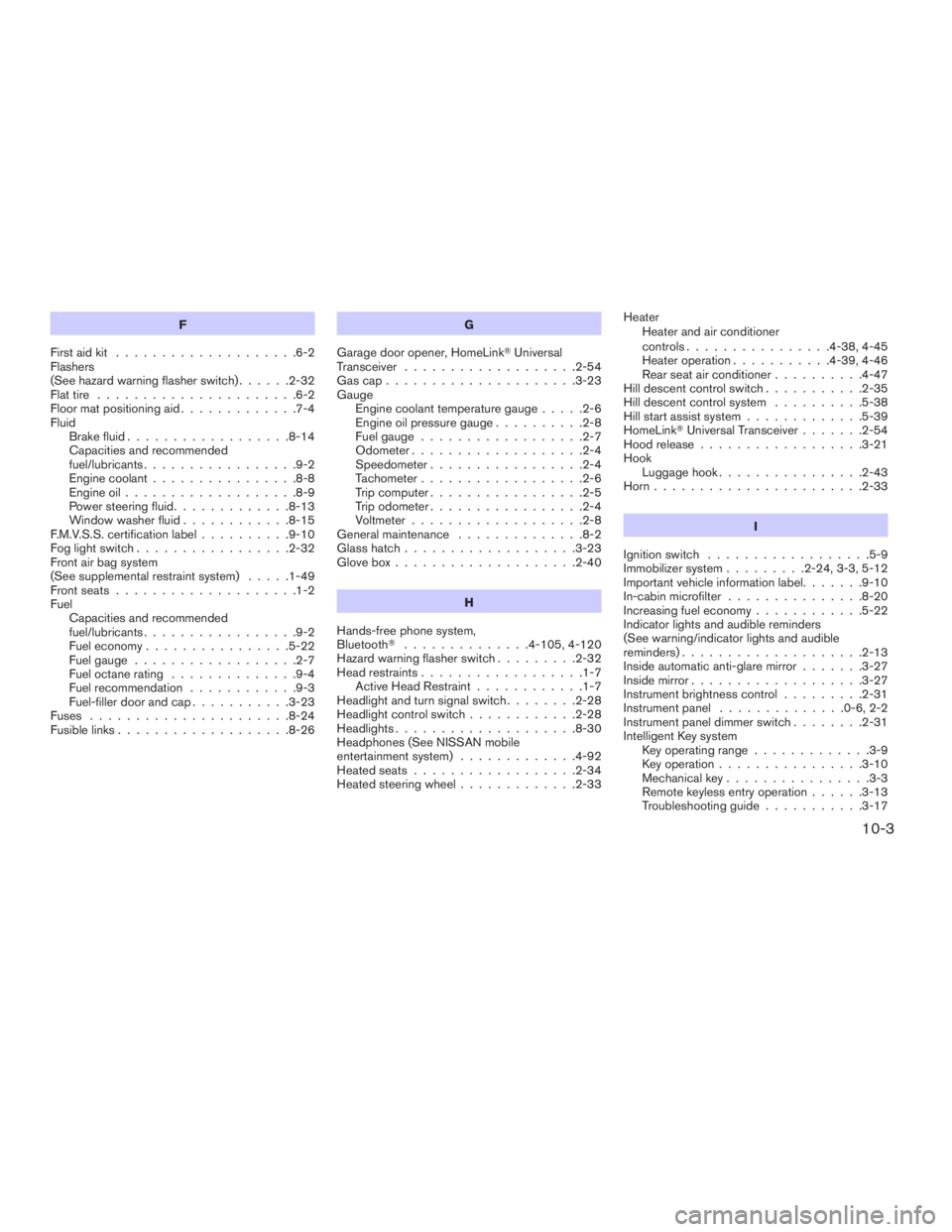
F
First aid kit....................6-2
Flashers
(See hazard warning flasher switch)......2-32
Flat tire......................6-2
Floor mat positioning aid.............7-4
Fluid
Brake fluid..................8-14
Capacities and recommended
fuel/lubricants.................9-2
Engine coolant................8-8
Engine oil...................8-9
Power steering fluid.............8-13
Window washer fluid............8-15
F.M.V.S.S. certification label..........9-10
Fog light switch.................2-32
Front air bag system
(See supplemental restraint system).....1-49
Front seats....................1-2
Fuel
Capacities and recommended
fuel/lubricants.................9-2
Fuel economy................5-22
Fuel gauge..................2-7
Fuel octane rating..............9-4
Fuel recommendation............9-3
Fuel-filler door and cap...........3-23
Fuses......................8-24
Fusible links...................8-26G
Garage door opener, HomeLinkTUniversal
Transceiver...................2-54
Gascap.....................3-23
Gauge
Engine coolant temperature gauge.....2-6
Engine oil pressure gauge..........2-8
Fuel gauge..................2-7
Odometer...................2-4
Speedometer.................2-4
Tachometer..................2-6
Trip computer.................2-5
Trip odometer.................2-4
Voltmeter...................2-8
General maintenance..............8-2
Glass hatch...................3-23
Glove box....................2-40
H
Hands-free phone system,
BluetoothT..............4-105, 4-120
Hazard warning flasher switch.........2-32
Head restraints..................1-7
Active Head Restraint............1-7
Headlight and turn signal switch........2-28
Headlight control switch............2-28
Headlights....................8-30
Headphones (See NISSAN mobile
entertainment system).............4-92
Heated seats..................2-34
Heated steering wheel.............2-33Heater
Heater and air conditioner
controls................4-38, 4-45
Heater operation...........4-39, 4-46
Rear seat air conditioner..........4-47
Hill descent control switch...........2-35
Hill descent control system..........5-38
Hill start assist system.............5-39
HomeLinkTUniversal Transceiver.......2-54
Hood release..................3-21
Hook
Luggage hook................2-43
Horn.......................2-33
I
Ignition switch..................5-9
Immobilizer system.........2-24, 3-3, 5-12
Important vehicle information label.......9-10
In-cabin microfilter...............8-20
Increasing fuel economy............5-22
Indicator lights and audible reminders
(See warning/indicator lights and audible
reminders)....................2-13
Inside automatic anti-glare mirror.......3-27
Inside mirror...................3-27
Instrument brightness control.........2-31
Instrument panel..............0-6, 2-2
Instrument panel dimmer switch........2-31
Intelligent Key system
Key operating range.............3-9
Key operation................3-10
Mechanical key................3-3
Remote keyless entry operation......3-13
Troubleshooting guide...........3-17
10-3
ZREVIEW COPYÐ2009 Pathfinder(pat)
Owners ManualÐUSA_English(nna)
06/13/08Ðdebbie
X