child lock NISSAN PATHFINDER 2009 Owner´s Manual
[x] Cancel search | Manufacturer: NISSAN, Model Year: 2009, Model line: PATHFINDER, Model: NISSAN PATHFINDER 2009Pages: 471, PDF Size: 5.9 MB
Page 56 of 471
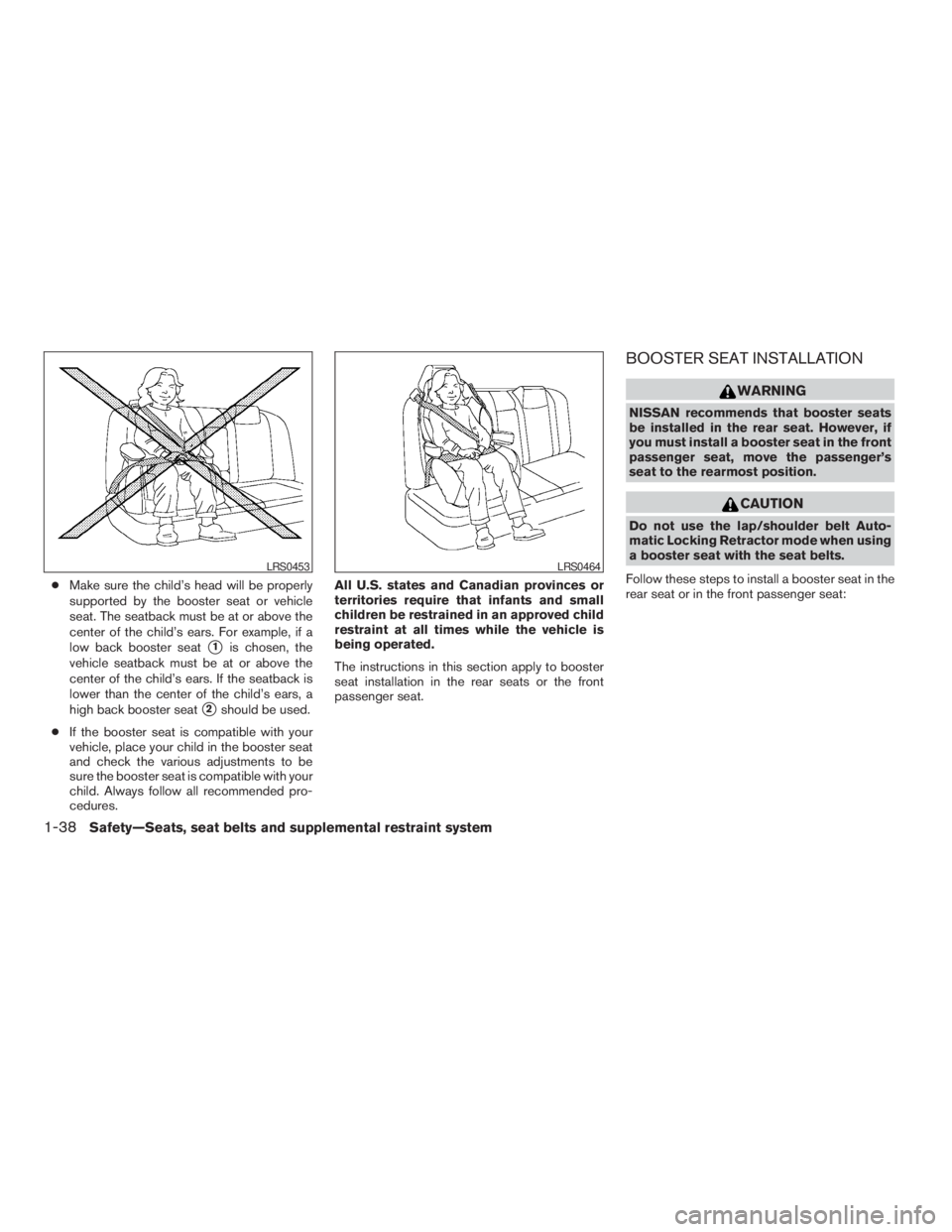
cMake sure the child’s head will be properly
supported by the booster seat or vehicle
seat. The seatback must be at or above the
center of the child’s ears. For example, if a
low back booster seat
s1is chosen, the
vehicle seatback must be at or above the
center of the child’s ears. If the seatback is
lower than the center of the child’s ears, a
high back booster seat
s2should be used.
cIf the booster seat is compatible with your
vehicle, place your child in the booster seat
and check the various adjustments to be
sure the booster seat is compatible with your
child. Always follow all recommended pro-
cedures.All U.S. states and Canadian provinces or
territories require that infants and small
children be restrained in an approved child
restraint at all times while the vehicle is
being operated.
The instructions in this section apply to booster
seat installation in the rear seats or the front
passenger seat.
BOOSTER SEAT INSTALLATION
WARNING
NISSAN recommends that booster seats
be installed in the rear seat. However, if
you must install a booster seat in the front
passenger seat, move the passenger’s
seat to the rearmost position.
CAUTION
Do not use the lap/shoulder belt Auto-
matic Locking Retractor mode when using
a booster seat with the seat belts.
Follow these steps to install a booster seat in the
rear seat or in the front passenger seat:
LRS0453LRS0464
1-38Safety—Seats, seat belts and supplemental restraint system
ZREVIEW COPYÐ2009 Pathfinder(pat)
Owners ManualÐUSA_English(nna)
05/29/08Ðdebbie
X
Page 68 of 471
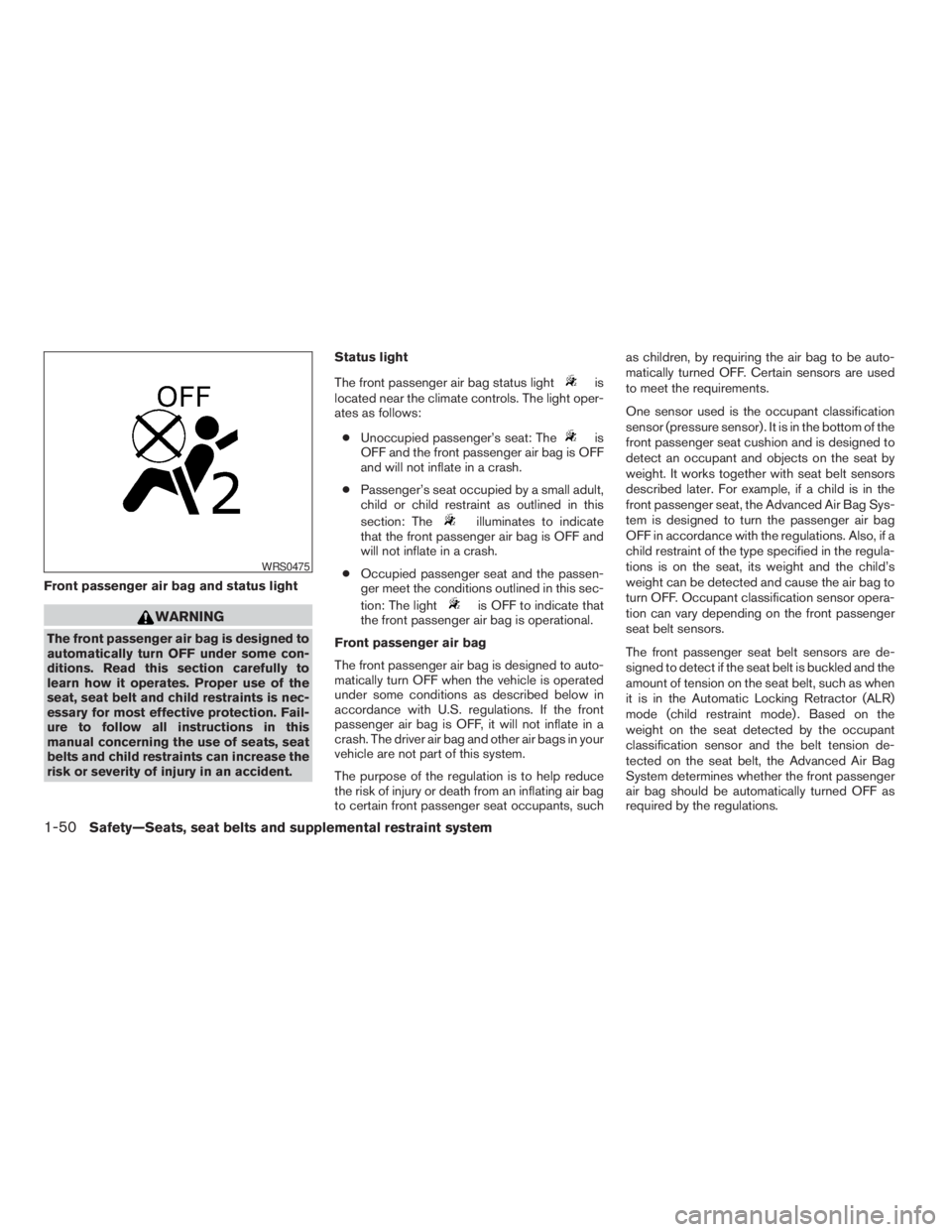
Front passenger air bag and status light
WARNING
The front passenger air bag is designed to
automatically turn OFF under some con-
ditions. Read this section carefully to
learn how it operates. Proper use of the
seat, seat belt and child restraints is nec-
essary for most effective protection. Fail-
ure to follow all instructions in this
manual concerning the use of seats, seat
belts and child restraints can increase the
risk or severity of injury in an accident.Status light
The front passenger air bag status light
is
located near the climate controls. The light oper-
ates as follows:
cUnoccupied passenger’s seat: The
is
OFF and the front passenger air bag is OFF
and will not inflate in a crash.
cPassenger’s seat occupied by a small adult,
child or child restraint as outlined in this
section: The
illuminates to indicate
that the front passenger air bag is OFF and
will not inflate in a crash.
cOccupied passenger seat and the passen-
ger meet the conditions outlined in this sec-
tion: The light
is OFF to indicate that
the front passenger air bag is operational.
Front passenger air bag
The front passenger air bag is designed to auto-
matically turn OFF when the vehicle is operated
under some conditions as described below in
accordance with U.S. regulations. If the front
passenger air bag is OFF, it will not inflate in a
crash. The driver air bag and other air bags in your
vehicle are not part of this system.
The purpose of the regulation is to help reduce
the risk of injury or death from an inflating air bag
to certain front passenger seat occupants, suchas children, by requiring the air bag to be auto-
matically turned OFF. Certain sensors are used
to meet the requirements.
One sensor used is the occupant classification
sensor (pressure sensor) . It is in the bottom of the
front passenger seat cushion and is designed to
detect an occupant and objects on the seat by
weight. It works together with seat belt sensors
described later. For example, if a child is in the
front passenger seat, the Advanced Air Bag Sys-
tem is designed to turn the passenger air bag
OFF in accordance with the regulations. Also, if a
child restraint of the type specified in the regula-
tions is on the seat, its weight and the child’s
weight can be detected and cause the air bag to
turn OFF. Occupant classification sensor opera-
tion can vary depending on the front passenger
seat belt sensors.
The front passenger seat belt sensors are de-
signed to detect if the seat belt is buckled and the
amount of tension on the seat belt, such as when
it is in the Automatic Locking Retractor (ALR)
mode (child restraint mode) . Based on the
weight on the seat detected by the occupant
classification sensor and the belt tension de-
tected on the seat belt, the Advanced Air Bag
System determines whether the front passenger
air bag should be automatically turned OFF as
required by the regulations.
WRS0475
1-50Safety—Seats, seat belts and supplemental restraint system
ZREVIEW COPYÐ2009 Pathfinder(pat)
Owners ManualÐUSA_English(nna)
05/29/08Ðdebbie
X
Page 124 of 471
Always distribute the luggage evenly on the roof
rack. Do not load more than 200 pounds (91 kg) .
Be careful that your vehicle does not exceed the
Gross Vehicle Weight Rating (GVWR) or its
Gross Axle Weight Rating (GAWR front and
rear) . The GVWR and GAWR are located on the
F.M.V.S.S. label (located on the driver’s door
pillar) . For more information regarding GVWR
and GAWR, refer to “Vehicle loading information”
in the “Technical and consumer information” sec-
tion later in this manual.
The front and rear cross bars (if so equipped) can
be adjusted or removed.
To adjust:
1. Loosen the 2 TorxThead fasteners
sAon
both ends of the crossbar.
2. Remove the plugs at the desired position
(
sC).
3. Slide the crossbar
sBto the desired position
(
sC) so that the holes in the crossbar line up
with the holes in the sidebar.
4. Tighten the 2 TorxThead fasteners on both
ends of the crossbar.
5. Reinstall the plugs at the previous position
sA.
6. Position your luggage on the crossbars and
secure the luggage with rope.7. Always check the tightness of the TorxT
head fasteners.
To remove:
1. Loosen the 2 TorxThead fasteners
sAon
both ends of the crossbar.
2. Remove the crossbar from the roof rack.
POWER WINDOWS
WARNING
cMake sure that all passengers have
their hands, etc. inside the vehicle while
it is in motion and before closing the
windows. Use the window lock switch
to prevent unexpected use of the power
windows.
cDo not leave children unattended inside
the vehicle. They could unknowingly ac-
tivate switches or controls and become
trapped in a window. Unattended chil-
dren could become involved in serious
accidents.
The power windows operate when the ignition
switch is placed in the ON position, or for about
45 seconds after the ignition switch is placed in
the OFF position. If the driver’s or passenger’s
door is opened during this period of about 45
seconds, power to the windows is canceled.
WINDOWS
2-48Instruments and controls
ZREVIEW COPYÐ2009 Pathfinder(pat)
Owners ManualÐUSA_English(nna)
05/29/08Ðdebbie
X
Page 135 of 471
3 Pre-driving checks and adjustments
Keys .............................................3-2
NISSAN Intelligent key™ (if so equipped)..........3-2
NISSAN vehicle immobilizer system keys..........3-3
Doors............................................3-4
Locking with key................................3-4
Locking with inside lock knob....................3-5
Locking with power door lock switch.............3-5
Automatic Door Locks..........................3-6
Child safety rear door lock.......................3-6
NISSAN Intelligent Key™(if so equipped).............3-7
Operating range................................3-9
Door locks/unlocks precaution...................3-9
NISSAN Intelligent Key™ Operation..............3-10
How to use the remote keyless entry
function......................................3-13
Warning signals...............................3-16
Troubleshooting guide.........................3-17
Remote keyless entry system......................3-18
How to use remote keyless entry system.........3-19
Hood...........................................3-21Lift gate.........................................3-22
Glass hatch......................................3-23
Fuel-filler door...................................3-23
Opening the fuel-filler lid.......................3-23
Fuel-filler cap.................................3-24
Steering wheel...................................3-25
Tilt operation..................................3-25
Pedal position adjustment (if so equipped)..........3-25
Sun visors.......................................3-26
Vanity mirrors.................................3-27
Mirrors..........................................3-27
Rearview mirror (if so equipped).................3-27
Automatic anti-glare rearview mirror
(if so equipped)...............................3-27
Outside mirrors...............................3-29
Automatic drive positioner (if so equipped)..........3-30
Memory storage function.......................3-30
Entry/exit function.............................3-32
System operation..............................3-32
ZREVIEW COPYÐ2009 Pathfinder(pat)
Owners ManualÐUSA_English(nna)
05/29/08Ðdebbie
X
Page 138 of 471

The master key can be used for all the locks.
The valet key cannot be used for the glove box
lock.
To protect your belongings when you leave a key
with someone, give them the valet key only.
Never leave these keys in the vehicle.
Additional or replacement keys:
If you still have a key, the key number is not
necessary when you need extra NISSAN Vehicle
Immobilizer System keys. Your dealer can dupli-
cate your existing key. As many as five NISSAN
Vehicle Immobilizer System keys can be used
with one vehicle. You should bring all NISSAN
Vehicle Immobilizer System keys that you have to
your NISSAN dealer for registration. This is be-
cause the registration process will erase the
memory of all key codes previously registered
into the NISSAN Vehicle Immobilizer System.
After the registration process, these components
will only recognize keys coded into the NISSAN
Vehicle Immobilizer System during registration.
Any key that is not given to your dealer at the time
of registration will no longer be able to start your
vehicle.
Do not allow the immobilizer system key, which
contains an electrical transponder, to come into
contact with salt water. This could affect system
function.WARNING
cAlways have the doors locked while
driving. Along with the use of seat belts,
this provides greater safety in the event
of an accident by helping to prevent
persons from being thrown from the
vehicle. This also helps keep children
and others from unintentionally open-
ing the doors, and will help keep out
intruders.
cBefore opening any door, always look
for and avoid oncoming traffic.
cDo not leave children unattended inside
the vehicle. They could unknowingly ac-
tivate switches or controls. Unattended
children could become involved in seri-
ous accidents.
LOCKING WITH KEY
The power door lock system allows you to lock or
unlock all doors at the same time.
Turning the key toward the front
s1of the vehicle
locks all doors.
Turning the key one time toward the rear
s2of the
vehicle unlocks that door. From that position,
returning the key to neutral
s3(where the key can
only be removed and inserted) and turning it
toward the rear again within five seconds unlocks
all doors
s4.
Driver’s side
LPD0240
DOORS
3-4Pre-driving checks and adjustments
ZREVIEW COPYÐ2009 Pathfinder(pat)
Owners ManualÐUSA_English(nna)
05/29/08Ðdebbie
X
Page 140 of 471
Lockout protection
When the power door lock switch (driver’s or
front passenger’s side) is moved to the lock
position with the key in the ignition and any door
open, all doors will lock and then unlock auto-
matically. This helps to prevent the keys from
being accidently locked inside the vehicle.
AUTOMATIC DOOR LOCKS
cAll doors will be locked automatically when
the vehicle speed reaches 15 MPH (24 km/
h) .
cAll the doors will unlock automatically when
the ignition switch is placed in the OFF
position.
The automatic lock and unlock functions
can be deactivated or activated indepen-
dently of each other.To deactivate or activate
the automatic door lock or unlock system, per-
form the following procedure:
1. Close all doors.
2. Place the ignition switch in the ON position.3. Do one of the following within 20 seconds of
performing Step #2:
cTo change AUTO UNLOCK settings:
push and hold the power door lock switch
to the
position (UNLOCK) for more
than 5 seconds.
cTo change AUTO LOCK settings: push
and hold the power door lock switch to
the
position (LOCK) for more
than 5 seconds.
4. When activated, the hazard indicator will
flash twice. When deactivated, the hazard
indicator will flash once.
5. The ignition switch must be placed in the
OFF and ON position again between each
setting change.
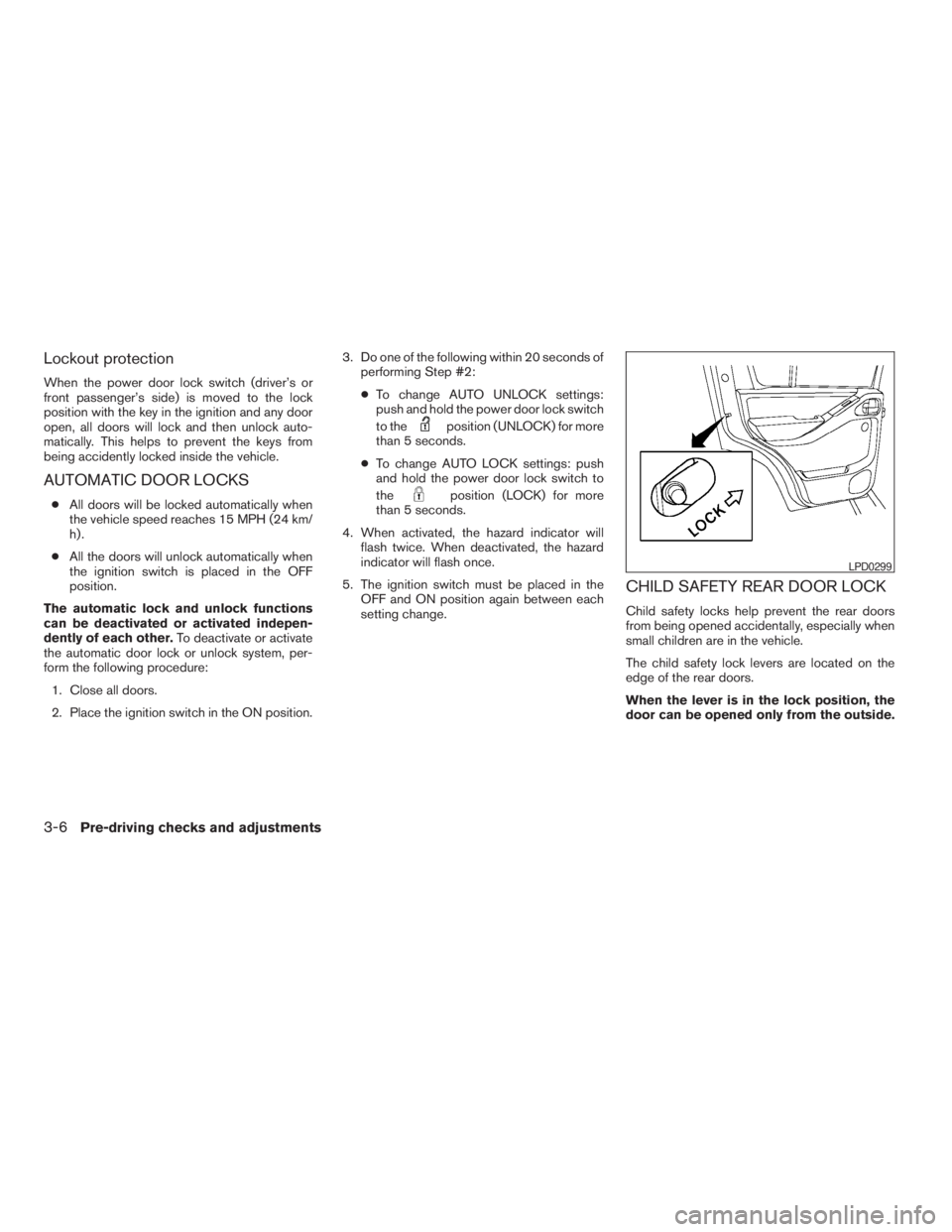
CHILD SAFETY REAR DOOR LOCK
Child safety locks help prevent the rear doors
from being opened accidentally, especially when
small children are in the vehicle.
The child safety lock levers are located on the
edge of the rear doors.
When the lever is in the lock position, the
door can be opened only from the outside.
LPD0299
3-6Pre-driving checks and adjustments
ZREVIEW COPYÐ2009 Pathfinder(pat)
Owners ManualÐUSA_English(nna)
06/13/08Ðdebbie
X
Page 395 of 471
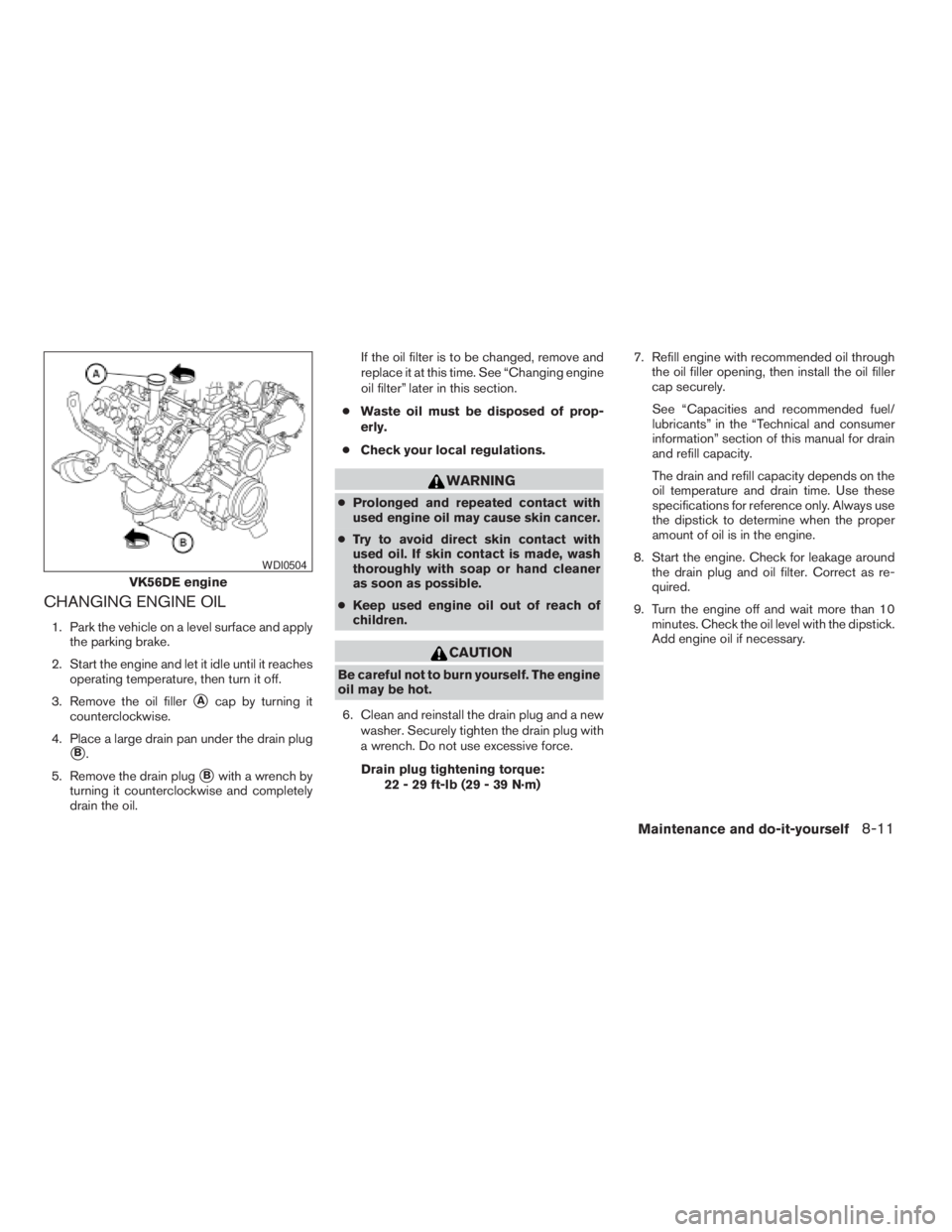
CHANGING ENGINE OIL
1. Park the vehicle on a level surface and apply
the parking brake.
2. Start the engine and let it idle until it reaches
operating temperature, then turn it off.
3. Remove the oil filler
sAcap by turning it
counterclockwise.
4. Place a large drain pan under the drain plug
sB.
5. Remove the drain plug
sBwith a wrench by
turning it counterclockwise and completely
drain the oil.If the oil filter is to be changed, remove and
replace it at this time. See “Changing engine
oil filter” later in this section.
cWaste oil must be disposed of prop-
erly.
cCheck your local regulations.
WARNING
cProlonged and repeated contact with
used engine oil may cause skin cancer.
cTry to avoid direct skin contact with
used oil. If skin contact is made, wash
thoroughly with soap or hand cleaner
as soon as possible.
cKeep used engine oil out of reach of
children.
CAUTION
Be careful not to burn yourself. The engine
oil may be hot.
6. Clean and reinstall the drain plug and a new
washer. Securely tighten the drain plug with
a wrench. Do not use excessive force.
Drain plug tightening torque:
22 - 29 ft-lb (29 - 39 N·m)7. Refill engine with recommended oil through
the oil filler opening, then install the oil filler
cap securely.
See “Capacities and recommended fuel/
lubricants” in the “Technical and consumer
information” section of this manual for drain
and refill capacity.
The drain and refill capacity depends on the
oil temperature and drain time. Use these
specifications for reference only. Always use
the dipstick to determine when the proper
amount of oil is in the engine.
8. Start the engine. Check for leakage around
the drain plug and oil filter. Correct as re-
quired.
9. Turn the engine off and wait more than 10
minutes. Check the oil level with the dipstick.
Add engine oil if necessary.
VK56DE engine
WDI0504
Maintenance and do-it-yourself8-11
ZREVIEW COPYÐ2009 Pathfinder(pat)
Owners ManualÐUSA_English(nna)
05/29/08Ðdebbie
X
Page 464 of 471
Bulb check/instrument panel..........2-14
Bulb replacement................8-32
C
Capacities and recommended
fuel/lubricants...................9-2
Car phone or CB radio............4-104
Cargo light...................2-54
Cargo net....................2-45
Cargo (See vehicle loading information) . . .9-12
CD care and cleaning.............4-84
CD changer (See audio system)........4-63
CD player (See audio system).....4-57, 4-71
Child restraint with top tether strap......1-24
Child restraints..........1-15, 1-21, 1-23
Precautions on child
restraints............1-21, 1-29, 1-36
Top tether strap anchor point locations . .1-24
Child safety rear door lock............3-6
Chimes, audible reminders...........2-22
Cleaning exterior and interior..........7-2
Clock...............4-56, 4-61, 4-69
(models with navigation system) . .4-13, 4-29
Clock set.................4-13, 4-29
C.M.V.S.S. certification label..........9-10
Cold weather driving..............5-39
Compact disc (CD) player.......4-57, 4-71
CompactFlash (CF) player...........4-73
Console box...................2-39
Control panel buttons.............4-18
Brightness/contrast button.....4-18, 4-34
Enter button..............4-4, 4-18
Setting button............4-11, 4-27
Startup screen...............4-21Without navigation system..........4-4
Controls
Audio controls (steering wheel)......4-86
Heater and air conditioner
controls................4-38, 4-45
Rear audio controls.............4-87
Rear seat air conditioner..........4-47
Coolant
Capacities and recommended
fuel/lubricants.................9-2
Changing engine coolant..........8-9
Checking engine coolant level........8-8
Engine coolant temperature gauge.....2-6
Corrosion protection...............7-5
Cruise control..................5-20
Cup holders...................2-41
Curtain side-impact and rollover air bag . . .1-53
D
Daytime running light system
(Canada only)..................2-30
Defroster switch
Rear window and outside mirror defroster
switch....................2-27
Digital video disc DVD.............4-89
Dimensions and weights.............9-8
Dimmer switch for instrument panel......2-31
Display controls
(see control panel buttons)........4-4, 4-18
Distance to empty.............4-7, 4-23
Door locks....................3-4
Door open warning light............2-16
Drive belt....................8-18
Drive positioner, Automatic...........3-30Driving
Cold weather driving............5-39
Driving with automatic transmission. . . .5-14
Precautions when starting and driving . . .5-2
E
Economy - fuel.................5-22
Emission control information label.......9-11
Emission control system warranty.......9-28
Engine
Before starting the engine.........5-13
Block heater.................5-41
Capacities and recommended
fuel/lubricants.................9-2
Changing engine coolant..........8-9
Changing engine oil............8-11
Changing engine oil filter..........8-12
Checking engine coolant level........8-8
Checking engine oil level..........8-9
Engine compartment check locations. . . .8-6
Engine coolant temperature gauge.....2-6
Engine cooling system............8-8
Engine oil...................8-9
Engine oil and oil filter recommendation . .9-5
Engine oil pressure warning light.....2-16
Engine oil viscosity..............9-5
Engine serial number............9-10
Engine specifications.............9-7
Starting the engine.............5-13
Engine oil pressure gauge............2-8
Enter button................4-4, 4-18
Event data recorders..............9-29
Exhaust gas (Carbon monoxide)........5-2
Eyeglass case..................2-40
10-2
ZREVIEW COPYÐ2009 Pathfinder(pat)
Owners ManualÐUSA_English(nna)
06/13/08Ðdebbie
X
Page 466 of 471
Warning signals...............3-17
Interior light...................2-52
ISOFIX child restraints.............1-23
J
Jump starting...................6-8
K
Key ........................3-2
Keyfob battery replacement..........8-27
Keyless entry
With Intelligent Key system
(See Intelligent Key system)........3-13
Keyless entry system
(See remote keyless entry system)......3-18
L
Labels
Air conditioner specification label.....9-11
C.M.V.S.S. certification label........9-10
Emission control information label.....9-11
Engine serial number............9-10
F.M.V.S.S. certification label........9-10
Tire and Loading Information label.....9-11
Vehicle identification number (VIN) plate . .9-9
Warning labels (for SRS)..........1-56
LATCH (Lower Anchors and Tethers for CHildren)
System......................1-23
License plate
Installing the license plate.........9-12Lift gate.....................3-22
Light
Air bag warning light.........1-56, 2-19
Brake light (See stop light).........8-32
Bulb check/instrument panel........2-14
Bulb replacement..............8-32
Charge warning light............2-15
Fog light switch...............2-32
Headlight and turn signal switch......2-28
Headlight control switch..........2-28
Headlights..................8-30
Interior light.................2-52
Light bulbs..................8-30
Low tire pressure warning light......2-17
Low washer fluid warning light.......2-18
Passenger air bag and status light.....1-50
Personal lights...............2-53
Security indicator light...........2-21
Warning/indicator lights and audible
reminders..................2-13
Lights
Map lights..................2-54
Lock
Child safety rear door lock..........3-6
Door locks..................3-4
Power door locks...............3-5
Vehicle speed sensing door lock
mechanism..................3-6
Low fuel warning light.............2-17
Low tire pressure warning light........2-17
Low washer fluid warning light.........2-18
Luggage hook..................2-43
Luggage (See vehicle loading information) . .9-12
Luggage storage
(see vehicle loading information)........2-43M
Maintenance
Changing the maintenance
interval................4-10, 4-25
Displaying the maintenance notice
reminder...............4-10, 4-26
General maintenance............8-2
Inside the vehicle...............8-3
Maintenance precautions..........8-5
Outside the vehicle..............8-2
Resetting the maintenance
interval................4-10, 4-26
Seat belt maintenance...........1-20
Setting.................4-9, 4-25
Under the hood and vehicle.........8-4
Malfunction indicator light...........2-20
Manual front seat adjustment..........1-2
Map lights....................2-54
Map pocket...................2-41
Meters and gauges................2-3
Instrument brightness control.......2-31
Mirror
Automatic anti-glare inside mirror.....3-27
Inside mirror.................3-27
Outside mirror control...........3-29
Outside mirrors...............3-29
Vanity mirror.................3-27
Music Box hard-disk drive audio system . . .4-75
10-4
ZREVIEW COPYÐ2009 Pathfinder(pat)
Owners ManualÐUSA_English(nna)
06/13/08Ðdebbie
X
Page 467 of 471
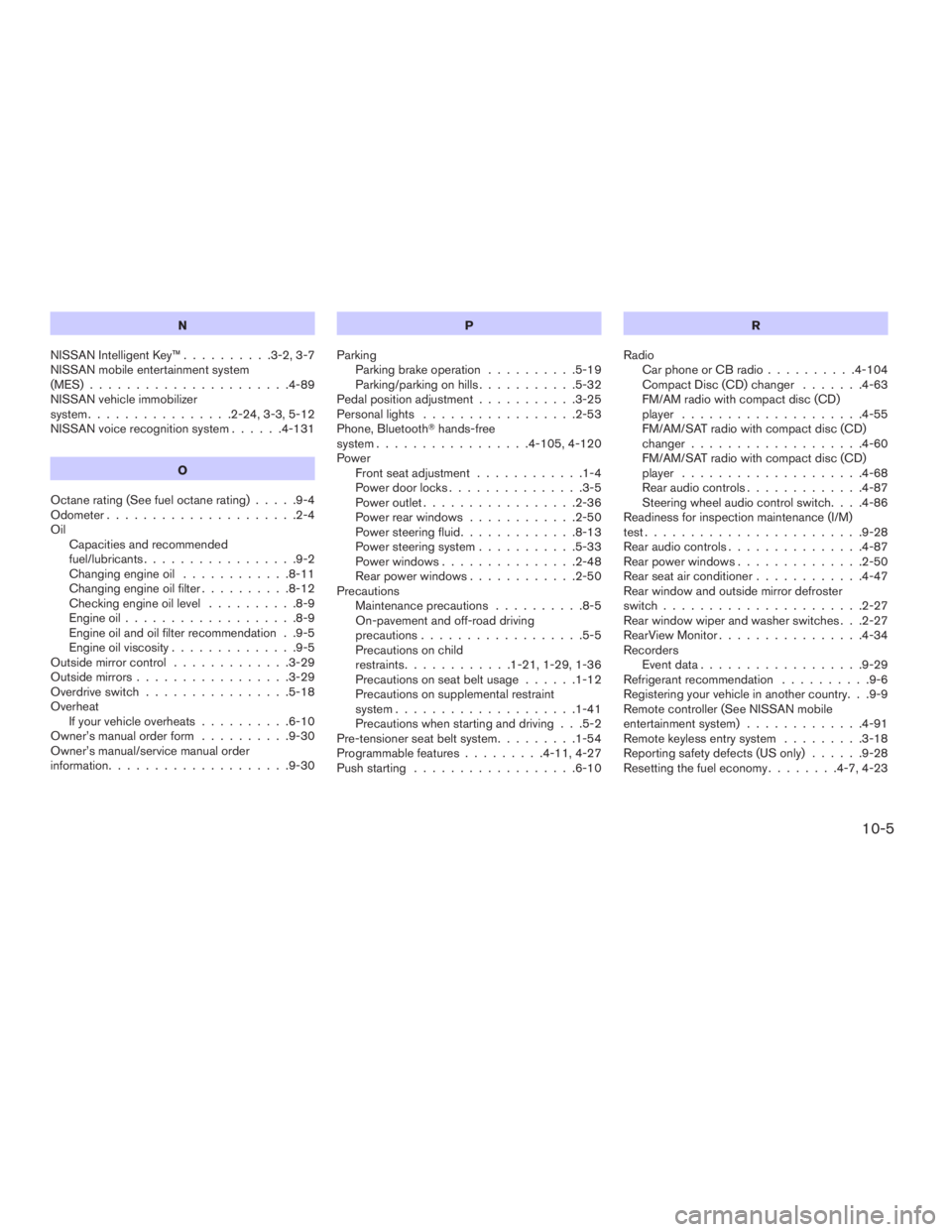
N
NISSAN Intelligent Key™..........3-2, 3-7
NISSAN mobile entertainment system
(MES)......................4-89
NISSAN vehicle immobilizer
system................2-24, 3-3, 5-12
NISSAN voice recognition system......4-131
O
Octane rating (See fuel octane rating).....9-4
Odometer.....................2-4
Oil
Capacities and recommended
fuel/lubricants.................9-2
Changing engine oil............8-11
Changing engine oil filter..........8-12
Checking engine oil level..........8-9
Engine oil...................8-9
Engine oil and oil filter recommendation . .9-5
Engine oil viscosity..............9-5
Outside mirror control.............3-29
Outside mirrors.................3-29
Overdrive switch................5-18
Overheat
If your vehicle overheats..........6-10
Owner’s manual order form..........9-30
Owner’s manual/service manual order
information....................9-30P
Parking
Parking brake operation..........5-19
Parking/parking on hills...........5-32
Pedal position adjustment...........3-25
Personal lights.................2-53
Phone, BluetoothThands-free
system.................4-105, 4-120
Power
Front seat adjustment............1-4
Power door locks...............3-5
Power outlet.................2-36
Power rear windows............2-50
Power steering fluid.............8-13
Power steering system...........5-33
Power windows...............2-48
Rear power windows............2-50
Precautions
Maintenance precautions..........8-5
On-pavement and off-road driving
precautions..................5-5
Precautions on child
restraints............1-21, 1-29, 1-36
Precautions on seat belt usage......1-12
Precautions on supplemental restraint
system....................1-41
Precautions when starting and driving . . .5-2
Pre-tensioner seat belt system.........1-54
Programmable features.........4-11, 4-27
Push starting..................6-10R
Radio
Car phone or CB radio..........4-104
Compact Disc (CD) changer.......4-63
FM/AM radio with compact disc (CD)
player....................4-55
FM/AM/SAT radio with compact disc (CD)
changer...................4-60
FM/AM/SAT radio with compact disc (CD)
player....................4-68
Rear audio controls.............4-87
Steering wheel audio control switch. . . .4-86
Readiness for inspection maintenance (I/M)
test........................9-28
Rear audio controls...............4-87
Rear power windows..............2-50
Rear seat air conditioner............4-47
Rear window and outside mirror defroster
switch......................2-27
Rear window wiper and washer switches . . .2-27
RearView Monitor................4-34
Recorders
Event data..................9-29
Refrigerant recommendation..........9-6
Registering your vehicle in another country. . .9-9
Remote controller (See NISSAN mobile
entertainment system).............4-91
Remote keyless entry system.........3-18
Reporting safety defects (US only)......9-28
Resetting the fuel economy........4-7, 4-23
10-5
ZREVIEW COPYÐ2009 Pathfinder(pat)
Owners ManualÐUSA_English(nna)
06/13/08Ðdebbie
X