remote control NISSAN PATHFINDER 2009 Owner´s Manual
[x] Cancel search | Manufacturer: NISSAN, Model Year: 2009, Model line: PATHFINDER, Model: NISSAN PATHFINDER 2009Pages: 471, PDF Size: 5.9 MB
Page 261 of 471
Pressing thebutton on the front controls
turns the rear speakers on or off and enables or
disables the wireless headphones .
It is possible to operate the DVD player by remote
control.
Headphones are a wireless type and no cables
are necessary. You can use them in almost all the
ranges in the rear seat. (It is not possible to use
the headphones in the front seat.)
DISC/AUX button
Park the vehicle in a safe location and
apply the parking brake for the front seat
occupants to operate the DVD drive while
watching the images.
Press the DISC/AUX button on the instrument
panel and turn the display to the DVD mode.
When a DVD is loaded, it will be replayed auto-
matically.
The operation screen will be turned on when the
DISC/AUX button located on the instrument
panel is pressed while a DVD is being played,
and it will turn off automatically after a period of
time. To turn it on again, press the DISC/AUX
button once more.
DVD operation keys
To operate the DVD drive, touch the preferred key
(if so equipped) or select the preferred key dis-
played on the operation screen using the
NISSAN controller.
NOTE:
If the display in your vehicle is not touch
screen enabled; use the NISSAN controller
and the ENTER button to operate the fol-
lowing functions. For more information on
how to operate the NISSAN controller, see
“How to use the NISSAN controller” earlier
in this section.
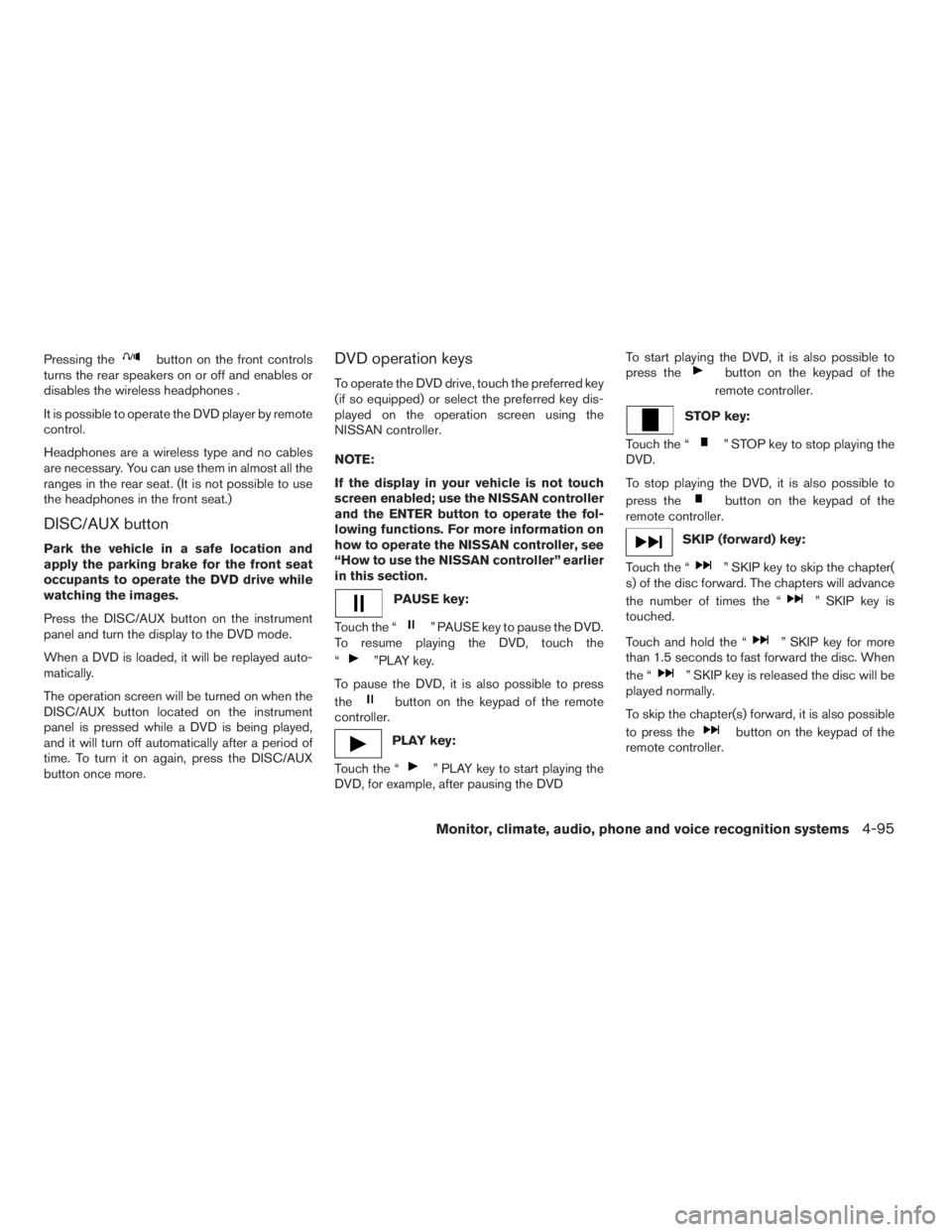
PAUSE key:
Touch the “
” PAUSE key to pause the DVD.
To resume playing the DVD, touch the
“
”PLAY key.
To pause the DVD, it is also possible to press
the
button on the keypad of the remote
controller.
PLAY key:
Touch the “
” PLAY key to start playing the
DVD, for example, after pausing the DVDTo start playing the DVD, it is also possible to
press the
button on the keypad of the
remote controller.
STOP key:
Touch the “
” STOP key to stop playing the
DVD.
To stop playing the DVD, it is also possible to
press the
button on the keypad of the
remote controller.
SKIP (forward) key:
Touch the “
” SKIP key to skip the chapter(
s) of the disc forward. The chapters will advance
the number of times the “
” SKIP key is
touched.
Touch and hold the “
” SKIP key for more
than 1.5 seconds to fast forward the disc. When
the “
” SKIP key is released the disc will be
played normally.
To skip the chapter(s) forward, it is also possible
to press the
button on the keypad of the
remote controller.
Monitor, climate, audio, phone and voice recognition systems4-95
ZREVIEW COPYÐ2009 Pathfinder(pat)
Owners ManualÐUSA_English(nna)
05/29/08Ðdebbie
X
Page 262 of 471

SKIP (rewind) key:
Touch the “
” SKIP key to skip the chapter(s)
of the disc backward. The chapters will go back
the number of times the “
” SKIP key is
touched.
Touch and hold the “
” SKIP key for more
than 1.5 seconds to rewind the disc. When the
“
” SKIP key is released the disc will be
played normally.
To skip the chapter(s) backward, it is also pos-
sible to press the
button on the keypad of
the remote controller.
DVD settings
Touch the “Settings” key to adjust the following
settings while playing a DVD.
When all the changes have been made, press
BACK button to save all the settings.
LHA0969LHA0970
4-96Monitor, climate, audio, phone and voice recognition systems
ZREVIEW COPYÐ2009 Pathfinder(pat)
Owners ManualÐUSA_English(nna)
05/29/08Ðdebbie
X
Page 265 of 471
REMOTE CONTROL OPERATION
For all operation precautions, see “Before oper-
ating the DVD Mobile Entertainment System”
earlier in this section.
The DVD system can also be controlled by using
the remote controller in the rear seats. See the
following items.
PWR on/off button:
With the ignition switch turned to the ACC or ON
position, press the PWR button to turn the DVD
rear display on or off.
NOTE:
The PWR button on the remote control only
turns the rear display on or off.
Insert the DVD into the slot with the label side
facing up. The DVD will be guided automatically
into the slot.
If the DVD player is off and a DVD is inserted, the
DVD player will automatically turn on.
CAUTION
Do not force the compact disc into the
slot. This could damage the player.MODE select button:
Press the MODE button to select Audio/Video
source between DVD and AUX input (input jacks
on the faceplate, Red = right channel audio input,
White = left channel audio input, and Yellow =
Video input) .
The display will show the “AUX” in the upper left
corner of the display for 4 seconds once the
Mode is changed to AUX.
To use the input jacks, refer to “Auxiliary input
jacks” in this section.
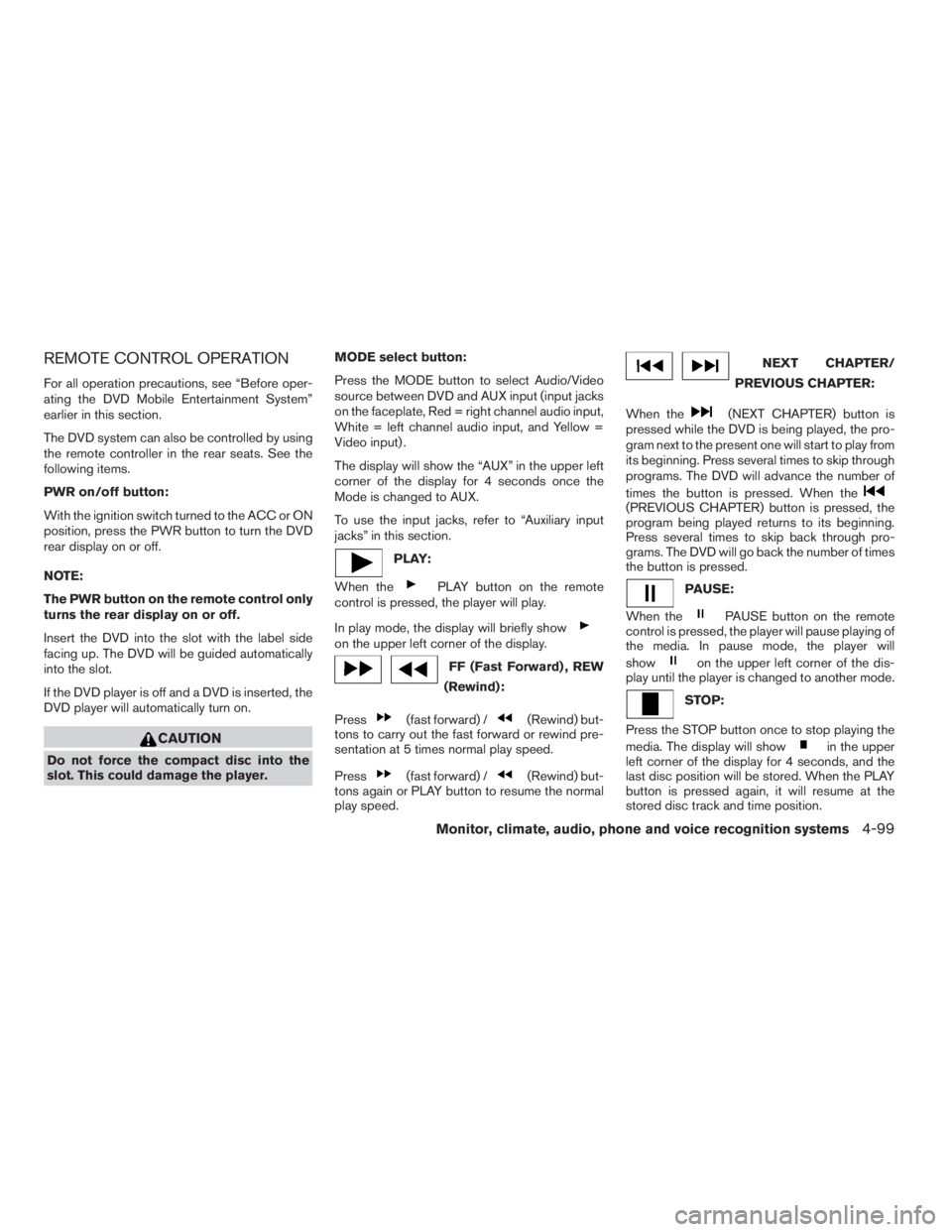
PLAY:
When the
PLAY button on the remote
control is pressed, the player will play.
In play mode, the display will briefly show
on the upper left corner of the display.
FF (Fast Forward) , REW
(Rewind):
Press
(fast forward) /(Rewind) but-
tons to carry out the fast forward or rewind pre-
sentation at 5 times normal play speed.
Press
(fast forward) /(Rewind) but-
tons again or PLAY button to resume the normal
play speed.
NEXT CHAPTER/
PREVIOUS CHAPTER:
When the
(NEXT CHAPTER) button is
pressed while the DVD is being played, the pro-
gram next to the present one will start to play from
its beginning. Press several times to skip through
programs. The DVD will advance the number of
times the button is pressed. When the
(PREVIOUS CHAPTER) button is pressed, the
program being played returns to its beginning.
Press several times to skip back through pro-
grams. The DVD will go back the number of times
the button is pressed.
PAUSE:
When the
PAUSE button on the remote
control is pressed, the player will pause playing of
the media. In pause mode, the player will
show
on the upper left corner of the dis-
play until the player is changed to another mode.
STOP:
Press the STOP button once to stop playing the
media. The display will show
in the upper
left corner of the display for 4 seconds, and the
last disc position will be stored. When the PLAY
button is pressed again, it will resume at the
stored disc track and time position.
Monitor, climate, audio, phone and voice recognition systems4-99
ZREVIEW COPYÐ2009 Pathfinder(pat)
Owners ManualÐUSA_English(nna)
05/30/08Ðbarbara
X
Page 267 of 471

The chapter/title/track number will be automati-
cally selected (if valid, based on media content) if
3 seconds expire without any keypad inputs.
The operator can cancel the input chapter/title/
track number by actuating the CLEAR control
prior to the expiration of the 3-second timer.
These functions can be used only for the DVD
discs which correspond to them.
CARE AND MAINTENANCE
Use a lightly dampened, lint free cloth to clean the
surfaces of your NISSAN Mobile Entertainment
System (DVD player face, screen, remote control,
etc.) .
Do not attempt to use the system in extreme
temperature conditions [below -4°F (-20°C) or
above 158°F (70°C)].
Do not attempt to operate the system in extreme
humidity conditions (less than 10% or more than
75%) .
CAUTION
cDo not use any solvents or cleaning
solutions when cleaning the video
system.
cDo not use excessive force on the moni-
tor screen.
cAvoid touching or scratching the moni-
tor screen as it may become dirty or
damaged.
HOW TO HANDLE THE DVD
CAUTION
cHandle a DVD by its edges. Never touch
the surface of the disc.
cTo clean a disc, wipe the surface from
the center to the outer edge using a
clean, soft cloth. Do not wipe the disc
using a circular motion.
cDo not use a conventional record
cleaner, benzine, thinner or alcohol in-
tended for industrial use.
LHA0049
Monitor, climate, audio, phone and voice recognition systems4-101
ZREVIEW COPYÐ2009 Pathfinder(pat)
Owners ManualÐUSA_English(nna)
05/29/08Ðdebbie
X
Page 269 of 471
5.If the disc cannot be ejected see your
NISSAN dealer for further assistance.
6.Re-program the radio presets.
Remote control and headphones
battery replacement
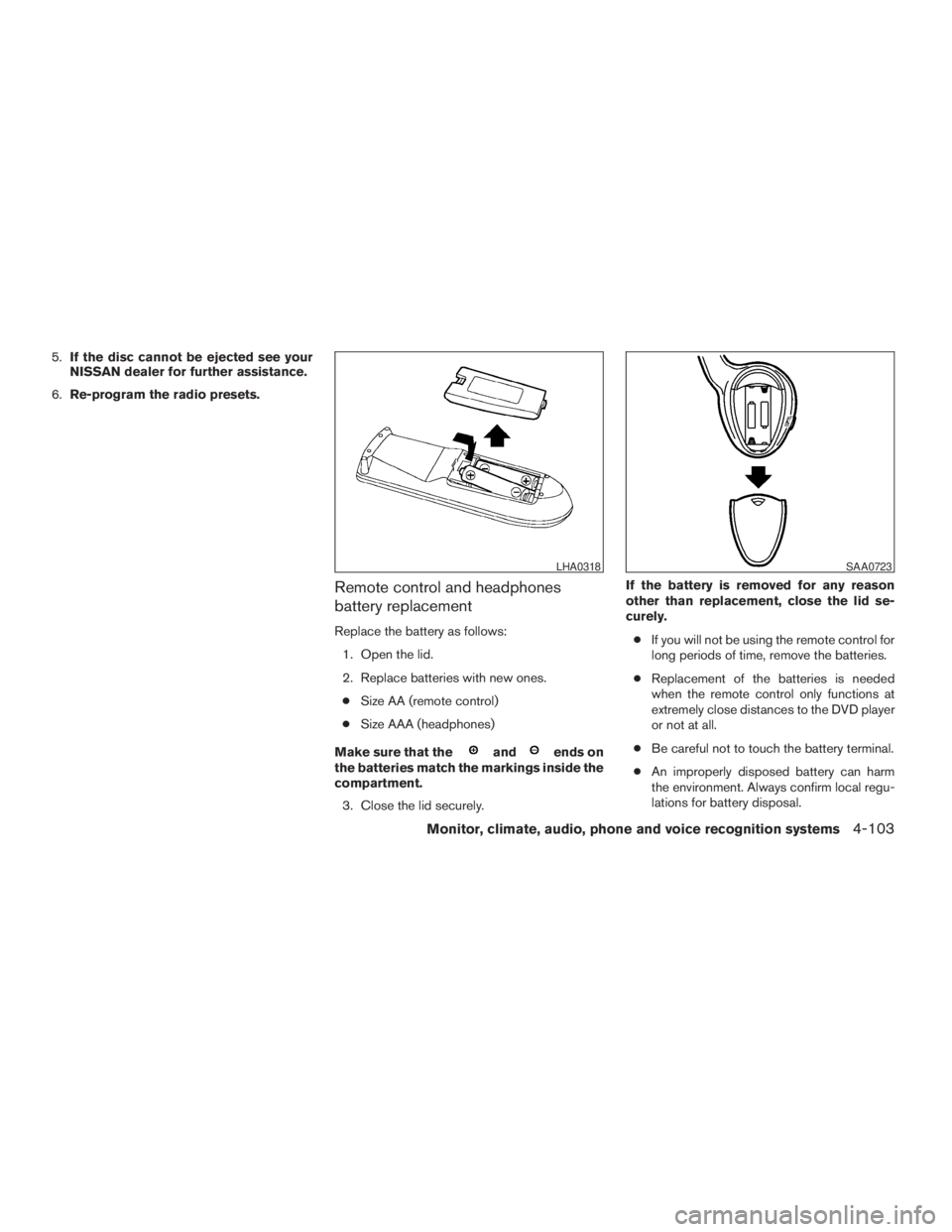
Replace the battery as follows:
1. Open the lid.
2. Replace batteries with new ones.
cSize AA (remote control)
cSize AAA (headphones)
Make sure that the
andends on
the batteries match the markings inside the
compartment.
3. Close the lid securely.If the battery is removed for any reason
other than replacement, close the lid se-
curely.
cIf you will not be using the remote control for
long periods of time, remove the batteries.
cReplacement of the batteries is needed
when the remote control only functions at
extremely close distances to the DVD player
or not at all.
cBe careful not to touch the battery terminal.
cAn improperly disposed battery can harm
the environment. Always confirm local regu-
lations for battery disposal.
LHA0318SAA0723
Monitor, climate, audio, phone and voice recognition systems4-103
ZREVIEW COPYÐ2009 Pathfinder(pat)
Owners ManualÐUSA_English(nna)
05/29/08Ðdebbie
X
Page 270 of 471
cWhen changing batteries, do not let dust or
oil get on the remote control and head-
phones.
FCC Notice:
Changes or modifications not expressly ap-
proved by the party responsible for compli-
ance could void the user’s authority to op-
erate the equipment. This device complies
with Part 15 of the FCC Rules and RSS-210
of Industry Canada. Operation is subject to
the following two conditions: (1) This de-
vice may not cause harmful interference,
and (2) this device must accept any inter-
ference received, including interference
that may cause undesired operation of the
device.When installing a CB, ham radio or car phone in
your NISSAN, be sure to observe the following
precautions; otherwise, the new equipment may
adversely affect the engine control system and
other electronic parts.
WARNING
cA cellular telephone should not be used
while driving so full attention may be
given to vehicle operation. Some juris-
dictions prohibit the use of cellular tele-
phones while driving.
cIf you must make a call while your ve-
hicle is in motion, the hands free cellu-
lar phone operational mode (if so
equipped) is highly recommended. Ex-
ercise extreme caution at all times so
full attention may be given to vehicle
operation.
cIf you are unable to devote full attention
to vehicle operation while talking on
the phone, pull off the road to a safe
location and stop your vehicle.
CAUTION
cKeep the antenna as far away as pos-
sible from the electronic control
modules.
cKeep the antenna wire more than 8 in
(20 cm) away from the electronic con-
trol system harnesses. Do not route the
antenna wire next to any harness.
cAdjust the antenna standing-wave ratio
as recommended by the manufacturer.
cConnect the ground wire from the CB
radio chassis to the body.
cFor details, consult a NISSAN dealer.
cDo not ground electrical accessories
directly to the battery terminal. Doing
so, will bypass the variable voltage con-
trol system and the vehicle battery may
not charge completely. Refer to “Vari-
able voltage control system” in the
“Maintenance and do-it-yourself” sec-
tion later in this manual.
cUse electrical accessories with the en-
gine running to avoid discharging the
vehicle battery.
CAR PHONE OR CB RADIO
4-104Monitor, climate, audio, phone and voice recognition systems
ZREVIEW COPYÐ2009 Pathfinder(pat)
Owners ManualÐUSA_English(nna)
05/29/08Ðdebbie
X
Page 361 of 471
WARNING
cNever rely solely on the hill start assist
system to prevent the vehicle from mov-
ing backward on a hill. Always drive
carefully and attentively. Depress the
brake pedal when the vehicle is
stopped on a steep hill. Be especially
careful when stopped on a hill on frozen
or muddy roads. Failure to prevent the
vehicle from rolling backwards may re-
sult in a loss of control of the vehicle
and possible serious injury or death.
cThe hill start assist system is not de-
signed to hold the vehicle at a standstill
on a hill. Depress the brake pedal when
the vehicle is stopped on a steep hill.
Failure to do so may cause the vehicle
to roll backwards and may result in a
collision or serious personal injury.
cThe hill start assist may not prevent the
vehicle from rolling backwards on a hill
under all load or road conditions. Al-
ways be prepared to depress the brake
pedal to prevent the vehicle from rolling
backwards. Failure to do so may result
in a collision or serious personal injury.The hill start assist system automatically keeps
the brakes applied to help prevent the vehicle
from rolling backwards in the time it takes the
driver to release the brake pedal and apply the
accelerator when the vehicle is stopped on a hill.
Hill start assist will operate automatically under
the following conditions:
cThe selector lever is shifted to a forward or
reverse gear.
cThe vehicle is stopped completely on a hill
by applying the brake.
The maximum holding time is 2 seconds. After 2
seconds the vehicle will begin to roll back and hill
start assist will stop operating completely.
Hill start assist will not operate when the shift
selector is shifted to N or P or on a flat and level
road.
FREEING A FROZEN DOOR LOCK
To prevent a door lock from freezing, apply de-
icer through the key hole. If the lock becomes
frozen, heat the key before inserting it into the key
hole or use the remote keyless entry keyfob (if so
equipped) .
ANTI-FREEZE
In the winter when it is anticipated that the tem-
perature will drop below 32°F (0°C) , check the
anti-freeze to assure proper winter protection.
For details, see “Engine cooling system” in the
“Maintenance and do-it-yourself” section of this
manual.
BATTERY
If the battery is not fully charged during extremely
cold weather conditions, the battery fluid may
freeze and damage the battery. To maintain maxi-
mum efficiency, the battery should be checked
regularly. For details, see “Battery” in the “Main-
tenance and do-it-yourself” section of this
manual.
HILL START ASSIST SYSTEM (if so
equipped)COLD WEATHER DRIVING
Starting and driving5-39
ZREVIEW COPYÐ2009 Pathfinder(pat)
Owners ManualÐUSA_English(nna)
05/29/08Ðdebbie
X
Page 465 of 471
F
First aid kit....................6-2
Flashers
(See hazard warning flasher switch)......2-32
Flat tire......................6-2
Floor mat positioning aid.............7-4
Fluid
Brake fluid..................8-14
Capacities and recommended
fuel/lubricants.................9-2
Engine coolant................8-8
Engine oil...................8-9
Power steering fluid.............8-13
Window washer fluid............8-15
F.M.V.S.S. certification label..........9-10
Fog light switch.................2-32
Front air bag system
(See supplemental restraint system).....1-49
Front seats....................1-2
Fuel
Capacities and recommended
fuel/lubricants.................9-2
Fuel economy................5-22
Fuel gauge..................2-7
Fuel octane rating..............9-4
Fuel recommendation............9-3
Fuel-filler door and cap...........3-23
Fuses......................8-24
Fusible links...................8-26G
Garage door opener, HomeLinkTUniversal
Transceiver...................2-54
Gascap.....................3-23
Gauge
Engine coolant temperature gauge.....2-6
Engine oil pressure gauge..........2-8
Fuel gauge..................2-7
Odometer...................2-4
Speedometer.................2-4
Tachometer..................2-6
Trip computer.................2-5
Trip odometer.................2-4
Voltmeter...................2-8
General maintenance..............8-2
Glass hatch...................3-23
Glove box....................2-40
H
Hands-free phone system,
BluetoothT..............4-105, 4-120
Hazard warning flasher switch.........2-32
Head restraints..................1-7
Active Head Restraint............1-7
Headlight and turn signal switch........2-28
Headlight control switch............2-28
Headlights....................8-30
Headphones (See NISSAN mobile
entertainment system).............4-92
Heated seats..................2-34
Heated steering wheel.............2-33Heater
Heater and air conditioner
controls................4-38, 4-45
Heater operation...........4-39, 4-46
Rear seat air conditioner..........4-47
Hill descent control switch...........2-35
Hill descent control system..........5-38
Hill start assist system.............5-39
HomeLinkTUniversal Transceiver.......2-54
Hood release..................3-21
Hook
Luggage hook................2-43
Horn.......................2-33
I
Ignition switch..................5-9
Immobilizer system.........2-24, 3-3, 5-12
Important vehicle information label.......9-10
In-cabin microfilter...............8-20
Increasing fuel economy............5-22
Indicator lights and audible reminders
(See warning/indicator lights and audible
reminders)....................2-13
Inside automatic anti-glare mirror.......3-27
Inside mirror...................3-27
Instrument brightness control.........2-31
Instrument panel..............0-6, 2-2
Instrument panel dimmer switch........2-31
Intelligent Key system
Key operating range.............3-9
Key operation................3-10
Mechanical key................3-3
Remote keyless entry operation......3-13
Troubleshooting guide...........3-17
10-3
ZREVIEW COPYÐ2009 Pathfinder(pat)
Owners ManualÐUSA_English(nna)
06/13/08Ðdebbie
X
Page 466 of 471
Warning signals...............3-17
Interior light...................2-52
ISOFIX child restraints.............1-23
J
Jump starting...................6-8
K
Key ........................3-2
Keyfob battery replacement..........8-27
Keyless entry
With Intelligent Key system
(See Intelligent Key system)........3-13
Keyless entry system
(See remote keyless entry system)......3-18
L
Labels
Air conditioner specification label.....9-11
C.M.V.S.S. certification label........9-10
Emission control information label.....9-11
Engine serial number............9-10
F.M.V.S.S. certification label........9-10
Tire and Loading Information label.....9-11
Vehicle identification number (VIN) plate . .9-9
Warning labels (for SRS)..........1-56
LATCH (Lower Anchors and Tethers for CHildren)
System......................1-23
License plate
Installing the license plate.........9-12Lift gate.....................3-22
Light
Air bag warning light.........1-56, 2-19
Brake light (See stop light).........8-32
Bulb check/instrument panel........2-14
Bulb replacement..............8-32
Charge warning light............2-15
Fog light switch...............2-32
Headlight and turn signal switch......2-28
Headlight control switch..........2-28
Headlights..................8-30
Interior light.................2-52
Light bulbs..................8-30
Low tire pressure warning light......2-17
Low washer fluid warning light.......2-18
Passenger air bag and status light.....1-50
Personal lights...............2-53
Security indicator light...........2-21
Warning/indicator lights and audible
reminders..................2-13
Lights
Map lights..................2-54
Lock
Child safety rear door lock..........3-6
Door locks..................3-4
Power door locks...............3-5
Vehicle speed sensing door lock
mechanism..................3-6
Low fuel warning light.............2-17
Low tire pressure warning light........2-17
Low washer fluid warning light.........2-18
Luggage hook..................2-43
Luggage (See vehicle loading information) . .9-12
Luggage storage
(see vehicle loading information)........2-43M
Maintenance
Changing the maintenance
interval................4-10, 4-25
Displaying the maintenance notice
reminder...............4-10, 4-26
General maintenance............8-2
Inside the vehicle...............8-3
Maintenance precautions..........8-5
Outside the vehicle..............8-2
Resetting the maintenance
interval................4-10, 4-26
Seat belt maintenance...........1-20
Setting.................4-9, 4-25
Under the hood and vehicle.........8-4
Malfunction indicator light...........2-20
Manual front seat adjustment..........1-2
Map lights....................2-54
Map pocket...................2-41
Meters and gauges................2-3
Instrument brightness control.......2-31
Mirror
Automatic anti-glare inside mirror.....3-27
Inside mirror.................3-27
Outside mirror control...........3-29
Outside mirrors...............3-29
Vanity mirror.................3-27
Music Box hard-disk drive audio system . . .4-75
10-4
ZREVIEW COPYÐ2009 Pathfinder(pat)
Owners ManualÐUSA_English(nna)
06/13/08Ðdebbie
X
Page 467 of 471
N
NISSAN Intelligent Key™..........3-2, 3-7
NISSAN mobile entertainment system
(MES)......................4-89
NISSAN vehicle immobilizer
system................2-24, 3-3, 5-12
NISSAN voice recognition system......4-131
O
Octane rating (See fuel octane rating).....9-4
Odometer.....................2-4
Oil
Capacities and recommended
fuel/lubricants.................9-2
Changing engine oil............8-11
Changing engine oil filter..........8-12
Checking engine oil level..........8-9
Engine oil...................8-9
Engine oil and oil filter recommendation . .9-5
Engine oil viscosity..............9-5
Outside mirror control.............3-29
Outside mirrors.................3-29
Overdrive switch................5-18
Overheat
If your vehicle overheats..........6-10
Owner’s manual order form..........9-30
Owner’s manual/service manual order
information....................9-30P
Parking
Parking brake operation..........5-19
Parking/parking on hills...........5-32
Pedal position adjustment...........3-25
Personal lights.................2-53
Phone, BluetoothThands-free
system.................4-105, 4-120
Power
Front seat adjustment............1-4
Power door locks...............3-5
Power outlet.................2-36
Power rear windows............2-50
Power steering fluid.............8-13
Power steering system...........5-33
Power windows...............2-48
Rear power windows............2-50
Precautions
Maintenance precautions..........8-5
On-pavement and off-road driving
precautions..................5-5
Precautions on child
restraints............1-21, 1-29, 1-36
Precautions on seat belt usage......1-12
Precautions on supplemental restraint
system....................1-41
Precautions when starting and driving . . .5-2
Pre-tensioner seat belt system.........1-54
Programmable features.........4-11, 4-27
Push starting..................6-10R
Radio
Car phone or CB radio..........4-104
Compact Disc (CD) changer.......4-63
FM/AM radio with compact disc (CD)
player....................4-55
FM/AM/SAT radio with compact disc (CD)
changer...................4-60
FM/AM/SAT radio with compact disc (CD)
player....................4-68
Rear audio controls.............4-87
Steering wheel audio control switch. . . .4-86
Readiness for inspection maintenance (I/M)
test........................9-28
Rear audio controls...............4-87
Rear power windows..............2-50
Rear seat air conditioner............4-47
Rear window and outside mirror defroster
switch......................2-27
Rear window wiper and washer switches . . .2-27
RearView Monitor................4-34
Recorders
Event data..................9-29
Refrigerant recommendation..........9-6
Registering your vehicle in another country. . .9-9
Remote controller (See NISSAN mobile
entertainment system).............4-91
Remote keyless entry system.........3-18
Reporting safety defects (US only)......9-28
Resetting the fuel economy........4-7, 4-23
10-5
ZREVIEW COPYÐ2009 Pathfinder(pat)
Owners ManualÐUSA_English(nna)
06/13/08Ðdebbie
X