heater NISSAN PATHFINDER 2010 Owner´s Manual
[x] Cancel search | Manufacturer: NISSAN, Model Year: 2010, Model line: PATHFINDER, Model: NISSAN PATHFINDER 2010Pages: 463, PDF Size: 5.69 MB
Page 84 of 463
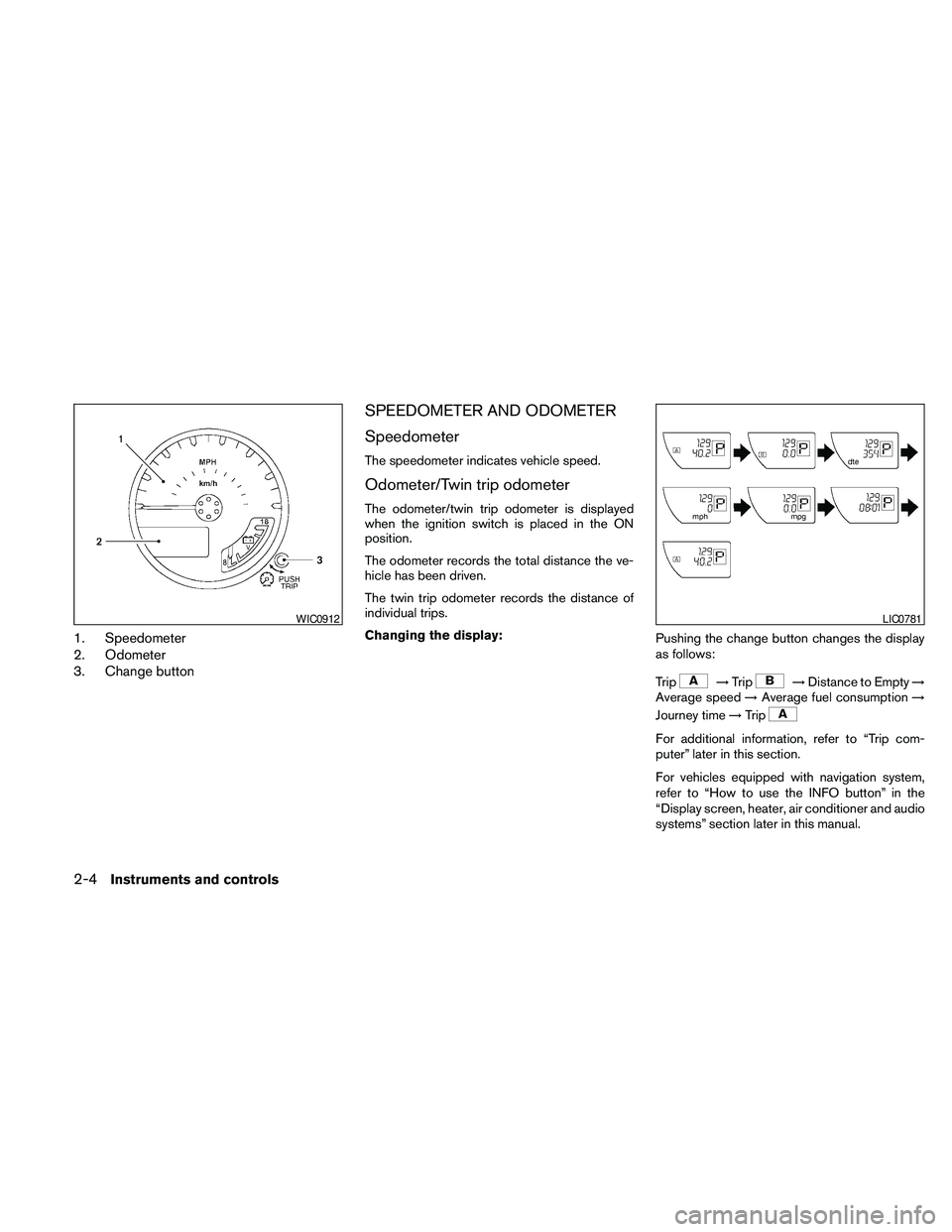
1. Speedometer
2. Odometer
3. Change button
SPEEDOMETER AND ODOMETER
Speedometer
The speedometer indicates vehicle speed.
Odometer/Twin trip odometer
The odometer/twin trip odometer is displayed
when the ignition switch is placed in the ON
position.
The odometer records the total distance the ve-
hicle has been driven.
The twin trip odometer records the distance of
individual trips.
Changing the display:
Pushing the change button changes the display
as follows:
Trip
!Trip!Distance to Empty!
Average speed!Average fuel consumption!
Journey time!Trip
For additional information, refer to “Trip com-
puter” later in this section.
For vehicles equipped with navigation system,
refer to “How to use the INFO button” in the
“Display screen, heater, air conditioner and audio
systems” section later in this manual.
WIC0912LIC0781
2-4Instruments and controls
Page 112 of 463
The heated steering wheel system is designed to
operate only when the surface temperature of the
steering wheel is below 68°F (20°C) .
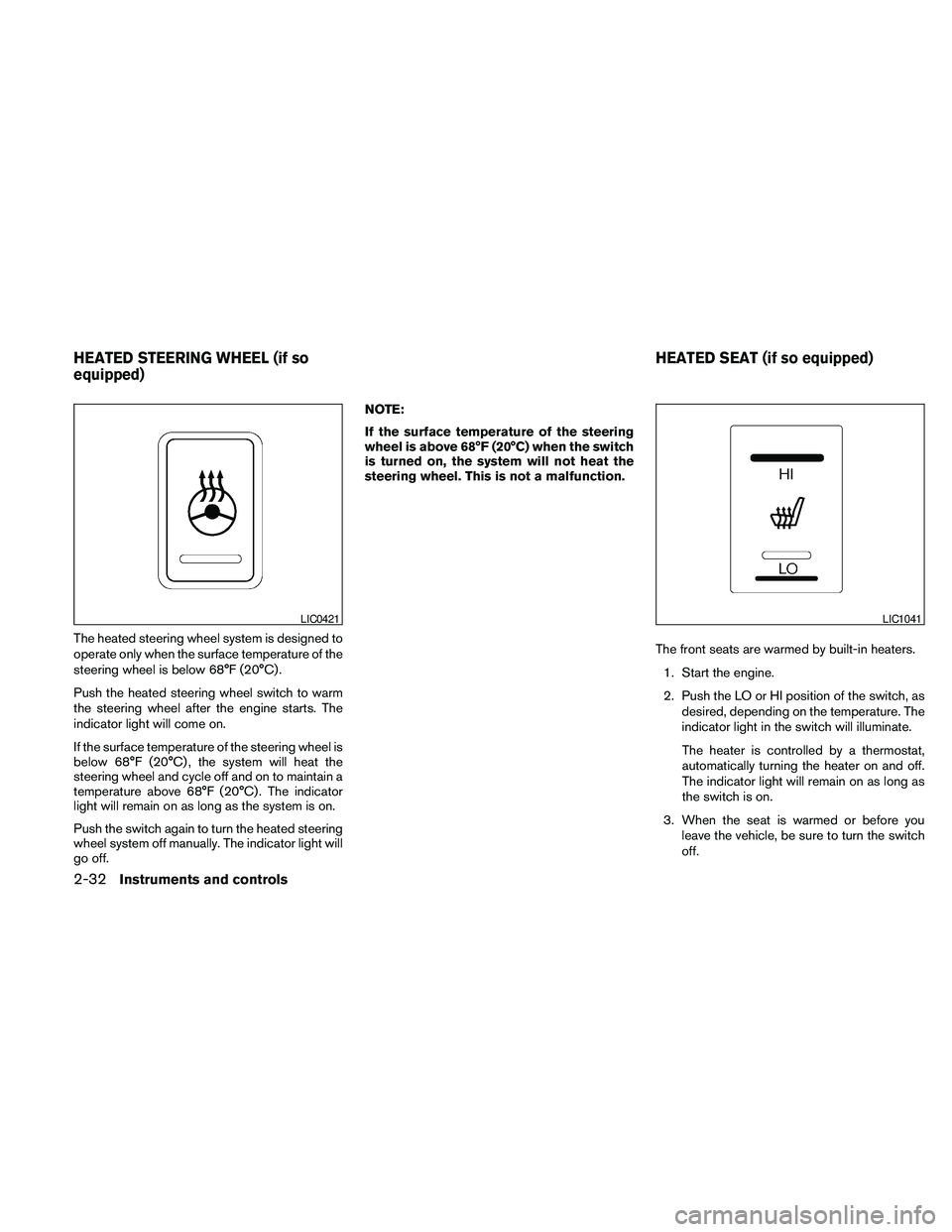
Push the heated steering wheel switch to warm
the steering wheel after the engine starts. The
indicator light will come on.
If the surface temperature of the steering wheel is
below 68°F (20°C) , the system will heat the
steering wheel and cycle off and on to maintain a
temperature above 68°F (20°C) . The indicator
light will remain on as long as the system is on.
Push the switch again to turn the heated steering
wheel system off manually. The indicator light will
go off.NOTE:
If the surface temperature of the steering
wheel is above 68°F (20°C) when the switch
is turned on, the system will not heat the
steering wheel. This is not a malfunction.
The front seats are warmed by built-in heaters.
1. Start the engine.
2. Push the LO or HI position of the switch, as
desired, depending on the temperature. The
indicator light in the switch will illuminate.
The heater is controlled by a thermostat,
automatically turning the heater on and off.
The indicator light will remain on as long as
the switch is on.
3. When the seat is warmed or before you
leave the vehicle, be sure to turn the switch
off.
LIC0421LIC1041
HEATED STEERING WHEEL (if so
equipped)HEATED SEAT (if so equipped)
2-32Instruments and controls
Page 113 of 463
CAUTION
cDo not use the seat heater for extended
periods or when no one is using the
seat.
cDo not put anything on the seat which
insulates heat, such as a blanket, cush-
ion, seat cover, etc. Otherwise, the seat
may become overheated.
cDo not place anything hard or heavy on
the seat or pierce it with a pin or similar
object. This may result in damage to the
heater.
cAny liquid spilled on the heated seat
should be removed immediately with a
dry cloth.
cWhen cleaning the seat, never use
gasoline, benzine, thinner, or any simi-
lar materials.
cIf any abnormalities are found or the
heated seat does not operate, turn the
switch off and have the system checked
by your NISSAN dealer.
cThe battery could run down if the seat
heater is operated while the engine is
not running.The vehicle should be driven with the Vehicle
Dynamic Control (VDC) system on for most driv-
ing conditions.
If the vehicle is stuck in mud or snow, the VDC
system reduces the engine output to reduce
wheel spin. The engine speed will be reduced
even if the accelerator is depressed to the floor. If
maximum engine power is needed to free a stuck
vehicle, turn the VDC system off.
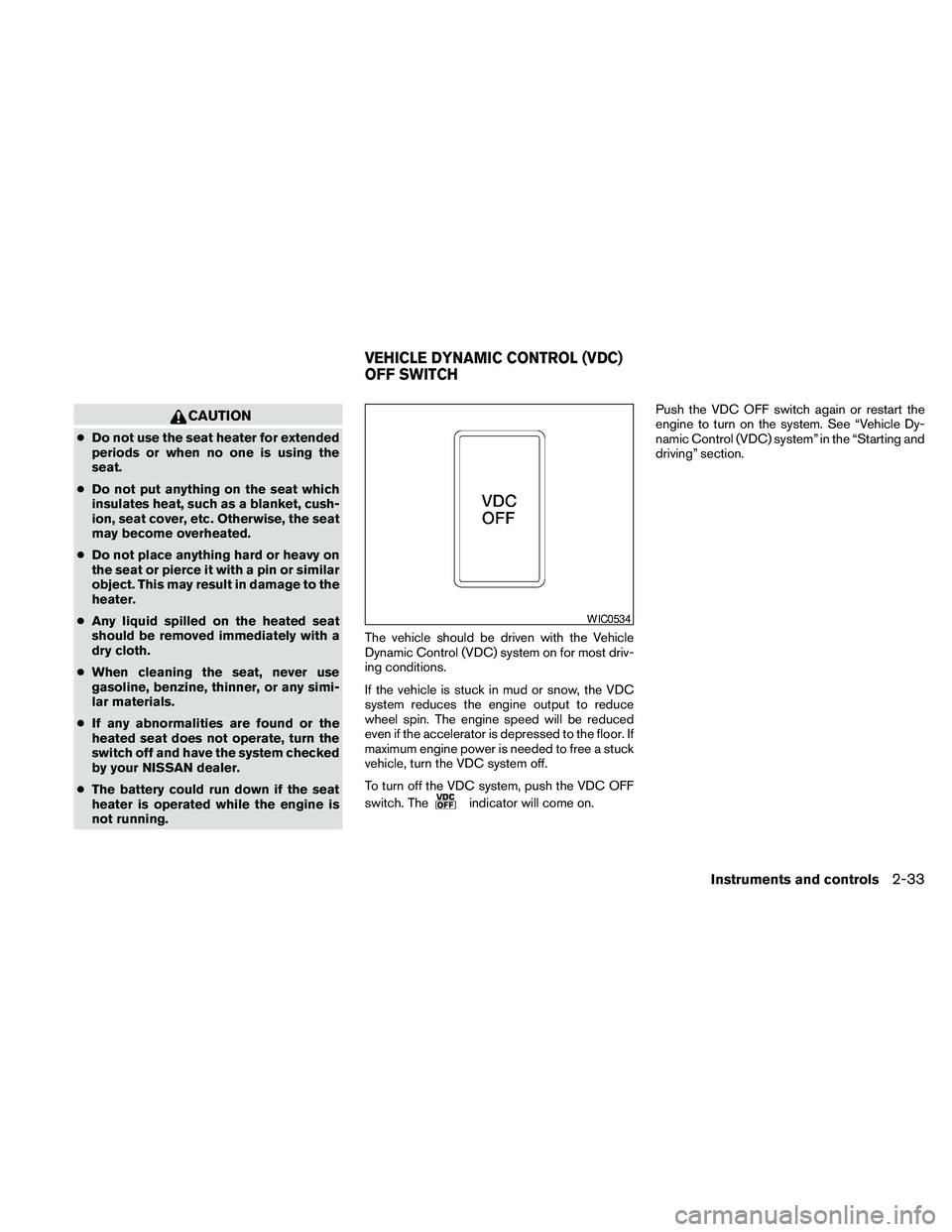
To turn off the VDC system, push the VDC OFF
switch. The
indicator will come on.Push the VDC OFF switch again or restart the
engine to turn on the system. See “Vehicle Dy-
namic Control (VDC) system” in the “Starting and
driving” section.
WIC0534
VEHICLE DYNAMIC CONTROL (VDC)
OFF SWITCH
Instruments and controls2-33
Page 165 of 463
4 Monitor, climate, audio, phone and voice
recognition systems
Control panel buttons — color screen without
Navigation System (if so equipped)..................4-4
How to use the NISSAN controller...............4-5
How to select menus on the screen..............4-6
How to use the STATUS button..................4-6
How to use the INFO button.....................4-7
How to use the SETTING button................4-11
OFF button.............................4-17
Control panel buttons — color screen with
Navigation System (if so equipped).................4-18
How to use the NISSAN controller..............4-19
How to use the touch screen...................4-19
Start-up screen...............................4-21
How to select menus on the screen.............4-21
How to use the STATUS button.................4-21
How to use the INFO button....................4-22
How to use the SETTING button................4-26
OFF button.............................4-33
RearView Monitor (if so equipped)..................4-33
How to read the displayed lines.................4-34
Adjusting the screen...........................4-34
Operating tips.................................4-35
Vents...........................................4-36Heater and air conditioner (manual)
(if so equipped)..................................4-37
Controls......................................4-37
Heater operation..............................4-38
Air conditioner operation.......................4-39
Air flow charts.................................4-41
Heater and air conditioner (automatic)
(if so equipped)..................................4-44
Automatic operation...........................4-44
Manual operation..............................4-45
Operating tips.................................4-45
Rear seat air conditioner (if so equipped)............4-46
Controls......................................4-47
Servicing air conditioner...........................4-47
Audio system....................................4-47
Radio........................................4-47
FM radio reception............................4-48
AM radio reception............................4-48
Satellite radio reception (if so equipped).........4-48
Audio operation precautions....................4-49
FM/AM radio with compact disc (CD) player
(if so equipped)...............................4-54
FM/AM/SAT radio with compact disc (CD)
changer (if so equipped).......................4-59
Page 176 of 463
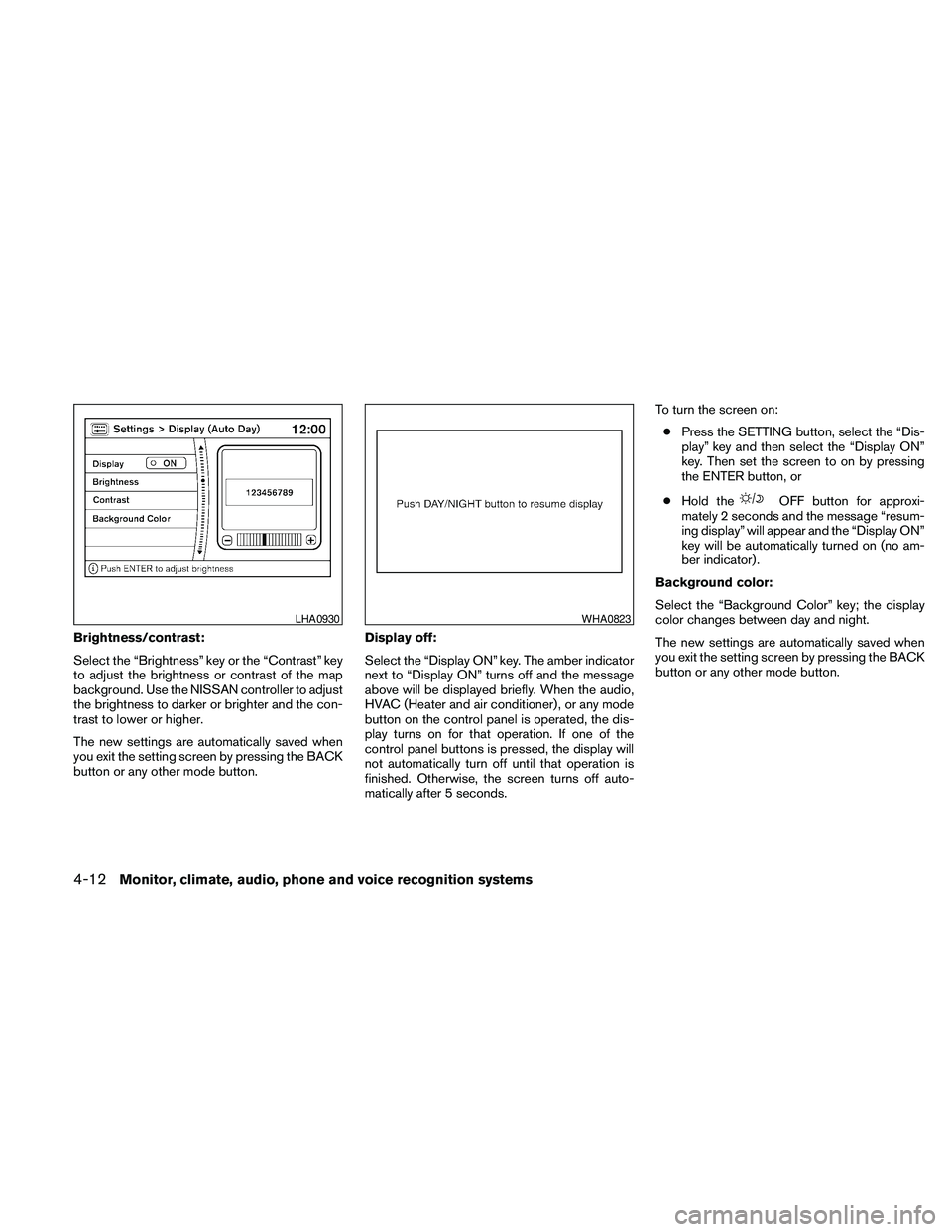
Brightness/contrast:
Select the “Brightness” key or the “Contrast” key
to adjust the brightness or contrast of the map
background. Use the NISSAN controller to adjust
the brightness to darker or brighter and the con-
trast to lower or higher.
The new settings are automatically saved when
you exit the setting screen by pressing the BACK
button or any other mode button.Display off:
Select the “Display ON” key. The amber indicator
next to “Display ON” turns off and the message
above will be displayed briefly. When the audio,
HVAC (Heater and air conditioner) , or any mode
button on the control panel is operated, the dis-
play turns on for that operation. If one of the
control panel buttons is pressed, the display will
not automatically turn off until that operation is
finished. Otherwise, the screen turns off auto-
matically after 5 seconds.To turn the screen on:
cPress the SETTING button, select the “Dis-
play” key and then select the “Display ON”
key. Then set the screen to on by pressing
the ENTER button, or
cHold the
OFF button for approxi-
mately 2 seconds and the message “resum-
ing display” will appear and the “Display ON”
key will be automatically turned on (no am-
ber indicator) .
Background color:
Select the “Background Color” key; the display
color changes between day and night.
The new settings are automatically saved when
you exit the setting screen by pressing the BACK
button or any other mode button.
LHA0930WHA0823
4-12Monitor, climate, audio, phone and voice recognition systems
Page 191 of 463
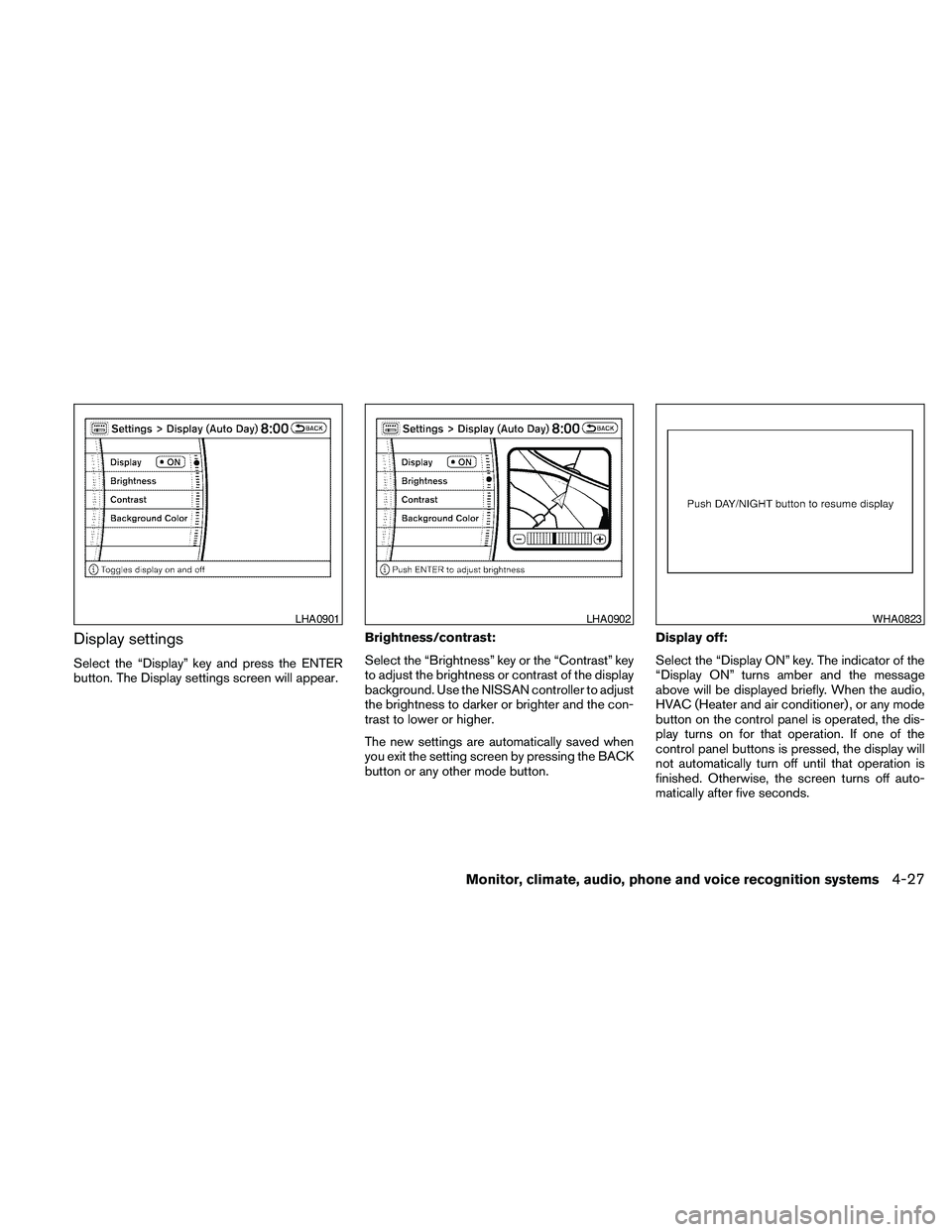
Display settings
Select the “Display” key and press the ENTER
button. The Display settings screen will appear.Brightness/contrast:
Select the “Brightness” key or the “Contrast” key
to adjust the brightness or contrast of the display
background. Use the NISSAN controller to adjust
the brightness to darker or brighter and the con-
trast to lower or higher.
The new settings are automatically saved when
you exit the setting screen by pressing the BACK
button or any other mode button.Display off:
Select the “Display ON” key. The indicator of the
“Display ON” turns amber and the message
above will be displayed briefly. When the audio,
HVAC (Heater and air conditioner) , or any mode
button on the control panel is operated, the dis-
play turns on for that operation. If one of the
control panel buttons is pressed, the display will
not automatically turn off until that operation is
finished. Otherwise, the screen turns off auto-
matically after five seconds.
LHA0901LHA0902WHA0823
Monitor, climate, audio, phone and voice recognition systems4-27
Page 201 of 463
WARNING
cThe air conditioner cooling function op-
erates only when the engine is running.
cDo not leave children or adults who
would normally require the assistance
of others alone in your vehicle. Pets
should also not be left alone. They
could accidentally injure themselves or
others through inadvertent operation of
the vehicle. Also, on hot, sunny days,
temperatures in a closed vehicle could
quickly become high enough to cause
severe or possibly fatal injuries to
people or animals.
cDo not use the recirculation mode for
long periods as it may cause the interior
air to become stale and the windows to
fog up.
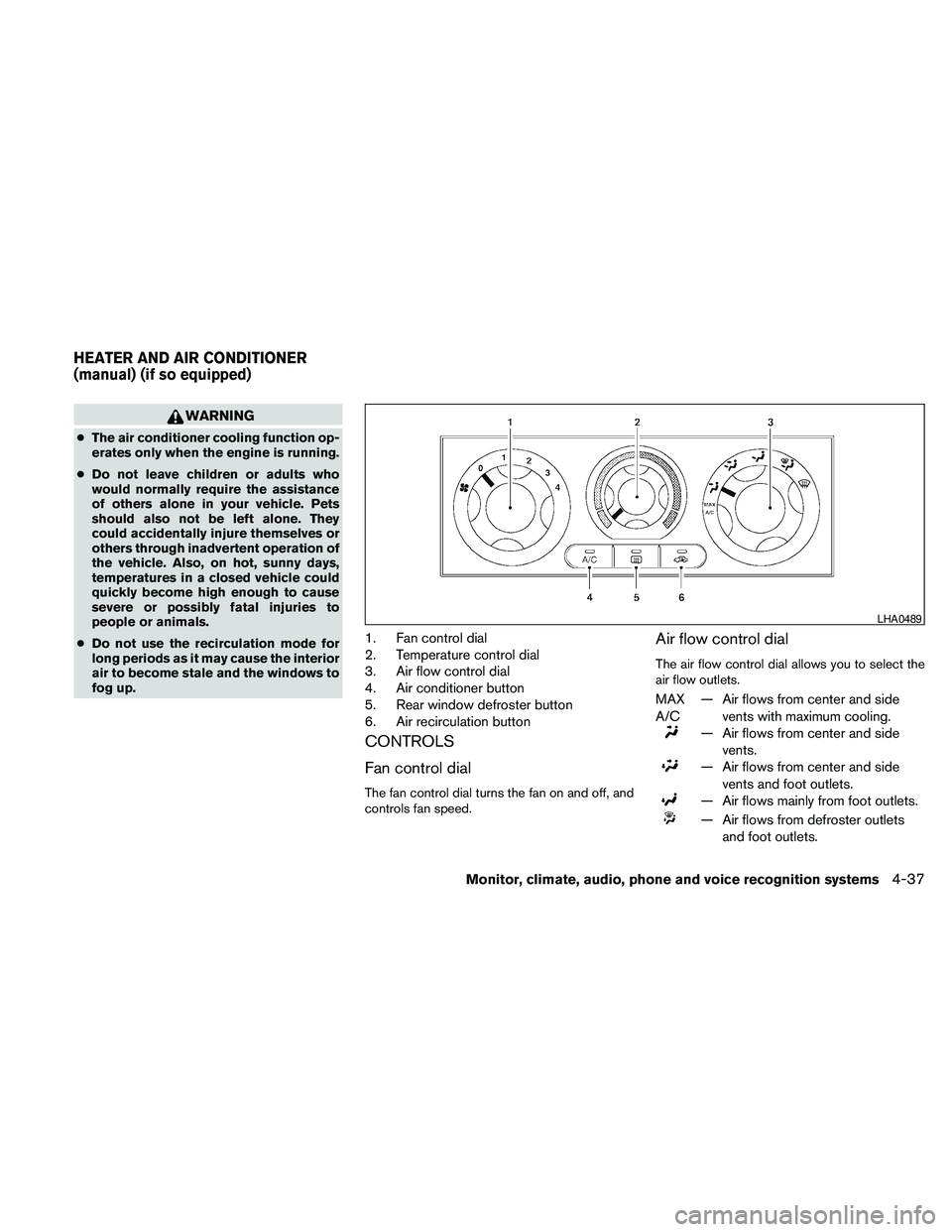
1. Fan control dial
2. Temperature control dial
3. Air flow control dial
4. Air conditioner button
5. Rear window defroster button
6. Air recirculation button
CONTROLS
Fan control dial
The fan control dial turns the fan on and off, and
controls fan speed.
Air flow control dial
The air flow control dial allows you to select the
air flow outlets.
MAX
A/C— Air flows from center and side
vents with maximum cooling.
— Air flows from center and side
vents.
— Air flows from center and side
vents and foot outlets.
— Air flows mainly from foot outlets.
— Air flows from defroster outlets
and foot outlets.
LHA0489
HEATER AND AIR CONDITIONER
(manual) (if so equipped)
Monitor, climate, audio, phone and voice recognition systems4-37
Page 202 of 463
— Air flows mainly from defroster
outlets.
Temperature control dial
The temperature control dial allows you to adjust
the temperature of the outlet air. To lower the
temperature, turn the dial to the left. To increase
the temperature, turn the dial to the right.
Air recirculation button
ON position (Indicator light on):
Interior air is recirculated inside the vehicle.
Press the
button to the on position when:
cdriving on a dusty road.
cto prevent traffic fumes from entering pas-
senger compartment.
cfor maximum cooling when using the air con-
ditioner.
OFF position (Indicator light off):
Outside air is drawn into the passenger compart-
ment and distributed through the selected outlet.
Use the off position for normal heater or air con-
ditioner operation.
Air conditioner button
Start the engine, turn the fan control dial to the
desired (1 to 4) position and push the
button to turn on the air conditioner. The indicator
light on the
button will come on. Push
the
button again to turn off the air condi-
tioner. The indicator light on the
button will
go off.
The air conditioner cooling function oper-
ates only when the engine is running.
Rear window defroster switch
For more information about the rear window de-
froster switch, see “Rear window defroster
switch” in the “Instruments and controls” section
of this manual.
HEATER OPERATION
Heating
This mode is used to direct heated air to the foot
outlets. Some air also flows from the defrost
outlets.
1. Push the
button to the off position for
normal heating.
2. Turn the air flow control dial to the
position.3. Turn the fan control dial to the desired posi-
tion.
4. Turn the temperature control dial to the de-
sired position between the middle and the
hot position.
Ventilation
This mode directs outside air to the side and
center vents.
1. Push the
button to the off position.
2. Turn the air flow control dial to the
position.
3. Turn the fan control dial to the desired posi-
tion.
4. Turn the temperature control dial to the de-
sired position.
Defrosting or defogging
This mode directs the air to the defrost outlets to
defrost/defog the windows.
1. Turn the air flow control dial to the
position.
2.
Turn the fan control dial to the desired position.
3. Turn the temperature control dial to the de-
sired position between the middle and the
hot position.
4-38Monitor, climate, audio, phone and voice recognition systems
Page 203 of 463
cTo quickly remove ice or fog from the win-
dows, turn the fan control dial to 4 and the
temperature control lever to the full HOT
position.
cWhen the
position is selected, the air
conditioner automatically turns on (however,
the indicator light will not illuminate) if the
outside temperature is more than 36°F
(2°C) . If the system is in defrost mode for
more than one minute, the air conditioning
system will continue to operate until the fan
control dial is turned to OFF or the vehicle is
shut off, even if the air flow control dial is
turned to a position other than the
position. This dehumidifies the air which
helps defog the windshield. The
mode automatically turns off, allowing out-
side air to be drawn into the passenger
compartment to further improve the defog-
ging performance.
Bi-level heating
This mode directs cooler air from the side and
center vents and warmer air from the floor outlets.
When the temperature control dial is moved to
the full hot or full cool position, the air between
the vents and the floor outlets is the same tem-
perature.
1. Push the
button to the off position.
2. Turn the air flow control dial to the
position.
3. Turn the fan control dial to the desired posi-
tion.
4. Turn the temperature control dial to the de-
sired position.
Heating and defogging
This mode heats the interior and defogs the wind-
shield.
1. Turn the air flow control dial to the
position.
2. Turn the fan control dial to the desired posi-
tion.
3. Turn the temperature control dial to the de-
sired position between the middle and the
hot position.cWhen the
position is selected, the air
conditioner automatically turns on (however,
the indicator light on the
button will
not come on) if the outside temperature is
more than 36°F (2°C) . If the air flow control
dial is in the
position for more than
one minute, the air conditioning system will
continue to operate until the fan control dial
is turned to OFF or the vehicle is shut off,
even if the air flow control dial is turned to a
position other than the
position. This
dehumidifies the air which helps defog the
windshield. The
mode automatically
turns off, allowing outside air to be drawn
into the passenger compartment to further
improve the defogging performance.
Operating tips
Clear snow and ice from the wiper blades
and air inlet in front of the windshield. This
improves heater operation.
AIR CONDITIONER OPERATION
Start the engine, turn the fan control dial to the
desired position, and push in the
button to
activate the air conditioner. When the air condi-
tioner is on, cooling and dehumidifying functions
are added to the heater operation.
Monitor, climate, audio, phone and voice recognition systems4-39
Page 205 of 463
cIf the engine coolant temperature
gauge indicates engine coolant tem-
perature over the normal range, turn
the air conditioner off. See “If your
vehicle overheats” in the “In case of
emergency” section of this manual.
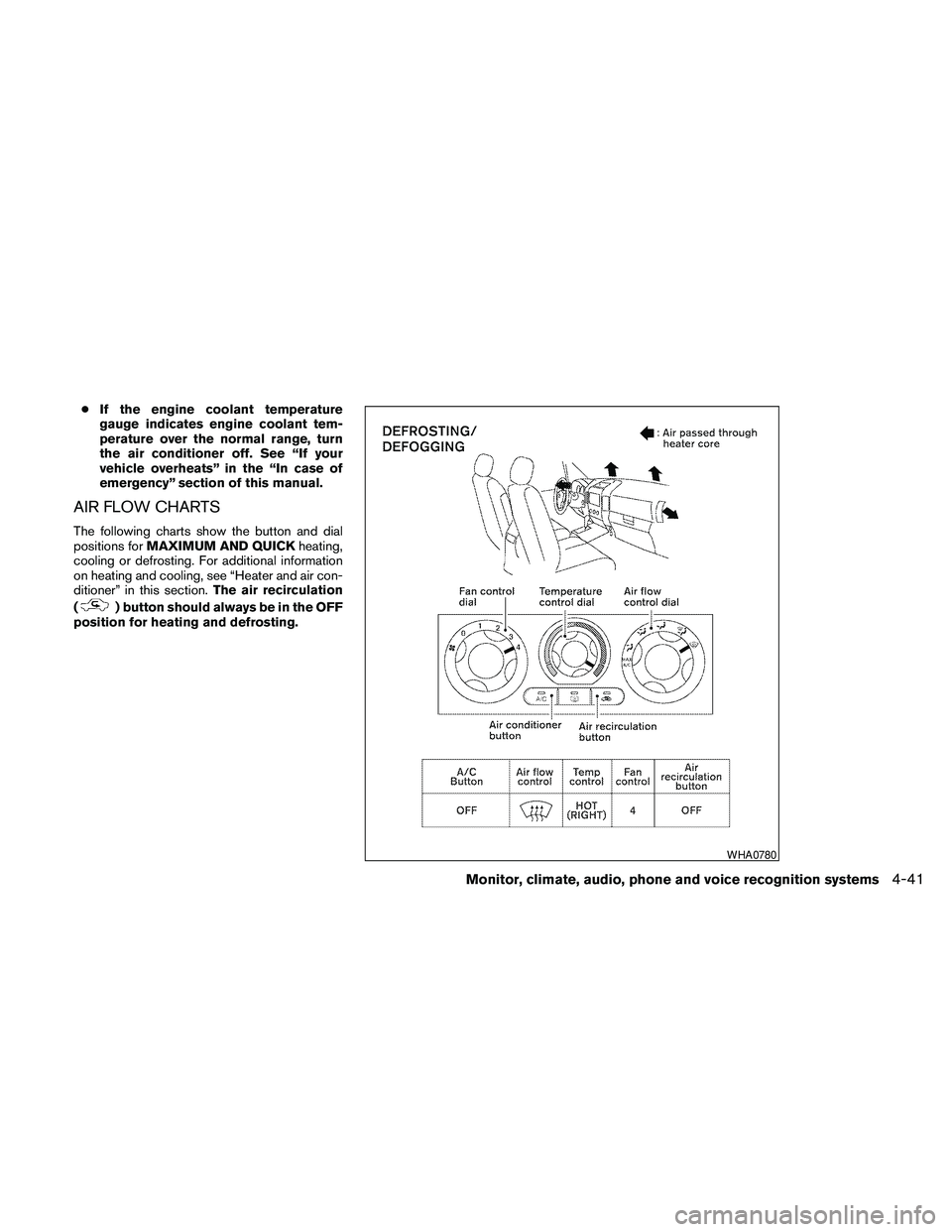
AIR FLOW CHARTS
The following charts show the button and dial
positions forMAXIMUM AND QUICKheating,
cooling or defrosting. For additional information
on heating and cooling, see “Heater and air con-
ditioner” in this section.The air recirculation
(
) button should always be in the OFF
position for heating and defrosting.
WHA0780
Monitor, climate, audio, phone and voice recognition systems4-41