ignition NISSAN PATHFINDER 2015 R52 / 4.G Owner's Manual
[x] Cancel search | Manufacturer: NISSAN, Model Year: 2015, Model line: PATHFINDER, Model: NISSAN PATHFINDER 2015 R52 / 4.GPages: 506, PDF Size: 4.69 MB
Page 105 of 506
Key reminder chime
A chime sounds if the driver’s door is opened
while the ignition switch is placed in the ACC or
OFF position or placed in the OFF or LOCK
position with the Intelligent Key left in the vehicle.
Make sure the ignition switch is placed in the
LOCK position, and take the Intelligent Key with
you when leaving the vehicle.
Light reminder chime
With the ignition switch placed in the OFF posi-
tion, a chime sounds when the driver’s door is
opened if the headlights or parking lights are on.
Turn the headlight control switch off before leav-
ing the vehicle.
NISSAN Intelligent Key® door buzzer
The Intelligent Key door buzzer sounds if the
Intelligent Key is left inside the vehicle when
locking the doors. When the buzzer sounds, be
sure to check both the vehicle and the Intelligent
Key. For additional information, refer to “NISSAN
Intelligent Key®” in the “Pre-driving checks and
adjustments” section of this manual.The vehicle information display is located to the
left of the speedometer. It displays such items as:
● Vehicle settings
● Trip computer information
● Drive system warnings and settings (if so
equipped)
● Cruise control system information
● NISSAN Intelligent Key® operation informa-
tion
● Indicators and warnings
● Tire Pressure information
HOW TO USE THE VEHICLE
INFORMATION DISPLAY
The vehicle information display can be changed
using the buttons
and ENTER located on
the steering wheel.
1.
— select/enter the Vehicle informa-
tion menu items or to change from one dis-
play screen to the next (i.e. trip, TPMS, Fuel
economy)
2.
— navigate through the items in ve-
hicle information
ENTER — change or select an item in the
vehicle information display
LIC2205LIC2245
VEHICLE INFORMATION DISPLAY
2-18Instruments and controls
Page 107 of 506
Wiper with Speed
The wiper with speed can be set to be ON or
OFF. From the Vehicle Settings menu, select
“Wiper with Speed”. Use the ENTER button to
turn this feature ON or OFF.
I-Key Door Lock (if so equipped)
From the Vehicle Settings menu, select “I-Key
Door Lock”. When this item is turned on, the
request switch on the door is activated. When
this item is turned off, the request switch on the
door is deactivated. Use the ENTER button to
activate this function.
Selective-Unlock
When this item is turned on, only the driver’s door
is unlocked first after the door unlock operation.
When the door handle request switch on the
driver’s or front passenger’s side door is pushed
to be unlocked, only the corresponding door is
unlocked first. All the doors can be unlocked if the
door unlock operation is performed again within
1 minute. When this item is turned to OFF, all the
doors will be unlocked after the door unlock
operation is performed once. From the Vehicle
Settings menu, select “Selective Unlock”. Use
the ENTER button to activate this function.Auto Door Unlock (if so equipped)
The auto door unlock function automatically un-
locks all the doors when the shift lever is placed in
the P (Park) position. From the Vehicle Settings
menu, select “Auto Door Unlock”. Use the EN-
TER button to enable/disable this function.
Answer Back Horn
When the answer back horn is on, the horn will
chirp and the hazard indicators will flash once
when locking the vehicle with the Intelligent Key.
Remote Start (if so equipped)
The remote start function can be turned on or off.
If the setting is OFF the vehicle cannot be started
using the Intelligent Key. From the Vehicle Set-
tings menu, select “Remote Start”. Use the EN-
TER button to enable/disable.
Battery Saver
The battery saver automatically turns off the igni-
tion after a period of time when the ignition switch
is left in the ACC or ON position.
Exit Seat Slide (if so equipped)
When the exit seat slide is on the driver’s seat will
move backward for easy exit when the ignition
switch is placed in the OFF position and the
driver’s door is opened.After getting into the vehicle and placing the
ignition switch in the ACC position, the driver’s
seat will move to the previous set position. For
additional information, refer to “Automatic drive
positioner” in the “Pre-driving checks and adjust-
ments” section of this manual regarding setting
the seat position. Use the ENTER button to
enable/disable this function.
Exit steering up (if so equipped)
When the exit steering up feature is turned ON,
the steering wheel moves upward for easy exit
when the ignition switch is in the OFF position
and the driver’s door is opened.
After getting into the vehicle and placing the
ignition switch in the ACC position, the steering
wheel moves to the previous position. For addi-
tional information, refer to “Tilt and telescopic
operation” in the “Pre-driving checks and adjust-
ments” section of this manual regarding setting
the steering wheel position. Use the ENTER but-
ton to enable/disable this function.
2-20Instruments and controls
Page 108 of 506
Main Menu Selection
The items that display can be enabled/disabled
when the ignition switch is placed in the ON
position. To change the items that display.
Use the
button to select and the ENTER
button to change a menu item:
● Trip Computer
● Tire Pressures
● 4WD (if so equipped)
● Fuel Economy
Trip Computer
The trip computer can be enabled/disabled to
display in the vehicle information display when
the ignition switch is placed in the ON position.
From the “Main Menu Selection” select “Trip
Computer” to display in the vehicle information
display when the ignition is placed in the ON
position.
Tire Pressures
The tire pressures can be enabled/disabled to
display in the vehicle information display when
the ignition switch is placed in the ON position. From the “Main Menu Selection” select “Tire
Pressures” to display in the vehicle information
display when the ignition is placed in the ON
position.
4WD (if so equipped)
The 4WD can be enabled/disabled to display in
the vehicle information display when the ignition
switch is placed in the ON position.
From the “Main Menu Selection” select “4WD” to
display the 4WD information when the ignition
switch is placed in the ON position.
Fuel Economy
The fuel economy can be enabled/disabled to
display in the vehicle information display when
the ignition switch is placed in the ON position.
From the “Main Menu Selection” select “Fuel
Economy” to display in the vehicle information
display when the ignition is placed in the ON
position.
Body Color
The color of the vehicle that displays in the ve-
hicle information display when the ignition switch
is placed in the ON position can be changed.
1. scheduled service: oil and oil filter
2. tires
3. other
Maintenance
The maintenance mode allows you to set alerts
for the reminding of maintenance intervals. To
change an item:
1. Press the
button.
2. Use the
button until “Settings” is se-
lected, and press ENTER.
LIC2773
Instruments and controls2-21
Page 110 of 506
3. To change the timer amount, use thebutton and the ENTER button to save the
selected time amount.
Language
The language of the vehicle information display
can be changed to:● US English
● French
● Spanish
Use the
,, and the ENTER buttons to
select and change the language of the vehicle
information display. The language of the center
display/navigation can be changed indepen-
dently of the vehicle information display. For ad-
ditional information, refer to “How to use the
setting button” in the “Monitor, climate, audio,
phone and voice recognition systems” section of
this manual.
Units
The units that are shown in the vehicle informa-
tion display can be changed:
● Mileage
● Tire pressures
● Temperature Use the
,, and the ENTER buttons to
select and change the units of the vehicle infor-
mation display. The units of the navigation screen
can be changed independently of the vehicle
information display. For additional information,
refer to “How to use the setting button” in the
“Monitor, climate, audio, phone and voice recog-
nition systems” section of this manual.
Mileage
The unit for the mileage that displays in the ve-
hicle information display can be changed to:
● miles, MPG
● km/h, l/100km
● km/h, km/l
Use the
and the ENTER buttons to select
and change the unit.
Tire Pressures
The unit for tire pressure that displays in the
vehicle information display can be changed to:
● psi
● kPa
● bar
● Kgf/cm
2
Use theand the ENTER buttons to select
and change the unit.
Temperature
The temperature that displays in the vehicle infor-
mation display can be changed from:
● °F (Fahrenheit)
● °C (Celsius)
Use the ENTER button to toggle choices.
Welcome Effects
The welcome screen display can be turned
ON/OFF to display when the ignition switch is
placed in the ACC or ON position. To
enable/disable the welcome screen:
1. Press the
button.
2. Use the
buttons to select “Settings”,
and press ENTER.
3. Select “Welcome Effects” using the
buttons and press ENTER to turn this func-
tion ON or OFF.
Instruments and controls2-23
Page 112 of 506
VEHICLE INFORMATION DISPLAY
WARNINGS AND INDICATORS
1. No Key Detected
2. Key ID Incorrect
3. Shift to Park4. Push ignition to OFF
5. Key battery low
6. Engine start operation for Intelligent Key sys-
tem
7. Release parking brake 8. Low Fuel
9. Low Washer Fluid
10. Door Open
11. Liftgate Open
LIC2557
Instruments and controls2-25
Page 113 of 506
12. Timer Alert – Time for a driver break?
13. Low Outside Temperature
14. Power will turn off to save the battery
15. CVT Error: See Owner’s Manual
16. Reminder: Turn OFF headlights
17. Low Oil Pressure
18. Key Registration Complete
19. Tire Pressure Low - Add Air
20. TPMS Error: See Owner’s Manual
21. Remote Start (if so equipped)
22. Loose Fuel Cap
23. I-Key System Error: See Owner’s Manual
No Key Detected
This warning appears when the Intelligent Key is
left outside the vehicle with the ignition switch in
the ON or ACC position. Make sure the Intelli-
gent Key is inside the vehicle.
Key ID Incorrect
This warning appears when the ignition switch is
placed from the OFF position and the Intelligent
Key is not recognized by the system. You cannot
start the engine with an unregistered key.For additional information, refer to “NISSAN In-
telligent Key®” in the “Pre-driving checks and
adjustments” section of this manual.
Shift to Park
This warning illuminates when the ignition switch
is in the ACC or OFF position and the shift lever
is in any position other than P (Park) position.
Also, a chime sounds when the ignition switch is
in the OFF position.
If this warning illuminates, move the shift lever to
the P (Park) position or start the engine.
For additional information about Intelligent Key,
refer to “NISSAN Intelligent Key®” in the “Pre-
driving checks and adjustments” section.
Push ignition to OFF
After the Push ignition to OFF warning illumi-
nates, the warning will illuminate if the ignition
switch is placed in the ACC position when the
shift lever is moved to the P (Park) position.
To turn off the Push warning, place the ignition
switch in the ON position and then in the LOCK
position.
Key low battery
This indicator illuminates when the Intelligent Key
battery is running out of power.
If this indicator illuminates, replace the battery
with a new one. For additional information, refer
to “Battery replacement” in the “Maintenance and
do-it-yourself” section of this manual.
Engine start operation for Intelligent Key
system
This indicator appears when the battery of the
Intelligent Key is low and when the Intelligent Key
system and the vehicle are not communicating
normally.
If this appears, touch the ignition switch with the
Intelligent Key while depressing the brake pedal.
For additional information, refer to “NISSAN In-
telligent Key® battery discharge” in the “Starting
and driving” section of this manual.
Release Parking Brake
This warning illuminates in the message area of
the vehicle information display when the parking
brake is set and the vehicle is driven.
Low Fuel
This warning illuminates when the fuel level in the
fuel tank is getting low. Refuel as soon as it is
convenient, preferably before the fuel gauge
reaches 0 (Empty) .
There will be a small re-
serve of fuel in the tank when the fuel
gauge needle reaches 0 (Empty) .
2-26Instruments and controls
Page 114 of 506
Low Washer Fluid
This warning illuminates when the windshield-
washer fluid is at a low level. Add windshield-
washer fluid as necessary. For additional informa-
tion, refer to “Windshield-washer fluid” in the
“Maintenance and do-it-yourself” section of this
manual.
Door Open
This warning illuminates when a door has been
opened when the engine is running.
Liftgate Open
This warning illuminates when the liftgate has
been opened when the engine is running.
Timer Alert – Time for a driver break?
This indicator appears when the set time is
reached. The time can be set up to six hours. For
setting the timer, refer to “Timer alert” in this
section.
Low Outside Temperature
This warning appears if the outside temperature
is below 37°F (3°C) . The temperature can be
changed to display in Celsius or Fahrenheit. For
additional information, refer to “Temperature” in
this section.Power will turn off to save the battery
This warning appears in message area of the
vehicle information display after a period of time if
the shift lever has not moved from the P (Park)
position.
CVT Error: See Owner’s Manual
This warning illuminates when the there is a prob-
lem with the CVT system. If this warning comes
on, have the system checked by a NISSAN
dealer.
Reminder: Turn OFF headlights
This warning appears when the headlights are
left in the ON position when exiting the vehicle.
Place the headlight switch in the OFF or AUTO
position. For additional information, refer to
“Headlight and turn signal switch” in this section.
Low Oil Pressure
This warning appears in message area of the
vehicle information display if low oil pressure is
detected. This gauge is not designed to indicate
low oil level.
The low oil pressure warning is
not designed to indicate a low oil level. Use
the dipstick to check the oil level. For additional
information, refer to “Engine oil” in the “Mainte-
nance and do-it-yourself” section of this manual. Key Registration Complete
This appears when a new Intelligent Key is regis-
tered to the vehicle.
Tire Pressure Low - Add Air warning
This warning appears when the low tire pressure
warning light in the meter illuminates and low tire
pressure is detected. The warning appears each
time the ignition switch is placed in the ON
position as long as the low tire pressure warning
light remains illuminated. If this warning appears,
stop the vehicle and adjust the tire pressures of
all four tires to the recommended COLD tire
pressure shown on the Tire and Loading Informa-
tion label. For additional information, refer to
“Low tire pressure warning light” in this section
and “Tire Pressure Monitoring System (TPMS)”
in the “Starting and driving” section of this
manual.
TPMS Error: See Owner’s Manual
This warning appears when there is an error with
your TPMS. If this warning comes on, have the
system checked by a NISSAN dealer.
Instruments and controls2-27
Page 115 of 506
Push to start (if so equipped)
This warning appears in the vehicle information
display when the vehicle has been started using
the remote start function. To start the vehicle,
apply the brake and place the ignition switch in
the ON position.
Loose Fuel Cap
This warning appears when the fuel-filler cap is
not tightened correctly after the vehicle has been
refueled. For additional information, refer to
“Fuel-filler cap” in the “Pre-driving checks and
adjustments” section of this manual.
I-Key System Error: See Owner’s Manual
After the ignition switch is pushed to the ON
position, this light comes on for about 2 seconds
and then turns off.
The I-Key System Error message warns of a
malfunction with the Intelligent Key system. If the
light comes on while the engine is stopped, it may
be impossible to start the engine.
If the light comes on while the engine is running,
you can drive the vehicle. However in these
cases, contact a NISSAN dealer for repair as
soon as possible.Your vehicle may have two types of security sys-
tems:
● Vehicle security system
● NISSAN Vehicle Immobilizer System
VEHICLE SECURITY SYSTEM
The vehicle security system provides visual and
audible alarm signals if someone opens the
doors, trunk, liftgate or the hood when the system
is armed. It is not, however, a motion detection
type system that activates when a vehicle is
moved or when a vibration occurs. The system helps deter vehicle theft but cannot
prevent it, nor can it prevent the theft of interior or
exterior vehicle components in all situations. Al-
ways secure your vehicle even if parking for a
brief period. Never leave your Intelligent Key in
the vehicle, and always lock the vehicle when
unattended. Be aware of your surroundings, and
park in secure, well-lit areas whenever possible.
Many devices offering additional protection, such
as component locks, identification markers, and
tracking systems, are available at auto supply
stores and specialty shops. A NISSAN dealer
may also offer such equipment. Check with your
insurance company to see if you may be eligible
for discounts for various theft protection features.
How to arm the vehicle security
system
1. Close all windows.
(The system can be
armed even if the windows are open.)
2. Remove the Intelligent Key from the vehicle.
3. Close all doors, hood and trunk/liftgate. Lock all doors. The doors can be locked with
the Intelligent Key, door handle request
switch, power door lock switch or mechani-
cal key.
LIC2385
SECURITY SYSTEMS
2-28Instruments and controls
Page 116 of 506
4. Confirm that the security indicator lightcomes on. The security light stays on for
about 30 seconds. The vehicle security sys-
tem is now pre-armed. After about 30 sec-
onds the vehicle security system automati-
cally shifts into the armed phase. The
security light begins to flash once every
3 seconds. If, during the 30-second pre-arm
time period, the driver’s door is unlocked by
the key or the key fob, or the ignition switch
is placed in the ACC or ON position, the
system will not arm.
● Even when the driver and/or passen-
gers are in the vehicle, the system will
activate with all the doors, hood and
trunk lid locked with the ignition switch
placed in the LOCK position. When
placing the ignition switch in the ACC
or ON position, the system will be re-
leased.
Vehicle security system activation
The vehicle security system will give the following
alarm:
● The headlights blink and the horn sounds
intermittently. ●
The alarm automatically turns off after a pe-
riod of time. However, the alarm reactivates if
the vehicle is tampered with again. The alarm
can be shut off by unlocking the driver’s door
with the key, or by pressing the
button
on the Intelligent Key.
The alarm is activated by:
● opening the door or hood without using the
key or Intelligent Key (even if the door is
unlocked by releasing the door inside lock
switch) .
How to stop an activated alarm
The alarm stops only by unlocking the driver’s
door or the trunk/liftgate with the key, pressing
the
button on the Intelligent Key, or press-
ing the request switch on the driver’s or passen-
ger’s door with the Intelligent Key in range of the
door handle.
NISSAN VEHICLE IMMOBILIZER
SYSTEM
The NISSAN Vehicle Immobilizer System will not
allow the engine to start without the use of a
registered key. Never leave these keys in the vehicle.
FCC Notice:
For USA:
This device complies with part 15 of the
FCC Rules. Operation is subject to the fol-
lowing two conditions: (1) This device may
not cause harmful interference, and (2) this
device must accept any interference re-
ceived, including interference that may
cause undesired operation.
NOTE:
Changes or modifications not expressly ap-
proved by the party responsible for compli-
ance could void the user’s authority to op-
erate the equipment.
For Canada:
This device complies with Industry Canada
licence-exempt RSS standard(s) . Opera-
tion is subject to the following two condi-
tions: (1) this device may not cause inter-
ference, and (2) this device must accept any
interference, including interference that
may cause undesired operation of the de-
vice.
Instruments and controls2-29
Page 117 of 506
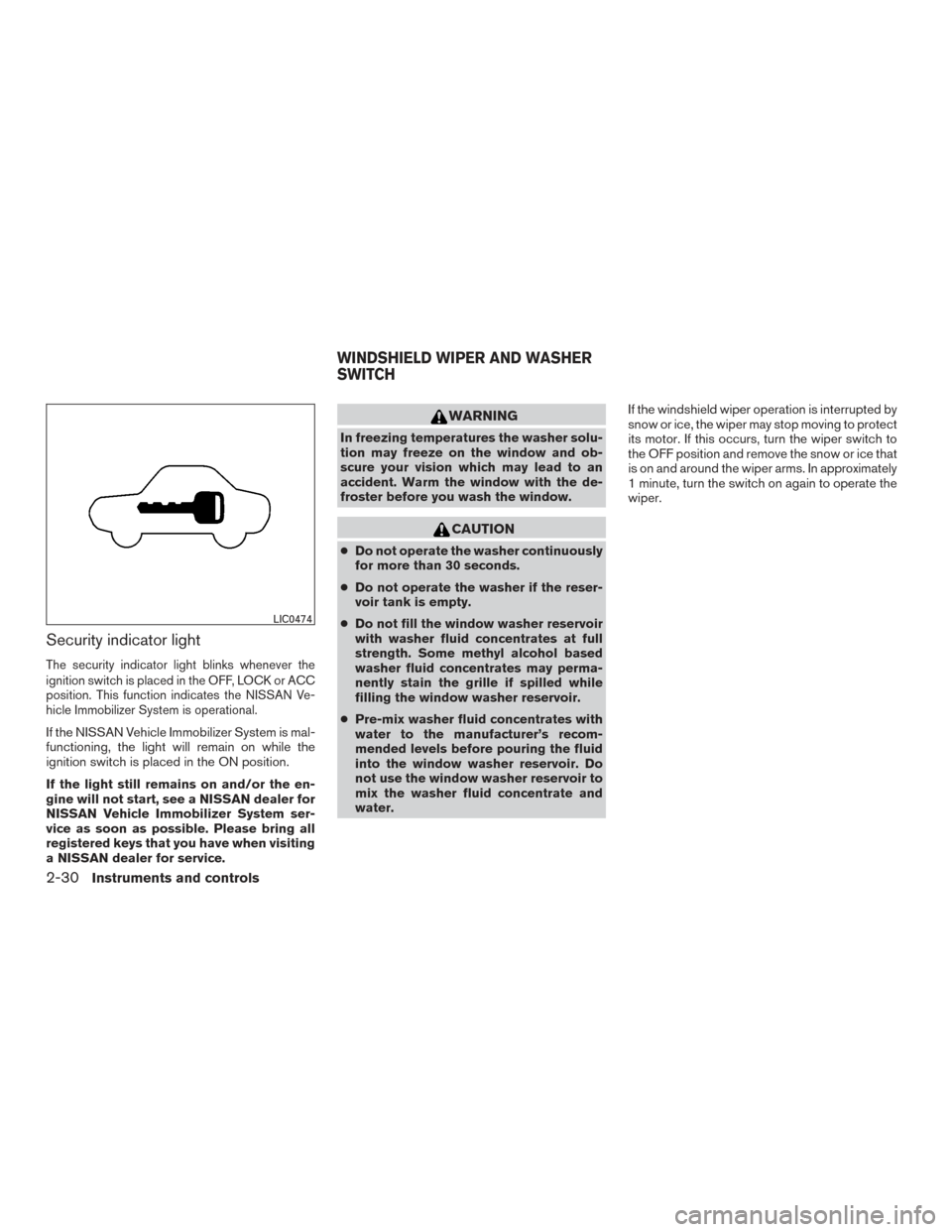
Security indicator light
The security indicator light blinks whenever the
ignition switch is placed in the OFF, LOCK or ACC
position. This function indicates the NISSAN Ve-
hicle Immobilizer System is operational.
If the NISSAN Vehicle Immobilizer System is mal-
functioning, the light will remain on while the
ignition switch is placed in the ON position.
If the light still remains on and/or the en-
gine will not start, see a NISSAN dealer for
NISSAN Vehicle Immobilizer System ser-
vice as soon as possible. Please bring all
registered keys that you have when visiting
a NISSAN dealer for service.
WARNING
In freezing temperatures the washer solu-
tion may freeze on the window and ob-
scure your vision which may lead to an
accident. Warm the window with the de-
froster before you wash the window.
CAUTION
●Do not operate the washer continuously
for more than 30 seconds.
● Do not operate the washer if the reser-
voir tank is empty.
● Do not fill the window washer reservoir
with washer fluid concentrates at full
strength. Some methyl alcohol based
washer fluid concentrates may perma-
nently stain the grille if spilled while
filling the window washer reservoir.
● Pre-mix washer fluid concentrates with
water to the manufacturer’s recom-
mended levels before pouring the fluid
into the window washer reservoir. Do
not use the window washer reservoir to
mix the washer fluid concentrate and
water. If the windshield wiper operation is interrupted by
snow or ice, the wiper may stop moving to protect
its motor. If this occurs, turn the wiper switch to
the OFF position and remove the snow or ice that
is on and around the wiper arms. In approximately
1 minute, turn the switch on again to operate the
wiper.
LIC0474
WINDSHIELD WIPER AND WASHER
SWITCH
2-30Instruments and controls