steering wheel NISSAN PATHFINDER 2022 Owner´s Manual
[x] Cancel search | Manufacturer: NISSAN, Model Year: 2022, Model line: PATHFINDER, Model: NISSAN PATHFINDER 2022Pages: 647, PDF Size: 8.48 MB
Page 153 of 647
• Audio information
• Compass and navigation information(if so equipped)
• Shif t position
• Distance to empty
• Odometer/twin trip odometer
• Clock and outside temperature
• Intelligent 4x4 (if so equipped)
HOW TO USE THE VEHICLE
INFORMATION DISPLAY
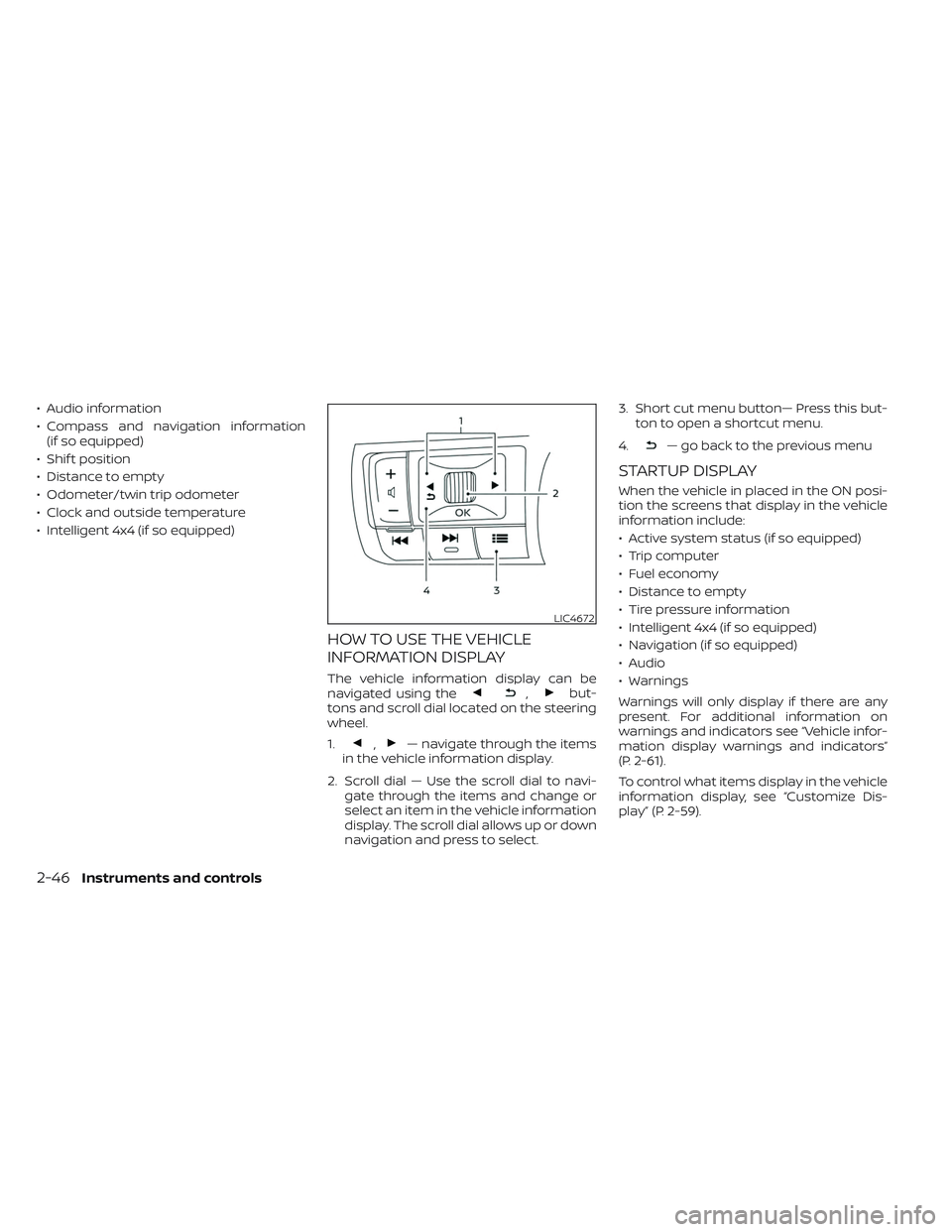
The vehicle information display can be
navigated using the,but-
tons and scroll dial located on the steering
wheel.
1.
,— navigate through the items
in the vehicle information display.
2. Scroll dial — Use the scroll dial to navi- gate through the items and change or
select an item in the vehicle information
display. The scroll dial allows up or down
navigation and press to select. 3. Short cut menu button— Press this but-
ton to open a shortcut menu.
4.
— go back to the previous menu
STARTUP DISPLAY
When the vehicle in placed in the ON posi-
tion the screens that display in the vehicle
information include:
• Active system status (if so equipped)
• Trip computer
• Fuel economy
• Distance to empty
• Tire pressure information
• Intelligent 4x4 (if so equipped)
• Navigation (if so equipped)
• Audio
• Warnings
Warnings will only display if there are any
present. For additional information on
warnings and indicators see “Vehicle infor-
mation display warnings and indicators”
(P. 2-61).
To control what items display in the vehicle
information display, see “Customize Dis-
play” (P. 2-59).
LIC4672
2-46Instruments and controls
Page 156 of 647
Manual Reset2 can be reset manually by
using the scroll dial or will be reset auto-
matically each time the ignition switch is
placed in the OFF position (if so equipped).
Auto Refuel will be reset automatically each
time when refueling.
For additional information, see “ECO Mode”
(P. 5-31).
6. Tire Pressures
The tire pressure mode shows the pres-
sure of all four tires while the vehicle is
driven.
With the “Tire Pres ECO advice” function ON,
when the tire pressure is getting low,
“Check Tire Pressures for Best Fuel
Economy” or “Add air for Best Fuel
Economy” appears. For additional informa-
tion, see “ECO Mode Setting” (P. 5-31) or “Tire
Pres ECO advice” (P. 5-31).
When the “Tire Pressure Low — Add Air”
warning appears, the display can be
switched to the tire pressure mode by
pushing the scroll dial to reveal additional
details on the displayed warning.
7. Intelligent 4x4 torque
distribution display (if so
equipped)
When the Intelligent 4x4 torque distribution
display is selected, you can view the distri-
bution ratio of the transmission torque to
the front and rear wheels during driving.
8. Compass (if so equipped)
This display indicates the direction the ve-
hicle is heading.
9. Navigation (if so equipped)
When the route guidance is set in the navi-
gation system, this item shows the naviga-
tion route information.
9. Audio
The audio mode shows the status of audio
information.
11. Driver Assistance
The Driver Assistance mode shows the op-
erating condition for the following systems:
•Forward–– Automatic Emergency Braking (AEB)with Pedestrian Detection system –
– Intelligent Forward Collision Warning
(I-FCW)
• Lane: –– Lane Departure Warning (LDW)
–– Intelligent Lane Intervention (I-LI)
• Blind Spot: –– Blind Spot Warning (BSW)
–– Intelligent Blind Spot Intervention (I-
BSI) (if so equipped)
For additional information, see “Intelligent
Blind Spot Intervention (I-BSI)” (P. 5-62),
“Blind Spot Warning (BSW)” (P. 5-49), “Lane
Departure Warning (LDW)” (P. 5-35), “Auto-
matic Emergency Braking (AEB) with Pe-
destrian Detection” (P. 5-136), “Intelligent
Forward Collision Warning (I-FCW)” (P. 5-149)
or “Intelligent Lane Intervention (I-LI)”
(P. 5-42).
12. ProPILOT Assist (if so equipped)
The ProPILOT Assist mode shows operat-
ing conditions for the following systems:
• Intelligent Cruise Control (ICC)
• Steering Assist
The display will also be shown when the
ProPILOT Assist is turned on. For additional
information, see “ProPILOT Assist” (P. 5-86).
Instruments and controls2-49
Page 158 of 647
For models with the full-screen display, the
meter screen view can be changed to ex-
pand the vehicle information display.
To change the meter screen view:
1. Push the shortcut menu button
OAon
the lef t side of the steering wheel. “Short-
cut Menu” appears on the vehicle infor-
mation display.
2. Select “Change Meter View” by rotating the scroll dial
OBand pushing it to
change the view.
OIL CONTROL SYSTEM (if so
equipped)
The oil control system can be accessed in
the Maintenance portion of the vehicle in-
formation display settings.
Engine oil information informs the distance
to oil change. Never exceed one year or
10,000 miles (16,000 km) between oil
change intervals for the 3.5L 6 cylinder
(VQ35DD engine model).
Display when
ignition is ON Display timing Action
Required
Engine Oil
Service due in
xxx miles Remaining oil
life is less than
940 miles (1500
km). Plan to have
your vehicle
serviced.
Engine Oil
Service due Remaining oil
life is 0 miles
(0 km). Have your ve-
hicle serviced
within two
weeks or less
than 500 miles
(800 km).
The oil change interval cannot be adjusted
manually.
The distance to oil change interval is calcu-
lated depending on the driving conditions
and set automatically by the oil control sys-
tem. A reminder will be displayed when ap-
proaching the end of the service interval.
When the Factory Reset option is selected
in the vehicle information display, the oil
control system will also be reset to initial
value. Please change the engine oil when
Factory Reset is selected.
CAUTION
If the oil replacement indicator is dis-
played, change the engine oil within
two weeks or less than 500 miles (800
km).
Operating the vehicle with deteriorated
oil can damage the engine.
To reset oil control system:
1. Place the ignition switch in the ON position.
2. Push the
andbuttons located
on the steering wheel until “Settings” dis-
plays in the vehicle information display.
Use the scroll dial to select “Mainte-
nance”. Then, press the scroll dial.
3. Select the “Service” and press the scroll dial.
4. Press the scroll dial according to the re- set instructions displayed at the bottom
of the “Service” maintenance screen.
For additional information, see “Mainte-
nance” (P. 2-58).
Instruments and controls2-51
Page 164 of 647
Menu itemExplanation
Ext. Door Switch Allows user to turn the exit door switch on or off.
Selective Unlock Allows user to turn the selective unlock feature o n or off. When this item is turned on (default), only the driver’s
door is unlocked af ter the door unlock operation. All the doors can be unlocked if the capacitive touch pad is
pressed within 2 seconds of the door handle capacitive unlock feature. When this item is turned off, all the doors
will be unlocked af ter the door unlock operation is performed once.
Auto Door Unlock Allows the user to set the auto door unlock to Shif t to P, IGN OFF and OFF.
Horn beeps on lock Allows the user to turn the horn beeps on lock feature on or off.
Wipers Displays the available wiper options.
Speed Dependent Allows user to turn the speed dependent wipers on or off.
Rain Sensor Allows user to turn the rain sensor on or off.
Reverse Link Allows user to turn the reverse link feature on or off.
Driving Position Displays the available driving position options.
Exit Seat Slide When the exit seat slide is on the driver’s seat will move backward for easy exit when the ignition switch is placed
in the OFF position and the driver’s door is opened. Af ter getting into the vehicle and placing the ignition switch in
the ON position, the driver’s seat will move to the previous set position.
For additional information, see “Memory seat” (P. 3-36).
Exit Steering Up When the exit steering up feature is turned on, the steering wheel moves upward for easy exit when the ignition
switch is in the OFF position and the driver’s door is opened. Af ter getting into the vehicle and placing the ignition
switch in the ON position, the steering wheel moves to the previous position.
For additional information, see “Memory seat” (P. 3-36).
Rear Door Alert Displays the available Rear Door Alert options.
Horn & Alert When selected, the alert is displayed; and the horn sounds.
Alert Only When selected, only the alert is displayed.
OFF When selected, no alert or horn will be active.
Instruments and controls2-57
Page 169 of 647
Chassis Control System Error See
Owner’s Manual
This warning appears if the chassis control
module detects a malfunction in the chas-
sis control system. Have the system
checked. It is recommended that you visit a
NISSAN dealer for this service. For addi-
tional information, see “Chassis Control”
(P. 5-180).
Check Back Seat For All Articles
When the system is enabled, this message
appears when the vehicle comes to a com-
plete stop, the vehicle is transitioned from
the D (Drive) position to P (Park) position,
and the driver exits the vehicle. This mes-
sage alerts the driver, af ter a period of time,
to check for items in the rear seat af ter the
audible alert has been provided.
NOTE:
This system is disabled until a driver en-
ables it using the vehicle information
display. For additional information, see
“How to use the vehicle information dis-
play ” (P. 2-46).
For additional information, see “Rear Door
Alert” (P. 2-94).
Rear Door Alert is activated
When the system is enabled, this message
appears when the Rear Door Alert system
is active and can remind the driver to check
the back seat.
• Using the steering wheel switch, a drivercan select “Dismiss Message” to clear the
display for a period of time. If no selection
is made, this message automatically
turns off af ter a period of time.
• Using the steering wheel switch, a driver can select “Disable Alert” to disable the
horn alert for the remainder of the cur-
rent trip.
WARNING
Selecting “Dismiss Message” during a
stop within a trip temporarily dis-
misses the message for that stop with-
out turning the system off. Alerts can
be provided for other stops during the
trip. Selecting “Disable Alert” turns off
the Rear Door Alert system for the re-
mainder of a trip and no audible alert
will be provided.
NOTE:
This system is disabled until a driver en-
ables it using the vehicle information
display. For additional information, see
“How to use the vehicle information dis-
play ” (P. 2-46).
For additional information, see “Rear Door
Alert” (P. 2-94).
Door/Lif tgate Open
This warning appears when a door or the
lif tgate has been opened.
Drive Mode Selector indicators
When a driving mode is selected using the
Drive Mode Selector, the selected mode in-
dicator is displayed.
• SAND (4WD models)
• MUD/RUT (4WD models)
• SNOW
• AUTO (4WD models)
•ECO
• SPORT
• STANDARD (2WD models)
•TOW
For additional information, see “Drive Mode
Selector” (P. 5-28).
2-62Instruments and controls
Page 175 of 647

When cruise control is activated, a green
circle will illuminate to indicate it is set. The
vehicle information display will also display
the speed the cruise control was set at. If
you accelerate past the set speed, the
speed will blink until you either cancel
cruise control or go back to the set speed.
If cruise control is on and canceled, the
speed will be displayed to show the speed
the vehicle will return to if the resume but-
ton is activated.
Currently not available
This message may appear when the Pro-
PILOT Assist system, Intelligent Blind Spot
Intervention (I-BSI) or the Intelligent Lane
Intervention (I-LI) system is engaged.
Under the following conditions, the Pro-
PILOT Assist, Intelligent Blind Spot Interven-
tion (I-BSI) or the Intelligent Lane Interven-
tion (I-LI) system is automatically canceled:
• When the VDC system is turned off
• The SNOW mode or the SAND or MUD/RUT mode is selected (4WD models).
The above system cannot be used in some
situations (VDC operates, wheel slip and
VDC system is off.)
Driver Attention Alert
Malfunction
This warning appears when the Intelligent
Driver Alertness (I-DA) system is not func-
tioning properly. For additional information,
see “Intelligent Driver Alertness (I-DA)”
(P. 5-165).
Driver Attention Alert—
TakeaBreak?
This alert appears when the system has
detected that the driver may be displaying
fatigue or a lack of attention.
Forward Driving Aids temporarily
disabled Front Sensor blocked See
Owner’s Manual
This message appears when the front ra-
dar sensor may be obstructed due to:
• mud, dirt, snow, ice, etc.
• inclement weather (rain, fog, snow, etc.).
All forward driving aids are temporarily dis-
abled until the system detects that the
front radar sensor is no longer obstructed.
For additional information, see:
• Automatic Emergency Braking (AEB) with Pedestrian Detection (P. 5-136)
• ProPILOT Assist (P. 5-86) • Intelligent Forward Collision Warning
(I-FCW) (P. 5-149)
Hands on detection
warning
This warning appears when the Steering
Assist system is engaged and the following
condition(s) occur:
• When not holding the steering wheel
• When there is no steering wheeloperation
Hold onto the steering wheel immediately.
When the steering operation is detected,
the warning turns off and the Steering As-
sist function is automatically restored.
For additional information, see “ProPILOT
Assist” (P. 5-86).
Intelligent Lane
Intervention (I-LI)/
Intelligent Blind Spot
Intervention (I-BSI)/
ProPILOT Assist indicator
This indicator shows when the I-LI, I-BSI or
ProPILOT Assist system is engaged.
For additional information, see “Intelligent
Lane Intervention (I-LI)” (P. 5-42), “Intelligent
Blind Spot Intervention (I-BSI)” (P. 5-62) or
“ProPILOT Assist” (P. 5-86).
2-68Instruments and controls
Page 177 of 647
Not Available Poor Road Conditions
This message may appear when the Pro-
PILOT Assist system, Intelligent Blind Spot
Intervention (I-BSI) or the Intelligent Lane
Intervention (I-LI) system is engaged.
Under the following conditions, the Pro-
PILOT Assist system, Intelligent Blind Spot
Intervention (I-BSI) or the Intelligent Lane
Intervention (I-LI) system is automatically
canceled:
• When the VDC system operates
• When a wheel slips
The above system cannot be used in some
situations (VDC operates, wheel slip and
VDC system is off.)
Not Available Seat Belt Not Fastened
This message may appear when the Pro-
PILOT Assist system is engaged.
Under the following condition, the ProPILOT
Assist system is automatically canceled:
• When the driver’s seat belt is not fastened
The above system cannot be used when
the driver’s seat belt is not fastened.
Not Available System Malfunction
This warning appears when one or more of
the following systems (if so equipped) is
not functioning properly.
• ProPILOT
• Blind Spot Warning (BSW)
• Intelligent Blind Spot Intervention (I-BSI)
• Lane Departure Warning (LDW)
• Intelligent Lane Intervention (I-LI)
If one or more of these warnings appear,
have the system checked. It is recom-
mended that you visit a NISSAN dealer for
this service.
For additional information, see ProPILOT
Assist” (P. 5-86), Intelligent Blind Spot Inter-
vention (I-BSI)” (P. 5-62), “Blind Spot Warning
(BSW)” (P. 5-49), “Lane Departure Warning
(LDW)” (P. 5-35) or “Intelligent Lane Interven-
tion (I-LI)” (P. 5-42).
ProPILOT Assist indicators
These indicators show the ProPILOT Assist
system status. The status is shown by
color. For additional information, see “Pro-
PILOT Assist” (P. 5-86).
Rear Automatic Braking
(RAB) system warning
indicator
This indicator appears to indicate the sta-
tus of the Rear Automatic Braking (RAB)
system. For additional information, see
“Rear Automatic Braking (RAB)” (P. 5-129).
Speed Limit Sign indicator
This message may appear when the Traffic
Sign Recognition system is engaged.
For additional information, see “Traffic Sign
Recognition (TSR)” (P. 5-32).
Steering Assist Not Available Cannot
Detect Lane indicator
This indicator may appear when the Steer-
ing Assist system is engaged. The Steering
Assist system is automatically canceled
when the lane markers in the traveling lane
cannot be correctly detected for a period
of time due to such items as a snow rut,
reflection of light on a rainy day or several
unclear lane markers are present.
If you want to use the Steering Assist sys-
tem again, cancel the ProPILOT Assist sys-
tem and set it again when lane markers are
clearly visible.
2-70Instruments and controls
Page 192 of 647
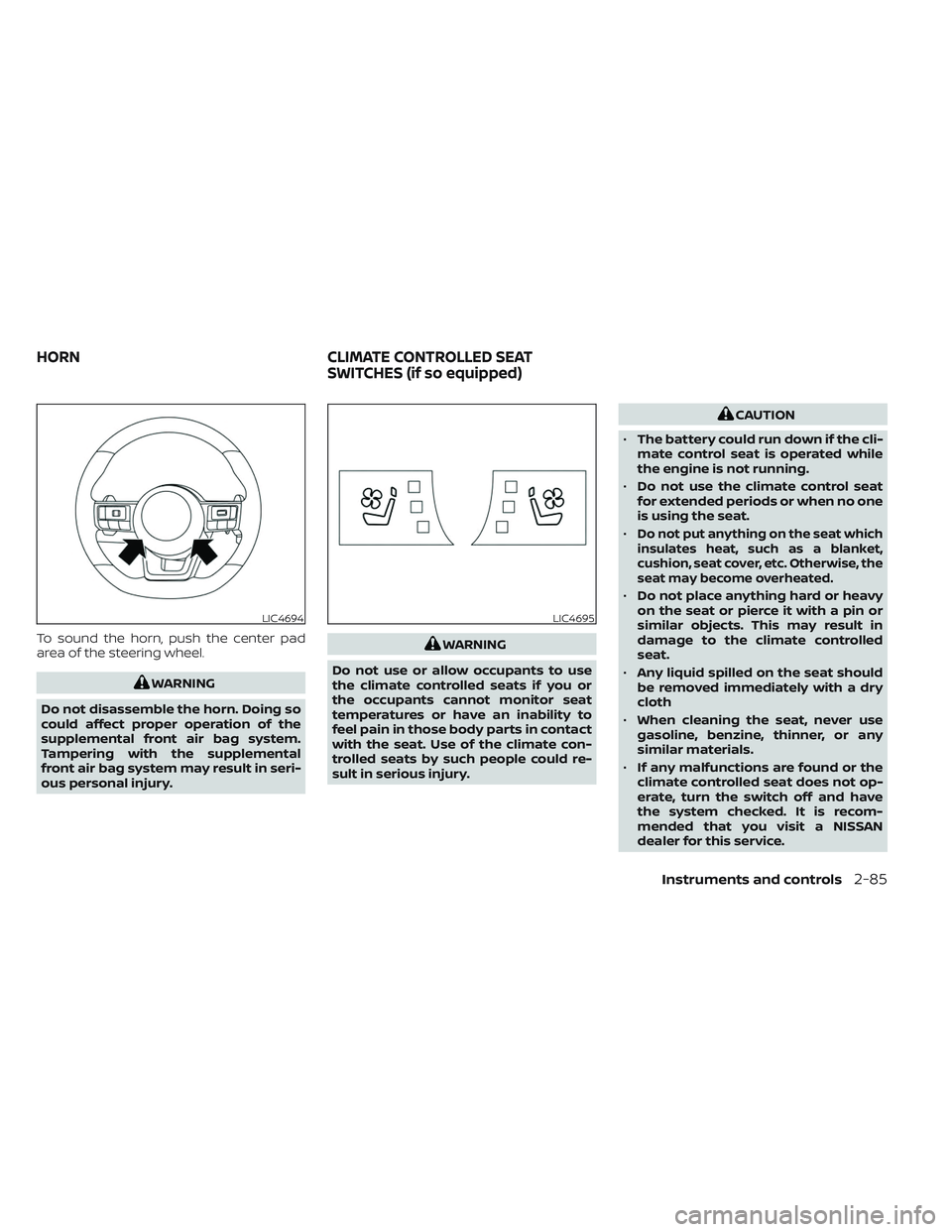
To sound the horn, push the center pad
area of the steering wheel.
WARNING
Do not disassemble the horn. Doing so
could affect proper operation of the
supplemental front air bag system.
Tampering with the supplemental
front air bag system may result in seri-
ous personal injury.
WARNING
Do not use or allow occupants to use
the climate controlled seats if you or
the occupants cannot monitor seat
temperatures or have an inability to
feel pain in those body parts in contact
with the seat. Use of the climate con-
trolled seats by such people could re-
sult in serious injury.
CAUTION
• The battery could run down if the cli-
mate control seat is operated while
the engine is not running.
• Do not use the climate control seat
for extended periods or when no one
is using the seat.
•
Do not put anything on the seat which
insulates heat, such as a blanket,
cushion, seat cover, etc. Otherwise, the
seat may become overheated.
• Do not place anything hard or heavy
on the seat or pierce it with a pin or
similar objects. This may result in
damage to the climate controlled
seat.
• Any liquid spilled on the seat should
be removed immediately with a dry
cloth
• When cleaning the seat, never use
gasoline, benzine, thinner, or any
similar materials.
• If any malfunctions are found or the
climate controlled seat does not op-
erate, turn the switch off and have
the system checked. It is recom-
mended that you visit a NISSAN
dealer for this service.
LIC4694LIC4695
HORN CLIMATE CONTROLLED SEAT
SWITCHES (if so equipped)
Instruments and controls2-85
Page 195 of 647

The 2nd row outboard seats are warmed
by built-in heaters. The switches are lo-
cated on the rear of the front center con-
sole and can be operated independently of
each other.
1. Start the engine.
2. Push the switch, as desired. The indica-tor light in the switch will illuminate.
The heater is controlled by a thermostat,
automatically turning the heater on and
off. The indicator light will remain on as
long as the switch is on. 3. When the seat is warmed or before you
leave the vehicle, be sure to turn the
switch off.
Push the heated steering wheel switch to
warm the steering wheel af ter the ignition
switch is placed in the ON position. The
indicator light will come on.
If the surface temperature of the steering
wheel is below 68°F (20°C), the system will
heat the steering wheel and cycle off and
on to maintain a temperature above 68°F
(20°C). The indicator light will remain on as
long as the system is on (approximately 30
minutes).
Push the switch again to turn the heated
steering wheel system off manually. The
indicator light will go off.
LIC4697LIC4698
HEATED STEERING WHEEL SWITCH (if
so equipped)
2-88Instruments and controls
Page 196 of 647
NOTE:
• Once activated, your heated steeringwheel will automatically turn on and
off to maintain a temperature above
68°F (20°C).
• When the temperature of the steering wheel is above 122°F (50°C) and the
heated steering wheel switch is turned
on, the system will not heat the steer-
ing wheel. This is not a malfunction.
WARNING
• Never rely solely on the hill descent
control system to control vehicle
speed when driving on steep down-
hill grades. Always drive carefully
when using the hill descent control
system and decelerate the vehicle
speed by depressing the brake pedal
if necessary. Be especially careful
when driving on frozen, muddy or ex-
tremely steep downhill roads. Failure
to control vehicle speed may result in
a loss of control of the vehicle and
possible serious injury or death. •
The hill descent control may not con-
trol the vehicle speed on a hill under
all load or road conditions. Always be
prepared to depress the brake pedal
to control vehicle speed. Failure to do
so may result in a collision or serious
personal injury.
CAUTION
When the hill descent control system
operates continuously for a long time,
the temperature of the brake pads may
increase and the hill descent control
system may be temporarily disabled
(the indicator light will blink). If the indi-
cator light does not come on continu-
ously af ter blinking, stop using the
system.
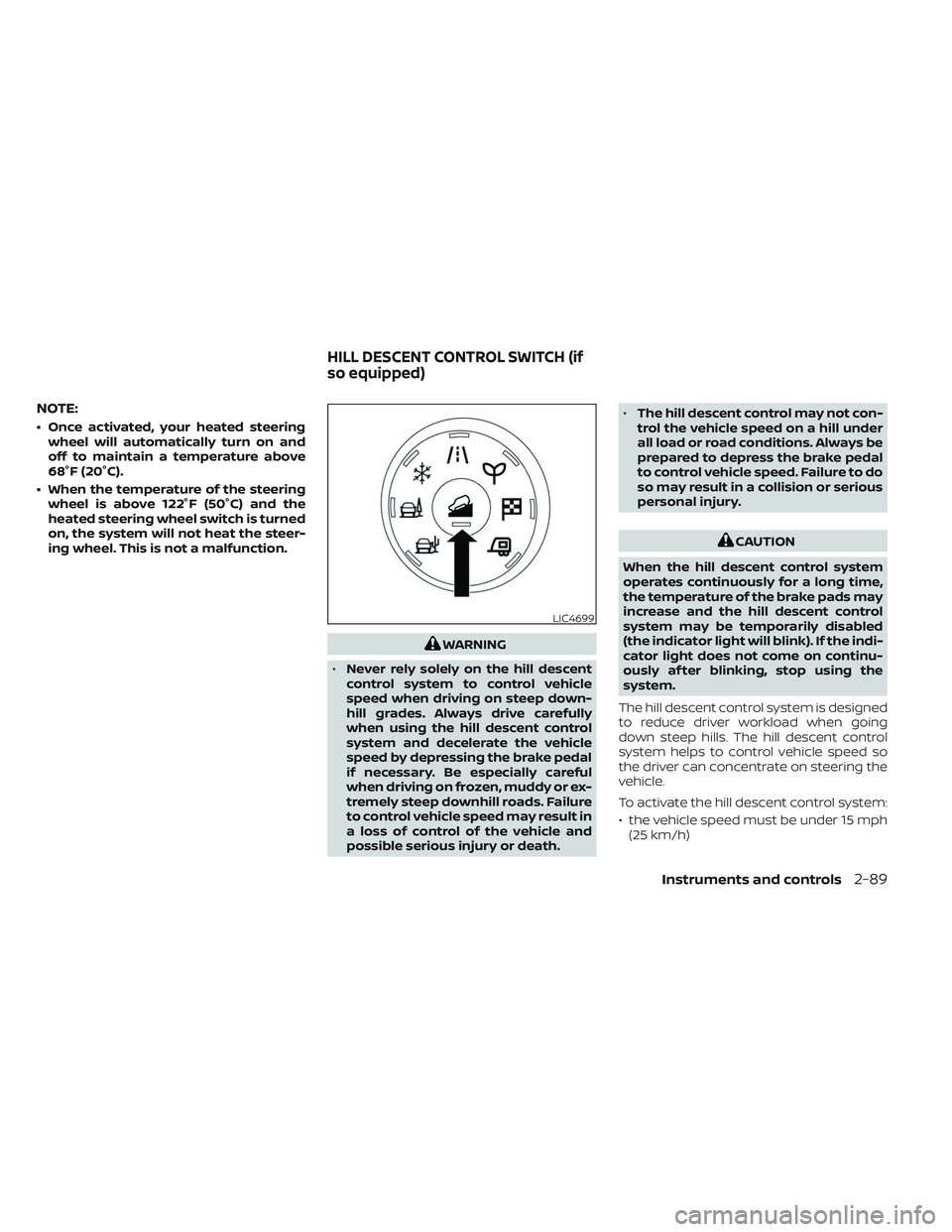
The hill descent control system is designed
to reduce driver workload when going
down steep hills. The hill descent control
system helps to control vehicle speed so
the driver can concentrate on steering the
vehicle.
To activate the hill descent control system:
• the vehicle speed must be under 15 mph (25 km/h)
LIC4699
HILL DESCENT CONTROL SWITCH (if
so equipped)
Instruments and controls2-89