check engine light NISSAN PATHFINDER 2023 User Guide
[x] Cancel search | Manufacturer: NISSAN, Model Year: 2023, Model line: PATHFINDER, Model: NISSAN PATHFINDER 2023Pages: 665, PDF Size: 4.64 MB
Page 172 of 665
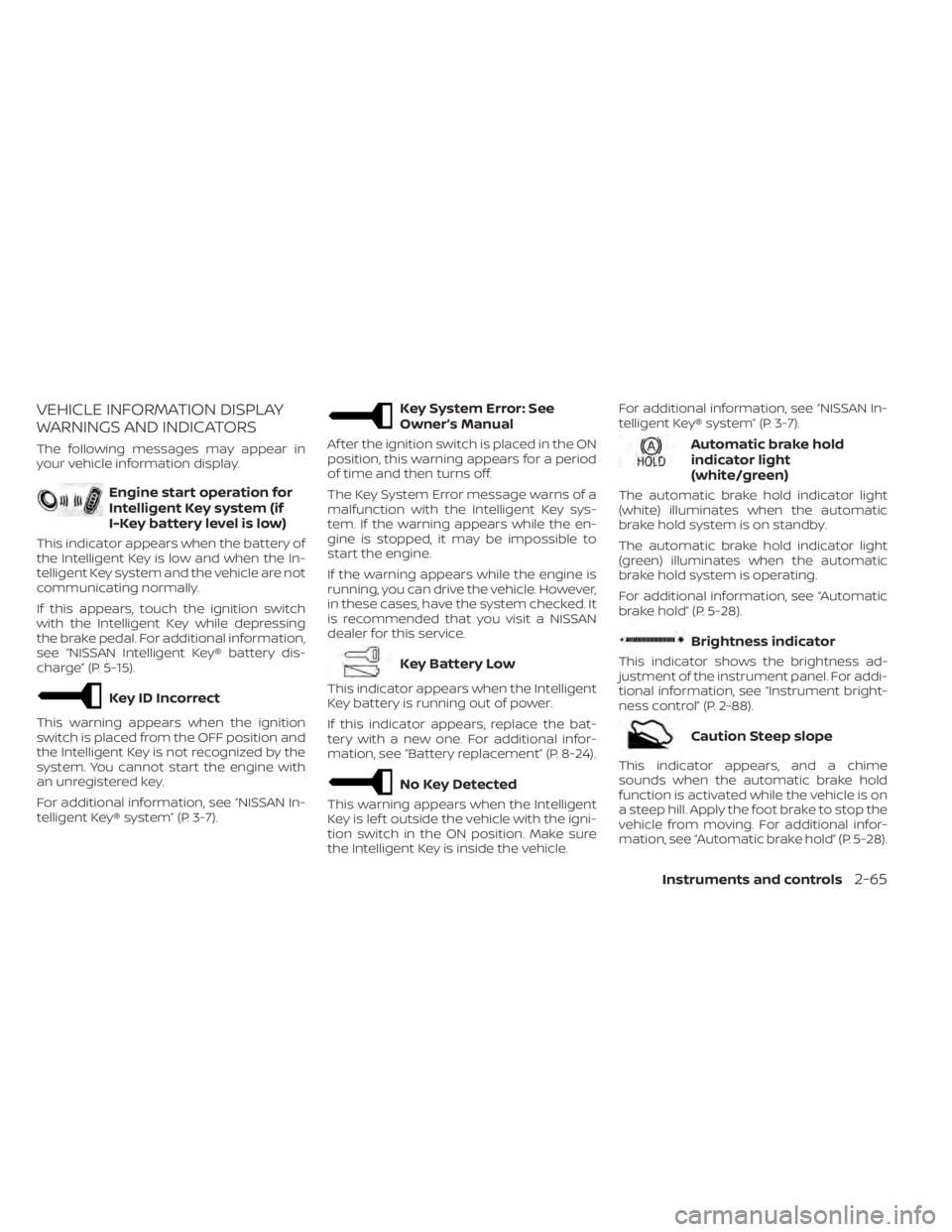
VEHICLE INFORMATION DISPLAY
WARNINGS AND INDICATORS
The following messages may appear in
your vehicle information display.
Engine start operation for
Intelligent Key system (if
I-Key battery level is low)
This indicator appears when the battery of
the Intelligent Key is low and when the In-
telligent Key system and the vehicle are not
communicating normally.
If this appears, touch the ignition switch
with the Intelligent Key while depressing
the brake pedal. For additional information,
see “NISSAN Intelligent Key® battery dis-
charge” (P. 5-15).
Key ID Incorrect
This warning appears when the ignition
switch is placed from the OFF position and
the Intelligent Key is not recognized by the
system. You cannot start the engine with
an unregistered key.
For additional information, see “NISSAN In-
telligent Key® system” (P. 3-7).
Key System Error: See
Owner’s Manual
Af ter the ignition switch is placed in the ON
position, this warning appears for a period
of time and then turns off.
The Key System Error message warns of a
malfunction with the Intelligent Key sys-
tem. If the warning appears while the en-
gine is stopped, it may be impossible to
start the engine.
If the warning appears while the engine is
running, you can drive the vehicle. However,
in these cases, have the system checked. It
is recommended that you visit a NISSAN
dealer for this service.
Key Battery Low
This indicator appears when the Intelligent
Key battery is running out of power.
If this indicator appears, replace the bat-
tery with a new one. For additional infor-
mation, see “Battery replacement” (P. 8-24).
No Key Detected
This warning appears when the Intelligent
Key is lef t outside the vehicle with the igni-
tion switch in the ON position. Make sure
the Intelligent Key is inside the vehicle.For additional information, see “NISSAN In-
telligent Key® system” (P. 3-7).
Automatic brake hold
indicator light
(white/green)
The automatic brake hold indicator light
(white) illuminates when the automatic
brake hold system is on standby.
The automatic brake hold indicator light
(green) illuminates when the automatic
brake hold system is operating.
For additional information, see “Automatic
brake hold” (P. 5-28).
Brightness indicator
This indicator shows the brightness ad-
justment of the instrument panel. For addi-
tional information, see “Instrument bright-
ness control” (P. 2-88).
Caution Steep slope
This indicator appears, and a chime
sounds when the automatic brake hold
function is activated while the vehicle is on
a steep hill. Apply the foot brake to stop the
vehicle from moving. For additional infor-
mation, see “Automatic brake hold” (P. 5-28).
Instruments and controls2-65
Page 174 of 665
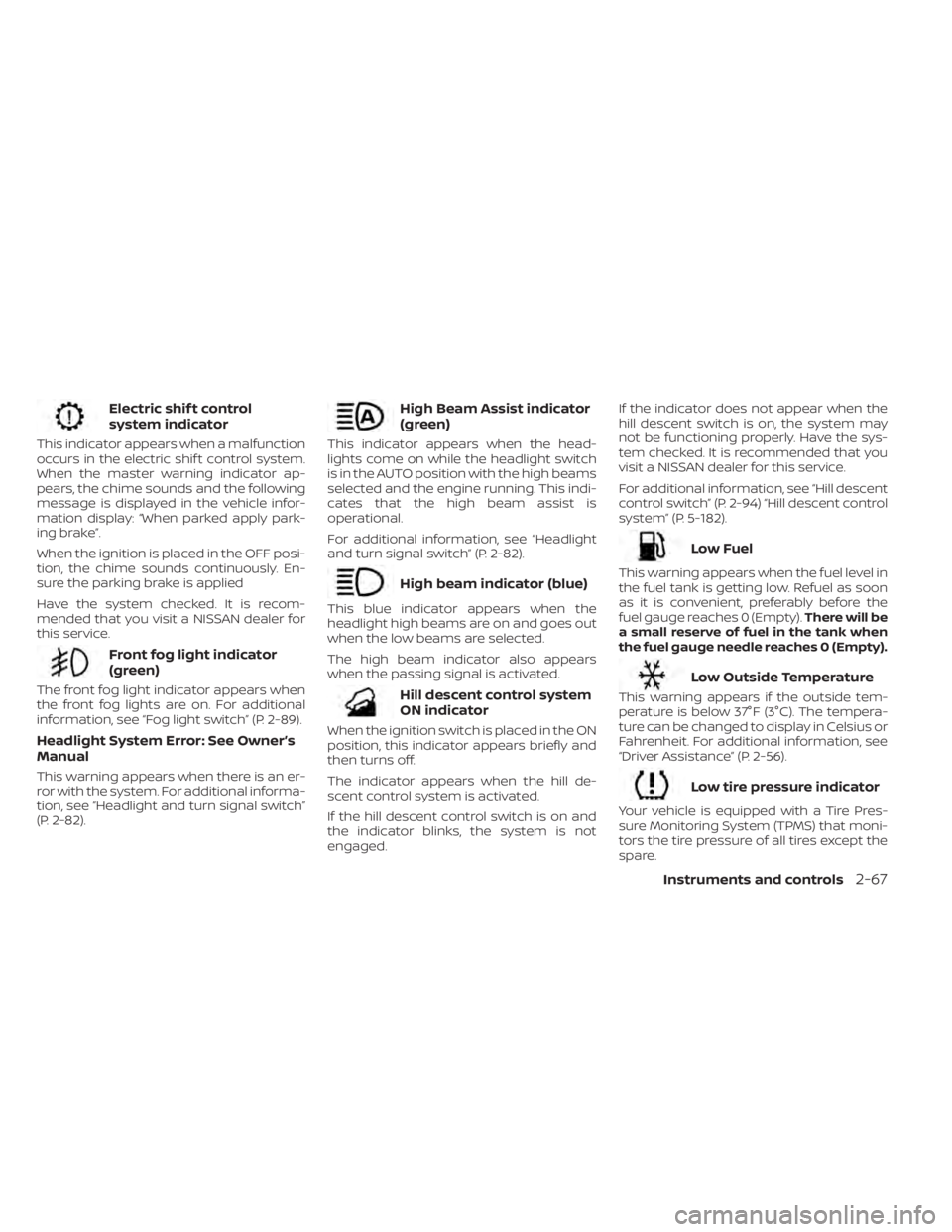
Electric shif t control
system indicator
This indicator appears when a malfunction
occurs in the electric shif t control system.
When the master warning indicator ap-
pears, the chime sounds and the following
message is displayed in the vehicle infor-
mation display: “When parked apply park-
ing brake”.
When the ignition is placed in the OFF posi-
tion, the chime sounds continuously. En-
sure the parking brake is applied
Have the system checked. It is recom-
mended that you visit a NISSAN dealer for
this service.
Front fog light indicator
(green)
The front fog light indicator appears when
the front fog lights are on. For additional
information, see “Fog light switch” (P. 2-89).
Headlight System Error: See Owner’s
Manual
This warning appears when there is an er-
ror with the system. For additional informa-
tion, see “Headlight and turn signal switch”
(P. 2-82).
High Beam Assist indicator
(green)
This indicator appears when the head-
lights come on while the headlight switch
is in the AUTO position with the high beams
selected and the engine running. This indi-
cates that the high beam assist is
operational.
For additional information, see “Headlight
and turn signal switch” (P. 2-82).
High beam indicator (blue)
This blue indicator appears when the
headlight high beams are on and goes out
when the low beams are selected.
The high beam indicator also appears
when the passing signal is activated.
Hill descent control system
ON indicator
When the ignition switch is placed in the ON
position, this indicator appears briefly and
then turns off.
The indicator appears when the hill de-
scent control system is activated.
If the hill descent control switch is on and
the indicator blinks, the system is not
engaged.If the indicator does not appear when the
hill descent switch is on, the system may
not be functioning properly. Have the sys-
tem checked. It is recommended that you
visit a NISSAN dealer for this service.
For additional information, see “Hill descent
control switch” (P. 2-94) “Hill descent control
system” (P. 5-182).
Low Fuel
This warning appears when the fuel level in
the fuel tank is getting low. Refuel as soon
as it is convenient, preferably before the
fuel gauge reaches 0 (Empty).
There will be
a small reserve of fuel in the tank when
the fuel gauge needle reaches 0 (Empty).
Low Outside Temperature
This warning appears if the outside tem-
perature is below 37°F (3°C). The tempera-
ture can be changed to display in Celsius or
Fahrenheit. For additional information, see
“Driver Assistance” (P. 2-56).
Low tire pressure indicator
Your vehicle is equipped with a Tire Pres-
sure Monitoring System (TPMS) that moni-
tors the tire pressure of all tires except the
spare.
Instruments and controls2-67
Page 193 of 665
•The timing of switching the low
beam and high beam may change
under the following situations.
– The brightness of the headlights
of the oncoming vehicle or leading
vehicle.
– The movement and direction of
the oncoming vehicle and the
leading vehicle.
– When only one light on the on-
coming vehicle or the leading ve-
hicle is illuminated.
– When the oncoming vehicle or the
leading vehicle is a two-wheeled
vehicle.
– Road conditions (incline, curve,
the road surface, etc.).
– The number of passengers and
the amount of luggage.
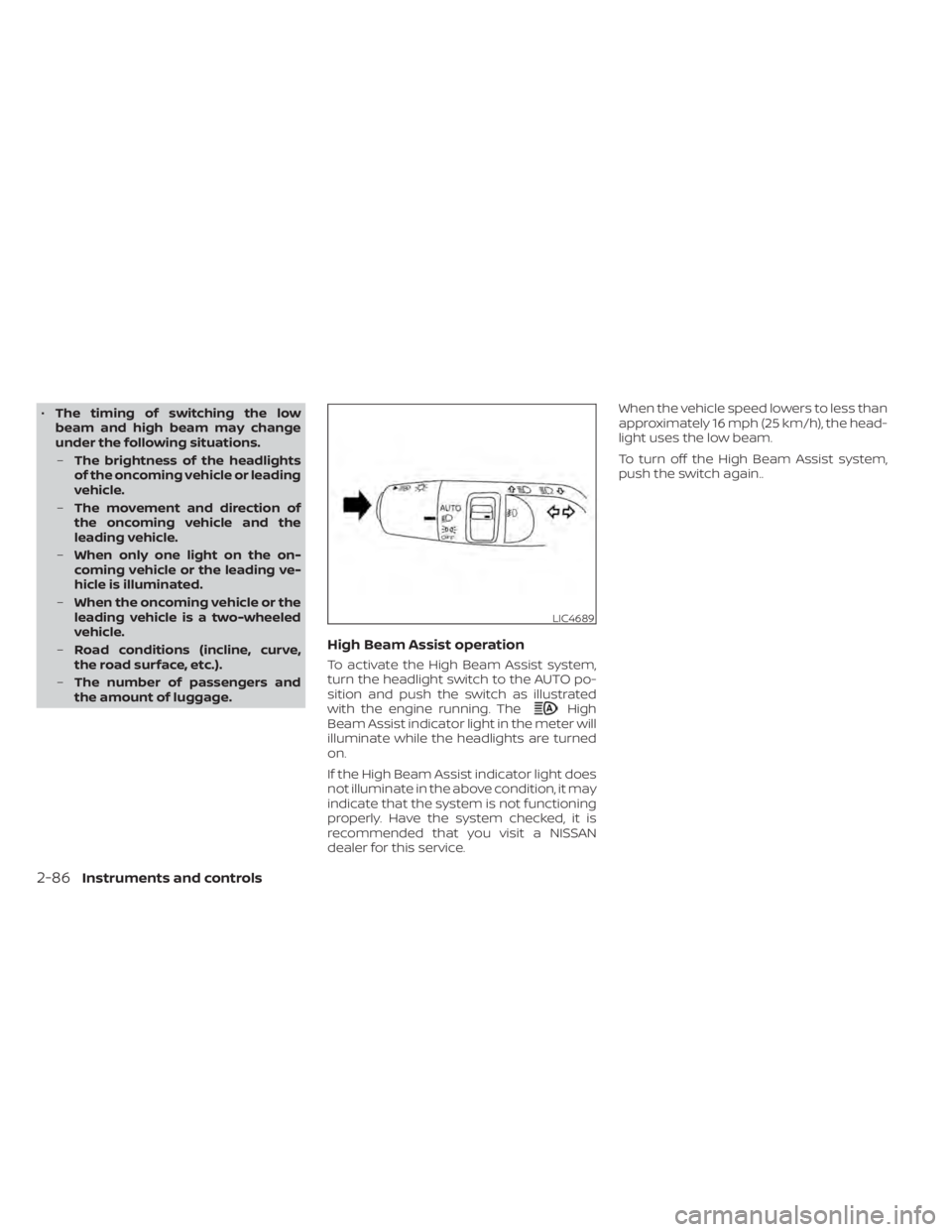
High Beam Assist operation
To activate the High Beam Assist system,
turn the headlight switch to the AUTO po-
sition and push the switch as illustrated
with the engine running. The
High
Beam Assist indicator light in the meter will
illuminate while the headlights are turned
on.
If the High Beam Assist indicator light does
not illuminate in the above condition, it may
indicate that the system is not functioning
properly. Have the system checked, it is
recommended that you visit a NISSAN
dealer for this service. When the vehicle speed lowers to less than
approximately 16 mph (25 km/h), the head-
light uses the low beam.
To turn off the High Beam Assist system,
push the switch again..
LIC4689
2-86Instruments and controls
Page 197 of 665
WARNING
Do not use or allow occupants to use
the climate controlled seats if you or
the occupants cannot monitor seat
temperatures or have an inability to
feel pain in those body parts in contact
with the seat. Use of the climate con-
trolled seats by such people could re-
sult in serious injury.
CAUTION
• The battery could run down if the cli-
mate control seat is operated while
the engine is not running.
• Do not use the climate control seat
for extended periods or when no one
is using the seat.
• Do not put anything on the seat
which insulates heat, such as a blan-
ket, cushion, seat cover, etc. Other-
wise, the seat may become
overheated.
• Do not place anything hard or heavy
on the seat or pierce it with a pin or
similar objects. This may result in
damage to the climate controlled
seat.
• Any liquid spilled on the seat should
be removed immediately with a dry
cloth
• When cleaning the seat, never use
gasoline, benzine, thinner, or any
similar materials.
• If any malfunctions are found or the
climate controlled seat does not op-
erate, turn the switch off and have
the system checked. It is recom-
mended that you visit a NISSAN
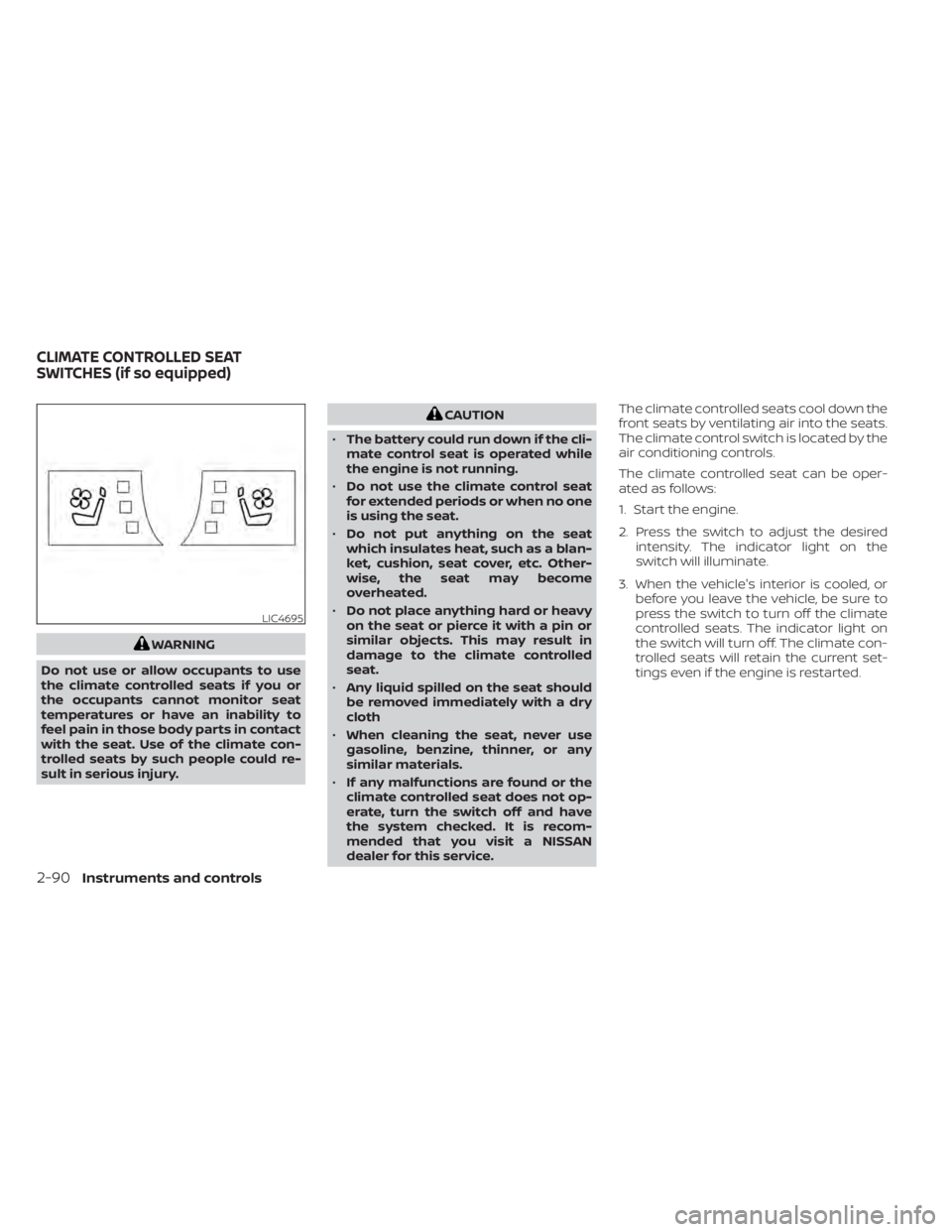
dealer for this service. The climate controlled seats cool down the
front seats by ventilating air into the seats.
The climate control switch is located by the
air conditioning controls.
The climate controlled seat can be oper-
ated as follows:
1. Start the engine.
2. Press the switch to adjust the desired
intensity. The indicator light on the
switch will illuminate.
3. When the vehicle's interior is cooled, or before you leave the vehicle, be sure to
press the switch to turn off the climate
controlled seats. The indicator light on
the switch will turn off. The climate con-
trolled seats will retain the current set-
tings even if the engine is restarted.
LIC4695
CLIMATE CONTROLLED SEAT
SWITCHES (if so equipped)
2-90Instruments and controls
Page 198 of 665
WARNING
Do not use or allow occupants to use
the seat heater if you or the occupants
cannot monitor elevated seat tem-
peratures or have an inability to feel
pain in body parts that contact the
seat. Use of the seat heater by such
people could result in serious injury.
CAUTION
• The battery could run down if the
seat heater is operated while the en-
gine is not running.
• Do not use the seat heater for ex-
tended periods or when no one is us-
ing the seat.
• Do not put anything on the seat
which insulates heat, such as a blan-
ket, cushion, seat cover, etc. Other-
wise, the seat may become
overheated.
• Do not place anything hard or heavy
on the seat or pierce it with a pin or
similar object. This may result in
damage to the heater.
• Any liquid spilled on the heated seat
should be removed immediately with
a dry cloth.
• When cleaning the seat, never use
gasoline, benzine, thinner, or any
similar materials.
• If any malfunctions are found or the
heated seat does not operate, turn
the switch off and have the system
checked. It is recommended that you
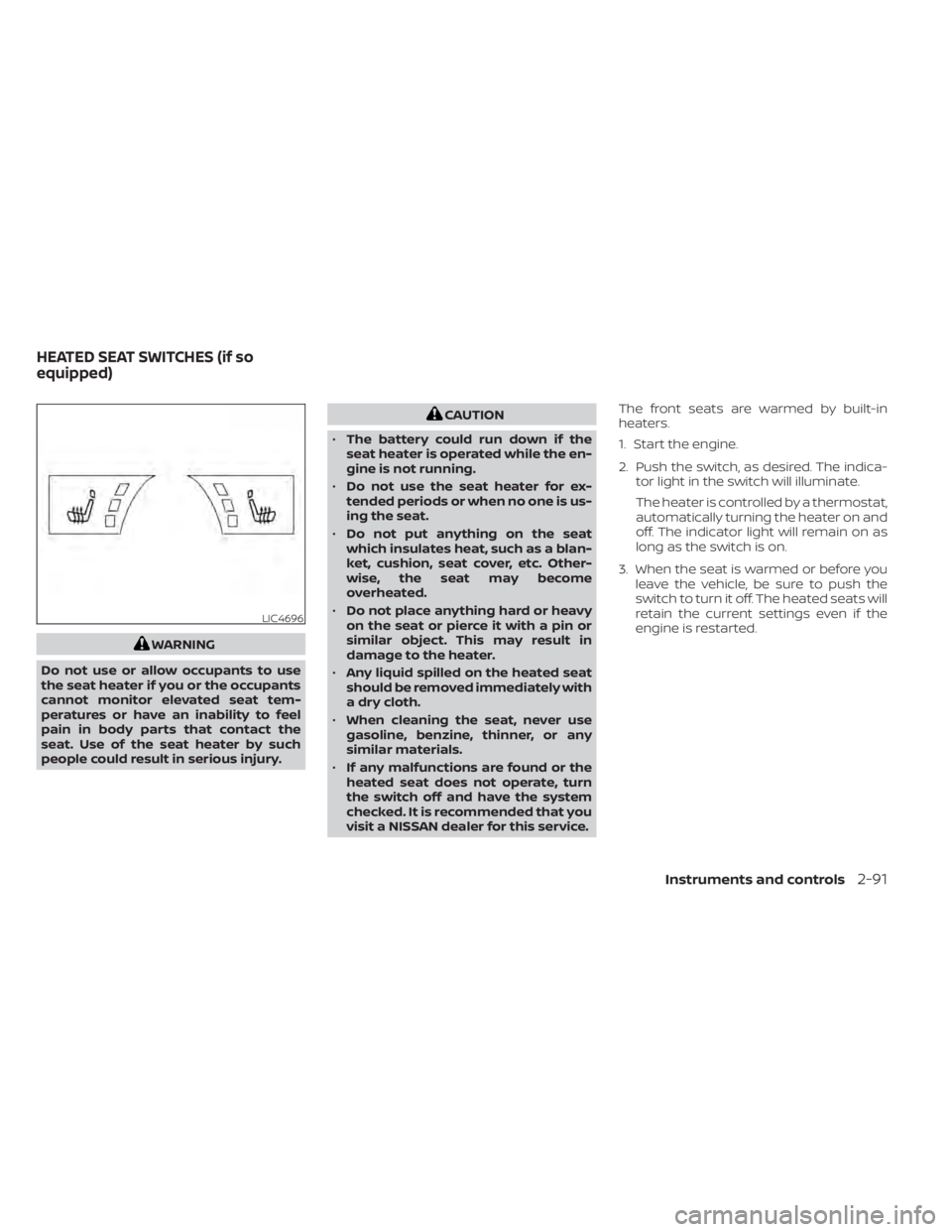
visit a NISSAN dealer for this service. The front seats are warmed by built-in
heaters.
1. Start the engine.
2. Push the switch, as desired. The indica-
tor light in the switch will illuminate.
The heater is controlled by a thermostat,
automatically turning the heater on and
off. The indicator light will remain on as
long as the switch is on.
3. When the seat is warmed or before you leave the vehicle, be sure to push the
switch to turn it off. The heated seats will
retain the current settings even if the
engine is restarted.
LIC4696
HEATED SEAT SWITCHES (if so
equipped)
Instruments and controls2-91
Page 199 of 665
WARNING
Do not use or allow occupants to use
the seat heater if you or the occupants
cannot monitor elevated seat tem-
peratures or have an inability to feel
pain in body parts that contact the
seat. Use of the seat heater by such
people could result in serious injury.
CAUTION
• The battery could run down if the
seat heater is operated while the en-
gine is not running.
• Do not use the seat heater for ex-
tended periods or when no one is us-
ing the seat.
• Do not put anything on the seat
which insulates heat, such as a blan-
ket, cushion, seat cover, etc. Other-
wise, the seat may become
overheated.
• Do not place anything hard or heavy
on the seat or pierce it with a pin or
similar object. This may result in
damage to the heater. •
Any liquid spilled on the heated seat
should be removed immediately with
a dry cloth.
• When cleaning the seat, never use
gasoline, benzine, thinner, or any
similar materials.
• If any malfunctions are found or the
heated seat does not operate, turn
the switch off and have the system
checked. It is recommended that you
visit a NISSAN dealer for this service.
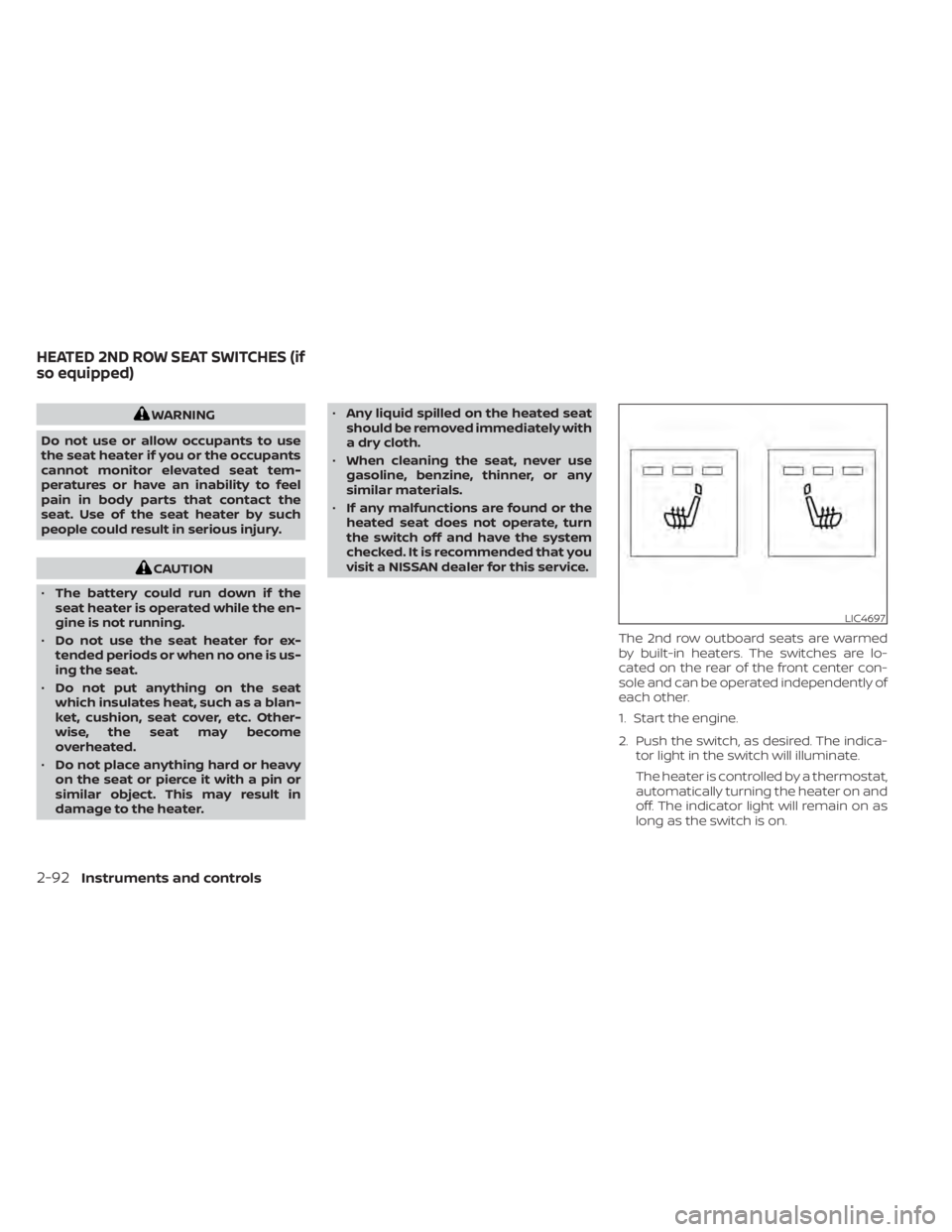
The 2nd row outboard seats are warmed
by built-in heaters. The switches are lo-
cated on the rear of the front center con-
sole and can be operated independently of
each other.
1. Start the engine.
2. Push the switch, as desired. The indica-tor light in the switch will illuminate.
The heater is controlled by a thermostat,
automatically turning the heater on and
off. The indicator light will remain on as
long as the switch is on.
LIC4697
HEATED 2ND ROW SEAT SWITCHES (if
so equipped)
2-92Instruments and controls
Page 207 of 665
•An indicator light on the Emergency
call (SOS) button shows the readiness
of the emergency support system. If
the indicator light is not illuminated,
pressing the Emergency Call (SOS) but-
ton does not connect your vehicle to
the Response Specialist. The indicator
light blinks while connected to the
NissanConnect® Services Response
Center.
• Even when the indicator light is illumi-
nated, connection to the
NissanConnect® Services Response
Center may not be possible. If this oc-
curs in an emergency situation, con-
tact the authorities by other means.
• To avoid disconnecting the line, keep
the engine running during an emer-
gency call, if it is safe to do so. The Rear Door Alert system functions un-
der certain conditions to indicate there
may be an object or passenger in the rear
seat(s). Check the seat(s) before exiting the
vehicle.
The Rear Door Alert system is initially dis-
abled. The driver can enable the system
using the vehicle information display. For
additional information, see “Vehicle infor-
mation display–7 inch (18 cm) Type A”
(P. 2-23) or “Vehicle information display—12.3
inch (31 cm) Type B” (P. 2-48).
When the system is enabled:
• The system is activated when a rear door
is opened and closed within 10 minutes of
the vehicle being driven. When the driver
door is closed and the system is acti-
vated, a visual message appears in the
vehicle information display. For additional
information, see “Rear Door Alert is acti-
vated” (P. 2-66).
• If a rear door is opened and closed but the vehicle is not driven within approxi-
mately 10 minutes, the system will not be
activated. A rear door must be opened
and closed and the car driven within 10
minutes for the system to activate. When the Rear Door Alert system is acti-
vated:
• When the driver puts the vehicle in the P
(Park) position, a notification message
appears in the vehicle information dis-
play with the options to “Dismiss Mes-
sage” or “Disable Alert” if desired.• Select “Disable Alert” to temporarily disable for that stop.
• No selection or ‘Dismiss Message” will keep the alert enabled for that stop.
• If the alert is enabled when a driver exits the vehicle, a message will appear in the
vehicle information display that states
“Check Back Seat For All Articles.”
If “Horn & Alert” setting is selected:
• An audible horn sound will occur af ter a short time unless a rear door is
opened and closed within a short time
to deactivate the alert.
• If the doors are locked before the alert is deactivated by opening a rear door,
the horn will sound.
• If the lif tgate is opened before a rear door is opened, the horn will be de-
layed until af ter the lif tgate is closed.
REAR DOOR ALERT
2-100Instruments and controls
Page 254 of 665
Intelligent Key button operation
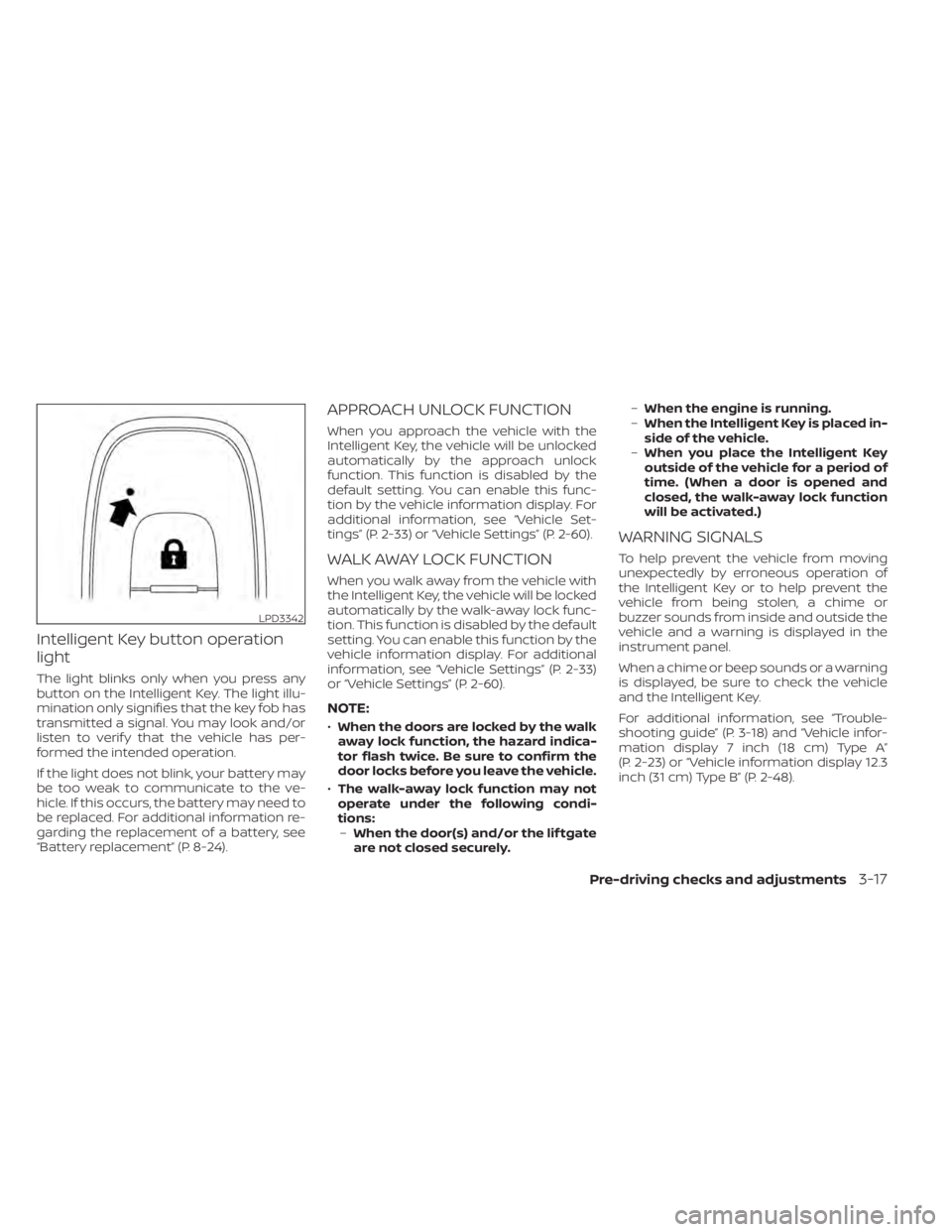
light
The light blinks only when you press any
button on the Intelligent Key. The light illu-
mination only signifies that the key fob has
transmitted a signal. You may look and/or
listen to verif y that the vehicle has per-
formed the intended operation.
If the light does not blink, your battery may
be too weak to communicate to the ve-
hicle. If this occurs, the battery may need to
be replaced. For additional information re-
garding the replacement of a battery, see
“Battery replacement” (P. 8-24).
APPROACH UNLOCK FUNCTION
When you approach the vehicle with the
Intelligent Key, the vehicle will be unlocked
automatically by the approach unlock
function. This function is disabled by the
default setting. You can enable this func-
tion by the vehicle information display. For
additional information, see “Vehicle Set-
tings” (P. 2-33) or “Vehicle Settings” (P. 2-60).
WALK AWAY LOCK FUNCTION
When you walk away from the vehicle with
the Intelligent Key, the vehicle will be locked
automatically by the walk-away lock func-
tion. This function is disabled by the default
setting. You can enable this function by the
vehicle information display. For additional
information, see “Vehicle Settings” (P. 2-33)
or “Vehicle Settings” (P. 2-60).
NOTE:
•When the doors are locked by the walk
away lock function, the hazard indica-
tor flash twice. Be sure to confirm the
door locks before you leave the vehicle.
• The walk-away lock function may not
operate under the following condi-
tions: – When the door(s) and/or the lif tgate
are not closed securely. –
When the engine is running.
– When the Intelligent Key is placed in-
side of the vehicle.
– When you place the Intelligent Key
outside of the vehicle for a period of
time. (When a door is opened and
closed, the walk-away lock function
will be activated.)
WARNING SIGNALS
To help prevent the vehicle from moving
unexpectedly by erroneous operation of
the Intelligent Key or to help prevent the
vehicle from being stolen, a chime or
buzzer sounds from inside and outside the
vehicle and a warning is displayed in the
instrument panel.
When a chime or beep sounds or a warning
is displayed, be sure to check the vehicle
and the Intelligent Key.
For additional information, see “Trouble-
shooting guide” (P. 3-18) and “Vehicle infor-
mation display 7 inch (18 cm) Type A”
(P. 2-23) or “Vehicle information display 12.3
inch (31 cm) Type B” (P. 2-48).
LPD3342
Pre-driving checks and adjustments3-17
Page 258 of 665
REMOTE STARTING THE VEHICLE
To use the Remote Engine Start feature
perform the following:
1. Aim the Intelligent Key at the vehicle.
2. Press the
button to lock all doors.
3. Within 5 seconds press and hold the
button until the turn signal lights
flash and the tail lamps turn on. If the
vehicle is not within view press and hold
the
button for at least 2 seconds.
The following events will occur when the
engine starts:
• The parking lights will turn on and remain on as long as the engine is running.
• The doors will be locked and the climate control system may come on.
• The engine will continue to run for 10 min- utes. Repeat the steps to extend the time
for an additional 10 minutes. For addi-
tional information, see “Extending engine
run time” (P. 3-21).
Press and hold the brake pedal while
switching the ignition to the ON position
before driving. For additional information,
see “Driving the vehicle” (P. 5-18).
EXTENDING ENGINE RUN TIME
The Remote Engine Start feature can be
extended one time by performing the
steps listed in “Remote starting the vehicle”
(P. 3-21). Run time will be calculated as
follows:
• The first 10–minute run time will start when the Remote Engine Start function is
performed.
• The second 10 minutes will start immedi- ately when the Remote Engine Start
function is performed again. For example,
if the engine has been running for 5 min-
utes, and 10 minutes are added, the en-
gine will run for a total of 15 minutes.
• Extending engine run time will bring you to the two Remote Engine Start limit.
A maximum of two Remote Engine Starts,
or a single start with an extension, are al-
lowed between ignition cycles.
The vehicle must be driven at speeds of 4
mph (7 km/h) before the remote engine
start procedure can be used again.
CANCELING A REMOTE ENGINE
START
To cancel a Remote Engine Start, perform
one of the following:
• Aim the Intelligent Key at the vehicle and press
until the parking lights turn off.
• Turn on the hazard indicator flashers.
• Cycle the ignition switch on and then off.
• The extended engine run time has expired.
• The first 10–minute timer has expired.
• The engine hood has been opened.
• The vehicle is shif ted out of P (Park) position.
• The alarm sounds due to illegal entry into the vehicle.
• The ignition switch is pushed without an Intelligent Key in the vehicle.
• The ignition switch is pushed with an In- telligent Key in the vehicle but the brake
pedal is not depressed.
Pre-driving checks and adjustments3-21
Page 259 of 665
CONDITIONS THE REMOTE ENGINE
START WILL NOT WORK
The Remote Engine Start will not operate if
any of the following conditions are present:
• The ignition switch is placed in the ONposition.
• The hood is not securely closed.
• The hazard indicator lights are on.
• The engine is still running. The engine must be completely stopped. Wait at
least 6 seconds if the engine goes from
running to off. This is not applicable when
extending engine run time.
• The
button is not pressed and held
for at least 2 seconds.
• The
button is not pressed and held
within 5 seconds of pressing the lock
button.
• The brake is pressed.
• The doors are not closed and locked.
• The lif tgate is open.
• The Key System Error warning message appears in the vehicle information
display.
• The alarm sounds due to illegal entry into the vehicle. • Two Remote Engine Starts, or a single
Remote Engine Start with an extension,
have already been used.
• The vehicle is not in P (Park) position.
• There is a detected registered key already inside of the vehicle.
• The Remote Engine Start feature has been switched to the OFF position using
the “Vehicle Settings” menu on the vehicle
information display. For additional infor-
mation, see “Vehicle information display 7
inch (18 cm) Type A” (P. 2-23) or “Vehicle
information display 12.3 inch (31 cm) Type
B” (P. 2-48).
The Remote Engine Start may display a
warning or indicator in the vehicle informa-
tion display. For additional information, see
“Vehicle information display 7 inch (18 cm)
Type A” (P. 2-23) or “Vehicle information dis-
play 12.3 inch (31 cm) Type B” (P. 2-48).
3-22Pre-driving checks and adjustments