maintenance NISSAN PATHFINDER 2023 Owner's Manual
[x] Cancel search | Manufacturer: NISSAN, Model Year: 2023, Model line: PATHFINDER, Model: NISSAN PATHFINDER 2023Pages: 665, PDF Size: 4.64 MB
Page 324 of 665
System temporarily unavailable.............5-43
System malfunction ......................... 5-44
System maintenance .......................5-44
Intelligent Lane Intervention (I-LI)
(if so equipped) ................................. 5-45
I-LI system operation ........................ 5-46
How to enable/disable the I-LI system ......5-48
I-LI system limitations .......................5-49
System temporarily unavailable .............5-51
System malfunction ......................... 5-51
System maintenance .......................5-52
Blind Spot Warning (BSW) .......................5-52
BSW system operation ......................5-54
How to enable/disable the BSW system .....5-56
BSW system limitations .....................5-57
BSW driving situations .......................5-58
System temporarily unavailable .............5-62
System maintenance .......................5-64
Intelligent Blind Spot Intervention (I-BSI)
(if so equipped) ................................. 5-65
I-BSI system operation ......................5-66
How to enable/disable the I-BSI system .....5-68
I-BSI system limitations .....................5-69I-BSI driving situations
....................... 5-71
System temporarily unavailable .............5-75
System malfunction ......................... 5-76
System maintenance .......................5-76
RearCrossTrafficAlert(RCTA) .................. 5-77
RCTA system operation .....................5-78
How to enable/disable the RCTA
system ...................................... 5-80
RCTA system limitations .....................5-82
System temporarily unavailable .............5-84
System maintenance .......................5-86
Cruise control (if so equipped) ..................5-87
Precautions on cruise control ...............5-87
Cruise control operations ...................5-87
Pr
oPILOT Assist (if so equipped) ................5-88
ProPILOT Assist system operation ...........5-90
Turning the conventional (fixed speed)
cruise control mode on .....................5-95
Operating ProPILOT Assist ...................5-95
How to enable/disable the Steering
Assist ...................................... 5-101
Intelligent Cruise Control (ICC)
(for vehicles with ProPILOT Assist) ..........5-103
Page 325 of 665
Steering Assist............................. 5-119
Conventional (fixed speed) cruise
control mode .............................. 5-127
Rear Automatic Braking (RAB) .................5-130
RAB system operation ......................5-131
Turning the RAB system on/off .............5-133
RAB system limitations .....................5-134
System malfunction ........................ 5-136
System maintenance ......................5-136
Automatic Emergency Braking (AEB) with
Pedestrian Detection .......................... 5-137
AEB with Pedestrian Detection system
operation .................................. 5-138
Turning the AEB with Pedestrian
Detection system ON/OFF .................5-140
AEB with Pedestrian Detection system
limitations ................................. 5-141
System temporarily unavailable ............5-145
System malfunction ........................ 5-147
System maintenance ......................5-148
Intelligent Forward Collision Warning (I-FCW) . . 5-149 I-FCW system operation ....................5-152
Turning the I-FCW system on/off ...........5-153
I-FCW system limitations ...................5-155
System temporarily unavailable ............5-161 System malfunction
........................ 5-163
System maintenance ......................5-164
Intelligent Driver Alertness (I-DA) ...............5-165
Intelligent Driver Alertness system
operation .................................. 5-166
How to enable/disable the Intelligent
Driver Alertness (I-DA) system ..............5-167
Intelligent Driver Alertness (I-DA)
system limitations ......................... 5-168
Break-in schedule ............................. 5-169
Fuel efficient driving tips .......................5-170
Increasing fuel economy .......................5-171
Intelligent 4X4 (I-4X4) (if so equipped) ...........5-171
Parking/parking on hills .......................5-173
Power steering ................................ 5-174
Brake system ................................. 5-175
Brake precautions .......................... 5-175
Anti-lock Braking System (ABS) .............5-175
Br
ake Assist ................................ 5-177
Vehicle Dynamic Control (VDC) system ........5-177
How to turn off the VDC system ............5-179
Rise-up and build-up ....................... 5-179
Brake force distribution ....................5-179
Active Brake Limited Slip (ABLS) system .......5-180
Page 326 of 665
Chassis control............................... 5-181
Intelligent Trace Control (I-TC) ..............5-181
Active Ride Control (ARC)
(if so equipped) ............................. 5-181
Hill descent control system (if so equipped) . . . 5-182
Hill start assist system ........................5-183
Front and Rear Sonar System
(if so equipped) ................................ 5-183
System operation .......................... 5-184
How to enable/disable the front and
rear sonar system .......................... 5-186
Sonar limitations ........................... 5-187
System temporarily unavailable ............5-188
System maintenance ......................5-188Idling Stop System
............................ 5-189
Retrograde movement control function ....5-191
Idling Stop System display ..................5-191
Idling Stop OFF switch ......................5-195
Cold weather driving .......................... 5-196
Freeing a frozen door lock ..................5-196
Antifreeze .................................. 5-196
Battery..................................... 5-196
Draining of coolant water ..................5-196
Tire equipment ............................. 5-196
Special winter equipment ..................5-196
Driving on snow or ice ......................5-196
Engine block heater (if so equipped) ........5-197
Page 328 of 665
•Do not stop or park the vehicle over
flammable materials such as dry
grass, waste paper or rags. They may
ignite and cause a fire.
CAUTION
• Do not use leaded gasoline. Deposits
from leaded gasoline will seriously
reduce the three-way catalyst's abil-
ity to help reduce exhaust pollutants.
• Keep your engine tuned up. Malfunc-
tions in the ignition, fuel injection, or
electrical systems can cause overrich
fuel flow into the three-way catalyst,
causing it to overheat. Do not keep
driving if the engine misfires, or if no-
ticeable loss of performance or other
unusual operating conditions are de-
tected. Have the vehicle inspected
promptly. It is recommended that
you visit a NISSAN dealer for this
service.
• Avoid driving with an extremely low
fuel level. Running out of fuel could
cause the engine to misfire, damag-
ing the three-way catalyst.
• Do not race the engine while warm-
ing it up. •
Do not push or tow your vehicle to
start the engine.
TIRE PRESSURE MONITORING
SYSTEM (TPMS)
Each tire, including the spare (if provided),
should be checked monthly when cold and
inflated to the inflation pressure recom-
mended by the vehicle manufacturer on
the vehicle placard or tire inflation pressure
label. (If your vehicle has tires of a different
size than the size indicated on the vehicle
placard or tire inflation pressure label, you
should determine the proper tire inflation
pressure for those tires.)
As an added safety feature, your vehicle
has been equipped with a Tire Pressure
Monitoring System (TPMS) that illuminates
a low tire pressure telltale when one or
more of your tires is significantly under-
inflated. Accordingly, when the low tire
pressure telltale illuminates, you should
stop and check all your tires as soon as
possible, and inflate them to the proper
pressure. Driving on a significantly under-
inflated tire causes the tire to overheat and
can lead to tire failure. Under-inflation also
reduces fuel efficiency and tire tread life,
and may affect the vehicle’s handling and
stopping ability. Please note that the TPMS is not a substi-
tute for proper tire maintenance, and it is
the driver’s responsibility to maintain cor-
rect tire pressure, even if under-inflation
has not reached the level to trigger illumi-
nation of the TPMS low tire pressure telltale.
Your vehicle has also been equipped with a
TPMS malfunction indicator to indicate
when the system is not operating properly.
The TPMS malfunction indicator is com-
bined with the low tire pressure telltale.
When the system detects a malfunction,
the telltale will flash for approximately one
minute and then remain continuously illu-
minated. This sequence will continue upon
subsequent vehicle start-ups as long as
the malfunction exists. When the malfunc-
tion indicator is illuminated, the system
may not be able to detect or signal low tire
pressure as intended. TPMS malfunctions
may occur for a variety of reasons, includ-
ing the installation of replacement or alter-
nate tires or wheels on the vehicle that
prevent the TPMS from functioning prop-
erly. Always check the TPMS malfunction
telltale af ter replacing one or more tires or
wheels on your vehicle to ensure that the
replacement or alternate tires and wheels
allow the TPMS to continue to function
properly.
Starting and driving5-5
Page 335 of 665
•For 4WD equipped vehicles, do not
attempt to raise two wheels off the
ground and shif t the transmission to
any drive or reverse position with the
engine running. Doing so may result
in drivetrain damage or unexpected
vehicle movement which could result
in serious vehicle damage or per-
sonal injury.
• Do not attempt to test an 4WD
equipped vehicle on a 2-wheel dyna-
mometer (such as the dynamom-
eters used by some states for emis-
sions testing), or similar equipment
even if the other two wheels are
raised off the ground. Make sure you
inform test facility personnel that
your vehicle is equipped with 4WD
before it is placed on a dynamom-
eter. Using the wrong test equipment
may result in drivetrain damage or
unexpected vehicle movement
which could result in serious vehicle
damage or personal injury.
• When a wheel is off the ground due to
an unlevel surface, do not spin the
wheel excessively.
• Accelerating quickly, sharp steering
maneuvers or sudden braking may
cause loss of control. •
If at all possible, avoid sharp turning
maneuvers, particularly at high
speeds. Your NISSAN vehicle has a
higher center of gravity than a pas-
senger car. The vehicle is not de-
signed for cornering at the same
speeds as passenger cars.
• Failure to operate this vehicle cor-
rectly could result in loss of control
and/or a rollover accident.
• Always use tires of the same type,
size, brand, construction (bias, bias-
belted, or radial), and tread pattern
on all four wheels. Install tire chains
on the front wheels when driving on
slippery roads and drive carefully.
• Be sure to check the brakes immedi-
ately af ter driving in mud or water.
For additional information, see
“Brake system” (P. 5-175).
• Avoid parking your vehicle on steep
hills. If you get out of the vehicle and
it rolls forward, backward or side-
ways, you could be injured. •
Whenever you drive off-road through
sand, mud or water as deep as the
wheel hub, more frequent mainte-
nance may be required. For addi-
tional information, see “Additional
maintenance items for severe oper-
ating conditions” (P. 9-7).
5-12Starting and driving
Page 361 of 665
SYSTEM MAINTENANCE
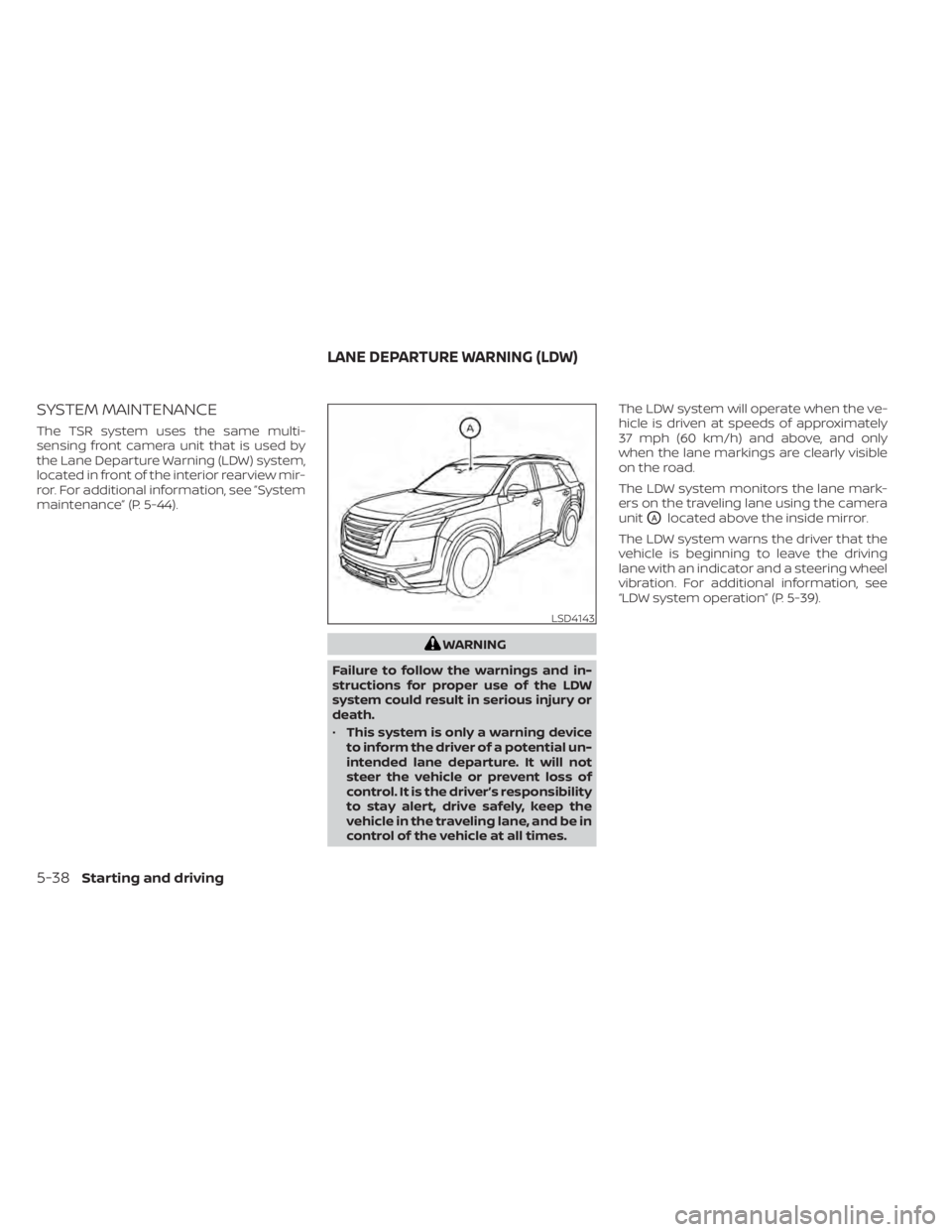
The TSR system uses the same multi-
sensing front camera unit that is used by
the Lane Departure Warning (LDW) system,
located in front of the interior rearview mir-
ror. For additional information, see ”System
maintenance” (P. 5-44).
WARNING
Failure to follow the warnings and in-
structions for proper use of the LDW
system could result in serious injury or
death.
• This system is only a warning device
to inform the driver of a potential un-
intended lane departure. It will not
steer the vehicle or prevent loss of
control. It is the driver’s responsibility
to stay alert, drive safely, keep the
vehicle in the traveling lane, and be in
control of the vehicle at all times. The LDW system will operate when the ve-
hicle is driven at speeds of approximately
37 mph (60 km/h) and above, and only
when the lane markings are clearly visible
on the road.
The LDW system monitors the lane mark-
ers on the traveling lane using the camera
unit
OAlocated above the inside mirror.
The LDW system warns the driver that the
vehicle is beginning to leave the driving
lane with an indicator and a steering wheel
vibration. For additional information, see
“LDW system operation” (P. 5-39).
LSD4143
LANE DEPARTURE WARNING (LDW)
5-38Starting and driving
Page 367 of 665
Af ter the above conditions have finished
and the necessary operating conditions
are satisfied, the LDW functions will resume.
SYSTEM MALFUNCTION
If the LDW system malfunctions, it will can-
cel automatically and “Not Available Sys-
tem Malfunction” will appear in the vehicle
information display. If “Not Available Sys-
tem Malfunction” appears in the vehicle in-
formation display, pull off the road to a safe
location and stop the vehicle. Place the
shif t position in the P (Park) position and
the ignition switch in the OFF position and
restart the engine/motor. If “Not Available
System Malfunction” continues to appear
in the vehicle information display, have the
system checked. It is recommended that
you visit a NISSAN dealer for this service.
SYSTEM MAINTENANCE
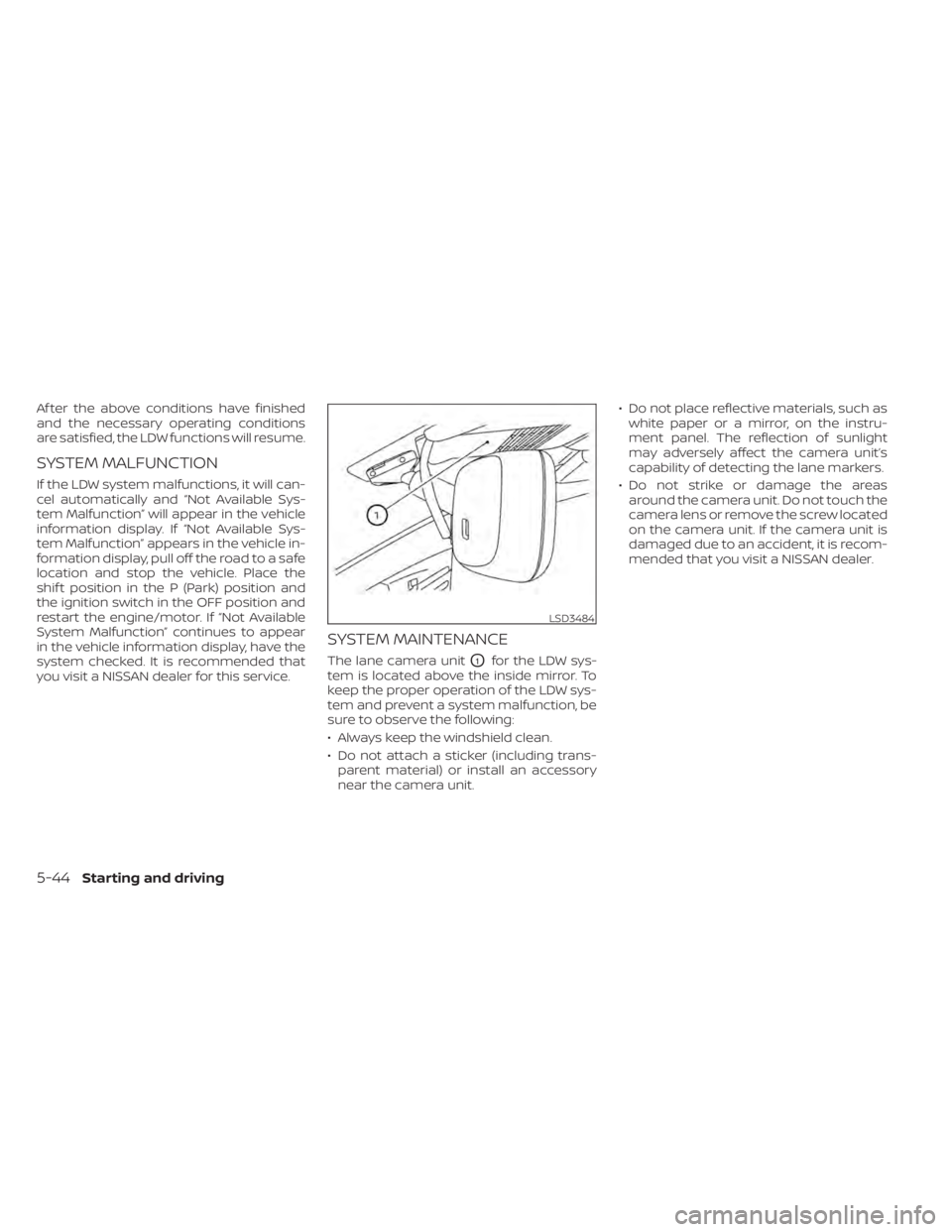
The lane camera unitO1for the LDW sys-
tem is located above the inside mirror. To
keep the proper operation of the LDW sys-
tem and prevent a system malfunction, be
sure to observe the following:
• Always keep the windshield clean.
• Do not attach a sticker (including trans- parent material) or install an accessory
near the camera unit. • Do not place reflective materials, such as
white paper or a mirror, on the instru-
ment panel. The reflection of sunlight
may adversely affect the camera unit’s
capability of detecting the lane markers.
• Do not strike or damage the areas around the camera unit. Do not touch the
camera lens or remove the screw located
on the camera unit. If the camera unit is
damaged due to an accident, it is recom-
mended that you visit a NISSAN dealer.
LSD3484
5-44Starting and driving
Page 375 of 665
SYSTEM MAINTENANCE
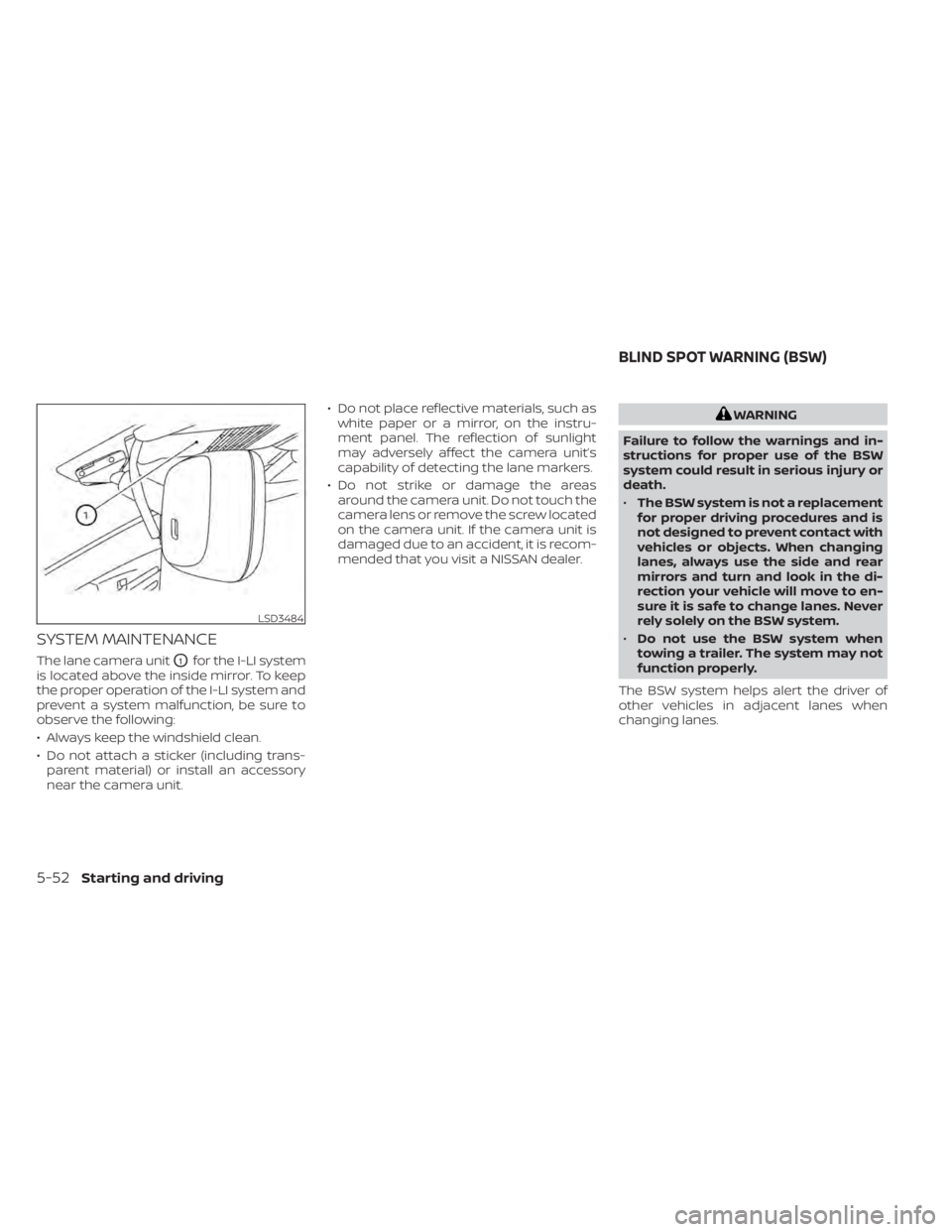
The lane camera unitO1for the I-LI system
is located above the inside mirror. To keep
the proper operation of the I-LI system and
prevent a system malfunction, be sure to
observe the following:
• Always keep the windshield clean.
• Do not attach a sticker (including trans- parent material) or install an accessory
near the camera unit. • Do not place reflective materials, such as
white paper or a mirror, on the instru-
ment panel. The reflection of sunlight
may adversely affect the camera unit’s
capability of detecting the lane markers.
• Do not strike or damage the areas around the camera unit. Do not touch the
camera lens or remove the screw located
on the camera unit. If the camera unit is
damaged due to an accident, it is recom-
mended that you visit a NISSAN dealer.
WARNING
Failure to follow the warnings and in-
structions for proper use of the BSW
system could result in serious injury or
death.
• The BSW system is not a replacement
for proper driving procedures and is
not designed to prevent contact with
vehicles or objects. When changing
lanes, always use the side and rear
mirrors and turn and look in the di-
rection your vehicle will move to en-
sure it is safe to change lanes. Never
rely solely on the BSW system.
• Do not use the BSW system when
towing a trailer. The system may not
function properly.
The BSW system helps alert the driver of
other vehicles in adjacent lanes when
changing lanes.
LSD3484
BLIND SPOT WARNING (BSW)
5-52Starting and driving
Page 387 of 665
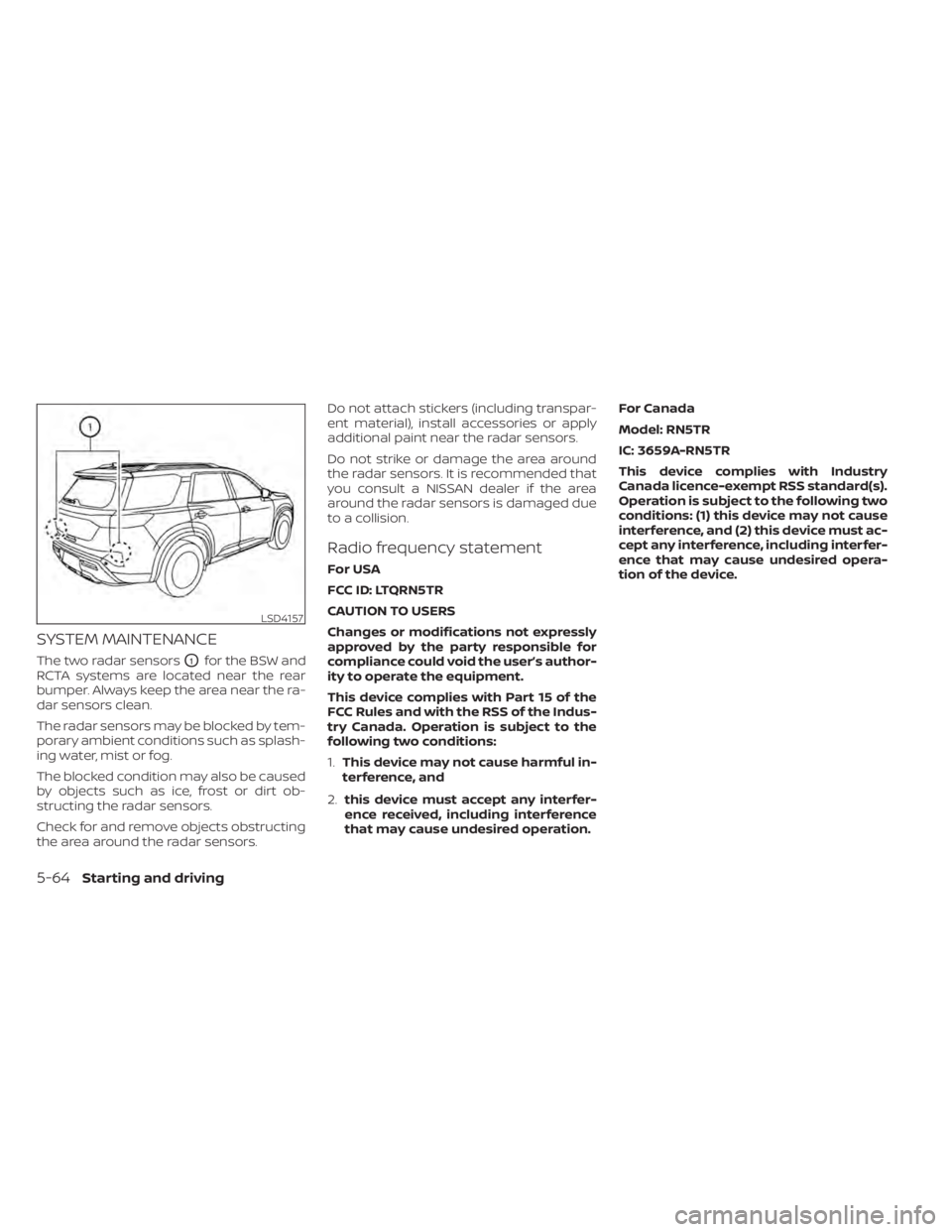
SYSTEM MAINTENANCE
The two radar sensorsO1for the BSW and
RCTA systems are located near the rear
bumper. Always keep the area near the ra-
dar sensors clean.
The radar sensors may be blocked by tem-
porary ambient conditions such as splash-
ing water, mist or fog.
The blocked condition may also be caused
by objects such as ice, frost or dirt ob-
structing the radar sensors.
Check for and remove objects obstructing
the area around the radar sensors. Do not attach stickers (including transpar-
ent material), install accessories or apply
additional paint near the radar sensors.
Do not strike or damage the area around
the radar sensors. It is recommended that
you consult a NISSAN dealer if the area
around the radar sensors is damaged due
to a collision.
Radio frequency statement
For USA
FCC ID: LTQRN5TR
CAUTION TO USERS
Changes or modifications not expressly
approved by the party responsible for
compliance could void the user’s author-
ity to operate the equipment.
This device complies with Part 15 of the
FCC Rules and with the RSS of the Indus-
try Canada. Operation is subject to the
following two conditions:
1.
This device may not cause harmful in-
terference, and
2. this device must accept any interfer-
ence received, including interference
that may cause undesired operation. For Canada
Model: RN5TR
IC: 3659A-RN5TR
This device complies with Industry
Canada licence-exempt RSS standard(s).
Operation is subject to the following two
conditions: (1) this device may not cause
interference, and (2) this device must ac-
cept any interference, including interfer-
ence that may cause undesired opera-
tion of the device.
LSD4157
5-64Starting and driving
Page 399 of 665
• “Unavailable High Cabin Temperature”:If the vehicle is parked in direct sunlight
under high temperature conditions
(over approximately 104°F (40°C)).
• “Unavailable Side Radar Obstruction”: When side radar blockage is detected.
Turn off the I-BSI system and turn it on
again when the above conditions no lon-
ger exist.
SYSTEM MALFUNCTION
When the I-BSI system malfunctions, it will
be turned off automatically, a chime will
sound, and the “Not available System Mal-
function” warning message with the BSW
indicator (orange) will appear in the vehicle
information display.
Action to take:
Stop the vehicle in a safe location, place the
vehicle in the P (Park) position, turn the en-
gine off and restart the engine. If the “Not
available System Malfunction” warning
message with the BSW indicator (orange)
continues to be displayed, have the I-BSI
system checked. It is recommended you
visit a certified NISSAN dealer for this
service.
SYSTEM MAINTENANCE
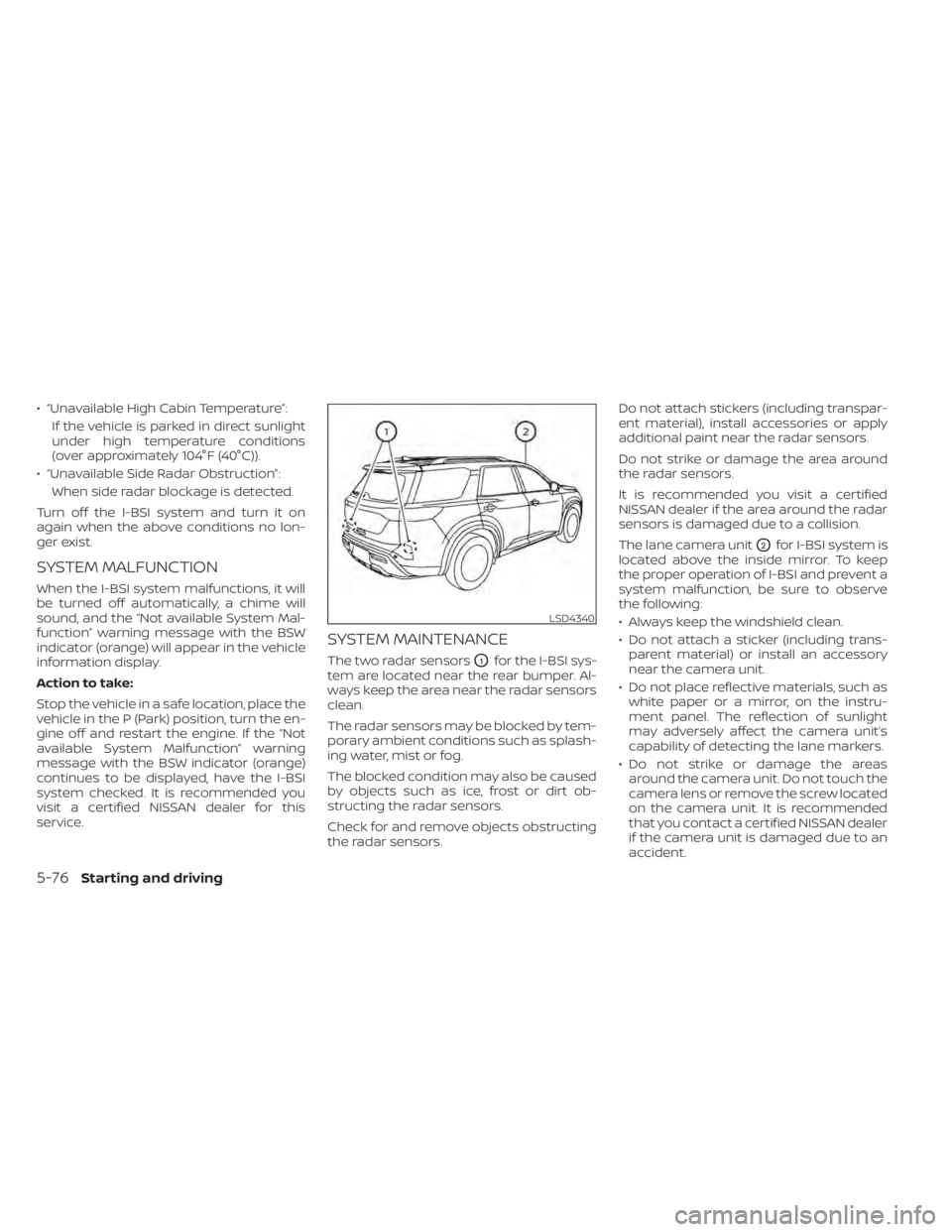
The two radar sensorsO1for the I-BSI sys-
tem are located near the rear bumper. Al-
ways keep the area near the radar sensors
clean.
The radar sensors may be blocked by tem-
porary ambient conditions such as splash-
ing water, mist or fog.
The blocked condition may also be caused
by objects such as ice, frost or dirt ob-
structing the radar sensors.
Check for and remove objects obstructing
the radar sensors. Do not attach stickers (including transpar-
ent material), install accessories or apply
additional paint near the radar sensors.
Do not strike or damage the area around
the radar sensors.
It is recommended you visit a certified
NISSAN dealer if the area around the radar
sensors is damaged due to a collision.
The lane camera unit
O2for I-BSI system is
located above the inside mirror. To keep
the proper operation of I-BSI and prevent a
system malfunction, be sure to observe
the following:
• Always keep the windshield clean.
• Do not attach a sticker (including trans- parent material) or install an accessory
near the camera unit.
• Do not place reflective materials, such as white paper or a mirror, on the instru-
ment panel. The reflection of sunlight
may adversely affect the camera unit’s
capability of detecting the lane markers.
• Do not strike or damage the areas around the camera unit. Do not touch the
camera lens or remove the screw located
on the camera unit. It is recommended
that you contact a certified NISSAN dealer
if the camera unit is damaged due to an
accident.
LSD4340
5-76Starting and driving