brake NISSAN PATHFINDER 2023 Workshop Manual
[x] Cancel search | Manufacturer: NISSAN, Model Year: 2023, Model line: PATHFINDER, Model: NISSAN PATHFINDER 2023Pages: 665, PDF Size: 4.64 MB
Page 344 of 665
WARNING
Apply the electronic parking brake if
the shif t lever is in any position while
the engine is not running. Failure to do
so could cause the vehicle to move un-
expectedly or roll away and result in
serious personal injury or property
damage.
CAUTION
• Use the P (Park), R (Reverse) or D
(Drive) position only when the vehicle
is completely stopped.
• When switching to the desired shif t
position by operating the shif t lever,
check that the shif t lever returns to
the home position by releasing your
hand from the lever. Holding the shif t
lever in a mid-way position may also
damage the shif t control system.
• Do not operate the shif t lever while
the accelerator pedal is depressed.
This may cause a sudden start which
could result in an accident. •
The following operations are not al-
lowed because excessive force
would be applied to the transmission
and this may result in damage to the
vehicle:
– Moving the shif t lever to the R (Re-
verse) position when driving
forward
– Moving the shif t lever to the D
(Drive) position when reversing
If these operations are attempted, a
chime sounds and the vehicle shif ts to
the N (Neutral) position.
If the vehicle is moving over 5 mph (8
km/h) when shif ting to D (Drive) from R
(Reverse), the N (Neutral) position will
automatically be selected. A buzzer will
sound, noting that D (Drive) was not se-
lected. When selecting D (Drive) while
reversing below 5 mph (8 km/h) the
range will change normally.
P (Park)
CAUTION
• To prevent transmission damage,
use the P (Park) position only when
the vehicle is completely stopped.
• Do not slide the shif t lever while
pressing the park button. This may
damage the shif t control system.
Use the P (Park) position when the vehicle is
parked or when starting the engine. Make
sure the vehicle is completely stopped be-
fore pressing the park button to engage
the P (Park) position. For maximum safety,
the brake pedal must be depressed before
engaging the P (Park) position. Use this po-
sition together with the electronic parking
brake. When parking on a hill, first depress
the brake pedal, apply the electronic park-
ing brake and then engage the P (Park)
position. The parking lock should not be
used as a brake when parking. In order to
secure the vehicle, always apply the elec-
tronic parking brake in addition to the park-
ing lock.
Starting and driving5-21
Page 345 of 665
In the event of a malfunction of the vehi-
cle’s electronics, the transmission may lock
in the P (Park) position. Have the vehicle’s
electronics checked immediately. It is rec-
ommended that you visit a NISSAN dealer
for this service.
The P (Park) position is automatically en-
gaged if:
• You place the ignition switch in the OFFposition
• You unfasten the driver’s seat belt and open the driver side door when the ve-
hicle is stationary or driving at very low
speed and the transmission is in the D
(Drive) position, the N (Neutral) position,
the R (Reverse) position or M (Manual)
mode with your foot off the brake.
CAUTION
To avoid A/T malfunction, you must
manually place the shif t position in the
P (Park) position under the above
conditions.
R (Reverse)
CAUTION
• To prevent transmission damage,
use the R (Reverse) position only
when the vehicle is completely
stopped and the brake is pressed.
Use the R (Reverse) position to back up.
Make sure the vehicle is completely
stopped before selecting the R (Reverse)
position. The brake pedal must be de-
pressed and the shif t lever button
pressed to move the shif t lever from the
home position to R (Reverse). If the ve-
hicle is placed in R (Reverse) position
while the vehicle is moving forward, the
chime will sound and the vehicle will
switch into the N (Neutral) position.
NOTE:
If the vehicle is moving over 5 mph (8
km/h ), when shif ting to D (Drive) from R
(Reverse), the N (Neutral) position will au-
tomatically be selected. A buzzer will
sound, noting that D (Drive) was not se-
lected. When selecting D (Drive) while re-
versing below 5 mph (8 km/h), the range
will change normally.
N (Neutral)
Neither forward nor reverse gear is en-
gaged when the vehicle is completely
stopped, and the brake is pressed. The en-
gine can be started in this position. You
may shif t to the N (Neutral) position and
restart a stalled engine while the vehicle is
moving.
You can select this position by holding the
shif t lever at this position for 0.5 seconds.
D (Drive)
Use this position for all normal forward
driving when the vehicle is completely
stopped, and the brake is pressed. The A/T
changes gears automatically. All forward
gears are available. If the vehicle is placed
in the D (Drive) position while the vehicle
is reversing, the chime will sound and the
vehicle will switch into the N (Neutral)
position.
5-22Starting and driving
Page 346 of 665
NOTE:
If the vehicle is moving over 5 mph (8
km/h) when shif ting to D (Drive) from R
(Reverse), the N (Neutral) position will au-
tomatically be selected. A buzzer will
sound, noting that D (Drive) was not se-
lected. When selecting D (Drive) while re-
versing below 5 mph (8 km/h), the range
will change normally.
Neutral hold mode function (if so
equipped)
This function enables you to get out of the
vehicle when it is in the N (Neutral) position,
while the engine is running. While this func-
tion is activated, the vehicle can be moved
by pushing with hand (when car washing).
When using this function, release the elec-
tronic parking brake.
WARNING
• Use this function on a level surface
only. Failure to do so may cause the
vehicle to move accidentally and
could result in a collision or serious
personal injury.
• Do not use this function for a purpose
other than car washing. •
Do not turn the engine off af ter neu-
tral hold mode function is activated,
otherwise the N (Neutral) position
will not be kept and the vehicle will
automatically be placed in the P
(Park) position.
• If this function is not activated re-
gardless of proper operation, trans-
mission may malfunction. It is rec-
ommended that you visit a NISSAN
dealer for this service.
To activate the Neutral hold mode, perform
the following operations:
1. Push the ignition switch to start the engine.
2. Release the electronic parking brake.
3. Depress and hold the brake pedal.
4. Push the P (Park) button.
5. Slide the shif t lever to the N (Neutral) position, and hold it for 0.5 second until
“N” appears in the vehicle information
display. 6. Slide the shif t lever to the N (Neutral)
position again, and hold it for 0.5 sec-
onds, until a message “Neutral Hold
Mode has been activated” appears in
the vehicle information display. For addi-
tional information, see “Neutral Hold
Mode activated” (P. 2-41) or (P. 2-68).
7. The ignition switch has to be kept in the ON position. Otherwise Neutral hold
mode is canceled and the P (Park) posi-
tion is engaged automatically.
To exit the Neutral hold mode, place the
shif t lever in any position other than the N
(Neutral) position.
NOTE:
• It is necessary to perform the steps 4
through 6 within approximately 5 sec-
onds to prevent incorrect operation.
• When the shif ter is changed to the N
(Neutral) position, approximately 5
seconds later, a message will appear in
the vehicle information display. For ad-
ditional information, see “Neutral Hold
Mode guidance” (P. 2-41) or (P. 2-68).
Starting and driving5-23
Page 349 of 665
WARNING
When the high fluid temperature pro-
tection mode or fail-safe operation oc-
curs, vehicle speed may be gradually
reduced. The reduced speed may be
lower than other traffic, which could in-
crease the chance of a collision. Be es-
pecially careful when driving. If neces-
sary, pull to the side of the road at a safe
place and allow the transmission to re-
turn to normal operation, or have it re-
paired if necessary.WARNING
• Be sure the parking brake is fully re-
leased before driving. Failure to do so
can cause brake failure and lead to
an accident.
• Do not release the parking brake
from outside the vehicle.
• Do not use the shif t lever in place of
the parking brake. When parking, be
sure the parking brake is fully
engaged.
• To help avoid risk of injury or death
through unintended operation of the
vehicle and/or its systems, do not
leave children, people who require
the assistance of others or pets unat-
tended in your vehicle. Additionally,
the temperature inside a closed ve-
hicle on a warm day can quickly be-
come high enough to cause a signifi-
cant risk of injury or death to people
and pets.
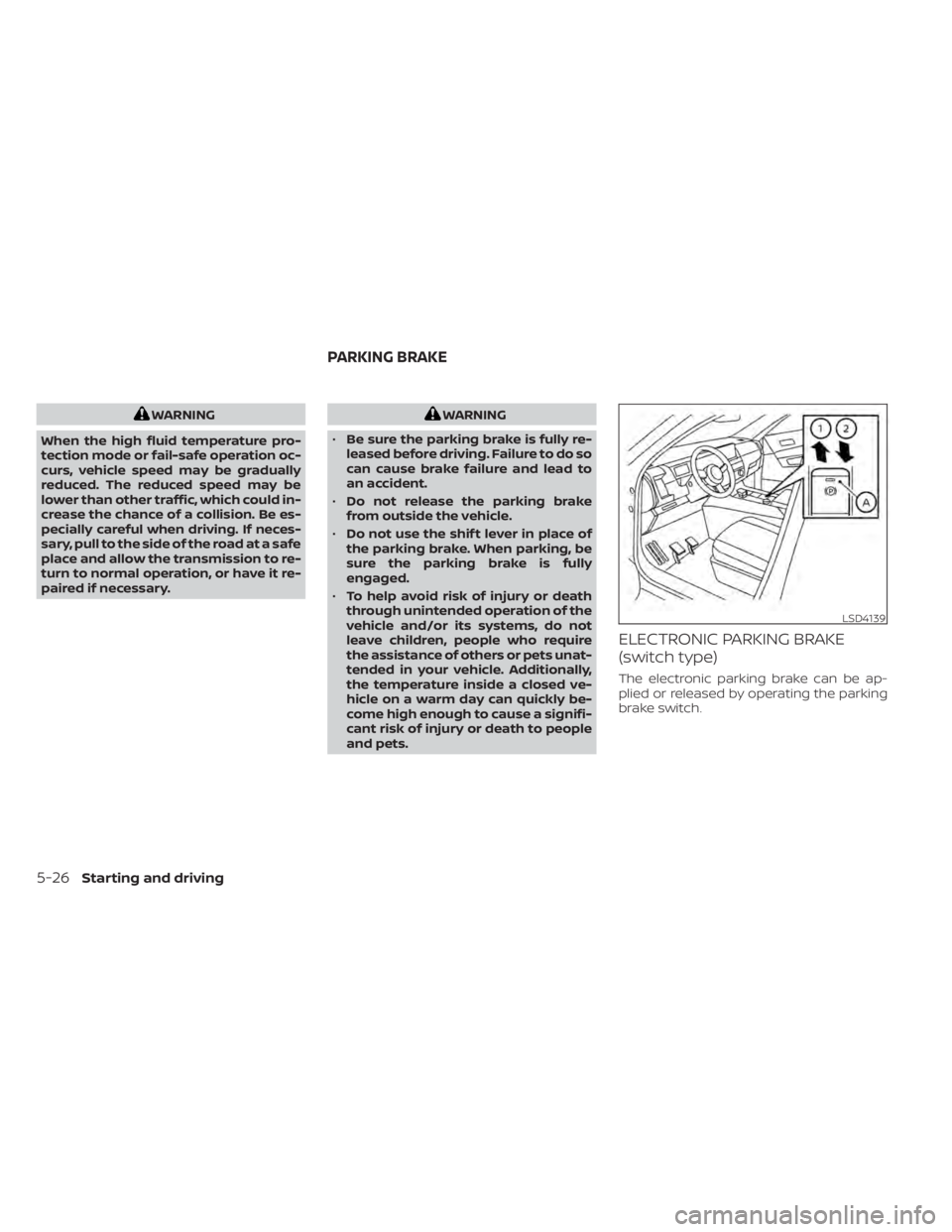
ELECTRONIC PARKING BRAKE
(switch type)
The electronic parking brake can be ap-
plied or released by operating the parking
brake switch.
LSD4139
PARKING BRAKE
5-26Starting and driving
Page 350 of 665
WARNING
• Before leaving the vehicle, move the
shif t position to the P (Park) position
and check that the electronic parking
brake warning light is illuminated to
confirm that the electronic parking
brake is applied. The electronic park-
ing brake warning light will remain
on for a period of time af ter the driv-
er’s door is locked.
CAUTION
When parking in an area where the out-
side temperature is below 32°F (0°C),
the parking brake, if applied, may
freeze in place and may be difficult to
release.
For safe parking, it is recommended
that you place the shif t lever in the P
(Park) position and securely block the
wheels.
NOTE:
• To keep the electronic parking brake released af ter the engine is turned off,
place the ignition switch in the OFF po-
sition, depress the brake pedal and
push down the parking brake switch
before opening the driver’s door.
• If a malfunction occurs in the elec- tronic parking brake system (for ex-
ample, due to battery discharge), it is
recommended that you visit a NISSAN
dealer.
• Under the following conditions the electronic parking brake will automati-
cally be applied and the braking force
of the automatic brake hold will be
released:– The braking force is applied by the automatic brake hold function for 3
minutes or longer.
– The vehicle is in the P (Park) position.
– The electronic parking brake is ap- plied manually.
– The driver’s seat belt is unfastened.
– The driver’s door is opened.
– The ignition switch is placed in the OFF position.
– A malfunction occurs in the auto- matic brake hold function.
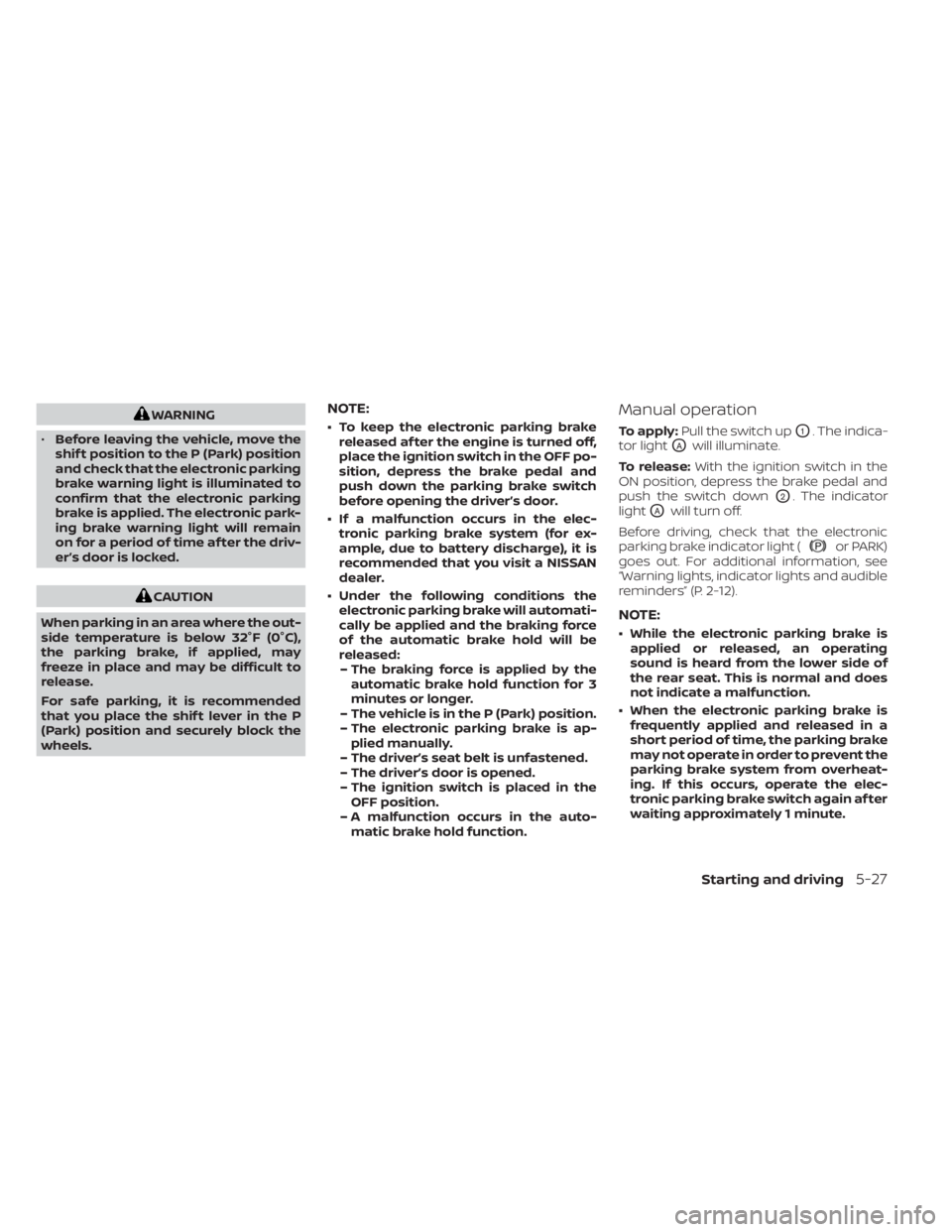
Manual operation
To apply: Pull the switch upO1. The indica-
tor light
OAwill illuminate.
To release: With the ignition switch in the
ON position, depress the brake pedal and
push the switch down
O2. The indicator
light
OAwill turn off.
Before driving, check that the electronic
parking brake indicator light (
or PARK)
goes out. For additional information, see
“Warning lights, indicator lights and audible
reminders” (P. 2-12).
NOTE:
• While the electronic parking brake is applied or released, an operating
sound is heard from the lower side of
the rear seat. This is normal and does
not indicate a malfunction.
• When the electronic parking brake is frequently applied and released in a
short period of time, the parking brake
may not operate in order to prevent the
parking brake system from overheat-
ing. If this occurs, operate the elec-
tronic parking brake switch again af ter
waiting approximately 1 minute.
Starting and driving5-27
Page 351 of 665
• If the electronic parking brake must beapplied while driving in an emergency,
pull up and hold the parking brake
switch. When you release the parking
brake switch, the parking brake will be
released.
• While pulling up the electronic parking brake switch during driving, the park-
ing brake is applied and a chime
sounds. The electronic parking brake
indicator light in the meter and in the
parking brake switch illuminates. This
does not indicate a malfunction. The
electronic parking brake indicator light
in the meter and in the parking brake
switch turns off when the parking
brake is released.
• When pulling the electronic parking brake switch up with the ignition
switch in the OFF or AUTO ACC position,
the parking brake switch indicator
light will continue to illuminate for a
short period of time. The automatic brake hold function main-
tains the braking force without the driver
having to depress the brake pedal when
the vehicle is stopped at a traffic light or
intersection. As soon as the driver de-
presses the accelerator pedal again, the
automatic brake hold function is deacti-
vated and the braking force is released. The
operating status of the automatic brake
hold can be displayed.
To use the automatic brake hold function,
the following conditions need to be met:
• The driver’s seat belt is fastened.
• The electronic parking brake is released.
• The vehicle is not in the P (Park) position.
• The vehicle is not parked on a steep hill.
For additional information, see “Warning
lights, indicator lights and audible remind-
ers” (P. 2-12).
WARNING
• The automatic brake hold function is
not designed to hold the vehicle on a
steep hill or slippery road. Never use
the automatic brake hold when the
vehicle is stopped on a steep hill or
slippery road. Failure to do so may
cause the vehicle to move. •
The automatic brake hold warning
may appear in the vehicle informa-
tion display to request that the driver
retake control by depressing the
brake pedal.
• When the automatic brake hold func-
tion is activated but fails to maintain
the vehicle at a standstill, depress the
brake pedal to stop the vehicle. If the
vehicle unexpectedly moves due to
outside conditions, the chime may
sound and automatic brake hold
warning may illuminate in the vehicle
information display.
• Be sure to deactivate the automatic
brake hold function when using a car
wash or towing your vehicle.
• Make sure to place the shif t lever in
the P (Park) position and apply the
parking brake when parking your ve-
hicle, entering or exiting the vehicle,
or loading luggage. Failure to do so
could cause the vehicle to move or
roll away unexpectedly and result in
serious personal injury or property
damage.
AUTOMATIC BRAKE HOLD
5-28Starting and driving
Page 352 of 665
•If any of the following conditions oc-
cur, the automatic brake hold func-
tion may not function. Have the sys-
tem checked promptly. It is
recommended that you visit a
NISSAN dealer for this service. Failure
to operate the vehicle in accordance
with these conditions could cause
the vehicle to move or roll away un-
expectedly and result in serious per-
sonal injury or property damage.
– A warning message appears in the
vehicle information display.
– The indicator light on the auto-
matic brake hold switch does not
illuminate when the switch is
pushed.
• The automatic brake hold function
will not be activated if the Slip indica-
tor light, electronic parking brake
warning light or master warning light
illuminate and the chassis control
system fault message appears in the
vehicle information display. •
Automatic brake hold function is op-
erated by applying sufficient braking
force to hold the vehicle in its place,
so there are cases when this hold
function is maintained even if the ac-
celerator pedal is depressed. In this
situation, it is advised to depress the
brake pedal first, then to turn off au-
tomatic brake hold switch. This will
cancel the hold function.
• To maintain the braking force to keep
the vehicle to a standstill, a noise
may be heard. This is not a
malfunction.
HOW TO ACTIVATE/DEACTIVATE
THE AUTOMATIC BRAKE HOLD
FUNCTION
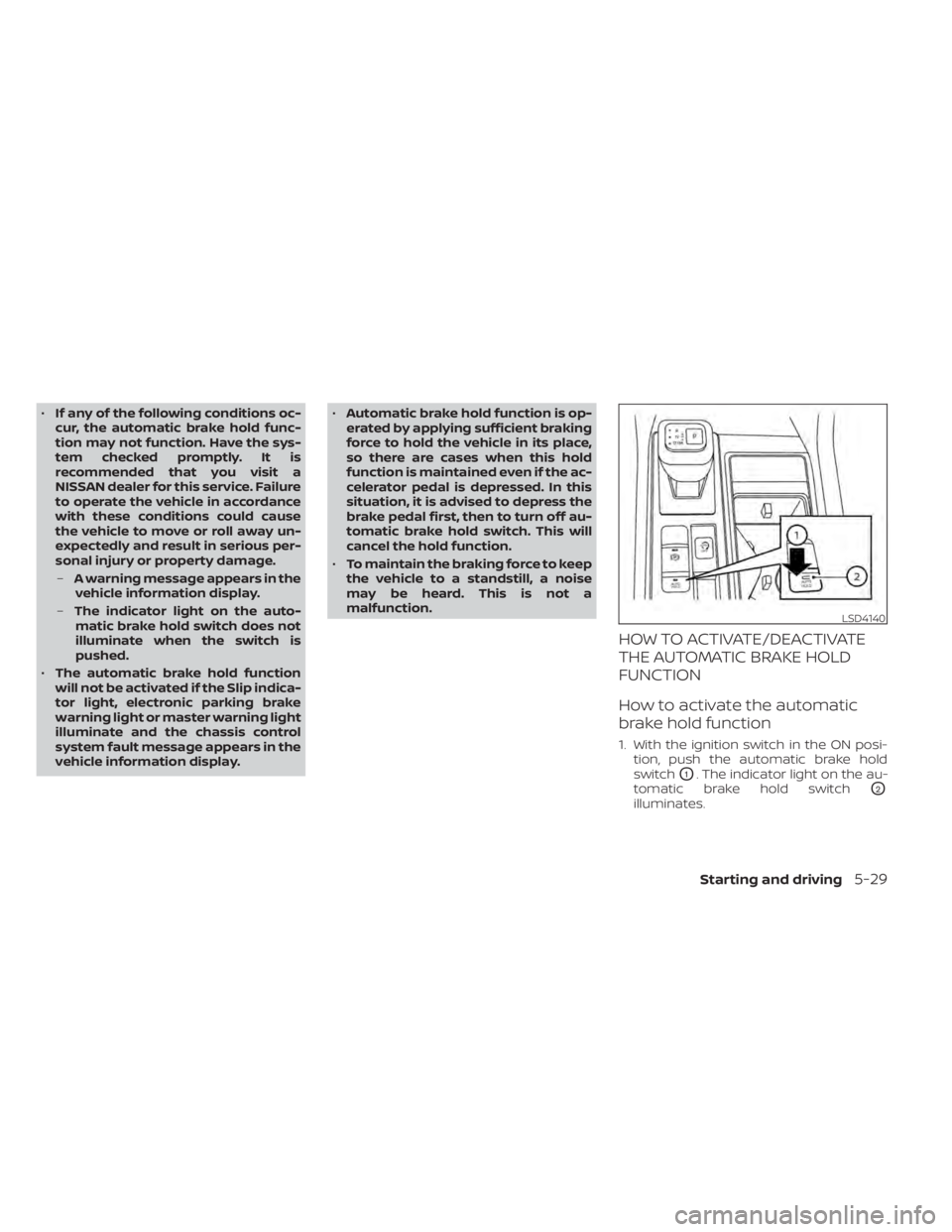
How to activate the automatic
brake hold function
1. With the ignition switch in the ON posi- tion, push the automatic brake hold
switch
O1. The indicator light on the au-
tomatic brake hold switch
O2
illuminates.
LSD4140
Starting and driving5-29
Page 353 of 665
2. When the automatic brake hold functiongoes into standby, the automatic brake
hold indicator light (white) or automatic
brake hold indicator (white) illuminates.
To use the automatic brake hold function,
the following conditions need to be met:
• The driver’s seat belt is fastened.
• The electronic parking brake is released.
• The vehicle is not in the P (Park) position.
• The vehicle is not parked on a steep hill.
NOTE:
The automatic brake hold function re-
tains the last state until the driver
changes the option even if the ignition
switch is OFF.
How to deactivate the automatic
brake hold function
While the automatic brake hold function is
activated, push the automatic brake hold
switch to turn off the automatic brake hold
indicator light and deactivate the auto-
matic brake hold function. To deactivate
the automatic brake hold function while
the brake force has been maintained by
the automatic brake hold function, depress
the brake pedal and push the automatic
brake hold switch.
WARNING
Make sure to firmly depress and hold
the brake pedal when turning off the
automatic brake hold function while
the brake force is applied. When the au-
tomatic brake hold function is deacti-
vated, the brake force will be released.
This could cause the vehicle to move or
roll away unexpectedly. Failure to pre-
vent the vehicle from rolling may result
in serious personal injury or property
damage.
HOW TO USE THE AUTOMATIC
BRAKE HOLD FUNCTION
For additional information on using the au-
tomatic brake hold function, refer to the
instructions outlined in this section.
To maintain braking force
automatically
With the automatic brake hold function ac-
tivated and the automatic brake hold indi-
cator light (white) or automatic brake hold
indicator (white) illuminated, depress the
braking pedal to stop the vehicle, and the
automatic brake hold indicator light
(green) or automatic brake hold indicator
(green) illuminates. The brake force is auto- matically applied without your foot de-
pressed on the brake pedal. While the brake
force is maintained, the automatic brake
hold indicator light (green) or automatic
brake hold indicator (green) illuminates.
The automatic brake hold indicator (green)
or automatic brake hold indicator light
(green) will not illuminate if the brake pedal
is not depressed with sufficient force to
hold the vehicle or is released too quickly
when the vehicle is stopped.
Confirm the automatic brake hold indica-
tor (green) or automatic brake hold indica-
tor light (green) is illuminated before re-
moving your foot from the brake pedal.
To start the vehicle from a
standstill
With the vehicle not in the P (Park) or the N
(Neutral) position, depress the accelerator
pedal while the brake force is maintained.
The brake force will automatically be re-
leased to restart the vehicle.
The automatic brake hold indicator light
(white) or automatic brake hold indicator
(white) illuminates and the automatic
brake hold returns to standby.
5-30Starting and driving
Page 354 of 665
Parking
When the vehicle is in the P (Park) position
with the brake force maintained by the au-
tomatic brake hold function, the parking
brake will automatically be applied and the
brake force of the automatic brake hold will
be released. The automatic brake hold in-
dicator light turns off. When the parking
brake is applied with the brake force main-
tained by the automatic brake hold func-
tion, the brake force of the automatic brake
hold will be released. The automatic brake
hold indicator light turns off.
NOTE:
• When the vehicle stops, but the brakeforce is not automatically applied, de-
press the brake pedal firmly until the
automatic brake hold indicator light
(green) or automatic brake hold indica-
tor (green) illuminates.
• Under the following conditions the electronic parking brake will automati-
cally be applied and the braking force
of the automatic brake hold will be
released:– The braking force is applied by the automatic brake hold function for 3
minutes or longer.
– The vehicle is in the P (Park) position. – The electronic parking brake is ap-
plied manually.
– The driver’s seat belt is unfastened.
– The driver’s door is opened.
– The ignition switch is placed in the OFF position.
– A malfunction occurs in the auto- matic brake hold function.
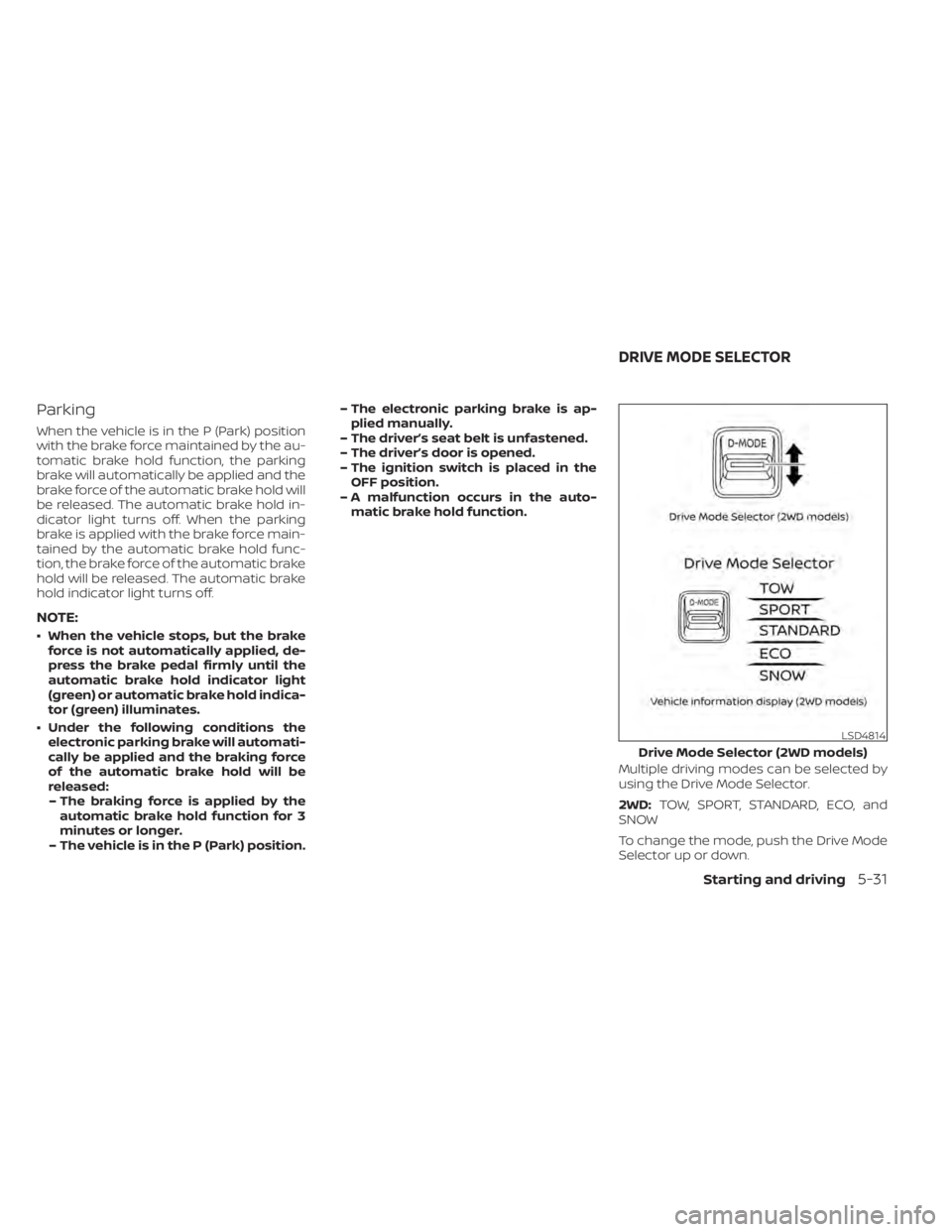
Multiple driving modes can be selected by
using the Drive Mode Selector.
2WD:TOW, SPORT, STANDARD, ECO, and
SNOW
To change the mode, push the Drive Mode
Selector up or down.
LSD4814
Drive Mode Selector (2WD models)
DRIVE MODE SELECTOR
Starting and driving5-31
Page 366 of 665
–When driving without normal tire
conditions (for example, tire wear,
low tire pressure, installation of
spare tire, tire chains, nonstan-
dard wheels).
– When the vehicle is equipped with
non-original brake parts or sus-
pension parts.
– When you are towing a trailer or
other vehicle.
• The system may not function prop-
erly under the following conditions:
– On roads where there are multiple
parallel lane markers; lane mark-
ers that are faded or not painted
clearly; yellow painted lane mark-
ers; non-standard lane markers;
or lane markers covered with wa-
ter, dirt, snow, etc.
– On roads where the discontinued
lane markers are still detectable.
– On roads where there are sharp
curves. –
On roads where there are sharply
contrasting objects, such as shad-
ows, snow, water, wheel ruts,
seams or lines remaining af ter
road repairs. (The LDW system
could detect these items as lane
markers.)
– On roads where the traveling lane
merges or separates.
– When the vehicle’s traveling direc-
tion does not align with the lane
marker.
– When traveling close to the ve-
hicle in front of you, which ob-
structs the lane camera unit de-
tection range.
– When rain, snow, dirt or an object
adheres to the windshield in front
of the lane camera unit.
– When the headlights are not
bright due to dirt on the lens or if
the aiming is not adjusted
properly.
– When strong light enters the lane
camera unit. (For example, the
light directly shines on the front of
the vehicle at sunrise or sunset.) –
When a sudden change in bright-
ness occurs. (For example, when
the vehicle enters or exits a tunnel
or under a bridge.)
SYSTEM TEMPORARILY
UNAVAILABLE
If the vehicle is parked in direct sunlight
under high temperature conditions (over
approximately 104°F [40°C]) and then
started, the LDW system may be deacti-
vated automatically and the following
message will appear in the vehicle infor-
mation display: “Unavailable: High Cabin
Temperature."
When the interior temperature is reduced,
the LDW system will resume operating
automatically.
The LDW system is not designed to warn
under the following conditions:
• When you operate the lane change signal and change traveling lanes in the direc-
tion of the signal. (The LDW system will
become operable again approximately 2
seconds af ter the lane change signal is
turned off.)
• When the vehicle speed lowers to less than approximately 37 mph (60 km/h).
Starting and driving5-43