ECO mode NISSAN PATHFINDER HYBRID 2015 User Guide
[x] Cancel search | Manufacturer: NISSAN, Model Year: 2015, Model line: PATHFINDER HYBRID, Model: NISSAN PATHFINDER HYBRID 2015Pages: 524, PDF Size: 6.49 MB
Page 74 of 524
WARNING
Child restraint anchorages are designed
to withstand only those loads imposed by
correctly fitted child restraints. Under no
circumstances are they to be used to at-
tach adult seat belts, or other items or
equipment to the vehicle. Doing so could
damage the child restraint anchorages.
The child restraint will not be properly
installed using the damaged anchorage,
and a child could be seriously injured or
killed in a collision.
FORWARD-FACING CHILD
RESTRAINT INSTALLATION USING
THE SEAT BELTS
WARNING
The three-point seat belt with Automatic
Locking Retractor (ALR) must be used
when installing a child restraint. Failure to
use the ALR mode will result in the child
restraint not being properly secured. The
restraint could tip over or be loose and
cause injury to a child in a sudden stop or
collision. Also, it can change the operation
of the front passenger air bag. For addi-
tional information, refer to “Front passen-
ger air bag and status light” in this section.For additional information, refer to all Warnings
and Cautions in the “Child Safety” and “Child
Restraint” sections of this manual before install-
ing a child restraint.
NISSAN does not recommend the use of the
lower anchors if the combined weight of the child
and the child restraint exceeds 65 lbs (29.5 kg) .
If the combined weight of the child and the child
restraint is greater than 65 lbs (29.5 kg) , use the
vehicle’s seat belt (not the lower anchors) to
install the child restraint. Be sure to follow the
child restraint manufacturer’s instructions for in-
stallation.Follow these steps to install a forward-facing
child restraint using the vehicle seat belt in the
rear seats or in the front passenger seat:
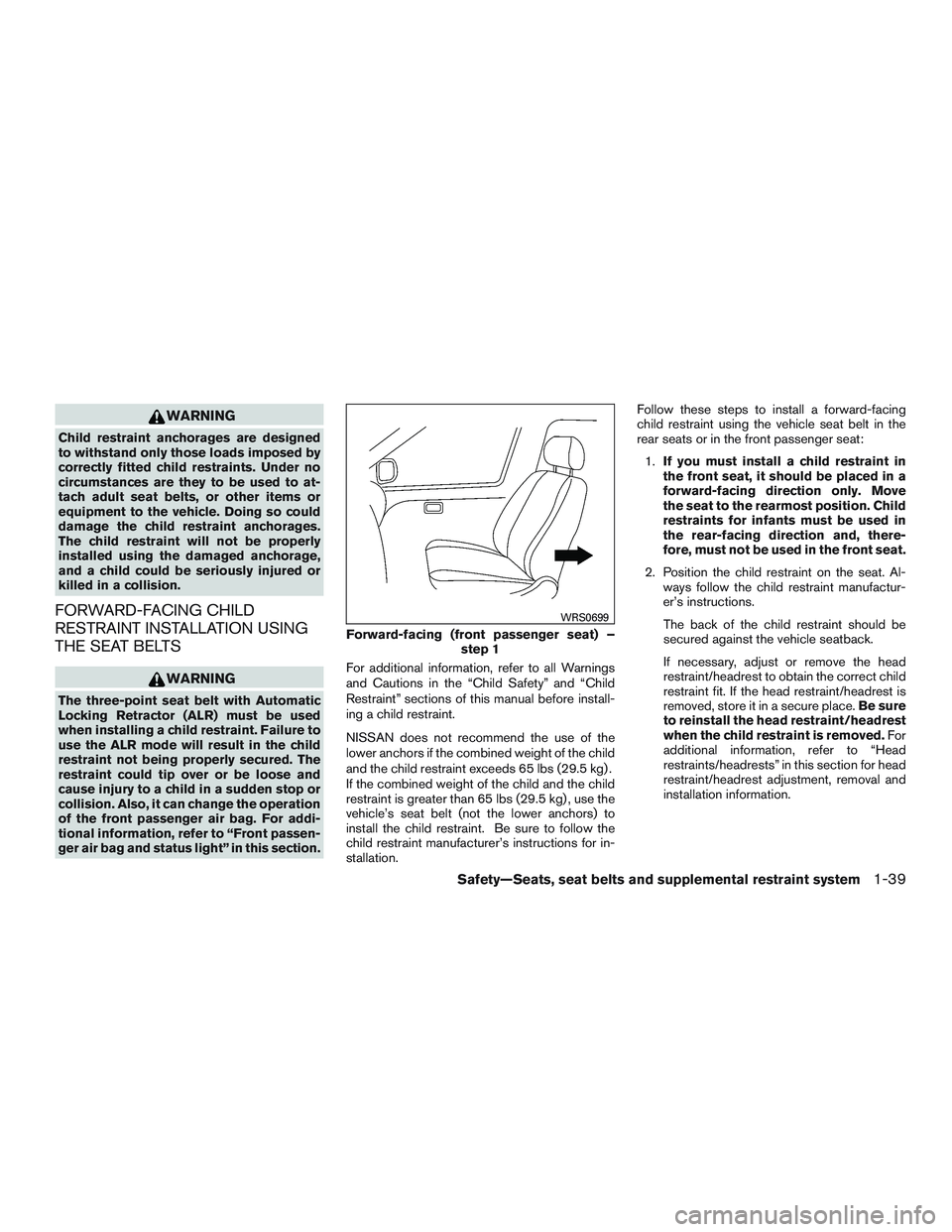
1.If you must install a child restraint in
the front seat, it should be placed in a
forward-facing direction only. Move
the seat to the rearmost position. Child
restraints for infants must be used in
the rear-facing direction and, there-
fore, must not be used in the front seat.
2. Position the child restraint on the seat. Al-
ways follow the child restraint manufactur-
er’s instructions.
The back of the child restraint should be
secured against the vehicle seatback.
If necessary, adjust or remove the head
restraint/headrest to obtain the correct child
restraint fit. If the head restraint/headrest is
removed, store it in a secure place.Be sure
to reinstall the head restraint/headrest
when the child restraint is removed.For
additional information, refer to “Head
restraints/headrests” in this section for head
restraint/headrest adjustment, removal and
installation information.
Forward-facing (front passenger seat) –
step 1
WRS0699
Safety—Seats, seat belts and supplemental restraint system1-39
Page 93 of 524
bag OFF for specified child restraints as required
by the regulations. Failing to properly secure
child restraints and to use the ALR mode may
allow the restraint to tip or move in a collision or
sudden stop. This can also result in the passen-
ger air bag inflating in a crash instead of being
OFF. For additional information, refer to “Child
restraints” in this section for proper use and in-
stallation.
If the front passenger seat is not occupied, the
passenger air bag is designed not to inflate in a
crash. However, heavy objects placed on the
seat could result in air bag inflation, because of
the object’s weight detected by the occupant
classification sensor. Other conditions could also
result in air bag inflation, such as if a child is
standing on the seat, or if two children are on the
seat, contrary to the instructions in this manual.
Always be sure that you and all vehicle occupants
are seated and restrained properly.
Using the passenger air bag status light, you can
monitor when the front passenger air bag is au-
tomatically turned OFF with the seat occupied.
The light will not illuminate when the front pas-
senger seat is unoccupied.
If an adult occupant is in the seat but the passen-
ger air bag status light is illuminated (indicating
that the air bag is OFF) , it could be that theperson is a small adult, or is not sitting on the seat
properly or not using the seat belt properly.
If a child restraint must be used in the front seat,
the passenger air bag status light may or may not
be illuminated, depending on the size of the child
and the type of child restraint being used. If the air
bag status light is not illuminated (indicating that
the air bag might inflate in a crash) , it could be
that the child restraint or seat belt is not being
used properly. Make sure that the child restraint is
installed properly, the seat belt is used properly
and the occupant is positioned properly. If the air
bag status light is not illuminated, reposition the
occupant or child restraint in a rear seat.
If the passenger air bag status light will not illu-
minate even though you believe that the child
restraint, the seat belts and the occupant are
properly positioned, the system may be sensing
an unoccupied seat (in which case the air bag is
OFF) . Your NISSAN dealer can check that the
system is OFF by using a special tool. However,
until you have confirmed with your dealer that
your air bag is working properly, reposition the
occupant or child restraint in a rear seat.
The air bag system and passenger air bag status
light will take a few seconds to register a change
in the passenger seat status. For example, if a
large adult who is sitting in the front passenger
seat exits the vehicle, the passenger air bagstatus light will go from OFF to ON for a few
seconds and then to OFF. This is normal system
operation and does not indicate a malfunction.
If a malfunction occurs in the front passenger air
bag system, the supplemental air bag warning
light
, located in the meter and gauges area
of the instrument panel, will blink. Have the sys-
tem checked by a NISSAN dealer.
Normal operation
In order for the Occupant Classification System
to classify the right front passenger based on
weight, please follow the precautions and steps
outlined below:
Precautions
●Make sure there are no objects weighing
over 2.2 lbs (1 kg) hanging on the seat or
placed in the seat-back pocket.
●Make sure that a child seat or other object is
not pressing against the rear of the seat-
back.
●Make sure that a rear passenger is not push-
ing or pulling on the back of the front pas-
senger’s seat.
●Make sure that the front seat or seat-back is
not forced back against an object on the
seat or floor behind it.
1-58Safety—Seats, seat belts and supplemental restraint system
Page 114 of 524
WARNING
●Your brake system may not be working
properly if the warning light is on. Driv-
ing could be dangerous. If you judge it
to be safe, drive carefully to the nearest
service station for repairs. Otherwise,
have your vehicle towed because driv-
ing it could be dangerous.
●Pressing the brake pedal with the en-
gine stopped and/or a low brake fluid
level may increase your stopping dis-
tance and braking will require greater
pedal effort as well as pedal travel.
●If the brake fluid level is below the
MINIMUM or MIN mark on the brake
fluid reservoir, do not drive until the
brake system has been checked at a
NISSAN dealer.●Your brake system may not be working
properly if both the brake warning light
and electronically controlled brake sys-
tem light come on when the hybrid sys-
tem is in READY mode and the parking
brake is not applied. Driving could be
dangerous. If you judge it to be safe,
drive carefully to the nearest service
station for repairs. Otherwise, have your
vehicle towed because driving it could
be dangerous.
12–volt battery charge warning
light
If the light comes on when the READY indicator
comes ON, it may indicate the charging system is
not functioning properly. See a NISSAN dealer
immediately.
CAUTION
The charging system may not be function-
ing properly if the 12–volt battery charge
warning light comes on while the hybrid
system is running. The hybrid system will
stop operating when the 12–volt battery
becomes discharged. Immediately stop
the vehicle in a safe place and contact a
NISSAN dealer.
Electronically controlled brake
warning light (yellow)
When the ignition switch is placed in the ON
position and the hybrid system is in the READY
mode, the light stays on for about 2 seconds. If
the light comes on at any other time, it may
indicate the regenerative brake and/or the elec-
tronically controlled brake systems are not func-
tioning properly. Have the system checked by a
NISSAN dealer.
If the hydraulic brake warning light also comes on
when the parking brake is not applied, stop the
vehicleimmediatelyand call a NISSAN dealer.
For additional information, refer to “Brake sys-
tem” in the “Starting and driving” section of this
manual.
Instruments and controls2-11
Page 115 of 524
WARNING
●Your brake system may not be working
properly if both the brake warning light
and electronically controlled brake sys-
tem light come on when the hybrid sys-
tem is in READY mode and the parking
brake is not applied. Driving could be
dangerous. If you judge it to be safe,
drive carefully to the nearest service
station for repairs. Otherwise, have your
vehicle towed because driving it could
be dangerous.
Engine oil pressure warning
light
This light warns of low engine oil pressure. If the
light flickers or comes on during normal driving,
pull off the road in a safe area, stop the engine
immediatelyand call a NISSAN dealer or other
authorized repair shop.
The engine oil pressure warning light is not
designed to indicate a low oil level.Use the
dipstick to check the oil level. For additional in-
formation, refer to “Engine oil” in the “Mainte-
nance and do-it-yourself” section of this manual.
CAUTION
Running the engine with the engine oil
pressure warning light on could cause se-
rious damage to the engine almost imme-
diately. Such damage is not covered by
warranty. Turn off the engine as soon as it
is safe to do so.
High temperature warning light
When the ignition switch is placed in the ON
position, the high temperature warning light illu-
minates and then turns off. This indicates that the
high temperature sensor in the engine coolant
system is operational.
CAUTION
If the high temperature warning light illu-
minates while the engine is running, it
may indicate the engine temperature is
extremely high. Stop the vehicle safely as
soon as possible. If the vehicle is over-
heated, continuing vehicle operation may
seriously damage the engine. For addi-
tional information, refer to “If your vehicle
overheats” in the “In case of emergency”
section.
Pure Drive Hybrid™ warning
light
When the ignition switch is in the “ON” position,
the hybrid system warning light illuminates. After
starting the hybrid system, the hybrid system
warning light turns off.
If the hybrid system warning light illuminates
while driving, it may indicate that there is a mal-
function in the electric motor and/or other hyrbrid
system components.
Stop your vehicle immediately and contact an
NISSAN dealer.
Low tire pressure warning light
Your vehicle is equipped with a TPMS that moni-
tors the tire pressure of all tires except the spare.
The low tire pressure warning light warns of low
tire pressure or indicates that the TPMS is not
functioning properly.
After the ignition switch is placed in the ON
position, this light illuminates for about 1 second
and turns off.
Low tire pressure warning:
If the vehicle is being driven with low tire
pressure, the warning light will illuminate.
A “Tire Press Low - Add Air” warning also
appears in the vehicle information display.
2-12Instruments and controls
Page 120 of 524
The MIL may stop blinking and come on steady.
Have the vehicle inspected by a NISSAN dealer.
You do not need to have your vehicle towed to the
dealer.
CAUTION
Continued vehicle operation without hav-
ing the emission control system checked
and repaired as necessary could lead to
poor driveability, reduced fuel economy,
and possible damage to the emission con-
trol system.
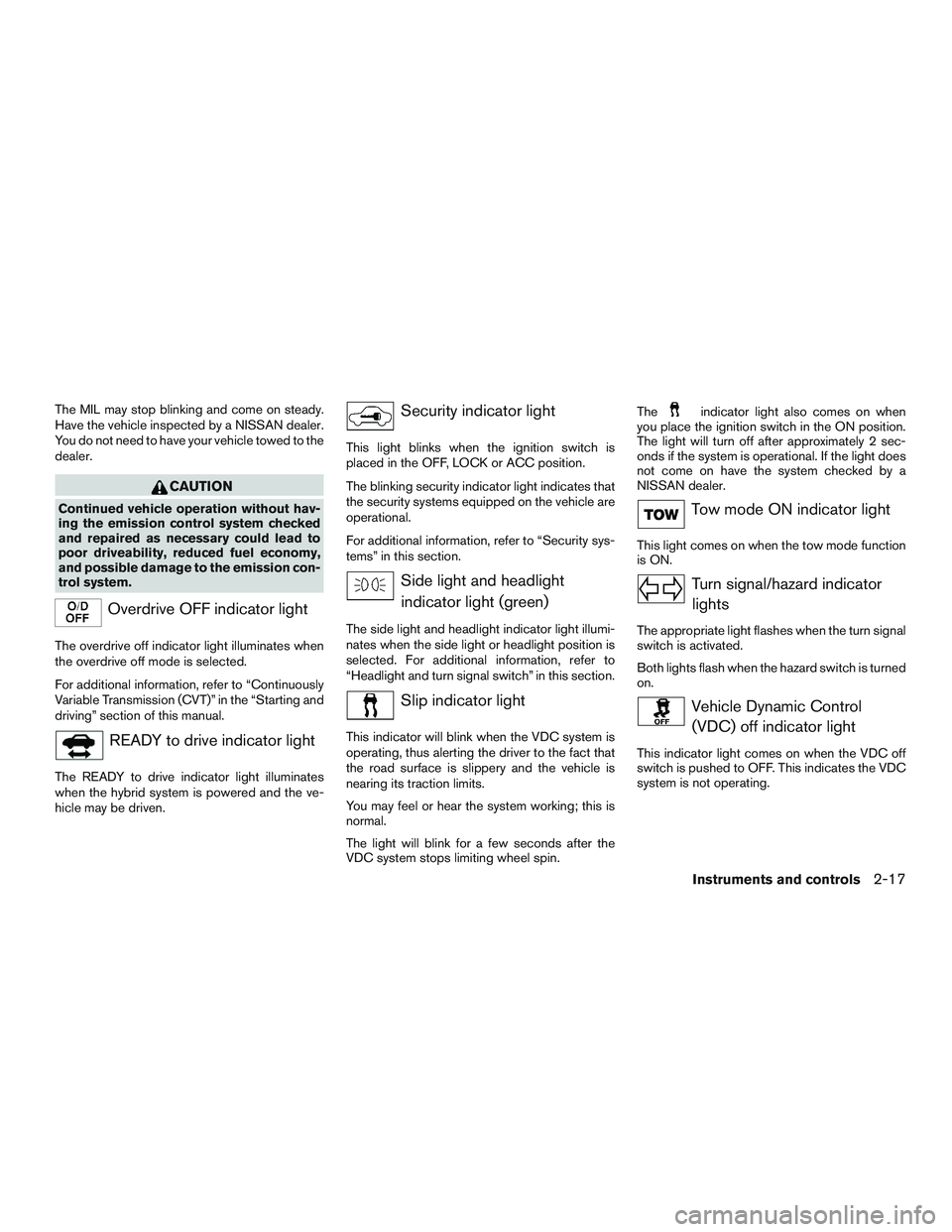
Overdrive OFF indicator light
The overdrive off indicator light illuminates when
the overdrive off mode is selected.
For additional information, refer to “Continuously
Variable Transmission (CVT)” in the “Starting and
driving” section of this manual.
READY to drive indicator light
The READY to drive indicator light illuminates
when the hybrid system is powered and the ve-
hicle may be driven.
Security indicator light
This light blinks when the ignition switch is
placed in the OFF, LOCK or ACC position.
The blinking security indicator light indicates that
the security systems equipped on the vehicle are
operational.
For additional information, refer to “Security sys-
tems” in this section.
Side light and headlight
indicator light (green)
The side light and headlight indicator light illumi-
nates when the side light or headlight position is
selected. For additional information, refer to
“Headlight and turn signal switch” in this section.
Slip indicator light
This indicator will blink when the VDC system is
operating, thus alerting the driver to the fact that
the road surface is slippery and the vehicle is
nearing its traction limits.
You may feel or hear the system working; this is
normal.
The light will blink for a few seconds after the
VDC system stops limiting wheel spin.The
indicator light also comes on when
you place the ignition switch in the ON position.
The light will turn off after approximately 2 sec-
onds if the system is operational. If the light does
not come on have the system checked by a
NISSAN dealer.
Tow mode ON indicator light
This light comes on when the tow mode function
is ON.
Turn signal/hazard indicator
lights
The appropriate light flashes when the turn signal
switch is activated.
Both lights flash when the hazard switch is turned
on.
Vehicle Dynamic Control
(VDC) off indicator light
This indicator light comes on when the VDC off
switch is pushed to OFF. This indicates the VDC
system is not operating.
Instruments and controls2-17
Page 122 of 524
HOW TO USE THE VEHICLE
INFORMATION DISPLAY
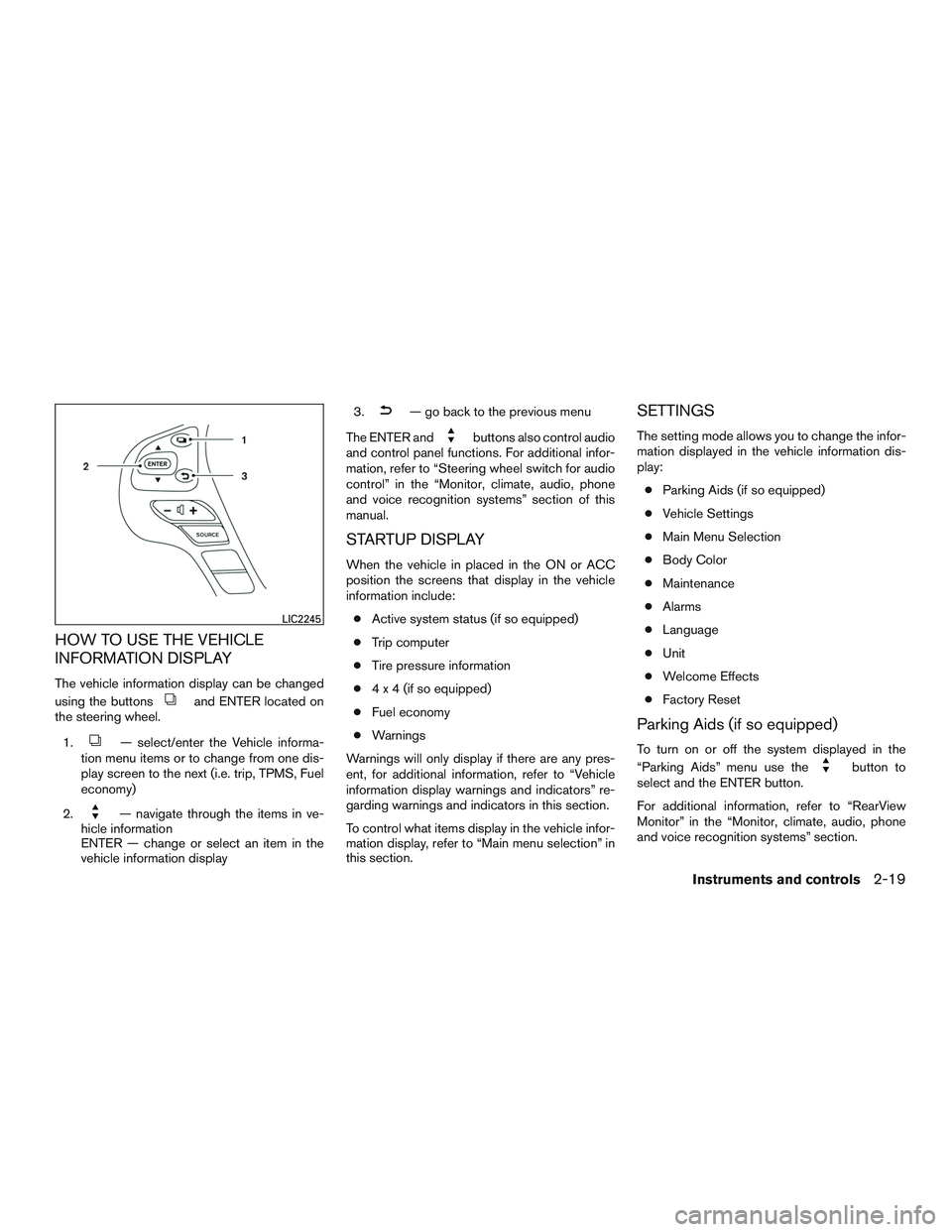
The vehicle information display can be changed
using the buttons
and ENTER located on
the steering wheel.
1.
— select/enter the Vehicle informa-
tion menu items or to change from one dis-
play screen to the next (i.e. trip, TPMS, Fuel
economy)
2.
— navigate through the items in ve-
hicle information
ENTER — change or select an item in the
vehicle information display3.
— go back to the previous menu
The ENTER and
buttons also control audio
and control panel functions. For additional infor-
mation, refer to “Steering wheel switch for audio
control” in the “Monitor, climate, audio, phone
and voice recognition systems” section of this
manual.
STARTUP DISPLAY
When the vehicle in placed in the ON or ACC
position the screens that display in the vehicle
information include:
●Active system status (if so equipped)
●Trip computer
●Tire pressure information
●4 x 4 (if so equipped)
●Fuel economy
●Warnings
Warnings will only display if there are any pres-
ent, for additional information, refer to “Vehicle
information display warnings and indicators” re-
garding warnings and indicators in this section.
To control what items display in the vehicle infor-
mation display, refer to “Main menu selection” in
this section.
SETTINGS
The setting mode allows you to change the infor-
mation displayed in the vehicle information dis-
play:
●Parking Aids (if so equipped)
●Vehicle Settings
●Main Menu Selection
●Body Color
●Maintenance
●Alarms
●Language
●Unit
●Welcome Effects
●Factory Reset
Parking Aids (if so equipped)
To turn on or off the system displayed in the
“Parking Aids” menu use the
button to
select and the ENTER button.
For additional information, refer to “RearView
Monitor” in the “Monitor, climate, audio, phone
and voice recognition systems” section.
LIC2245
Instruments and controls2-19
Page 125 of 524
From the “Main Menu Selection” select “Fuel
Economy” to display in the vehicle information
display when the ignition is placed in the ON
position.
4WD (if so equipped)
The 4WD can be enabled/disabled to display in
the vehicle information display when the ignition
switch is placed in the ON position.
From the “Main Menu Selection” select “4WD” to
display the 4WD information when the ignition
switch is placed in the ON position.
Tire Pressures
The tire pressures can be enabled/disabled to
display in the vehicle information display when
the ignition switch is placed in the ON position.
From the “Main Menu Selection” select “Tire
Pressures” to display in the vehicle information
display when the ignition is placed in the ON
position.
Engine Temperature
The engine temperature can be
enabled/disabled to display in the vehicle infor-
mation display when the ignition switch is placed
in the ON position.From the “Main Menu Selection” select “Engine
Temp” to display the engine temperature informa-
tion when the ignition switch is placed in the ON
position.
Body Color
The color of the vehicle that displays in the ve-
hicle information display when the ignition switch
is placed in the ON position can be changed.
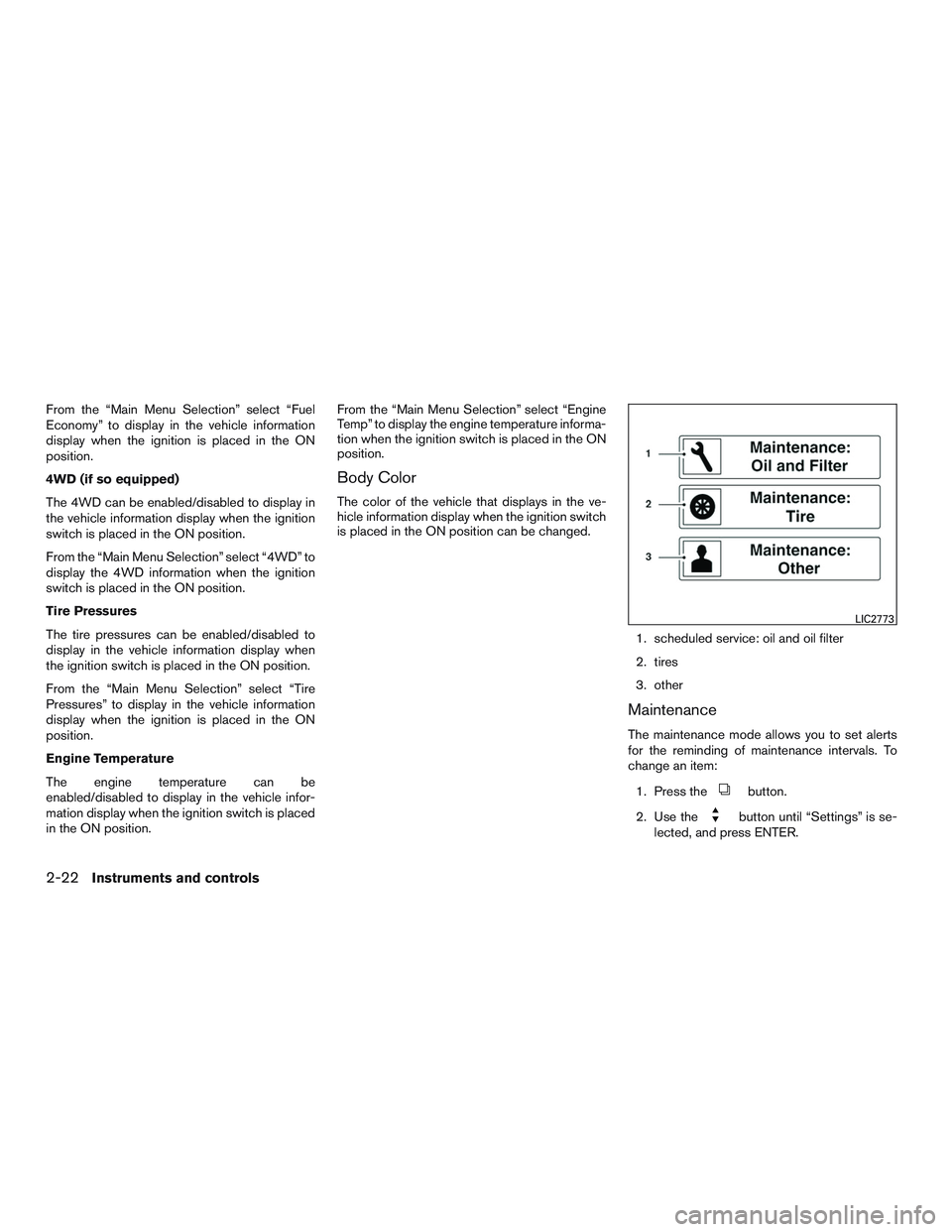
1. scheduled service: oil and oil filter
2. tires
3. other
Maintenance
The maintenance mode allows you to set alerts
for the reminding of maintenance intervals. To
change an item:
1. Press the
button.
2. Use the
button until “Settings” is se-
lected, and press ENTER.
LIC2773
2-22Instruments and controls
Page 149 of 524
Tow mode should be used when pulling a heavy
trailer or hauling a heavy load. Driving the vehicle
in the tow mode with no trailer/load or light
trailer/light load will not cause any damage. How-
ever, fuel economy may be reduced, and the
transmission/engine driving characteristics may
feel unusual.
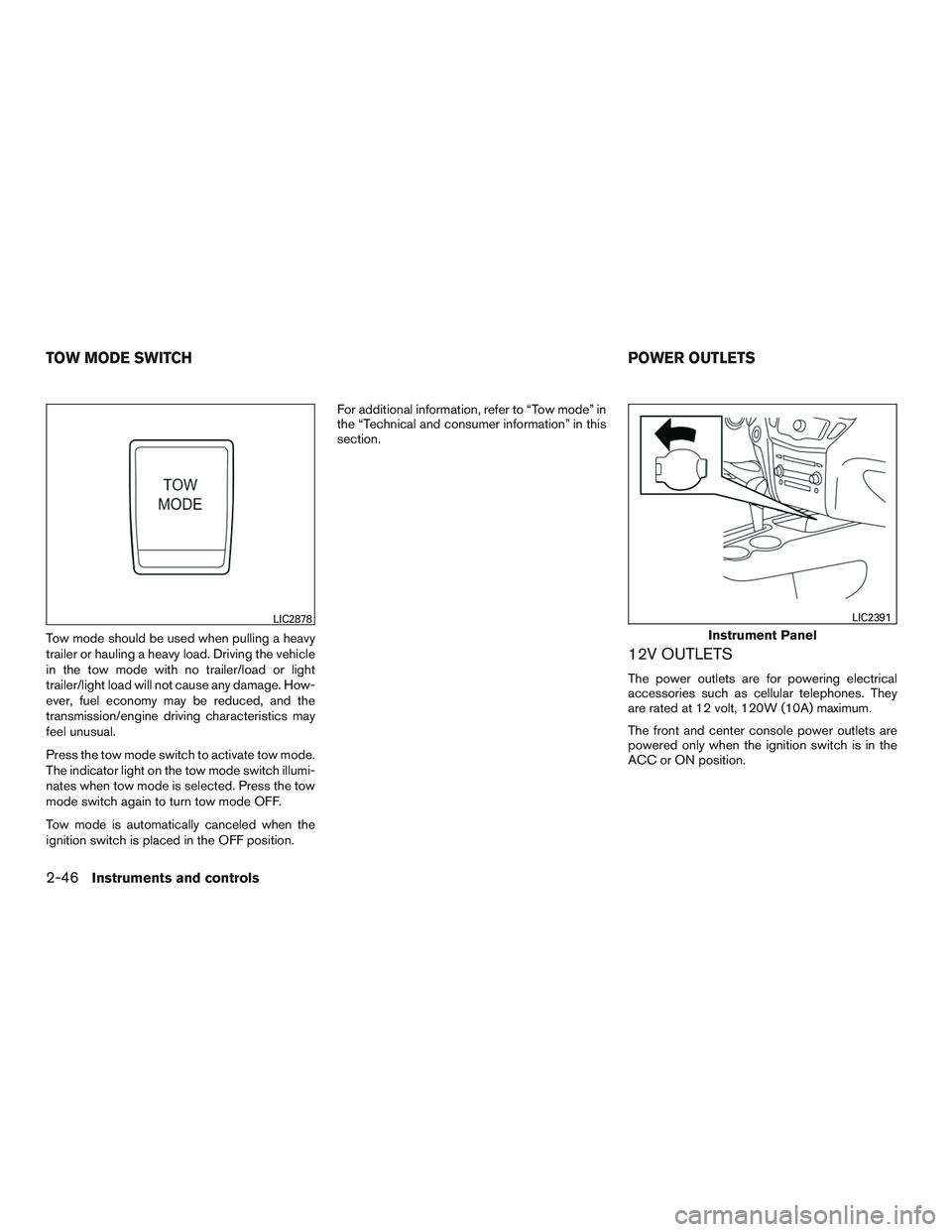
Press the tow mode switch to activate tow mode.
The indicator light on the tow mode switch illumi-
nates when tow mode is selected. Press the tow
mode switch again to turn tow mode OFF.
Tow mode is automatically canceled when the
ignition switch is placed in the OFF position.For additional information, refer to “Tow mode” in
the “Technical and consumer information” in this
section.
12V OUTLETS
The power outlets are for powering electrical
accessories such as cellular telephones. They
are rated at 12 volt, 120W (10A) maximum.
The front and center console power outlets are
powered only when the ignition switch is in the
ACC or ON position.
LIC2878
Instrument Panel
LIC2391
TOW MODE SWITCH POWER OUTLETS
2-46Instruments and controls
Page 163 of 524
●Do not push the sunshade arm with
your hands, etc., as this may deform it.
Improper operation or damage to the
sunshade may result.
●Do not put any object into the sunshade
inlet port as this may result in improper
operation or damage the sunshade.
●Do not hang any object on the arm rail
as this may result in improper operation
or damage the sunshade.
●Do not forcefully pull the sunshade. Do-
ing so may elongate the sunshade. Im-
proper operation or damage to the sun-
shade may result.
Restarting the sunshade switch
If the sunshade does not operate properly, per-
form the following procedure to initialize the sun-
shade operation system.
1. Switch the vehicle ignition to the ACCES-
SORY or RUN mode.
2. Press and hold the sunshade close switch.
3. Sunshade will begin moving towards the
close position only while the switch is con-
tinually pressed. (this disables the obstacle
detection) .
4. Sunshade will stop for about 4 seconds.5. Sunshade drive cable will travel in the open
direction for .394 in. (10 mm) then reverse
direction and stop at the normal close posi-
tion.
6. Release the sunshade close switch. Initial-
ization procedure is complete.
If the moonroof does not operate properly after
performing the procedure above, have your ve-
hicle checked by a NISSAN dealer.
Auto-reverse function (when closing
the sunshade)
The auto-reverse function can be activated when
the sunshade is closed by automatic operation
when the ignition switch is placed in the ON
position or for a period of time after the ignition
switch is placed in the OFF position.
Depending on the environment or driving
conditions, the auto-reverse function may
be activated if an impact or load similar to
something being caught in the sunshade
occurs.
WARNING
There are some small distances immedi-
ately before the closed position which
cannot be detected. Make sure that all of
the passengers have their hands, etc., in-
side the vehicle before closing the
sunshade.
2-60Instruments and controls
Page 169 of 524
PROGRAMMING TROUBLE-
DIAGNOSIS
If the HomeLink® does not quickly learn the
hand-held transmitter information:
●replace the hand-held transmitter batteries
with new batteries.
●position the hand-held transmitter with its
battery area facing away from the
HomeLink® surface.
●press and hold both the HomeLink® and
hand-held transmitter buttons without inter-
ruption.
●position the hand-held transmitter1-3in
(26 - 76 mm) away from the HomeLink®
surface. Hold the transmitter in that position
for up to 15 seconds. If HomeLink® is not
programmed within that time, try holding the
transmitter in another position – keeping the
indicator light in view at all times.
If you have any questions or are having difficulty
programming your HomeLink® buttons, refer to
the HomeLink® web site at: www.homelink.com
or call 1-800-355-3515.
CLEARING THE PROGRAMMED
INFORMATION
The following procedure clears the programmed
information from both buttons. Individual buttons
cannot be cleared. However, individual buttons
can be reprogrammed. For additional informa-
tion, refer to “Reprogramming a single
HomeLink® button” in this section.
To clear all programming:
1. Press and hold the two outer HomeLink®
buttons until the indicator light begins to
flash in approximately 10 seconds. Do not
hold for longer than 20 seconds.
2. Release both buttons.
HomeLink® is now in the programming mode
and can be programmed at any time beginning
with “Programming HomeLink®” - Step 1.
REPROGRAMMING A SINGLE
HOMELINK® BUTTON
To reprogram a HomeLink® Universal Trans-
ceiver button, complete the following:
1. Press and hold the desired HomeLink® but-
ton.DO NOTrelease the button.2. The indicator light will begin to flash after
20 seconds. Without releasing the
HomeLink® button, proceed with “Pro-
gramming HomeLink®” - Step 1.
For questions or comments, contact HomeLink®
at: www.homelink.com or 1–800–355–3515
(except Mexico) .
The HomeLink® Universal Transceiver button
has now been reprogrammed. The new device
can be activated by pushing the HomeLink®
button that was just programmed. This procedure
will not affect any other programmed HomeLink®
buttons.
IF YOUR VEHICLE IS STOLEN
If your vehicle is stolen, you should change the
codes of any non-rolling code device that has
been programmed into HomeLink®. Consult the
Owner’s Manual of each device or call the manu-
facturer or dealer of those devices for additional
information.
When your vehicle is recovered, you will
need to reprogram the HomeLink® Univer-
sal Transceiver with your new transmitter
information.
2-66Instruments and controls