AIR CON NISSAN QASHQAI 2016 Owner´s Manual
[x] Cancel search | Manufacturer: NISSAN, Model Year: 2016, Model line: QASHQAI, Model: NISSAN QASHQAI 2016Pages: 338, PDF Size: 4.87 MB
Page 173 of 338
– Using call history (Call List menu)
•Dialled
•Received
•Missed
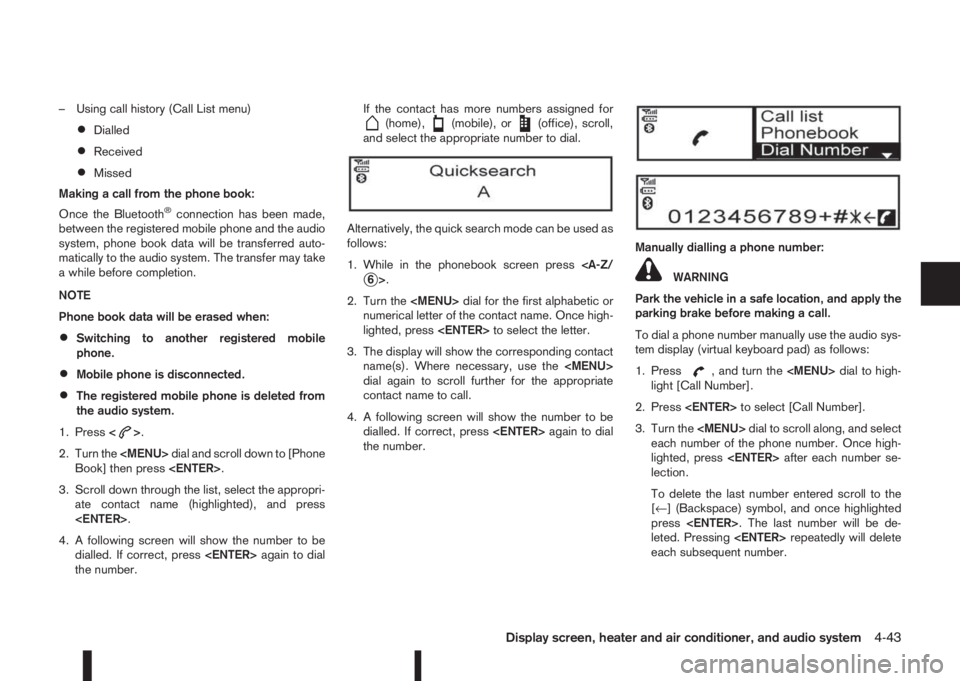
Making a call from the phone book:
Once the Bluetooth
®connection has been made,
between the registered mobile phone and the audio
system, phone book data will be transferred auto-
matically to the audio system. The transfer may take
a while before completion.
NOTE
Phone book data will be erased when:
•Switching to another registered mobile
phone.
•Mobile phone is disconnected.
•The registered mobile phone is deleted from
the audio system.
1. Press<
>.
2. Turn the
Page 174 of 338
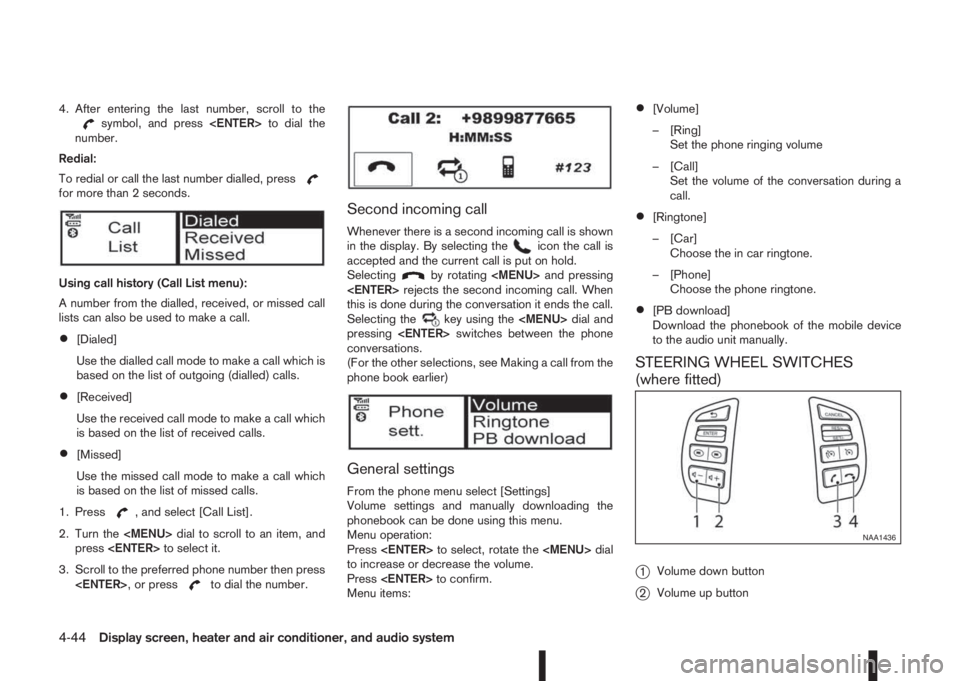
4. After entering the last number, scroll to thesymbol, and press
number.
Redial:
To redial or call the last number dialled, press
for more than 2 seconds.
Using call history (Call List menu):
A number from the dialled, received, or missed call
lists can also be used to make a call.
•[Dialed]
Use the dialled call mode to make a call which is
based on the list of outgoing (dialled) calls.
•[Received]
Use the received call mode to make a call which
is based on the list of received calls.
•[Missed]
Use the missed call mode to make a call which
is based on the list of missed calls.
1. Press
, and select [Call List].
2. Turn the
Page 175 of 338
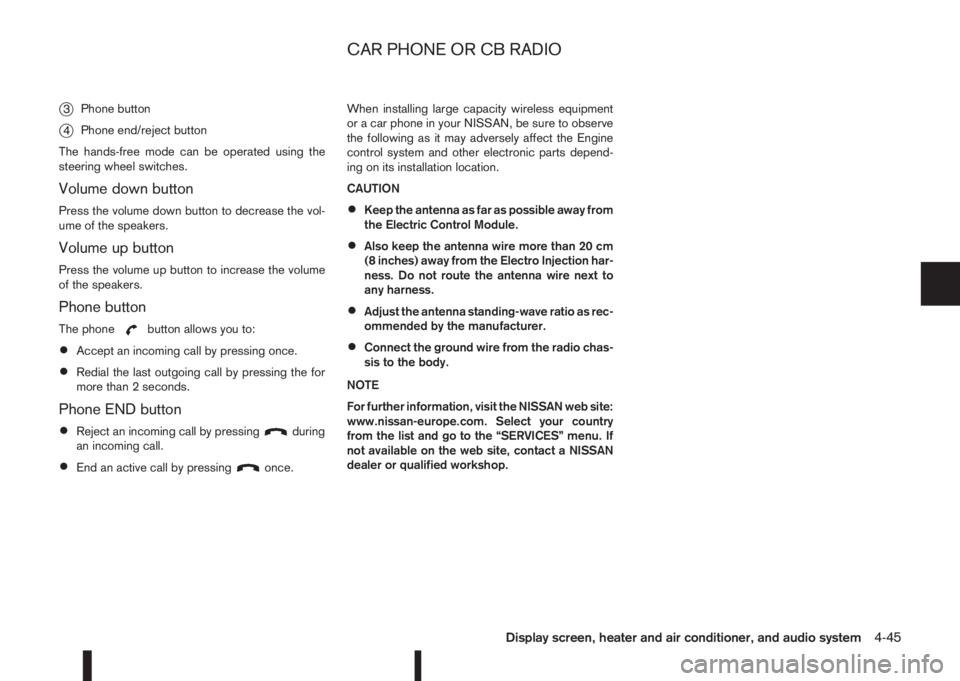
j3Phone button
j4Phone end/reject button
The hands-free mode can be operated using the
steering wheel switches.
Volume down button
Press the volume down button to decrease the vol-
ume of the speakers.
Volume up button
Press the volume up button to increase the volume
of the speakers.
Phone button
The phonebutton allows you to:
•Accept an incoming call by pressing once.
•Redial the last outgoing call by pressing the for
more than 2 seconds.
Phone END button
•Reject an incoming call by pressingduring
an incoming call.
•End an active call by pressingonce.When installing large capacity wireless equipment
or a car phone in your NISSAN, be sure to observe
the following as it may adversely affect the Engine
control system and other electronic parts depend-
ing on its installation location.
CAUTION
•Keep the antenna as far as possible away from
the Electric Control Module.
•Also keep the antenna wire more than 20 cm
(8 inches) away from the Electro Injection har-
ness. Do not route the antenna wire next to
any harness.
•Adjust the antenna standing-wave ratio as rec-
ommended by the manufacturer.
•Connect the ground wire from the radio chas-
sis to the body.
NOTE
For further information, visit the NISSAN web site:
www.nissan-europe.com. Select your country
from the list and go to the “SERVICES” menu. If
not available on the web site, contact a NISSAN
dealer or qualified workshop.
CAR PHONE OR CB RADIO
Display screen, heater and air conditioner, and audio system4-45
Page 179 of 338
WARNING
•Do not leave children or adults who would
normally require the support of others alone
in your vehicle. Pets should also not be left
alone. They could accidentally injure them-
selves or others through inadvertent opera-
tion of the vehicle. Also, on hot, sunny days,
temperatures in a closed vehicle could quickly
become high enough to cause severe or pos-
sibly fatal injuries to people or animals.
•To prevent luggage or packages from sliding
forward during braking, do not stack anything
in the cargo area higher than the seatbacks.
•Secure all cargo with ropes or straps to pre-
vent it from sliding or shifting.
•Failure to follow proper seating instructions
see “Seats” in the “1. Safety — Seats, Seat
belts and Supplemental Restraint System”
section, could result in serious personal injury
in an accident or sudden stop.
EXHAUST GAS (Carbon Monoxide)
WARNING
•Do not breathe exhaust gases; they contain
colourless and odourless carbon monoxide.
Carbon monoxide is a dangerous gas and can
cause unconsciousness or death.
•If you suspect that exhaust fumes are enter-
ing the vehicle, drive with all windows fully
open and have the vehicle inspected immedi-
ately.
•Do not run the engine in closed spaces, such
as a garage, for any longer than is absolutely
necessary.
•Do not park the vehicle with the engine run-
ning for any extended length of time.
•Keep the back door closed while driving, oth-
erwise exhaust gases could be drawn into the
passenger compartment. If you must drive in
this way for some reason, take the following
steps:
1) Open all the windows.
2) Set the air recirculation mode (
)tothe
“OFF” position.
3) Set the fan speed control to the maximum
position to circulate the air.
•If electrical wiring or other cable connections
must pass to a trailer through the seal of the
body, follow the manufacturer’s recommen-
dations to prevent carbon monoxide entry into
the vehicle.
•When a vehicle has been stopped in an open
area with its engine running for any significant
length of time, turn the fan on to force outside
air into the vehicle.
•The exhaust system and body should be in-
spected by a NISSAN dealer or qualified work-
shop whenever:
– the vehicle is raised for service.
– you suspect that exhaust fumes are enter-
ing into the passenger compartment.
– you notice a change in the sound of the
exhaust system.
– you have had an accident involving dam-
age to the exhaust system, underbody, or
rear of the vehicle.
PRECAUTIONS WHEN STARTING
AND DRIVING
Starting and driving5-3
Page 181 of 338
be able to detect or signal low tyre pressure as
intended. TPMS malfunctions may occur for a vari-
ety of reasons including the installation of replace-
ment or alternate tyres or wheels on the vehicle that
prevent the TPMS from functioning properly. Always
check the TPMS indicator light after replacing one
or more tyres or wheels on your vehicle to ensure
that the replacement or alternate tyres and wheels
allow the TPMS to continue to function properly.
•The TPMS does not monitor the tyre pressure of
the spare tyre.
•The TPMS will activate only when the vehicle is
driven at speeds above 25 km/h (16 MPH). Also,
this system may not detect a sudden drop in tyre
pressure (for example a flat tyre while driving).
•The TPMS indicator light may not automatically
turn off when the tyre pressure is adjusted.After
the tyre is inflated to the recommended COLD
tyre pressure, drive the vehicle at speeds above
25 km/h (16 MPH) to activate the TPMS. See
“TPMS sensor ID and position recognition” later
in this section
•Following a change in the outside temperature,
the TPMS indicator light may illuminate even if
the tyre pressure has been adjusted properly.
Adjust the tyre pressure to the recommended
COLD tyre pressure again when the tyres are
cold, and reset the TPMS.
For additional information, see “[Check cold tyre]
message” later in this section.
WARNING
•If the TPMS indicator light illuminates while
driving:
– avoid sudden steering manoeuvres
– avoid abrupt braking
– reduce vehicle speed
– pull off the road to a safe location
– stop the vehicle as soon as possible
•Driving with under-inflated tyres may perma-
nently damage the tyres and increase the like-
lihood of tyre failure. Serious vehicle damage
could occur which may lead to an accident
and could result in serious personal injury.
•Check the tyre pressure for all four tyres. Ad-
just the tyre pressure to the recommended
COLD tyre pressure shown on the tyre plac-
ard to turn the TPMS indicator light “OFF”. In
case of a flat tyre, replace it with a spare tyre
as soon as possible. (See “Flat tyre” in the
“6. In case of emergency” section for chang-
ing a flat tyre.)
•When a spare tyre is mounted or a wheel is
replaced, the TPMS will not function and the
TPMS indicator light will flash for approxi-
mately 1 minute. The light will remain on after
1 minute. Be sure to follow all instructions for
wheel replacement and mount the TPMS sys-
tem correctly.
•Replacing tyres with those not originally speci-
fied by NISSAN could affect the proper opera-
tion of the TPMS.
•The Genuine NISSAN Emergency Tyre Repair
Sealant or equivalent can be used for tempo-
rarily repairing a tyre. Do not inject any other
tyre liquid or aerosol tyre sealant into the
tyres, as this may cause a malfunction of the
tyre pressure sensors.
•NISSAN recommends using only Genuine
NISSAN Emergency Tyre Sealant provided
with your vehicle. Other tyre sealants may
damage the valve stem seal which can cause
the tyre to lose air pressure. Visit a NISSAN
dealer or qualified workshop as soon as pos-
sible after using tyre repair sealant (for mod-
els equipped with the emergency tyre punc-
ture repair kit).
CAUTION
•The TPMS may not function properly when the
wheels are equipped with tyre chains or the
wheels are buried in snow.
•Do not place metalised film or any metal parts
(antenna, etc.) on the windows. This may
cause poor reception of the signals from the
tyre pressure sensors, and the TPMS will not
function properly.
Starting and driving5-5
Page 182 of 338
Some devices and transmitters may tempo-
rarily interfere with the operation of the TPMS
and cause the TPMS indicator light to illumi-
nate. Some examples are:
– Facilities or electric devices using similar
radio frequencies are near the vehicle.
– If a transmitter set to similar frequencies is
being used in or near the vehicle.
– If a computer (or similar equipment) or a
DC/AC converter is being used in or near
the vehicle.
– If devices which transmit electrical noise
are connected to the vehicle’s 12V power
supply.
•When inflating the tyres and checking the tyre
pressure, never bend the valves.
•Special aluminium valves are fitted to mount
the TPMS sensors on the wheels. The TPMS
sensor is fixed at the wheels by a nut. The nut
needs to be correctly fitted at a torque setting
of 7.5 ± 0.5 N•m. If the TPMS sensor is tight-
ened exceeding the limit, there is a possibility
the sensor grommet will be damaged. If the
sensor is tightened under the limit, there is a
possibility of causing an air leak.
•Use Genuine NISSAN valve caps that comply
with the factory-fitted valve cap specifications.
•Do not use metal valve caps.
•Fit the valve caps properly. Without the valve
caps the valve and tyre pressure monitor sen-
sors could be damaged.
•Do not damage the valves and sensors when
storing the wheels or fitting different tyres.
•Replace the sensor grommet and washer dur-
ing a tyre change. Once they have been re-
moved, the sensor grommet and washer can-
not be reused and must be replaced. The
TPMS sensors can be used again.
•Use caution when using tyre inflation equip-
ment with a rigid air supply tube, as leverage
applied by the long nozzle can damage the
valve stem.
5-6Starting and driving
Page 184 of 338
•Driving above 100 km/h (64 MPH)
•High acceleration
•High deceleration
•In stop and go traffic or traffic waves
ADJUSTING TPMS TARGET
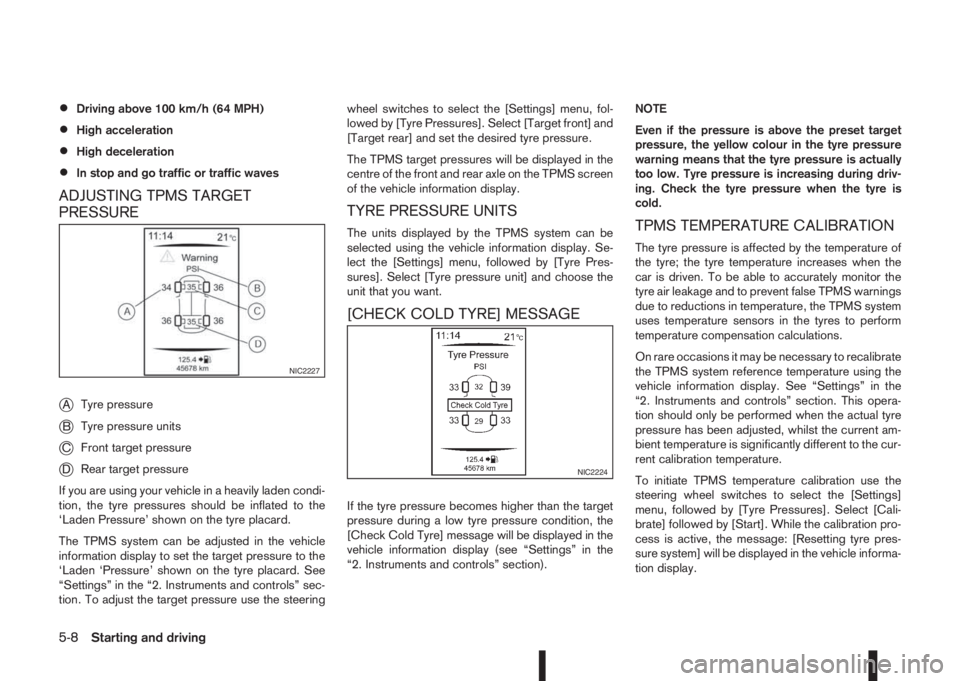
PRESSURE
j
ATyre pressure
jBTyre pressure units
jCFront target pressure
jDRear target pressure
If you are using your vehicle in a heavily laden condi-
tion, the tyre pressures should be inflated to the
‘Laden Pressure’ shown on the tyre placard.
The TPMS system can be adjusted in the vehicle
information display to set the target pressure to the
‘Laden ‘Pressure’ shown on the tyre placard. See
“Settings” in the “2. Instruments and controls” sec-
tion. To adjust the target pressure use the steeringwheel switches to select the [Settings] menu, fol-
lowed by [Tyre Pressures]. Select [Target front] and
[Target rear] and set the desired tyre pressure.
The TPMS target pressures will be displayed in the
centre of the front and rear axle on the TPMS screen
of the vehicle information display.
TYRE PRESSURE UNITS
The units displayed by the TPMS system can be
selected using the vehicle information display. Se-
lect the [Settings] menu, followed by [Tyre Pres-
sures]. Select [Tyre pressure unit] and choose the
unit that you want.
[CHECK COLD TYRE] MESSAGE
If the tyre pressure becomes higher than the target
pressure during a low tyre pressure condition, the
[Check Cold Tyre] message will be displayed in the
vehicle information display (see “Settings” in the
“2. Instruments and controls” section).NOTE
Even if the pressure is above the preset target
pressure, the yellow colour in the tyre pressure
warning means that the tyre pressure is actually
too low. Tyre pressure is increasing during driv-
ing. Check the tyre pressure when the tyre is
cold.
TPMS TEMPERATURE CALIBRATION
The tyre pressure is affected by the temperature of
the tyre; the tyre temperature increases when the
car is driven. To be able to accurately monitor the
tyre air leakage and to prevent false TPMS warnings
due to reductions in temperature, the TPMS system
uses temperature sensors in the tyres to perform
temperature compensation calculations.
On rare occasions it may be necessary to recalibrate
the TPMS system reference temperature using the
vehicle information display. See “Settings” in the
“2. Instruments and controls” section. This opera-
tion should only be performed when the actual tyre
pressure has been adjusted, whilst the current am-
bient temperature is significantly different to the cur-
rent calibration temperature.
To initiate TPMS temperature calibration use the
steering wheel switches to select the [Settings]
menu, followed by [Tyre Pressures]. Select [Cali-
brate] followed by [Start]. While the calibration pro-
cess is active, the message: [Resetting tyre pres-
sure system] will be displayed in the vehicle informa-
tion display.
NIC2227
NIC2224
5-8Starting and driving
Page 194 of 338
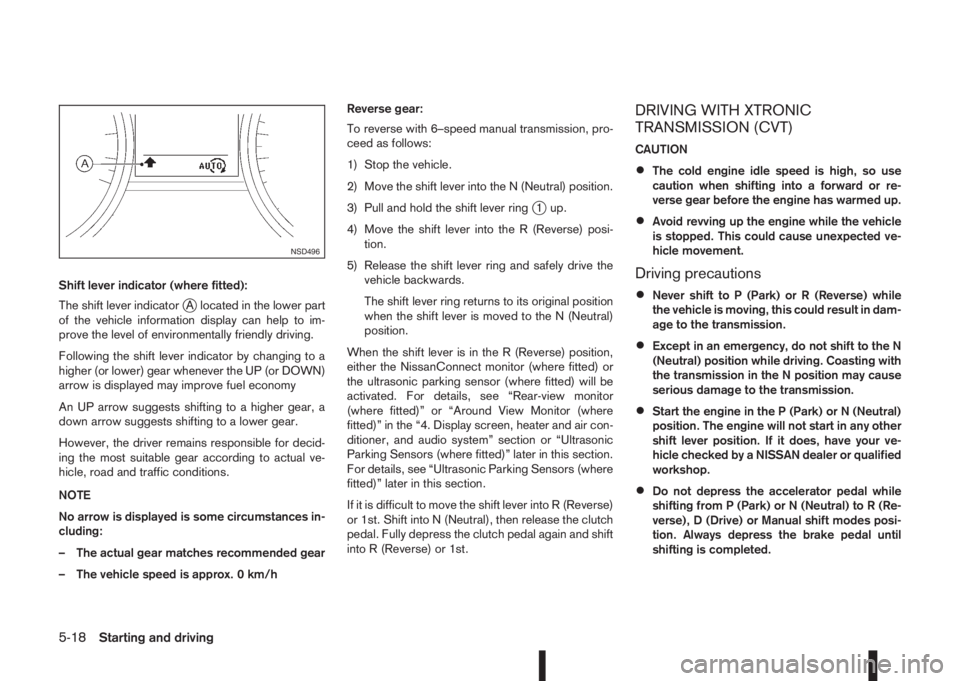
Shift lever indicator (where fitted):
The shift lever indicator
jA located in the lower part
of the vehicle information display can help to im-
prove the level of environmentally friendly driving.
Following the shift lever indicator by changing to a
higher (or lower) gear whenever the UP (or DOWN)
arrow is displayed may improve fuel economy
An UP arrow suggests shifting to a higher gear, a
down arrow suggests shifting to a lower gear.
However, the driver remains responsible for decid-
ing the most suitable gear according to actual ve-
hicle, road and traffic conditions.
NOTE
No arrow is displayed is some circumstances in-
cluding:
– The actual gear matches recommended gear
– The vehicle speed is approx. 0 km/hReverse gear:
To reverse with 6–speed manual transmission, pro-
ceed as follows:
1) Stop the vehicle.
2) Move the shift lever into the N (Neutral) position.
3) Pull and hold the shift lever ring
j1 up.
4) Move the shift lever into the R (Reverse) posi-
tion.
5) Release the shift lever ring and safely drive the
vehicle backwards.
The shift lever ring returns to its original position
when the shift lever is moved to the N (Neutral)
position.
When the shift lever is in the R (Reverse) position,
either the NissanConnect monitor (where fitted) or
the ultrasonic parking sensor (where fitted) will be
activated. For details, see “Rear-view monitor
(where fitted)” or “Around View Monitor (where
fitted)” in the “4. Display screen, heater and air con-
ditioner, and audio system” section or “Ultrasonic
Parking Sensors (where fitted)” later in this section.
For details, see “Ultrasonic Parking Sensors (where
fitted)” later in this section.
If it is difficult to move the shift lever into R (Reverse)
or 1st. Shift into N (Neutral), then release the clutch
pedal. Fully depress the clutch pedal again and shift
into R (Reverse) or 1st.
DRIVING WITH XTRONIC
TRANSMISSION (CVT)
CAUTION
•The cold engine idle speed is high, so use
caution when shifting into a forward or re-
verse gear before the engine has warmed up.
•Avoid revving up the engine while the vehicle
is stopped. This could cause unexpected ve-
hicle movement.
Driving precautions
•Never shift to P (Park) or R (Reverse) while
the vehicle is moving, this could result in dam-
age to the transmission.
•Except in an emergency, do not shift to the N
(Neutral) position while driving. Coasting with
the transmission in the N position may cause
serious damage to the transmission.
•Start the engine in the P (Park) or N (Neutral)
position. The engine will not start in any other
shift lever position. If it does, have your ve-
hicle checked by a NISSAN dealer or qualified
workshop.
•Do not depress the accelerator pedal while
shifting from P (Park) or N (Neutral) to R (Re-
verse), D (Drive) or Manual shift modes posi-
tion. Always depress the brake pedal until
shifting is completed.
NSD496
5-18Starting and driving
Page 196 of 338
P (Park):
Use this position when the vehicle is parked or when
starting the engine. Always make sure that the ve-
hicle is completely stopped before moving the shift
lever into the P (Park) position. For maximum safety,
the footbrake pedal must be depressed before mov-
ing the shift lever into the P (Park) position. Use this
position together with the parking brake. When park-
ing on a hill, first depress the footbrake pedal, apply
the parking brake and then shift into the P (Park)
position.
R (Reverse):
CAUTION
Shift into this position only after the vehicle has
completely stopped.
Use this position to reverse the vehicle.
When the shift lever is in the R (Reverse) position,
either the NissanConnect monitor (where fitted) or
the ultrasonic parking sensor (where fitted) will be
activated. For details, see “Rear-view monitor
(where fitted)” or “Around View Monitor (where
fitted)” in the “4. Display screen, heater and air con-
ditioner, and audio system” section or “Ultrasonic
Parking Sensors (where fitted)” later in this section.
N (Neutral):
Neither forward nor reverse gear is engaged. The
engine can be started in this position. You may shift
to N and restart a stalled engine while driving the
vehicle.D (Drive):
Use this position for all normal forward driving.
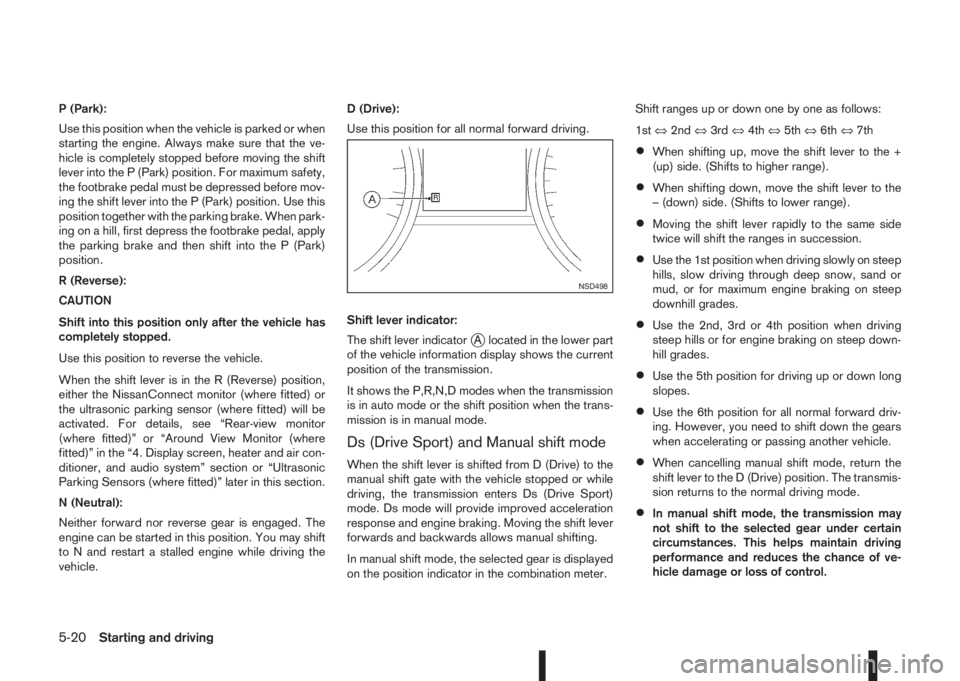
Shift lever indicator:
The shift lever indicator
jA located in the lower part
of the vehicle information display shows the current
position of the transmission.
It shows the P,R,N,D modes when the transmission
is in auto mode or the shift position when the trans-
mission is in manual mode.
Ds (Drive Sport) and Manual shift mode
When the shift lever is shifted from D (Drive) to the
manual shift gate with the vehicle stopped or while
driving, the transmission enters Ds (Drive Sport)
mode. Ds mode will provide improved acceleration
response and engine braking. Moving the shift lever
forwards and backwards allows manual shifting.
In manual shift mode, the selected gear is displayed
on the position indicator in the combination meter.Shift ranges up or down one by one as follows:
1st⇔2nd⇔3rd⇔4th⇔5th⇔6th⇔7th
•When shifting up, move the shift lever to the +
(up) side. (Shifts to higher range).
•When shifting down, move the shift lever to the
– (down) side. (Shifts to lower range).
•Moving the shift lever rapidly to the same side
twice will shift the ranges in succession.
•Use the 1st position when driving slowly on steep
hills, slow driving through deep snow, sand or
mud, or for maximum engine braking on steep
downhill grades.
•Use the 2nd, 3rd or 4th position when driving
steep hills or for engine braking on steep down-
hill grades.
•Use the 5th position for driving up or down long
slopes.
•Use the 6th position for all normal forward driv-
ing. However, you need to shift down the gears
when accelerating or passing another vehicle.
•When cancelling manual shift mode, return the
shift lever to the D (Drive) position. The transmis-
sion returns to the normal driving mode.
•In manual shift mode, the transmission may
not shift to the selected gear under certain
circumstances. This helps maintain driving
performance and reduces the chance of ve-
hicle damage or loss of control.
NSD498
5-20Starting and driving
Page 197 of 338
•If the engine is revving up to a hazardous
speed in manual shift mode, the transmission
may shift up automatically. When the vehicle
speed decreases, the transmission automati-
cally shifts down and shifts to 1st gear before
the vehicle comes to a stop.
Accelerator downshift – In the D (Drive)
and Ds (Drive Sport) position
For rapid passing or driving uphill, fully depress the
accelerator pedal to the floor. This shifts the trans-
mission down into a lower gear, depending on the
vehicle speed.
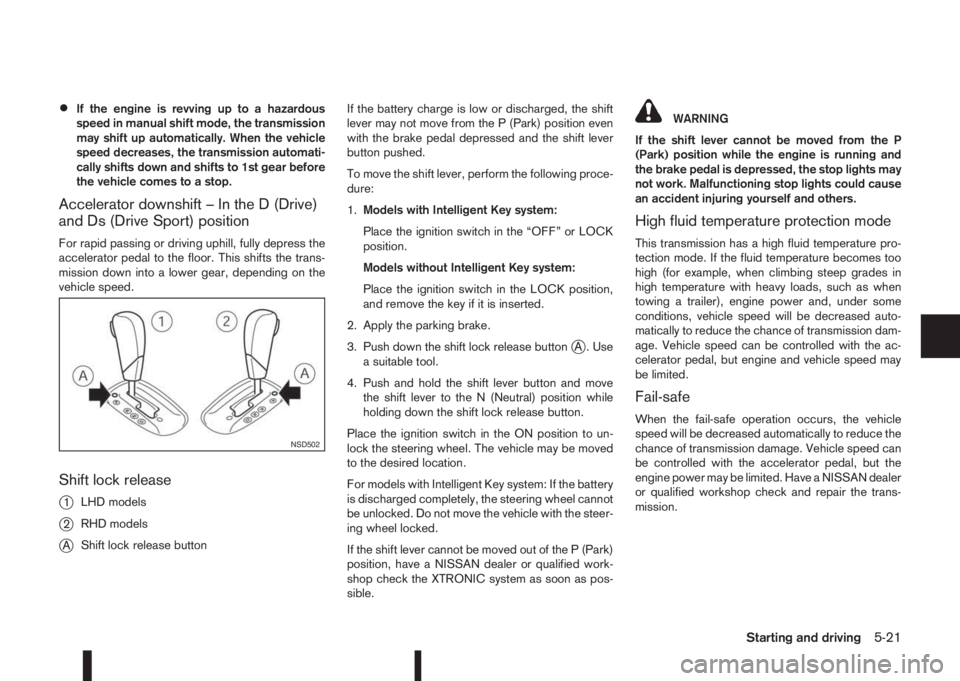
Shift lock release
j
1LHD models
j2RHD models
jAShift lock release buttonIf the battery charge is low or discharged, the shift
lever may not move from the P (Park) position even
with the brake pedal depressed and the shift lever
button pushed.
To move the shift lever, perform the following proce-
dure:
1.Models with Intelligent Key system:
Place the ignition switch in the “OFF” or LOCK
position.
Models without Intelligent Key system:
Place the ignition switch in the LOCK position,
and remove the key if it is inserted.
2. Apply the parking brake.
3. Push down the shift lock release button
jA . Use
a suitable tool.
4. Push and hold the shift lever button and move
the shift lever to the N (Neutral) position while
holding down the shift lock release button.
Place the ignition switch in the ON position to un-
lock the steering wheel. The vehicle may be moved
to the desired location.
For models with Intelligent Key system: If the battery
is discharged completely, the steering wheel cannot
be unlocked. Do not move the vehicle with the steer-
ing wheel locked.
If the shift lever cannot be moved out of the P (Park)
position, have a NISSAN dealer or qualified work-
shop check the XTRONIC system as soon as pos-
sible.
WARNING
If the shift lever cannot be moved from the P
(Park) position while the engine is running and
the brake pedal is depressed, the stop lights may
not work. Malfunctioning stop lights could cause
an accident injuring yourself and others.
High fluid temperature protection mode
This transmission has a high fluid temperature pro-
tection mode. If the fluid temperature becomes too
high (for example, when climbing steep grades in
high temperature with heavy loads, such as when
towing a trailer), engine power and, under some
conditions, vehicle speed will be decreased auto-
matically to reduce the chance of transmission dam-
age. Vehicle speed can be controlled with the ac-
celerator pedal, but engine and vehicle speed may
be limited.
Fail-safe
When the fail-safe operation occurs, the vehicle
speed will be decreased automatically to reduce the
chance of transmission damage. Vehicle speed can
be controlled with the accelerator pedal, but the
engine power may be limited. Have a NISSAN dealer
or qualified workshop check and repair the trans-
mission.
NSD502
Starting and driving5-21