information NISSAN QASHQAI 2018 Owner´s Manual
[x] Cancel search | Manufacturer: NISSAN, Model Year: 2018, Model line: QASHQAI, Model: NISSAN QASHQAI 2018Pages: 512, PDF Size: 3.19 MB
Page 67 of 512

1-48Safety — Seats, seat belts and supplemental restraint system
If you have any questions about your air
bag system, it is recommended you visit a
NISSAN dealer to obtain information
about the system. If you are considering
modification of your vehicle due to a
disability, you may also contact NISSAN.
Contact information is contained in the
front of this Owner’s Manual.
When a front air bag inflates, a fairly loud
noise may be heard, followed by release
of smoke. This smoke is not harmful and
does not indicate a fire. Care should be
taken not to inhale it, as it may cause
irritation and choking. Those with a
history of a breathing condition should
get fresh air promptly.
Front air bags, along with the use of seat
belts, help to cushion the impact force on
the head and chest of the front occu-
pants. They can help save lives and
reduce serious injuries. However, an in-
flating front air bag may cause facial
abrasions or other injuries. Front air bags
do not provide restraint to the lower
body.
Even with NISSAN Advanced Air Bags, seat
belts should be correctly worn and the
driver and passenger seated upright as
far as practical away from the steering
wheel or instrument panel. The front air
bags inflate quickly in order to help
protect the front occupants. Because ofthis, the force of the front air bag inflating
can increase the risk of injury if the
occupant is too close to, or is against,
the air bag module during inflation.
The front air bags deflate quickly after a
collision.
The front air bags operate only when
the ignition switch is in the ON position.
After the ignition is placed in the ON
position, the supplemental air bag
warning light illuminates. The supple-
mental air bag warning light will turn
off after about 7 seconds if the system
is operational.
SSS0676
Front passenger air bag status light
Front passenger air bag and status
light
WARNING
The front passenger air bag is de-
signed to automatically turn OFF
under some conditions. Read this
section carefully to learn how it
operates. Proper use of the seat,
seat belt and child restraints is ne-
cessary for most effective protec-
tion. Failure to follow all
instructions in this manual concern-
ing the use of seats, seat belts and
Page 68 of 512

child restraints can increase the risk
or severity of injury in an accident.
Status light:
The front passenger seat is equipped with
occupant classification sensors (weight
sensors) that turn the front passenger air
bag on or off depending on the weight
applied to the front passenger seat. The
status of the front passenger air bag (ON
or OFF) is indicated by the front passen-
ger air bag status light
which is
located on the instrument panel. After
the ignition switch is placed in the ON
position, the front passenger air bag
status light illuminates for about 7 sec-
onds and then turns off or remains
illuminate depending on the front pas-
senger seat occupied status. The light
operates as follows:
CONDITION DESCRIPTION PASSENGER AIR BAG
INDICATOR LIGHT ()FRONT PASSENGER
AIR BAG STATUS
Empty Empty front passen-
ger seat ON (illuminated)
INHIBITED
Nobody/Somebody Bag or Child or Child
Restraint or Small
Adult in front pas- senger seat ON (illuminated)
INHIBITED
Adult Adult in the front
passenger seat OFF (dark)
ACTIVATED
In addition to the above, certain objects
placed on the front passenger seat may
also cause the light to operate as de-
scribed above depending on their weight.
For additional information related to the
normal operation and troubleshooting of
this occupant classification sensor sys-
tem, please refer to “Normal operation”
(P.1-51) and “Troubleshooting” (P.1-51) in
this section.
Front passenger air bag:
The front passenger air bag is designed
to automatically turn OFF when the
vehicle is operated under some condi-
tions as described below as permitted by
U.S. regulations. If the front passenger air
bag is OFF, it will not inflate in a crash. The
driver air bag and other air bags in your
vehicle are not part of this system.
The purpose of the regulation is to help
reduce the risk of injury or death from an inflating air bag to certain front passen-
ger seat occupants, such as children, by
requiring the air bag to be automatically
turned OFF.
The occupant classification sensors
(weight sensors) are on the seat cushion
frame under the front passenger seat and
are designed to detect an occupant and
objects on the seat. For example, if a child
is in the front passenger seat, the Ad-
vanced Air Bag System is designed to turn
the passenger air bag OFF in accordance
with the regulations. Also, if a child
restraint of the type specified in the
regulations is on the seat, the occupant
classification sensors can detect it and
cause the air bag to turn OFF.
Front passenger seat adult occupants
who are properly seated and using the
seat belt as outlined in this manual
should not cause the passenger air bag
Safety — Seats, seat belts and supplemental restraint system1-49
Page 73 of 512

1-54Safety — Seats, seat belts and supplemental restraint system
SSS0978
FRONT SEAT-MOUNTED SIDE-IM-
PACT SUPPLEMENTAL AIR BAG AND
ROOF-MOUNTED CURTAIN SIDE-
IMPACT AND ROLLOVER SUPPLE-
MENTAL AIR BAG SYSTEMS
The side air bags are located in the
outside of the seatback of the front seats.
The curtain air bags are located in the
side roof rails.All of the information,
cautions and warnings in this manual
apply and must be followed. The side air
bags and curtain air bags are designed to
inflate in higher severity side collisions,
although they may inflate if the forces in
another type of collision are similar to
those of a higher severity side impact. They are designed to inflate on the side
where the vehicle is impacted. They may
not inflate in certain side collisions.
Curtain air bags are also designed to
inflate in certain types of rollover colli-
sions or near rollovers. As a result, certain
vehicle movements (for example, during
severe off-roading) may cause the curtain
air bags to inflate.
Vehicle damage (or lack of it) is not
always an indication of proper side air
bag and curtain air bag operation.
When the side air bags and curtain air
bags inflate, a fairly loud noise may be
heard, followed by release of smoke. This
smoke is not harmful and does not
indicate a fire. Care should be taken not
to inhale it, as it may cause irritation and
choking. Those with a history of a breath-
ing condition should get fresh air
promptly.
Side air bags, along with the use of seat
belts, help to cushion the impact force on
the chest and pelvic area of the front
occupants. Curtain air bags help to cush-
ion the impact force to the head of
occupants in the front and rear outboard
seating positions. They can help save lives
and reduce serious injuries. However, an
inflating side air bag or curtain air bag
may cause abrasions or other injuries.
Side air bags and curtain air bags do notprovide restraint to the lower body.
The seat belts should be correctly worn
and the driver and passenger seated
upright as far as practical away from the
side air bags. Rear seat passengers
should be seated as far away as practical
from the door finishers and side roof rails.
The side air bags and curtain air bags
inflate quickly in order to help protect the
occupants. Because of this, the force of
the side air bags and curtain air bags
inflating can increase the risk of injury if
the occupant is too close to, or is against,
these air bag modules during inflation.
The side air bag will deflate quickly after
the collision is over. The curtain air bag
will remain inflated for a short time.
The side air bags and curtain air bags
operate only when the ignition switch is
in the ON position.
After placing the ignition switch in the
ON position, the supplemental air bag
warning light illuminates. The supple-
mental air bag warning light will turn
off after about 7 seconds if the systems
are operational.
Page 78 of 512

2 Instruments and controls
Cockpit ........................................................................\
.......................... 2-3
Instrument panel ........................................................................\
.. 2-4
Meters and gauges ..................................................................... 2-5Speedometer and odometer ........................................ 2-6
Tachometer ........................................................................\
........ 2-7
Engine coolant temperature gauge ....................... 2-7
Fuel gauge ........................................................................\
........... 2-8
Instrument brightness control .................................... 2-9
Continuously Variable Transmission (CVT)
position indicator (if so equipped) ........................... 2-9
Warning lights, indicator lights and
audible reminders ..................................................................... 2-10 Checking lights ..................................................................... 2-10
Warning lights ........................................................................\
2-10
Indicator lights ...................................................................... 2-16
Audible reminders .............................................................. 2-17
Vehicle information display ............................................... 2-18 How to use the vehicle
information display ........................................................... 2-19
Startup display ...................................................................... 2-19
Settings ........................................................................\
............... 2-19
Vehicle information display warnings
and indicators ........................................................................\
2-28
Trip computer ........................................................................\
2-34
Clock and outside air temperature ...................... 2-36 Security systems ....................................................................... 2-36
Vehicle Security System .............................................. 2-36
NISSAN Vehicle Immobilizer System ................. 2-38
Wiper and washer switch ................................................... 2-39 Windshield wiper and washer operation ...... 2-40
Rear window wiper and washer switch ................. 2-41
Rear window and outside mirror
defroster switch ........................................................................\
. 2-42
Headlight and turn signal switch ................................ 2-43 Headlight switch ............................................................... 2-43
Turn signal switch ........................................................... 2-48
Fog light switch (if so equipped) ......................... 2-48
Horn ........................................................................\
............................. 2-49
Heated steering wheel (if so equipped) .................. 2-49
Heated seats (if so equipped) ......................................... 2-50
Intelligent Lane Intervention (I-LI) switch (if
so equipped) ........................................................................\
......... 2-51
Blind Spot Warning (BSW) switch (if
so equipped) ........................................................................\
......... 2-51
Vehicle Dynamic Control (VDC) off switch ........... 2-52
Intelligent 4x4 LOCK switch (if so equipped) ...... 2-52
ECO mode switch ..................................................................... 2-52
Power outlet ........................................................................\
......... 2-53
Storage ........................................................................\
...................... 2-54 Cup holders ........................................................................\
... 2-54
Page 80 of 512

JVC1068X
1. Instrument brightness control
2. TRIP RESET switch
3. Headlight and turn signal switch/Fog lightswitch*
4. Steering-wheel-mounted controls (left side)
— Audio control* or Navigation system ** — Vehicle information display control
5. Steering wheel — Horn
6. Wiper and washer switch
7. Hazard indicator flasher switch
8. Steering-wheel-mounted controls (right side) — Cruise control switches*
— Intelligent Cruise Control (ICC) system*
— Bluetooth® Hands-Free Phone System
(without navigation system)*
— Bluetooth® Hands-Free Phone System
(with navigation system)*
— Voice Recognition system switch*
— Siri® Eyes Free
9. Shift lever — Continuously Variable Transmission
(CVT)
— Manual Transmission (MT)
10. Vehicle Dynamic Control (VDC) OFF switch
11. Heated steering wheel switch*
12. Parking brake (Pedal type)
13. Intelligent 4x4 LOCK switch*
14. Intelligent Lane Intervention (I-LI) switch* or Blind Spot Warning (BSW) switch*
15. ECO switch
16. Push-button ignition switch (model with Intelligent Key system)
17. Ignition switch (model without Intelligent Key system)
18. Parking brake (Switch type)
*: if so equipped
**: See the separate navigation system own- er’s manual (if so equipped).
Instruments and controls2-3
COCKPIT
Page 82 of 512

JVC0581X
1. Tachometer
2. Warning/indicator lights
3. Vehicle information display— Odometer/twin trip odometer
4. Speedometer
5. Engine coolant temperature gauge
6. Fuel gaugeThe needle indicators may move
slightly after the ignition switch is
placed in the OFF or LOCK position. This
is not a malfunction.
CAUTION
. For cleaning, use a soft cloth,
dampened with water. Never use
a rough cloth, alcohol, benzine,
thinner or any kind of solvent or
paper towel with a chemical
cleaning agent. They will scratch
or cause discoloration to the lens.
. Do not spray any liquid such as
water on the meter lens. Spraying
liquid may cause the system to
malfunction.
Instruments and controls2-5
METERS AND GAUGES
Page 83 of 512

2-6Instruments and controls
JVI1006X
Speedometer
SPEEDOMETER AND ODOMETER
Speedometer
The speedometer indicates vehicle speed
in miles per hour (MPH) and kilometers
per hour (km/h).
JVI1603X
Distance to empty (dte — km or
mile)/Odometer
Distance to empty (dte — km or mile):
The distance to empty (dte)
provides
you with an estimation of the distance
that can be driven before refueling. The
dte is constantly being calculated, based
on the amount of fuel in the fuel tank and
the actual fuel consumption.
The display is updated every 30 seconds.
The dte mode includes a low range
warning feature. If the fuel level is low,
the warning is displayed on the screen.
When the fuel level drops even lower, the
dte display will change to “———”. .
If the amount of fuel added is small,
the display just before the ignition
switch is placed in the “OFF” position
may continue to be displayed.
. When driving uphill or rounding
curves, the fuel in the tank shifts,
which may momentarily change the
display.
Odometer/Twin trip odometer:
After the ignition switch is placed in the
OFF or LOCK position from ON position,
the distance to empty and odometer/
twin trip odometer stays on for 30
seconds. With the ignition switch in OFF
position, when you open any door then
close all doors, the odometer/twin trip
odometer stays on for 30 seconds.
The odometer/twin trip odometer is dis-
played in the vehicle information display
when the ignition switch is in the ON
position.
The odometer
displays the total dis-
tance the vehicle has been driven.
The twin trip odometer
displays the
distance of individual trips.
Changing display:
Push the TRIP RESET switch
(located on
the instrument panel) to change the dis-
play as follows:
ODO ?TRIP A ?TRIP B ?ODO
Page 85 of 512
2-8Instruments and controls
CAUTION
.If the gauge indicates the engine
coolant temperature is near the
hot (H) end of the normal range,
reduce vehicle speed to decrease
the temperature.
. If the gauge is over the normal
range, stop the vehicle as soon as
safely possible and let the engine
idle.
. If the engine is overheated, con-
tinued operation of the vehicle
may seriously damage the en-
gine. (See “If your vehicle over-
heats” (P.6-11) for immediate
action required.)
JVI0640X
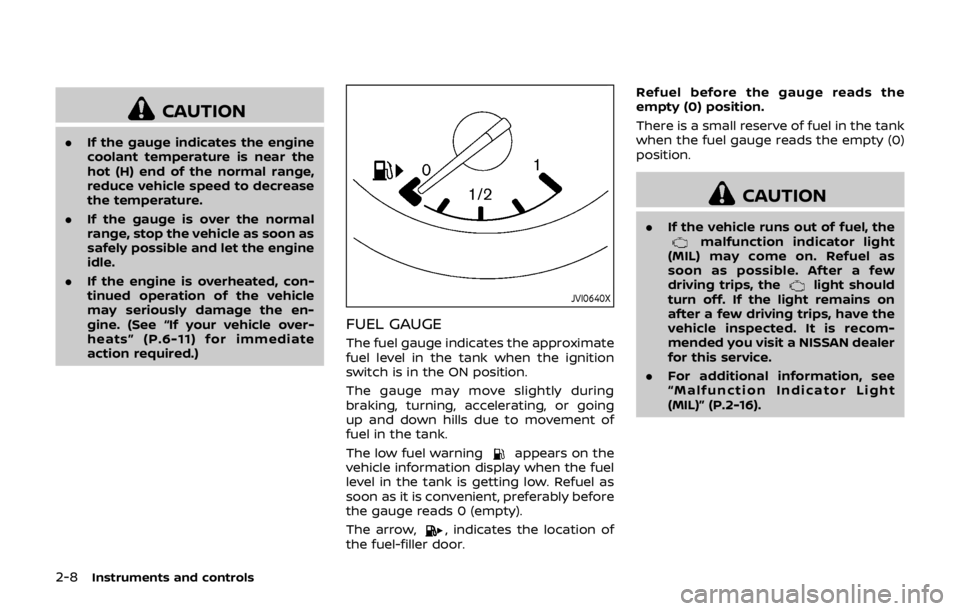
FUEL GAUGE
The fuel gauge indicates the approximate
fuel level in the tank when the ignition
switch is in the ON position.
The gauge may move slightly during
braking, turning, accelerating, or going
up and down hills due to movement of
fuel in the tank.
The low fuel warning
appears on the
vehicle information display when the fuel
level in the tank is getting low. Refuel as
soon as it is convenient, preferably before
the gauge reads 0 (empty).
The arrow,
, indicates the location of
the fuel-filler door. Refuel before the gauge reads the
empty (0) position.
There is a small reserve of fuel in the tank
when the fuel gauge reads the empty (0)
position.
CAUTION
.
If the vehicle runs out of fuel, themalfunction indicator light
(MIL) may come on. Refuel as
soon as possible. After a few
driving trips, the
light should
turn off. If the light remains on
after a few driving trips, have the
vehicle inspected. It is recom-
mended you visit a NISSAN dealer
for this service.
. For additional information, see
“Malfunction Indicator Light
(MIL)” (P.2-16).
Page 86 of 512

JVI0644X
JVI0661M
INSTRUMENT BRIGHTNESS CON-
TROL
The instrument brightness control switch
can be operated when the ignition switch
is in the ON position. When the switch is
operated, the vehicle information display
switches to the brightness adjustment
mode.
Push the + side of the switch
to
brighten the meter panel lights. The bar
moves to the + side.
Push the - side of the switch
to dim the
lights. The barmoves to the − side.
The vehicle information display returns to
the normal display when the instrument
brightness control switch is not operated
for more than 5 seconds.
CONTINUOUSLY VARIABLE TRANS-
MISSION (CVT) POSITION INDICA-
TOR (if so equipped)
The Continuously Variable Transmission
(CVT) position indicator indicates the shift
lever position when the ignition switch is
in the ON position.
Instruments and controls2-9
Page 90 of 512
Low tire pressure warning
light
Your vehicle is equipped with a Tire
Pressure Monitoring System (TPMS) that
monitors the tire pressure of all tires
except the spare tire.
The low tire pressure warning light warns
of low tire pressure or indicates that the
TPMS is not functioning properly.
After the ignition switch is placed in the
ON position, this light illuminates for
about 1 second and turns off.
Low tire pressure warning:
If the vehicle is being driven with low tire
pressure, the warning light will illuminate.
The “Tire Pressure Low - Add Air” warning
also appears in the vehicle information
display.
When the low tire pressure warning light
illuminates, you should stop and adjust
the tire pressure to the recommended
COLD tire pressure shown on the Tire and
Loading Information label. The low tire
pressure warning light does not automa-
tically turn off when the tire pressure is
adjusted. After the tire is inflated to the
recommended pressure, the vehicle must
be driven at speeds above 16 MPH (25
km/h) to activate the TPMS and turn off
the low tire pressure warning light. Use a tire pressure gauge to check the tire
pressure.
The “Tire Pressure Low - Add Air” warning
is active as long as the low tire pressure
warning light remains illuminated.
For additional information, see “Vehicle
information display” (P.2-18), “Tire Pres-
sure Monitoring System (TPMS)” (P.5-5)
and “Tire Pressure Monitoring System
(TPMS)” (P.6-3).
TPMS malfunction:
If the TPMS is not functioning properly,
the low tire pressure warning light will
flash for approximately 1 minute when the
ignition switch is placed in the ON posi-
tion. The light will remain on after the 1
minute. Have the system checked. It is
recommended you visit a NISSAN dealer
for this service. The “Tire Pressure Low -
Add Air” warning does not appear if the
low tire pressure warning light illuminates
to indicate a TPMS malfunction.
For additional information, see “Tire Pres-
sure Monitoring System (TPMS)” (P.5-5).
WARNING
. If the light does not illuminate
with the ignition switch placed in
the ON position, have the vehicle checked. It is recommended you
visit a NISSAN dealer for this
service as soon as possible.
. If the light illuminates while driv-
ing, avoid sudden steering man-
euvers or abrupt braking, reduce
vehicle speed, pull off the road to
a safe location and stop the
vehicle as soon as possible. Driv-
ing with under-inflated tires may
permanently damage the tires
and increase the likelihood of tire
failure. Serious vehicle damage
could occur and may lead to an
accident and could result in ser-
ious personal injury. Check the
tire pressure for all four tires.
Adjust the tire pressure to the
recommended COLD tire pressure
shown on the Tire and Loading
Information label to turn the low
tire pressure warning light OFF. If
the light still illuminates while
driving after adjusting the tire
pressure, a tire may be flat or
the TPMS may be malfunctioning.
If you have a flat tire, replace it
with a spare tire as soon as
possible. If no tire is flat and all
tires are properly inflated, it is
recommended you consult a
NISSAN dealer.
Instruments and controls2-13