lights NISSAN QASHQAI 2019 Owner´s Manual
[x] Cancel search | Manufacturer: NISSAN, Model Year: 2019, Model line: QASHQAI, Model: NISSAN QASHQAI 2019Pages: 500, PDF Size: 2.38 MB
Page 89 of 500
JVI0644X
JVI0661M
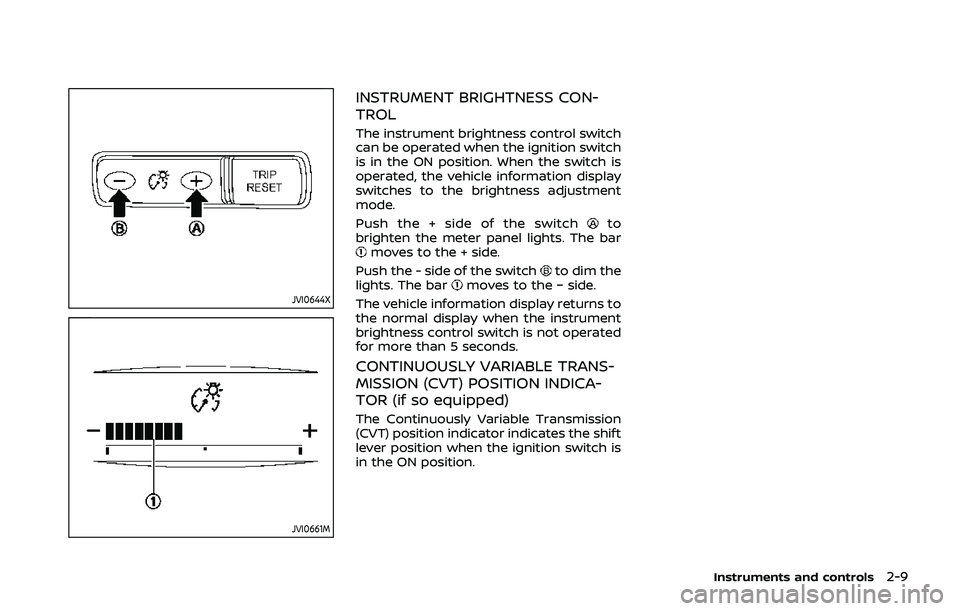
INSTRUMENT BRIGHTNESS CON-
TROL
The instrument brightness control switch
can be operated when the ignition switch
is in the ON position. When the switch is
operated, the vehicle information display
switches to the brightness adjustment
mode.
Push the + side of the switch
to
brighten the meter panel lights. The bar
moves to the + side.
Push the - side of the switch
to dim the
lights. The barmoves to the − side.
The vehicle information display returns to
the normal display when the instrument
brightness control switch is not operated
for more than 5 seconds.
CONTINUOUSLY VARIABLE TRANS-
MISSION (CVT) POSITION INDICA-
TOR (if so equipped)
The Continuously Variable Transmission
(CVT) position indicator indicates the shift
lever position when the ignition switch is
in the ON position.
Instruments and controls2-9
Page 90 of 500
2-10Instruments and controls
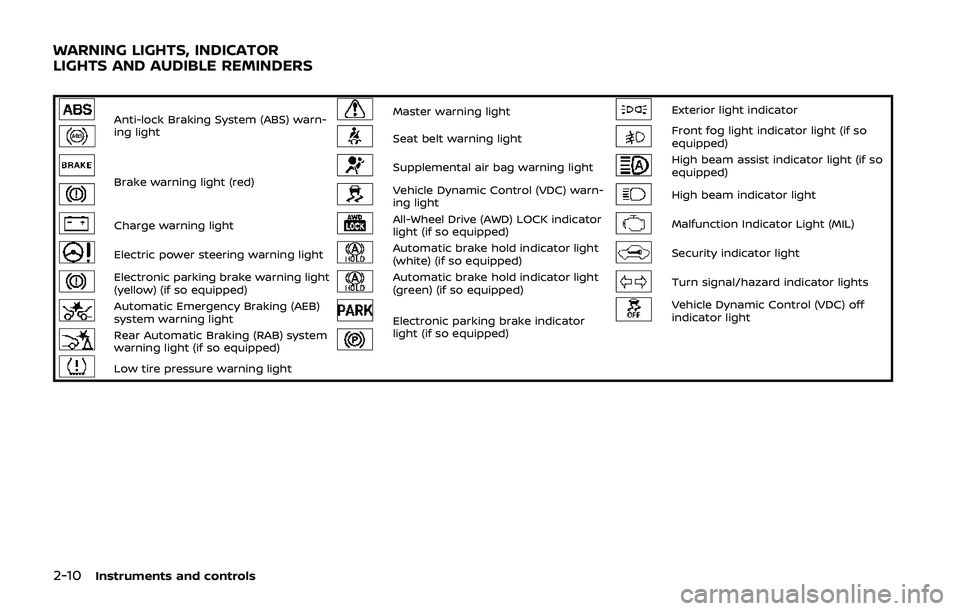
Anti-lock Braking System (ABS) warn-
ing lightMaster warning lightExterior light indicator
Seat belt warning lightFront fog light indicator light (if so
equipped)
Brake warning light (red)Supplemental air bag warning lightHigh beam assist indicator light (if so
equipped)
Vehicle Dynamic Control (VDC) warn-
ing lightHigh beam indicator light
Charge warning lightAll-Wheel Drive (AWD) LOCK indicator
light (if so equipped)Malfunction Indicator Light (MIL)
Electric power steering warning lightAutomatic brake hold indicator light
(white) (if so equipped)Security indicator light
Electronic parking brake warning light
(yellow) (if so equipped)Automatic brake hold indicator light
(green) (if so equipped)Turn signal/hazard indicator lights
Automatic Emergency Braking (AEB)
system warning lightElectronic parking brake indicator
light (if so equipped)Vehicle Dynamic Control (VDC) off
indicator light
Rear Automatic Braking (RAB) system
warning light (if so equipped)
Low tire pressure warning light
WARNING LIGHTS, INDICATOR
LIGHTS AND AUDIBLE REMINDERS
Page 91 of 500
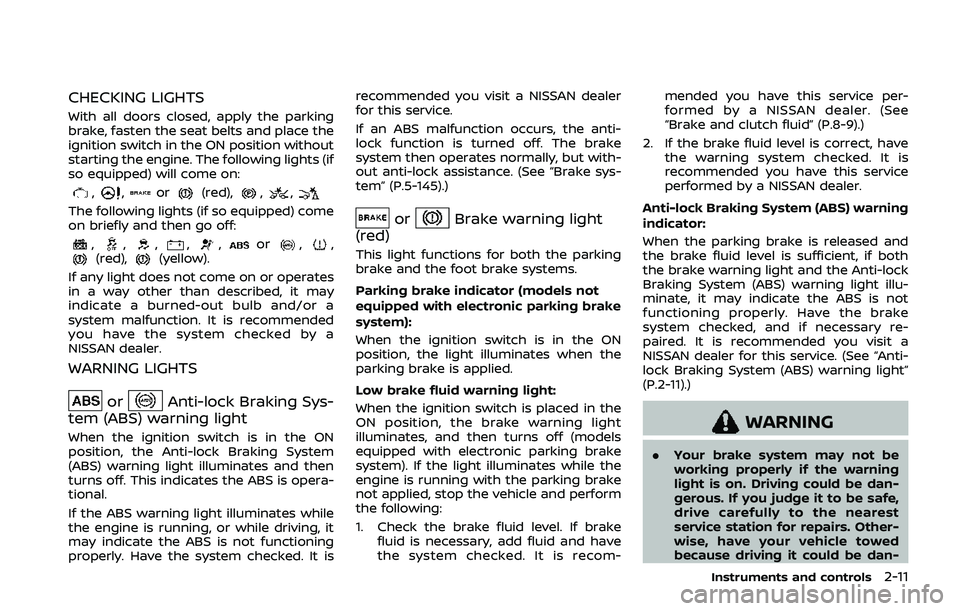
CHECKING LIGHTS
With all doors closed, apply the parking
brake, fasten the seat belts and place the
ignition switch in the ON position without
starting the engine. The following lights (if
so equipped) will come on:
,,or(red),,,
The following lights (if so equipped) come
on briefly and then go off:
,,,,,or,,(red),(yellow).
If any light does not come on or operates
in a way other than described, it may
indicate a burned-out bulb and/or a
system malfunction. It is recommended
you have the system checked by a
NISSAN dealer.
WARNING LIGHTS
orAnti-lock Braking Sys-
tem (ABS) warning light
When the ignition switch is in the ON
position, the Anti-lock Braking System
(ABS) warning light illuminates and then
turns off. This indicates the ABS is opera-
tional.
If the ABS warning light illuminates while
the engine is running, or while driving, it
may indicate the ABS is not functioning
properly. Have the system checked. It is recommended you visit a NISSAN dealer
for this service.
If an ABS malfunction occurs, the anti-
lock function is turned off. The brake
system then operates normally, but with-
out anti-lock assistance. (See “Brake sys-
tem” (P.5-145).)
orBrake warning light
(red)
This light functions for both the parking
brake and the foot brake systems.
Parking brake indicator (models not
equipped with electronic parking brake
system):
When the ignition switch is in the ON
position, the light illuminates when the
parking brake is applied.
Low brake fluid warning light:
When the ignition switch is placed in the
ON position, the brake warning light
illuminates, and then turns off (models
equipped with electronic parking brake
system). If the light illuminates while the
engine is running with the parking brake
not applied, stop the vehicle and perform
the following:
1. Check the brake fluid level. If brake fluid is necessary, add fluid and have
the system checked. It is recom- mended you have this service per-
formed by a NISSAN dealer. (See
“Brake and clutch fluid” (P.8-9).)
2. If the brake fluid level is correct, have the warning system checked. It is
recommended you have this service
performed by a NISSAN dealer.
Anti-lock Braking System (ABS) warning
indicator:
When the parking brake is released and
the brake fluid level is sufficient, if both
the brake warning light and the Anti-lock
Braking System (ABS) warning light illu-
minate, it may indicate the ABS is not
functioning properly. Have the brake
system checked, and if necessary re-
paired. It is recommended you visit a
NISSAN dealer for this service. (See “Anti-
lock Braking System (ABS) warning light”
(P.2-11).)
WARNING
. Your brake system may not be
working properly if the warning
light is on. Driving could be dan-
gerous. If you judge it to be safe,
drive carefully to the nearest
service station for repairs. Other-
wise, have your vehicle towed
because driving it could be dan-
Instruments and controls2-11
Page 95 of 500
.Reminder: Turn OFF Headlights warn-
ing
. Headlight System Error: See Owner’s
Manual warning (if so equipped)
. Timer Alert - Time for a driver break?
indicator (if so equipped)
. Chassis Control System Error: See
Owner’s Manual warning
. CVT Error: See Owner’s Manual warn-
ing (for Continuously Variable Trans-
mission (CVT) models)
. Malfunction warning (if so equipped)
. Unavailable: High Cabin Temperature
warning (if so equipped)
. Not Available: Poor Road Conditions
warning (if so equipped)
. Currently unavailable warning (if so
equipped)
. Unavailable: Front Radar Obstruction
warning
. Unavailable: Side Radar Obstruction
warning
. Other warning
See “Vehicle information display” (P.2-19).Seat belt warning light
The light and chime remind you to fasten
seat belts. The light illuminates whenever
the ignition switch is placed in the ON or
START position, and will remain illumi-
nated until the driver’s seat belt is fas-
tened. At the same time, the chime will
sound for about 6 seconds unless the
driver’s seat belt is securely fastened.
The seat belt warning light for the front
passenger will illuminate if the seat belt is
not fastened when the front passenger’s
seat is occupied.
See “Seat belts” (P.1-11) for precautions on
seat belt usage.
Supplemental air bag warning
light
After placing the ignition switch in the ON
or START position, the supplemental air
bag warning light will illuminate. The
supplemental air bag warning light will
turn off after about 7 seconds if the
supplemental front air bag and supple-
mental side air bag, curtain air bag
systems and/or pretensioner seat belt
are operational.
If any of the following conditions occur,
the front air bag, side air bag, curtain air
bag and pretensioner systems need ser- vicing.
.
The supplemental air bag warning
light remains on after approximately
7 seconds.
. The supplemental air bag warning
light flashes intermittently.
. The supplemental air bag warning
light does not illuminate at all.
It is recommended you visit a NISSAN
dealer for these services.
Unless checked and repaired, the Supple-
mental Restraint Systems and/or the
pretensioners may not function properly.
For additional information, see “Supple-
mental Restraint System (SRS)” (P.1-40).
WARNING
If the supplemental air bag warning
light is on, it could mean that the
front air bag, side air bag, curtain air
bag and/or pretensioner systems
will not operate in an accident. To
help avoid injury to yourself or
others, have your vehicle checked. It
is recommended you visit a NISSAN
dealer for this service.
Instruments and controls2-15
Page 96 of 500
2-16Instruments and controls
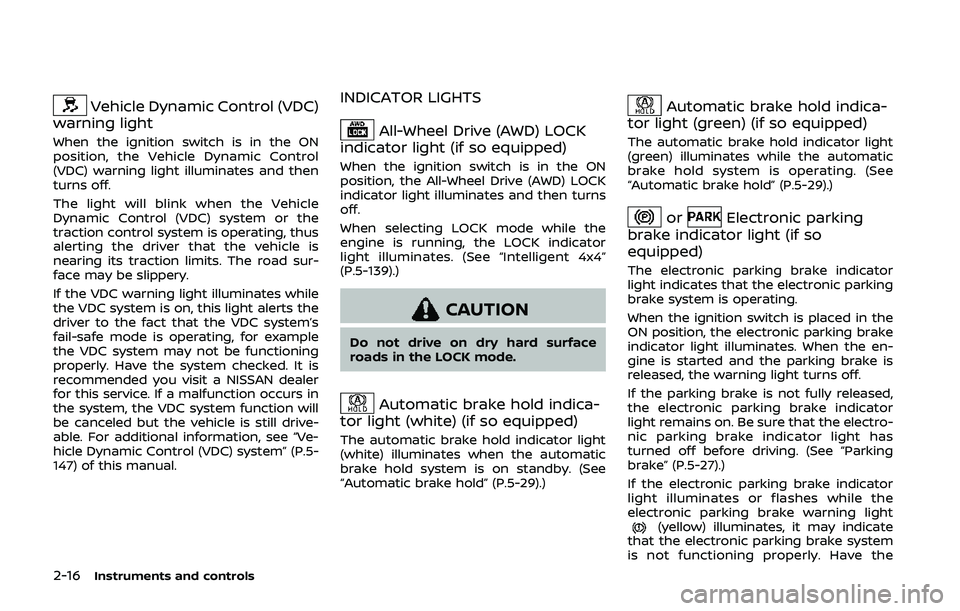
Vehicle Dynamic Control (VDC)
warning light
When the ignition switch is in the ON
position, the Vehicle Dynamic Control
(VDC) warning light illuminates and then
turns off.
The light will blink when the Vehicle
Dynamic Control (VDC) system or the
traction control system is operating, thus
alerting the driver that the vehicle is
nearing its traction limits. The road sur-
face may be slippery.
If the VDC warning light illuminates while
the VDC system is on, this light alerts the
driver to the fact that the VDC system’s
fail-safe mode is operating, for example
the VDC system may not be functioning
properly. Have the system checked. It is
recommended you visit a NISSAN dealer
for this service. If a malfunction occurs in
the system, the VDC system function will
be canceled but the vehicle is still drive-
able. For additional information, see “Ve-
hicle Dynamic Control (VDC) system” (P.5-
147) of this manual.
INDICATOR LIGHTS
All-Wheel Drive (AWD) LOCK
indicator light (if so equipped)
When the ignition switch is in the ON
position, the All-Wheel Drive (AWD) LOCK
indicator light illuminates and then turns
off.
When selecting LOCK mode while the
engine is running, the LOCK indicator
light illuminates. (See “Intelligent 4x4”
(P.5-139).)
CAUTION
Do not drive on dry hard surface
roads in the LOCK mode.
Automatic brake hold indica-
tor light (white) (if so equipped)
The automatic brake hold indicator light
(white) illuminates when the automatic
brake hold system is on standby. (See
“Automatic brake hold” (P.5-29).)
Automatic brake hold indica-
tor light (green) (if so equipped)
The automatic brake hold indicator light
(green) illuminates while the automatic
brake hold system is operating. (See
“Automatic brake hold” (P.5-29).)
orElectronic parking
brake indicator light (if so
equipped)
The electronic parking brake indicator
light indicates that the electronic parking
brake system is operating.
When the ignition switch is placed in the
ON position, the electronic parking brake
indicator light illuminates. When the en-
gine is started and the parking brake is
released, the warning light turns off.
If the parking brake is not fully released,
the electronic parking brake indicator
light remains on. Be sure that the electro-
nic parking brake indicator light has
turned off before driving. (See “Parking
brake” (P.5-27).)
If the electronic parking brake indicator
light illuminates or flashes while the
electronic parking brake warning light
(yellow) illuminates, it may indicate
that the electronic parking brake system
is not functioning properly. Have the
Page 97 of 500
system checked, and if necessary re-
paired. It is recommended you visit a
NISSAN dealer for this service.
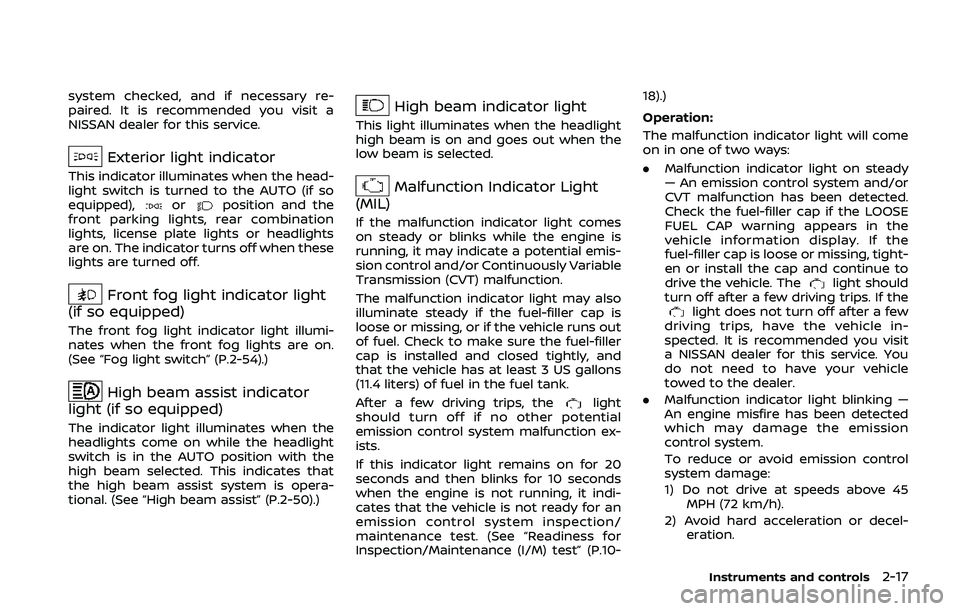
Exterior light indicator
This indicator illuminates when the head-
light switch is turned to the AUTO (if so
equipped),
orposition and the
front parking lights, rear combination
lights, license plate lights or headlights
are on. The indicator turns off when these
lights are turned off.
Front fog light indicator light
(if so equipped)
The front fog light indicator light illumi-
nates when the front fog lights are on.
(See “Fog light switch” (P.2-54).)
High beam assist indicator
light (if so equipped)
The indicator light illuminates when the
headlights come on while the headlight
switch is in the AUTO position with the
high beam selected. This indicates that
the high beam assist system is opera-
tional. (See “High beam assist” (P.2-50).)
High beam indicator light
This light illuminates when the headlight
high beam is on and goes out when the
low beam is selected.
Malfunction Indicator Light
(MIL)
If the malfunction indicator light comes
on steady or blinks while the engine is
running, it may indicate a potential emis-
sion control and/or Continuously Variable
Transmission (CVT) malfunction.
The malfunction indicator light may also
illuminate steady if the fuel-filler cap is
loose or missing, or if the vehicle runs out
of fuel. Check to make sure the fuel-filler
cap is installed and closed tightly, and
that the vehicle has at least 3 US gallons
(11.4 liters) of fuel in the fuel tank.
After a few driving trips, the
light
should turn off if no other potential
emission control system malfunction ex-
ists.
If this indicator light remains on for 20
seconds and then blinks for 10 seconds
when the engine is not running, it indi-
cates that the vehicle is not ready for an
emission control system inspection/
maintenance test. (See “Readiness for
Inspection/Maintenance (I/M) test” (P.10- 18).)
Operation:
The malfunction indicator light will come
on in one of two ways:
.
Malfunction indicator light on steady
— An emission control system and/or
CVT malfunction has been detected.
Check the fuel-filler cap if the LOOSE
FUEL CAP warning appears in the
vehicle information display. If the
fuel-filler cap is loose or missing, tight-
en or install the cap and continue to
drive the vehicle. The
light should
turn off after a few driving trips. If the
light does not turn off after a few
driving trips, have the vehicle in-
spected. It is recommended you visit
a NISSAN dealer for this service. You
do not need to have your vehicle
towed to the dealer.
. Malfunction indicator light blinking —
An engine misfire has been detected
which may damage the emission
control system.
To reduce or avoid emission control
system damage:
1) Do not drive at speeds above 45
MPH (72 km/h).
2) Avoid hard acceleration or decel- eration.
Instruments and controls2-17
Page 98 of 500
2-18Instruments and controls
3) Avoid steep uphill grades.
4) If possible, reduce the amount ofcargo being hauled or towed.
The malfunction indicator light may
stop blinking and remain on.
Have the vehicle inspected. It is re-
commended you visit a NISSAN dealer
for this service. You do not need to
have your vehicle towed to the dealer.
CAUTION
Continued vehicle operation without
having the emission control system
and/or CVT system checked and
repaired as necessary could lead to
poor driveability, reduced fuel econ-
omy, and possible damage to the
emission control system.
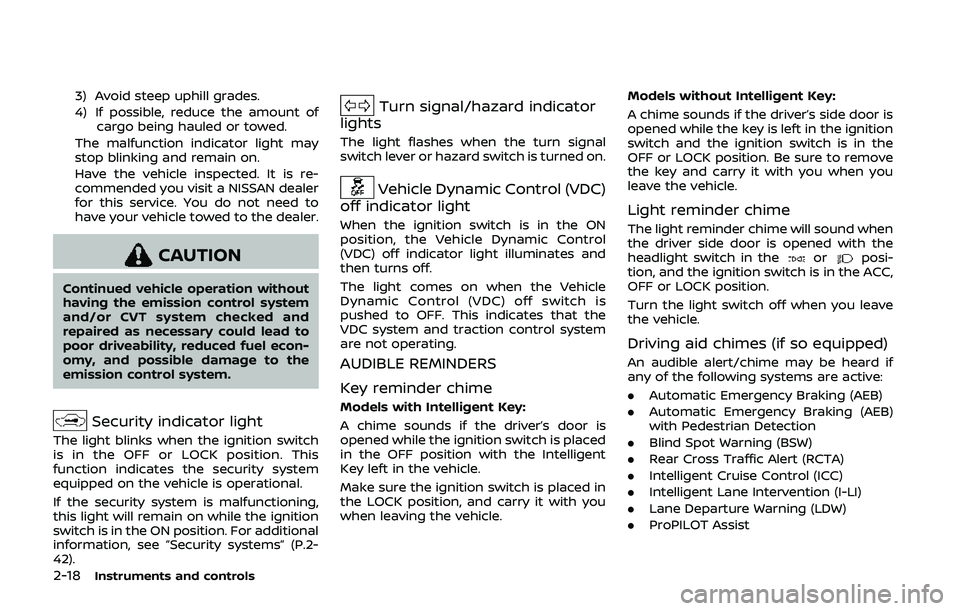
Security indicator light
The light blinks when the ignition switch
is in the OFF or LOCK position. This
function indicates the security system
equipped on the vehicle is operational.
If the security system is malfunctioning,
this light will remain on while the ignition
switch is in the ON position. For additional
information, see “Security systems” (P.2-
42).
Turn signal/hazard indicator
lights
The light flashes when the turn signal
switch lever or hazard switch is turned on.
Vehicle Dynamic Control (VDC)
off indicator light
When the ignition switch is in the ON
position, the Vehicle Dynamic Control
(VDC) off indicator light illuminates and
then turns off.
The light comes on when the Vehicle
Dynamic Control (VDC) off switch is
pushed to OFF. This indicates that the
VDC system and traction control system
are not operating.
AUDIBLE REMINDERS
Key reminder chime
Models with Intelligent Key:
A chime sounds if the driver’s door is
opened while the ignition switch is placed
in the OFF position with the Intelligent
Key left in the vehicle.
Make sure the ignition switch is placed in
the LOCK position, and carry it with you
when leaving the vehicle. Models without Intelligent Key:
A chime sounds if the driver’s side door is
opened while the key is left in the ignition
switch and the ignition switch is in the
OFF or LOCK position. Be sure to remove
the key and carry it with you when you
leave the vehicle.
Light reminder chime
The light reminder chime will sound when
the driver side door is opened with the
headlight switch in the
orposi-
tion, and the ignition switch is in the ACC,
OFF or LOCK position.
Turn the light switch off when you leave
the vehicle.
Driving aid chimes (if so equipped)
An audible alert/chime may be heard if
any of the following systems are active:
. Automatic Emergency Braking (AEB)
. Automatic Emergency Braking (AEB)
with Pedestrian Detection
. Blind Spot Warning (BSW)
. Rear Cross Traffic Alert (RCTA)
. Intelligent Cruise Control (ICC)
. Intelligent Lane Intervention (I-LI)
. Lane Departure Warning (LDW)
. ProPILOT Assist
Page 104 of 500
2-24Instruments and controls
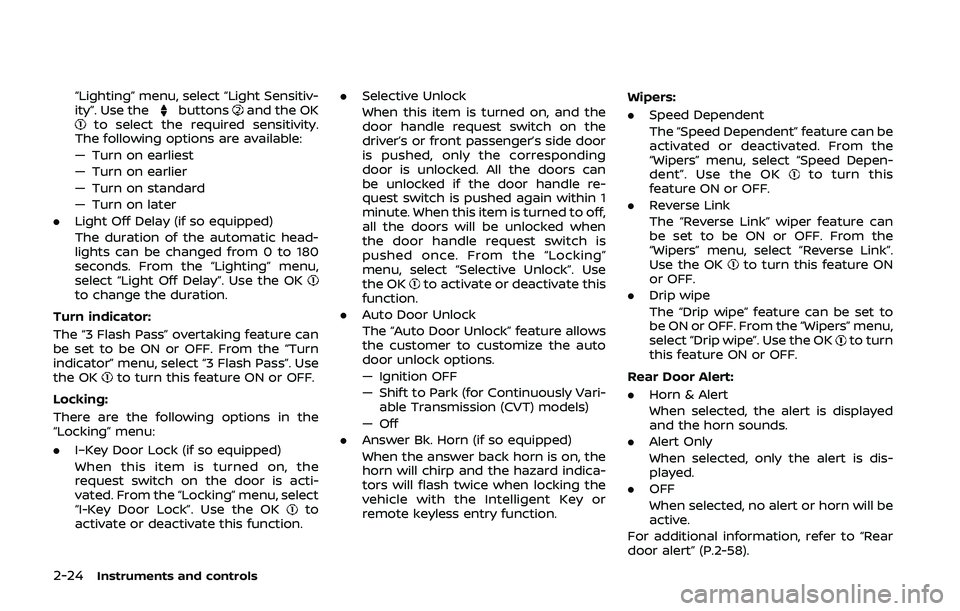
“Lighting” menu, select “Light Sensitiv-
ity”. Use thebuttonsand the OKto select the required sensitivity.
The following options are available:
— Turn on earliest
— Turn on earlier
— Turn on standard
— Turn on later
. Light Off Delay (if so equipped)
The duration of the automatic head-
lights can be changed from 0 to 180
seconds. From the “Lighting” menu,
select “Light Off Delay”. Use the OK
to change the duration.
Turn indicator:
The “3 Flash Pass” overtaking feature can
be set to be ON or OFF. From the “Turn
indicator” menu, select “3 Flash Pass”. Use
the OK
to turn this feature ON or OFF.
Locking:
There are the following options in the
“Locking” menu:
. I–Key Door Lock (if so equipped)
When this item is turned on, the
request switch on the door is acti-
vated. From the “Locking” menu, select
“I-Key Door Lock”. Use the OK
to
activate or deactivate this function. .
Selective Unlock
When this item is turned on, and the
door handle request switch on the
driver’s or front passenger’s side door
is pushed, only the corresponding
door is unlocked. All the doors can
be unlocked if the door handle re-
quest switch is pushed again within 1
minute. When this item is turned to off,
all the doors will be unlocked when
the door handle request switch is
pushed once. From the “Locking”
menu, select “Selective Unlock”. Use
the OK
to activate or deactivate this
function.
. Auto Door Unlock
The “Auto Door Unlock” feature allows
the customer to customize the auto
door unlock options.
— Ignition OFF
— Shift to Park (for Continuously Vari-
able Transmission (CVT) models)
— Off
. Answer Bk. Horn (if so equipped)
When the answer back horn is on, the
horn will chirp and the hazard indica-
tors will flash twice when locking the
vehicle with the Intelligent Key or
remote keyless entry function. Wipers:
. Speed Dependent
The “Speed Dependent” feature can be
activated or deactivated. From the
“Wipers” menu, select “Speed Depen-
dent”. Use the OK
to turn this
feature ON or OFF.
. Reverse Link
The “Reverse Link” wiper feature can
be set to be ON or OFF. From the
“Wipers” menu, select “Reverse Link”.
Use the OK
to turn this feature ON
or OFF.
. Drip wipe
The “Drip wipe” feature can be set to
be ON or OFF. From the “Wipers” menu,
select “Drip wipe”. Use the OK
to turn
this feature ON or OFF.
Rear Door Alert:
. Horn & Alert
When selected, the alert is displayed
and the horn sounds.
. Alert Only
When selected, only the alert is dis-
played.
. OFF
When selected, no alert or horn will be
active.
For additional information, refer to “Rear
door alert” (P.2-58).
Page 113 of 500
17. AWD High Temp. Stop vehicle
warning (if so equipped)
This warning may appear while trying to
free a stuck vehicle due to increased oil
temperature. The driving mode may
change to Two-Wheel Drive (2WD). If this
warning is displayed, stop the vehicle with
the engine idling, as soon as it is safe to
do so. Then if the warning turns off, you
can continue driving. See “Intelligent 4x4”
(P.5-139).
18. Tire Size Incorrect: See Owner’s
Manual warning (if so equipped)
This warning may appear if there is a
large difference between the diameters of
the front and rear wheels and tires. Pull
off the road in a safe area, with the engine
idling. Check that all the tire sizes are the
same, that the tire pressure is correct and
that the tires are not excessively worn.
See “Intelligent 4x4” (P.5-139).
19. Battery Voltage Low Charge
Battery warning
This warning appears when the battery
voltage is low and the battery needs to be
charged.
20. Shipping Mode On Push Sto-
rage Fuse warning (if so equipped)
This warning may appear if the extended
storage fuse switch is not pushed in
(switched on). When this warning ap-
pears, push in (switch on) the extended
storage fuse switch to turn off the warn-
ing. For more information, see “Extended
storage fuse switch” (P.8-21).
21. Power will turn off to save the
battery warning
This warning appears after the ignition
switch is in the ON position for a certain
period of time.
22. Power turned off to save the
battery warning
This warning appears after the ignition
switch is automatically turned OFF to
save the battery.
23. Reminder: Turn OFF Headlights
warning
This warning appears when the driver
side door is opened with the headlight
switch is left ON and the ignition switch is
placed in the OFF or LOCK position. Place
the headlight switch in OFF or AUTO (if so
equipped) position. For additional infor-
mation, see “Headlight and turn signal
switch” (P.2-48).
24. Headlight System Error: See
Owner’s Manual warning (if so
equipped)
This warning appears if the LED head-
lights are malfunctioning. Have the sys-
tem checked. It is recommended that you
visit a NISSAN dealer for this service.
25. Timer Alert — Time for a driver
break? indicator
This indicator appears when the set “Time
for a driver break?” indicator activates.
You can set the time for up to 6 hours.
26. Chassis Control System Error:
See Owner’s Manual warning
This warning appears if the chassis con-
trol module detects an error in the
chassis control system. Have the system
checked. It is recommended that you visit
a NISSAN dealer for this service. (See
“Chassis control” (P.5-149).)
27. Cruise control indicator (if so
equipped)
This indicator shows the cruise control
system status. The status is shown by the
color.
See “Cruise control” (P.5-64) for details.
Instruments and controls2-33
Page 123 of 500
pre-armed. The vehicle security sys-
tem will automatically shift into the
armed phase. The security light begins
to flash once every three seconds. If
during the pre-armed phase one of
the following occurs, the system will
not arm:
.Any door is unlocked with the keyfob (if so equipped), the Intelligent
Key (if so equipped), mechanical
key, or door request switch.
.Ignition switch is placed in the ONposition.
Even when the driver and/or passen-
gers are in the vehicle, the system will
activate with all the doors, hood (if so
equipped) and liftgate locked with the
ignition switch placed in the LOCK posi-
tion. When placing the ignition switch in
the ON position, the system will be
released.
Vehicle security system activation
The vehicle security system will give the
following alarm:
. The headlights blink and the horn
sounds intermittently.
. The alarm automatically turns off
after approximately 50 seconds. How-
ever, the alarm reactivates if the
vehicle is tampered with again. The alarm is activated by:
.
opening any doors, the hood (if so
equipped) or liftgate without using the
key or Intelligent Key (even if the door
is unlocked by releasing the door
inside lock knob).
How to stop an activated alarm
The alarm stops only by unlocking a door
or the liftgate with the mechanical key,
pressing the UNLOCK
button on the
key fob (if so equipped) or the Intelligent
Key (if so equipped), or pushing the
request switch (if so equipped) on the
driver’s or passenger’s door in range of
the door handle.
NISSAN VEHICLE IMMOBILIZER SYS-
TEM
The NISSAN Vehicle Immobilizer System
will not allow the engine to start without
the use of the registered key.
If the engine fails to start using the
registered key, it may be due to inter-
ference caused by another registered key,
an automated toll road device or auto-
mated payment device on the key ring.
Restart the engine using the following
procedures:
1. Leave the ignition switch in the ON
position for approximately 5 seconds. 2. Place the ignition switch in the OFF or
LOCK position and wait approximately
10 seconds.
3. Repeat step 1 and 2 again.
4. Restart the engine while holding the device (which may have caused the
interference) separate from the regis-
tered key.
If this procedure allows the engine to
start, NISSAN recommends placing the
registered key on a separate key ring
to avoid interference from other de-
vices.
Statement related to section 15 of FCC
rules for NISSAN Vehicle Immobilizer
System (CONT ASSY-BCM. ANT ASSY-
IMMOBILISER)
FCC Notice:
For USA:
This device complies with Part 15 of the
FCC Rules. Operation is subject to the
following two conditions: (1) This device
may not cause harmful interference,
and (2) this device must accept any
interference received, including inter-
ference that may cause undesired op-
eration.
Note: Changes or modifications not
expressly approved by the party re-
sponsible for compliance could void
the user’s authority to operate the
Instruments and controls2-43