ignition NISSAN QUEST 1996 V40 / 1.G User Guide
[x] Cancel search | Manufacturer: NISSAN, Model Year: 1996, Model line: QUEST, Model: NISSAN QUEST 1996 V40 / 1.GPages: 235, PDF Size: 1.77 MB
Page 26 of 235
Tilting the sunroof
To tilt up, first close the sunroof, then push
the UP side of the tilt switch. To close the
sunroof, push the DOWN side of the tilt
switch.
Sun shade
Open and close the sun shade by sliding it
forward or backward. The shade opens
when the sunroof opens, but it must be
closed manually.
WARNING
cBe extremely careful not to have any
part of your body in the sunroof
opening while it is closing.
cDo not stand up or extend any por-
tion of your body out of the opening
while driving.
cRemove water drops, snow, ice or
sand from the sunroof before
opening.
cDo not place any heavy object on the
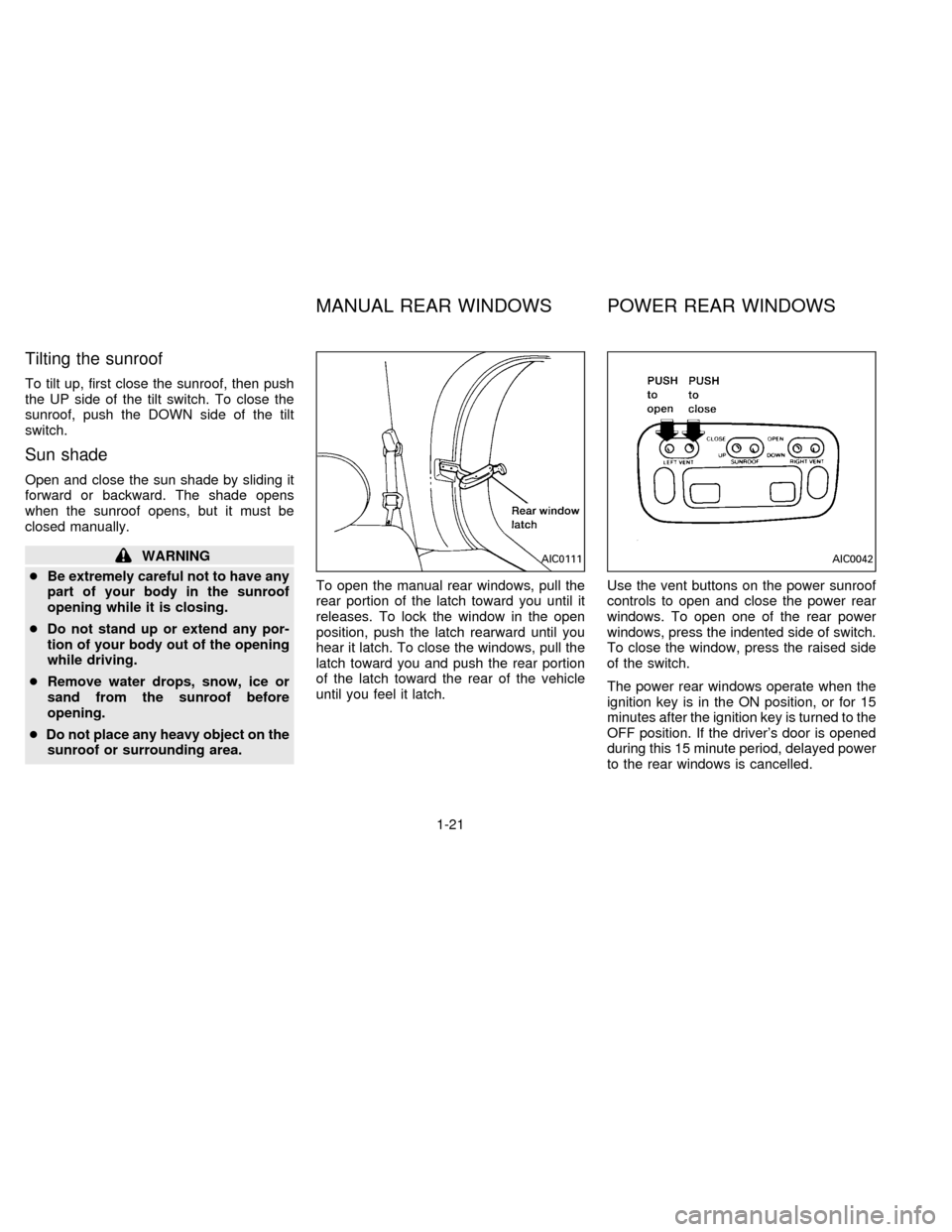
sunroof or surrounding area.To open the manual rear windows, pull the
rear portion of the latch toward you until it
releases. To lock the window in the open
position, push the latch rearward until you
hear it latch. To close the windows, pull the
latch toward you and push the rear portion
of the latch toward the rear of the vehicle
until you feel it latch.Use the vent buttons on the power sunroof
controls to open and close the power rear
windows. To open one of the rear power
windows, press the indented side of switch.
To close the window, press the raised side
of the switch.
The power rear windows operate when the
ignition key is in the ON position, or for 15
minutes after the ignition key is turned to the
OFF position. If the driver's door is opened
during this 15 minute period, delayed power
to the rear windows is cancelled.AIC0111AIC0042
MANUAL REAR WINDOWS POWER REAR WINDOWS
1-21
ZX
Page 27 of 235

The digital clock displays time when the
ignition key is in ACC or ON.
If the power supply is disconnected, the
clock does not indicate the correct time.
Readjust the time.How to view the clock mode
Push the CLK button to alternate the radio
frequency and the time in the display. In the
clock mode, press any radio function to
automatically display the radio frequency forapproximately ten seconds before changing
back to the clock mode.
How to set the clock
1. Turn the radio on. (Time is displayed
while the radio is off).
2. Push and hold the CLK button; then,
press the SEEK button either
orto adjust the hours, and press the
TUNE button eitherorto
adjust the minutes.
NOTE: The clock displays 12-hour time with
no A.M./P.M. indications.
AIC0580
CLOCK
1-22
ZX
Page 28 of 235

The interior lights operate regardless of
ignition key position.
One interior light is located overhead near
the front seats and one is overhead near the
rear seat.
The interior lights have three-position
switches:
cWhen the switch is in the OFF position,
the interior light does not illuminate, re-
gardless of door position.
cWhen the switch is in the center O posi-
tion, the light illuminates when a door is
opened.cWhen the switch is in the ON position,
the interior light illuminates, whether any
door is open or closed.
NOTE: Leaving the interior light switch in
the ON position for extended periods of time
will result in a discharged battery.
LUGGAGE COMPARTMENT
LIGHTS
When the back door is opened, the luggage
compartment light and the rear interior light
illuminate.
When the back door is closed the lights go
off.
PERSONAL READING LIGHT
The driver's side, second row seating posi-
tion has a personal reading light located in
the overhead trim panel.
To turn the light on, press once on the
right-hand side of the light cover.
To turn the light off, press again on the
right-hand side of the light cover.
AIC0053AIC0582
INTERIOR LIGHTS
1-23
ZX
Page 34 of 235

POWER DOOR LOCK
The power door lock system allows you to
lock or unlock all doors simultaneously.
cTurning a door key to the front locks all
doors. This function can be operated
from the driver, passenger or sliding
door.
cPushing a front door lock knob in locks all
doors. When locking the doors this way,
be certain not to leave the key inside the
vehicle. All doors automatically unlock
with the key in the ignition.
Selective unlock (If so equipped)
cTurning the door key one time to the rear
of the vehicle unlocks the corresponding
door. From that position, returning the
key to Neutral (where the key can only be
removed and inserted) and turning it to
the rear again within 5 seconds unlocks
all doors. This function can be operated
from the driver, passenger or sliding
door.
APD0841APD0828
2-5
ZX
Page 36 of 235
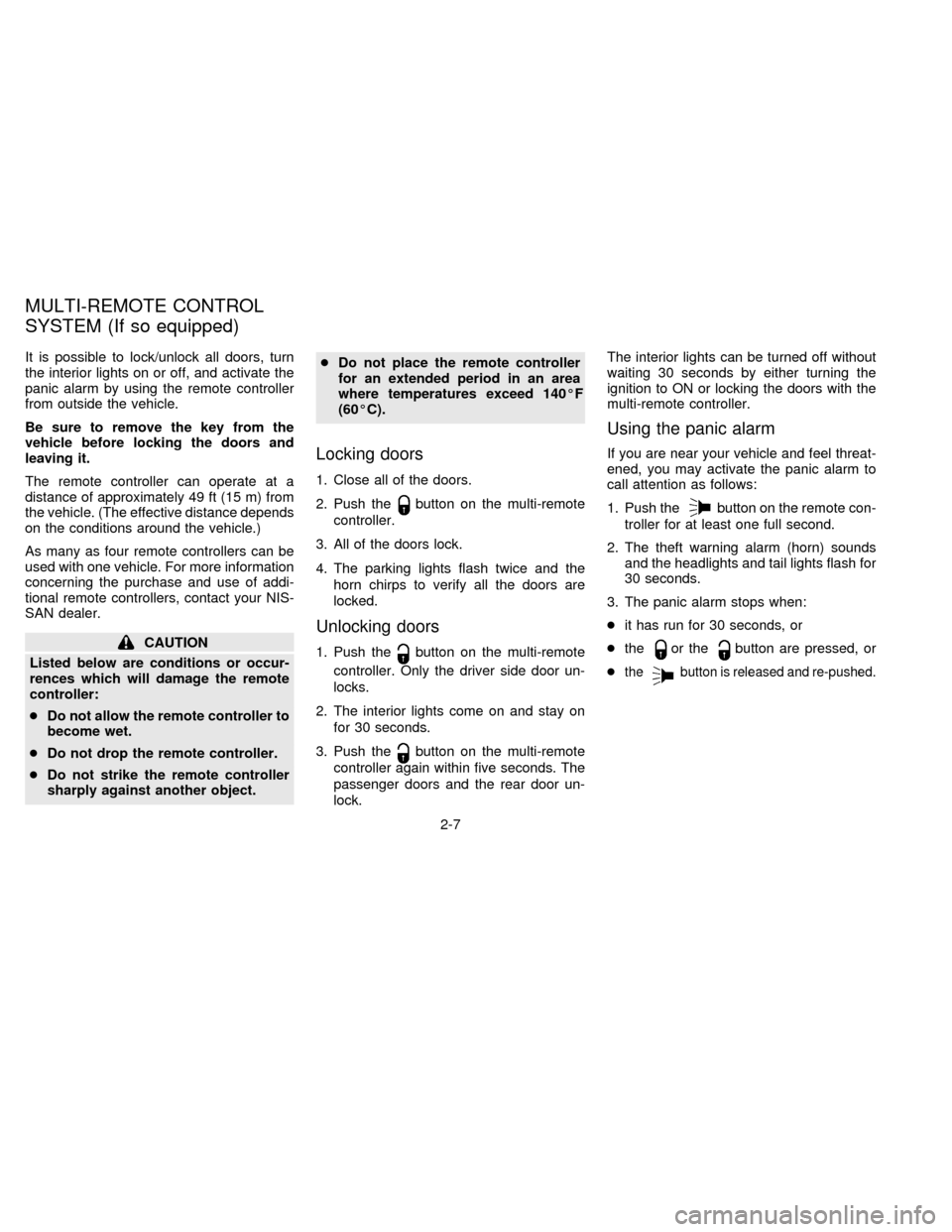
It is possible to lock/unlock all doors, turn
the interior lights on or off, and activate the
panic alarm by using the remote controller
from outside the vehicle.
Be sure to remove the key from the
vehicle before locking the doors and
leaving it.
The remote controller can operate at a
distance of approximately 49 ft (15 m) from
the vehicle. (The effective distance depends
on the conditions around the vehicle.)
As many as four remote controllers can be
used with one vehicle. For more information
concerning the purchase and use of addi-
tional remote controllers, contact your NIS-
SAN dealer.
CAUTION
Listed below are conditions or occur-
rences which will damage the remote
controller:
cDo not allow the remote controller to
become wet.
cDo not drop the remote controller.
cDo not strike the remote controller
sharply against another object.cDo not place the remote controller
for an extended period in an area
where temperatures exceed 140ÉF
(60ÉC).
Locking doors
1. Close all of the doors.
2. Push the
button on the multi-remote
controller.
3. All of the doors lock.
4. The parking lights flash twice and the
horn chirps to verify all the doors are
locked.
Unlocking doors
1. Push thebutton on the multi-remote
controller. Only the driver side door un-
locks.
2. The interior lights come on and stay on
for 30 seconds.
3. Push the
button on the multi-remote
controller again within five seconds. The
passenger doors and the rear door un-
lock.The interior lights can be turned off without
waiting 30 seconds by either turning the
ignition to ON or locking the doors with the
multi-remote controller.
Using the panic alarm
If you are near your vehicle and feel threat-
ened, you may activate the panic alarm to
call attention as follows:
1. Push the
button on the remote con-
troller for at least one full second.
2. The theft warning alarm (horn) sounds
and the headlights and tail lights flash for
30 seconds.
3. The panic alarm stops when:
cit has run for 30 seconds, or
cthe
or thebutton are pressed, or
c
thebutton is released and re-pushed.
MULTI-REMOTE CONTROL
SYSTEM (If so equipped)
2-7
ZX
Page 38 of 235

approved by the party responsible for
compliance could void the user's author-
ity to operate the device.
Illuminated entry system
All models
The interior lights, the cargo light, the step-
well lights near the sliding door and on the
front doors, and the footwell lights near the
driver's and front passenger's feet illumi-
nate when the front and sliding doors are
opened. These lights gradually dim to off
within 30 seconds or turn off immediately
when the key is turned to ON.
Battery saver
If the vehicle doors are not fully closed and
the interior lights remain illuminated, they
eventually turn off automatically to prevent
the battery from becoming discharged.
Lights that illuminate when the front doors
and/or the sliding door are open turn off
after approximately 30 minutes. Lights that
illuminate when the back door is open turn
off after approximately 60 minutes.
If the personal reading lamp is left on when
the key is removed from the ignition, it turns
off automatically in 30 minutes.
2-9
ZX
Page 71 of 235
cBe sure to replace and reposition
floor mats as discussed in ``Floor
mat positioning'' in this section.
WARNING
The three-passenger sliding bench
seat is not intended to be removed from
the vehicle by consumers. However, if
it must be removed, have a qualified
person remove it. That person should
refer to the instructions in the Service
Manual. When seat is reinstalled, the
attaching bolts must be tightened to
the appropriate torque specifications.
Failure to follow these instructions
could increase the chance and/or se-
verity of injury in an accident.
Cleaning the seat tracks
The seat tracks for the three-passenger
sliding bench seat should be cleaned peri-
odically with a high-powered vacuum
cleaner. If the seat tracks become dirty it
may reduce the ability to slide the seat. A
wet cleansing agent may be used if neces-
sary, but the seat tracks must be thoroughly
dried.Use a cloth wrapped around a screwdriver
(or similar object) to clean the seat tracks.
Do not use your fingers to clean debris from
the tracks.
Do not apply any type of lubricant to the
seat tracks.
WARNING
cNever insert fingers into the seat
track rails. The rails may be sharp
and could cause injury.This Supplemental Restraint System de-
scription contains important information
concerning the special driver and passen-
ger supplemental air bag. The Supplemen-
tal Restraint System Air Bag can help re-
duce impact force to the driver and to the
front passenger in certain frontal collisions.
The air bags are designed tosupplement
the crash protection provided by the seat
belts and arenot a substitutefor the seat
belts. The seat belts should always be cor-
rectly worn and the driver and front passen-
ger seated a suitable distance from the
steering wheel and instrument panel. (See
``Seat belts'' for instructions and precautions
on seat belt usage.)
The supplemental air bags operate only
when the ignition switch is in the ON or
START position.
WARNING
The supplemental air bag ordinarily will
not inflate in the event of a side impact,
rear impact, roll over, or lower severity
frontal collision; so always wear your
seat belts to help reduce the risk or
severity of injury in various kinds of
accidents.
SUPPLEMENTAL RESTRAINT
SYSTEM (AIR BAG SYSTEM)
2-42
ZX
Page 73 of 235
restraint to the lower body.
The seat belts should be correctly worn and
the driver and passenger seated upright as
far as practical away from the steering
wheel or dashboard. Since the supplemen-
tal air bag inflates quickly in order to help
protect the occupant, the force of the
supplemental air bag inflating can increase
the risk of injury if the occupant is too close
to or is against the supplemental air bag
module during inflation.
The supplemental air bag deflates quickly
after a collision.
The supplemental air bags operate only
when the ignition switch is in the ON or
START position.
WARNING
cRight after inflation, several supple-
mental air bag system components
will be hot. Do not touch them; you
may severely burn yourself.cNo unauthorized changes should be
made to any components or wiring
of the supplemental air bag system.
This is to prevent accidental inflation
of the supplemental air bag or dam-
age to the supplemental air bag
system.
cTampering with the supplemental air
bag system may result in serious
personal injury. Tampering includes
changes to the steering wheel and
the instrument panel assembly by
placing material over the steering
wheel pad and above the instrument
panel, or by installing additional trim
material around the supplemental air
bag system.
cDo not place any objects on the
steering wheel pad or to the instru-
ment panel. Also, do not place any
objects between any occupant and
the steering wheel or instrument
panel. Such objects may become
dangerous projectiles and cause in-
jury if the supplemental air bag
inflates.cWork around and on the supplemen-
tal air bag system should be done by
an authorized NISSAN dealer. Instal-
lation of electrical equipment should
also be done by an authorized NIS-
SAN dealer. The yellow SRS wiring
should not be modified or discon-
nected. Unauthorized electrical test
equipment and probing devices
should not be used on the supple-
mental air bag system.
2-44
ZX
Page 74 of 235

Warning labels about the supplemental air
bag system are placed in the vehicle.The supplemental air bag light, displaying
AIR BAG in the instrument panel, monitors
the circuits of the supplemental air bag. The
circuits monitored by the supplemental air
bag light are the diagnosis sensor unit, air
bag modules and all related wiring.
When the ignition key is in the ON or START
position, the supplemental air bag light illu-
minates for about 7 seconds and then turns
off. This means the system is operational.
APD0823APD0554
WARNING LABELS SUPPLEMENTAL AIR BAG
WARNING LIGHT
2-45
ZX
Page 75 of 235
If any of the following conditions occur, the
supplemental air bag needs servicing and
should be taken to your nearest authorized
NISSAN dealer:
1. The supplemental air bag light does not
come on for 7 seconds and then go off as
described above.
2. The supplemental air bag light flashes
intermittently or remains on.
3. The supplemental air bag light does not
come on at all.
Under these conditions, the Supplemental
Restraint System Air Bag does not operate
properly. It must be checked and repaired.
Repair and replacement procedure
The supplemental air bag system is de-
signed to inflate on a one-time-only basis.
As a reminder, unless it is damaged, the
supplemental air bag light remains illumi-
nated after inflation has occurred. Repair
and replacement of the supplemental air
bag system should be done only by autho-
rized NISSAN dealers.To ensure long-
term functioning, the system must be
inspected 10 years after the date of
manufacture as noted on the certifica-tion label located on the driver side front
pillar.
When maintenance work is required on the
vehicle, the supplemental air bag system
and related parts should be pointed out to
the person conducting the maintenance.
The ignition key should always be in the
LOCK position when working under the
hood or inside the vehicle.
WARNING
cOnce the supplemental air bag in-
flates, the supplemental air bag
module will not function again and
must be replaced. The supplemental
air bag module cannot be repaired.
cAfter an air bag inflates, the front
instrument panel assembly should
be replaced if damaged, by your NIS-
SAN dealer.
cThe supplemental air bag system
should be inspected by an autho-
rized NISSAN dealer if there is any
damage to the front end portion of
the vehicle or replaced if the supple-
mental air bag has inflated.c
When selling your vehicle, we re-
quest that you inform the buyer about
the supplemental air bag system and
guide the buyer to the appropriate
sections in this Owner's Manual.
cIf you need to dispose of a supple-
mental air bag or scrap the vehicle,
contact an authorized NISSAN dealer.
Correct supplemental air bag dis-
posal procedures are set forth in the
appropriate NISSAN Service Manual.
Incorrect disposal procedures could
cause personal injury.
2-46
ZX