display NISSAN QUEST 2001 V41 / 2.G Owner's Manual
[x] Cancel search | Manufacturer: NISSAN, Model Year: 2001, Model line: QUEST, Model: NISSAN QUEST 2001 V41 / 2.GPages: 304, PDF Size: 2.54 MB
Page 180 of 304
ANTENNA
The manual antenna on your vehicle re-
mains in the up position at all times. The
antenna cannot be shortened, but can be
removed. When you need to remove the
antenna, turn the antenna rod counterclock-
wise.
To install the antenna rod, turn the antenna
clockwise. Tighten the antenna rod to speci-
fication using a suitable tool such as a
open-end wrench. The antenna rod tighten-
ing specification is 3.4 - 3.6 Nzm(30-32
in-lb). Do not use pliers to tighten the an-
tenna as they can leave marks on the an-
tenna surface. The antenna rod can not be
hand tightened to the proper specification.
CAUTION
Always properly tighten the antenna
rod during installation or the antenna
rod may break during vehicle operation.
WARNING
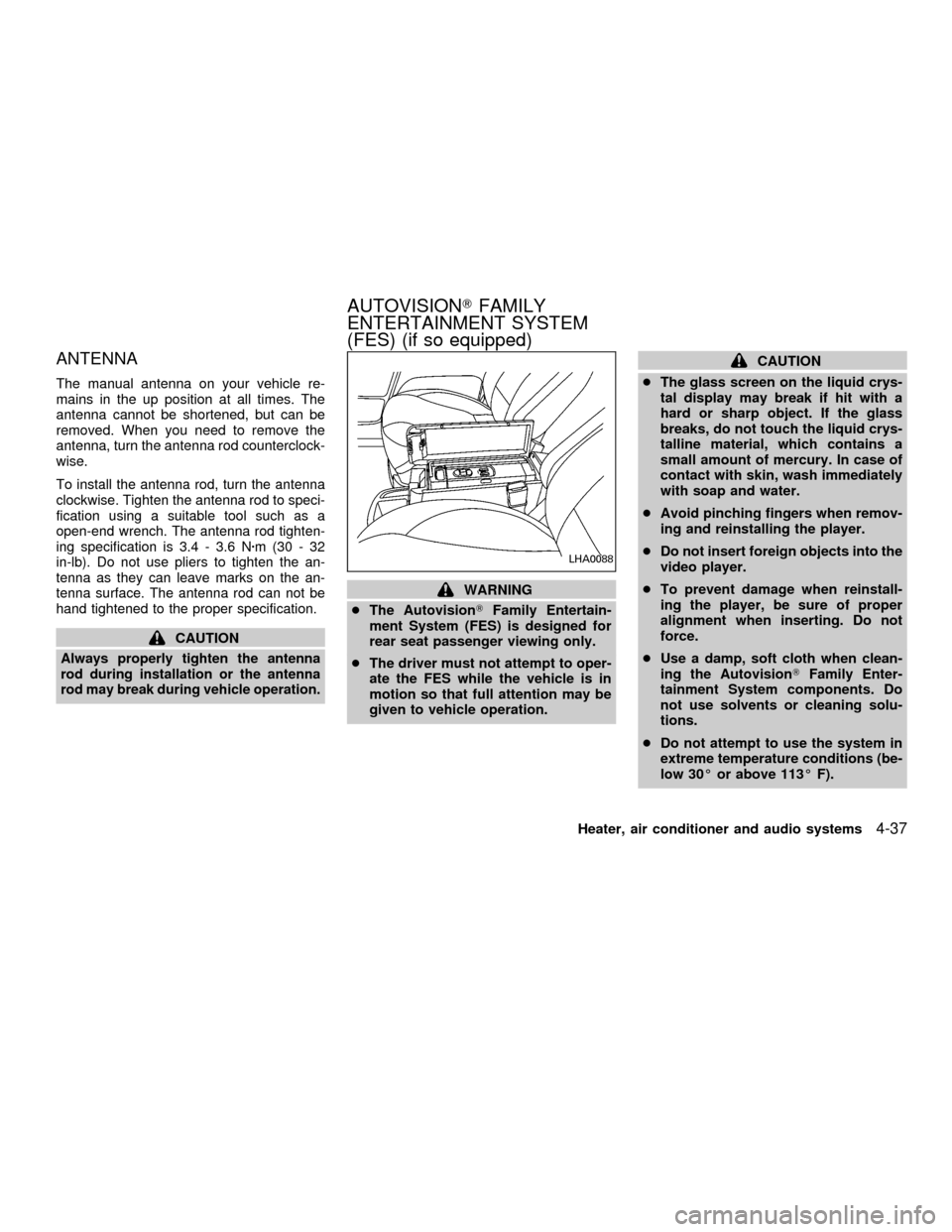
cThe AutovisionTFamily Entertain-
ment System (FES) is designed for
rear seat passenger viewing only.
cThe driver must not attempt to oper-
ate the FES while the vehicle is in
motion so that full attention may be
given to vehicle operation.
CAUTION
cThe glass screen on the liquid crys-
tal display may break if hit with a
hard or sharp object. If the glass
breaks, do not touch the liquid crys-
talline material, which contains a
small amount of mercury. In case of
contact with skin, wash immediately
with soap and water.
cAvoid pinching fingers when remov-
ing and reinstalling the player.
cDo not insert foreign objects into the
video player.
cTo prevent damage when reinstall-
ing the player, be sure of proper
alignment when inserting. Do not
force.
cUse a damp, soft cloth when clean-
ing the AutovisionTFamily Enter-
tainment System components. Do
not use solvents or cleaning solu-
tions.
cDo not attempt to use the system in
extreme temperature conditions (be-
low 30É or above 113É F).
LHA0088
AUTOVISIONTFAMILY
ENTERTAINMENT SYSTEM
(FES) (if so equipped)
Heater, air conditioner and audio systems4-37
ZX
Page 181 of 304
cTo avoid draining the vehicle bat-
tery, do not operate the system more
than 15 minutes without starting the
engine.
Video Cassette Player (VCP) con-
trols
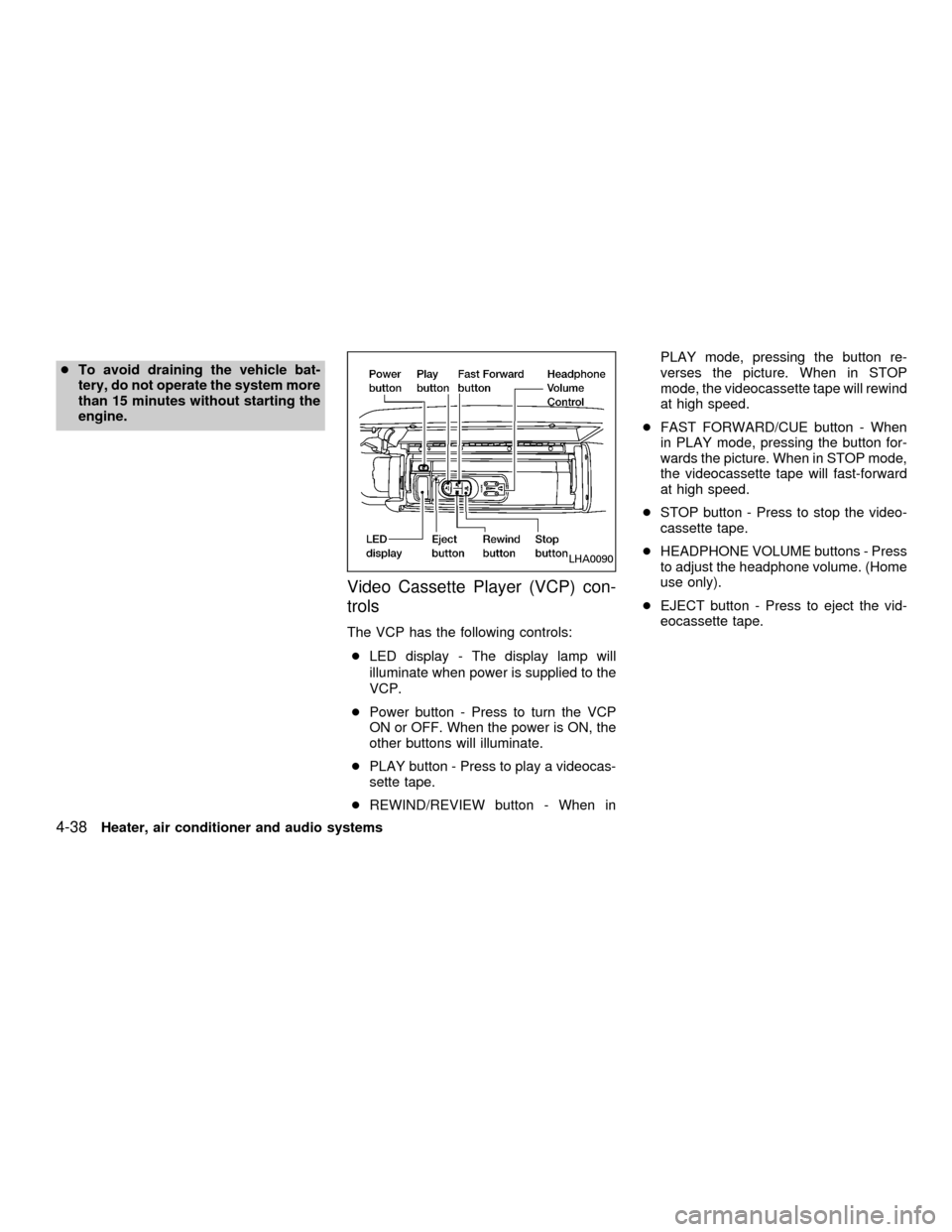
The VCP has the following controls:
cLED display - The display lamp will
illuminate when power is supplied to the
VCP.
cPower button - Press to turn the VCP
ON or OFF. When the power is ON, the
other buttons will illuminate.
cPLAY button - Press to play a videocas-
sette tape.
cREWIND/REVIEW button - When inPLAY mode, pressing the button re-
verses the picture. When in STOP
mode, the videocassette tape will rewind
at high speed.
cFAST FORWARD/CUE button - When
in PLAY mode, pressing the button for-
wards the picture. When in STOP mode,
the videocassette tape will fast-forward
at high speed.
cSTOP button - Press to stop the video-
cassette tape.
cHEADPHONE VOLUME buttons - Press
to adjust the headphone volume. (Home
use only).
cEJECT button - Press to eject the vid-
eocassette tape.
LHA0090
4-38Heater, air conditioner and audio systems
ZX
Page 183 of 304
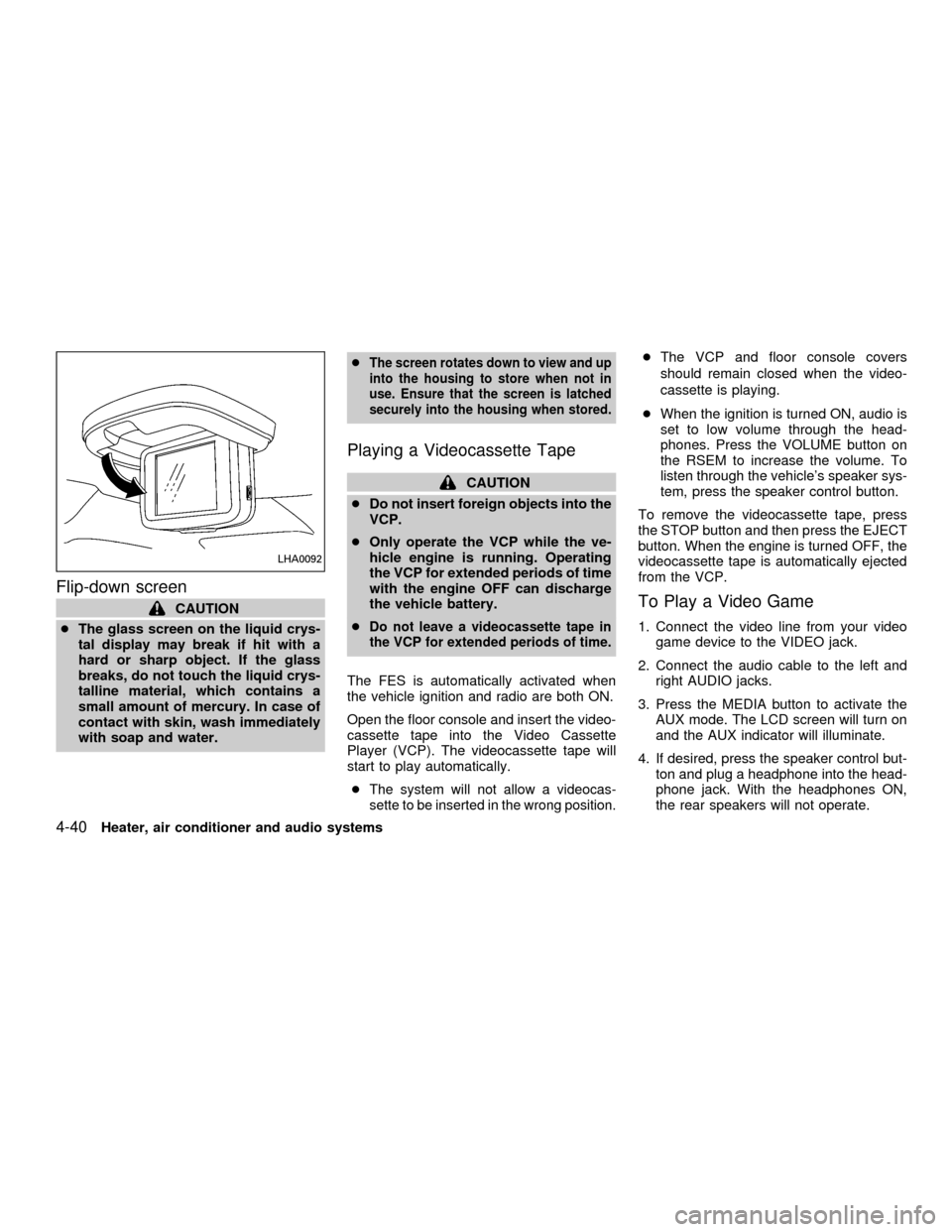
Flip-down screen
CAUTION
cThe glass screen on the liquid crys-
tal display may break if hit with a
hard or sharp object. If the glass
breaks, do not touch the liquid crys-
talline material, which contains a
small amount of mercury. In case of
contact with skin, wash immediately
with soap and water.c
The screen rotates down to view and up
into the housing to store when not in
use. Ensure that the screen is latched
securely into the housing when stored.
Playing a Videocassette Tape
CAUTION
cDo not insert foreign objects into the
VCP.
cOnly operate the VCP while the ve-
hicle engine is running. Operating
the VCP for extended periods of time
with the engine OFF can discharge
the vehicle battery.
c
Do not leave a videocassette tape in
the VCP for extended periods of time.
The FES is automatically activated when
the vehicle ignition and radio are both ON.
Open the floor console and insert the video-
cassette tape into the Video Cassette
Player (VCP). The videocassette tape will
start to play automatically.
c
The system will not allow a videocas-
sette to be inserted in the wrong position.
cThe VCP and floor console covers
should remain closed when the video-
cassette is playing.
cWhen the ignition is turned ON, audio is
set to low volume through the head-
phones. Press the VOLUME button on
the RSEM to increase the volume. To
listen through the vehicle's speaker sys-
tem, press the speaker control button.
To remove the videocassette tape, press
the STOP button and then press the EJECT
button. When the engine is turned OFF, the
videocassette tape is automatically ejected
from the VCP.
To Play a Video Game
1. Connect the video line from your video
game device to the VIDEO jack.
2. Connect the audio cable to the left and
right AUDIO jacks.
3. Press the MEDIA button to activate the
AUX mode. The LCD screen will turn on
and the AUX indicator will illuminate.
4. If desired, press the speaker control but-
ton and plug a headphone into the head-
phone jack. With the headphones ON,
the rear speakers will not operate.
LHA0092
4-40Heater, air conditioner and audio systems
ZX
Page 184 of 304
Removing and installing VCP
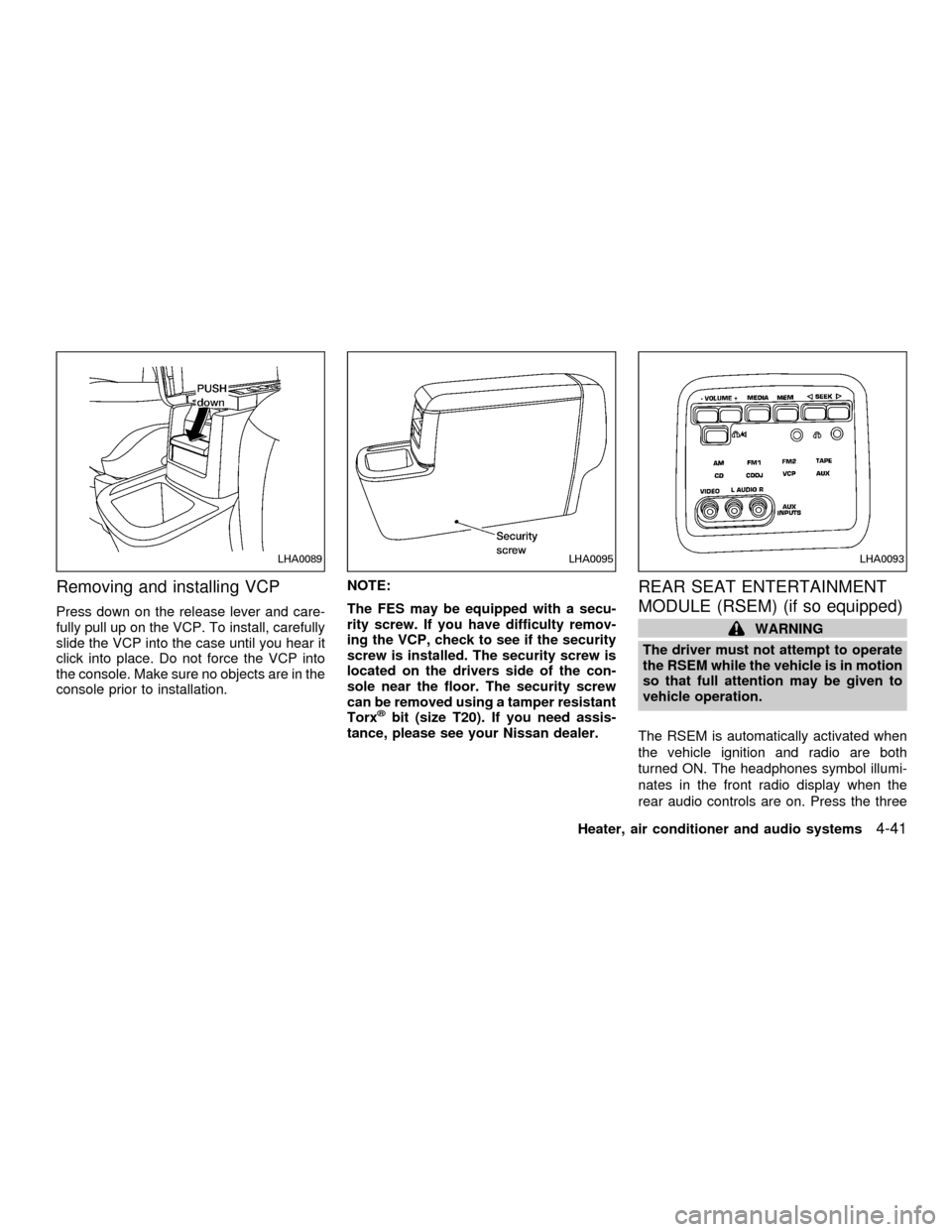
Press down on the release lever and care-
fully pull up on the VCP. To install, carefully
slide the VCP into the case until you hear it
click into place. Do not force the VCP into
the console. Make sure no objects are in the
console prior to installation.NOTE:
The FES may be equipped with a secu-
rity screw. If you have difficulty remov-
ing the VCP, check to see if the security
screw is installed. The security screw is
located on the drivers side of the con-
sole near the floor. The security screw
can be removed using a tamper resistant
Torx
žbit (size T20). If you need assis-
tance, please see your Nissan dealer.
REAR SEAT ENTERTAINMENT
MODULE (RSEM) (if so equipped)
WARNING
The driver must not attempt to operate
the RSEM while the vehicle is in motion
so that full attention may be given to
vehicle operation.
The RSEM is automatically activated when
the vehicle ignition and radio are both
turned ON. The headphones symbol illumi-
nates in the front radio display when the
rear audio controls are on. Press the three
LHA0089LHA0095LHA0093
Heater, air conditioner and audio systems4-41
ZX
Page 188 of 304

SPECIFICATIONS
VCP General Specifications
cFormat VHS standard
cSignal System Standard NTSC 3.58
cRecording System Rotary Double Azimuth
Four Head Helical Scanning
cVideo Heads DA-4 Rotary Heads
cAudio Heads Lineary: 1/HiFi : 2 Rotary
cControl Head 1 Stationary
cErase 1 Full Track; 1 Audio
cLoading Central Loading
cSensors Dew, Heat
cPower Consumption 12W
cPower requirement DC 12V
cDimensions (WxHxD) 265 x 94 x 260 (mm)
cWeight 2.7 kg
VCP
cS/N Ratio More Than 70dB A-wt for Hi-
Fi, 1kHz
More Than 60dB A-wt for Lin-
ear, 1kHz
cFrequency Response 063dB, 20Hz ~ 20 kHz
Video Monitor Specifications
cDisplay type Color TFT active matrix LCD
cScreen size 6.49(Actual panel size)
cPixels 320X234
cScreen resolution 224,640 dots
cPower source voltage DC 11-15V
cPower consumption 0.8 Max. (0.8A or less)
cOperation temperature 30ÉF - 113ÉF
NOTE:This equipment has been tested and found to
comply with the limits for a Class B digital device, pursuant
to Part 15 of the FCC Rules.
NOTE:This equipment may experience radio frequency
interference from cellular phone, two-way and CB radio.
Heater, air conditioner and audio systems
4-45
ZX