ESP NISSAN QUEST 2017 RE52 / 4.G User Guide
[x] Cancel search | Manufacturer: NISSAN, Model Year: 2017, Model line: QUEST, Model: NISSAN QUEST 2017 RE52 / 4.GPages: 520, PDF Size: 2.5 MB
Page 211 of 520
4-22Monitor, heater, air conditioner, audio, phone and voice recognition systems
hour or per minute.
Daylight Saving Time:
Turn this item to ON for daylight saving time
application.
Time Zone:
Choose the time zone from the following
Models with navigation system
.Pacific
. Mountain
. Central
. Eastern
. Atlantic
. Newfoundland
. Hawaii
. Alaska
Models without navigation system
. Eniwetok, Kwajalein
. Midway Island, Samoa
. Hawaii
. Alaska
. Pacific
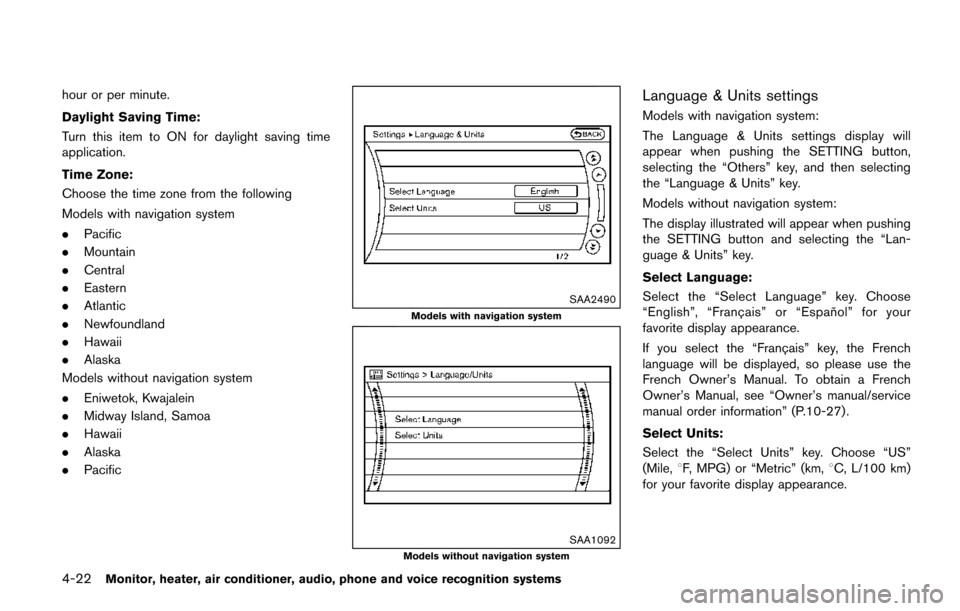
SAA2490
Models with navigation system
SAA1092Models without navigation system
Language & Units settings
Models with navigation system:
The Language & Units settings display will
appear when pushing the SETTING button,
selecting the “Others” key, and then selecting
the “Language & Units” key.
Models without navigation system:
The display illustrated will appear when pushing
the SETTING button and selecting the “Lan-
guage & Units” key.
Select Language:
Select the “Select Language” key. Choose
“English”, “Franc¸ ais” or “Espan ˜
ol” for your
favorite display appearance.
If you select the “Franc¸ ais” key, the French
language will be displayed, so please use the
French Owner’s Manual. To obtain a French
Owner’s Manual, see “Owner’s manual/service
manual order information” (P.10-27) .
Select Units:
Select the “Select Units” key. Choose “US”
(Mile, 8F, MPG) or “Metric” (km, 8C, L/100 km)
for your favorite display appearance.
Page 221 of 520
4-32Monitor, heater, air conditioner, audio, phone and voice recognition systems
JVH1278X
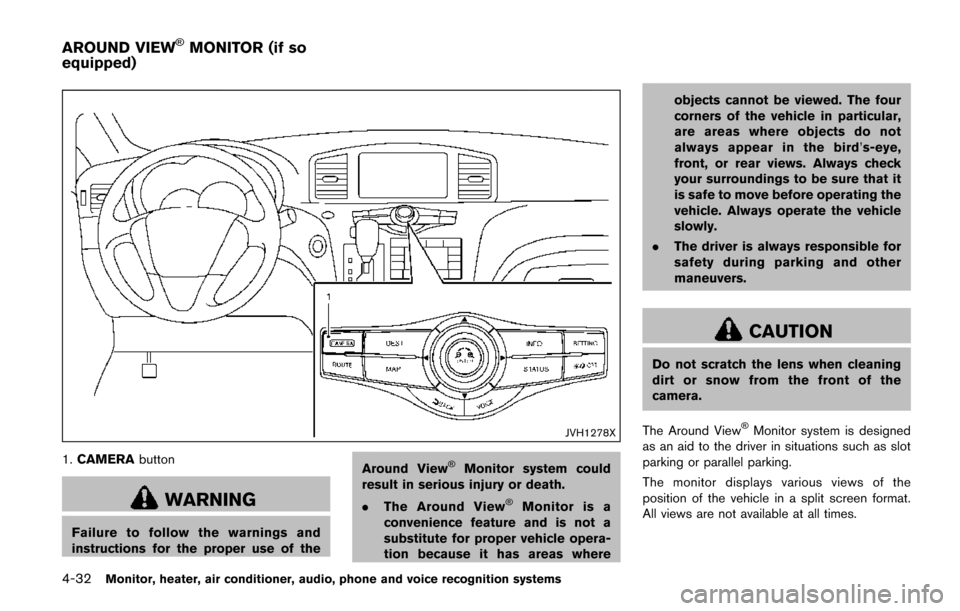
1.CAMERA button
WARNING
Failure to follow the warnings and
instructions for the proper use of the Around View
ŠMonitor system could
result in serious injury or death.
. The Around View
ŠMonitor is a
convenience feature and is not a
substitute for proper vehicle opera-
tion because it has areas where objects cannot be viewed. The four
corners of the vehicle in particular,
are areas where objects do not
always appear in the bird’
s-eye,
front, or rear views. Always check
your surroundings to be sure that it
is safe to move before operating the
vehicle. Always operate the vehicle
slowly.
. The driver is always responsible for
safety during parking and other
maneuvers.
CAUTION
Do not scratch the lens when cleaning
dirt or snow from the front of the
camera.
The Around View
ŠMonitor system is designed
as an aid to the driver in situations such as slot
parking or parallel parking.
The monitor displays various views of the
position of the vehicle in a split screen format.
All views are not available at all times.
AROUND VIEWŠMONITOR (if so
equipped)
Page 251 of 520
4-62Monitor, heater, air conditioner, audio, phone and voice recognition systems
Static and flutter: During signal interference from
buildings, large hills or due to antenna position,
usually in conjunction with increased distance
from the station transmitter, static or flutter can
be heard. This can be reduced by lowering the
treble setting to reduce the treble response.
Multipath reception: Because of the reflective
characteristics of FM signals, direct and re-
flected signals reach the receiver at the same
time. The signals may cancel each other,
resulting in momentary flutter or loss of sound.
AM radio reception:
AM signals, because of their low frequency, can
bend around objects and skip along the ground.
In addition, the signals can be bounced off the
ionosphere and bent back to earth. Because of
these characteristics. AM signals are also
subject to interference as they travel from
transmitter to receiver.
Fading: Occurs while the vehicle is passing
through freeway underpasses or in areas with
many tall buildings. It can also occur for several
seconds during ionospheric turbulence even in
areas where no obstacles exist.
Static: Caused by thunderstorms, electrical
power lines, electric signs and even traffic lights.Satellite radio reception (if so equipped):
When the satellite radio is used for the first time
or the battery has been replaced, the satellite
radio may not work properly. This is not a
malfunction. Wait more than 10 minutes with the
satellite radio ON and the vehicle outside of any
metal or large building for the satellite radio to
receive all of the necessary data.
The satellite radio mode requires an active
SiriusXM Satellite Radio subscription. The sa-
tellite radio is not available in Alaska, Hawaii and
Guam.
The satellite radio performance may be affected
if cargo carried on the roof blocks the satellite
radio signal.
If possible, do not put cargo near the satellite
antenna.
A build up of ice on the satellite radio antenna
can affect satellite radio performance. Remove
the ice to restore satellite radio reception.
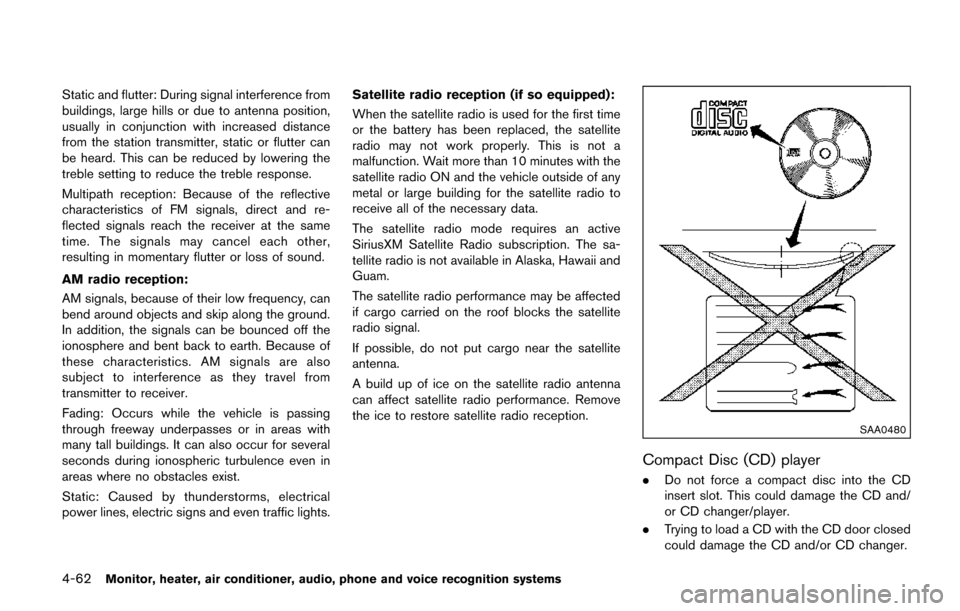
SAA0480
Compact Disc (CD) player
.
Do not force a compact disc into the CD
insert slot. This could damage the CD and/
or CD changer/player.
. Trying to load a CD with the CD door closed
could damage the CD and/or CD changer.
Page 254 of 520
.DTS and DTS 2.0 “” are registered
trademarks of DTS, Inc.
Parental level (parental control):
DVDs with the parental control setting can be
played with this system. Please use your own
judgement to set the parental control with the
system.
Disc selection:
The following disc formats can be played with
the DVD drive.
. DVD-VIDEO
. VIDEO-CD
. CD-DA (Conventional Compact Disc)
. DTS-CD (models with navigation system)
USB (Universal Serial Bus) Connection
Port (if so equipped)
WARNING
Do not connect, disconnect or operate
the USB device while driving. Doing so
can be a distraction. If distracted you
could lose control of your vehicle and
cause an accident or serious injury.
CAUTION
.Do not force the USB device into the
USB port. Inserting the USB device
tilted or up-side-down into the port
may damage the port. Make sure
that the USB device is connected
correctly into the USB port.
. Do not grab the USB port cover (if
so equipped) when pulling the USB
device out of the port. This could
damage the port and the cover.
. Do not leave the USB cable in a
place where it can be pulled unin-
tentionally. Pulling the cable may
damage the port.
The vehicle is not equipped with a USB device.
USB devices should be purchased separately
as necessary.
This system cannot be used to format USB
devices. To format a USB device, use a personal
computer.
In some states/area, the USB device for the
front seats plays only sound without images for
regulatory reasons, even when the vehicle is
parked.
This system supports various USB memory devices, USB hard drives and iPod
Šplayers.
Some USB devices may not be supported by
this system.
. Partitioned USB devices may not be played
correctly.
. Some characters used in other languages
(Chinese, Japanese, etc.) are not displayed
properly on display. Using English language
characters with a USB device is recom-
mended.
General notes for USB use:
Refer to your device manufacturer’s owner
information regarding the proper use and care
of the device.
Notes for iPod
Šuse:
“Made for iPodŠ”, “Made for iPhoneŠ”, and
“Made for iPadŠ” mean that an electronic
accessory has been designed to connect
specifically to iPod
Š, iPhoneŠ, or iPadŠ, respec-
tively, and has been certified by the developer to
meet Apple performance standards.
Apple is not responsible for the operation of this
device or its compliance with safety and
regulatory standards.
Please note that the use of this accessory with
iPod
Š, iPhoneŠ, or iPadŠmay affect wireless
performance.
iPad
Š, iPhoneŠ,iPodŠ, iPod classicŠ,iPod
Monitor, heater, air conditioner, audio, phone and voice recognition systems4-65
Page 255 of 520
4-66Monitor, heater, air conditioner, audio, phone and voice recognition systems
nanoŠ, iPod shuffleŠ, and iPod touchŠare
trademarks of Apple Inc., registered in the U.S.
and other countries. Lightning is a trademark of
Apple Inc.
. Improperly plugging in the iPod
Šmay cause
a checkmark to be displayed on and off
(flickering) . Always make sure that the iPod
Š
is connected properly.
. An iPod nanoŠ(1st Generation) may remain
in fast forward or rewind mode if it is
connected during a seek operation. In this
case, please manually reset the iPod
Š.
. An iPod nanoŠ(2nd Generation) will con-
tinue to fast-forward or rewind if it is
disconnected during a seek operation.
. An incorrect song title may appear when the
Play Mode is changed while using an iPod
nano
Š(2nd Generation)
. Audiobooks may not play in the same order
as they appear on an iPod
Š.
. Large video files cause slow responses in an
iPod
Š. The vehicle center display may
momentarily black out, but will soon recover.
. If an iPod
Šautomatically selects large video
files while in the shuffle mode, the vehicle
center display may momentarily black out,
but will soon recover.
Compressed Audio Files (MP3/WMA/
AAC)
Explanation of terms:
. MP3 — MP3 is short for Moving Pictures
Experts Group Audio Layer 3. MP3 is the
most well known compressed digital audio
file format. This format allows for near “CD
quality” sound, but at a fraction of the size of
normal audio files. MP3 conversion of an
audio track can reduce the file size by
approximately a 10:1 ratio (Sampling: 44.1
kHz, Bit rate: 128 kbps) with virtually no
perceptible loss in quality. The compression
reduces certain parts of sound that seem
inaudible to most people.
. WMA — Windows Media Audio (WMA) is a
compressed audio format created by Micro-
soft as an alternative to MP3. The WMA
codec offers greater file compression than
the MP3 codec, enabling storage of more
digital audio tracks in the same amount of
space when compared to MP3s at the same
level of quality.
. AAC/M4A (if so equipped) — Advanced
Audio Coding (AAC) is a lossy audio
compression format. Audio files that have
been encoded with AAC are generally
smaller in size and deliver a higher quality
of sound than MP3. .
Bit rate — Bit rate denotes the number of
bits per second used by a digital music file.
The size and quality of a compressed digital
audio file is determined by the bit rate used
when encoding the file.
. Sampling frequency — Sampling frequency
is the rate at which the samples of a signal
are converted from analog to digital (A/D
conversion) per second.
. Multisession — Multisession is one of the
methods for writing data to media. Writing
data once to the media is called a single
session, and writing more than once is
called a multisession.
. ID3/WMA Tag — The ID3/WMA tag is the
part of the encoded MP3 or WMA file that
contains information about the digital music
file such as song title, artist, album title,
encoding bit rate, track time duration, etc.
ID3 tag information is displayed on the
Album/Artist/Track title line on the display.
* Windows
Šand Windows MediaŠare regis-
tered trademarks or trademarks of Microsoft
Corporation in the United States of America
and/or other countries.
This product is protected by certain intellectual
property rights of Microsoft Corporation and
third parties. Use or distribution of such
technology outside of this product is prohibited
Page 272 of 520
JVH1032X
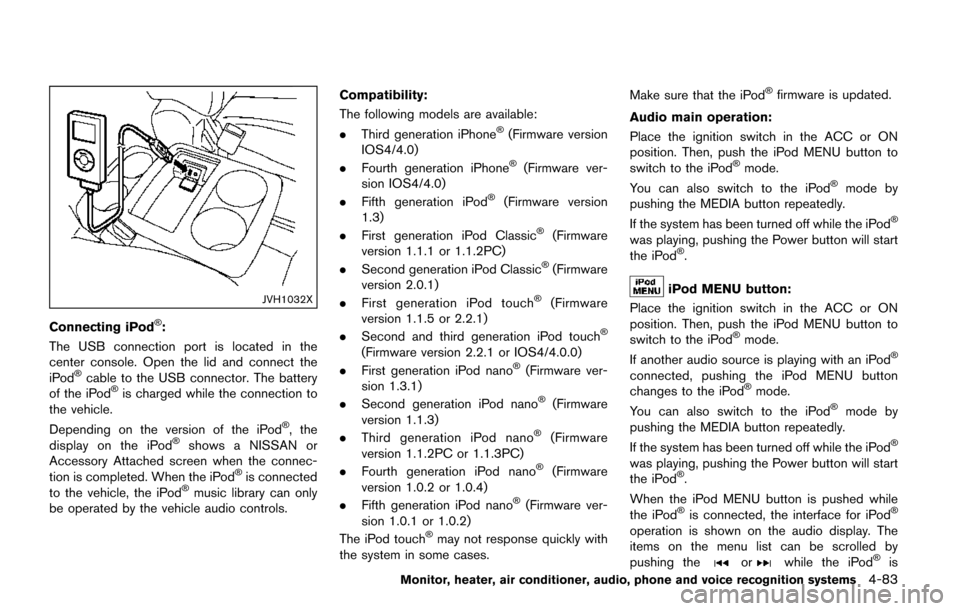
Connecting iPodŠ:
The USB connection port is located in the
center console. Open the lid and connect the
iPod
Šcable to the USB connector. The battery
of the iPodŠis charged while the connection to
the vehicle.
Depending on the version of the iPod
Š, the
display on the iPodŠshows a NISSAN or
Accessory Attached screen when the connec-
tion is completed. When the iPod
Šis connected
to the vehicle, the iPodŠmusic library can only
be operated by the vehicle audio controls. Compatibility:
The following models are available:
.
Third generation iPhone
Š(Firmware version
IOS4/4.0)
. Fourth generation iPhone
Š(Firmware ver-
sion IOS4/4.0)
. Fifth generation iPod
Š(Firmware version
1.3)
. First generation iPod Classic
Š(Firmware
version 1.1.1 or 1.1.2PC)
. Second generation iPod Classic
Š(Firmware
version 2.0.1)
. First generation iPod touch
Š(Firmware
version 1.1.5 or 2.2.1)
. Second and third generation iPod touch
Š
(Firmware version 2.2.1 or IOS4/4.0.0)
. First generation iPod nanoŠ(Firmware ver-
sion 1.3.1)
. Second generation iPod nano
Š(Firmware
version 1.1.3)
. Third generation iPod nano
Š(Firmware
version 1.1.2PC or 1.1.3PC)
. Fourth generation iPod nano
Š(Firmware
version 1.0.2 or 1.0.4)
. Fifth generation iPod nano
Š(Firmware ver-
sion 1.0.1 or 1.0.2)
The iPod touch
Šmay not response quickly with
the system in some cases. Make sure that the iPod
Šfirmware is updated.
Audio main operation:
Place the ignition switch in the ACC or ON
position. Then, push the iPod MENU button to
switch to the iPod
Šmode.
You can also switch to the iPodŠmode by
pushing the MEDIA button repeatedly.
If the system has been turned off while the iPod
Š
was playing, pushing the Power button will start
the iPodŠ.
iPod MENU button:
Place the ignition switch in the ACC or ON
position. Then, push the iPod MENU button to
switch to the iPod
Šmode.
If another audio source is playing with an iPodŠ
connected, pushing the iPod MENU button
changes to the iPodŠmode.
You can also switch to the iPodŠmode by
pushing the MEDIA button repeatedly.
If the system has been turned off while the iPod
Š
was playing, pushing the Power button will start
the iPodŠ.
When the iPod MENU button is pushed while
the iPod
Šis connected, the interface for iPodŠ
operation is shown on the audio display. The
items on the menu list can be scrolled by
pushing the
orwhile the iPodŠis
Monitor, heater, air conditioner, audio, phone and voice recognition systems4-83
Page 304 of 520
SAA0978
Remote controller
SAA3611Headphones
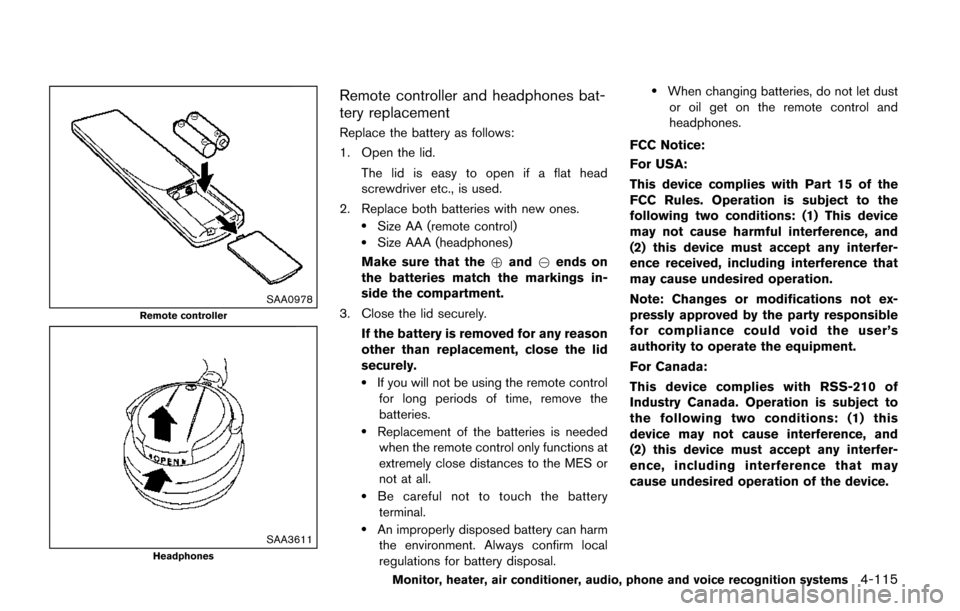
Remote controller and headphones bat-
tery replacement
Replace the battery as follows:
1. Open the lid.The lid is easy to open if a flat head
screwdriver etc., is used.
2. Replace both batteries with new ones.
.Size AA (remote control).Size AAA (headphones)
Make sure that the +and 7ends on
the batteries match the markings in-
side the compartment.
3. Close the lid securely.
If the battery is removed for any reason
other than replacement, close the lid
securely.
.If you will not be using the remote controlfor long periods of time, remove the
batteries.
.Replacement of the batteries is neededwhen the remote control only functions at
extremely close distances to the MES or
not at all.
.Be careful not to touch the batteryterminal.
.An improperly disposed battery can harm the environment. Always confirm local
regulations for battery disposal.
.When changing batteries, do not let dustor oil get on the remote control and
headphones.
FCC Notice:
For USA:
This device complies with Part 15 of the
FCC Rules. Operation is subject to the
following two conditions: (1) This device
may not cause harmful interference, and
(2) this device must accept any interfer-
ence received, including interference that
may cause undesired operation.
Note: Changes or modifications not ex-
pressly approved by the party responsible
for compliance could void the user’s
authority to operate the equipment.
For Canada:
This device complies with RSS-210 of
Industry Canada. Operation is subject to
the following two conditions: (1) this
device may not cause interference, and
(2) this device must accept any interfer-
ence, including interference that may
cause undesired operation of the device.
Monitor, heater, air conditioner, audio, phone and voice recognition systems4-115
Page 308 of 520
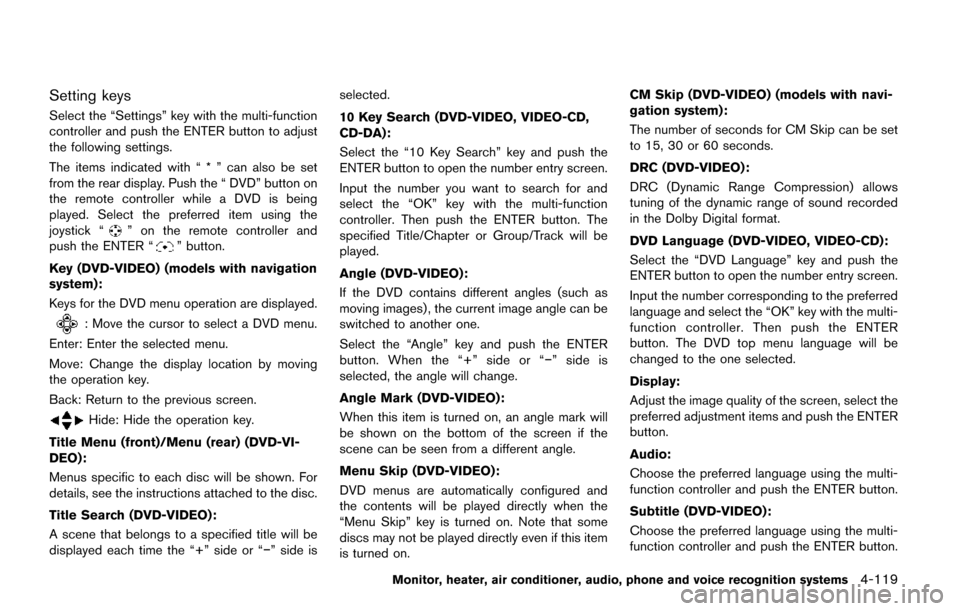
Setting keys
Select the “Settings” key with the multi-function
controller and push the ENTER button to adjust
the following settings.
The items indicated with “ * ” can also be set
from the rear display. Push the “ DVD” button on
the remote controller while a DVD is being
played. Select the preferred item using the
joystick “
” on the remote controller and
push the ENTER “” button.
Key (DVD-VIDEO) (models with navigation
system):
Keys for the DVD menu operation are displayed.
: Move the cursor to select a DVD menu.
Enter: Enter the selected menu.
Move: Change the display location by moving
the operation key.
Back: Return to the previous screen.
Hide: Hide the operation key.
Title Menu (front)/Menu (rear) (DVD-VI-
DEO):
Menus specific to each disc will be shown. For
details, see the instructions attached to the disc.
Title Search (DVD-VIDEO):
A scene that belongs to a specified title will be
displayed each time the “+” side or “í” side is selected.
10 Key Search (DVD-VIDEO, VIDEO-CD,
CD-DA):
Select the “10 Key Search” key and push the
ENTER button to open the number entry screen.
Input the number you want to search for and
select the “OK” key with the multi-function
controller. Then push the ENTER button. The
specified Title/Chapter or Group/Track will be
played.
Angle (DVD-VIDEO):
If the DVD contains different angles (such as
moving images) , the current image angle can be
switched to another one.
Select the “Angle” key and push the ENTER
button. When the “+” side or “í
” side is
selected, the angle will change.
Angle Mark (DVD-VIDEO):
When this item is turned on, an angle mark will
be shown on the bottom of the screen if the
scene can be seen from a different angle.
Menu Skip (DVD-VIDEO):
DVD menus are automatically configured and
the contents will be played directly when the
“Menu Skip” key is turned on. Note that some
discs may not be played directly even if this item
is turned on. CM Skip (DVD-VIDEO) (models with navi-
gation system) :
The number of seconds for CM Skip can be set
to 15, 30 or 60 seconds.
DRC (DVD-VIDEO) :
DRC (Dynamic Range Compression) allows
tuning of the dynamic range of sound recorded
in the Dolby Digital format.
DVD Language (DVD-VIDEO, VIDEO-CD):
Select the “DVD Language” key and push the
ENTER button to open the number entry screen.
Input the number corresponding to the preferred
language and select the “OK” key with the multi-
function controller. Then push the ENTER
button. The DVD top menu language will be
changed to the one selected.
Display:
Adjust the image quality of the screen, select the
preferred adjustment items and push the ENTER
button.
Audio:
Choose the preferred language using the multi-
function controller and push the ENTER button.
Subtitle (DVD-VIDEO) :
Choose the preferred language using the multi-
function controller and push the ENTER button.
Monitor, heater, air conditioner, audio, phone and voice recognition systems4-119
Page 314 of 520
SAA2520
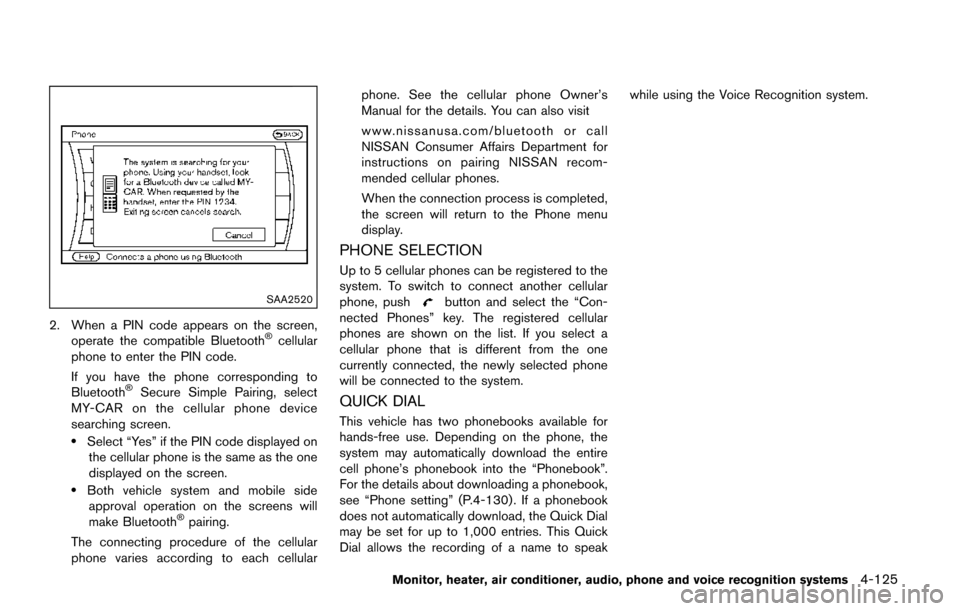
2. When a PIN code appears on the screen,operate the compatible BluetoothŠcellular
phone to enter the PIN code.
If you have the phone corresponding to
Bluetooth
ŠSecure Simple Pairing, select
MY-CAR on the cellular phone device
searching screen.
.Select “Yes” if the PIN code displayed on the cellular phone is the same as the one
displayed on the screen.
.Both vehicle system and mobile sideapproval operation on the screens will
make Bluetooth
Špairing.
The connecting procedure of the cellular
phone varies according to each cellular phone. See the cellular phone Owner’s
Manual for the details. You can also visit
www.nissanusa.com/bluetooth or call
NISSAN Consumer Affairs Department for
instructions on pairing NISSAN recom-
mended cellular phones.
When the connection process is completed,
the screen will return to the Phone menu
display.
PHONE SELECTION
Up to 5 cellular phones can be registered to the
system. To switch to connect another cellular
phone, push
button and select the “Con-
nected Phones” key. The registered cellular
phones are shown on the list. If you select a
cellular phone that is different from the one
currently connected, the newly selected phone
will be connected to the system.
QUICK DIAL
This vehicle has two phonebooks available for
hands-free use. Depending on the phone, the
system may automatically download the entire
cell phone’s phonebook into the “Phonebook”.
For the details about downloading a phonebook,
see “Phone setting” (P.4-130) . If a phonebook
does not automatically download, the Quick Dial
may be set for up to 1,000 entries. This Quick
Dial allows the recording of a name to speak while using the Voice Recognition system.
Monitor, heater, air conditioner, audio, phone and voice recognition systems4-125
Page 321 of 520
4-132Monitor, heater, air conditioner, audio, phone and voice recognition systems
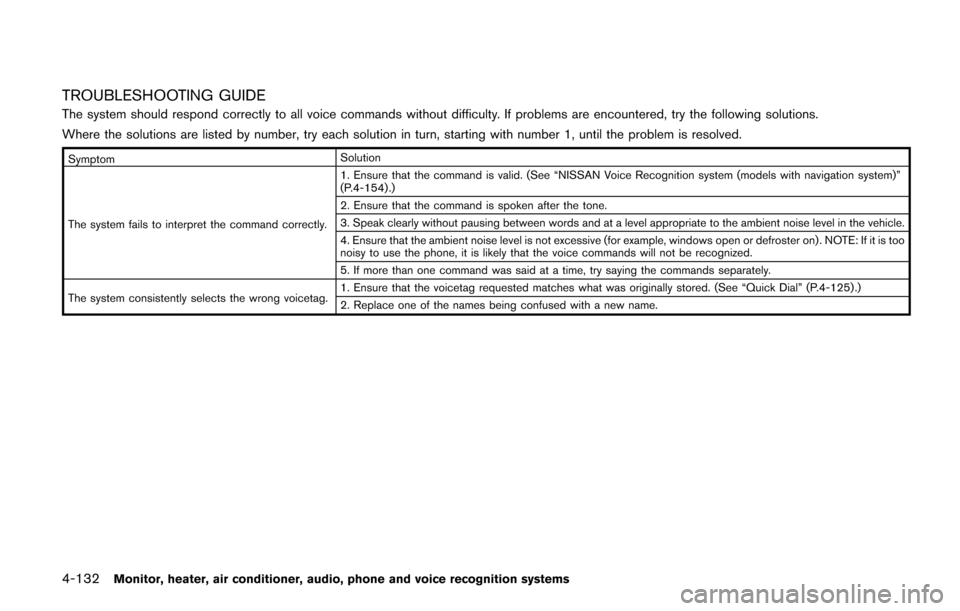
TROUBLESHOOTING GUIDE
The system should respond correctly to all voice commands without difficulty. If problems are encountered, try the following solutions.
Where the solutions are listed by number, try each solution in turn, starting with number 1, until the problem is resolved.
SymptomSolution
The system fails to interpret the command correctly. 1. Ensure that the command is valid. (See “NISSAN Voice Recognition system (models with navigation system)”
(P.4-154) .)
2. Ensure that the command is spoken after the tone.
3. Speak clearly without pausing between words and at a level appropriate to the ambient noise level in the vehicle.
4. Ensure that the ambient noise level is not excessive (for example, windows open or defroster on) . NOTE: If it is too
noisy to use the phone, it is likely that the voice commands will not be recognized.
5. If more than one command was said at a time, try saying the commands separately.
The system consistently selects the wrong voicetag. 1. Ensure that the voicetag requested matches what was originally stored. (See “Quick Dial” (P.4-125) .)
2. Replace one of the names being confused with a new name.