buttons NISSAN ROGUE 2008 1.G User Guide
[x] Cancel search | Manufacturer: NISSAN, Model Year: 2008, Model line: ROGUE, Model: NISSAN ROGUE 2008 1.GPages: 309, PDF Size: 4.38 MB
Page 157 of 309
Black plate (159,1)
Model "S35-D" EDITED: 2007/ 12/ 19
between storage banks.
2. Tune to the desired station using the SEEK,
SCAN or TUNE button.
3. Push and hold any of the desired station
preset buttons (1-6) until a beep sound is
heard. (The radio mutes when the select
button is pushed.)
4. The station indicator will then come on and
the sound will resume. Memorizing is now
complete.
5. Other buttons can be set in the same
manner.
If the battery cable is disconnected, or if the fuse
opens, the radio memory will be erased. In that
case, reset the desired stations.
Compact Disc (CD) player operationTurn the ignition switch to the ACC or ON
position and insert the compact disc into the slot
with the label side facing up. The compact disc
will be guided automatically into the slot and
start playing.
After loading the disc, the number of tracks on
the disc will appear on the display.
If the radio is already operating, it will auto-
matically turn off and the compact disc will play.
If the system has been turned off while thecompact disc was playing, pushing the
ON·OFF/VOL control knob will start the com-
pact disc.
Do not use 3.1 in (8 cm) discs.
CD PLAY:
When the CD (CD play) button is pushed with
the system off and the compact disc loaded, the
system will turn on and the compact disc will
start to play.
When the CD button is pushed with the
compact disc loaded but the radio playing, the
radio will automatically be turned off and the
compact disc will start to play.CD PLAY INFORMATION:
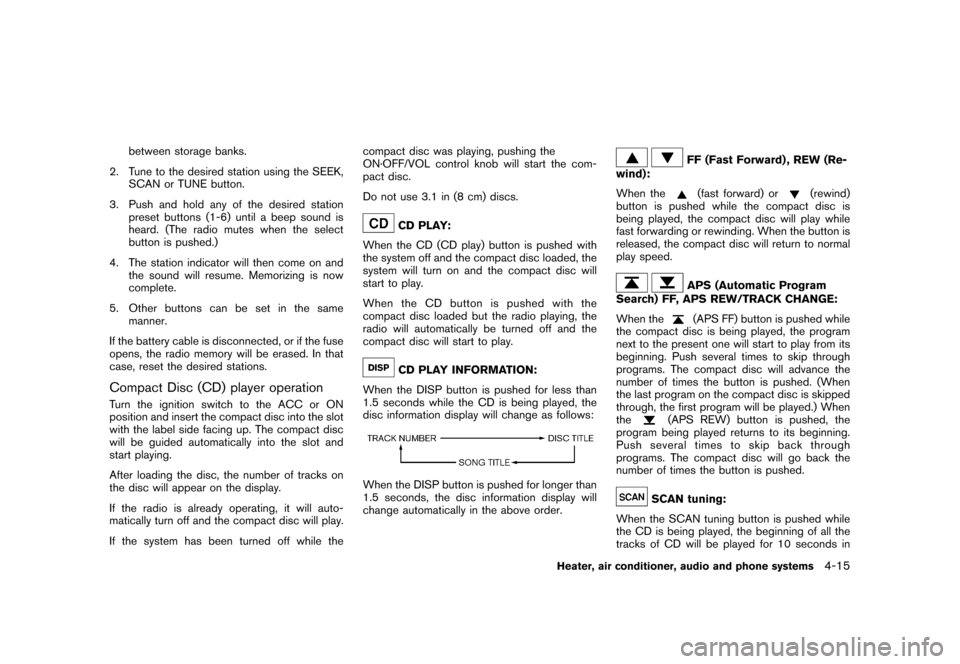
When the DISP button is pushed for less than
1.5 seconds while the CD is being played, the
disc information display will change as follows:
When the DISP button is pushed for longer than
1.5 seconds, the disc information display will
change automatically in the above order.
FF (Fast Forward) , REW (Re-
wind):
When the(fast forward) or
(rewind)
button is pushed while the compact disc is
being played, the compact disc will play while
fast forwarding or rewinding. When the button is
released, the compact disc will return to normal
play speed.
APS (Automatic Program
Search) FF, APS REW/TRACK CHANGE:
When the(APS FF) button is pushed while
the compact disc is being played, the program
next to the present one will start to play from its
beginning. Push several times to skip through
programs. The compact disc will advance the
number of times the button is pushed. (When
the last program on the compact disc is skipped
through, the first program will be played.) When
the
(APS REW) button is pushed, the
program being played returns to its beginning.
Push several times to skip back through
programs. The compact disc will go back the
number of times the button is pushed.
SCAN tuning:
When the SCAN tuning button is pushed while
the CD is being played, the beginning of all the
tracks of CD will be played for 10 seconds in
Heater, air conditioner, audio and phone systems
4-15
Page 159 of 309
Black plate (161,1)
Model "S35-D" EDITED: 2007/ 12/ 19
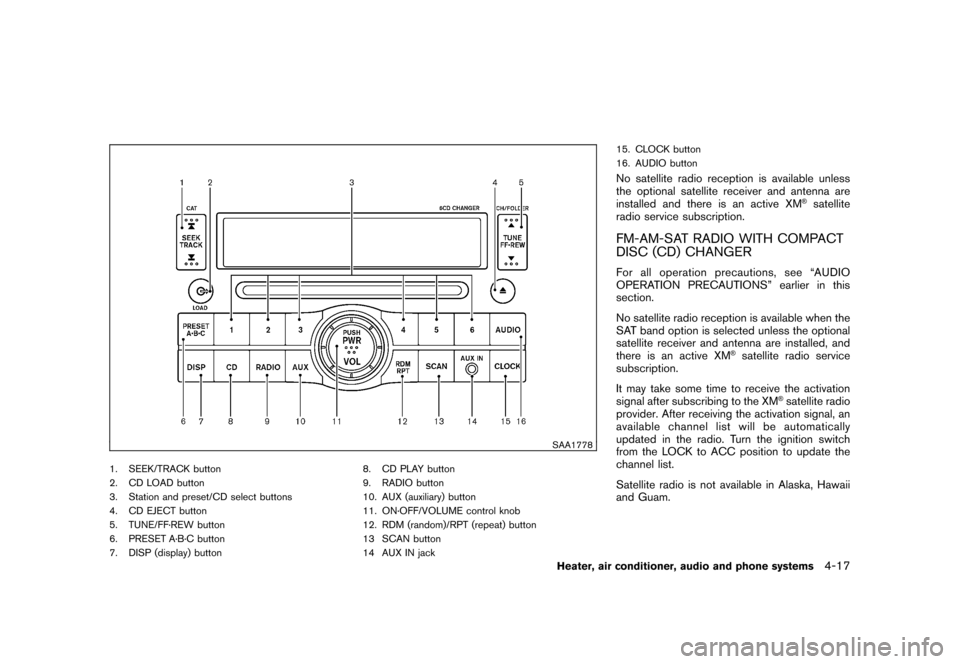
SAA1778
1. SEEK/TRACK button
2. CD LOAD button
3. Station and preset/CD select buttons
4. CD EJECT button
5. TUNE/FF·REW button
6. PRESET A·B·C button
7. DISP (display) button8. CD PLAY button
9. RADIO button
10. AUX (auxiliary) button
11. ON·OFF/VOLUME control knob
12. RDM (random)/RPT (repeat) button
13 SCAN button
14 AUX IN jack15. CLOCK button
16. AUDIO button
No satellite radio reception is available unless
the optional satellite receiver and antenna are
installed and there is an active XM
®satellite
radio service subscription.
FM-AM-SAT RADIO WITH COMPACT
DISC (CD) CHANGERFor all operation precautions, see “AUDIO
OPERATION PRECAUTIONS” earlier in this
section.
No satellite radio reception is available when the
SAT band option is selected unless the optional
satellite receiver and antenna are installed, and
there is an active XM
®satellite radio service
subscription.
It may take some time to receive the activation
signal after subscribing to the XM
®satellite radio
provider. After receiving the activation signal, an
available channel list will be automatically
updated in the radio. Turn the ignition switch
from the LOCK to ACC position to update the
channel list.
Satellite radio is not available in Alaska, Hawaii
and Guam.
Heater, air conditioner, audio and phone systems
4-17
Page 160 of 309
Black plate (162,1)
Model "S35-D" EDITED: 2007/ 12/ 19
Audio main operationHead unit:
The radio has an FM diversity reception system,
which employs two antennas printed on the rear
window. This system automatically switches to
the antenna which is receiving less interference.
The auto loudness circuit enhances the low and
high frequency ranges automatically in both
radio reception and CD playback.
ON·OFF/Volume control:
Turn the ignition switch to the ACC or ON
position, and then push the ON·OFF/VOLUME
control knob while the system is off to call up the
mode (radio, CD or AUX) which was playing
immediately before the system was turned off.
While the system is on, pushing the ON·OFF/
VOLUME control knob turns the system off.
Turn the ON·OFF/VOLUME control knob to
adjust the volume.
AUDIO button:
Push the AUDIO button to change the selecting
mode as follows.
BASS?TREBLE?FADER?BALANCE?
SSV?BEEP?off
Push the TUNE (
,
) or SEEK (
,
) button to adjust Bass and Treble to the
desired level. Use the TUNE or SEEK button
also to adjust Fader or Balance modes. Fader
adjusts the sound level between the front and
rear speakers and Balance adjusts the sound
between the right and left speakers.
To turn the beep sound off or on, push the TUNE
button until the desired mode is displayed. This
turns on or off the beep sound when audio
buttons are pushed.
To change the Speed Sensitive Volume (SSV)
mode to OFF, LOW, MID or HIGH, push the
TUNE button until the desired mode is dis-
played.
Once you have adjusted the sound quality to the
desired level, push the AUDIO button repeatedly
until the radio or CD display reappears. Other-
wise, the radio or CD display will automatically
reappear after about 10 seconds.CLOCK button:
Push the CLOCK button to turn on or off the
CLOCK display.
See “CLOCK” in the “2. Instruments and
controls” section for the detailed clock adjust-
ment operation.
DISPLAY CHANGE:
This button will work during FM or satellite radio
(if so equipped) and CD operation. Find the
detailed function in the description of each item.
Radio operation
RADIO (FM/AM/SAT) band select:
Pushing the RADIO button will change the band
as follows:
(Without satellite radio)
AM?FM?AM
(With satellite radio)
AM?FM?SAT (XM)?AM
When the RADIO button is pushed while the
ignition switch is in the ACC or ON position, the
radio will come on at the station last played.
The last station/channel played will also come
on when the ON·OFF/VOL control knob is
pushed to ON.
The satellite radio mode will be skipped unless
an optional satellite receiver and antenna are
installed and an XM
®satellite radio service
subscription is active. Satellite radio is not
available in Alaska, Hawaii and Guam.
If a compact disc is playing when the RADIO
4-18
Heater, air conditioner, audio and phone systems
Page 161 of 309
Black plate (163,1)
Model "S35-D" EDITED: 2007/ 12/ 19
button is pushed, the compact disc will auto-
matically be turned off and the last radio station
played will turn on.
The FM stereo indicator ST will glow during FM
stereo reception. When the stereo broadcast
signal is weak, the radio will automatically
change from stereo to monaural reception.
TUNE (Tuning):
Push the TUNE button
or
for manual
tuning. To move quickly through the channels,
push and hold the TUNE button.
SEEK tuning:
.For AM and FM radio
Push the SEEK button
or
to tune
from low to high or high to low frequencies
and to stop at the next broadcasting station.
.For satellite radio
Push the SEEK button
or
to tune
to the first channel of the next or previous
category.
SCAN tuning:
Push the SCAN button to tune from low to high
frequencies and stops at each broadcasting
station for 5 seconds. Pushing the button againduring this 5 seconds period will stop SCAN
tuning and the radio will remain tuned to that
station.
If the SCAN tuning button is not pushed within 5
seconds, SCAN tuning moves to the next
station.
PRESET select:
Push the PRESET A·B·C button to go to the next
PRESET. After choosing from the PRESET A, B
or C, you can select the desired channel by
pushing the station preset buttons
to
.
to
Station memory operations:
18 stations/channels can be set for PRESET A,
B and C. The PRESET A, B and C function
allows you to store a combination of FM, AM and
SAT (if so equipped) stations for easy access.
1. Push the PRESET A·B·C button to change
between storage banks.
2. Tune to the desired station using the SEEK,
SCAN or TUNE button.
3. Push and hold any of the desired station
preset buttons (1-6) until a beep sound is
heard. (The radio mutes when the select
button is pushed.)
4. The channel indicator will then come on and
the sound will resume. Memorizing is nowcomplete.
5. Other buttons can be set in the same
manner.
If the battery cable is disconnected, or if the fuse
opens, the radio memory will be erased. In that
case, reset the desired stations.
Radio Data System (RDS):
RDS stands for Radio Data System, and is a
data information service transmitted by some
radio stations on the FM band (not AM band)
and/or SAT encoded within a regular radio
broadcast. Currently, most RDS stations are in
large cities, but many stations are now con-
sidering broadcasting RDS data.
RDS can display:
.Station call sign, such as “WHFR 98.3”.
.Station name, such as “The Groove”.
.Music or programming type such as “Clas-
sical”, “Country” or “Rock”.
.Traffic reports about delays or construction.
If the station broadcasts RDS information, the
RDS icon is displayed.
RADIO DISPLAY CHANGE:
When the DISP button is pushed for less than
Heater, air conditioner, audio and phone systems
4-19
Page 163 of 309
Black plate (165,1)
Model "S35-D" EDITED: 2007/ 12/ 19
is being played, the compact disc will play while
forwarding or rewinding. When the button is
released, the compact disc will return to the
normal play speed.
APS (Automatic Program
Search) FF, APS REW:
When the(APS FF) button is pushed while
the compact disc is being played, the program
next to the present one will start to play from its
beginning. Push several times to skip through
programs. The compact disc will advance the
number of times the button is pushed. (When
the last program on the compact disc is skipped
through, the first program will be played.) When
the
(APS REW) button is pushed, the
program being played returns to its beginning.
Push several times to skip back through
programs. The compact disc will go back the
number of times the button is pushed.
SCAN tuning:
When the SCAN tuning button is pushed for
less than 1.5 seconds while the CD is being
played, the beginning of all the tracks of CDs will
be played for 10 seconds in sequence.
When the SCAN tuning button is pushed for
more than 1.5 seconds while the CD is being
played, the first program in all the CDs will be
played for 10 seconds.Pushing the button again during this 10 second
period will stop SCAN tuning.
If the SCAN tuning button is not pushed within
10 seconds, SCAN tuning moves to the next
disc program.
CD PLAY selection:
To change to another CD already loaded into the
player, push the CD play select buttons
to
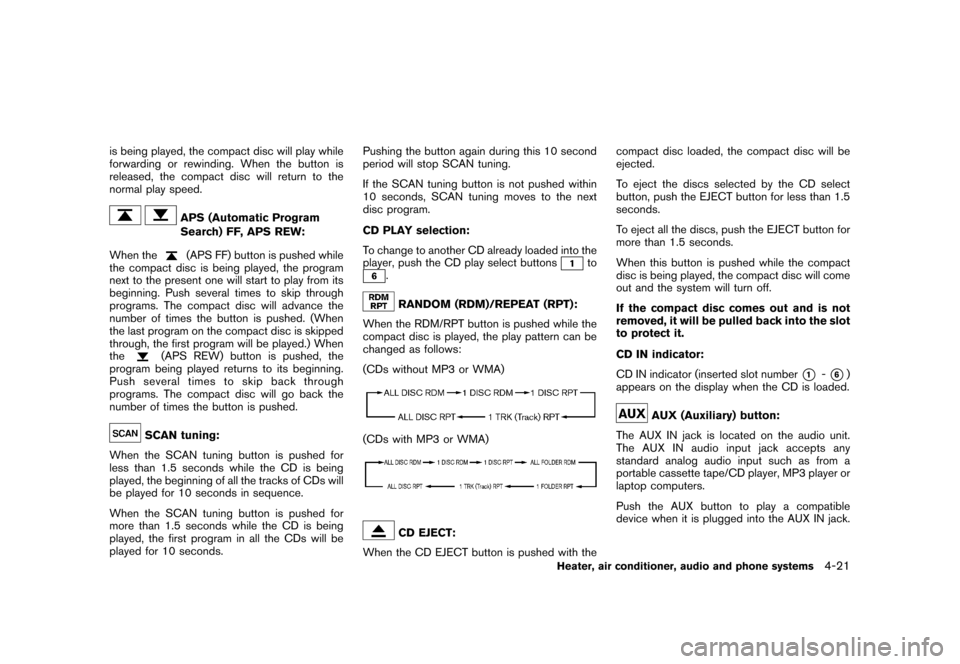
.RANDOM (RDM)/REPEAT (RPT):
When the RDM/RPT button is pushed while the
compact disc is played, the play pattern can be
changed as follows:
(CDs without MP3 or WMA)
(CDs with MP3 or WMA)
CD EJECT:
When the CD EJECT button is pushed with thecompact disc loaded, the compact disc will be
ejected.
To eject the discs selected by the CD select
button, push the EJECT button for less than 1.5
seconds.
To eject all the discs, push the EJECT button for
more than 1.5 seconds.
When this button is pushed while the compact
disc is being played, the compact disc will come
out and the system will turn off.
If the compact disc comes out and is not
removed, it will be pulled back into the slot
to protect it.
CD IN indicator:
CD IN indicator (inserted slot number
*1
-*6)
appears on the display when the CD is loaded.
AUX (Auxiliary) button:
The AUX IN jack is located on the audio unit.
The AUX IN audio input jack accepts any
standard analog audio input such as from a
portable cassette tape/CD player, MP3 player or
laptop computers.
Push the AUX button to play a compatible
device when it is plugged into the AUX IN jack.
Heater, air conditioner, audio and phone systems
4-21
Page 170 of 309
Black plate (172,1)
Model "S35-D" EDITED: 2007/ 12/ 19
“Cancel” or “Quit.” The system announces
“Cancel” and ends the voice recognition
(VR) session. You can also push thebutton on the steering wheel at any time.
Whenever the VR session is canceled, a
double beep sounds to indicate you have
exited the system.
.If you want to adjust the volume of the voice
feedback, push the volume control switches
(+ or) on the steering wheel while being
provided with feedback. You can also use
the radio volume control knob.
How to say numbers:
NISSAN Voice Recognition requires a certain
way to speak numbers in voice commands.
Refer to the following rules and examples:
.Either “zero” or “oh” can be used for “0”.
Example: 1-800-662-6200
—“One eight oh oh six six two six two oh
oh”, or
—“One eight zero zero six six two six two oh
oh”
.Words can be used for the first 4 digits
places only.
Example: 1-800-662-6200
—“One eight hundred six six two six two ohoh”,
—NOT “One eight hundred six six two sixty
two hundred, and
—NOT “One eight oh oh six six two sixty two
hundred.
.Numbers can be spoken in small groups.
The system will prompt you to continuing
entering digits, if desired.
Example: 1-800-662-6200
—“One eight oh oh”
The system repeats the numbers and
prompts you to enter more.
—“six six two”
The system repeats the numbers and
prompts you to enter more.
—“six two oh oh”
.You can say “Star” for * and “Pound” for # at
anytime in any position of the phone number.
Example: 1-555-1212 *123
—“One five five five one two one two star
one two three”
NOTE:
For best results, say phone numbers as
single digits.
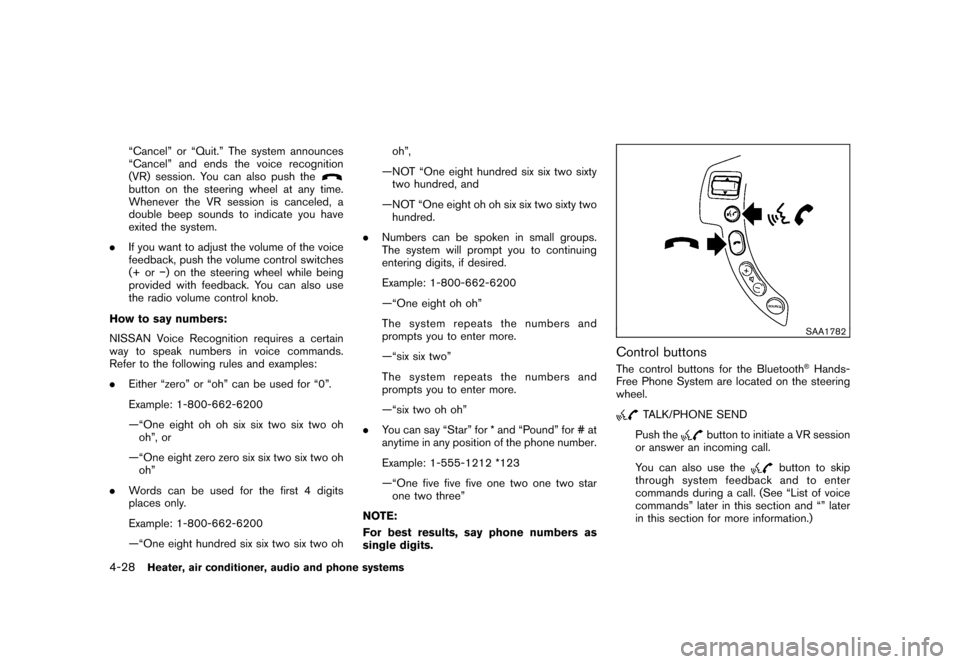
SAA1782
Control buttonsThe control buttons for the Bluetooth
®Hands-
Free Phone System are located on the steering
wheel.
TALK/PHONE SEND
Push the
button to initiate a VR session
or answer an incoming call.
You can also use the
button to skip
through system feedback and to enter
commands during a call. (See “List of voice
commands” later in this section and “” later
in this section for more information.)
4-28
Heater, air conditioner, audio and phone systems
Page 252 of 309
Black plate (259,1)
Model "S35-D" EDITED: 2007/ 12/ 19
CAUTION
Be careful not to allow children to
swallow the battery and removed parts.
SDI2134
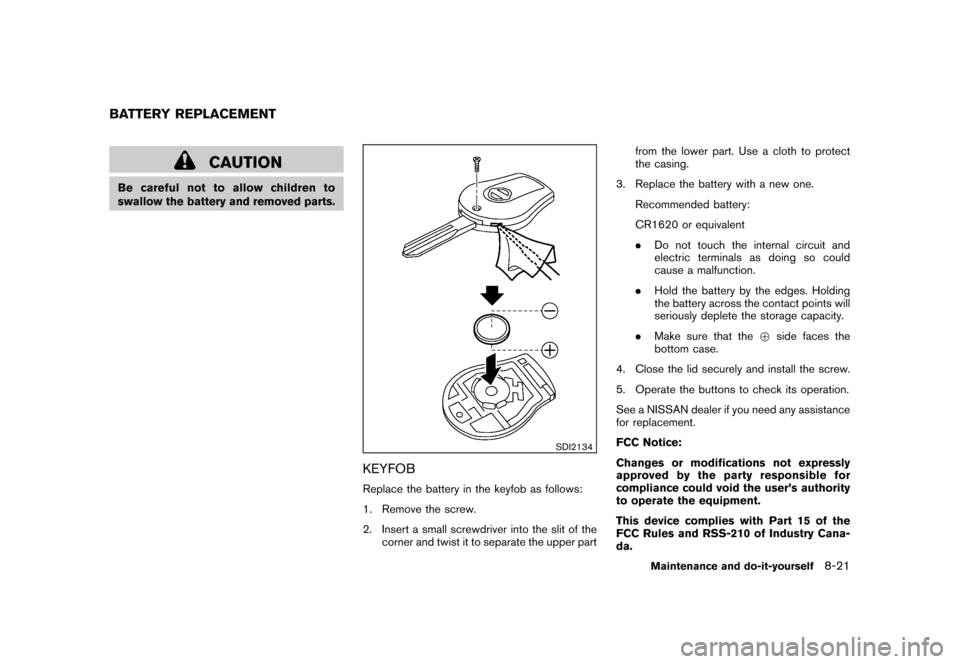
KEYFOBReplace the battery in the keyfob as follows:
1. Remove the screw.
2. Insert a small screwdriver into the slit of the
corner and twist it to separate the upper partfrom the lower part. Use a cloth to protect
the casing.
3. Replace the battery with a new one.
Recommended battery:
CR1620 or equivalent
.Do not touch the internal circuit and
electric terminals as doing so could
cause a malfunction.
.Hold the battery by the edges. Holding
the battery across the contact points will
seriously deplete the storage capacity.
.Make sure that the+side faces the
bottom case.
4. Close the lid securely and install the screw.
5. Operate the buttons to check its operation.
See a NISSAN dealer if you need any assistance
for replacement.
FCC Notice:
Changes or modifications not expressly
approved by the party responsible for
compliance could void the user’s authority
to operate the equipment.
This device complies with Part 15 of the
FCC Rules and RSS-210 of Industry Cana-
da.
BATTERY REPLACEMENT
Maintenance and do-it-yourself
8-21
Page 254 of 309
Black plate (261,1)
Model "S35-D" EDITED: 2007/ 12/ 19
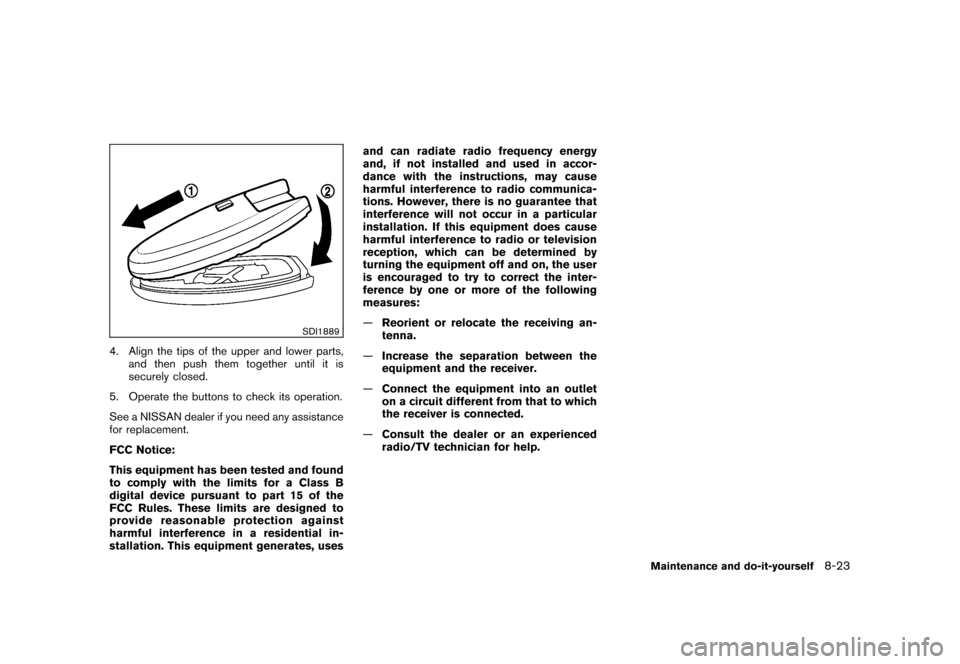
SDI1889
4. Align the tips of the upper and lower parts,
and then push them together until it is
securely closed.
5. Operate the buttons to check its operation.
See a NISSAN dealer if you need any assistance
for replacement.
FCC Notice:
This equipment has been tested and found
to comply with the limits for a Class B
digital device pursuant to part 15 of the
FCC Rules. These limits are designed to
provide reasonable protection against
harmful interference in a residential in-
stallation. This equipment generates, usesand can radiate radio frequency energy
and, if not installed and used in accor-
dance with the instructions, may cause
harmful interference to radio communica-
tions. However, there is no guarantee that
interference will not occur in a particular
installation. If this equipment does cause
harmful interference to radio or television
reception, which can be determined by
turning the equipment off and on, the user
is encouraged to try to correct the inter-
ference by one or more of the following
measures:
—Reorient or relocate the receiving an-
tenna.
—Increase the separation between the
equipment and the receiver.
—Connect the equipment into an outlet
on a circuit different from that to which
the receiver is connected.
—Consult the dealer or an experienced
radio/TV technician for help.
Maintenance and do-it-yourself
8-23