Door lock NISSAN ROGUE 2008 1.G Owner's Manual
[x] Cancel search | Manufacturer: NISSAN, Model Year: 2008, Model line: ROGUE, Model: NISSAN ROGUE 2008 1.GPages: 309, PDF Size: 4.38 MB
Page 127 of 309
Black plate (129,1)
Model "S35-D" EDITED: 2007/ 12/ 19
.Do not pull the door handle before pushing
the door handle request switch. The door
will be unlocked but will not open. Release
the door handle once and pull it again to
open the door.
SPA2408
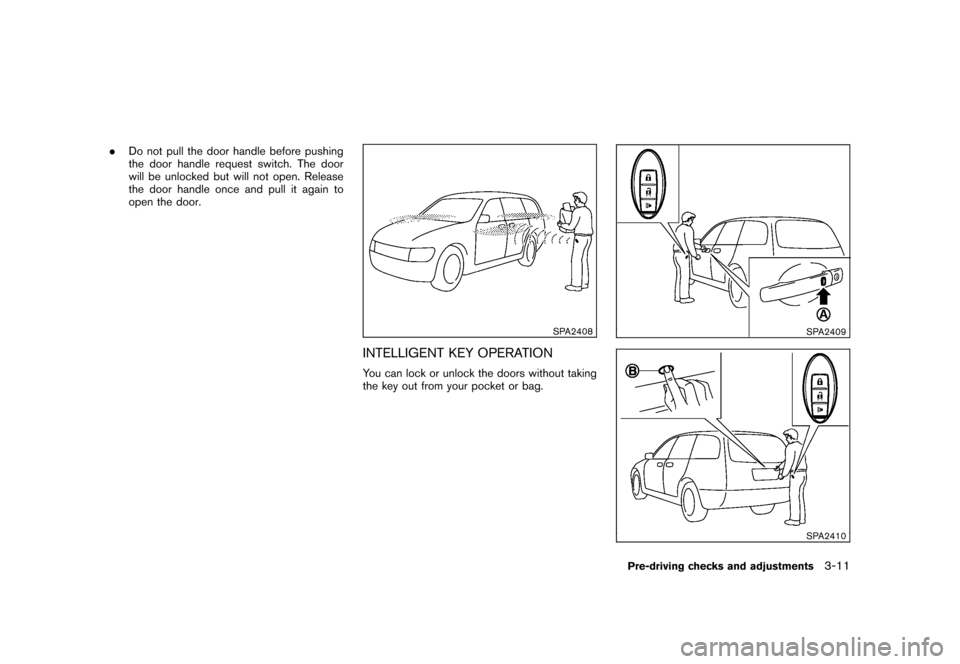
INTELLIGENT KEY OPERATIONYou can lock or unlock the doors without taking
the key out from your pocket or bag.
SPA2409SPA2410
Pre-driving checks and adjustments
3-11
Page 128 of 309
Black plate (130,1)
Model "S35-D" EDITED: 2007/ 12/ 19
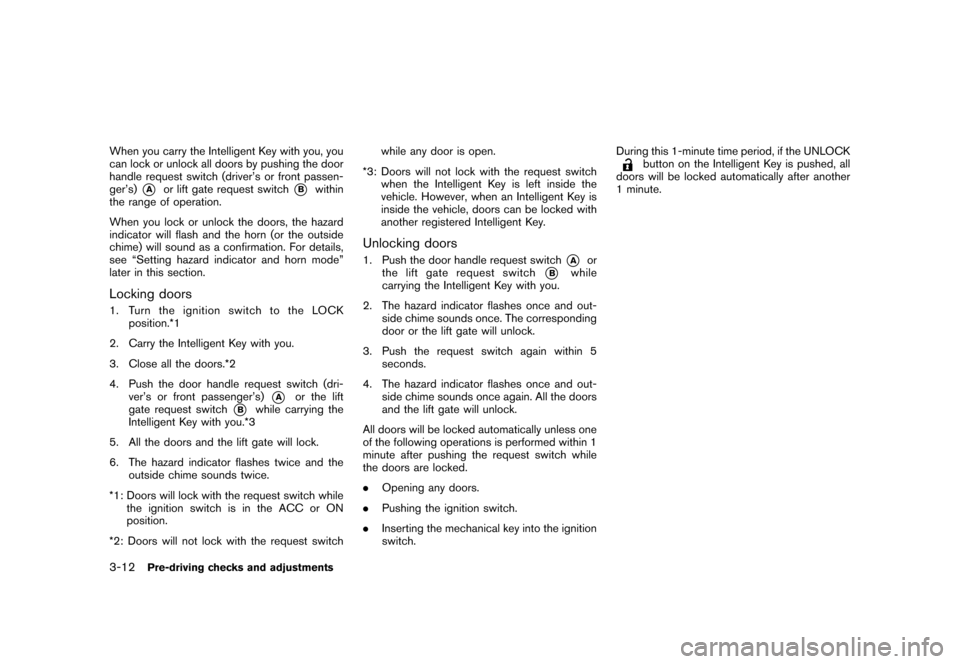
When you carry the Intelligent Key with you, you
can lock or unlock all doors by pushing the door
handle request switch (driver’s or front passen-
ger’s)
*A
or lift gate request switch
*B
within
the range of operation.
When you lock or unlock the doors, the hazard
indicator will flash and the horn (or the outside
chime) will sound as a confirmation. For details,
see “Setting hazard indicator and horn mode”
later in this section.
Locking doors1. TurntheignitionswitchtotheLOCK
position.*1
2. Carry the Intelligent Key with you.
3. Close all the doors.*2
4. Push the door handle request switch (dri-
ver’s or front passenger’s)
*A
or the lift
gate request switch
*B
while carrying the
Intelligent Key with you.*3
5. All the doors and the lift gate will lock.
6. The hazard indicator flashes twice and the
outside chime sounds twice.
*1: Doors will lock with the request switch while
the ignition switch is in the ACC or ON
position.
*2: Doors will not lock with the request switchwhile any door is open.
*3: Doors will not lock with the request switch
when the Intelligent Key is left inside the
vehicle. However, when an Intelligent Key is
inside the vehicle, doors can be locked with
another registered Intelligent Key.
Unlocking doors1. Push the door handle request switch
*A
or
the lift gate request switch
*B
while
carrying the Intelligent Key with you.
2. The hazard indicator flashes once and out-
side chime sounds once. The corresponding
door or the lift gate will unlock.
3. Push the request switch again within 5
seconds.
4. The hazard indicator flashes once and out-
side chime sounds once again. All the doors
and the lift gate will unlock.
All doors will be locked automatically unless one
of the following operations is performed within 1
minute after pushing the request switch while
the doors are locked.
.Opening any doors.
.Pushing the ignition switch.
.Inserting the mechanical key into the ignition
switch.During this 1-minute time period, if the UNLOCK
button on the Intelligent Key is pushed, all
doors will be locked automatically after another
1 minute.
3-12
Pre-driving checks and adjustments
Page 130 of 309
Black plate (132,1)
Model "S35-D" EDITED: 2007/ 12/ 19
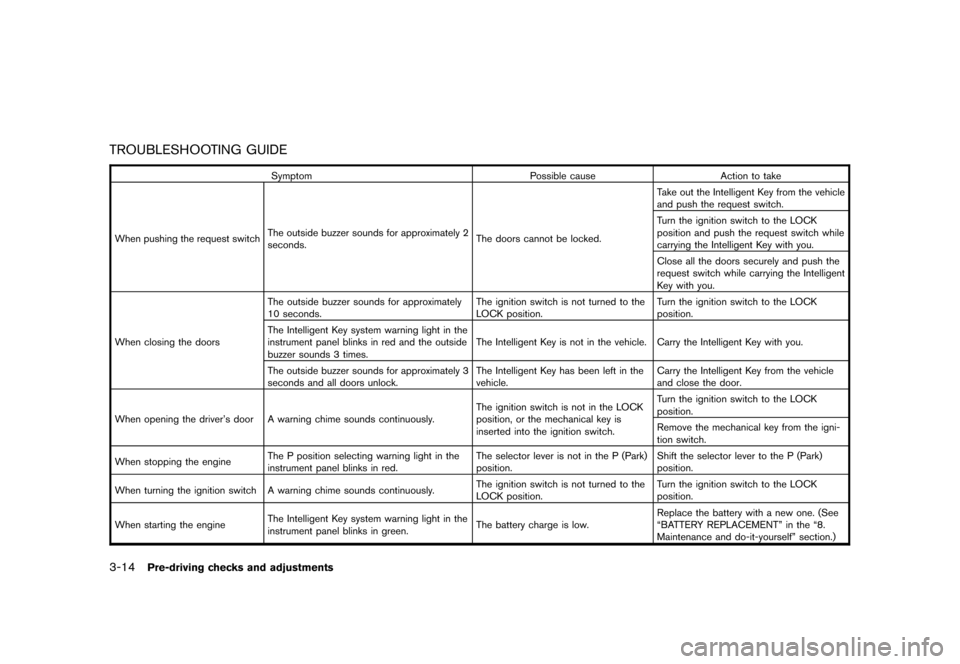
TROUBLESHOOTING GUIDE
Symptom Possible cause Action to take
When pushing the request switchThe outside buzzer sounds for approximately 2
seconds.The doors cannot be locked.Take out the Intelligent Key from the vehicle
and push the request switch.
Turn the ignition switch to the LOCK
position and push the request switch while
carrying the Intelligent Key with you.
Close all the doors securely and push the
request switch while carrying the Intelligent
Key with you.
When closing the doorsThe outside buzzer sounds for approximately
10 seconds.The ignition switch is not turned to the
LOCK position.Turn the ignition switch to the LOCK
position.
The Intelligent Key system warning light in the
instrument panel blinks in red and the outside
buzzer sounds 3 times.The Intelligent Key is not in the vehicle. Carry the Intelligent Key with you.
The outside buzzer sounds for approximately 3
seconds and all doors unlock.The Intelligent Key has been left in the
vehicle.Carry the Intelligent Key from the vehicle
and close the door.
When opening the driver’s door A warning chime sounds continuously.The ignition switch is not in the LOCK
position, or the mechanical key is
inserted into the ignition switch.Turn the ignition switch to the LOCK
position.
Remove the mechanical key from the igni-
tion switch.
When stopping the engineThe P position selecting warning light in the
instrument panel blinks in red.The selector lever is not in the P (Park)
position.Shift the selector lever to the P (Park)
position.
When turning the ignition switch A warning chime sounds continuously.The ignition switch is not turned to the
LOCK position.Turn the ignition switch to the LOCK
position.
When starting the engineThe Intelligent Key system warning light in the
instrument panel blinks in green.The battery charge is low.Replace the battery with a new one. (See
“BATTERY REPLACEMENT” in the “8.
Maintenance and do-it-yourself” section.)
3-14
Pre-driving checks and adjustments
Page 132 of 309
Black plate (134,1)
Model "S35-D" EDITED: 2007/ 12/ 19
HOW TO USE REMOTE KEYLESS
ENTRY FUNCTIONThe remote keyless entry function can operate
all door locks using the remote keyless entry
function of the Intelligent Key. The remote
keyless entry function can operate at a distance
of approximately 33 ft (10 m) from the vehicle.
(The operating distance depends upon the
conditions around the vehicle.)
The remote keyless entry function will not
operate:
.When the Intelligent Key is not within the
operational range.
.When the doors are open or not closed
securely.
.When the Intelligent Key battery is dis-
charged.
The remote keyless entry function can also
operate the vehicle alarm.
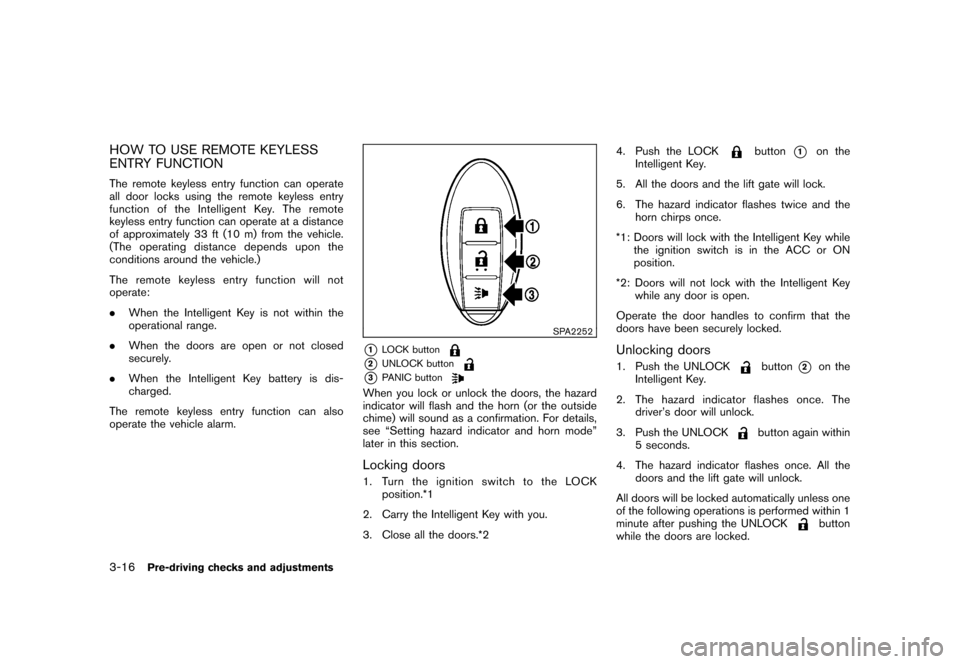
SPA2252
*1
LOCK button
*2
UNLOCK button
*3
PANIC button
When you lock or unlock the doors, the hazard
indicator will flash and the horn (or the outside
chime) will sound as a confirmation. For details,
see “Setting hazard indicator and horn mode”
later in this section.Locking doors1. Turn the ignition switch to the LOCK
position.*1
2. Carry the Intelligent Key with you.
3. Close all the doors.*24. Push the LOCK
button
*1
on the
Intelligent Key.
5. All the doors and the lift gate will lock.
6. The hazard indicator flashes twice and the
horn chirps once.
*1: Doors will lock with the Intelligent Key while
the ignition switch is in the ACC or ON
position.
*2: Doors will not lock with the Intelligent Key
while any door is open.
Operate the door handles to confirm that the
doors have been securely locked.
Unlocking doors1. Push the UNLOCK
button
*2
on the
Intelligent Key.
2. The hazard indicator flashes once. The
driver’s door will unlock.
3. Push the UNLOCK
button again within
5 seconds.
4. The hazard indicator flashes once. All the
doors and the lift gate will unlock.
All doors will be locked automatically unless one
of the following operations is performed within 1
minute after pushing the UNLOCK
button
while the doors are locked.
3-16
Pre-driving checks and adjustments
Page 133 of 309
Black plate (135,1)
Model "S35-D" EDITED: 2007/ 12/ 19
.Opening any doors.
.Pushing the ignition switch.
.Inserting the mechanical key into the ignition
switch.
During this 1-minute time period, if the UNLOCK
button is pushed, all doors will be locked
automatically after another 1 minute.
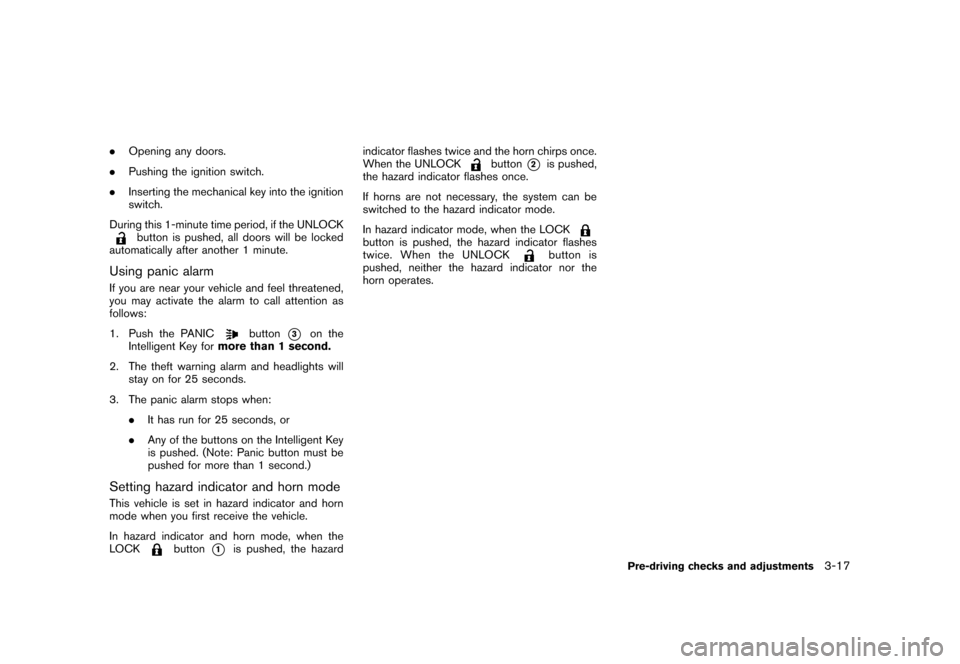
Using panic alarmIf you are near your vehicle and feel threatened,
you may activate the alarm to call attention as
follows:
1. Push the PANIC
button
*3
on the
Intelligent Key formore than 1 second.
2. The theft warning alarm and headlights will
stay on for 25 seconds.
3. The panic alarm stops when:
.It has run for 25 seconds, or
.Any of the buttons on the Intelligent Key
is pushed. (Note: Panic button must be
pushed for more than 1 second.)
Setting hazard indicator and horn modeThis vehicle is set in hazard indicator and horn
mode when you first receive the vehicle.
In hazard indicator and horn mode, when the
LOCK
button
*1
is pushed, the hazardindicator flashes twice and the horn chirps once.
When the UNLOCK
button
*2
is pushed,
the hazard indicator flashes once.
If horns are not necessary, the system can be
switched to the hazard indicator mode.
In hazard indicator mode, when the LOCK
button is pushed, the hazard indicator flashes
twice. When the UNLOCK
button is
pushed, neither the hazard indicator nor the
horn operates.
Pre-driving checks and adjustments
3-17
Page 134 of 309
Black plate (136,1)
Model "S35-D" EDITED: 2007/ 12/ 19
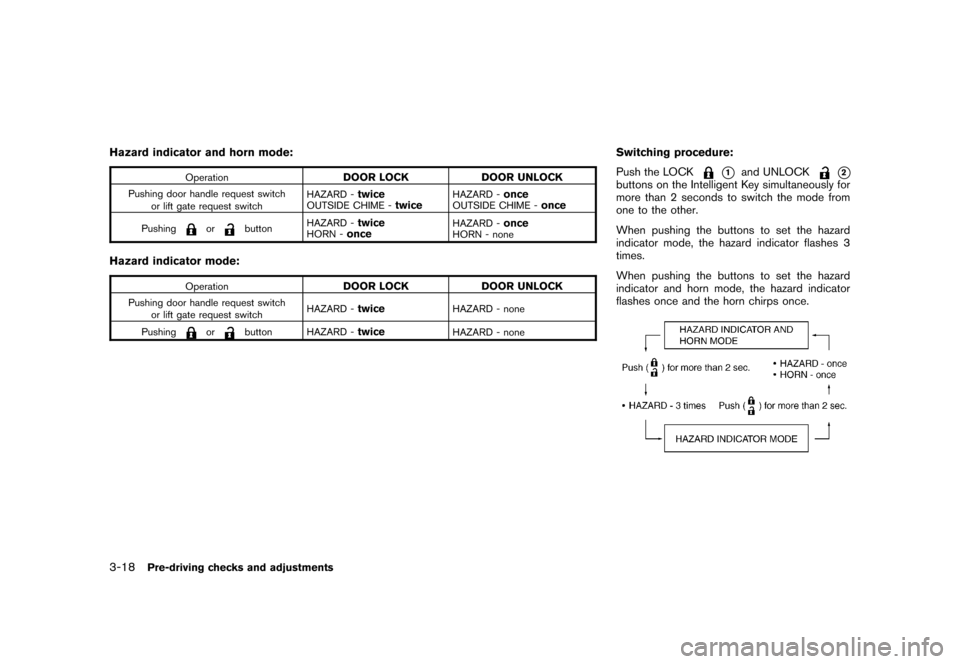
Hazard indicator and horn mode:
Operation
DOOR LOCK DOOR UNLOCK
Pushing door handle request switch
or lift gate request switchHAZARD -
twice
OUTSIDE CHIME -
twice
HAZARD -
once
OUTSIDE CHIME -
once
Pushing
or
buttonHAZARD -
twice
HORN -
once
HAZARD -
once
HORN - none
Hazard indicator mode:
Operation
DOOR LOCK DOOR UNLOCK
Pushing door handle request switch
or lift gate request switchHAZARD -
twice
HAZARD - none
Pushing
or
button HAZARD -
twice
HAZARD - none
Switching procedure:
Push the LOCK
*1
and UNLOCK
*2
buttons on the Intelligent Key simultaneously for
more than 2 seconds to switch the mode from
one to the other.
When pushing the buttons to set the hazard
indicator mode, the hazard indicator flashes 3
times.
When pushing the buttons to set the hazard
indicator and horn mode, the hazard indicator
flashes once and the horn chirps once.
3-18
Pre-driving checks and adjustments
Page 136 of 309
Black plate (138,1)
Model "S35-D" EDITED: 2007/ 12/ 19
WARNING
.Always be sure the lift gate has
been closed securely to prevent it
from opening while driving.
.Do not drive with the lift gate open.
This could allow dangerous exhaust
gases to be drawn into the vehicle.
See “EXHAUST GAS (carbon mon-
oxide)” in the “5. Starting and driv-
ing” section of this manual.
.Make sure that all passengers have
their hands, etc. inside the vehicle
before closing the lift gate.
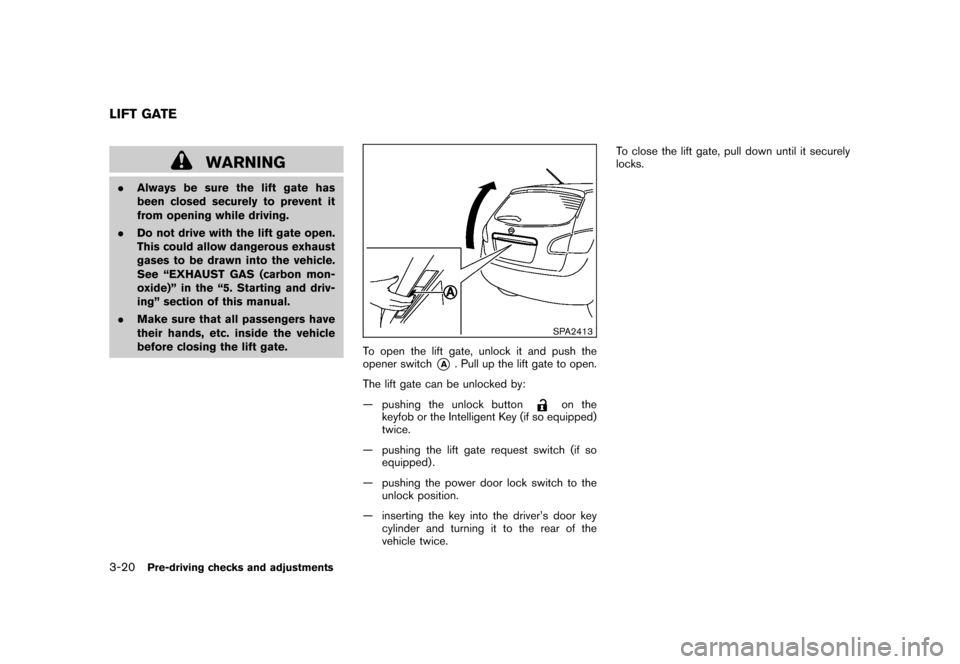
SPA2413
To open the lift gate, unlock it and push the
opener switch
*A
. Pull up the lift gate to open.
The lift gate can be unlocked by:
— pushing the unlock button
on the
keyfob or the Intelligent Key (if so equipped)
twice.
— pushing the lift gate request switch (if so
equipped) .
— pushing the power door lock switch to the
unlock position.
— inserting the key into the driver’s door key
cylinder and turning it to the rear of the
vehicle twice.To close the lift gate, pull down until it securely
locks.
LIFT GATE3-20
Pre-driving checks and adjustments
Page 137 of 309
Black plate (139,1)
Model "S35-D" EDITED: 2007/ 12/ 19
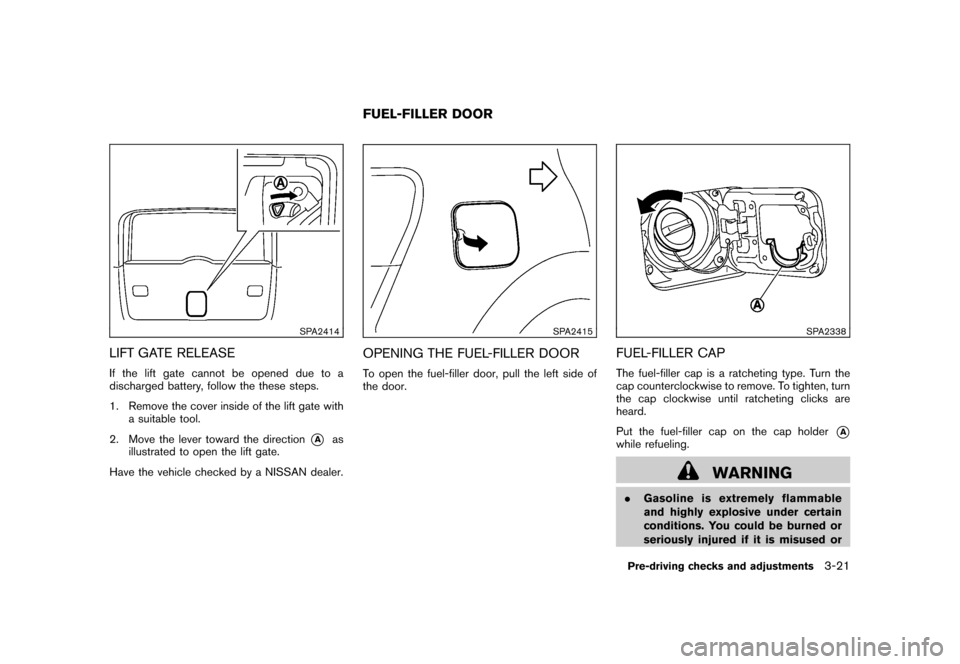
SPA2414
LIFT GATE RELEASEIf the lift gate cannot be opened due to a
discharged battery, follow the these steps.
1. Remove the cover inside of the lift gate with
a suitable tool.
2. Move the lever toward the direction
*A
as
illustrated to open the lift gate.
Have the vehicle checked by a NISSAN dealer.
SPA2415
OPENING THE FUEL-FILLER DOORTo open the fuel-filler door, pull the left side of
the door.
SPA2338
FUEL-FILLER CAPThe fuel-filler cap is a ratcheting type. Turn the
cap counterclockwise to remove. To tighten, turn
the cap clockwise until ratcheting clicks are
heard.
Put the fuel-filler cap on the cap holder
*A
while refueling.
WARNING
.Gasoline is extremely flammable
and highly explosive under certain
conditions. You could be burned or
seriously injured if it is misused or
FUEL-FILLER DOOR
Pre-driving checks and adjustments
3-21
Page 178 of 309
Black plate (180,1)
Model "S35-D" EDITED: 2007/ 12/ 19
tone heard in the vehicle when an incoming call
is received.
The system announces the name of the active
phoneandasksyoutochoosefromthe
following commands:
.“Ringtone” — The system plays a ringtone
and asks if you would like to select that tone.
If you say no, the system plays the next
ringtone available and continues to cycle
through the ringtones until you select one or
quit.
.“Silent” — The system asks you to confirm
your wish to disable the ringtone.
“Bluetooth off”
*G
Use the Bluetooth
®Off command to turn off the
Bluetooth Hands-Free Phone System.
When Bluetooth
®Hands-Free Phone System is
off, you will not be able to make or receive calls
using NISSAN Voice Recognition. Also, you will
not have access to the Phone Book.
You can still use the Memo Pad and access
Setup.
SPEAKER ADAPTATION (SA) MODESpeaker Adaptation allows up to two out-of
dialect users to train the system to improve
recognition accuracy. By repeating a number of
commands, the users can create a voice modelof their own voice that is stored in the system.
The system is capable of storing a different
speaker adaptation model for memory A and
memory B.
If memory A is available, the system will use
memory A to store the model. If memory A is in
use and memory B is available, the system will
use memory B to store the model. If both of the
memory locations are in use, the system will ask
the user to select which memory location should
be overwritten.
Training procedureThe procedure for training a voice is as follows.
1. Position the vehicle in a reasonably quiet
outdoor location.
2. Sit in the driver’s seat with the engine
running, the parking brake applied, and the
transmission in P (Park) position.
3. Push and hold the
button for more than
5 seconds.
4. The system announces: “Press the PHONE
SEND (
) button for the hands-free
phone system to enter the speaker adapta-
tion mode or press the PHONE END (
)
button to select a different language”.
5. Push the
button.
6. Voice memory A or memory B is selectedautomatically. If both memory locations are
already in use, the system will prompt you to
overwrite one. Follow the instructions pro-
vided by the system.
7. When preparation is complete and you are
ready to begin, push the
button.
8. The SA mode will be explained. Follow the
instructions provided by the system.
9. When training is finished, the system will tell
you an adequate number of phrases have
been recorded.
10. The system will ask you to say your name.
Follow the instructions to register your
name.
11. The system will announce that speaker
adaptation has been completed and the
system is ready.
The SA mode will stop if:
.The
button is pushed for more than 5
seconds in SA mode.
.The vehicle is driven during SA mode.
.The ignition switch is turned to the OFF or
LOCK position.
Training phrasesDuring the SA mode, the system instructs you to
say the following phrases. (The system will
4-36
Heater, air conditioner, audio and phone systems
Page 181 of 309
Black plate (16,1)
5 Starting and driving
Model "S35-D" EDITED: 2007/ 12/ 25
Precautions when starting and driving..................... 5-2
Exhaust gas (carbon monoxide) ......................... 5-2
Three-way catalyst .......................................... 5-2
Tire Pressure Monitoring System (TPMS) ............. 5-3
Avoiding collision and rollover ........................... 5-5
On-pavement and off-road driving precautions ...... 5-5
Drinking alcohol/drugs and driving ...................... 5-6
Driving safety precautions ................................ 5-6
Ignition switch ................................................... 5-8
Intelligent Key system (if so equipped) ................ 5-8
Continuously Variable Transmission (CVT) .......... 5-10
Steering lock ............................................... 5-10
Key positions .............................................. 5-10
Before starting the engine .................................. 5-11
Starting the engine ........................................... 5-11
Driving the vehicle ............................................ 5-12
Continuously Variable Transmission (CVT) .......... 5-12
Parking brake .................................................. 5-17
Cruise control ................................................. 5-18
Precautions on cruise control .......................... 5-18
Cruise control operations ............................... 5-19 Break-in schedule
............................................ 5-20
Increasing fuel economy .................................... 5-20
All-Wheel Drive (AWD) (if so equipped) ................ 5-21
All-Wheel Drive (AWD) lock switch operations .... 5-21
AWD warning light ....................................... 5-23
Parking/parking on hills ...................................... 5-24
Electric power steering system ............................ 5-25
Brake system .................................................. 5-25
Braking precautions ...................................... 5-25
Parking brake break-in ................................... 5-26
Anti-lock Braking System (ABS) ...................... 5-26
Vehicle Dynamic Control (VDC) system ................. 5-27
Cold weather driving ......................................... 5-29
Freeing a frozen door lock .............................. 5-29
Anti-freeze .................................................. 5-29
Battery ...................................................... 5-29
Draining of coolant water ............................... 5-29
Tire equipment ............................................ 5-29
Special winter equipment ............................... 5-29
Driving on SNOW or ice ................................ 5-29
Engine block heater (if so equipped) ................. 5-30