instrument panel NISSAN ROGUE 2010 Owner´s Manual
[x] Cancel search | Manufacturer: NISSAN, Model Year: 2010, Model line: ROGUE, Model: NISSAN ROGUE 2010Pages: 328, PDF Size: 2.84 MB
Page 69 of 328
Black plate (65,1)
Model "S35-D" EDITED: 2009/ 9/ 4
After pretensioner activation, load limiters allow
the seat belt to release webbing (if necessary) to
reduce forces against the chest.
If any abnormality occurs in the pretensioner
system, the supplemental air bag warning light
will not come on, will flash intermittently or
will turn on for 7 seconds and remain on after
the ignition switch has been turned to the ON
position. In this case, the pretensioner system
may not function properly. They must be
checked and repaired. Take your vehicle to the
nearest NISSAN dealer.
When selling your vehicle, we request that you
inform the buyer about the pretensioner system
and guide the buyer to the appropriate sections
in this Owner’s Manual.
SSS1020
SUPPLEMENTAL AIR BAG WARNING
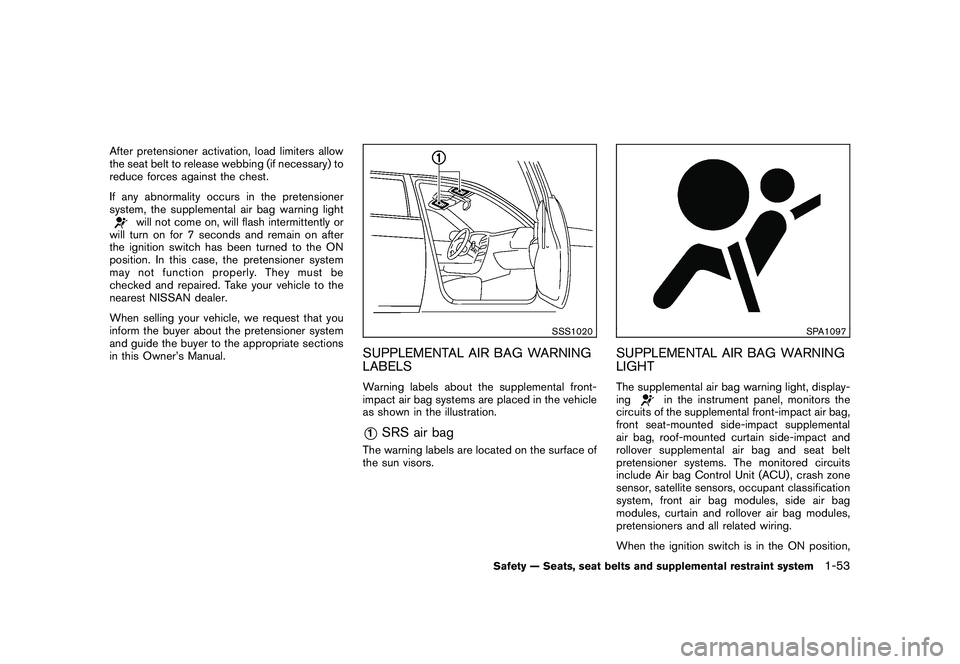
LABELSWarning labels about the supplemental front-
impact air bag systems are placed in the vehicle
as shown in the illustration.*1
SRS air bag
The warning labels are located on the surface of
the sun visors.
SPA1097
SUPPLEMENTAL AIR BAG WARNING
LIGHTThe supplemental air bag warning light, display-
ing
in the instrument panel, monitors the
circuits of the supplemental front-impact air bag,
front seat-mounted side-impact supplemental
air bag, roof-mounted curtain side-impact and
rollover supplemental air bag and seat belt
pretensioner systems. The monitored circuits
include Air bag Control Unit (ACU) , crash zone
sensor, satellite sensors, occupant classification
system, front air bag modules, side air bag
modules, curtain and rollover air bag modules,
pretensioners and all related wiring.
When the ignition switch is in the ON position,
Safety — Seats, seat belts and supplemental restraint system
1-53
Page 72 of 328
Black plate (7,1)
2 Instruments and controls
Model "S35-D" EDITED: 2009/ 9/ 4
Instrument panel................................................ 2-2
Meters and gauges ............................................. 2-3
Speedometer and odometer ............................. 2-4
Tachometer ................................................... 2-5
Engine coolant temperature gauge ..................... 2-5
Fuel gauge ................................................... 2-6
Vehicle information display ................................ 2-6
Outside air temperature (if so equipped) .............. 2-6
Continuously Variable Transmission (CVT)
position indicator ............................................ 2-7
Trip computer (if so equipped) .......................... 2-7
Compass (if so equipped) .................................... 2-8
Zone variation change procedure ....................... 2-9
Warning/indicator lights and audible reminders ....... 2-11
Checking bulbs ........................................... 2-11
Warning lights ............................................. 2-12
Indicator lights ............................................. 2-16
Audible reminders ........................................ 2-18
Security systems .............................................. 2-19
Vehicle security system .................................. 2-19
NISSAN Vehicle Immobilizer System ................. 2-20
Windshield wiper and washer switch .................... 2-22
Rear window wiper and washer switch .................. 2-23
Rear window and outside mirror defroster switch ..... 2-24
Headlight and turn signal switch .......................... 2-25
Xenon headlights (if so equipped) .................... 2-25Headlight switch
.......................................... 2-26
Turn signal switch ........................................ 2-28
Fog light switch (if so equipped) ...................... 2-29
Hazard warning flasher switch ............................. 2-29
Horn ............................................................. 2-30
Heated seats (if so equipped) ............................. 2-30
Vehicle Dynamic Control (VDC) OFF switch ........... 2-31
Clock ............................................................ 2-32
Adjusting the time ........................................ 2-32
Power outlet ................................................... 2-32
Storage ......................................................... 2-33
Cup holders ................................................ 2-33
Sunglasses holder ........................................ 2-34
Glove box .................................................. 2-35
Console box ............................................... 2-36
Luggage floor box (if so equipped) ................... 2-36
Luggage side box ......................................... 2-37
Cargo cover (if so equipped) .......................... 2-37
Luggage hooks (if so equipped) ...................... 2-38
Coat hooks (if so equipped) ........................... 2-39
Utility hook ................................................. 2-39
Roof rack (if so equipped) .............................. 2-39
Windows ....................................................... 2-40
Power windows ........................................... 2-40
Moonroof (if so equipped) .................................. 2-43
Automatic moonroof ...................................... 2-43
Page 74 of 328
Black plate (70,1)
Model "S35-D" EDITED: 2009/ 9/ 4
SIC3470
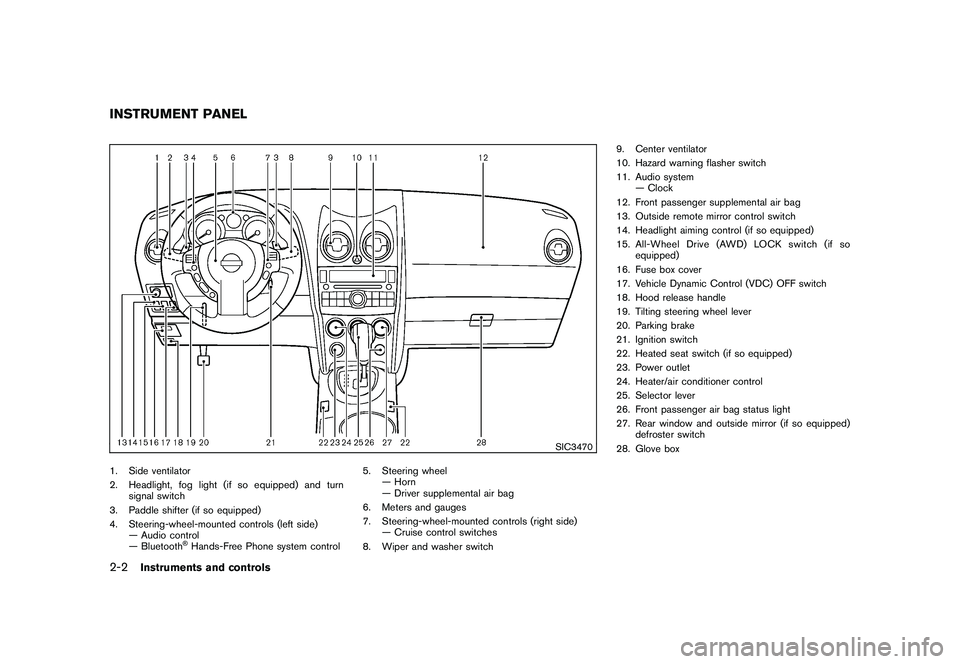
1. Side ventilator
2. Headlight, fog light (if so equipped) and turnsignal switch
3. Paddle shifter (if so equipped)
4. Steering-wheel-mounted controls (left side) — Audio control
— Bluetooth
®Hands-Free Phone system control 5. Steering wheel
— Horn
— Driver supplemental air bag
6. Meters and gauges
7. Steering-wheel-mounted controls (right side) — Cruise control switches
8. Wiper and washer switch 9. Center ventilator
10. Hazard warning flasher switch
11. Audio system
— Clock
12. Front passenger supplemental air bag
13. Outside remote mirror control switch
14. Headlight aiming control (if so equipped)
15. All-Wheel Drive (AWD) LOCK switch (if so equipped)
16. Fuse box cover
17. Vehicle Dynamic Control (VDC) OFF switch
18. Hood release handle
19. Tilting steering wheel lever
20. Parking brake
21. Ignition switch
22. Heated seat switch (if so equipped)
23. Power outlet
24. Heater/air conditioner control
25. Selector lever
26. Front passenger air bag status light
27. Rear window and outside mirror (if so equipped) defroster switch
28. Glove box
INSTRUMENT PANEL2-2
Instruments and controls
Page 76 of 328
Black plate (72,1)
Model "S35-D" EDITED: 2009/ 9/ 4
SIC3472
Speedometer
SPEEDOMETER AND ODOMETER
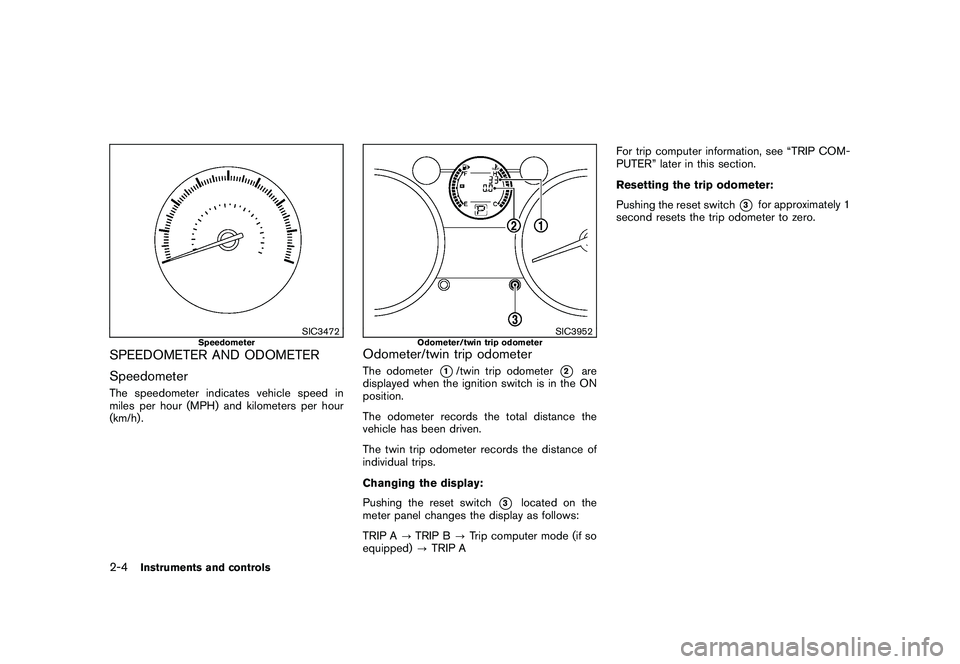
SpeedometerThe speedometer indicates vehicle speed in
miles per hour (MPH) and kilometers per hour
(km/h) .
SIC3952
Odometer/twin trip odometer
Odometer/twin trip odometerThe odometer
*1/twin trip odometer
*2
are
displayed when the ignition switch is in the ON
position.
The odometer records the total distance the
vehicle has been driven.
The twin trip odometer records the distance of
individual trips.
Changing the display:
Pushing the reset switch
*3
located on the
meter panel changes the display as follows:
TRIP A ?TRIP B ?Trip computer mode (if so
equipped) ?TRIP A For trip computer information, see “TRIP COM-
PUTER” later in this section.
Resetting the trip odometer:
Pushing the reset switch
*3
for approximately 1
second resets the trip odometer to zero.
2-4
Instruments and controls
Page 79 of 328
Black plate (75,1)
Model "S35-D" EDITED: 2009/ 9/ 4
When the outside air temperature becomes
378F(3 8C) or lower, the ICY indicator illumi-
nates and the outside air temperature display
blinks to give a warning. The ICY indicator will
turn off and the display will stop blinking after 1
minute or when the outside air temperature
becomes 39 8F(4 8C) or above.
The display may differ from the actual outside
temperature displayed on various signs or bill-
boards.CONTINUOUSLY VARIABLE TRANS-
MISSION (CVT) POSITION INDICATORThe Continuously Variable Transmission (CVT)
position indicator indicates the selector lever
position when the ignition switch is in the ON
position.
SIC3955
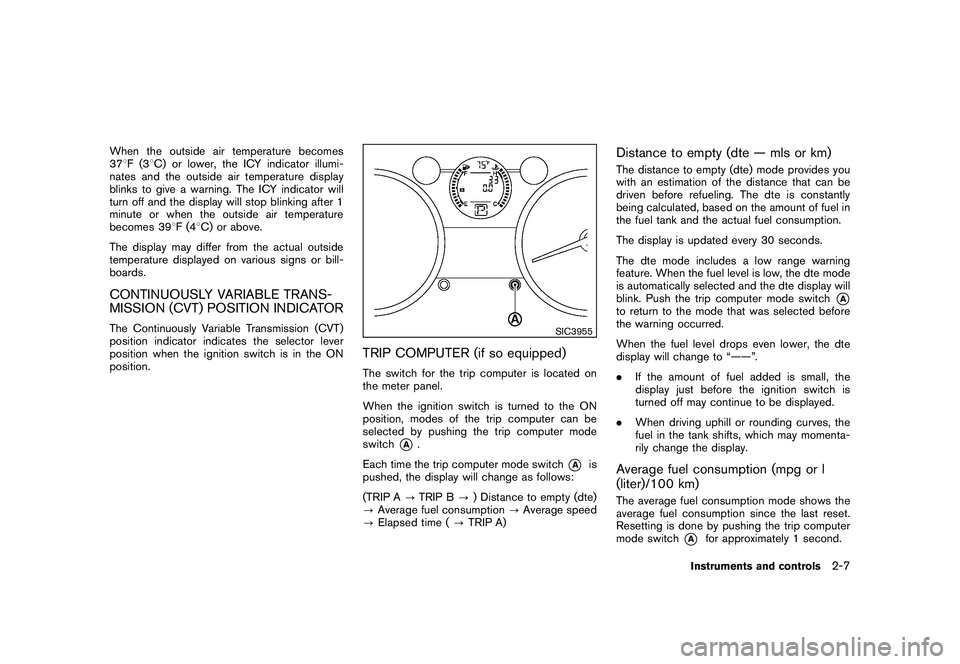
TRIP COMPUTER (if so equipped)The switch for the trip computer is located on
the meter panel.
When the ignition switch is turned to the ON
position, modes of the trip computer can be
selected by pushing the trip computer mode
switch
*A
.
Each time the trip computer mode switch
*A
is
pushed, the display will change as follows:
(TRIP A ?TRIP B ?) Distance to empty (dte)
? Average fuel consumption ?Average speed
? Elapsed time ( ?TRIP A)
Distance to empty (dte — mls or km)The distance to empty (dte) mode provides you
with an estimation of the distance that can be
driven before refueling. The dte is constantly
being calculated, based on the amount of fuel in
the fuel tank and the actual fuel consumption.
The display is updated every 30 seconds.
The dte mode includes a low range warning
feature. When the fuel level is low, the dte mode
is automatically selected and the dte display will
blink. Push the trip computer mode switch
*A
to return to the mode that was selected before
the warning occurred.
When the fuel level drops even lower, the dte
display will change to “——”.
. If the amount of fuel added is small, the
display just before the ignition switch is
turned off may continue to be displayed.
. When driving uphill or rounding curves, the
fuel in the tank shifts, which may momenta-
rily change the display.Average fuel consumption (mpg or l
(liter)/100 km)The average fuel consumption mode shows the
average fuel consumption since the last reset.
Resetting is done by pushing the trip computer
mode switch
*A
for approximately 1 second.
Instruments and controls
2-7
Page 93 of 328
Black plate (89,1)
Model "S35-D" EDITED: 2009/ 9/ 4
device or automated payment device on the key
ring. Restart the engine using the following
procedures:
1. Leave the ignition switch in the ON positionfor approximately 5 seconds.
2. Turn the ignition switch to the OFF or LOCK position and wait approximately 10 seconds.
3. Repeat step 1 and 2 again.
4. Restart the engine while holding the device (which may have caused the interference)
separate from the registered key.
If this procedure allows the engine to start,
NISSAN recommends placing the regis-
tered key on a separate key ring to avoid
interference from other devices.
Statement related to section 15 of FCC
rules for NISSAN Vehicle Immobilizer
System (CONT ASSY-BCM. ANT ASSY-
IMMOBILISER)
This device complies with part 15 of the
FCC Rules and RSS-210 of Industry Cana-
da. Operation is subject to the following
two conditions;
(1) This device may not cause harmful
interference, and (2) this device must
accept any interference received, including
interference that may cause undesired operation of the device.
CHANGES OR MODIFICATIONS NOT EX-
PRESSLY APPROVED BY THE PARTY
RESPONSIBLE FOR COMPLIANCE COULD
VOID THE USER’S AUTHORITY TO OPER-
ATE THE EQUIPMENT.
SIC2045
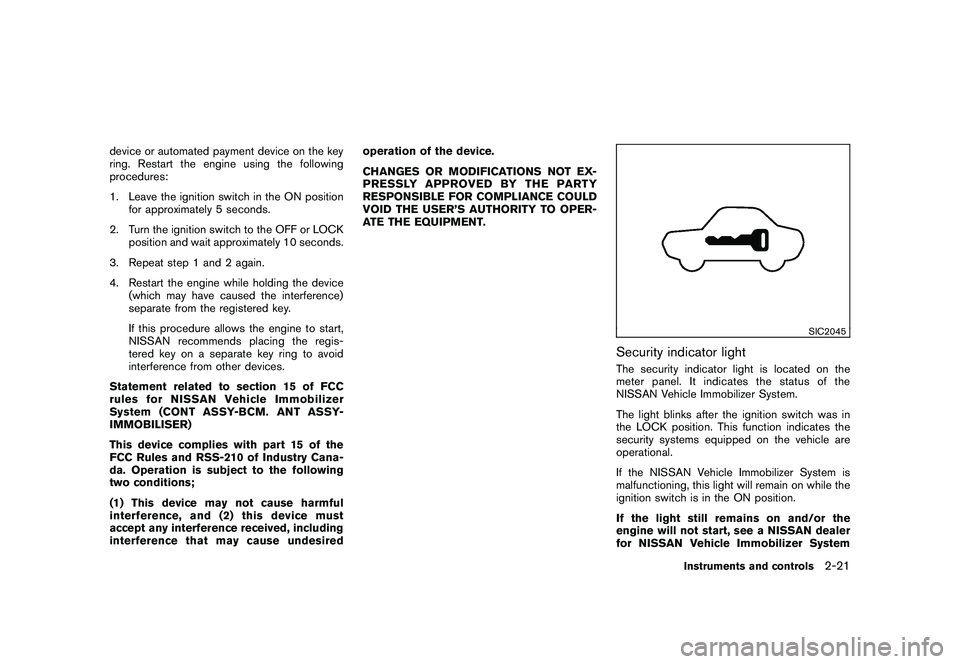
Security indicator lightThe security indicator light is located on the
meter panel. It indicates the status of the
NISSAN Vehicle Immobilizer System.
The light blinks after the ignition switch was in
the LOCK position. This function indicates the
security systems equipped on the vehicle are
operational.
If the NISSAN Vehicle Immobilizer System is
malfunctioning, this light will remain on while the
ignition switch is in the ON position.
If the light still remains on and/or the
engine will not start, see a NISSAN dealer
for NISSAN Vehicle Immobilizer System
Instruments and controls
2-21
Page 100 of 328
Black plate (96,1)
Model "S35-D" EDITED: 2009/ 9/ 4
SIC3958SIC3959
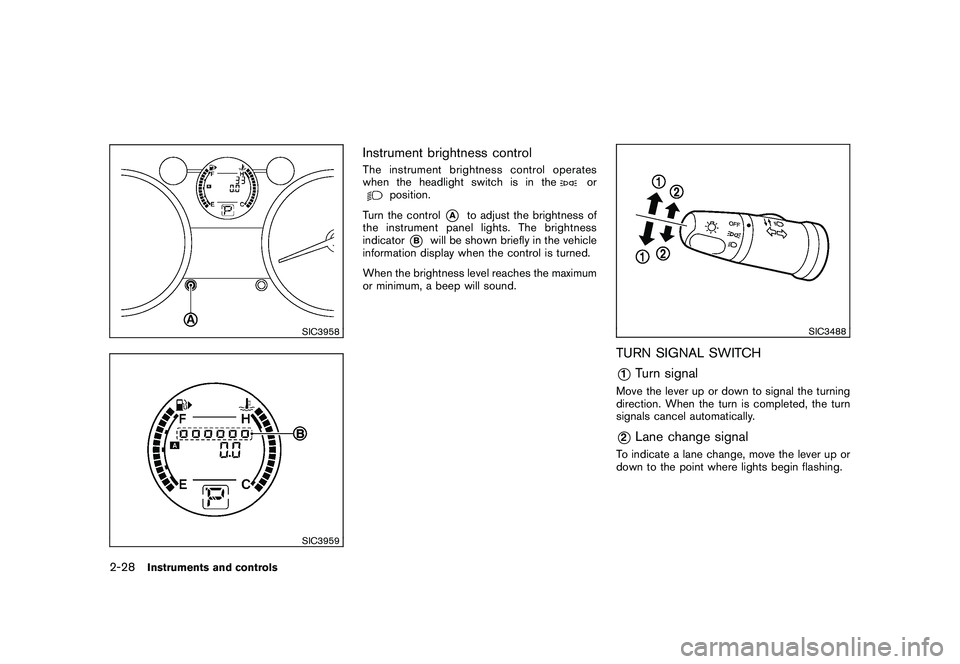
Instrument brightness controlThe instrument brightness control operates
when the headlight switch is in the
or
position.
Turn the control
*A
to adjust the brightness of
the instrument panel lights. The brightness
indicator
*B
will be shown briefly in the vehicle
information display when the control is turned.
When the brightness level reaches the maximum
or minimum, a beep will sound.
SIC3488
TURN SIGNAL SWITCH*1
Turn signal
Move the lever up or down to signal the turning
direction. When the turn is completed, the turn
signals cancel automatically.*2
Lane change signal
To indicate a lane change, move the lever up or
down to the point where lights begin flashing.
2-28
Instruments and controls
Page 104 of 328
Black plate (100,1)
Model "S35-D" EDITED: 2009/ 9/ 4
SIC3548
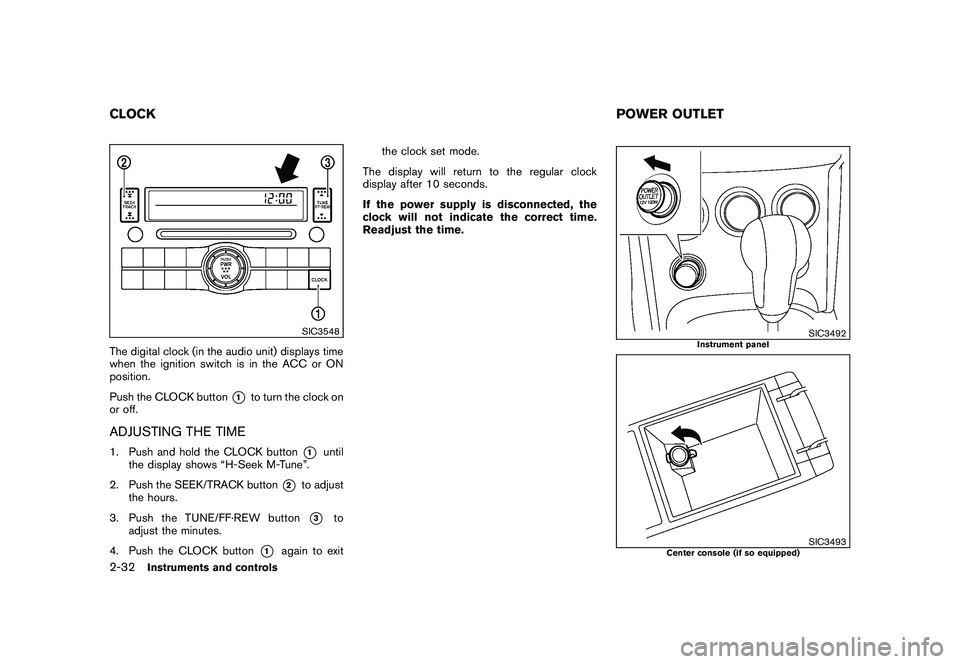
The digital clock (in the audio unit) displays time
when the ignition switch is in the ACC or ON
position.
Push the CLOCK button
*1
to turn the clock on
or off.
ADJUSTING THE TIME1. Push and hold the CLOCK button
*1
until
the display shows “H-Seek M-Tune”.
2. Push the SEEK/TRACK button
*2
to adjust
the hours.
3. Push the TUNE/ FF·REW button*3
to
adjust the minutes.
4. Push the CLOCK button
*1
again to exit the clock set mode.
The display will return to the regular clock
display after 10 seconds.
If the power supply is disconnected, the
clock will not indicate the correct time.
Readjust the time.
SIC3492
Instrument panel
SIC3493
Center console (if so equipped)
CLOCK POWER OUTLET2-32
Instruments and controls
Page 105 of 328
Black plate (101,1)
Model "S35-D" EDITED: 2009/ 9/ 4
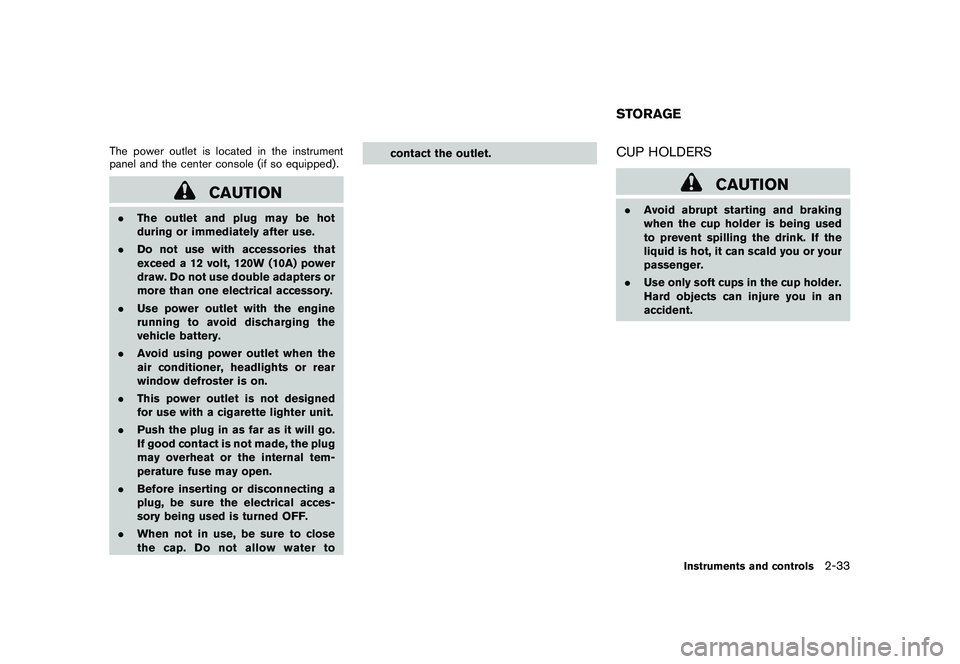
The power outlet is located in the instrument
panel and the center console (if so equipped) .
CAUTION
.The outlet and plug may be hot
during or immediately after use.
. Do not use with accessories that
exceed a 12 volt, 120W (10A) power
draw. Do not use double adapters or
more than one electrical accessory.
. Use power outlet with the engine
running to avoid discharging the
vehicle battery.
. Avoid using power outlet when the
air conditioner, headlights or rear
window defroster is on.
. This power outlet is not designed
for use with a cigarette lighter unit.
. Push the plug in as far as it will go.
If good contact is not made, the plug
may overheat or the internal tem-
perature fuse may open.
. Before inserting or disconnecting a
plug, be sure the electrical acces-
sory being used is turned OFF.
. When not in use, be sure to close
the cap. Do not allow water to contact the outlet.
CUP HOLDERS
CAUTION
.
Avoid abrupt starting and braking
when the cup holder is being used
to prevent spilling the drink. If the
liquid is hot, it can scald you or your
passenger.
. Use only soft cups in the cup holder.
Hard objects can injure you in an
accident.STORAGE
Instruments and controls
2-33
Page 138 of 328
Black plate (136,1)
Model "S35-D" EDITED: 2009/ 9/ 4
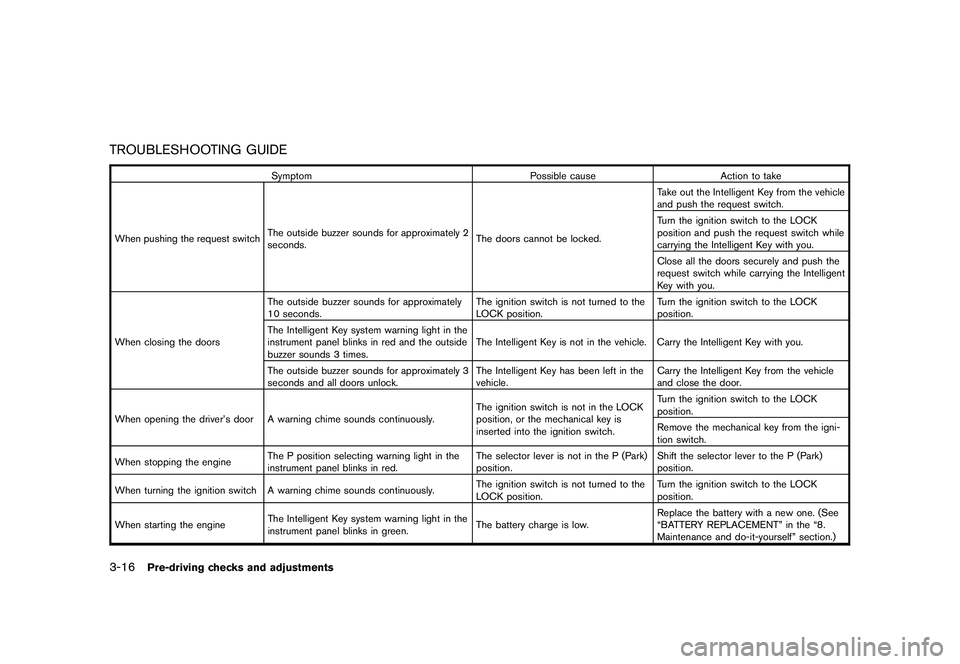
TROUBLESHOOTING GUIDE
SymptomPossible causeAction to take
When pushing the request switch The outside buzzer sounds for approximately 2
seconds. The doors cannot be locked.Take out the Intelligent Key from the vehicle
and push the request switch.
Turn the ignition switch to the LOCK
position and push the request switch while
carrying the Intelligent Key with you.
Close all the doors securely and push the
request switch while carrying the Intelligent
Key with you.
When closing the doors The outside buzzer sounds for approximately
10 seconds.
The ignition switch is not turned to the
LOCK position.Turn the ignition switch to the LOCK
position.
The Intelligent Key system warning light in the
instrument panel blinks in red and the outside
buzzer sounds 3 times. The Intelligent Key is not in the vehicle. Carry the Intelligent Key with you.
The outside buzzer sounds for approximately 3
seconds and all doors unlock. The Intelligent Key has been left in the
vehicle.Carry the Intelligent Key from the vehicle
and close the door.
When opening the driver’s door A warning chime sounds continuously. The ignition switch is not in the LOCK
position, or the mechanical key is
inserted into the ignition switch.Turn the ignition switch to the LOCK
position.
Remove the mechanical key from the igni-
tion switch.
When stopping the engine The P position selecting warning light in the
instrument panel blinks in red. The selector lever is not in the P (Park)
position.Shift the selector lever to the P (Park)
position.
When turning the ignition switch A warning chime sounds continuously. The ignition switch is not turned to the
LOCK position.Turn the ignition switch to the LOCK
position.
When starting the engine The Intelligent Key system warning light in the
instrument panel blinks in green. The battery charge is low.Replace the battery with a new one. (See
“BATTERY REPLACEMENT” in the “8.
Maintenance and do-it-yourself” section.)
3-16
Pre-driving checks and adjustments