bluetooth NISSAN ROGUE 2016 2.G Service Manual
[x] Cancel search | Manufacturer: NISSAN, Model Year: 2016, Model line: ROGUE, Model: NISSAN ROGUE 2016 2.GPages: 478, PDF Size: 5.94 MB
Page 287 of 478
![NISSAN ROGUE 2016 2.G Service Manual PHONE SETTINGS
To access the phone settings:1. Press the [
] button.
2. Touch the “Settings” key.
3. Touch the “Phone & Bluetooth” key.
4. Touch the “Phone Settings” key and adjust the fol](/img/5/499/w960_499-286.png "NISSAN ROGUE 2016 2.G Service Manual PHONE SETTINGS
To access the phone settings:1. Press the [
] button.
2. Touch the “Settings” key.
3. Touch the “Phone & Bluetooth” key.
4. Touch the “Phone Settings” key and adjust the fol")
PHONE SETTINGS
To access the phone settings:1. Press the [
] button.
2. Touch the “Settings” key.
3. Touch the “Phone & Bluetooth” key.
4. Touch the “Phone Settings” key and adjust the following settings as desired:
● Start Siri by:
Touch “Short Press” or “Long Press” to set
how Siri® is operated on the steering wheel.
● Sort Phonebook By:
Touch “First Name” or “Last Name” to
choose how phonebook entries are alpha-
betically displayed on the screen.
● Use Phonebook From:
Touch “Handset” to use the phone’s phone-
book. Touch “SIM” to use the phonebook on
the SIM card. Select “Both” to use both
sources.
● Download Phonebook Now:
Touch to download the phonebook to the
vehicle from the chosen source. ●
Record Name for Phonebook Entry:
Touch to record a name for a phonebook
entry for use with the NISSAN Voice Recog-
nition System.
● Phone Notifications for:
Touch “Driver” to have phone notifications
shown in the vehicle information display. Se-
lect “Both” to have phone notifications
shown in both the vehicle information display
and the center display screen.
● Text Messaging:
Touch to toggle the text message function-
ality on or off.
● Show Incoming Text for:
Touch “Driver” to have incoming text notifi-
cations shown in the vehicle information dis-
play. Touch “Both” to have text notifications
shown in both the vehicle information display
and the center display screen. Touch “Off” to
turn off all text notifications.
● Auto Reply:
Touch to toggle the auto reply functionality
on or off. ●
Auto Reply Message:
Touch to indicate preferred message to be
sent when “Auto Reply” function is activated.
● Use Vehicle’s Signature:
Touch to toggle on or off the addition of the
vehicle signature to outgoing messages.
● Custom Text Messages:
Touch this option to select a custom mes-
sage to edit. There are 4 customer message
slots available.
4-100Monitor, climate, audio, phone and voice recognition systems
Page 290 of 478
Operating tips
To get the best performance out of NISSAN
Voice Recognition, observe the following:● Keep the interior of the vehicle as quiet as
possible. Close the windows to eliminate the
surrounding noises (traffic noises, vibration
sounds, etc.) , which may prevent the system
from recognizing the voice commands cor-
rectly.
● Wait until a tone sounds before speaking a
command. Otherwise, the command will not
be received properly.
● Start speaking a command within 3.5 sec-
onds after the tone sounds.
● Speak in a natural voice without pausing
between words.
SYSTEM FEATURES
NISSAN Voice Recognition can activate the fol-
lowing systems:
● Bluetooth® Hands-Free Phone System
● Navigation
● Audio
● Information
● My Apps
● Help
For additional information, refer to the separate
Navigation System Owner’s Manual.
How to say numbers
NISSAN Voice Recognition requires a certain
way to speak numbers in voice commands. Refer
to the following examples.
General rule: Either “zero” or “oh” can be used for
“0”.
Phone numbers
Speak phone numbers according to the following
example. For 1-800-662-6200, say dial number
and then speak the phone number in any of the
following formats: ● “one eight oh oh six six two six two oh oh”
● “one eight hundred six six two six two oh oh”
● “one eight zero zero six six two six two oh oh”
For the best voice recognition phone dialing re-
sults, say phone numbers as single digits. Also,
full numbers can only be spoken for “800”. For
example, you cannot say 555-6000 as “five five
five six thousand”.
LHA2780
Monitor, climate, audio, phone and voice recognition systems4-103
Page 291 of 478
BLUETOOTH® HANDS-FREE
PHONE SYSTEM VOICE
COMMANDS
To access the Bluetooth® Hands-Free Phone
System voice commands:1. Press the
button.
2. Say “Call” and then a name in the vehicle phonebook to call that entry. Otherwise, say
“Phone” to access various phone com-
mands.
If the Bluetooth® has been set to “Off”, the
system announces: “Bluetooth® is off. Would
you like to turn Bluetooth® on?”
If no phone is connected to the system and the
vehicle is stationary, the system announces:
“There is no phone connected. Would you like to
connect a phone now?” Say “Yes” to connect a
phone. All further Bluetooth® Hands-Free Phone
System voice commands are only available if a
phone is connected.
If a phone is connected and Bluetooth® is set to
“On”, the following voice commands are available:
● Call (a name)
Speak the name of the contact in which you
are trying to call. System will confirm correct
contact. Say “Dial” to initiate dialing. ●
Dial Number
Allows for up to 24 digits to be dialed. After
the number is entered, say “Dial” to initiate
dialing. Say “Correction” to correct the num-
ber entered. Say “Go Back” to return to the
main menu.
● List Phonebook
Starting with the first alphabetical entry in
the vehicle phonebook, the system prompts
for an additional command. Say “Dial” to call
the number of the phonebook entry. Say
“Send Text” to send a text message to the
number of the phonebook entry. Say “Next
Entry” to skip to the next alphabetical entry in
the vehicle phonebook, where the same op-
tions will then be available.
● Recent Calls
The system prompts for an additional com-
mand. Say “Missed Calls”, “Incoming Calls”
or “Outgoing Calls” to display a list of such
calls on the screen.
Speak the number of the entry displayed on
the screen to dial that number or say “Next
Page” to view entries on the next page (if
available) .
● Redial
Redials the last called number. ●
Read Text
Reads an incoming text message.
● Send Text
Sends a text message.
● Select Phone
The system replies “Please use manual con-
trols to continue”. Use manual controls to
change the active phone from among the
listed phones connected to the vehicle.
For additional information, refer to “Bluetooth®
Hands-Free Phone System with Navigation Sys-
tem” in this section.
NAVIGATION SYSTEM VOICE
COMMANDS
The following voice commands are available for
the Navigation System: ● Street Address (address)
● Points of Interest (name)
● POI by Category
● Home
● Address Book
● Previous Destinations
● Enter Address in Steps
● Cancel Route
4-104Monitor, climate, audio, phone and voice recognition systems
Page 309 of 478
ON has a battery saver feature that will turn the
ignition switch to the OFF position, if the vehicle
is not running, after some time under the follow-
ing conditions:● All doors are closed.
● Shift lever is in P (Park) .
The battery saver feature will be cancelled if any
of the following occur: ● Any door is opened.
● Shift lever is moved out of the P (Park)
position.
● Ignition switch changes position.
CAUTION
Do not leave the vehicle with the ignition
switch in the ON position when the engine
is not running for an extended period. This
can discharge the battery.
OFF:
The ignition switch is in the OFF position when
the engine is turned off using the ignition switch.
No lights will illuminate on the ignition switch. AUTO ACC:
With the vehicle in the P (Park) position, the
Intelligent key with you and the ignition placed
from ON to OFF, the radio can still be used for a
period of time, or until the driver’s door is opened.
After a period of time, functions such as radio,
navigation, and Bluetooth® Hands-Free Phone
System may be restarted by pressing the
“POWER button/ VOLUME control knob”. For
additional information, refer to “Monitor, climate,
audio, phone and voice recognition systems” in
this manual or the key fob unlock button up to a
total of 30 minutes.
EMERGENCY ENGINE SHUT OFF
To shut off the engine in an emergency situation
while driving, perform the following procedure:
– Rapidly push the push-button ignition switch
three consecutive times in less than 1.5 sec-
onds, or
– Push and hold the push-button ignition switch for more than 2 seconds.NISSAN INTELLIGENT KEY®
BATTERY DISCHARGE (if so
equipped)
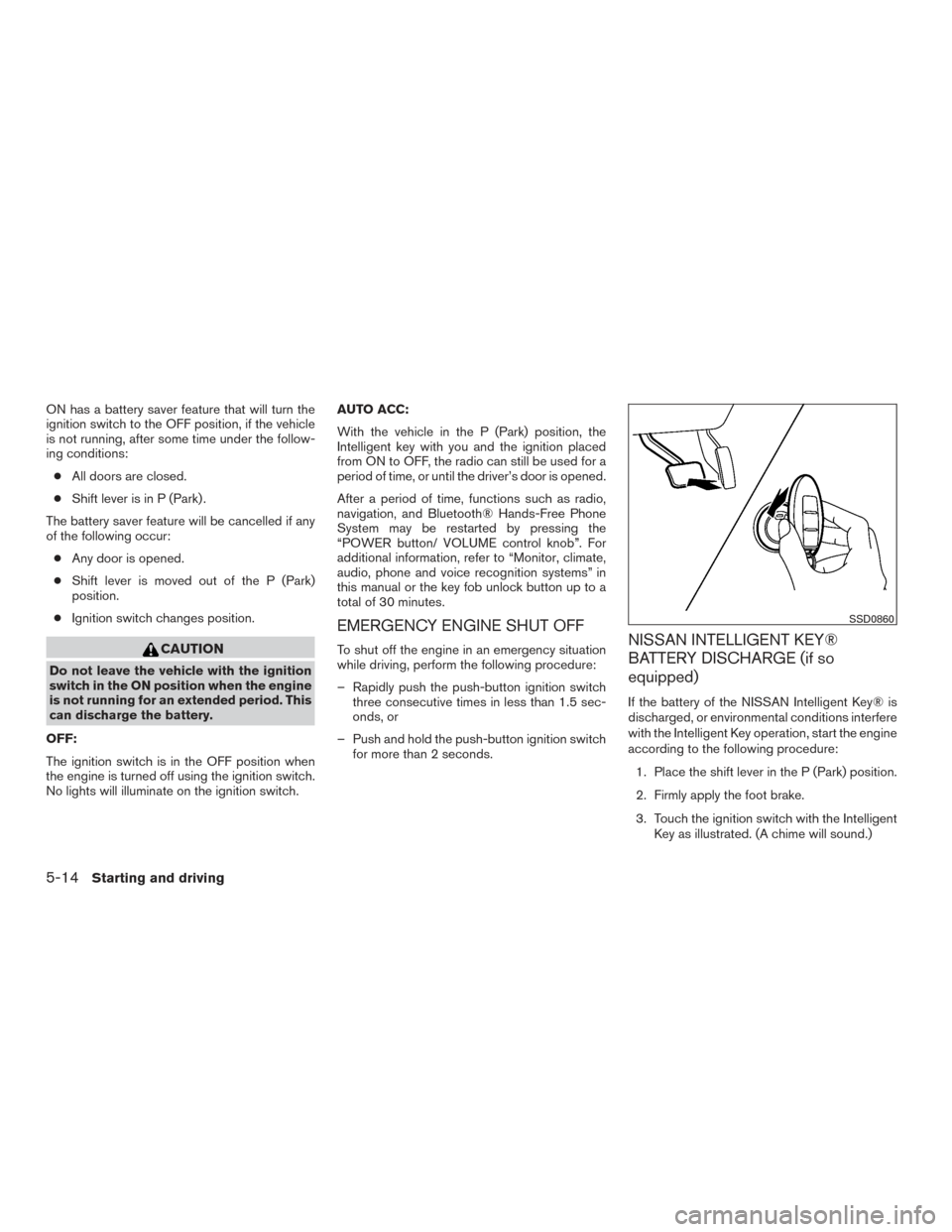
If the battery of the NISSAN Intelligent Key® is
discharged, or environmental conditions interfere
with the Intelligent Key operation, start the engine
according to the following procedure:
1. Place the shift lever in the P (Park) position.
2. Firmly apply the foot brake.
3. Touch the ignition switch with the Intelligent Key as illustrated. (A chime will sound.)
SSD0860
5-14Starting and driving
Page 454 of 478
10 Index
2nd row bench seat adjustment.........1-6
A
Aiming control, headlights ...........2-39
Air bag (See supplemental restraint
system) .....................1-47
Air bag system Front (See supplemental front impact
air bag system) ...............1-54
Airbagwarninglabels.............1-64
Airbagwarninglight...........1-65,2-15
Air bag warning light, supplemental . .1-65, 2-15
Air cleaner housing filter ............8-17
Air conditioner Air conditioner operation ..........4-34
Air conditioner specification label .....9-12
Air conditioner system refrigerant and
oil recommendations .............9-7
Air conditioner system refrigerant
recommendations ..............9-7
Heater and air conditioner
controls................4-32,4-40
Servicing air conditioner ..........4-42
Airflowcharts..................4-36
Alarm system
(See vehicle security system) .........2-32
All-Wheel Drive .................5-43
Anchor point locations .............1-30
Antenna .....................4-74
Antifreeze ....................5-57
Anti-lock brake warning light ..........2-11Anti-lock Braking System (ABS)
........5-48
Apps .......................4-74
Armrests .....................1-6
AroundView®Monitor.............4-16
Audible reminders ...............2-18
Audio system ..................4-42
AMradioreception.............4-43
Bluetooth®audio..........4-70,4-71
Bluetooth® streaming audio ....4-70,4-71
Compact disc (CD) player .....4-53,4-60
FM/AM/SAT radio with compact disc (CD)
player.................4-50,4-55
FMradioreception.............4-42
iPod® Player .............4-65,4-67
iPod® player operation .......4-65,4-67
Radio ....................4-42
Steering wheel audio control switch . . .4-73
USB interface ............4-61,4-63
USB (Universal Serial Bus) Connection
Port..................4-61,4-63
Autolight switch .................2-38
Automatic Automatic power window switch .....2-59
Automatic anti-glare inside mirror .......3-34
Automatic door locks ..............3-7
AUXjack ....................4-61
AWD.......................5-43
B
Battery ..................5-57,8-14
Chargewarninglight............2-12 Battery replacement
..............8-24
Keyfob ...................8-24
NISSAN Intelligent Key® ......8-26,8-27
Before starting the engine ...........5-15
Belt (See drive belt) ..............8-16
Blind Spot Warning (BSW) warning
system..................2-11,5-24
Block heater Engine ....................5-58
Bluetooth® audio ............4-70,4-71
Bluetooth® hands-free phone
system..................4-79,4-93
Bluetooth® streaming audio with Navigation
System .....................4-71
Boosterseats..................1-43
Brake Anti-lock Braking System (ABS) ......5-48
Brake fluid ..................8-12
Brakelight(Seestoplight).........8-30
Brake system ................5-48
Brakewarninglight.............2-11
Brakewearindicators........2-18,8-20
Parking brake operation ..........5-22
Self-adjusting brakes ............8-20
Brake fluid ....................8-12
Brakes ......................8-20
Brake system ..................5-48
Break-inschedule ...............5-41
Brightness/contrast button ...........4-9
Brightness control Instrument panel ..............
2-40
Bulb check/instrument panel ..........2-11
Bulbreplacement................8-30
Page 456 of 478
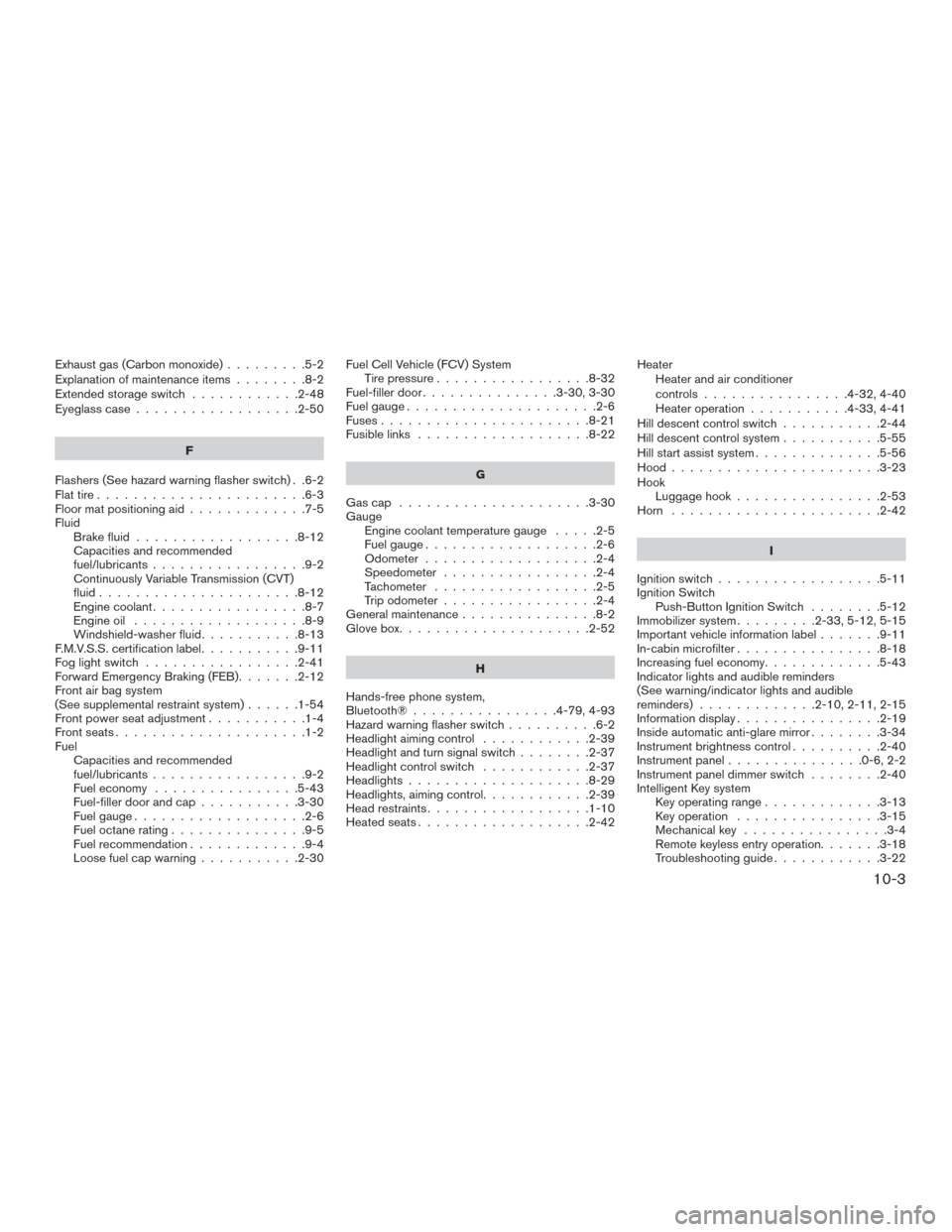
Exhaust gas (Carbon monoxide).........5-2
Explanation of maintenance items ........8-2
Extendedstorageswitch ............2-48
Eyeglass case ..................2-50
F
Flashers (See hazard warning flasher switch) . .6-2
Flat tire .......................6-3
Floor mat positioning aid .............7-5
Fluid Brake fluid ..................8-12
Capacities and recommended
fuel/lubricants .................9-2
Continuously Variable Transmission (CVT)
fluid......................8-12
Engine coolant .................8-7
Engine oil ...................8-9
Windshield-washerfluid...........8-13
F.M.V.S.S. certification label ...........9-11
Foglightswitch .................2-41
Forward Emergency Braking (FEB) .......2-12
Front air bag system
(See supplemental restraint system) ......1-54
Front power seat adjustment ...........1-4
Frontseats.....................1-2
Fuel Capacities and recommended
fuel/lubricants .................9-2
Fuel economy ................5-43
Fuel-filler door and cap ...........3-30
Fuel gauge ...................2-6
Fuel octane rating ...............9-5
Fuel recommendation .............9-4
Loose fuel cap warning ...........2-30 Fuel Cell Vehicle (FCV) System
Tirepressure.................8-32
Fuel-filler door ...............3-30,3-30
Fuelgauge.....................2-6
Fuses.......................8-21
Fusiblelinks ...................8-22
G
Gascap .....................3-30
Gauge Engine coolant temperature gauge .....2-5
Fuel gauge ...................2-6
Odometer ...................2-4
Speedometer .................2-4
Tachometer ..................2-5
Trip odometer .................2-4
General maintenance ...............8-2
Glovebox.....................2-52
H
Hands-free phone system,
Bluetooth®................4-79,4-93
Hazard warning flasher switch ..........6-2
Headlight aiming control ............2-39
Headlight and turn signal switch ........2-37
Headlight control switch ............2-37
Headlights ....................8-29
Headlights, aiming control ............2-39
Head restraints ..................1-10
Heated seats ...................2-42 Heater
Heater and air conditioner
controls ................4-32,4-40
Heater operation ...........4-33,4-41
Hill descent control switch ...........2-44
Hill descent control system ...........5-55
Hill start assist system ..............5-56
Hood.......................3-23
Hook Luggage hook ................2-53
Horn .......................2-42
I
Ignition
switch ..................5-11
Ignition Switch Push-Button Ignition Switch ........5-12
Immobilizer system .........2-33,5-12,5-15
Important vehicle information label .......9-11
In-cabin microfilter ................8-18
Increasing fuel economy .............5-43
Indicator lights and audible reminders
(See warning/indicator lights and audible
reminders).............2-10,2-11,2-15
Information display ................2-19
Inside automatic anti-glare mirror ........3-34
Instrument brightness control ..........2-40
Instrumentpanel...............0-6,2-2
Instrument panel dimmer switch ........2-40
Intelligent Key system Key operating range .............3-13
Key operation ................3-15
Mechanical key ................3-4
Remote keyless entry operation.......3-18
Troubleshooting guide ............3-22
10-3
Page 458 of 478
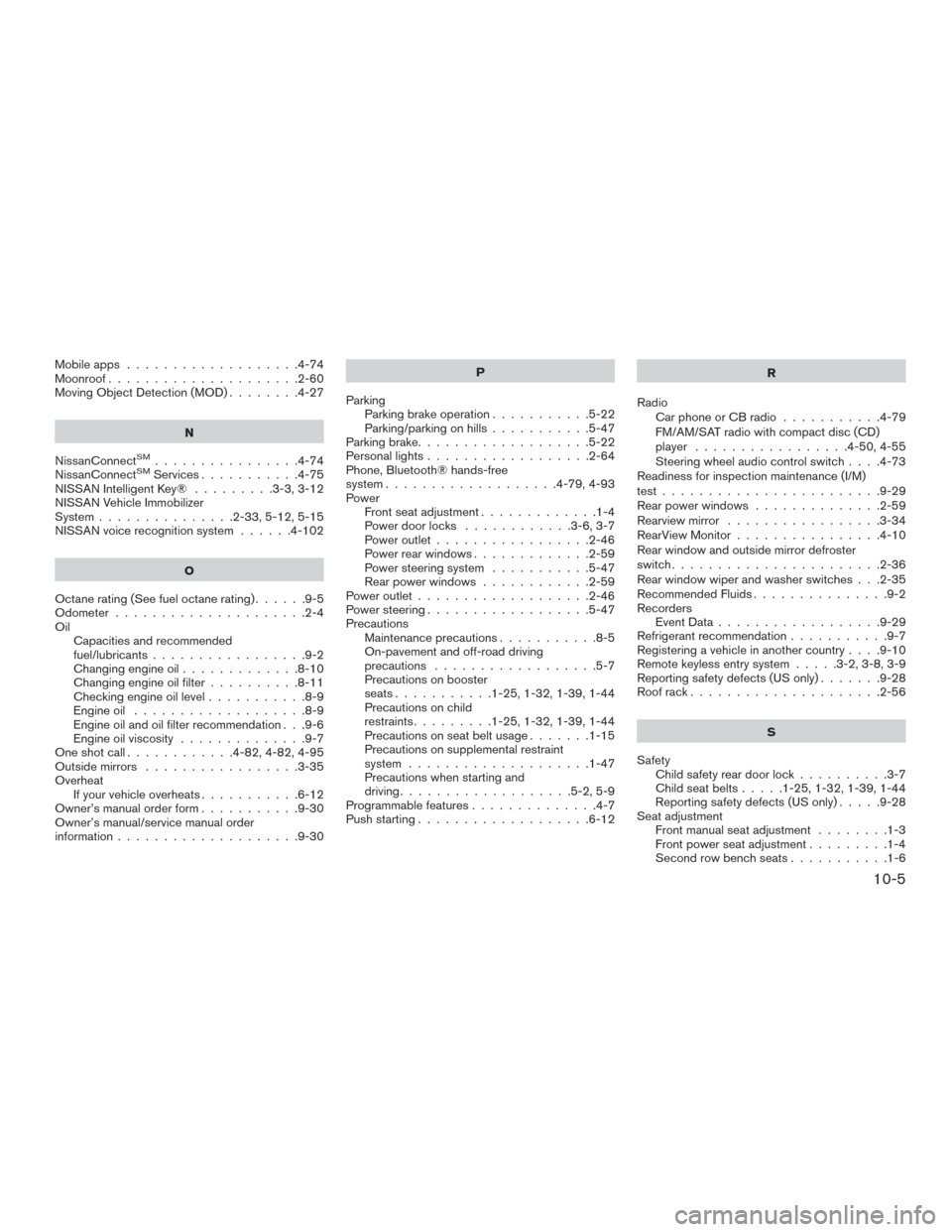
Mobileapps ...................4-74
Moonroof.....................2-60
Moving Object Detection (MOD) ........4-27
N
NissanConnect
SM................4-74
NissanConnectSMServices...........4-75
NISSAN Intelligent Key® .........3-3,3-12
NISSAN Vehicle Immobilizer
System ...............2-33,5-12,5-15
NISSAN voice recognition system ......4-102
O
Octanerating(Seefueloctanerating)......9-5
Odometer .....................2-4
Oil Capacities and recommended
fuel/lubricants .................9-2
Changing engine oil .............8-10
Changing engine oil filter ..........8-11
Checking engine oil level ...........8-9
Engine oil ...................8-9
Engine oil and oil filter recommendation . . .9-6
Engine oil viscosity ..............9-7
Oneshotcall............4-82,4-82,4-95
Outside mirrors .................3-35
Overheat Ifyourvehicleoverheats...........6-12
Owner’s manual order form ...........9-30
Owner’s manual/service manual order
information ....................9-30 P
Parking Parking brake operation ...........5-22
Parking/parking on hills ...........5-47
Parking brake ...................5-22
Personallights..................2-64
Phone, Bluetooth® hands-free
system ...................4-79,4-93
Power Front seat adjustment .............1-4
Power door locks ............3-6,3-7
Power outlet .................2-46
Power rear windows .............2-59
Power steering system ...........5-47
Rear power windows ............2-59
Power outlet ...................2-46
Power steering ..................5-47
Precautions Maintenance precautions ...........8-5
On-pavement and off-road driving
precautions ..................5-7
Precautions on booster
seats...........1-25,1-32,1-39,1-44
Precautions on child
restraints .........1-25,1-32,1-39,1-44
Precautions on seat belt usage .......1-15
Precautions on supplemental restraint
system ....................1-47
Precautions when starting and
driving ...................5-2,5-9
Programmablefeatures..............4-7
Push starting ...................6-12 R
Radio CarphoneorCBradio ...........4-79
FM/AM/SAT radio with compact disc (CD)
player .................4-50,4-55
Steering wheel audio control switch . . . .4-73
Readiness for inspection maintenance (I/M)
test ........................9-29
Rear power windows ..............2-59
Rearview mirror .................3-34
RearView Monitor ................4-10
Rear window and outside mirror defroster
switch.......................2-36
Rear window wiper and washer switches . . .2-35
Recommended Fluids ...............9-2
Recorders EventData..................9-29
Refrigerant recommendation ...........9-7
Registering a vehicle in another country ....9-10
Remote keyless entry system .....3-2,3-8,3-9
Reporting
safety defects (US only) .......9-28
Roof rack .....................2-56
S
Safety Child safety rear door lock ..........3-7
Child seat belts .....1-25,1-32,1-39,1-44
Reporting safety defects (US only) .....9-28
Seat adjustment Front manual seat adjustment ........1-3
Front power seat adjustment .........1-4
Secondrowbenchseats...........1-6
10-5