door lock NISSAN ROGUE 2017 2.G Owners Manual
[x] Cancel search | Manufacturer: NISSAN, Model Year: 2017, Model line: ROGUE, Model: NISSAN ROGUE 2017 2.GPages: 547, PDF Size: 6.47 MB
Page 12 of 547
1. Front view camera (if so equipped)(P. 4-17)
2. Engine hood (P. 3-26)
3. Wiper and washer switch (P. 2-36) Wiper blades (P. 8-16)
4. Windshield (P. 8-16) Windshield-washer fluid (P. 8-10)
5. Power windows (P. 2-62)
6. Door locks (P. 3-5) NISSAN Intelligent Key®
(if so equipped) (P. 3-11)
NISSAN Jackknife key (if so equipped)
(P. 3-7)
Keys (P. 3-2)
7. Mirrors (P. 3-39) Side view camera (if so equipped)
(P. 4-17)
8. Tire pressure (P. 8-29) Flat tire (P. 6-3)
Tire chains (P. 8-29)
9. Fog light switch (if so equipped) (P. 2-39)
Daytime running light system (P. 2-39)
10. Headlight and turn signal switch (P. 2-39)
Replacing bulbs (P. 8-26)
Refer to the page number indicated in pa-
rentheses for operating details.LII2493
EXTERIOR FRONT
Illustrated table of contents0-3
Page 13 of 547
1. Wiper and washer switch (P. 2-36)
2. Antenna (P. 4-43)
3. Child safety rear door lock (P. 3-5)
4. Fuel-filler door (P. 3-34)Fuel-filler cap (P. 3-34)
Fuel recommendation (P. 10-2)
5. Replacing bulbs (P. 8-26)
6. Rearview camera (P. 4-11, 4-17)
7. Liftgate release (P. 3-27)
Refer to the page number indicated in pa-
rentheses for operating details.
LII2494
EXTERIOR REAR
0-4Illustrated table of contents
Page 16 of 547
15. Cruise control main/set switches(if so equipped) (P. 5-55)
Intelligent Cruise Control (ICC)
switches (if so equipped) (P. 5-57)
Bluetooth® Hands-Free Phone System
(P. 4-81, 4-94)
16. Driver supplemental air bag (P. 1-46) Horn (P. 2-46)
17. Tilt and telescopic steering (P. 3-37)
18. Control panel and vehicle information
display switches (P. 2-20)
19. Hood release (P. 3-26) Fuel door release (P. 3-34)
20. Vehicle Dynamic Control (VDC) OFF
switch (P. 2-50)
SPORT mode switch (P. 5-25)
ECO mode switch (P. 5-26)
Power liftgate switch (if so equipped)
(P. 3-27)
Power liftgate main switch
(if so equipped) (P. 3-27)
All-Wheel Drive (AWD) lock switch
(if so equipped) (P. 2-50)
Warning systems switch
(if so equipped) (P. 2-48)
Heated steering wheel switch
(if so equipped) (P. 2-48) 21. Instrument brightness control (P. 2-39)
Twin trip odometer reset switch (P. 2-4)
*: Refer to the separate Navigation System Own-
er’s Manual (if so equipped) .
Refer to the page number indicated in pa-
rentheses for operating details.
Illustrated table of contents0-7
Page 88 of 547
15. Cruise control main/set switches(if so equipped) (P. 5-55)
Intelligent Cruise Control (ICC)
switches (if so equipped) (P. 5-57)
Bluetooth® Hands-Free Phone System
(P. 4-81, 4-94)
16. Driver supplemental air bag (P. 1-46) Horn (P. 2-46)
17. Tilt and telescopic steering (P. 3-37)
18. Control panel and vehicle information
display switches (P. 2-20)
19. Hood release (P. 3-26) Fuel door release (P. 3-34)
20. Vehicle Dynamic Control (VDC) OFF
switch (P. 2-50)
SPORT mode switch (P. 5-25)
ECO mode switch (P. 5-26)
Power liftgate switch (if so equipped)
(P. 3-27)
Power liftgate main switch
(if so equipped) (P. 3-27)
All-Wheel Drive (AWD) lock switch
(if so equipped) (P. 2-50)
Warning systems switch
(if so equipped) (P. 2-48)
Heated steering wheel switch
(if so equipped) (P. 2-48) 21. Instrument brightness control (P. 2-39)
Twin trip odometer reset switch (P. 2-4)
*: Refer to the separate Navigation System Own-
er’s Manual (if so equipped) .
Refer to the page number indicated in pa-
rentheses for operating details.
Instruments and controls2-3
Page 96 of 547
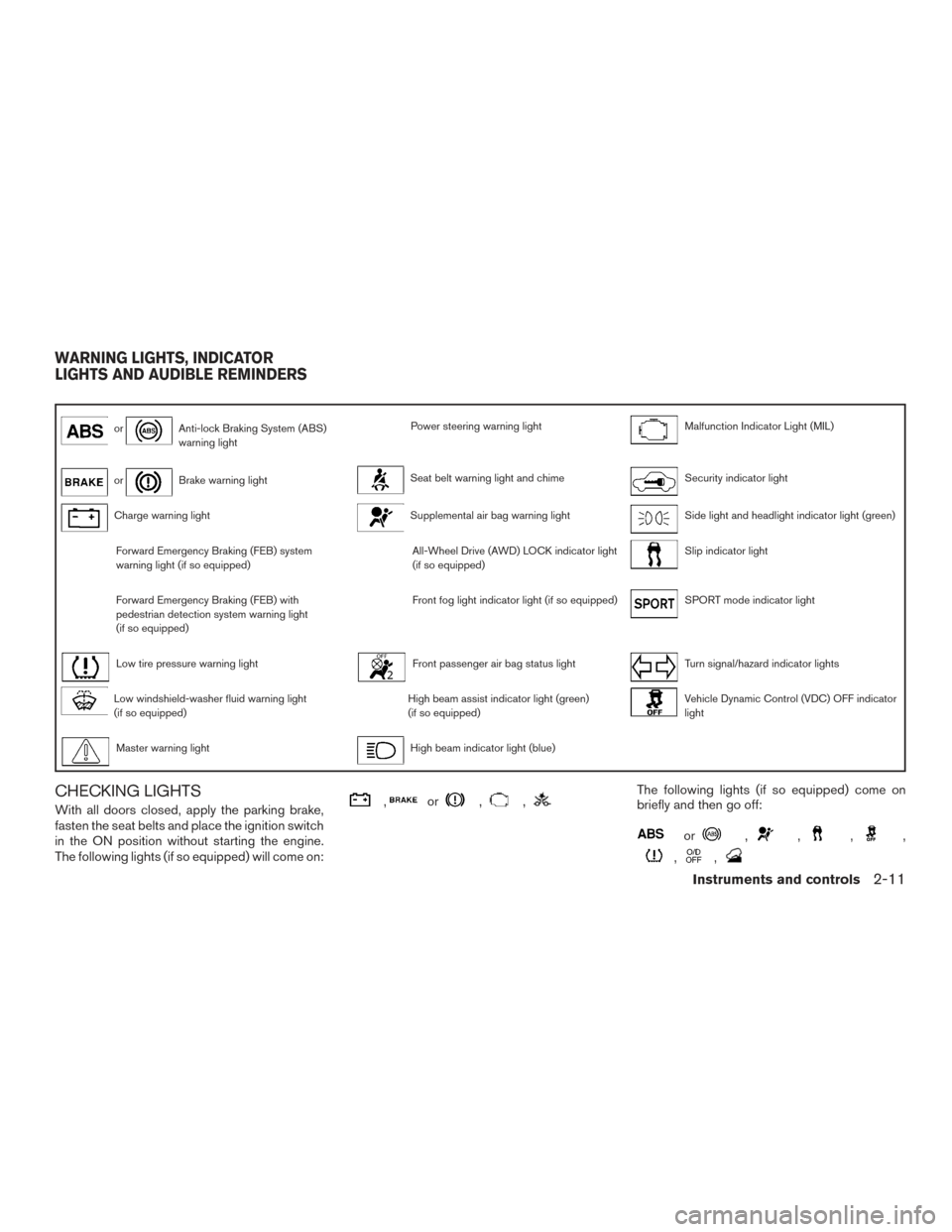
orAnti-lock Braking System (ABS)
warning lightPower steering warning lightMalfunction Indicator Light (MIL)
orBrake warning lightSeat belt warning light and chimeSecurity indicator light
Charge warning lightSupplemental air bag warning lightSide light and headlight indicator light (green)
Forward Emergency Braking (FEB) system
warning light (if so equipped)All-Wheel Drive (AWD) LOCK indicator light
(if so equipped)Slip indicator light
Forward Emergency Braking (FEB) with
pedestrian detection system warning light
(if so equipped)Front fog light indicator light (if so equipped)SPORT mode indicator light
Low tire pressure warning lightFront passenger air bag status lightTurn signal/hazard indicator lights
Low windshield-washer fluid warning light
(if so equipped)High beam assist indicator light (green)
(if so equipped)Vehicle Dynamic Control (VDC) OFF indicator
light
Master warning lightHigh beam indicator light (blue)
CHECKING LIGHTS
With all doors closed, apply the parking brake,
fasten the seat belts and place the ignition switch
in the ON position without starting the engine.
The following lights (if so equipped) will come on:,or,,The following lights (if so equipped) come on
briefly and then go off:
or,,,,
,,
WARNING LIGHTS, INDICATOR
LIGHTS AND AUDIBLE REMINDERS
Instruments and controls2-11
Page 98 of 547
high-speed driving and abrupt braking. For addi-
tional information, refer to “Anti-lock Braking Sys-
tem (ABS) warning light” in this section.
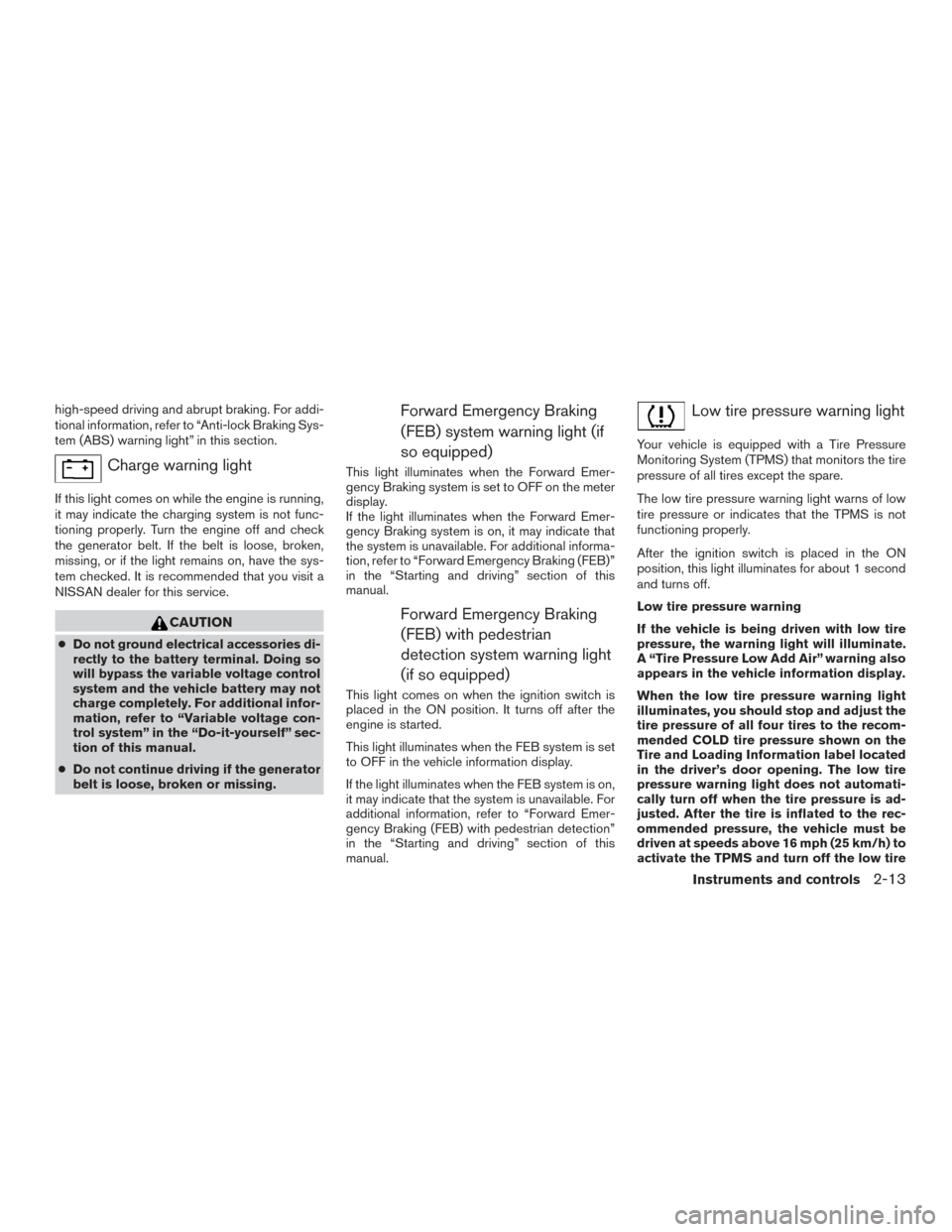
Charge warning light
If this light comes on while the engine is running,
it may indicate the charging system is not func-
tioning properly. Turn the engine off and check
the generator belt. If the belt is loose, broken,
missing, or if the light remains on, have the sys-
tem checked. It is recommended that you visit a
NISSAN dealer for this service.
CAUTION
●Do not ground electrical accessories di-
rectly to the battery terminal. Doing so
will bypass the variable voltage control
system and the vehicle battery may not
charge completely. For additional infor-
mation, refer to “Variable voltage con-
trol system” in the “Do-it-yourself” sec-
tion of this manual.
● Do not continue driving if the generator
belt is loose, broken or missing.
Forward Emergency Braking
(FEB) system warning light (if
so equipped)
This light illuminates when the Forward Emer-
gency Braking system is set to OFF on the meter
display.
If the light illuminates when the Forward Emer-
gency Braking system is on, it may indicate that
the system is unavailable. For additional informa-
tion, refer to “Forward Emergency Braking (FEB)”
in the “Starting and driving” section of this
manual.
Forward Emergency Braking(FEB) with pedestrian
detection system warning light
(if so equipped)
This light comes on when the ignition switch is
placed in the ON position. It turns off after the
engine is started.
This light illuminates when the FEB system is set
to OFF in the vehicle information display.
If the light illuminates when the FEB system is on,
it may indicate that the system is unavailable. For
additional information, refer to “Forward Emer-
gency Braking (FEB) with pedestrian detection”
in the “Starting and driving” section of this
manual.
Low tire pressure warning light
Your vehicle is equipped with a Tire Pressure
Monitoring System (TPMS) that monitors the tire
pressure of all tires except the spare.
The low tire pressure warning light warns of low
tire pressure or indicates that the TPMS is not
functioning properly.
After the ignition switch is placed in the ON
position, this light illuminates for about 1 second
and turns off.
Low tire pressure warning
If the vehicle is being driven with low tire
pressure, the warning light will illuminate.
A “Tire Pressure Low Add Air” warning also
appears in the vehicle information display.
When the low tire pressure warning light
illuminates, you should stop and adjust the
tire pressure of all four tires to the recom-
mended COLD tire pressure shown on the
Tire and Loading Information label located
in the driver’s door opening. The low tire
pressure warning light does not automati-
cally turn off when the tire pressure is ad-
justed. After the tire is inflated to the rec-
ommended pressure, the vehicle must be
driven at speeds above 16 mph (25 km/h) to
activate the TPMS and turn off the low tire
Instruments and controls2-13
Page 104 of 547
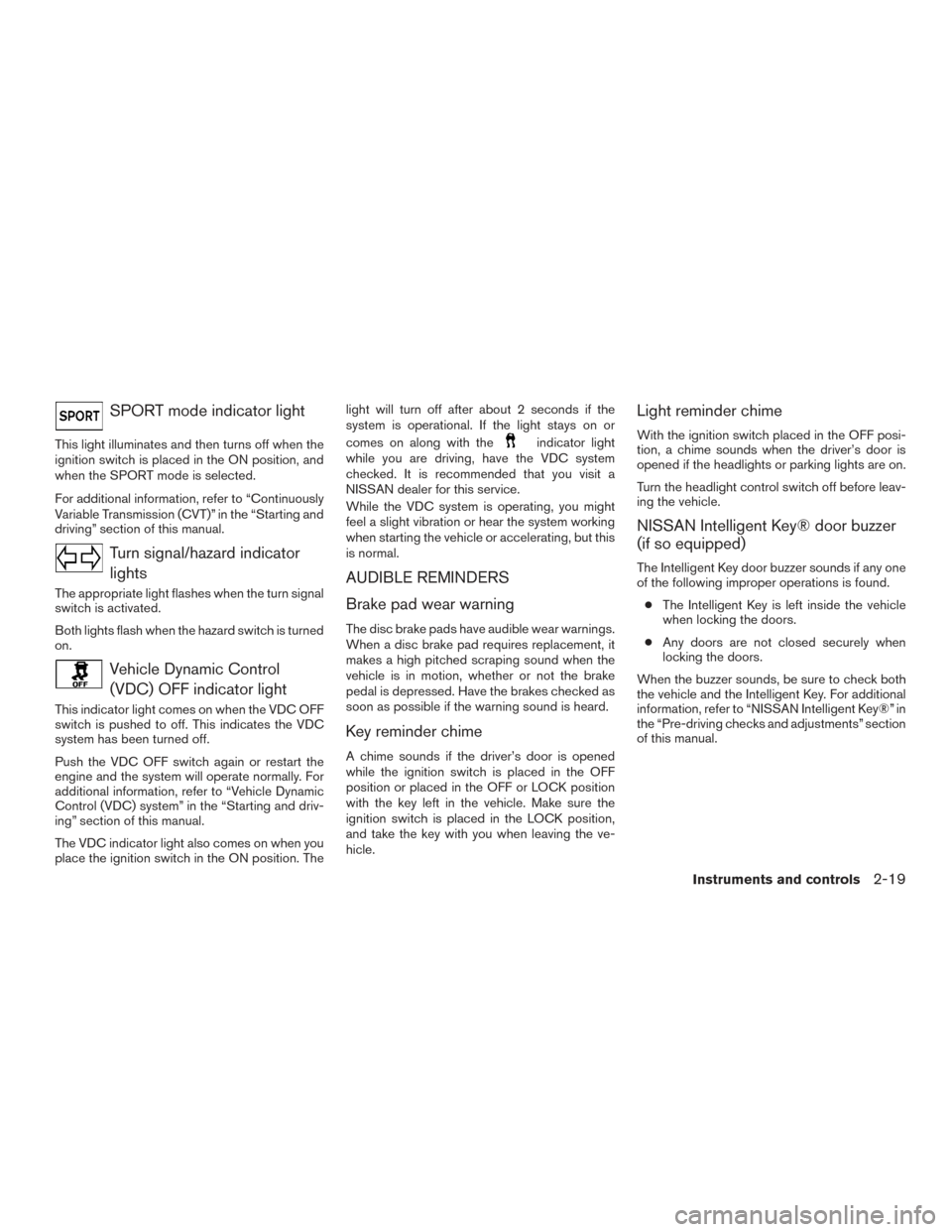
SPORT mode indicator light
This light illuminates and then turns off when the
ignition switch is placed in the ON position, and
when the SPORT mode is selected.
For additional information, refer to “Continuously
Variable Transmission (CVT)” in the “Starting and
driving” section of this manual.
Turn signal/hazard indicatorlights
The appropriate light flashes when the turn signal
switch is activated.
Both lights flash when the hazard switch is turned
on.
Vehicle Dynamic Control(VDC) OFF indicator light
This indicator light comes on when the VDC OFF
switch is pushed to off. This indicates the VDC
system has been turned off.
Push the VDC OFF switch again or restart the
engine and the system will operate normally. For
additional information, refer to “Vehicle Dynamic
Control (VDC) system” in the “Starting and driv-
ing” section of this manual.
The VDC indicator light also comes on when you
place the ignition switch in the ON position. The light will turn off after about 2 seconds if the
system is operational. If the light stays on or
comes on along with the
indicator light
while you are driving, have the VDC system
checked. It is recommended that you visit a
NISSAN dealer for this service.
While the VDC system is operating, you might
feel a slight vibration or hear the system working
when starting the vehicle or accelerating, but this
is normal.
AUDIBLE REMINDERS
Brake pad wear warning
The disc brake pads have audible wear warnings.
When a disc brake pad requires replacement, it
makes a high pitched scraping sound when the
vehicle is in motion, whether or not the brake
pedal is depressed. Have the brakes checked as
soon as possible if the warning sound is heard.
Key reminder chime
A chime sounds if the driver’s door is opened
while the ignition switch is placed in the OFF
position or placed in the OFF or LOCK position
with the key left in the vehicle. Make sure the
ignition switch is placed in the LOCK position,
and take the key with you when leaving the ve-
hicle.
Light reminder chime
With the ignition switch placed in the OFF posi-
tion, a chime sounds when the driver’s door is
opened if the headlights or parking lights are on.
Turn the headlight control switch off before leav-
ing the vehicle.
NISSAN Intelligent Key® door buzzer
(if so equipped)
The Intelligent Key door buzzer sounds if any one
of the following improper operations is found.
● The Intelligent Key is left inside the vehicle
when locking the doors.
● Any doors are not closed securely when
locking the doors.
When the buzzer sounds, be sure to check both
the vehicle and the Intelligent Key. For additional
information, refer to “NISSAN Intelligent Key®” in
the “Pre-driving checks and adjustments” section
of this manual.
Instruments and controls2-19
Page 110 of 547
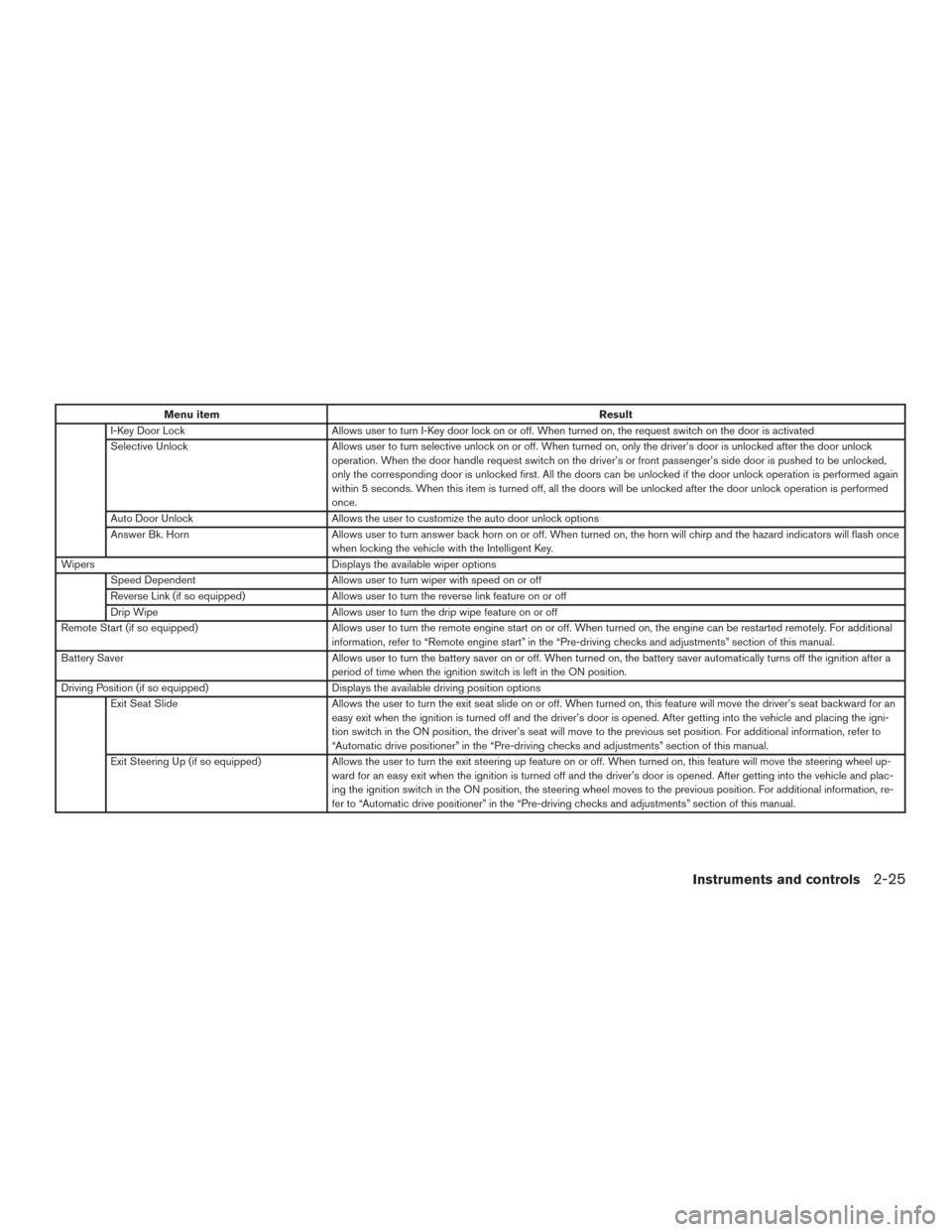
Menu itemResult
I-Key Door Lock Allows user to turn I-Key door lock on or off. When turned on, the request switch on the door is activated
Selective Unlock Allows user to turn selective unlock on or off. When turned on, only the driver’s door is unlocked after the door unlock
operation. When the door handle request switch on the driver’s or front passenger’s side door is pushed to be unlocked,
only the corresponding door is unlocked first. All the doors can be unlocked if the door unlock operation is performed again
within 5 seconds. When this item is turned off, all the doors will be unlocked after the door unlock operation is performed
once.
Auto Door Unlock Allows the user to customize the auto door unlock options
Answer Bk. Horn Allows user to turn answer back horn on or off. When turned on, the horn will chirp and the hazard indicators will flash once
when locking the vehicle with the Intelligent Key.
Wipers Displays the available wiper options
Speed Dependent Allows user to turn wiper with speed on or off
Reverse Link (if so equipped) Allows user to turn the reverse link feature on or off
Drip Wipe Allows user to turn the drip wipe feature on or off
Remote Start (if so equipped) Allows user to turn the remote engine start on or off. When turned on, the engine can be restarted remotely. For additional
information, refer to “Remote engine start” in the “Pre-driving checks and adjustments” section of this manual.
Battery Saver Allows user to turn the battery saver on or off. When turned on, the battery saver automatically turns off the ignition after a
period of time when the ignition switch is left in the ON position.
Driving Position (if so equipped) Displays the available driving position options
Exit Seat Slide Allows the user to turn the exit seat slide on or off. When turned on, this feature will move the driver’s seat backward for an
easy exit when the ignition is turned off and the driver’s door is opened. After getting into the vehicle and placing the igni-
tion switch in the ON position, the driver’s seat will move to the previous set position. For additional information, refer to
“Automatic drive positioner” in the “Pre-driving checks and adjustments” section of this manual.
Exit Steering Up (if so equipped) Allows the user to turn the exit steering up feature on or off. When turned on, this feature will move the steering wheel up-
ward for an easy exit when the ignition is turned off and the driver’s door is opened. After getting into the vehicle and plac-
ing the ignition switch in the ON position, the steering wheel moves to the previous position. For additional information, re-
fer to “Automatic drive positioner” in the “Pre-driving checks and adjustments” section of this manual.
Instruments and controls2-25
Page 119 of 547
Your vehicle may have two types of security sys-
tems:● Vehicle security system
● NISSAN Vehicle Immobilizer System
VEHICLE SECURITY SYSTEM
The vehicle security system provides visual and
audible alarm signals if someone opens the doors
or liftgate when the system is armed. It is not,
however, a motion detection type system that
activates when a vehicle is moved or when a
vibration occurs.
The system helps deter vehicle theft but cannot
prevent it, nor can it prevent the theft of interior or exterior vehicle components in all situations. Al-
ways secure your vehicle even if parking for a
brief period. Never leave your keys in the vehicle,
and always lock the vehicle when unattended. Be
aware of your surroundings, and park in secure,
well-lit areas whenever possible.
Many devices offering additional protection, such
as component locks, identification markers, and
tracking systems, are available at auto supply
stores and specialty shops. A NISSAN dealer
may also offer such equipment. Check with your
insurance company to see if you may be eligible
for discounts for various theft protection features.
How to arm the vehicle security
system
1. Close all windows.
(The system can be
armed even if the windows are open.)
2. Remove the keys from the vehicle.
3. Close all doors and liftgate. Lock all doors. The doors can be locked with the key fob (if
so equipped) , Intelligent Key (if so
equipped) , door handle request switch, or
mechanical key.
4. Confirm that the
security indicator
light stays on for about 30 seconds. The
vehicle security system is now pre-armed.
The vehicle security system will automati- cally shift into the armed phase. The
security light begins to flash once every
three seconds. If during the pre-armed
phase one of the following occurs, the sys-
tem will not arm:
● Any door is unlocked with the key fob (if so
equipped) , the Intelligent Key (if so
equipped) , mechanical key, or door request
switch.
● Ignition switch is placed in the ON position.
● Even when the driver and/or passen-
gers are in the vehicle, the system will
activate with all the doors, hood and
liftgate locked with the ignition switch
placed in the LOCK position. When
placing the ignition switch in the ON
position, the system will be released.
Vehicle security system activation
The vehicle security system will give the following
alarm:
● The headlights blink and the horn sounds
intermittently but synchronously.
● The alarm automatically turns off after a pe-
riod of time. However, the alarm reactivates if
the vehicle is tampered with again.
LIC2385
SECURITY SYSTEMS
2-34Instruments and controls
Page 120 of 547
The alarm is activated by:● opening any door or the liftgate without us-
ing the key or Intelligent Key (even if the door
is unlocked by releasing the door inside lock
knob) .
How to stop an activated alarm
The alarm stops only by unlocking a door or the
liftgate with the mechanical key the key fob (if so
equipped) , pressing the
button on the In-
telligent Key (if so equipped) , or pushing the
request switch on the driver’s or passenger’s
door with the Intelligent Key (if so equipped) in
range of the door handle.
NISSAN VEHICLE IMMOBILIZER
SYSTEM
The NISSAN Vehicle Immobilizer System will not
allow the engine to start without the use of a
registered key.
Never leave these keys in the vehicle. FCC Notice:
For USA:
This device complies with Part 15 of the
FCC Rules. Operation is subject to the fol-
lowing two conditions: (1) This device may
not cause harmful interference, and (2) this
device must accept any interference re-
ceived, including interference that may
cause undesired operation.
NOTE:
Changes or modifications not expressly ap-
proved by the party responsible for compli-
ance could void the user’s authority to op-
erate the equipment.
For Canada:
This device complies with Industry Canada
license-exempt RSS standard(s) . Opera-
tion is subject to the following two condi-
tions: (1) this device may not cause inter-
ference, and (2) this device must accept any
interference received, including interfer-
ence that may cause undesired operation
of the device.
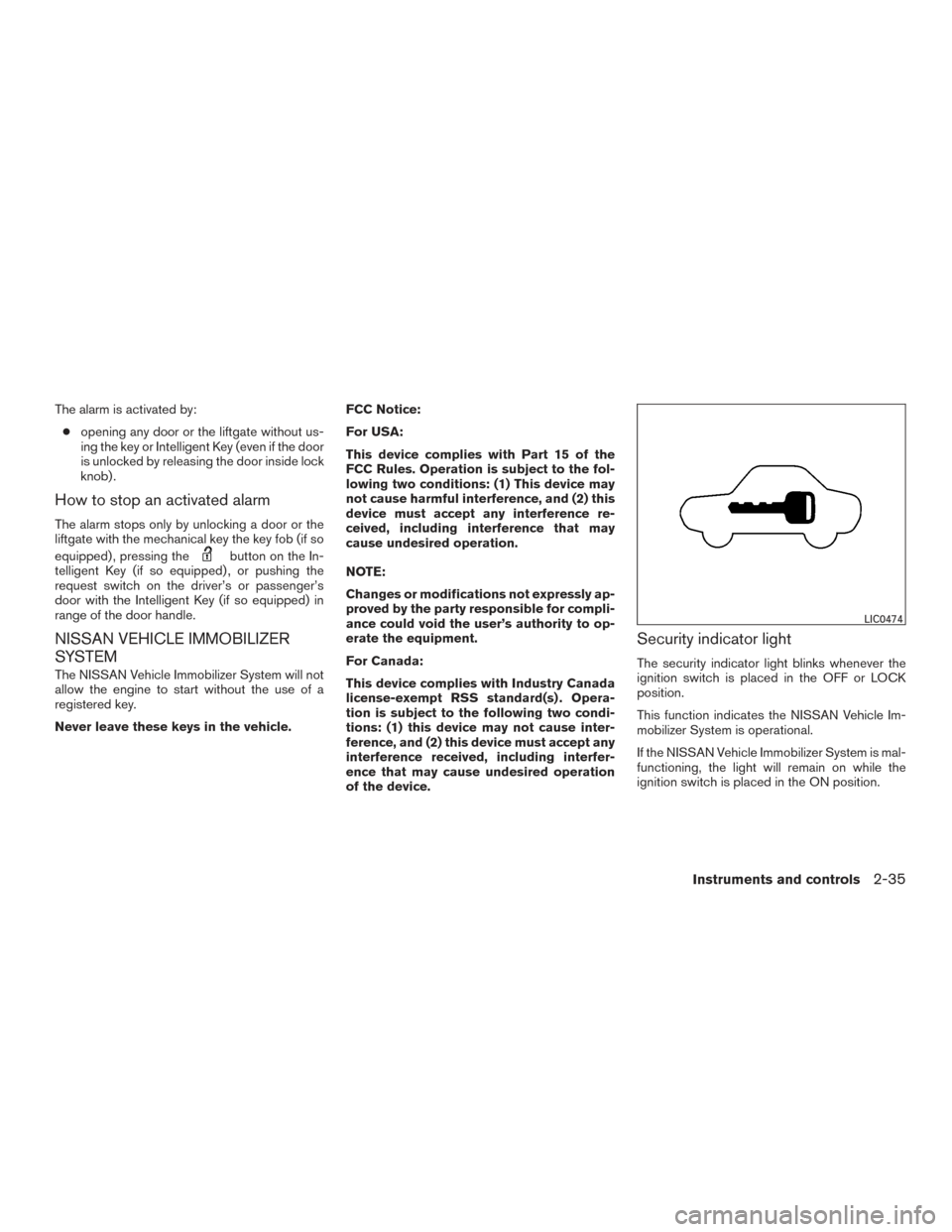
Security indicator light
The security indicator light blinks whenever the
ignition switch is placed in the OFF or LOCK
position.
This function indicates the NISSAN Vehicle Im-
mobilizer System is operational.
If the NISSAN Vehicle Immobilizer System is mal-
functioning, the light will remain on while the
ignition switch is placed in the ON position.
LIC0474
Instruments and controls2-35