CD player NISSAN ROGUE 2017 Owner´s Manual
[x] Cancel search | Manufacturer: NISSAN, Model Year: 2017, Model line: ROGUE, Model: NISSAN ROGUE 2017Pages: 554, PDF Size: 6.44 MB
Page 265 of 554
REPLAYTo replay a track from
the beginning, press
the
seek button.
The user can continue
to press the
seek button to replay
previous songs, but
can only go back as
far as the system
permits. The system
will warn the user
when they cannot skip
any further back by
displaying “At the
End” in the bottom left
corner of the screen. SKIP
To skip a track, press
the
track
button. “Live” will ap-
pear in the bottom left
corner of the screen
indicating the differ-
ence from play time to
live audio.
PAUSE To pause a track,
press the
pause
button.
REWIND/FAST
FORWARD To rewind/ fast for-
ward a track, hold
the
or
seek/track button.
Compact disc (CD) player operation
If the radio is already operating, it automatically
turns off and the compact disc begins to play.
CD button
When the CD button is pressed with the system
off and the compact disc loaded, the system will
turn on and the compact disc will start to play.
When the CD button is pressed with a compact
disc loaded and the radio playing, the radio will
automatically be turned off and the compact disc
will start to play.
4-62Monitor, climate, audio, phone and voice recognition systems
Page 267 of 554
SEEK (Reverse or FastForward) buttons
Press and hold the
orseek buttons
for 1.5 seconds while the compact disc is playing
to reverse or fast forward the track being played.
The compact disc plays at an increased speed
while reversing or fast forwarding. When the but-
ton is released, the compact disc returns to nor-
mal play speed.
SEEK buttons
Press the
seek button while a CD or
MP3/WMA CD is playing to return to the begin-
ning of the current track. Press the
seek
button several times to skip backward several
tracks.
Press the
seek button while a CD or
MP3/WMA CD is playing to advance one track.
Press the
seek button several times to skip
forward several tracks. If the last track on a CD is
skipped, the first track on the disc is played. If the
last track in a folder of an MP3/WMA CD is
skipped, the first track of the next folder is played. AUX button
The AUX IN audio input jack accepts any stan-
dard analog audio input such as from a portable
cassette tape/CD player, MP3 player or a laptop
computer. Press the AUX button to play a com-
patible device plugged into the AUX IN jack.
CD EJECT button
When the
CD EJECT button is pressed
with a compact disc loaded, the compact disc
will eject and the last source will be played.
If the disc is not removed within 10 seconds, the
disc will reload.
Additional features
For additional information, refer to “iPod® player
operation with Navigation System” in this section.
For additional information, refer to “USB (Univer-
sal Serial Bus) Connection Port (models with
Navigation System)” in this section.
For additional information, refer to “Bluetooth®
streaming audio with Navigation System” in this
section.USB (Universal Serial Bus)
CONNECTION PORT (models
without Navigation System) (if so
equipped)
Connecting a device to the USB
Connection Port
WARNING
Do not connect, disconnect, or operate the
USB device while driving. Doing so can be
a distraction. If distracted you could lose
control of your vehicle and cause an acci-
dent or serious injury.
LHA2929
4-64Monitor, climate, audio, phone and voice recognition systems
Page 271 of 554
iPod®* PLAYER OPERATION
WITHOUT NAVIGATION SYSTEM (if
so equipped)
Connecting iPod®
WARNING
Do not connect, disconnect, or operate the
USB device while driving. Doing so can be
a distraction. If distracted you could lose
control of your vehicle and cause an acci-
dent or serious injury.
CAUTION
●Do not force the USB device into the
USB port. Inserting the USB device
tilted or up-side-down into the port may
damage the port. Make sure that the
USB device is connected correctly into
the USB port.
● Do not grab the USB port cover (if so
equipped) when pulling the USB device
out of the port. This could damage the
port and the cover.
● Do not leave the USB cable in a place
where it can be pulled unintentionally.
Pulling the cable may damage the port.
For additional information, refer to your device
manufacturer’s owner information regarding the
proper use and care of the device.
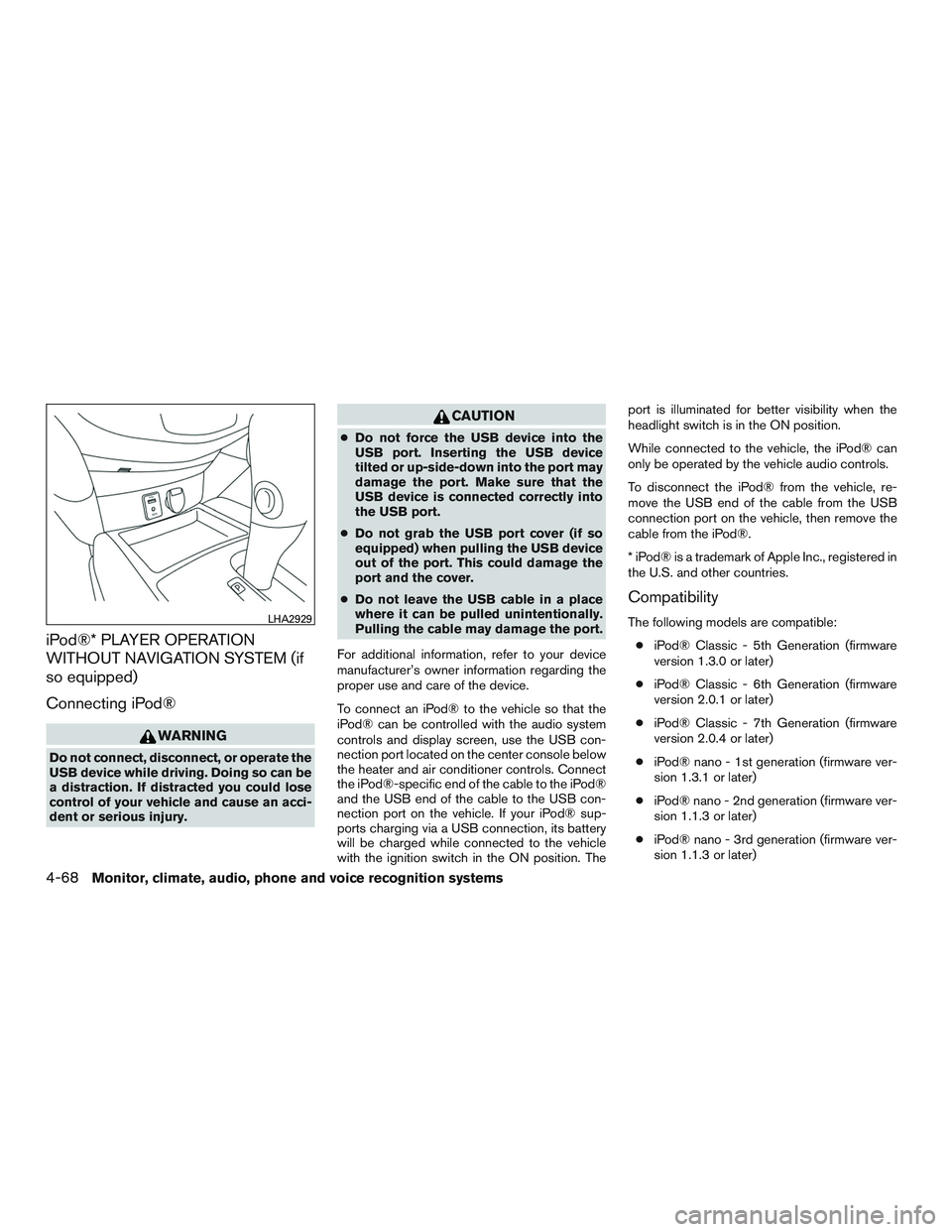
To connect an iPod® to the vehicle so that the
iPod® can be controlled with the audio system
controls and display screen, use the USB con-
nection port located on the center console below
the heater and air conditioner controls. Connect
the iPod®-specific end of the cable to the iPod®
and the USB end of the cable to the USB con-
nection port on the vehicle. If your iPod® sup-
ports charging via a USB connection, its battery
will be charged while connected to the vehicle
with the ignition switch in the ON position. The port is illuminated for better visibility when the
headlight switch is in the ON position.
While connected to the vehicle, the iPod® can
only be operated by the vehicle audio controls.
To disconnect the iPod® from the vehicle, re-
move the USB end of the cable from the USB
connection port on the vehicle, then remove the
cable from the iPod®.
* iPod® is a trademark of Apple Inc., registered in
the U.S. and other countries.
Compatibility
The following models are compatible:
● iPod® Classic - 5th Generation (firmware
version 1.3.0 or later)
● iPod® Classic - 6th Generation (firmware
version 2.0.1 or later)
● iPod® Classic - 7th Generation (firmware
version 2.0.4 or later)
● iPod® nano - 1st generation (firmware ver-
sion 1.3.1 or later)
● iPod® nano - 2nd generation (firmware ver-
sion 1.1.3 or later)
● iPod® nano - 3rd generation (firmware ver-
sion 1.1.3 or later)LHA2929
4-68Monitor, climate, audio, phone and voice recognition systems
Page 273 of 554
iPod®* PLAYER OPERATION WITH
NAVIGATION SYSTEM (if so
equipped)
Connecting iPod®
WARNING
Do not connect, disconnect, or operate the
USB device while driving. Doing so can be
a distraction. If distracted you could lose
control of your vehicle and cause an acci-
dent or serious injury.
CAUTION
●Do not force the USB device into the
USB port. Inserting the USB device
tilted or up-side-down into the port may
damage the port. Make sure that the
USB device is connected correctly into
the USB port.
● Do not grab the USB port cover (if so
equipped) when pulling the USB device
out of the port. This could damage the
port and the cover.
● Do not leave the USB cable in a place
where it can be pulled unintentionally.
Pulling the cable may damage the port.
For additional information, refer to your device
manufacturer’s owner information regarding the
proper use and care of the device.
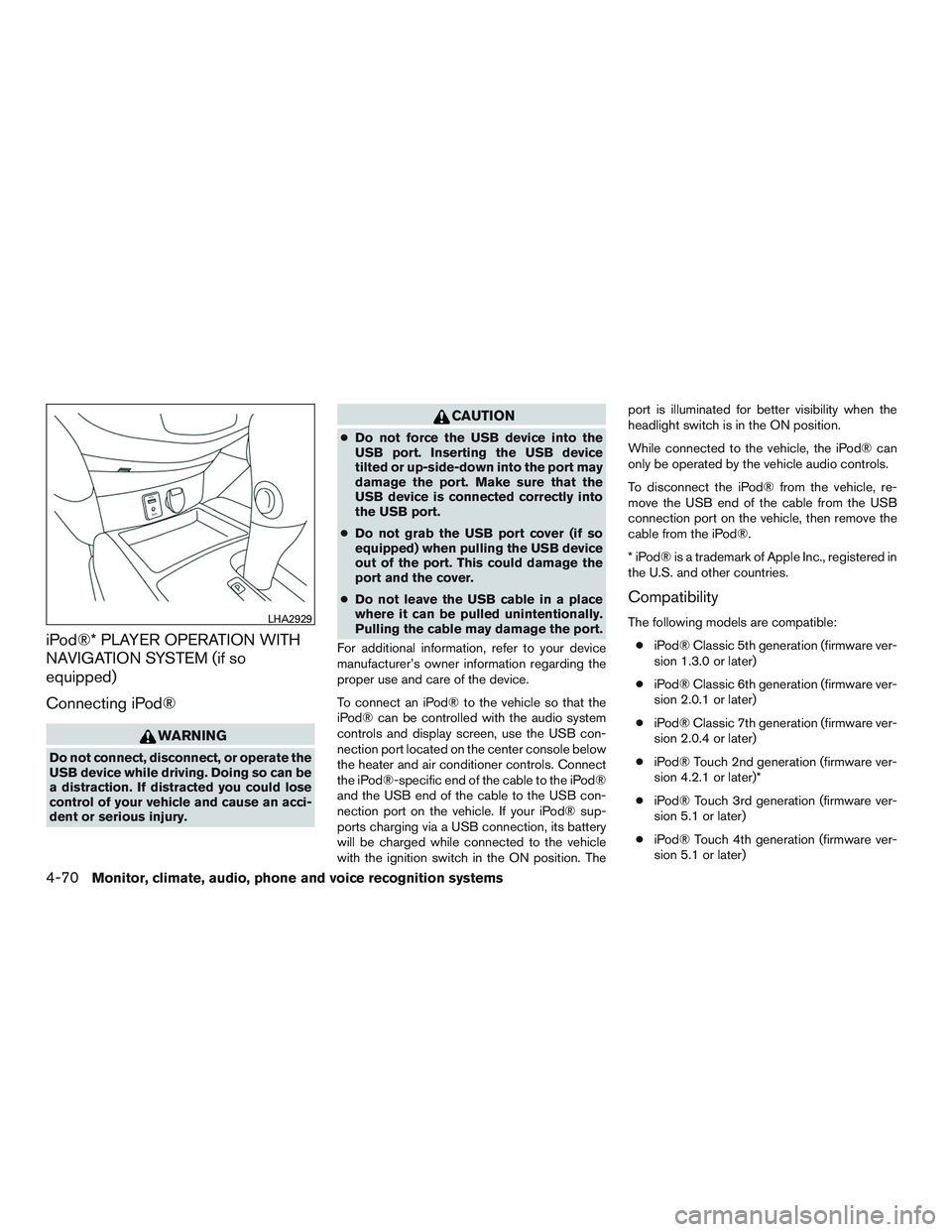
To connect an iPod® to the vehicle so that the
iPod® can be controlled with the audio system
controls and display screen, use the USB con-
nection port located on the center console below
the heater and air conditioner controls. Connect
the iPod®-specific end of the cable to the iPod®
and the USB end of the cable to the USB con-
nection port on the vehicle. If your iPod® sup-
ports charging via a USB connection, its battery
will be charged while connected to the vehicle
with the ignition switch in the ON position. The port is illuminated for better visibility when the
headlight switch is in the ON position.
While connected to the vehicle, the iPod® can
only be operated by the vehicle audio controls.
To disconnect the iPod® from the vehicle, re-
move the USB end of the cable from the USB
connection port on the vehicle, then remove the
cable from the iPod®.
* iPod® is a trademark of Apple Inc., registered in
the U.S. and other countries.
Compatibility
The following models are compatible:
● iPod® Classic 5th generation (firmware ver-
sion 1.3.0 or later)
● iPod® Classic 6th generation (firmware ver-
sion 2.0.1 or later)
● iPod® Classic 7th generation (firmware ver-
sion 2.0.4 or later)
● iPod® Touch 2nd generation (firmware ver-
sion 4.2.1 or later)*
● iPod® Touch 3rd generation (firmware ver-
sion 5.1 or later)
● iPod® Touch 4th generation (firmware ver-
sion 5.1 or later)LHA2929
4-70Monitor, climate, audio, phone and voice recognition systems
Page 330 of 554
NOTE:
Care should be taken to avoid situations
that can lead to potential battery discharge
and potential no-start conditions such as:1. Installation or extended use of elec-
tronic accessories that consume bat-
tery power when the engine is not run-
ning (Phone chargers, GPS, DVD
players, etc.)
2. Vehicle is not driven regularly and/or
only driven short distances. In these
cases, the battery may need to be
charged to maintain battery health. 1. Apply the parking brake.
2. Move the shift lever to P (Park) or N (Neu-
tral) . P (Park) is recommended.
The starter is designed not to operate if
the shift lever is in any of the driving
positions.
3. Push the ignition switch to the ON position. Depress the brake pedal and push the igni-
tion switch to start the engine.
To start the engine immediately, push and
release the ignition switch while depressing
the brake pedal with the ignition switch in
any position.
● If the engine is very hard to start in ex-
tremely cold weather or when restarting,
depress the accelerator pedal a little (ap-
proximately 1/3 to the floor) and while
holding, crank the engine. Release the
accelerator pedal when the engine starts.
● If the engine is very hard to start because
it is flooded, depress the accelerator
pedal all the way to the floor and hold it.
Push the ignition switch to the ON posi-
tion to start cranking the engine. After 5 or
6 seconds, stop cranking by pushing the
ignition switch to LOCK. After cranking
the engine, release the accelerator pedal.
Crank the engine with your foot off the accelerator pedal by depressing the
brake pedal and pushing the push-button
ignition switch to start the engine. If the
engine starts, but fails to run, repeat the
above procedure.
CAUTION
Do not operate the starter for more than
15 seconds at a time. If the engine does
not start, push the ignition switch to the
OFF position and wait 10 seconds before
cranking again, otherwise the starter
could be damaged.
4. Warm-up:
Allow the engine to idle for at least 30 sec-
onds after starting. Do not race the engine
while warming it up. Drive at moderate
speed for a short distance first, especially in
cold weather. In cold weather, keep the en-
gine running for a minimum of 2 to 3 minutes
before shutting it off. Starting and stopping
the engine over a short period of time may
make the vehicle more difficult to start.
5. To stop the engine, shift the shift lever into the P (Park) position and push the ignition
switch to the OFF position.
STARTING THE ENGINE (models with
NISSAN Intelligent Key® system)
Starting and driving5-19
Page 331 of 554
NOTE:
Care should be taken to avoid situations
that can lead to potential battery discharge
and potential no-start conditions such as:1. Installation or extended use of elec-
tronic accessories that consume bat-
tery power when the engine is not run-
ning (phone chargers, GPS, DVD
players, etc.)
2. The vehicle is not driven regularly
and/or only driven short distances.
In these cases, the battery may need to
be charged to maintain battery health.
REMOTE ENGINE START (if so
equipped)
Vehicles started with the remote engine start
require the ignition switch to be placed in the ON
position before the shift lever can be moved from
the P (Park) position. To place the ignition switch
to the ON position, follow these steps:
1. Make sure that the Intelligent Key is on you.
2. Apply the brake.
3. Push the ignition switch once to the ON position. For additional information, refer to “NISSAN In-
telligent Key®” in the “Pre-driving checks and
adjustments” section of this manual.
CONTINUOUSLY VARIABLE
TRANSMISSION (CVT)
WARNING
●
Do not depress the accelerator pedal
while shifting from P (Park) or N (Neu-
tral) to R (Reverse) , D (Drive) , or M
(Manual shift mode) . Always depress
the brake pedal until shifting is com-
pleted. Failure to do so could cause you
to lose control and have an accident.
● Cold engine idle speed is high, so use
caution when shifting into a forward or
reverse gear before the engine has
warmed up.
● Do not downshift abruptly on slippery
roads. This may cause a loss of control.
● Never shift to either the P (Park) or R
(Reverse) position while the vehicle is
moving forward and P (Park) or D
(Drive) position while the vehicle is re-
versing. This could cause an accident or
damage the transmission.
DRIVING THE VEHICLE
5-20Starting and driving
Page 459 of 554
WINDSHIELD-WASHER FLUID
RESERVOIR
Fill the windshield-washer fluid reservoir periodi-
cally. Add windshield-washer fluid when the low
windshield-washer fluid warning light comes on.
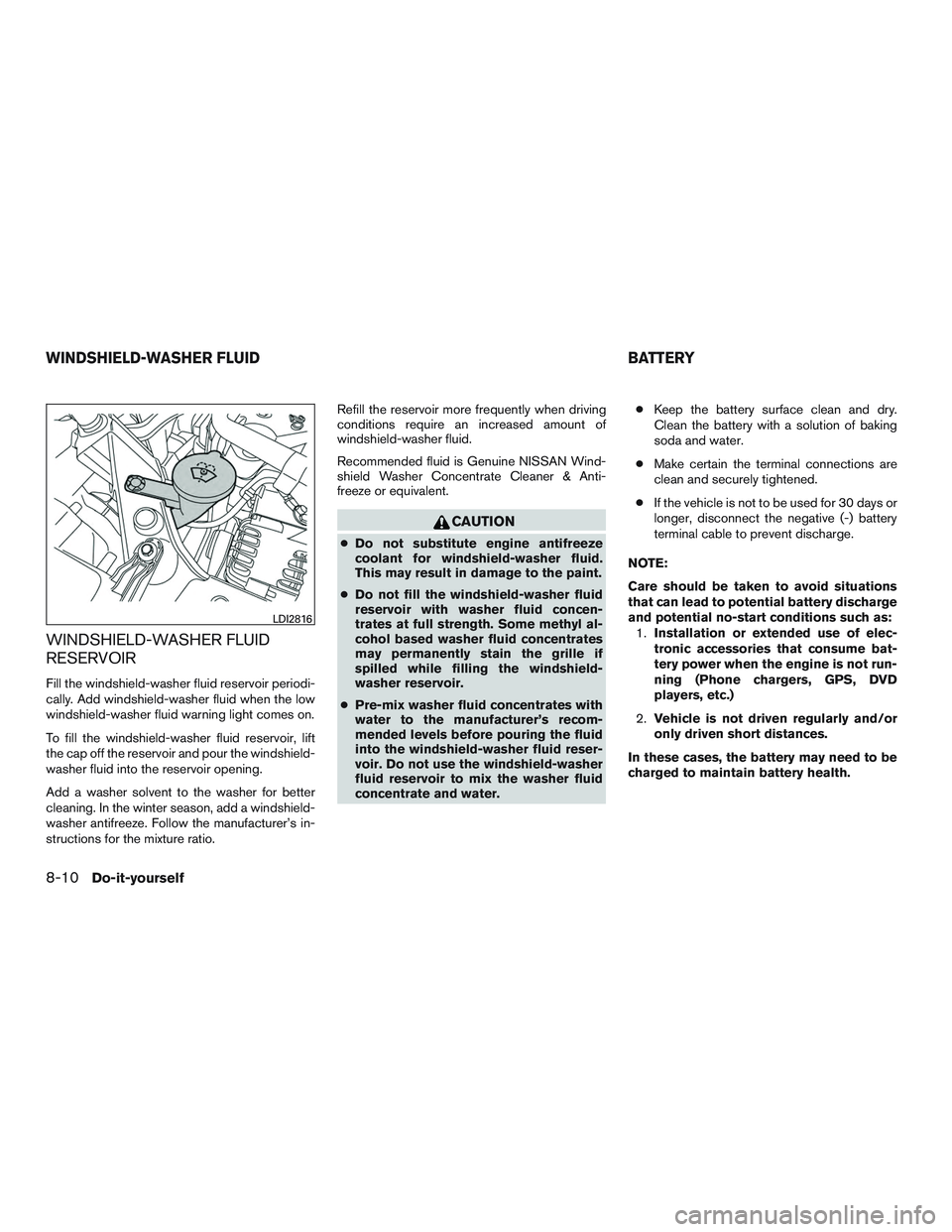
To fill the windshield-washer fluid reservoir, lift
the cap off the reservoir and pour the windshield-
washer fluid into the reservoir opening.
Add a washer solvent to the washer for better
cleaning. In the winter season, add a windshield-
washer antifreeze. Follow the manufacturer’s in-
structions for the mixture ratio.Refill the reservoir more frequently when driving
conditions require an increased amount of
windshield-washer fluid.
Recommended fluid is Genuine NISSAN Wind-
shield Washer Concentrate Cleaner & Anti-
freeze or equivalent.
CAUTION
●
Do not substitute engine antifreeze
coolant for windshield-washer fluid.
This may result in damage to the paint.
● Do not fill the windshield-washer fluid
reservoir with washer fluid concen-
trates at full strength. Some methyl al-
cohol based washer fluid concentrates
may permanently stain the grille if
spilled while filling the windshield-
washer reservoir.
● Pre-mix washer fluid concentrates with
water to the manufacturer’s recom-
mended levels before pouring the fluid
into the windshield-washer fluid reser-
voir. Do not use the windshield-washer
fluid reservoir to mix the washer fluid
concentrate and water. ●
Keep the battery surface clean and dry.
Clean the battery with a solution of baking
soda and water.
● Make certain the terminal connections are
clean and securely tightened.
● If the vehicle is not to be used for 30 days or
longer, disconnect the negative (-) battery
terminal cable to prevent discharge.
NOTE:
Care should be taken to avoid situations
that can lead to potential battery discharge
and potential no-start conditions such as: 1. Installation or extended use of elec-
tronic accessories that consume bat-
tery power when the engine is not run-
ning (Phone chargers, GPS, DVD
players, etc.)
2. Vehicle is not driven regularly and/or
only driven short distances.
In these cases, the battery may need to be
charged to maintain battery health.
LDI2816
WINDSHIELD-WASHER FLUID BATTERY
8-10Do-it-yourself
Page 495 of 554
Seat belts:Check that all parts of the seat belt
system (for example, buckles, anchors, adjusters
and retractors) operate properly and smoothly,
and are installed securely. Check the belt web-
bing for cuts, fraying, wear or damage.
Steering wheel: Check for changes in the
steering system, such as excessive free play,
hard steering or strange noises.
Warning lights and chimes: Make sure all
warning lights and chimes are operating properly.
Windshield defroster: Check that the air
comes out of the defroster outlets properly and in
sufficient quantity when operating the heater or
air conditioner.
Windshield wiper and washer*: Check that
the wipers and washer operate properly and that
the wipers do not streak.
Under the hood and vehicle
The maintenance items listed here should be
checked periodically (for example, each time you
check the engine oil or refuel) .
Battery*: Check the fluid level in each cell. The
fluid should be at the bottom of the filler opening.
Vehicles operated in high temperatures or under
severe conditions require frequent checks of the
battery fluid level. NOTE:
Care should be taken to avoid situations
that can lead to potential battery discharge
and potential no-start conditions such as:
1. Installation or extended use of elec-
tronic accessories that consume bat-
tery power when the engine is not run-
ning (Phone chargers, GPS, DVD
players, etc.) .
2. Vehicle is not driven regularly and/or
only driven short distances.
In these cases, the battery may need to be
charged to maintain battery health.
Brake fluid level*: Make sure that the brake
fluid level is between the MAX and MIN lines on
the reservoir.
Engine coolant level*: Check the coolant level
when the engine is cold.
Engine drive belts*: Make sure the drive belts
are not frayed, worn, cracked or oily.
Engine oil level*: Check the level after parking
the vehicle on a level spot and turning off the
engine. Wait more than 15 minutes for the oil to
drain back into the oil pan. Exhaust system:
Make sure there are no loose
supports, cracks or holes. If the sound of the
exhaust seems unusual or there is a smell of
exhaust fumes, immediately have the exhaust
system inspected. It is recommended that you
visit a NISSAN dealer for this service. For addi-
tional information, refer to “Exhaust gas (carbon
monoxide)” in the “Starting and driving” section of
this manual.
Fluid leaks: Check under the vehicle for fuel, oil,
water or other fluid leaks after the vehicle has
been parked for a while. Water dripping from the
air conditioner after use is normal. If you should
notice any leaks or if fuel fumes are evident,
check for the cause and have it corrected imme-
diately.
Power steering fluid level* and lines: Check
the level when the fluid is cold, with the engine
off. Check the lines for proper attachment, leaks,
cracks, etc.
Radiator and hoses: Check the front of the
radiator and clean off any dirt, insects, leaves,
etc., that may have accumulated. Make sure the
hoses have no cracks, deformation, rot or loose
connections.
9-4Maintenance and schedules
Page 538 of 554
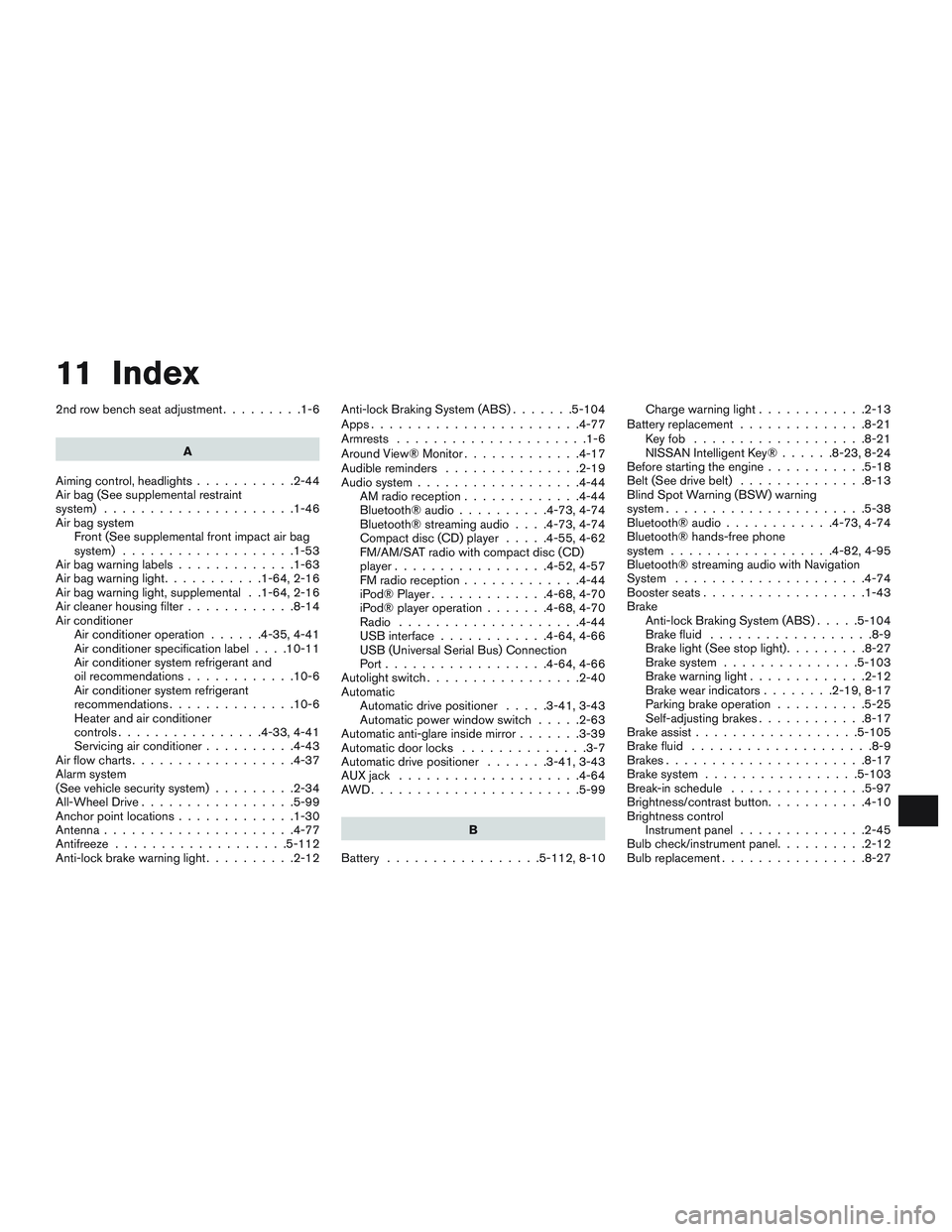
11 Index
2nd row bench seat adjustment.........1-6
A
Aiming control, headlights ...........2-44
Air bag (See supplemental restraint
system) .....................1-46
Air bag system Front (See supplemental front impact air bag
system) ...................1-53
Airbagwarninglabels.............1-63
Airbagwarninglight...........1-64,2-16
Air bag warning light, supplemental . .1-64, 2-16
Air cleaner housing filter ............8-14
Air conditioner Air conditioner operation ......4-35,4-41
Air conditioner specification label ....10-11
Air conditioner system refrigerant and
oil recommendations ............10-6
Air conditioner system refrigerant
recommendations ..............10-6
Heater and air conditioner
controls................4-33,4-41
Servicing air conditioner ..........4-43
Airflowcharts..................4-37
Alarm system
(See vehicle security system) .........2-34
All-Wheel Drive .................5-99
Anchor point locations .............1-30
Antenna .....................4-77
Antifreeze ...................5-112
Anti-lock brake warning light ..........2-12Anti-lock Braking System (ABS)
.......5-104
Apps .......................4-77
Armrests .....................1-6
AroundView®Monitor.............4-17
Audible reminders ...............2-19
Audio system ..................4-44
AMradioreception.............4-44
Bluetooth®audio..........4-73,4-74
Bluetooth® streaming audio ....4-73,4-74
Compact disc (CD) player .....4-55,4-62
FM/AM/SAT radio with compact disc (CD)
player.................4-52,4-57
FMradioreception.............4-44
iPod® Player .............4-68,4-70
iPod® player operation .......4-68,4-70
Radio ....................4-44
USB interface ............4-64,4-66
USB (Universal Serial Bus) Connection
Port..................4-64,4-66
Autolight switch .................2-40
Automatic Automatic drive positioner .....3-41,3-43
Automatic power window switch .....2-63
Automatic anti-glare inside mirror .......3-39
Automatic door locks ..............3-7
Automatic drive positioner .......3-41,3-43
AUXjack ....................4-64
AWD.......................5-99
B
Battery .................5- 112, 8-10Charge warning light
............2-13
Battery replacement ..............8-21
Keyfob ...................8-21
NISSAN Intelligent Key® ......8-23,8-24
Before starting the engine ...........5-18
Belt (See drive belt) ..............8-13
Blind Spot Warning (BSW) warning
system......................5-38
Bluetooth® audio ............4-73,4-74
Bluetooth® hands-free phone
system..................4-82,4-95
Bluetooth® streaming audio with Navigation
System .....................4-74
Boosterseats..................1-43
Brake Anti-lock Braking System (ABS) .....5-104
Brake fluid ..................8-9
Brakelight(Seestoplight).........8-27
Brake system ...............5-103
Brakewarninglight.............2-12
Brakewearindicators........2-19,8-17
Parking brake operation ..........5-25
Self-adjusting brakes ............8-17
Brake assist ..................5-105
Brake fluid ....................8-9
Brakes ......................8-17
Brake
system .................5-103
Break-inschedule ...............5-97
Brightness/contrast button ...........4-10
Brightness control Instrument panel ..............2-45
Bulb check/instrument panel ..........2-12
Bulbreplacement................8-27
Page 539 of 554
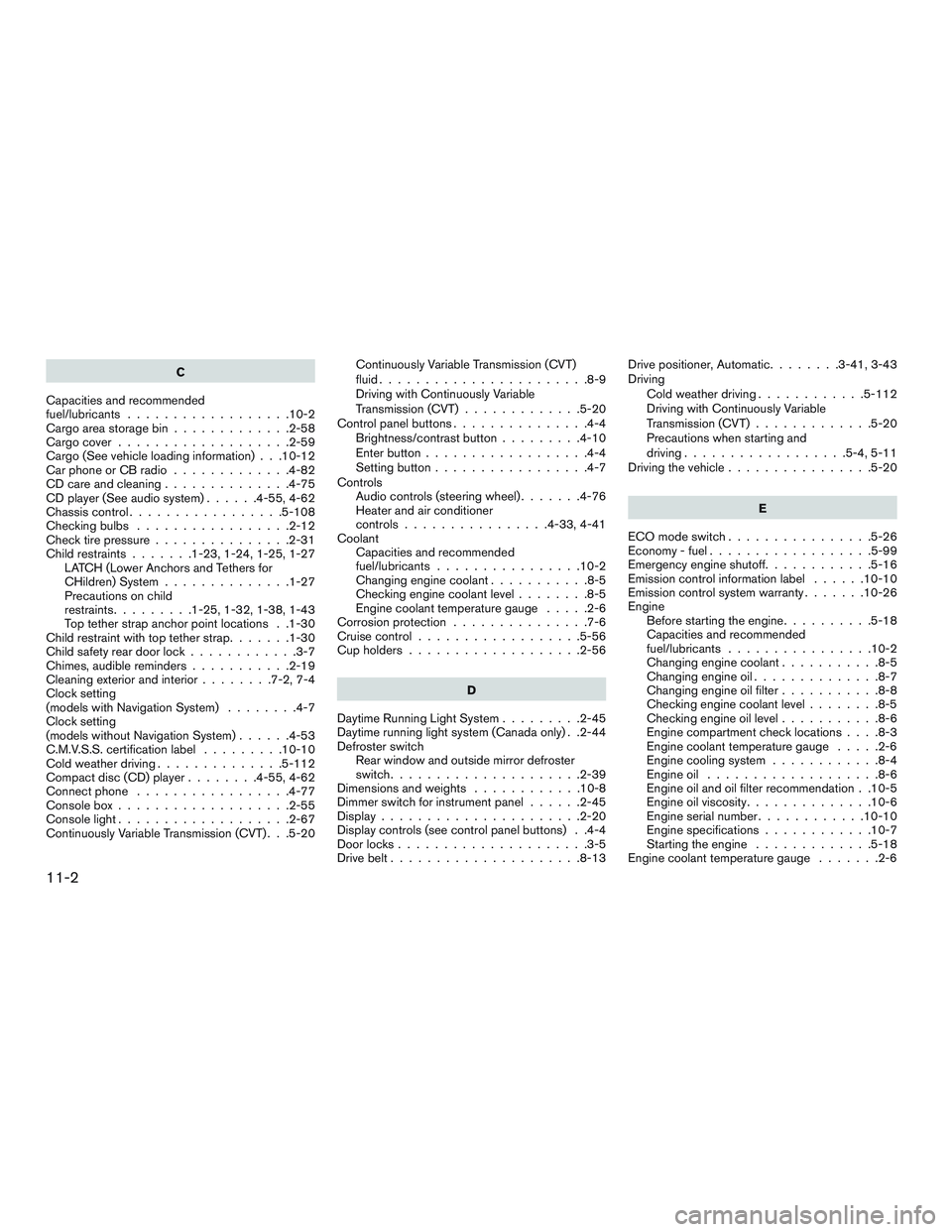
C
Capacities and recommended
fuel/lubricants ..................10-2
Cargoareastoragebin.............2-58
Cargocover...................2-59
Cargo (See vehicle loading information) . . .10-12
Car phone or CB radio .............4-82
CD care and cleaning ..............4-75
CD player (See audio system) ......4-55,4-62
Chassiscontrol.................5-108
Checkingbulbs .................2-12
Check tire pressure ...............2-31
Child restraints .......1-23,1-24,1-25,1-27
LATCH (Lower Anchors and Tethers for
CHildren) System ..............1-27
Precautions on child
restraints.........1-25,1-32,1-38,1-43
Top tether strap anchor point locations . .1-30
Child restraint with top tether strap .......1-30
Child safety rear door lock ............3-7
Chimes, audible reminders ...........2-19
Cleaningexteriorandinterior........7-2,7-4
Clock setting
(models with Navigation System) ........4-7
Clock setting
(models without Navigation System) ......4-53
C.M.V.S.S. certification label .........10-10
Cold weather driving ..............5-112
Compact disc (CD) player ........4-55,4-62
Connect phone .................4-77
Consolebox...................2-55
Consolelight...................2-67
Continuously Variable Transmission (CVT) . . .5-20 Continuously Variable Transmission (CVT)
fluid.......................8-9
Driving with Continuously Variable
Transmission (CVT)
.............5-20
Control panel buttons ...............4-4
Brightness/contrast button .........4-10
Enterbutton..................4-4
Setting button .................4-7
Controls Audio controls (steering wheel) .......4-76
Heater and air conditioner
controls................4-33,4-41
Coolant Capacities and recommended
fuel/lubricants ................10-2
Changingenginecoolant...........8-5
Checking engine coolant level ........8-5
Engine coolant temperature gauge .....2-6
Corrosion protection ...............7-6
Cruisecontrol..................5-56
Cupholders...................2-56
D
Daytime Running Light System .........2-45
Daytime running light system (Canada only) . .2-44
Defroster switch Rear window and outside mirror defroster
switch.....................2-39
Dimensionsandweights ............10-8
Dimmer switch for instrument panel ......2-45
Display......................2-20
Display controls (see control panel buttons) . .4-4
Door locks .....................3-5
Drive belt .....................8-13 Drive positioner, Automatic
........3-41,3-43
Driving Cold weather driving ............5-112
Driving with Continuously Variable
Transmission (CVT) .............5-20
Precautions when starting and
driving ..................5-4,5-11
Driving the vehicle ................5-20
E
ECO mode switch ................5-26
Economy-fuel..................5-99
Emergency engine shutoff ............5-16
Emission control information label ......10-10
Emission control system warranty .......10-26
Engine Before starting the engine ..........5-18
Capacities and recommended
fuel/lubricants ................10-2
Changing engine coolant ...........8-5
Changingengineoil..............8-7
Changing engine oil filter ...........8-8
Checking engine coolant level ........8-5
Checking engine oil level ...........8-6
Engine
compartment check locations ....8-3
Engine coolant temperature gauge .....2-6
Engine cooling system ............8-4
Engineoil ...................8-6
Engine oil and oil filter recommendation . .10-5
Engine oil viscosity ..............10-6
Engine serial number ............10-10
Engine specifications ............10-7
Starting the engine .............5-18
Engine coolant temperature gauge .......2-6
11-2