air condition NISSAN ROGUE 2017 Owner´s Manual
[x] Cancel search | Manufacturer: NISSAN, Model Year: 2017, Model line: ROGUE, Model: NISSAN ROGUE 2017Pages: 554, PDF Size: 6.44 MB
Page 321 of 554
road surface. When all tires are on the road
surface, steer the vehicle to stay in the ap-
propriate driving lane.● If you decide that it is not safe to return the
vehicle to the road surface based on ve-
hicle, road or traffic conditions, gradually
slow the vehicle to a stop in a safe place
off the road.
RAPID AIR PRESSURE LOSS
Rapid air pressure loss or a “blow-out” can occur
if the tire is punctured or is damaged due to
hitting a curb or pothole. Rapid air pressure loss
can also be caused by driving on under-inflated
tires.
Rapid air pressure loss can affect the handling
and stability of the vehicle, especially at highway
speeds.
Help prevent rapid air pressure loss by maintain-
ing the correct air pressure and visually inspect
the tires for wear and damage. For additional
information, refer to “Wheels and tires” in the
“Do-it-yourself” section of this manual. If a tire
rapidly loses air pressure or “blows-out” while
driving, maintain control of the vehicle by follow-
ing the procedure below. Please note that this
procedure is only a general guide. The vehicle
must be driven as appropriate based on the con-
ditions of the vehicle, road and traffic.
WARNING
The following actions can increase the
chance of losing control of the vehicle if
there is a sudden loss of tire air pressure.
Losing control of the vehicle may cause a
collision and result in personal injury.
● The vehicle generally moves or pulls in
the direction of the flat tire.
● Do not rapidly apply the brakes.
● Do not rapidly release the accelerator
pedal.
● Do not rapidly turn the steering wheel.
1. Remain calm and do not overreact.
2. Maintain a firm grip on the steering wheel with both hands and try to hold a straight
course.
3. When appropriate, slowly release the accel- erator pedal to gradually slow the vehicle.
4. Gradually steer the vehicle to a safe location off the road and away from traffic if possible.
5. Lightly apply the brake pedal to gradually stop the vehicle.
6. Turn on the hazard warning flashers and contact a roadside emergency service to
change the tire. For additional information, refer to “Changing a flat tire” in the “In case
of emergency” section of this manual.DRINKING ALCOHOL/DRUGS AND
DRIVING
WARNING
Never drive under the influence of alcohol
or drugs. Alcohol in the bloodstream re-
duces coordination, delays reaction time
and impairs judgement. Driving after
drinking alcohol increases the likelihood
of being involved in an accident injuring
yourself and others. Additionally, if you
are injured in an accident, alcohol can
increase the severity of the injury.
NISSAN is committed to safe driving. However,
you must choose not to drive under the influence
of alcohol. Every year thousands of people are
injured or killed in alcohol-related collisions. Al-
though the local laws vary on what is considered
to be legally intoxicated, the fact is that alcohol
affects all people differently and most people
underestimate the effects of alcohol.
Remember, drinking and driving don’t mix! That is
true for drugs (over-the-counter, prescription)
and illegal drugs, too. Don’t drive if your ability to
operate your vehicle is impaired by alcohol,
drugs, or some other physical condition.
5-10Starting and driving
Page 336 of 554
the ignition switch in the OFF position and
wait for 10 seconds. Then place the ignition
switch back in the ON position. The vehicle
should return to its normal operating con-
dition. If it does not return to its normal
operating condition, have the transmission
checked and repaired, if necessary. It is
recommended that you visit a NISSAN
dealer for this service.
WARNING
When the high fluid temperature protec-
tion mode or fail-safe operation occurs,
vehicle speed may be gradually reduced.
The reduced speed may be lower than
other traffic, which could increase the
chance of a collision. Be especially careful
when driving. If necessary, pull to the side
of the road at a safe place and allow the
transmission to return to normal opera-
tion, or have it repaired if necessary.
WARNING
●Be sure the parking brake is fully re-
leased before driving. Failure to do so
can cause brake failure and lead to an
accident.
● Do not release the parking brake from
outside the vehicle.
● Do not use the shift lever in place of the
parking brake. When parking, be sure
the parking brake is fully engaged.
● To help avoid risk of injury or death
through unintended operation of the
vehicle and/or its systems, do not leave
children, people who require the assis-
tance of others or pets unattended in
your vehicle. Additionally, the tempera-
ture inside a closed vehicle on a warm
day can quickly become high enough to
cause a significant risk of injury or
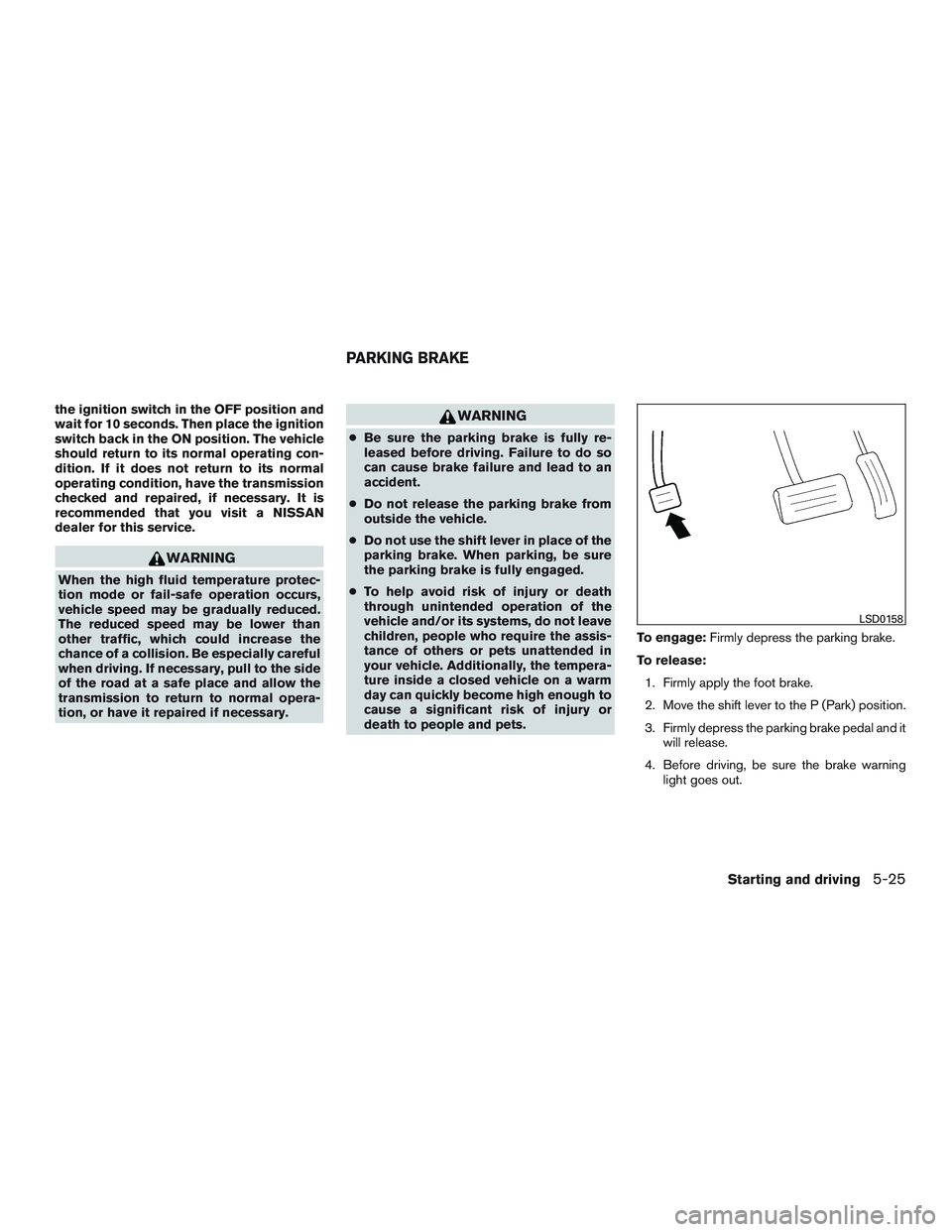
death to people and pets. To engage:
Firmly depress the parking brake.
To release: 1. Firmly apply the foot brake.
2. Move the shift lever to the P (Park) position.
3. Firmly depress the parking brake pedal and it will release.
4. Before driving, be sure the brake warning light goes out.
LSD0158
PARKING BRAKE
Starting and driving5-25
Page 337 of 554
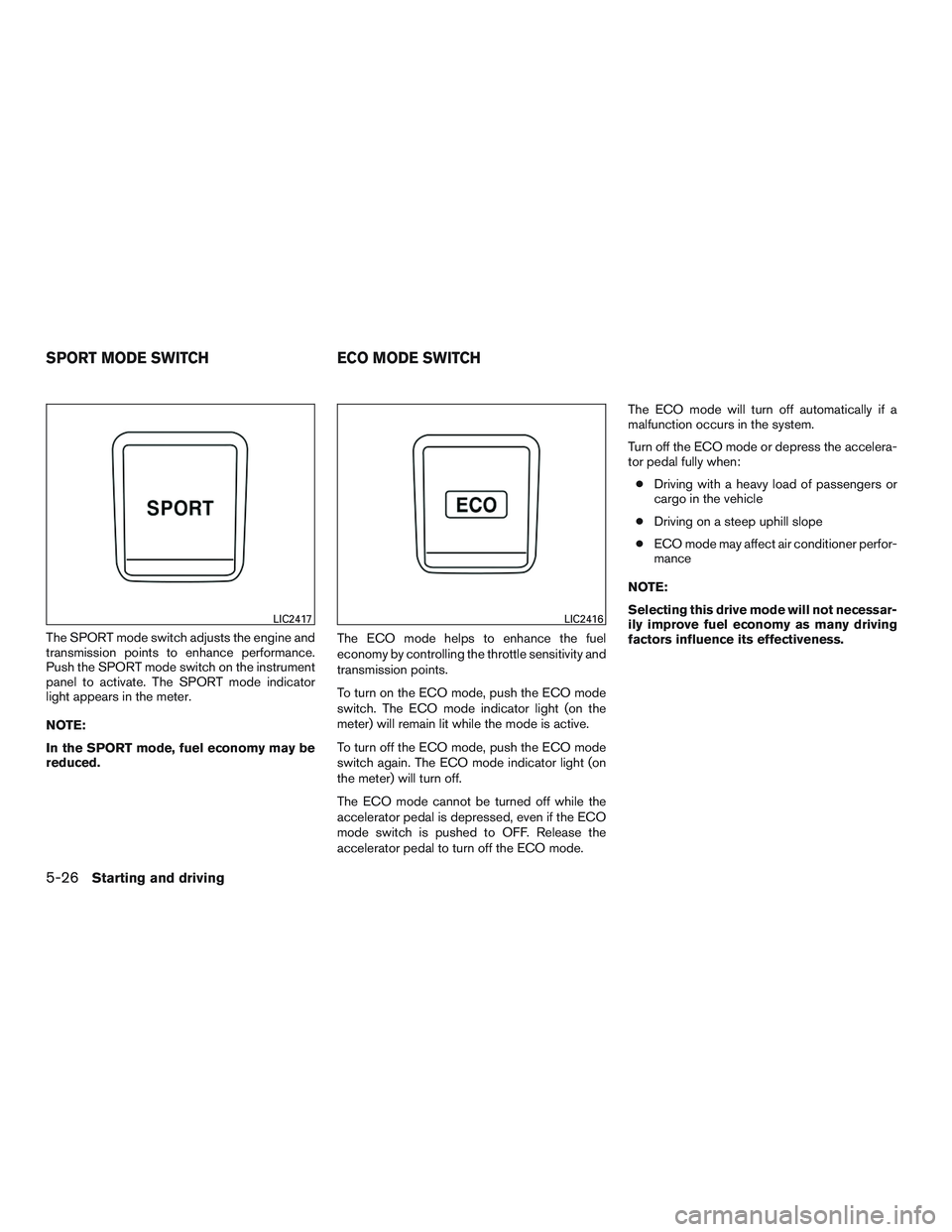
The SPORT mode switch adjusts the engine and
transmission points to enhance performance.
Push the SPORT mode switch on the instrument
panel to activate. The SPORT mode indicator
light appears in the meter.
NOTE:
In the SPORT mode, fuel economy may be
reduced.The ECO mode helps to enhance the fuel
economy by controlling the throttle sensitivity and
transmission points.
To turn on the ECO mode, push the ECO mode
switch. The ECO mode indicator light (on the
meter) will remain lit while the mode is active.
To turn off the ECO mode, push the ECO mode
switch again. The ECO mode indicator light (on
the meter) will turn off.
The ECO mode cannot be turned off while the
accelerator pedal is depressed, even if the ECO
mode switch is pushed to OFF. Release the
accelerator pedal to turn off the ECO mode.The ECO mode will turn off automatically if a
malfunction occurs in the system.
Turn off the ECO mode or depress the accelera-
tor pedal fully when:
● Driving with a heavy load of passengers or
cargo in the vehicle
● Driving on a steep uphill slope
● ECO mode may affect air conditioner perfor-
mance
NOTE:
Selecting this drive mode will not necessar-
ily improve fuel economy as many driving
factors influence its effectiveness.
LIC2417LIC2416
SPORT MODE SWITCH ECO MODE SWITCH
5-26Starting and driving
Page 341 of 554
LDW SYSTEM LIMITATIONS
WARNING
Listed below are the system limitations for
the LDW system. Failure to follow the
warnings and instructions for proper use
of the LDW system could result in serious
injury or death.
●The system will not operate at speeds
below approximately 37 mph (60 km/h)
or if it cannot detect lane markers.
● Excessive noise will interfere with the
warning chime sound, and the chime
may not be heard.
● Do not use the LDW system under the
following conditions as it may not func-
tion properly:
– During bad weather (rain, fog, snow, etc.) .
– When driving on slippery roads, such as on ice or snow.
– When driving on winding or uneven roads.
– When there is a lane closure due to road repairs.
– When driving in a makeshift or tem- porary lane. – When driving on roads where the
lane width is too narrow.
– When driving without normal tire conditions (for example, tire wear,
low tire pressure, installation of
spare tire, tire chains, nonstandard
wheels) .
– When the vehicle is equipped with non-original brake parts or suspen-
sion parts.
– When you are towing a trailer or other vehicle.
The system may not function properly un-
der the following conditions: –
On roads where there are multiple par-
allel lane markers; lane markers that
are faded or not painted clearly; yellow
painted lane markers; non-standard
lane markers; or lane markers covered
with water, dirt, snow, etc.
– On roads where the discontinued lane markers are still detectable.
– On roads where there are sharp curves. – On roads where there are sharply
contrasting objects, such as shad-
ows, snow, water, wheel ruts, seams
or lines remaining after road repairs.
(The LDW system could detect these
items as lane markers.)
– On roads where the traveling lane merges or separates.
–
When the vehicle’s traveling direction
does not align with the lane marker.
– When traveling close to the vehicle in front of you, which obstructs the lane
camera unit detection range.
– When rain, snow, dirt or object ad- heres to the windshield in front of the
lane camera unit.
– When the headlights are not bright due to dirt on the lens or if the aiming
is not adjusted properly.
– When strong light enters the lane camera unit. (For example, the light
directly shines on the front of the
vehicle at sunrise or sunset.)
– When a sudden change in brightness occurs. (For example, when the ve-
hicle enters or exits a tunnel or under
a bridge.)
5-30Starting and driving
Page 346 of 554
LDP SYSTEM LIMITATIONS
WARNING
Listed below are the system limitations for
the LDP system. Failure to follow the
warnings and instructions for proper use
of the LDP system could result in serious
injury or death.
●The LDP system may activate if you
change lanes without first activating
your turn signal or, for example, if a
construction zone directs traffic to
cross an existing lane marker. If this
occurs you may need to apply corrective
steering to complete your lane change.
● Because the LDP may not activate un-
der the road, weather, and lane marker
conditions described in this section, it
may not activate every time your vehicle
begins to leave its lane and you will
need to apply corrective steering.
● When the LDP system is operating,
avoid excessive or sudden steering ma-
neuvers. Otherwise, you could lose con-
trol of the vehicle. ●
The LDP system will not operate at
speeds below approximately 37 mph
(60 km/h) or if it cannot detect lane
markers.
● Do not use the LDP system under the
following conditions as it may not func-
tion properly:
– During bad weather (rain, fog, snow, etc.) .
– When driving on slippery roads, such as on ice or snow.
– When driving on winding or uneven roads.
– When there is a lane closure due to road repairs.
– When driving in a makeshift or tem- porary lane.
– When driving on roads where the lane width is too narrow.
– When driving without normal tire conditions (for example, tire wear,
low tire pressure, installation of
spare tire, tire chains, non-standard
wheels) . – When the vehicle is equipped with
nonoriginal brake parts or suspen-
sion parts.
– When you are towing a trailer or other vehicle.
– On roads where there are multiple parallel lane markers; lane markers
that are faded or not painted clearly;
yellow painted lane markers; non-
standard lane markers; or lane mark-
ers covered with water, dirt, snow,
etc.
– On roads where discontinued lane markers are still detectable.
– On roads where there are sharp curves.
– On roads where there are sharply contrasting objects, such as shad-
ows, snow, water, wheel ruts, seams
or lines remaining after road repairs.
(The LDP system could detect these
items as lane markers.)
– On roads where the traveling lane merges or separates.
– When the vehicle’s traveling direc- tion does not align with the lane
marker.
Starting and driving5-35
Page 373 of 554
VEHICLE-TO-VEHICLE DISTANCE
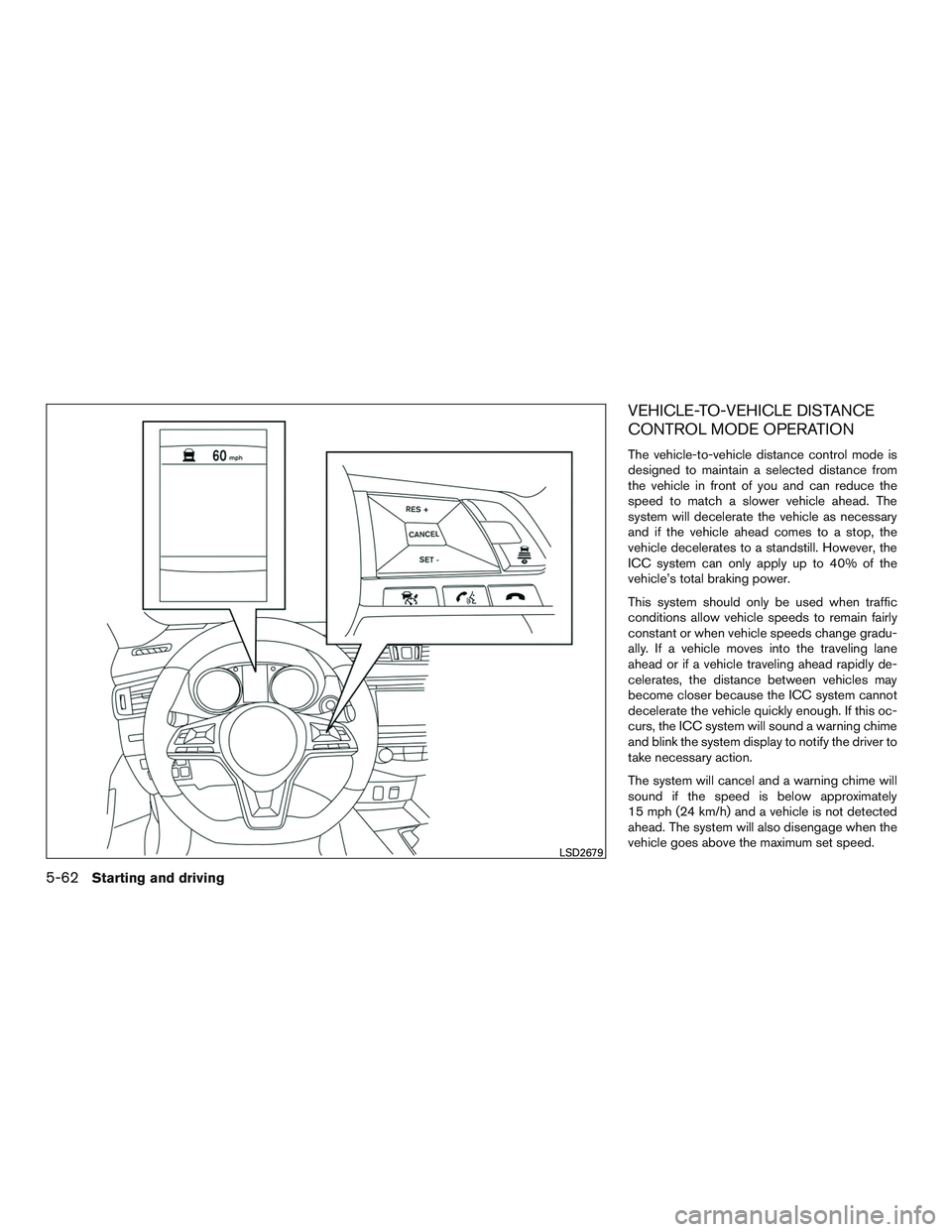
CONTROL MODE OPERATION
The vehicle-to-vehicle distance control mode is
designed to maintain a selected distance from
the vehicle in front of you and can reduce the
speed to match a slower vehicle ahead. The
system will decelerate the vehicle as necessary
and if the vehicle ahead comes to a stop, the
vehicle decelerates to a standstill. However, the
ICC system can only apply up to 40% of the
vehicle’s total braking power.
This system should only be used when traffic
conditions allow vehicle speeds to remain fairly
constant or when vehicle speeds change gradu-
ally. If a vehicle moves into the traveling lane
ahead or if a vehicle traveling ahead rapidly de-
celerates, the distance between vehicles may
become closer because the ICC system cannot
decelerate the vehicle quickly enough. If this oc-
curs, the ICC system will sound a warning chime
and blink the system display to notify the driver to
take necessary action.
The system will cancel and a warning chime will
sound if the speed is below approximately
15 mph (24 km/h) and a vehicle is not detected
ahead. The system will also disengage when the
vehicle goes above the maximum set speed.
LSD2679
5-62Starting and driving
Page 381 of 554
NOTE:
The approach warning chime may sound
and the system display may blink when the
ICC sensor detects objects on the side of
the vehicle or on the side of the road. This
may cause the ICC system to decelerate or
accelerate the vehicle. The ICC sensor may
detect these objects when the vehicle is
driven on winding roads, narrow roads, hilly
roads, or when entering or exiting a curve.
In these cases you will have to manually
control the proper distance ahead of your
vehicle.
Also, the sensor sensitivity can be affected by
vehicle operation (steering maneuver or driving
position in the lane) or traffic or vehicle condition
(for example, if a vehicle is being driven with some
damage) .
Automatic cancellation
A chime sounds under the following conditions
and the control is automatically canceled:● When the vehicle ahead is not detected and
your vehicle is traveling below the speed of
15 mph (24 km/h)
● When the system judges the vehicle is at a
standstill ●
When the shift lever is not in the D (Drive)
position or Manual mode
● When the parking brake system is applied
● When the VDC system is turned off
● When ABS or VDC operates
● When distance measurement becomes im-
paired due to adhesion of dirt or obstruction
to the sensor
● When a wheel slips
● When the radar signal is temporarily inter-
rupted
VEHICLE-TO-VEHICLE DISTANCE
CONTROL MODE LIMITATIONS
WARNING
Listed below are the system limitations for
the ICC system. Failure to operate the
vehicle in accordance with these system
limitations could result in serious injury or
death.
● The ICC system is primarily intended for
use on straight, dry, open roads with
light traffic. It is not advisable to use the
ICC system in city traffic or congested
areas. ●
The ICC system will not adapt automati-
cally to road conditions. This system
should be used in evenly flowing traffic.
Do not use the system on roads with
sharp curves, or on icy roads, in heavy
rain or in fog.
● As there is a performance limit to the
distance control function, never rely
solely on the ICC system. This system
does not correct careless, inattentive or
absentminded driving, or overcome
poor visibility in rain, fog, or other bad
weather. Decelerate the vehicle speed
by depressing the brake pedal, depend-
ing on the distance to the vehicle ahead
and the surrounding circumstances in
order to maintain a safe distance be-
tween vehicles.
● If the vehicle ahead comes to a stop, the
vehicle decelerates to a standstill
within the limitations of the system. The
system will cancel once it judges that
the vehicle has come to a standstill and
sound a warning chime. To prevent the
vehicle from moving, the driver must
depress the brake pedal.
5-70Starting and driving
Page 403 of 554
FEB WITH PEDESTRIAN
DETECTION SYSTEM LIMITATIONS
WARNING
Listed below are the system limitations for
the FEB with pedestrian detection system.
Failure to operate the vehicle in accor-
dance with these system limitations could
result in serious injury or death.
●The FEB with pedestrian detection sys-
tem cannot detect all vehicles or pedes-
trians under all conditions.
● The FEB with pedestrian detection sys-
tem does not detect the following
objects:
– Small pedestrians (including small children) , animals and cyclists.
– Pedestrians in wheelchairs or using mobile transport such as scooters,
child-operated toys, or skateboards.
– Pedestrians who are seated or other- wise not in a full upright standing or
walking position.
– Oncoming vehicles
– Crossing vehicles
– Obstacles on the roadside ●
The FEB with pedestrian detection sys-
tem has some performance limitations.
– If a stationary vehicle is in the vehi- cle’s path, the FEB with pedestrian
detection system will not function
when the vehicle is driven at speeds
over approximately 50 mph
(80 km/h).
– For pedestrian detection, the FEB with pedestrian detection system will
not function when the vehicle is
driven at speeds over approximately
37 mph (60 km/h) or below approxi-
mately 6 mph (10km/h) .
● The FEB with pedestrian detection sys-
tem will not function for pedestrians in
darkness or in tunnels, even if there is
street lighting in the area.
● The FEB with pedestrian detection sys-
tem may not function if the vehicle
ahead is narrow (for example, a
motorcycle) .
● The FEB with pedestrian detection sys-
tem may not function if speed differ-
ence between the two vehicles is too
small. ●
The radar sensor FEB with pedestrian
detection system may not function
properly or detect a vehicle ahead in the
following conditions:
o Poor visibility (conditions such as rain, snow, fog, dust storms, sand-
storms, and road spray from other
vehicles)
o Driving on a steep downhill slope or roads with sharp curves.
o Driving on a bumpy road surface, such as an uneven dirt road.
o If dirt, ice, snow or other material is covering the radar sensor area.
o Interference by other radar sources.
o The camera area of windshield is fogged up, or covered with dirt, water
drops, ice, snow, etc.
o Strong light (for example, sunlight or high beams from oncoming vehicles)
enters the front camera. Strong light
causes the area around the pedes-
trian to be cast in a shadow, making
it difficult to see.
5-92Starting and driving
Page 408 of 554
Cet équipement doit être installé et utilisé
avec un minimum de 30 cm de distance
entre la source de rayonnement et votre
corps.
FCC Notice
Changes or modifications not expressly ap-
proved by the party responsible for compli-
ance could void the user’s authority to op-
erate the equipment.CAUTION
During the first 1,200 miles (2,000 km),
follow these recommendations to obtain
maximum engine performance and ensure
the future reliability and economy of your
new vehicle. Failure to follow these rec-
ommendations may result in shortened
engine life and reduced engine
performance.● Avoid driving for long periods at constant
speed, either fast or slow, and do not run the
engine over 4,000 RPM.
● Do not accelerate at full throttle in any gear.
● Avoid quick starts.
● Avoid hard braking as much as possible.
● Do not tow a trailer for the first 500 miles
(805 kilometers) . Your engine, axle or other
parts could be damaged. Follow these easy-to-use Fuel Efficient Driving
Tips to help you achieve the most fuel economy
from your vehicle.
1. Use Smooth Accelerator and Brake
Pedal Application
● Avoid rapid starts and stops.
● Use smooth, gentle accelerator and
brake application whenever possible.
● Maintain constant speed while commut-
ing and coast whenever possible.
2. Maintain Constant Speed
● Look ahead to try and anticipate and mini-
mize stops.
● Synchronizing your speed with traffic
lights allows you to reduce your number
of stops.
● Maintaining a steady speed can minimize
red light stops and improve fuel effi-
ciency.
3. Use Air Conditioning (A/C) at Higher
Vehicle Speeds
● Below 40 mph (64 km/h), it is more effi-
cient to open windows to cool the vehicle
due to reduced engine load.
BREAK-IN SCHEDULE FUEL EFFICIENT DRIVING TIPS
Starting and driving5-97
Page 429 of 554
WARNING
●Although you can continue driving with
a punctured run-flat tire, remember that
vehicle handling stability is reduced,
which could lead to an accident and
personal injury. Also, driving a long dis-
tance at high speeds may damage the
tires.
● Do not drive at speeds above 50 mph
(80 km/h) and do not drive more than
approximately 93 miles (150 km) with a
punctured run-flat tire. The actual dis-
tance the vehicle can be driven on a flat
tire depends on outside temperature,
vehicle load, road conditions and other
factors.
● Drive safely at reduced speeds. Avoid
hard cornering or braking, which may
cause you to lose control of the vehicle.
● If you detect any unusual sounds or
vibrations while driving with a punc-
tured run-flat tire, pull off the road to a
safe location and stop the vehicle as
soon as possible. The tire may be seri-
ously damaged and need to be
replaced.
CAUTION
● Never install tire chains on a punctured
run-flat tire, as this could damage your
vehicle.
● Avoid diving over any projection or pot-
hole, as the clearance between the ve-
hicle and the ground is smaller than
normal.
● Do not enter an automated car wash
with a punctured run-flat tire.
● Have the punctured tire inspected by a
NISSAN dealer or other authorized re-
pair shop. Replace the tire as soon as
possible if the tire is seriously
damaged.
CHANGING A FLAT TIRE
If you have a flat tire, follow the instructions be-
low:
Stopping the vehicle
1. Safely move the vehicle off the road and
away from traffic.
2. Turn on the hazard warning flashers.
3. Park on a level surface and apply the parking brake. Move the shift lever to P (Park) . 4. Turn off the engine.
5. Raise the hood to warn other traffic and to
signal professional road assistance person-
nel that you need assistance.
6. Have all passengers get out of the vehicle and stand in a safe place, away from traffic
and clear of the vehicle.
WARNING
●Make sure the parking brake is securely
applied and the shift lever is shifted into
P (Park) .
● Never change tires when the vehicle is
on a slope, ice or slippery areas. This is
hazardous.
● Never change tires if oncoming traffic is
close to your vehicle. Wait for profes-
sional road assistance.
6-4In case of emergency