brake NISSAN ROGUE 2017 Owner´s Manual
[x] Cancel search | Manufacturer: NISSAN, Model Year: 2017, Model line: ROGUE, Model: NISSAN ROGUE 2017Pages: 554, PDF Size: 6.44 MB
Page 382 of 554
●Always pay attention to the operation of
the vehicle and be ready to manually
control the proper following distance.
The ICC system may not be able to
maintain the selected distance between
vehicles (following distance) or se-
lected vehicle speed under some
circumstances.
● The system may not detect the vehicle
in front of you in certain road or weather
conditions. To avoid accidents, never
use the ICC system under the following
conditions:
– On roads where the traffic is heavy or there are sharp curves
– On slippery road surfaces such as on ice or snow, etc.
– During bad weather (rain, fog, snow, etc.)
– When rain, snow or dirt adhere to the bumper around the distance sensor
– On steep downhill roads (the vehicle may go beyond the set vehicle speed
and frequent braking may result in
overheating the brakes)
– On repeated uphill and downhill roads – When traffic conditions make it diffi-
cult to keep a proper distance be-
tween vehicles because of frequent
acceleration or deceleration
– Interference by other radar sources.
● Do not use the ICC system if you are
towing a trailer. The system may not
detect a vehicle ahead.
● In some road or traffic conditions, a
vehicle or object can unexpectedly
come into the sensor detection zone
and cause automatic braking. Always
stay alert and avoid using the ICC sys-
tem where not recommended in this
warning section.
The radar sensor will not detect the following
objects: ● Stationary and slow moving vehicles
● Pedestrians or objects in the roadway
● Oncoming vehicles in the same lane
● Motorcycles traveling offset in the travel lane
The sensor generally detects the signals returned
from the vehicle ahead. Therefore, if the sensor
cannot detect the reflection from the vehicle
ahead, the ICC system may not maintain the
selected distance. The following are some conditions in which the
sensor cannot properly detect a vehicle ahead
and the system may not operate properly:
● When snow or road spray from traveling
vehicles reduces the sensor’s detection.
● When your vehicle is towing a trailer, etc.
● When excessively heavy baggage is loaded
in the rear seat or cargo area of your vehicle.
The ICC system is designed to automatically
check the sensor’s operation within the limita-
tions of the system.
When the sensor is covered with dirt or is ob-
structed, the system will automatically be can-
celed. If the sensor is covered with ice, a trans-
parent or translucent vinyl bag, etc., the ICC
system may not detect them. In these instances,
the vehicle-to-vehicle distance control mode may
not cancel and may not be able to maintain the
selected following distance from the vehicle
ahead. Be sure to check and clean the sensor
regularly.
The detection zone of the radar sensor is limited.
A vehicle ahead must be in the detection zone for
the vehicle-to-vehicle distance detection mode
to maintain the selected distance from the vehicle
ahead.
Starting and driving5-71
Page 385 of 554
SYSTEM TEMPORARILY
UNAVAILABLE
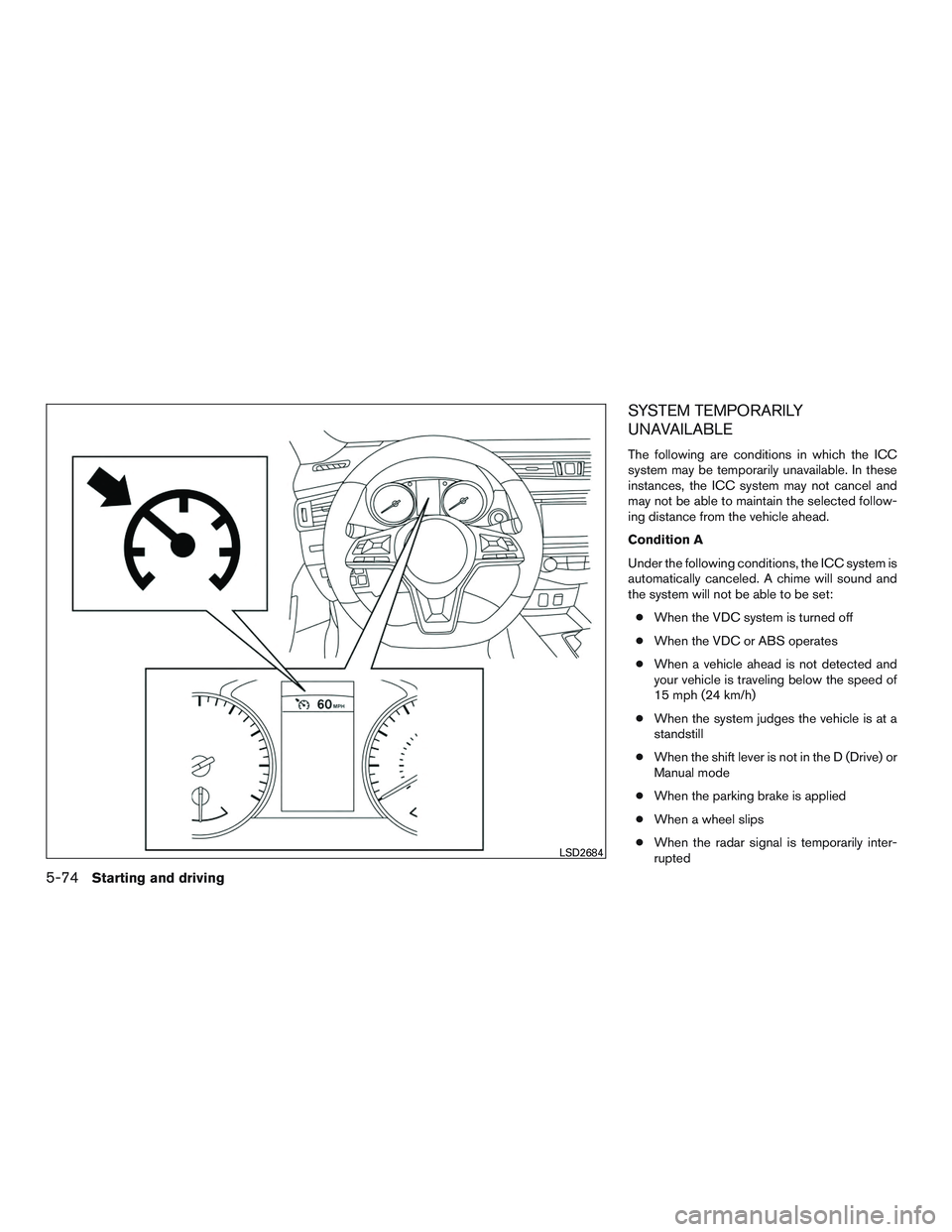
The following are conditions in which the ICC
system may be temporarily unavailable. In these
instances, the ICC system may not cancel and
may not be able to maintain the selected follow-
ing distance from the vehicle ahead.
Condition A
Under the following conditions, the ICC system is
automatically canceled. A chime will sound and
the system will not be able to be set:● When the VDC system is turned off
● When the VDC or ABS operates
● When a vehicle ahead is not detected and
your vehicle is traveling below the speed of
15 mph (24 km/h)
● When the system judges the vehicle is at a
standstill
● When the shift lever is not in the D (Drive) or
Manual mode
● When the parking brake is applied
● When a wheel slips
● When the radar signal is temporarily inter-
rupted
LSD2684
5-74Starting and driving
Page 391 of 554
To cancel the preset speed, use any of the fol-
lowing methods:1. Push the CANCEL switch. The vehicle speed indicator will turn off.
2. Tap the brake pedal. The vehicle speed indi- cator will turn off.
3. Turn the CRUISE ON/OFF off. Both the cruise indicator and vehicle speed indicator
will turn off.
To reset at a faster cruising speed, use one of the
following three methods: 1. Depress the accelerator pedal. When the vehicle attains the desired speed, push and
release the SET/- switch.
2. Push and hold the SET/+ switch. When the vehicle attains the desired speed, release
the switch.
3. Push, then quickly release the SET/+ switch. Each time you do this, the set speed
will increase by about 1 mph (1.6 km/h). To reset at a slower cruising speed, use one of
the following three methods:
1. Lightly tap the brake pedal. When the ve- hicle attains the desired speed, push the
SET/- switch and release it.
2. Push and hold the SET/- switch. Release the switch when the vehicle slows down to the
desired speed.
3. Push, then quickly release the SET/- switch. Each time you do this, the set speed will
decrease by about 1 mph (1.6 km/h).
To resume the preset speed, push and release
the SET/+ switch. The vehicle will resume the
last set cruising speed when the vehicle speed is
over 25 mph (40 km/h).
5-80Starting and driving
Page 392 of 554
System temporarily unavailable
A chime sounds under the following conditions
and the control is automatically canceled:● When the vehicle slows down more than
8 mph (13 km/h) below the set speed
● When the shift lever is not in the D (Drive) or
manual shift mode
● When the parking brake is applied
● When the VDC operates (including the trac-
tion control system)
● When a wheel slips
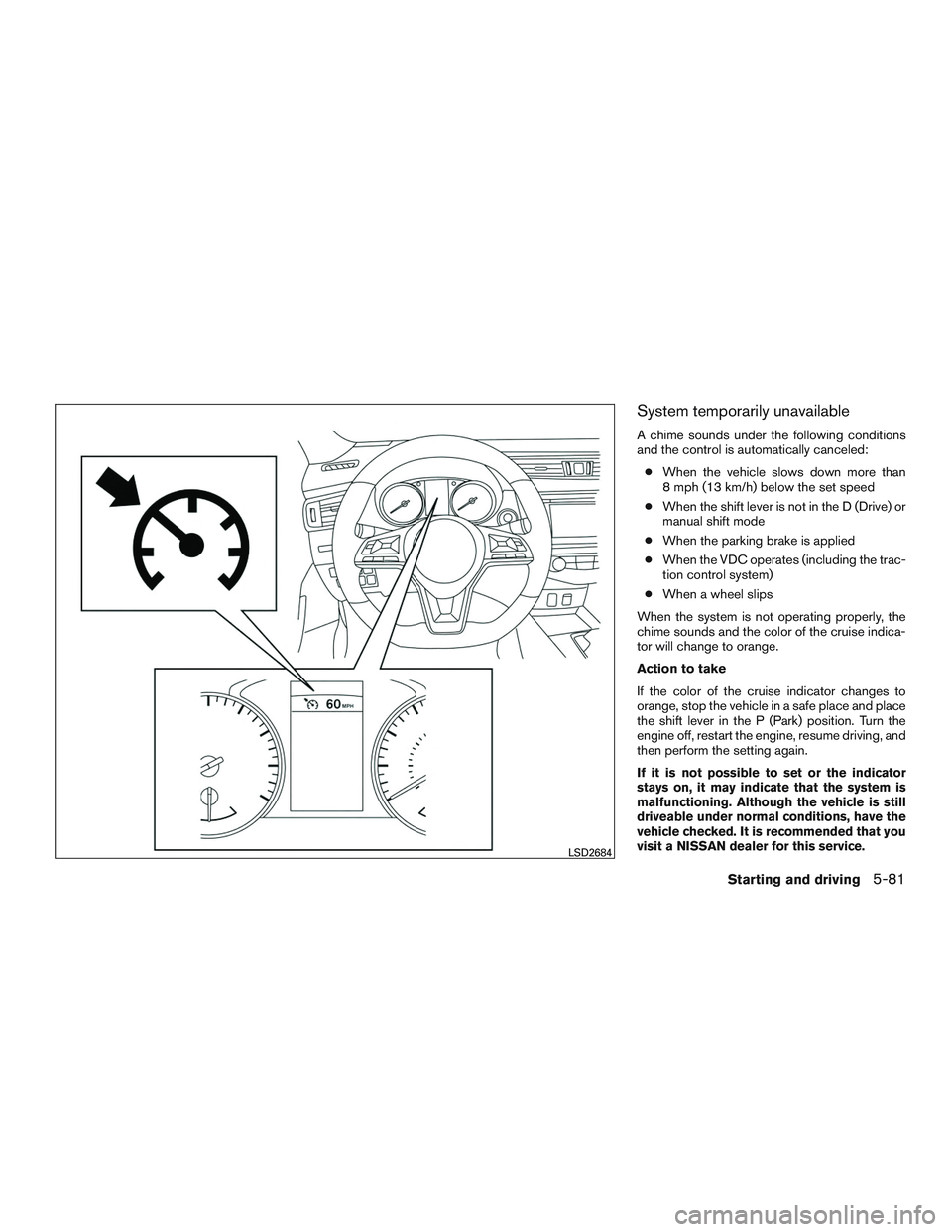
When the system is not operating properly, the
chime sounds and the color of the cruise indica-
tor will change to orange.
Action to take
If the color of the cruise indicator changes to
orange, stop the vehicle in a safe place and place
the shift lever in the P (Park) position. Turn the
engine off, restart the engine, resume driving, and
then perform the setting again.
If it is not possible to set or the indicator
stays on, it may indicate that the system is
malfunctioning. Although the vehicle is still
driveable under normal conditions, have the
vehicle checked. It is recommended that you
visit a NISSAN dealer for this service.
LSD2684
Starting and driving5-81
Page 394 of 554
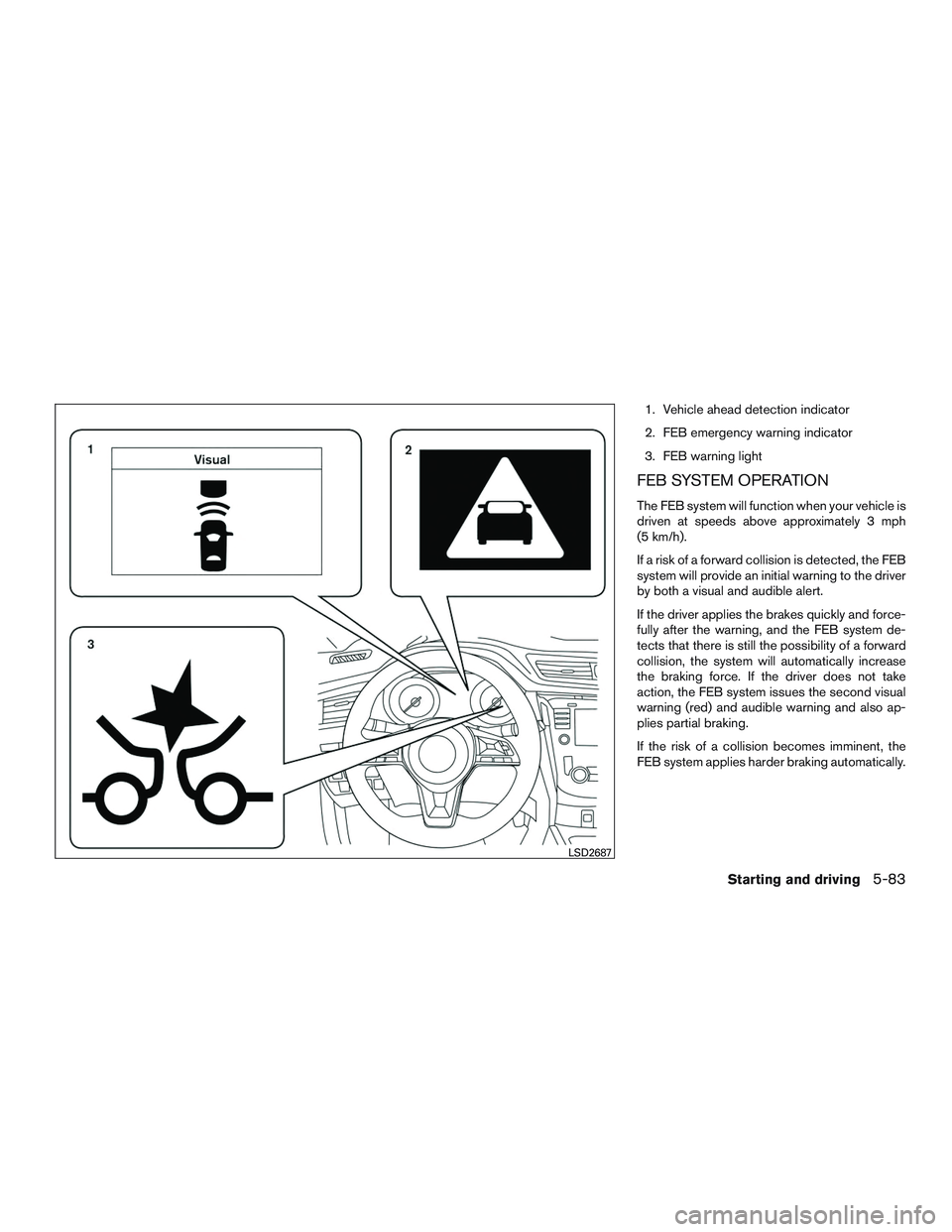
1. Vehicle ahead detection indicator
2. FEB emergency warning indicator
3. FEB warning light
FEB SYSTEM OPERATION
The FEB system will function when your vehicle is
driven at speeds above approximately 3 mph
(5 km/h).
If a risk of a forward collision is detected, the FEB
system will provide an initial warning to the driver
by both a visual and audible alert.
If the driver applies the brakes quickly and force-
fully after the warning, and the FEB system de-
tects that there is still the possibility of a forward
collision, the system will automatically increase
the braking force. If the driver does not take
action, the FEB system issues the second visual
warning (red) and audible warning and also ap-
plies partial braking.
If the risk of a collision becomes imminent, the
FEB system applies harder braking automatically.
LSD2687
Starting and driving5-83
Page 395 of 554
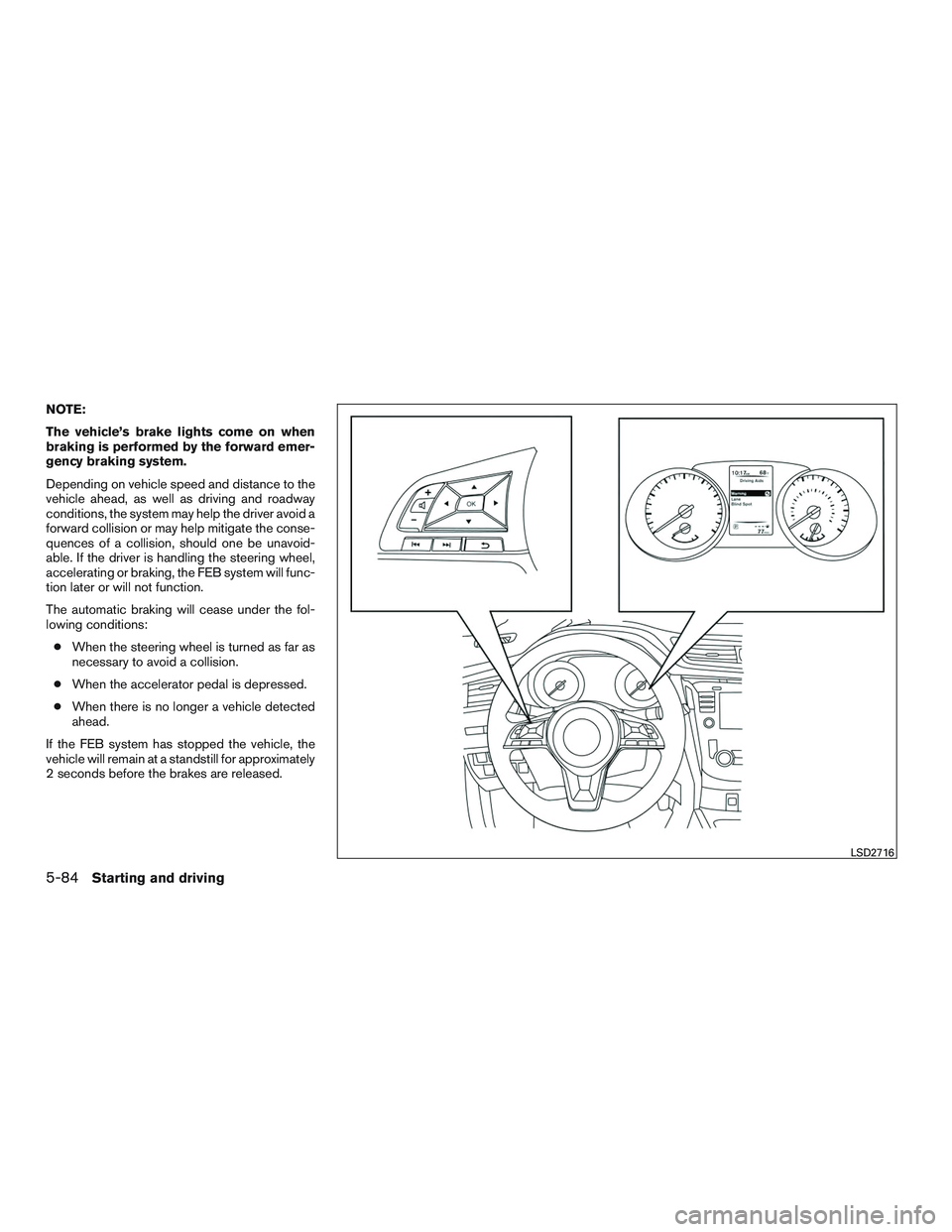
NOTE:
The vehicle’s brake lights come on when
braking is performed by the forward emer-
gency braking system.
Depending on vehicle speed and distance to the
vehicle ahead, as well as driving and roadway
conditions, the system may help the driver avoid a
forward collision or may help mitigate the conse-
quences of a collision, should one be unavoid-
able. If the driver is handling the steering wheel,
accelerating or braking, the FEB system will func-
tion later or will not function.
The automatic braking will cease under the fol-
lowing conditions:● When the steering wheel is turned as far as
necessary to avoid a collision.
● When the accelerator pedal is depressed.
● When there is no longer a vehicle detected
ahead.
If the FEB system has stopped the vehicle, the
vehicle will remain at a standstill for approximately
2 seconds before the brakes are released.
LSD2716
5-84Starting and driving
Page 396 of 554
TURNING THE FEB SYSTEM
ON/OFF
Perform the following steps to turn the FEB sys-
tems ON or OFF.1. Press the
button until “Settings” dis-
plays in the vehicle information display and
then press OK button. Use the
button
to select “Driver Assistance”. Then press the
OK button.
2. Select “Driving Aids” and press the OK but- ton.
3. Select “Emergency Brake” and press the OK button.
When the FEB system is turned off, the FEB
system warning light illuminates.
NOTE:
The FEB system will be automatically
turned on when the engine is restarted.
FEB SYSTEM LIMITATIONS
WARNING
Listed below are the system limitations for
the FEB system. Failure to operate the
vehicle in accordance with these system
limitations could result in serious injury or
death.
● The FEB system cannot detect all ve-
hicles under all conditions.
● The radar sensor does not detect the
following objects:
– Pedestrians, animals or obstacles in the roadway.
– Oncoming vehicles.
– Crossing vehicles.
● The radar sensor has some perfor-
mance limitations. If a stationary ve-
hicle is in the vehicles’s path, the FEB
system will not function when the ve-
hicle is driven at speeds over approxi-
mately 50 mph (80 km/h).
● The radar sensor may not detect a ve-
hicle ahead in the following conditions:
– Dirt, ice, snow or other material cov- ering the radar sensor. – Interference by other radar sources.
– Snow or road spray from traveling
vehicles.
– If the vehicle ahead is narrow (e.g. motorcycle) .
– When driving on a steep downhill slope or roads with sharp curves.
● In some road or traffic conditions, the
FEB system may unexpectedly apply
partial braking. When acceleration is
necessary, continue to depress the ac-
celerator pedal to override the system.
● Braking distances increase on slippery
surfaces.
● The system is designed to automatically
check the sensor’s functionality, within
certain limitations. The system may not
detect some forms of obstructions of
the sensor area such as ice, snow, stick-
ers, etc. In these cases, the system may
not be able to worn the driver properly.
Be sure that you check, clean and clear
the sensor area regularly.
● Excessive noise will interfere with the
warning chime sound, and the chime
may not be heard.
Starting and driving5-85
Page 401 of 554
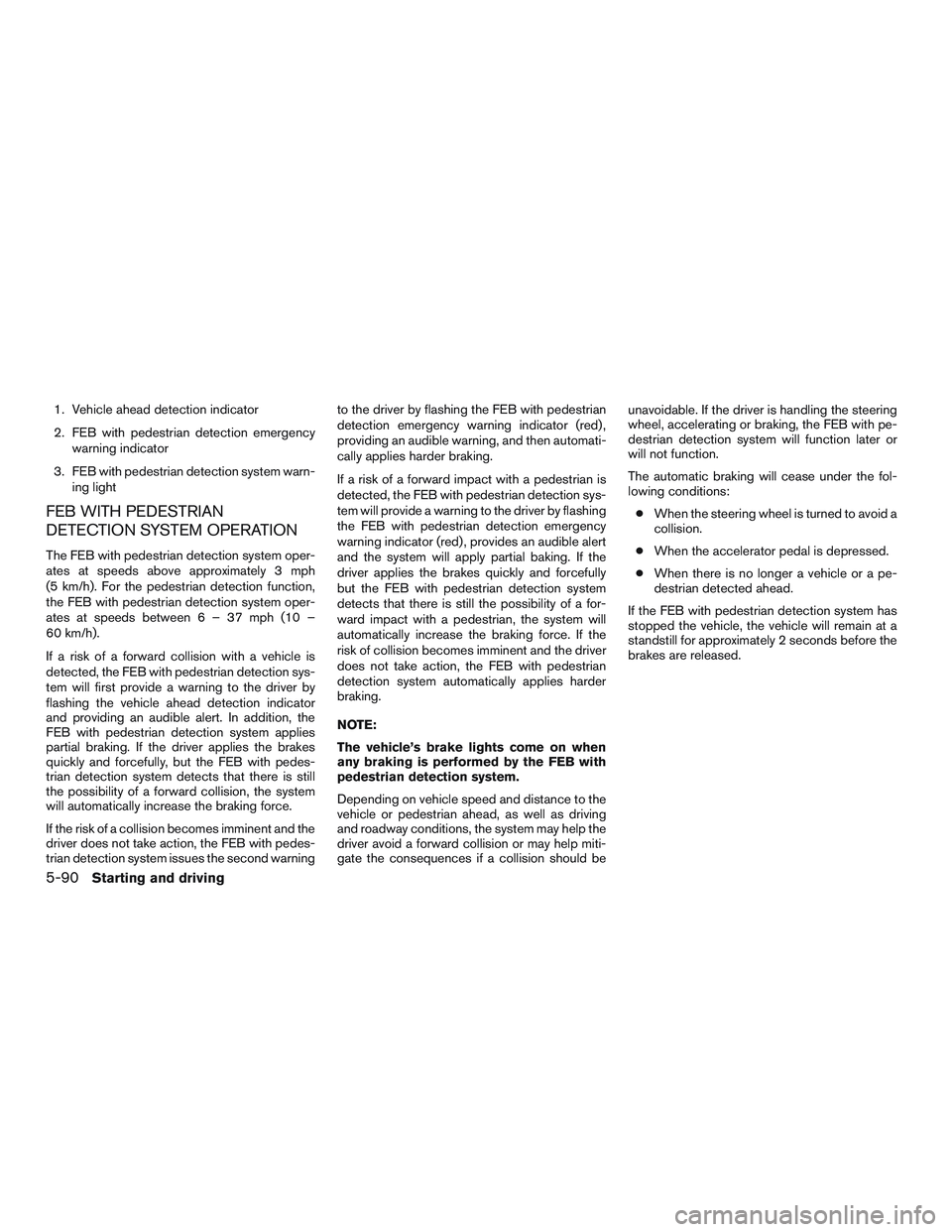
1. Vehicle ahead detection indicator
2. FEB with pedestrian detection emergencywarning indicator
3. FEB with pedestrian detection system warn- ing light
FEB WITH PEDESTRIAN
DETECTION SYSTEM OPERATION
The FEB with pedestrian detection system oper-
ates at speeds above approximately 3 mph
(5 km/h). For the pedestrian detection function,
the FEB with pedestrian detection system oper-
ates at speeds between6–37mph(10–
60 km/h).
If a risk of a forward collision with a vehicle is
detected, the FEB with pedestrian detection sys-
tem will first provide a warning to the driver by
flashing the vehicle ahead detection indicator
and providing an audible alert. In addition, the
FEB with pedestrian detection system applies
partial braking. If the driver applies the brakes
quickly and forcefully, but the FEB with pedes-
trian detection system detects that there is still
the possibility of a forward collision, the system
will automatically increase the braking force.
If the risk of a collision becomes imminent and the
driver does not take action, the FEB with pedes-
trian detection system issues the second warning to the driver by flashing the FEB with pedestrian
detection emergency warning indicator (red) ,
providing an audible warning, and then automati-
cally applies harder braking.
If a risk of a forward impact with a pedestrian is
detected, the FEB with pedestrian detection sys-
tem will provide a warning to the driver by flashing
the FEB with pedestrian detection emergency
warning indicator (red) , provides an audible alert
and the system will apply partial baking. If the
driver applies the brakes quickly and forcefully
but the FEB with pedestrian detection system
detects that there is still the possibility of a for-
ward impact with a pedestrian, the system will
automatically increase the braking force. If the
risk of collision becomes imminent and the driver
does not take action, the FEB with pedestrian
detection system automatically applies harder
braking.
NOTE:
The vehicle’s brake lights come on when
any braking is performed by the FEB with
pedestrian detection system.
Depending on vehicle speed and distance to the
vehicle or pedestrian ahead, as well as driving
and roadway conditions, the system may help the
driver avoid a forward collision or may help miti-
gate the consequences if a collision should beunavoidable. If the driver is handling the steering
wheel, accelerating or braking, the FEB with pe-
destrian detection system will function later or
will not function.
The automatic braking will cease under the fol-
lowing conditions:
● When the steering wheel is turned to avoid a
collision.
● When the accelerator pedal is depressed.
● When there is no longer a vehicle or a pe-
destrian detected ahead.
If the FEB with pedestrian detection system has
stopped the vehicle, the vehicle will remain at a
standstill for approximately 2 seconds before the
brakes are released.
5-90Starting and driving
Page 402 of 554
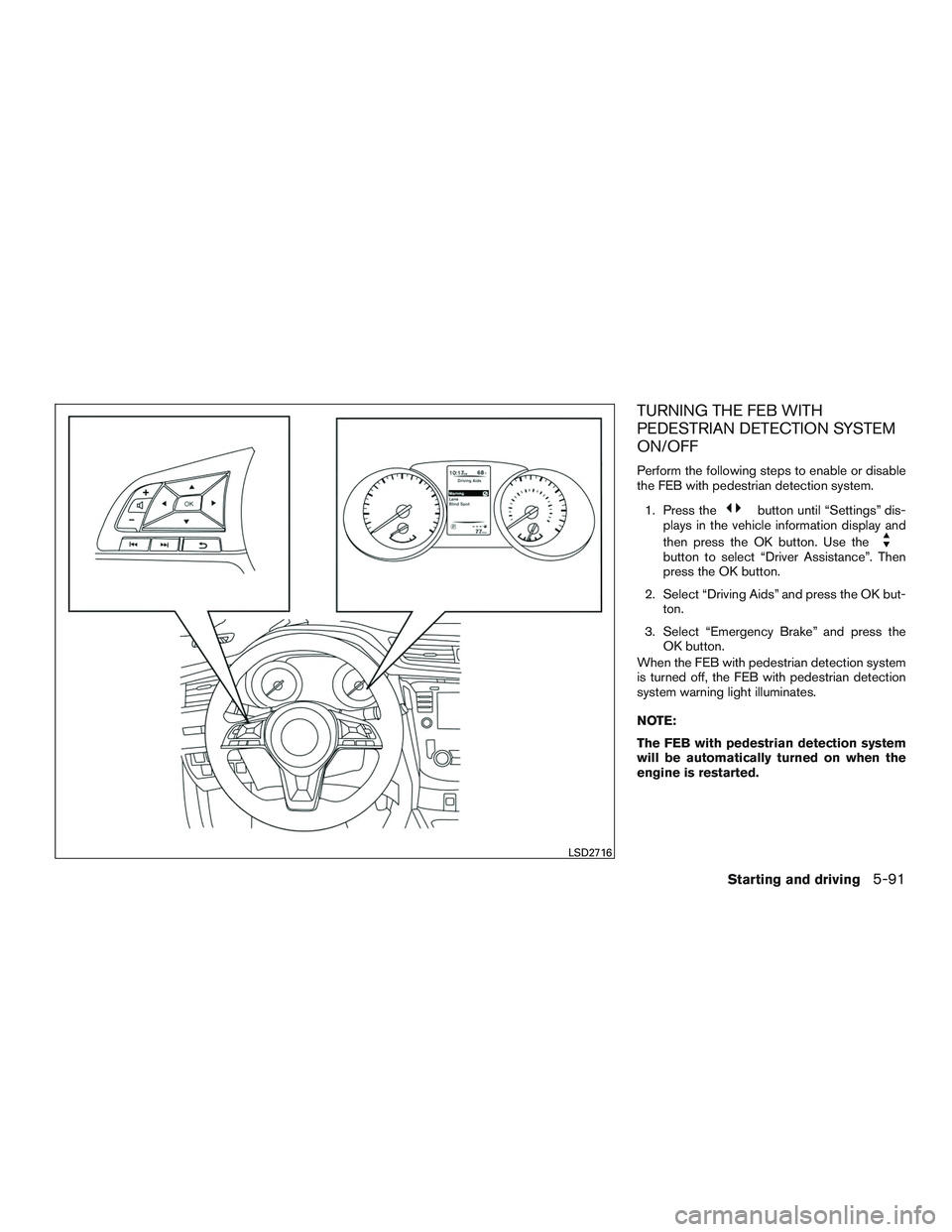
TURNING THE FEB WITH
PEDESTRIAN DETECTION SYSTEM
ON/OFF
Perform the following steps to enable or disable
the FEB with pedestrian detection system.1. Press the
button until “Settings” dis-
plays in the vehicle information display and
then press the OK button. Use the
button to select “Driver Assistance”. Then
press the OK button.
2. Select “Driving Aids” and press the OK but- ton.
3. Select “Emergency Brake” and press the OK button.
When the FEB with pedestrian detection system
is turned off, the FEB with pedestrian detection
system warning light illuminates.
NOTE:
The FEB with pedestrian detection system
will be automatically turned on when the
engine is restarted.
LSD2716
Starting and driving5-91
Page 408 of 554
Cet équipement doit être installé et utilisé
avec un minimum de 30 cm de distance
entre la source de rayonnement et votre
corps.
FCC Notice
Changes or modifications not expressly ap-
proved by the party responsible for compli-
ance could void the user’s authority to op-
erate the equipment.CAUTION
During the first 1,200 miles (2,000 km),
follow these recommendations to obtain
maximum engine performance and ensure
the future reliability and economy of your
new vehicle. Failure to follow these rec-
ommendations may result in shortened
engine life and reduced engine
performance.● Avoid driving for long periods at constant
speed, either fast or slow, and do not run the
engine over 4,000 RPM.
● Do not accelerate at full throttle in any gear.
● Avoid quick starts.
● Avoid hard braking as much as possible.
● Do not tow a trailer for the first 500 miles
(805 kilometers) . Your engine, axle or other
parts could be damaged. Follow these easy-to-use Fuel Efficient Driving
Tips to help you achieve the most fuel economy
from your vehicle.
1. Use Smooth Accelerator and Brake
Pedal Application
● Avoid rapid starts and stops.
● Use smooth, gentle accelerator and
brake application whenever possible.
● Maintain constant speed while commut-
ing and coast whenever possible.
2. Maintain Constant Speed
● Look ahead to try and anticipate and mini-
mize stops.
● Synchronizing your speed with traffic
lights allows you to reduce your number
of stops.
● Maintaining a steady speed can minimize
red light stops and improve fuel effi-
ciency.
3. Use Air Conditioning (A/C) at Higher
Vehicle Speeds
● Below 40 mph (64 km/h), it is more effi-
cient to open windows to cool the vehicle
due to reduced engine load.
BREAK-IN SCHEDULE FUEL EFFICIENT DRIVING TIPS
Starting and driving5-97