turn signal NISSAN ROGUE 2018 Owner´s Manual
[x] Cancel search | Manufacturer: NISSAN, Model Year: 2018, Model line: ROGUE, Model: NISSAN ROGUE 2018Pages: 547, PDF Size: 6.42 MB
Page 307 of 547
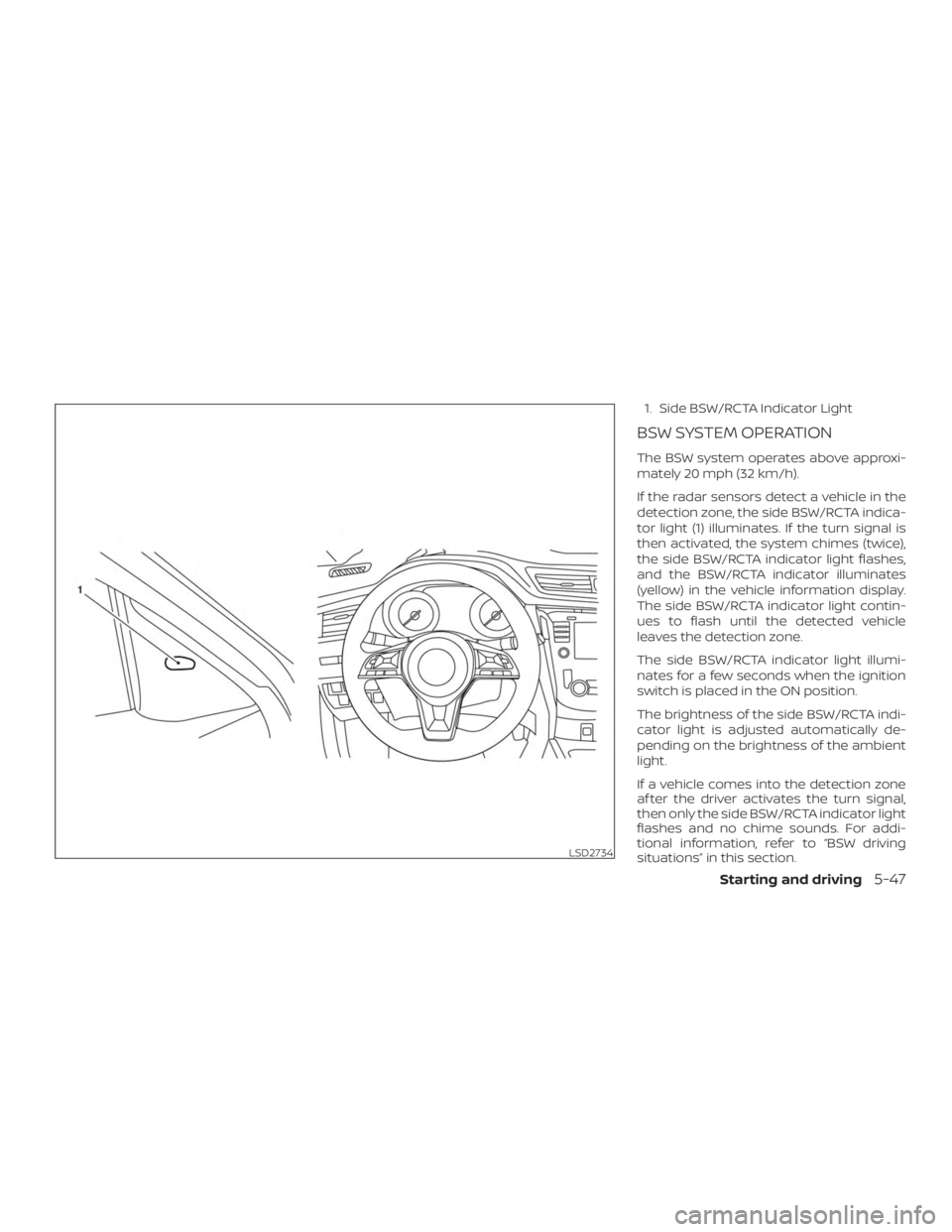
1. Side BSW/RCTA Indicator Light
BSW SYSTEM OPERATION
The BSW system operates above approxi-
mately 20 mph (32 km/h).
If the radar sensors detect a vehicle in the
detection zone, the side BSW/RCTA indica-
tor light (1) illuminates. If the turn signal is
then activated, the system chimes (twice),
the side BSW/RCTA indicator light flashes,
and the BSW/RCTA indicator illuminates
(yellow) in the vehicle information display.
The side BSW/RCTA indicator light contin-
ues to flash until the detected vehicle
leaves the detection zone.
The side BSW/RCTA indicator light illumi-
nates for a few seconds when the ignition
switch is placed in the ON position.
The brightness of the side BSW/RCTA indi-
cator light is adjusted automatically de-
pending on the brightness of the ambient
light.
If a vehicle comes into the detection zone
af ter the driver activates the turn signal,
then only the side BSW/RCTA indicator light
flashes and no chime sounds. For addi-
tional information, refer to “BSW driving
situations” in this section.
LSD2734
Starting and driving5-47
Page 311 of 547
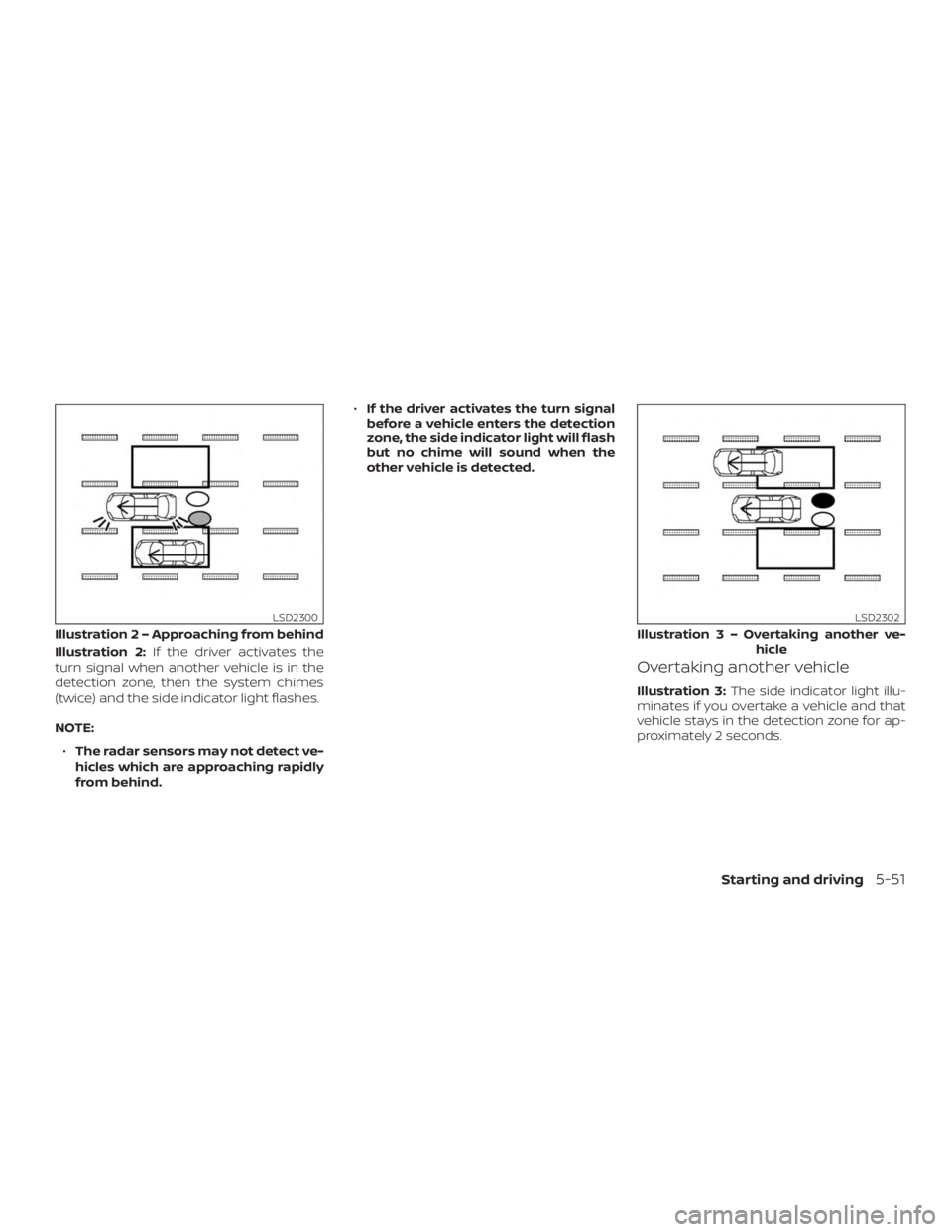
Illustration 2:If the driver activates the
turn signal when another vehicle is in the
detection zone, then the system chimes
(twice) and the side indicator light flashes.
NOTE:
∙ The radar sensors may not detect ve-
hicles which are approaching rapidly
from behind. ∙
If the driver activates the turn signal
before a vehicle enters the detection
zone, the side indicator light will flash
but no chime will sound when the
other vehicle is detected.
Overtaking another vehicle
Illustration 3: The side indicator light illu-
minates if you overtake a vehicle and that
vehicle stays in the detection zone for ap-
proximately 2 seconds.
Illustratio n 2 – Approaching from behind
LSD2300
Illustration3–Over taking another ve-
hicle
LSD2302
Starting and driving5-51
Page 312 of 547
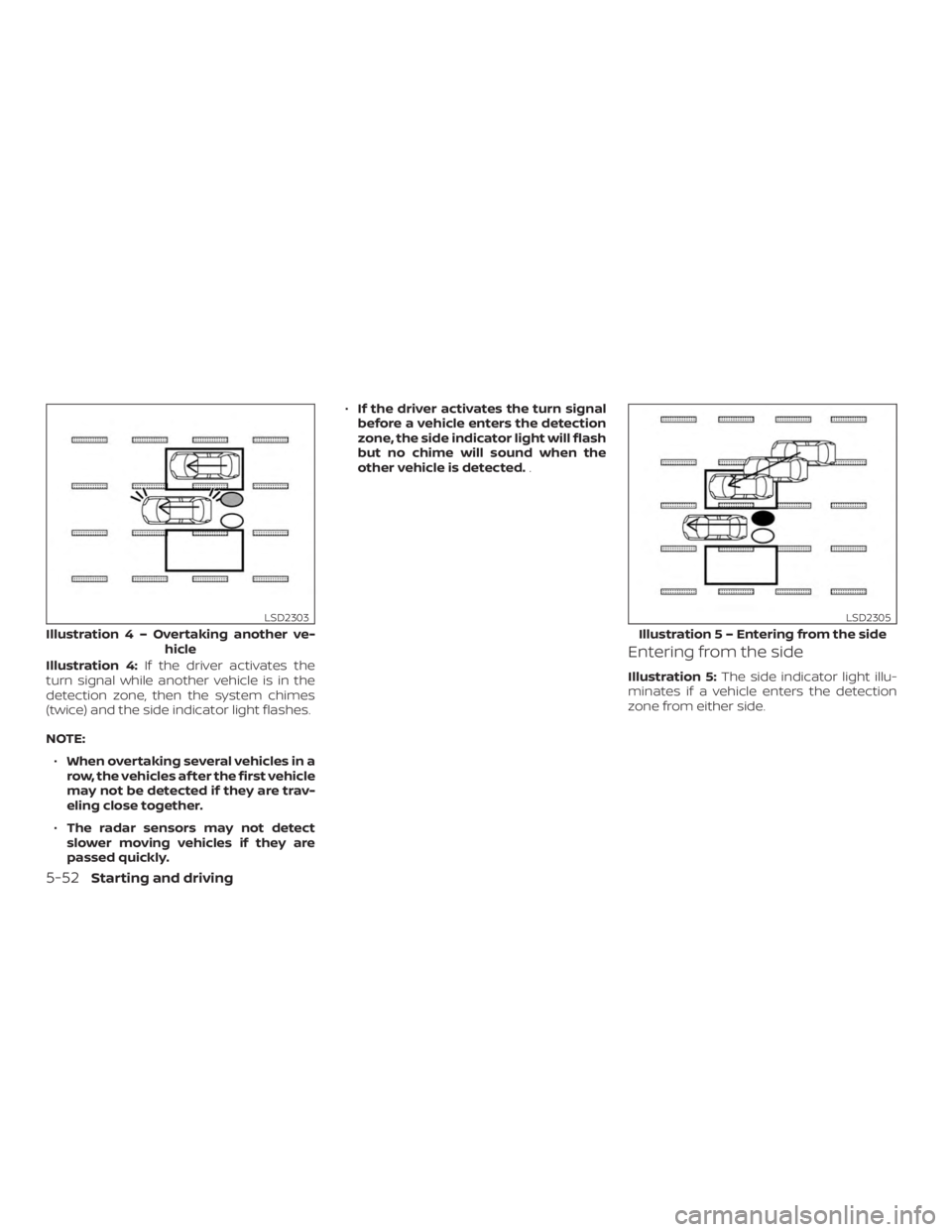
Illustration 4:If the driver activates the
turn signal while another vehicle is in the
detection zone, then the system chimes
(twice) and the side indicator light flashes.
NOTE:
∙ When overtaking several vehicles in a
row, the vehicles af ter the first vehicle
may not be detected if they are trav-
eling close together.
∙ The radar sensors may not detect
slower moving vehicles if they are
passed quickly. ∙
If the driver activates the turn signal
before a vehicle enters the detection
zone, the side indicator light will flash
but no chime will sound when the
other vehicle is detected. .Entering from the side
Illustration 5:The side indicator light illu-
minates if a vehicle enters the detection
zone from either side.
Illustratio n4–Over taking another ve-
hicle
LSD2303
Illustratio n 5 – Entering from the side
LSD2305
5-52Starting and driving
Page 313 of 547
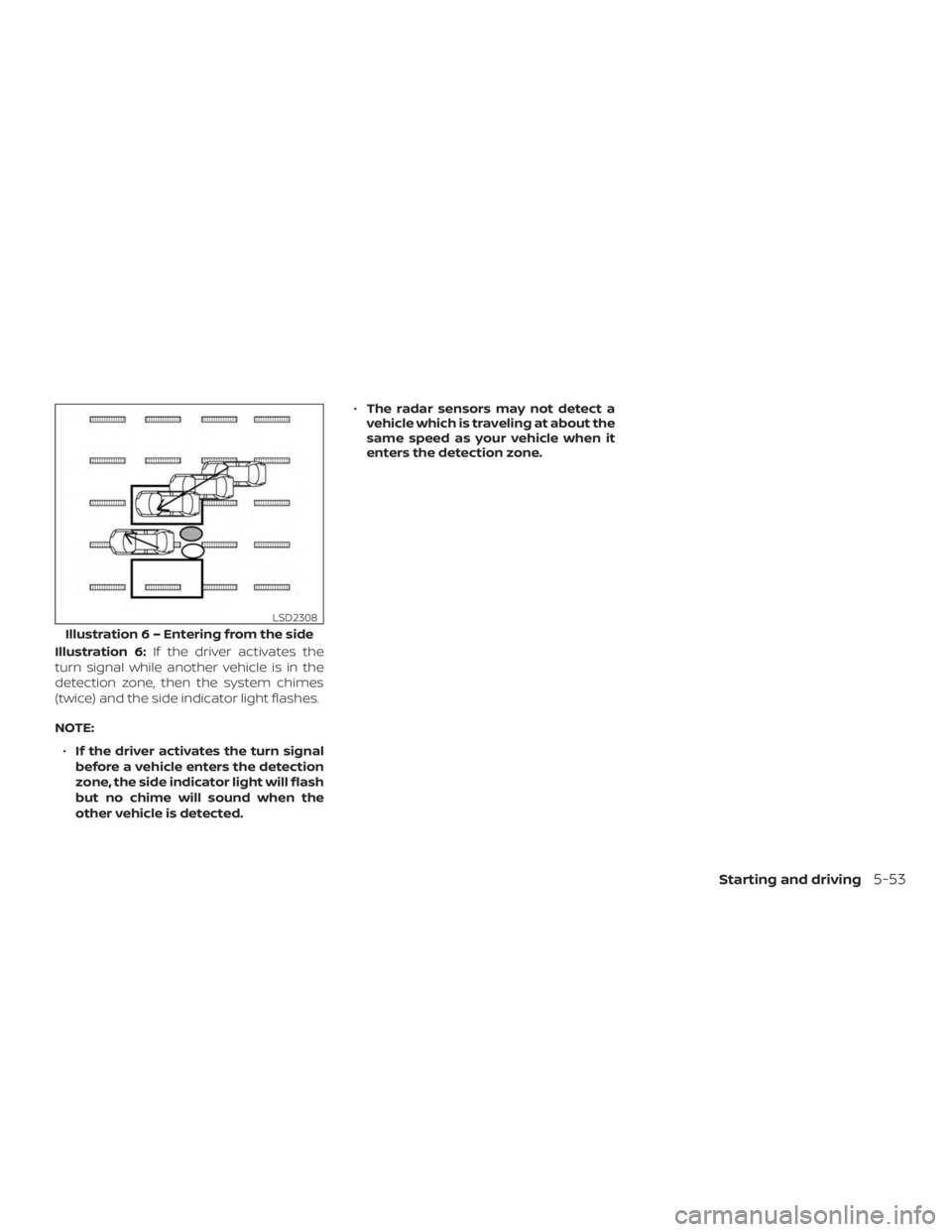
Illustration 6:If the driver activates the
turn signal while another vehicle is in the
detection zone, then the system chimes
(twice) and the side indicator light flashes.
NOTE:
∙ If the driver activates the turn signal
before a vehicle enters the detection
zone, the side indicator light will flash
but no chime will sound when the
other vehicle is detected. ∙
The radar sensors may not detect a
vehicle which is traveling at about the
same speed as your vehicle when it
enters the detection zone.
Illustratio n 6 – Entering from the side
LSD2308
Starting and driving5-53
Page 337 of 547
∙ If the engine is stopped, the set distancebecomes “long.” (Each time the engine
is started, the initial setting becomes
“long.”)
Approach warning
If your vehicle comes closer to the vehicle
ahead due to rapid deceleration of that ve-
hicle or if another vehicle cuts in, the sys-
tem warns the driver with the chime and
ICC system display. Decelerate by depress-
ing the brake pedal to maintain a safe ve-
hicle distance if:
∙ The chime sounds.
∙ The vehicle ahead detection indicator blinks.
The warning chime may not sound in
some cases when there is a short distance
between vehicles. Some examples are: ∙ When the vehicles are traveling at the same speed and the distance between
vehicles is not changing.
∙ When the vehicle ahead is traveling faster and the distance between ve-
hicles is increasing.
∙ When a vehicle cuts in near your vehicle. The warning chime will not sound when:
∙ The vehicle approaches other vehicles that are parked or moving slowly.
∙ The accelerator pedal is depressed, overriding the system.
NOTE:
The approach warning chime may sound
and the system display may blink when
the ICC sensor detects objects on the
side of the vehicle or on the side of the
road. This may cause the ICC system to
decelerate or accelerate the vehicle. The
ICC sensor may detect these objects
when the vehicle is driven on winding
roads, narrow roads, hilly roads, or when
entering or exiting a curve. In these
cases you will have to manually control
the proper distance ahead of your ve-
hicle.
Also, the sensor sensitivity can be affected
by vehicle operation (steering maneuver or
driving position in the lane) or traffic or ve-
hicle condition (for example, if a vehicle is
being driven with some damage).
Automatic cancellation
A chime sounds under the following condi-
tions and the control is automatically can-
celed: ∙ When the vehicle ahead is not detected and your vehicle is traveling below the
speed of 15 mph (24 km/h)
∙ When the system judges the vehicle is at a standstill
∙ When the shif t lever is not in the D (Drive) position or Manual mode
∙ When the parking brake system is ap- plied
∙ When the VDC system is turned off
∙ When ABS or VDC operates
∙ When distance measurement be- comes impaired due to adhesion of dirt
or obstruction to the sensor
∙ When a wheel slips
∙ When the radar signal is temporarily in- terrupted
Starting and driving5-77
Page 339 of 547
– Interference by other radarsources
∙ Do not use the ICC system if you are towing a trailer. The system may not
detect a vehicle ahead.
∙ In some road or traffic conditions, a vehicle or object can unexpectedly
come into the sensor detection zone
and cause automatic braking. Always
stay alert and avoid using the ICC sys-
tem where not recommended in this
warning section.
The radar sensor will not detect the follow-
ing objects: ∙ Stationary and slow moving vehicles
∙ Pedestrians or objects in the roadway
∙ Oncoming vehicles in the same lane
∙ Motorcycles traveling offset in the travel lane
The sensor generally detects the signals
returned from the vehicle ahead. Therefore,
if the sensor cannot detect the reflection
from the vehicle ahead, the ICC system
may not maintain the selected distance. The following are some conditions in which
the sensor cannot properly detect a ve-
hicle ahead and the system may not oper-
ate properly:
∙ When snow or road spray from traveling vehicles reduces the sensor’s detection.
∙ When your vehicle is towing a trailer, etc.
∙ When excessively heavy baggage is loaded in the rear seat or cargo area of
your vehicle.
The ICC system is designed to automati-
cally check the sensor’s operation within
the limitations of the system.
When the sensor is covered with dirt or is
obstructed, the system will automatically
be canceled. If the sensor is covered with
ice, a transparent or translucent vinyl bag,
etc., the ICC system may not detect them.
In these instances, the vehicle-to-vehicle
distance control mode may not cancel and
may not be able to maintain the selected
following distance from the vehicle ahead.
Be sure to check and clean the sensor
regularly. The detection zone of the radar sensor is
limited. A vehicle ahead must be in the de-
tection zone for the vehicle-to-vehicle dis-
tance detection mode to maintain the se-
lected distance from the vehicle ahead.
A vehicle ahead may move outside of the
detection zone due to its position within
the same lane of travel. Motorcycles may
not be detected in the same lane ahead if
they are traveling offset from the centerline
of the lane. A vehicle that is entering the
lane ahead may not be detected until the
vehicle has completely moved into the
lane.
If this occurs, the ICC system may warn
you by blinking the system indicator and
sounding the chime. The driver may
have to manually control the proper dis-
tance away from vehicle traveling ahead.
Starting and driving5-79
Page 342 of 547
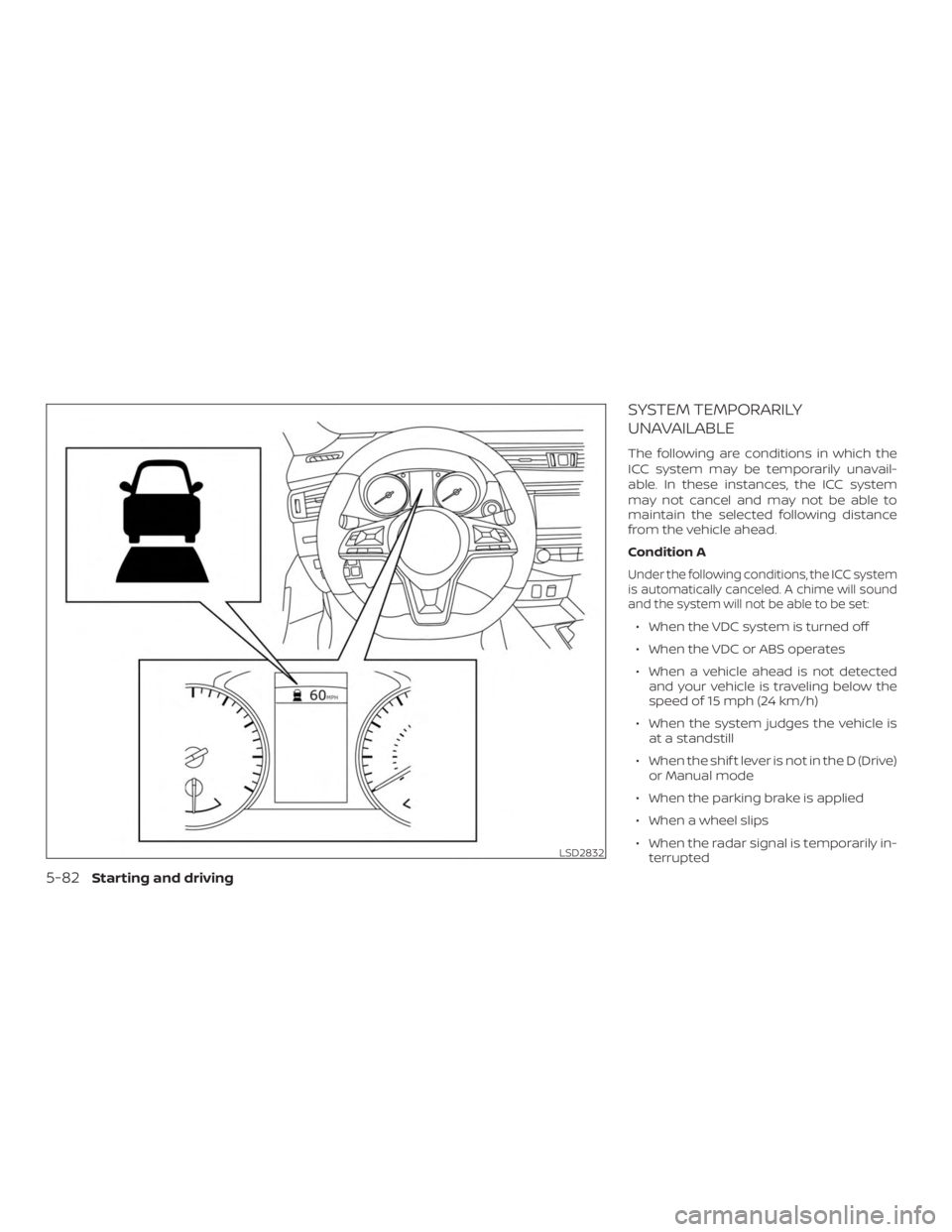
SYSTEM TEMPORARILY
UNAVAILABLE
The following are conditions in which the
ICC system may be temporarily unavail-
able. In these instances, the ICC system
may not cancel and may not be able to
maintain the selected following distance
from the vehicle ahead.
Condition A
Under the following conditions, the ICC system
is automatically canceled. A chime will sound
and the system will not be able to be set:
∙ When the VDC system is turned off
∙ When the VDC or ABS operates
∙ When a vehicle ahead is not detectedand your vehicle is traveling below the
speed of 15 mph (24 km/h)
∙ When the system judges the vehicle is at a standstill
∙ When the shif t lever is not in the D (Drive) or Manual mode
∙ When the parking brake is applied
∙ When a wheel slips
∙ When the radar signal is temporarily in- terrupted
LSD2832
5-82Starting and driving
Page 343 of 547
Action to take
When the conditions listed above are no
longer present, turn the system off using
the ICC switch. Turn the ICC system back on
to use the system.
Condition B
When the radar sensor area of the front
bumper is covered with dirt or is ob-
structed, the ICC system will automatically
be canceled.
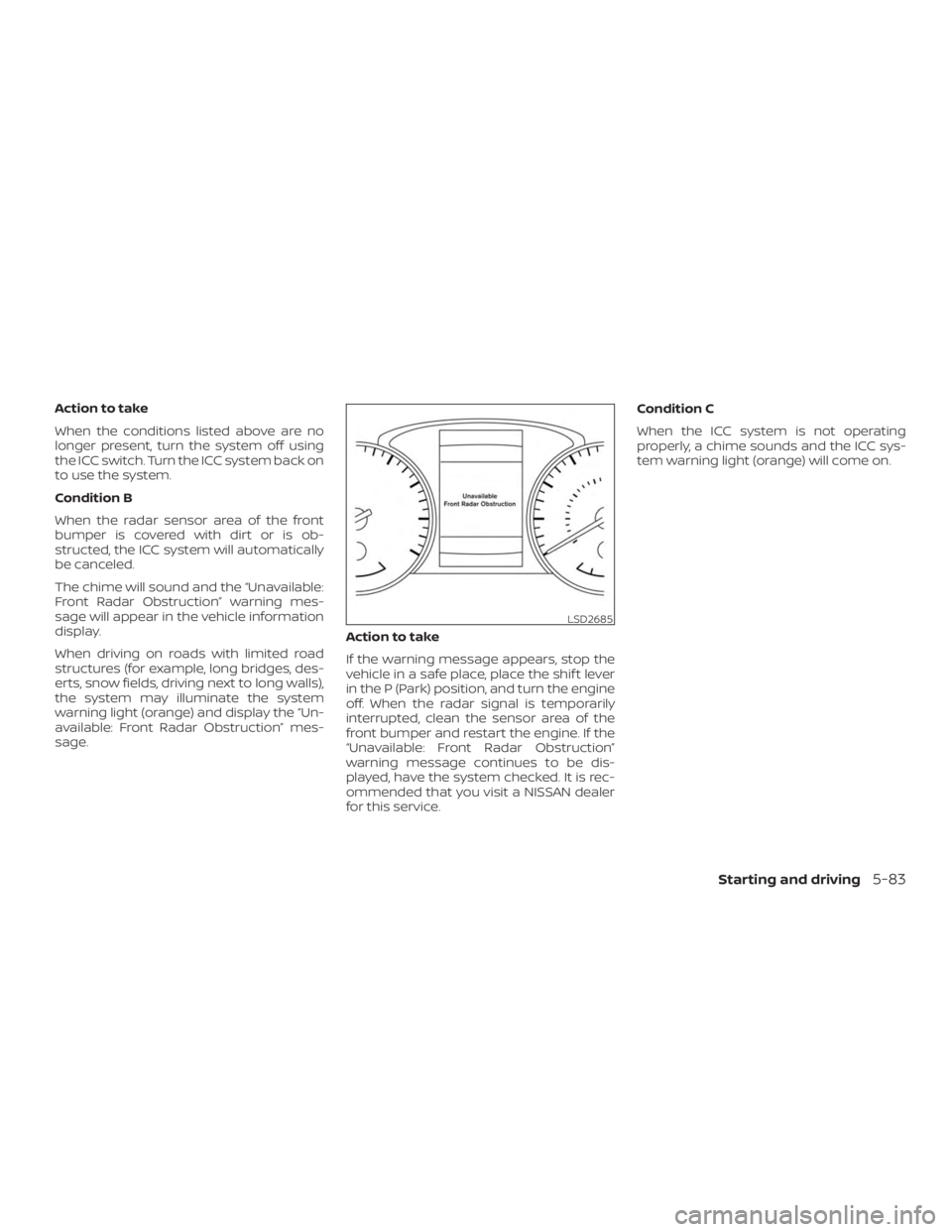
The chime will sound and the “Unavailable:
Front Radar Obstruction” warning mes-
sage will appear in the vehicle information
display.
When driving on roads with limited road
structures (for example, long bridges, des-
erts, snow fields, driving next to long walls),
the system may illuminate the system
warning light (orange) and display the “Un-
available: Front Radar Obstruction” mes-
sage.Action to take
If the warning message appears, stop the
vehicle in a safe place, place the shif t lever
in the P (Park) position, and turn the engine
off. When the radar signal is temporarily
interrupted, clean the sensor area of the
front bumper and restart the engine. If the
“Unavailable: Front Radar Obstruction”
warning message continues to be dis-
played, have the system checked. It is rec-
ommended that you visit a NISSAN dealer
for this service.Condition C
When the ICC system is not operating
properly, a chime sounds and the ICC sys-
tem warning light (orange) will come on.
LSD2685
Starting and driving5-83
Page 370 of 547
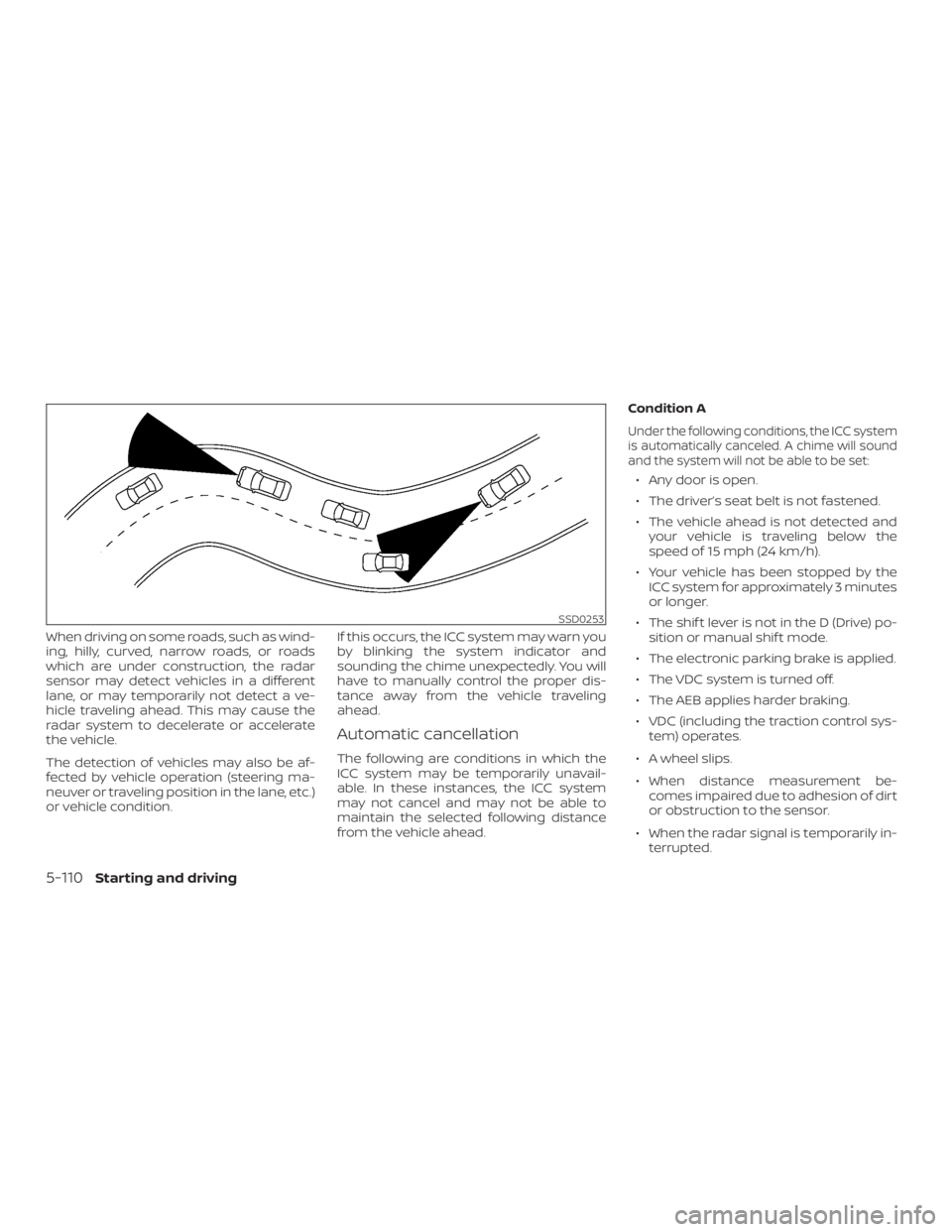
When driving on some roads, such as wind-
ing, hilly, curved, narrow roads, or roads
which are under construction, the radar
sensor may detect vehicles in a different
lane, or may temporarily not detect a ve-
hicle traveling ahead. This may cause the
radar system to decelerate or accelerate
the vehicle.
The detection of vehicles may also be af-
fected by vehicle operation (steering ma-
neuver or traveling position in the lane, etc.)
or vehicle condition.If this occurs, the ICC system may warn you
by blinking the system indicator and
sounding the chime unexpectedly. You will
have to manually control the proper dis-
tance away from the vehicle traveling
ahead.
Automatic cancellation
The following are conditions in which the
ICC system may be temporarily unavail-
able. In these instances, the ICC system
may not cancel and may not be able to
maintain the selected following distance
from the vehicle ahead.Condition A
Under the following conditions, the ICC system
is automatically canceled. A chime will sound
and the system will not be able to be set:
∙ Any door is open.
∙ The driver’s seat belt is not fastened.
∙ The vehicle ahead is not detected and
your vehicle is traveling below the
speed of 15 mph (24 km/h).
∙ Your vehicle has been stopped by the ICC system for approximately 3 minutes
or longer.
∙ The shif t lever is not in the D (Drive) po- sition or manual shif t mode.
∙ The electronic parking brake is applied.
∙ The VDC system is turned off.
∙ The AEB applies harder braking.
∙ VDC (including the traction control sys- tem) operates.
∙ A wheel slips.
∙ When distance measurement be- comes impaired due to adhesion of dirt
or obstruction to the sensor.
∙ When the radar signal is temporarily in- terrupted.
SSD0253
5-110Starting and driving
Page 371 of 547
Action to take:
When the conditions listed above are no
longer present, turn the system off using
the ProPILOT Assist switch. Turn the ProPI-
LOT Assist system back on to use the sys-
tem.
NOTE:
When the ICC system is canceled under
the following conditions at a standstill,
the electronic parking brake is auto-
matically activated:∙ Any door is open.
∙ The driver’s seat belt is not fastened.
∙ Your vehicle has been stopped by the
ICC system for approximately 3 min-
utes or longer.
∙ The shif t lever is not in the D (Drive)
position or manual shif t mode.
∙ The VDC system is turned off.
∙ When distance measurement be-
comes impaired due to adhesion of
dirt or obstruction to the sensor.
∙ When the radar signal is temporarily
interrupted. Condition B
When the radar sensor of the front bumper
is covered with dirt or is obstructed, the ICC
system will automatically be canceled.
The chime will sound and the “Unavailable:
Front Radar Obstruction” warning mes-
sage will appear in the vehicle information
display.
Action to take:
If the warning message appears, stop the
vehicle in a safe place, place the shif t lever
in the P (Park) position, and turn the engine
off. When the radar signal is temporarily
interrupted, clean the sensor area of the
front bumper and restart the engine. If the
“Unavailable: Front Radar Obstruction”
warning message continues to be dis-
played, have the system checked. It is rec-
ommended that you visit a NISSAN dealer
for this service.
Condition C
When driving on roads with limited road
structures or buildings (for example, long
bridges, deserts, snow fields, driving next to
long walls), the system may illuminate the
system warning light and display the “Un-
available: Front Radar Obstruction” mes-
sage. Action to take:
When the above driving conditions no lon-
ger exist, turn the system back on.
ICC system malfunction
If the ICC system malfunctions, it will be
turned off automatically, a chime will
sound, and the speed control status warn-
ing (orange) will illuminate.
Action to take:
If the warning light comes on, stop the ve-
hicle in a safe place. Turn the engine off,
restart the engine and set the ICC system
again. If it is not possible to set the ICC
system or the indicator stays on, it may be
a malfunction. Although the normal driving
can be continued, the ICC system should
be inspected. It is recommended that you
visit a NISSAN dealer for this service.
ICC sensor maintenance
The radar sensor is located on the front of
the vehicle.
To keep the ICC system operating properly,
be sure to observe the following:
∙ Always keep the sensor area clean.
Starting and driving5-111