horn NISSAN ROGUE 2018 Owner´s Manual
[x] Cancel search | Manufacturer: NISSAN, Model Year: 2018, Model line: ROGUE, Model: NISSAN ROGUE 2018Pages: 547, PDF Size: 6.42 MB
Page 17 of 547
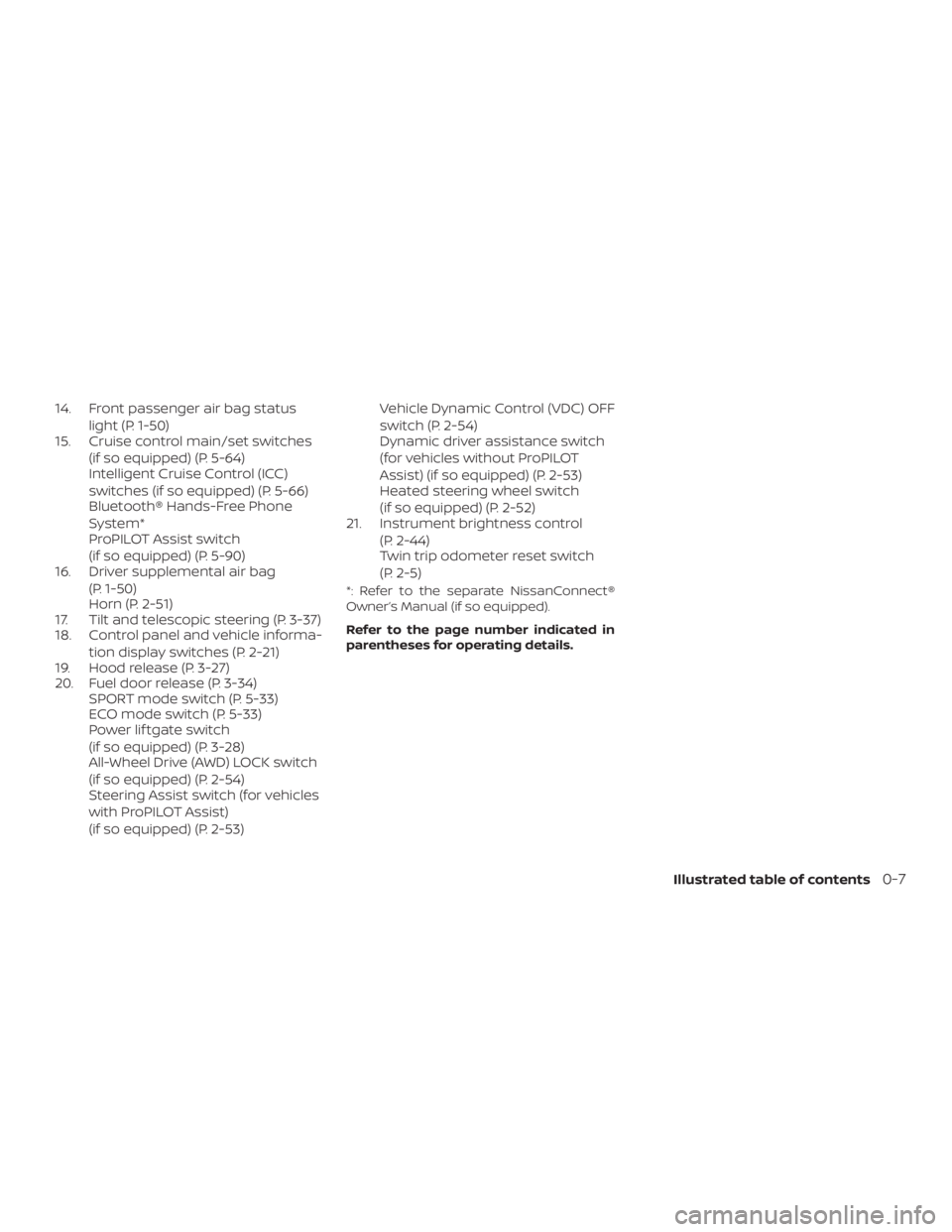
14. Front passenger air bag statuslight (P. 1-50)
15. Cruise control main/set switches
(if so equipped) (P. 5-64)
Intelligent Cruise Control (ICC)
switches (if so equipped) (P. 5-66)
Bluetooth® Hands-Free Phone
System*
ProPILOT Assist switch
(if so equipped) (P. 5-90)
16. Driver supplemental air bag
(P. 1-50)
Horn (P. 2-51)
17. Tilt and telescopic steering (P. 3-37)
18. Control panel and vehicle informa-
tion display switches (P. 2-21)
19. Hood release (P. 3-27)
20. Fuel door release (P. 3-34) SPORT mode switch (P. 5-33)
ECO mode switch (P. 5-33)
Power lif tgate switch
(if so equipped) (P. 3-28)
All-Wheel Drive (AWD) LOCK switch
(if so equipped) (P. 2-54)
Steering Assist switch (for vehicles
with ProPILOT Assist)
(if so equipped) (P. 2-53) Vehicle Dynamic Control (VDC) OFF
switch (P. 2-54)
Dynamic driver assistance switch
(for vehicles without ProPILOT
Assist) (if so equipped) (P. 2-53)
Heated steering wheel switch
(if so equipped) (P. 2-52)
21. Instrument brightness control
(P. 2-44)
Twin trip odometer reset switch
(P. 2-5)
*: Refer to the separate NissanConnect®
Owner’s Manual (if so equipped).
Refer to the page number indicated in
parentheses for operating details.
Illustrated table of contents0-7
Page 90 of 547
2 Instruments and controls
Instrument panel................................2-2
Meters and gauges ..............................2-4
Speedometer and odometer .................2-4
Tachometer ..................................2-6
Engine coolant temperature gauge ..........2-6
Fuel gauge ................................... 2-7
Compass (if so equipped) ....................... 2-7
Compass display .............................2-8
Warning lights, indicator lights and audible
reminders ....................................... 2-11
Checking lights .............................. 2-12
Warning lights ............................... 2-12
Indicator lights .............................. 2-18
Audible reminders ........................... 2-20
Vehicle information display .....................2-21
How to use the vehicle information
display ...................................... 2-22
Startup display .............................. 2-22
Resetting the drive computer ................2-23
Settings ..................................... 2-23
Vehicle information display warnings
and indicators ............................... 2-32
Security systems ............................... 2-39
Vehicle security system .....................2-39NISSAN Vehicle Immobilizer System
.........2-40
Wiper and washer switch .......................2-42
Switch operation ............................ 2-42
Rear switch operation .......................2-43
Rear window and outside mirror
(if so equipped) defroster switch ................2-44
Headlight and turn signal switch ...............2-44
Headlight control switch .....................2-44
LED Daytime Running Lights (DRL)
system ...................................... 2-49
Instrument brightness control ...............2-49
Turn signal switch ........................... 2-49
Fog light switch (if so equipped) .............2-50
Horn ........................................... 2-51
Heated seat switches (if so equipped) ..........2-51
Heated steering wheel switch (if so equipped) . . 2-52
Dynamic driver assistance switch
(for vehicles without ProPILOT Assist)
(if so equipped) ................................. 2-53
S
teering Assist switch (for vehicles with
ProPILOT Assist) (if so equipped) ................2-53
Vehicle Dynamic Control (VDC) OFF switch ......2-54
All-Wheel Drive (AWD) LOCK switch
(if so equipped) ................................. 2-54
Page 93 of 547
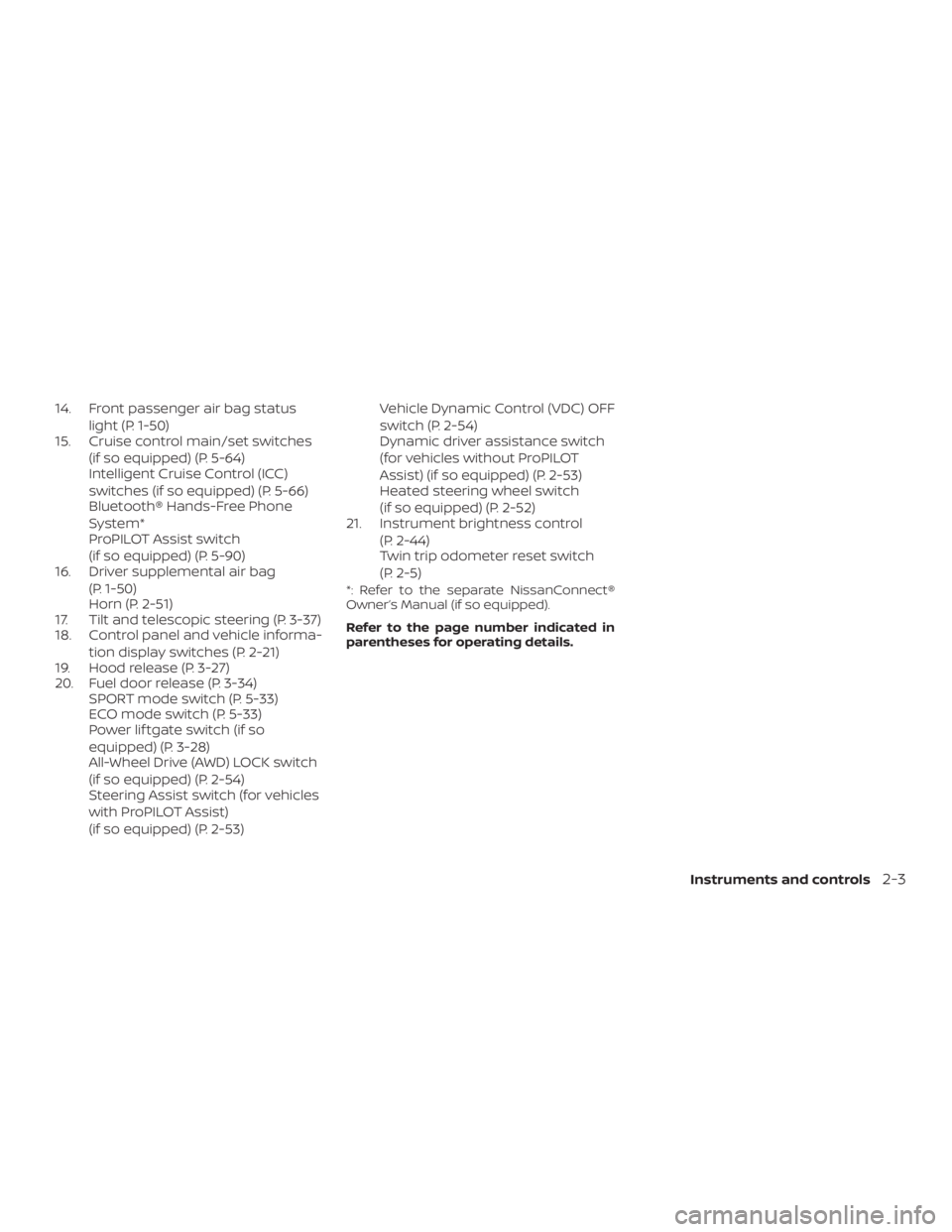
14. Front passenger air bag statuslight (P. 1-50)
15. Cruise control main/set switches
(if so equipped) (P. 5-64)
Intelligent Cruise Control (ICC)
switches (if so equipped) (P. 5-66)
Bluetooth® Hands-Free Phone
System*
ProPILOT Assist switch
(if so equipped) (P. 5-90)
16. Driver supplemental air bag
(P. 1-50)
Horn (P. 2-51)
17. Tilt and telescopic steering (P. 3-37)
18. Control panel and vehicle informa-
tion display switches (P. 2-21)
19. Hood release (P. 3-27)
20. Fuel door release (P. 3-34) SPORT mode switch (P. 5-33)
ECO mode switch (P. 5-33)
Power lif tgate switch (if so
equipped) (P. 3-28)
All-Wheel Drive (AWD) LOCK switch
(if so equipped) (P. 2-54)
Steering Assist switch (for vehicles
with ProPILOT Assist)
(if so equipped) (P. 2-53) Vehicle Dynamic Control (VDC) OFF
switch (P. 2-54)
Dynamic driver assistance switch
(for vehicles without ProPILOT
Assist) (if so equipped) (P. 2-53)
Heated steering wheel switch
(if so equipped) (P. 2-52)
21. Instrument brightness control
(P. 2-44)
Twin trip odometer reset switch
(P. 2-5)
*: Refer to the separate NissanConnect®
Owner’s Manual (if so equipped).
Refer to the page number indicated in
parentheses for operating details.
Instruments and controls2-3
Page 117 of 547
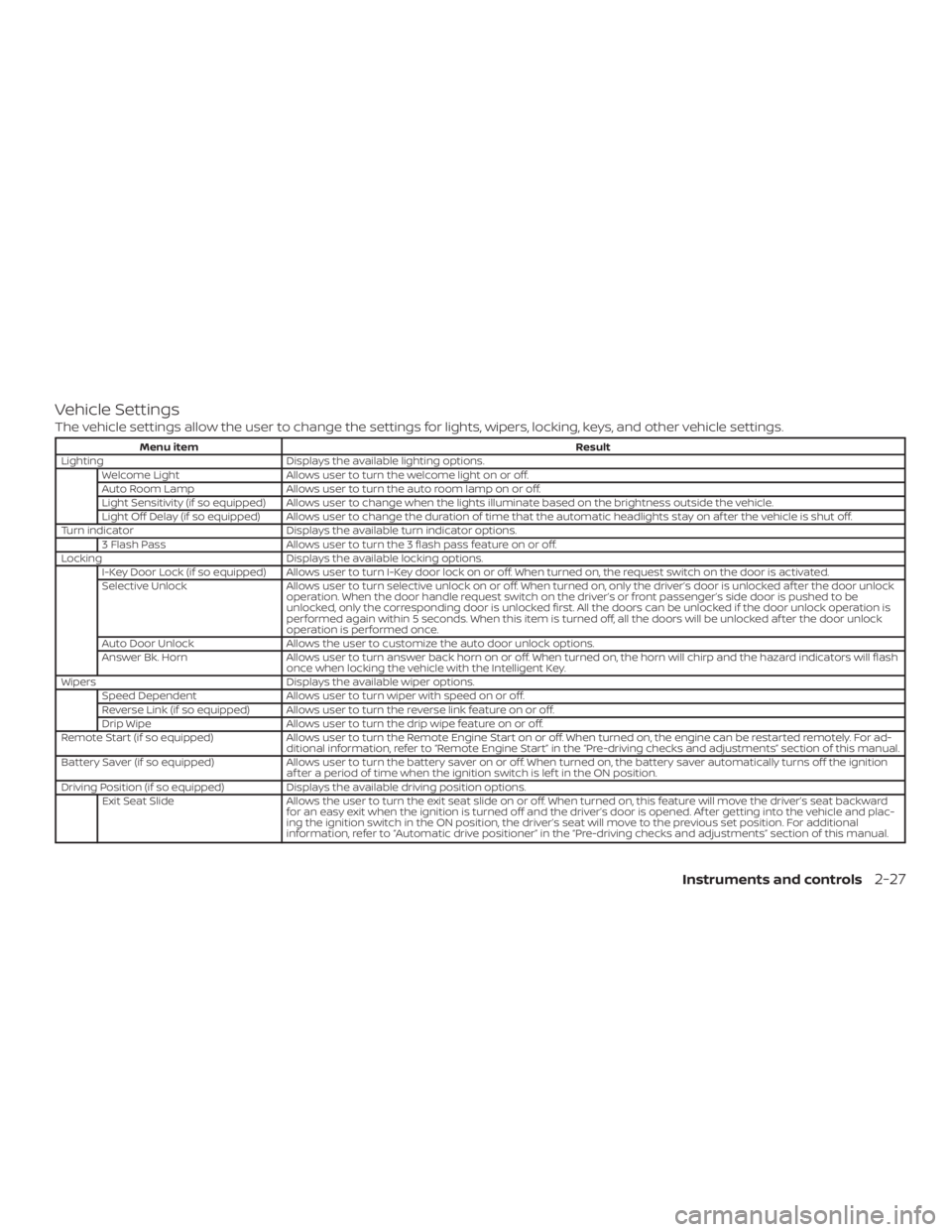
Vehicle Settings
The vehicle settings allow the user to change the settings for lights, wipers, locking, keys, and other vehicle settings.
Menu itemResult
Lighting Displays the available lighting options.
Welcome Light Allows user to turn the welcome light on or off.
Auto Room Lamp Allows user to turn the auto room lamp on or off.
Light Sensitivity (if so equipped) Allows user to change when the lights illuminate based on the brightness outside the vehicle.
Light Off Delay (if so equipped) Allows user to change the duration of time that the automatic headlights stay on af ter the vehicle is shut off.
Turn indicator Displays the available turn indicator options.
3 Flash Pass Allows user to turn the 3 flash pass feature on or off.
Locking Displays the available locking options.
I-Key Door Lock (if so equipped) Allows user to turn I-Key door lock on or off. When turned on, the request switch on the door is activated.
Selective Unlock Allows user to turn selective unlock on or off. When turned on, only the driver’s door is unlocked af ter the door unlock
operation. When the door handle request switch on the driver’s or front passenger’s side door is pushed to be
unlocked, only the corresponding door is unlocked first. All the doors can be unlocked if the door unlock operation is
performed again within 5 seconds. When this item is turned off, all the doors will be unlocked af ter the door unlock
operation is performed once.
Auto Door Unlock Allows the user to customize the auto door unlock options.
Answer Bk. Horn Allows user to turn answer back horn on or off. When turned on, the horn will chirp and the hazard indicators will flash
once when locking the vehicle with the Intelligent Key.
Wipers Displays the available wiper options.
Speed Dependent Allows user to turn wiper with speed on or off.
Reverse Link (if so equipped) Allows user to turn the reverse link feature on or off.
Drip Wipe Allows user to turn the drip wipe feature on or off.
Remote Start (if so equipped) Allows user to turn the Remote Engine Start on or off. When turned on, the engine can be restarted remotely. For ad-
ditional information, refer to “Remote Engine Start” in the “Pre-driving checks and adjustments” section of this manual.
Battery Saver (if so equipped) Allows user to turn the battery saver on or off. When turned on, the battery saver automatically turns off the ignition
af ter a period of time when the ignition switch is lef t in the ON position.
Driving Position (if so equipped) Displays the available driving position options.
Exit Seat Slide Allows the user to turn the exit seat slide on or off. When turned on, this feature will move the driver’s seat backward
for an easy exit when the ignition is turned off and the driver’s door is opened. Af ter getting into the vehicle and plac-
ing the ignition switch in the ON position, the driver’s seat will move to the previous set position. For additional
information, refer to “Automatic drive positioner” in the “Pre-driving checks and adjustments” section of this manual.
Instruments and controls2-27
Page 130 of 547
4. Confirm that thesecurity indica-
tor light stays on for about 30 seconds.
The vehicle security system is now pre-
armed. The vehicle security system will
automatically shif t into the armed
phase. The
security light begins
to flash once every three seconds. If
during the pre-armed phase one of the
following occurs, the system will not
arm:
∙ Any door is unlocked with the key fob (if so equipped), the Intelligent Key (if so
equipped), mechanical key, or door re-
quest switch.
∙ Ignition switch is placed in the ON posi- tion.
∙ Even when the driver and/or passen-
gers are in the vehicle, the system will
activate with all the doors, hood and
lif tgate locked with the ignition
switch placed in the LOCK position.
When placing the ignition switch in
the ON position, the system will be
released.
Vehicle security system activation
The vehicle security system will give the
following alarm:
∙
The headlights blink and the horn
sounds intermittently but synchronously.
∙ The alarm automatically turns off af ter a period of time. However, the alarm
reactivates if the vehicle is tampered
with again.
The alarm is activated by: ∙ opening any door or the lif tgate without using the key or Intelligent Key (even if
the door is unlocked by releasing the
door inside lock knob).
How to stop an activated alarm
The alarm stops only by unlocking a door
or the lif tgate with the mechanical key the
key fob (if so equipped), pressing the
button on the Intelligent Key (if so
equipped), or pushing the request switch
on the driver’s or passenger’s door with the
Intelligent Key (if so equipped) in range of
the door handle.
NISSAN VEHICLE IMMOBILIZER
SYSTEM
The NISSAN Vehicle Immobilizer System
will not allow the engine to start without
the use of a registered key.
Never leave these keys in the vehicle.
FCC Notice:
For USA:
This device complies with Part 15 of the
FCC Rules. Operation is subject to the fol-
lowing two conditions: (1) This device
may not cause harmful interference, and
(2) this device must accept any interfer-
ence received, including interference
that may cause undesired operation.
NOTE:
Changes or modifications not expressly
approved by the party responsible for
compliance could void the user’s author-
ity to operate the equipment.
2-40Instruments and controls
Page 141 of 547
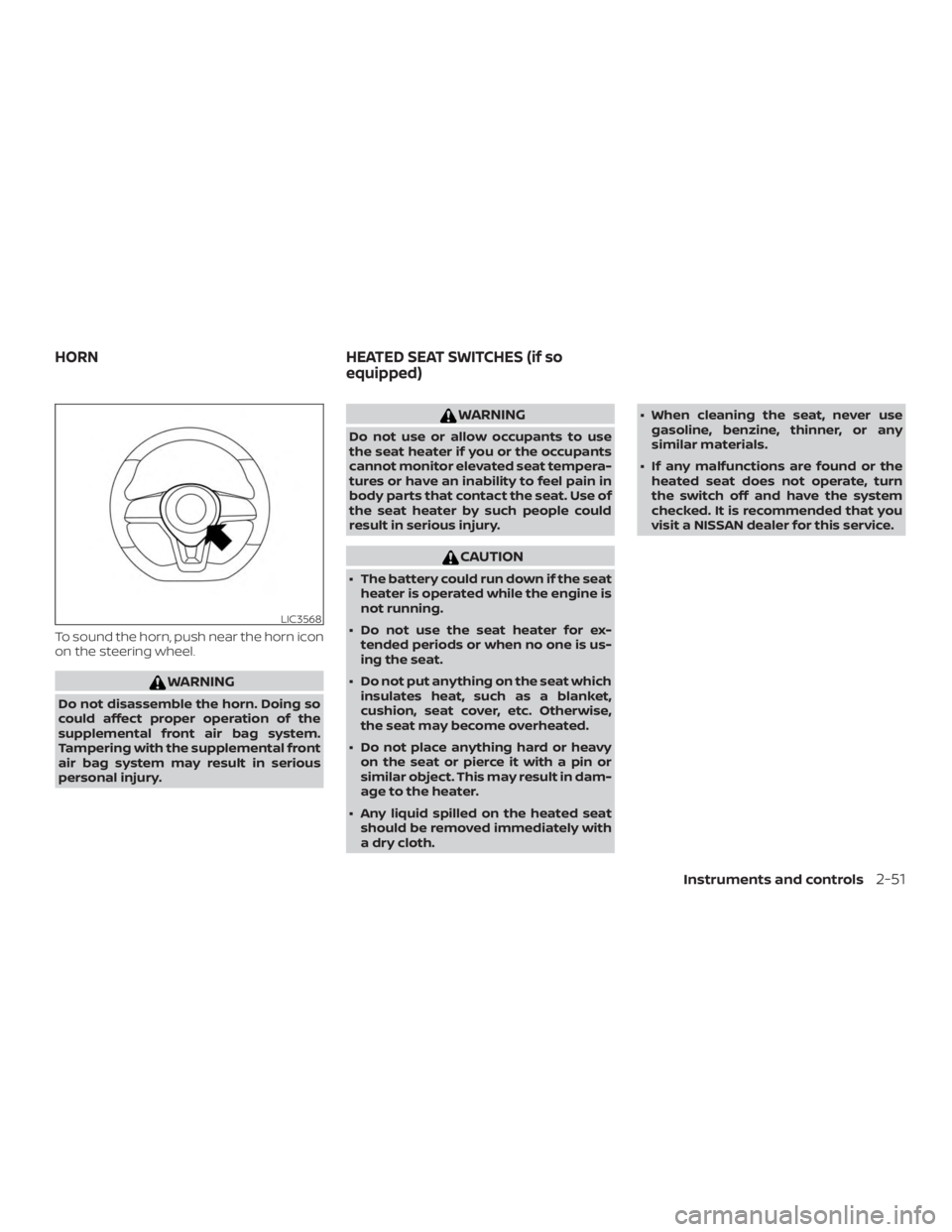
To sound the horn, push near the horn icon
on the steering wheel.
WARNING
Do not disassemble the horn. Doing so
could affect proper operation of the
supplemental front air bag system.
Tampering with the supplemental front
air bag system may result in serious
personal injury.
WARNING
Do not use or allow occupants to use
the seat heater if you or the occupants
cannot monitor elevated seat tempera-
tures or have an inability to feel pain in
body parts that contact the seat. Use of
the seat heater by such people could
result in serious injury.
CAUTION
∙ The battery could run down if the seatheater is operated while the engine is
not running.
∙ Do not use the seat heater for ex- tended periods or when no one is us-
ing the seat.
∙ Do not put anything on the seat which insulates heat, such as a blanket,
cushion, seat cover, etc. Otherwise,
the seat may become overheated.
∙ Do not place anything hard or heavy on the seat or pierce it with a pin or
similar object. This may result in dam-
age to the heater.
∙ Any liquid spilled on the heated seat should be removed immediately with
a dry cloth. ∙ When cleaning the seat, never use
gasoline, benzine, thinner, or any
similar materials.
∙ If any malfunctions are found or the heated seat does not operate, turn
the switch off and have the system
checked. It is recommended that you
visit a NISSAN dealer for this service.
LIC3568
HORN HEATED SEAT SWITCHES (if so
equipped)
Instruments and controls2-51
Page 179 of 547
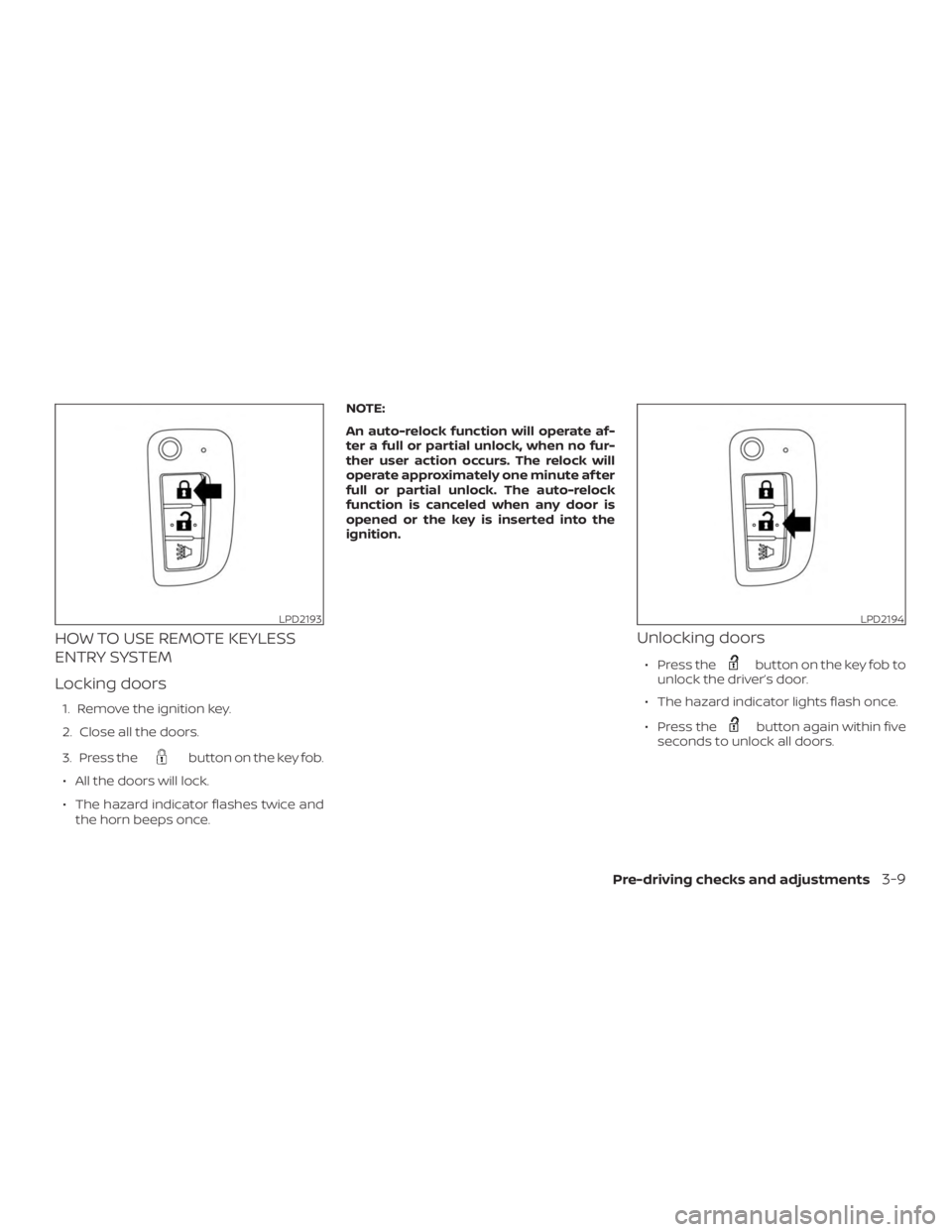
HOW TO USE REMOTE KEYLESS
ENTRY SYSTEM
Locking doors
1. Remove the ignition key.
2. Close all the doors.
3. Press the
button on the key fob.
∙ All the doors will lock.
∙ The hazard indicator flashes twice and the horn beeps once. NOTE:
An auto-relock function will operate af-
ter a full or partial unlock, when no fur-
ther user action occurs. The relock will
operate approximately one minute af ter
full or partial unlock. The auto-relock
function is canceled when any door is
opened or the key is inserted into the
ignition.
Unlocking doors
∙ Press thebutton on the key fob to
unlock the driver’s door.
∙ The hazard indicator lights flash once.
∙ Press the
button again within five
seconds to unlock all doors.
LPD2193LPD2194
Pre-driving checks and adjustments3-9
Page 180 of 547
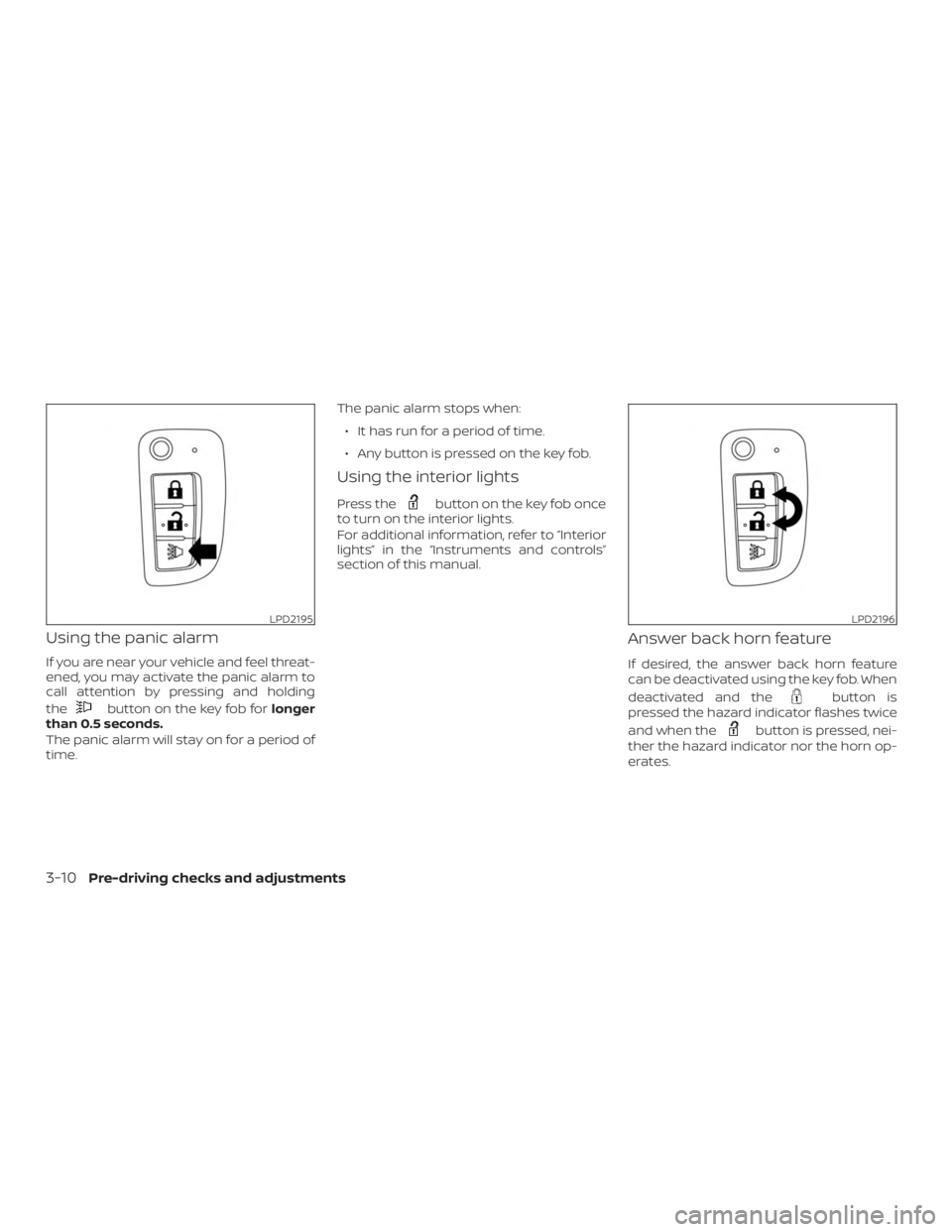
Using the panic alarm
If you are near your vehicle and feel threat-
ened, you may activate the panic alarm to
call attention by pressing and holding
the
button on the key fob forlonger
than 0.5 seconds.
The panic alarm will stay on for a period of
time. The panic alarm stops when:
∙ It has run for a period of time.
∙ Any button is pressed on the key fob.
Using the interior lights
Press thebutton on the key fob once
to turn on the interior lights.
For additional information, refer to “Interior
lights” in the “Instruments and controls”
section of this manual.
Answer back horn feature
If desired, the answer back horn feature
can be deactivated using the key fob. When
deactivated and the
button is
pressed the hazard indicator flashes twice
and when the
button is pressed, nei-
ther the hazard indicator nor the horn op-
erates.
LPD2195LPD2196
3-10Pre-driving checks and adjustments
Page 181 of 547
NOTE:
If you change the answer back horn and
light flash feature with the key fob, the
vehicle information display screen will
show the current mode af ter the ignition
switch has been cycled from the OFF to
the ON position. The vehicle information
display screen can also be used to
change the answer back horn mode.
To deactivate:Press and hold the
andbuttonsfor at least two sec-
onds.
The hazard indicator lights will flash three
times to confirm that the answer back
horn feature has been deactivated.
To activate: Press and hold the
andbuttonsfor at least two sec-
onds once more.
The hazard indicator lights will flash once
and the horn will sound once to confirm
that the horn beep feature has been reac-
tivated.
Deactivating the horn beep feature does
not silence the horn if the alarm is trig-
gered.
WARNING
∙ Radio waves could adversely affect electric medical equipment. Those
who use a pacemaker should contact
the electric medical equipment
manufacturer for the possible influ-
ences before use.
∙ The Intelligent Key transmits radio waves when the buttons are pressed.
The FAA advises the radio waves may
affect aircraf t navigation and com-
munication systems. Do not operate
the Intelligent Key while on an air-
plane. Make sure the buttons are not
operated unintentionally when the
unit is stored for a flight.
The Intelligent Key system can operate all
the door locks using the remote control
function or pushing the request switch on
the vehicle without taking the key out from
a pocket or purse. The operating environ-
ment and/or conditions may affect the In-
telligent Key system operation.
Be sure to read the following before using
the Intelligent Key system.
CAUTION
∙ Be sure to carry the Intelligent Key with you when operating the vehicle.
∙ Never leave the Intelligent Key in the vehicle when you leave the vehicle.
The Intelligent Key is always communicat-
ing with the vehicle as it receives radio
waves. The Intelligent Key system trans-
mits weak radio waves. Environmental
conditions may interfere with the opera-
tion of the Intelligent Key system under the
following operating conditions: ∙ When operating near a location where strong radio waves are transmitted,
such as a TV tower, power station and
broadcasting station.
∙ When in possession of wireless equip- ment, such as a cellular telephone,
transceiver, or a CB radio.
∙ When the Intelligent Key is in contact with or covered by metallic materials.
∙ When any type of radio wave remote control is used nearby.
NISSAN INTELLIGENT KEY® (if so
equipped)
Pre-driving checks and adjustments3-11
Page 185 of 547
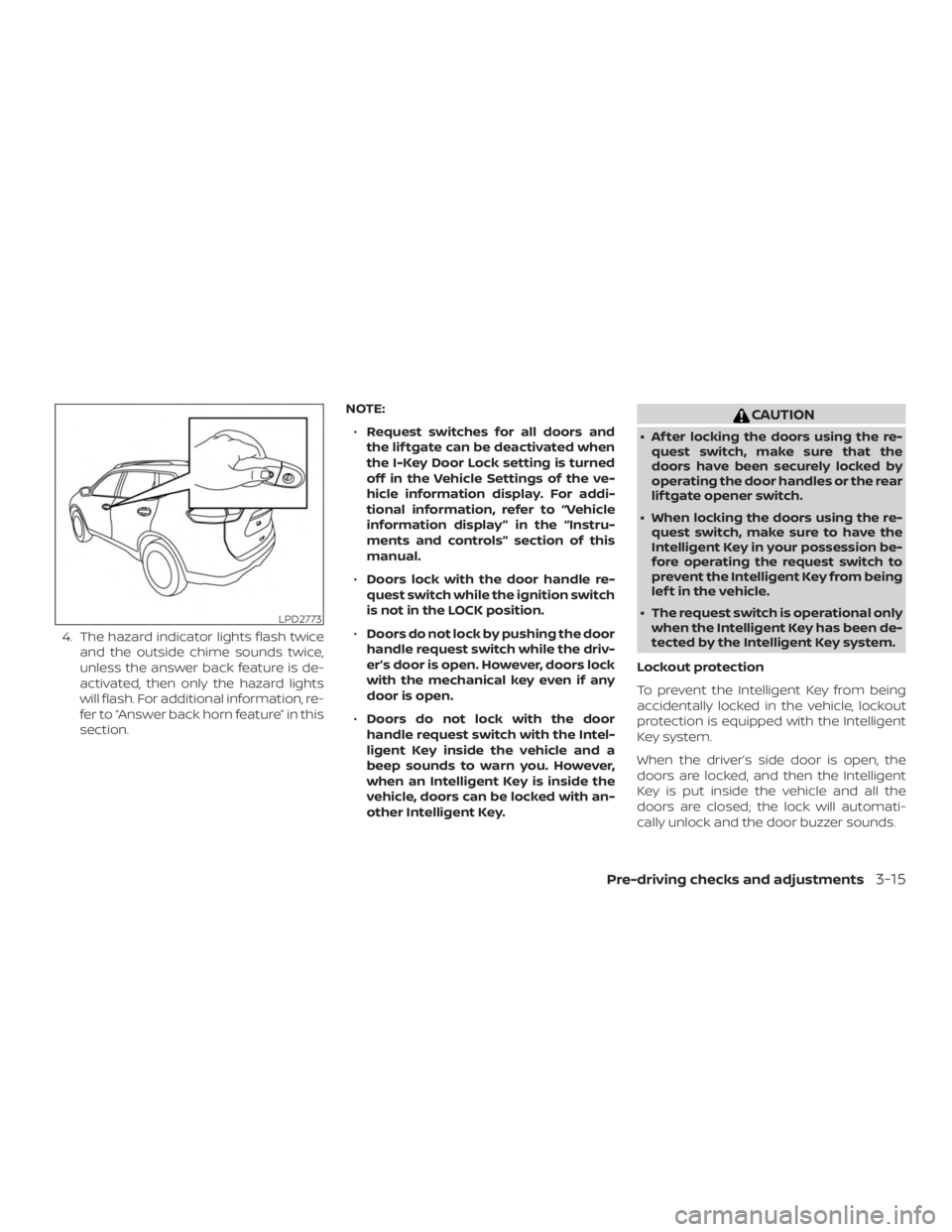
4. The hazard indicator lights flash twiceand the outside chime sounds twice,
unless the answer back feature is de-
activated, then only the hazard lights
will flash. For additional information, re-
fer to “Answer back horn feature” in this
section. NOTE:
∙ Request switches for all doors and
the lif tgate can be deactivated when
the I-Key Door Lock setting is turned
off in the Vehicle Settings of the ve-
hicle information display. For addi-
tional information, refer to “Vehicle
information display ” in the “Instru-
ments and controls” section of this
manual.
∙ Doors lock with the door handle re-
quest switch while the ignition switch
is not in the LOCK position.
∙ Doors do not lock by pushing the door
handle request switch while the driv-
er’s door is open. However, doors lock
with the mechanical key even if any
door is open.
∙ Doors do not lock with the door
handle request switch with the Intel-
ligent Key inside the vehicle and a
beep sounds to warn you. However,
when an Intelligent Key is inside the
vehicle, doors can be locked with an-
other Intelligent Key.
CAUTION
∙ Af ter locking the doors using the re- quest switch, make sure that the
doors have been securely locked by
operating the door handles or the rear
lif tgate opener switch.
∙ When locking the doors using the re- quest switch, make sure to have the
Intelligent Key in your possession be-
fore operating the request switch to
prevent the Intelligent Key from being
lef t in the vehicle.
∙ The request switch is operational only when the Intelligent Key has been de-
tected by the Intelligent Key system.
Lockout protection
To prevent the Intelligent Key from being
accidentally locked in the vehicle, lockout
protection is equipped with the Intelligent
Key system.
When the driver’s side door is open, the
doors are locked, and then the Intelligent
Key is put inside the vehicle and all the
doors are closed; the lock will automati-
cally unlock and the door buzzer sounds.
LPD2773
Pre-driving checks and adjustments3-15