fog NISSAN ROGUE 2019 Owner´s Manual
[x] Cancel search | Manufacturer: NISSAN, Model Year: 2019, Model line: ROGUE, Model: NISSAN ROGUE 2019Pages: 564, PDF Size: 6.97 MB
Page 142 of 564
Move the lever up or down until the
turn signal begins to flash, but the lever
does not latch, and release the lever.
The turn signal will automatically flash
three times.
Choose the appropriate method to signal
a lane change based on road and traffic
conditions.
NOTE:
The 3 flash pass feature may be disabled.
For additional information, refer to “Ve-
hicle information display ” in this section.
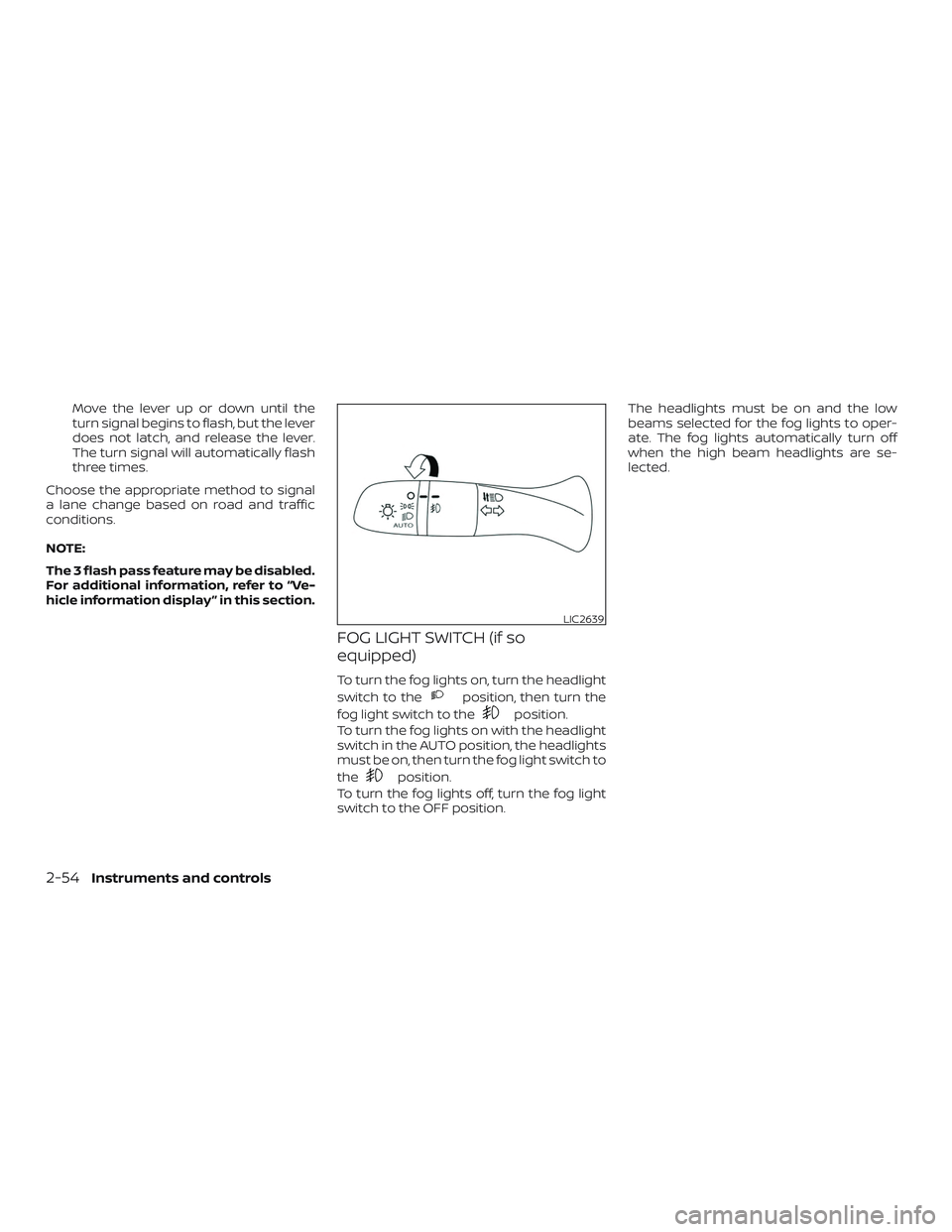
FOG LIGHT SWITCH (if so
equipped)
To turn the fog lights on, turn the headlight
switch to the
position, then turn the
fog light switch to the
position.
To turn the fog lights on with the headlight
switch in the AUTO position, the headlights
must be on, then turn the fog light switch to
the
position.
To turn the fog lights off, turn the fog light
switch to the OFF position. The headlights must be on and the low
beams selected for the fog lights to oper-
ate. The fog lights automatically turn off
when the high beam headlights are se-
lected.
LIC2639
2-54Instruments and controls
Page 215 of 564
WARNING
∙ Objects viewed in the outside mirroron the passenger side are closer than
they appear. Be careful when moving
to the right. Using only this mirror
could cause an accident. Use the in-
side mirror or glance over your shoul-
der to properly judge distances to
other objects.
∙ Do not adjust the mirrors while driv- ing. You could lose control of your ve-
hicle and cause an accident.
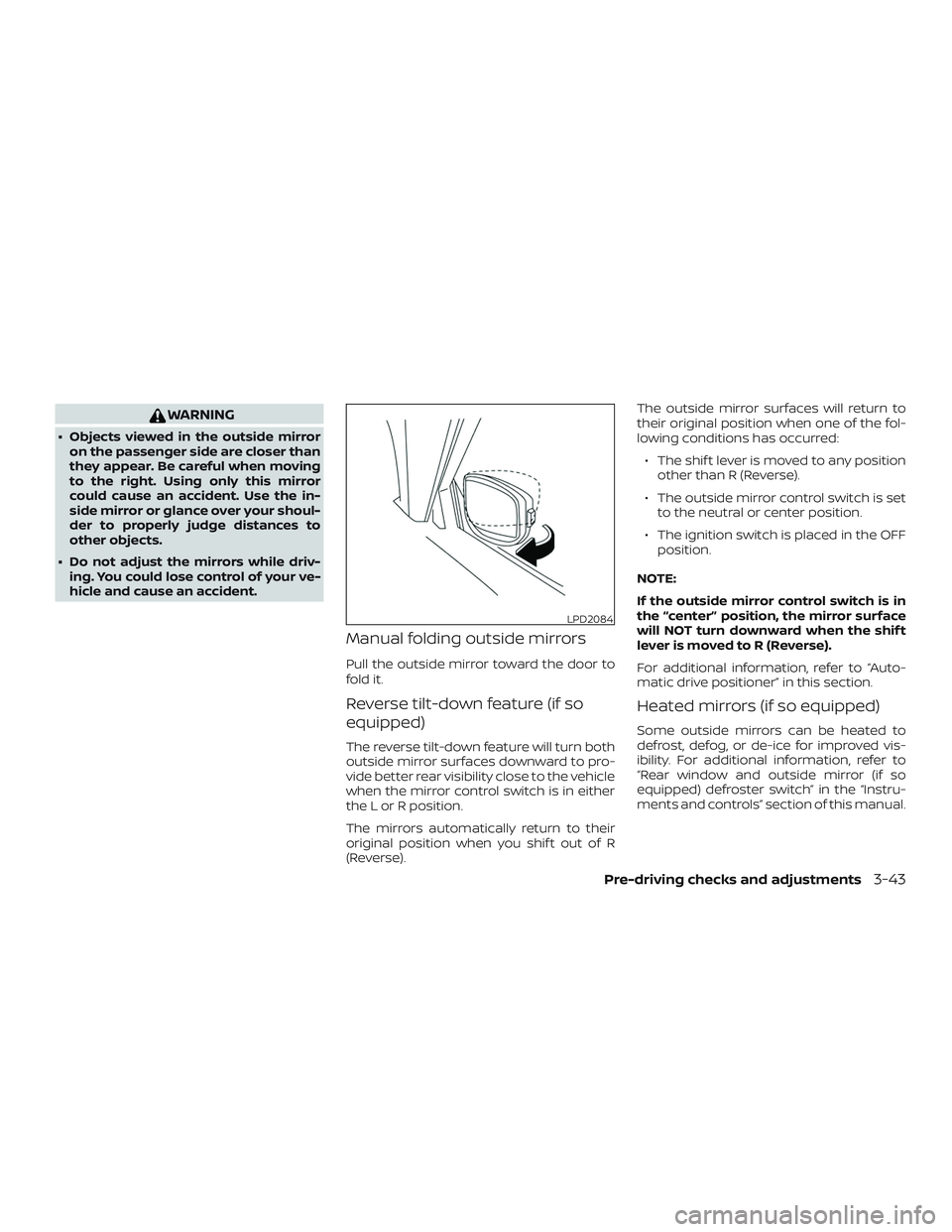
Manual folding outside mirrors
Pull the outside mirror toward the door to
fold it.
Reverse tilt-down feature (if so
equipped)
The reverse tilt-down feature will turn both
outside mirror surfaces downward to pro-
vide better rear visibility close to the vehicle
when the mirror control switch is in either
the L or R position.
The mirrors automatically return to their
original position when you shif t out of R
(Reverse). The outside mirror surfaces will return to
their original position when one of the fol-
lowing conditions has occurred:
∙ The shif t lever is moved to any position other than R (Reverse).
∙ The outside mirror control switch is set to the neutral or center position.
∙ The ignition switch is placed in the OFF position.
NOTE:
If the outside mirror control switch is in
the “center” position, the mirror surface
will NOT turn downward when the shif t
lever is moved to R (Reverse).
For additional information, refer to “Auto-
matic drive positioner” in this section.
Heated mirrors (if so equipped)
Some outside mirrors can be heated to
defrost, defog, or de-ice for improved vis-
ibility. For additional information, refer to
“Rear window and outside mirror (if so
equipped) defroster switch” in the “Instru-
ments and controls” section of this manual.
LPD2084
Pre-driving checks and adjustments3-43
Page 247 of 564
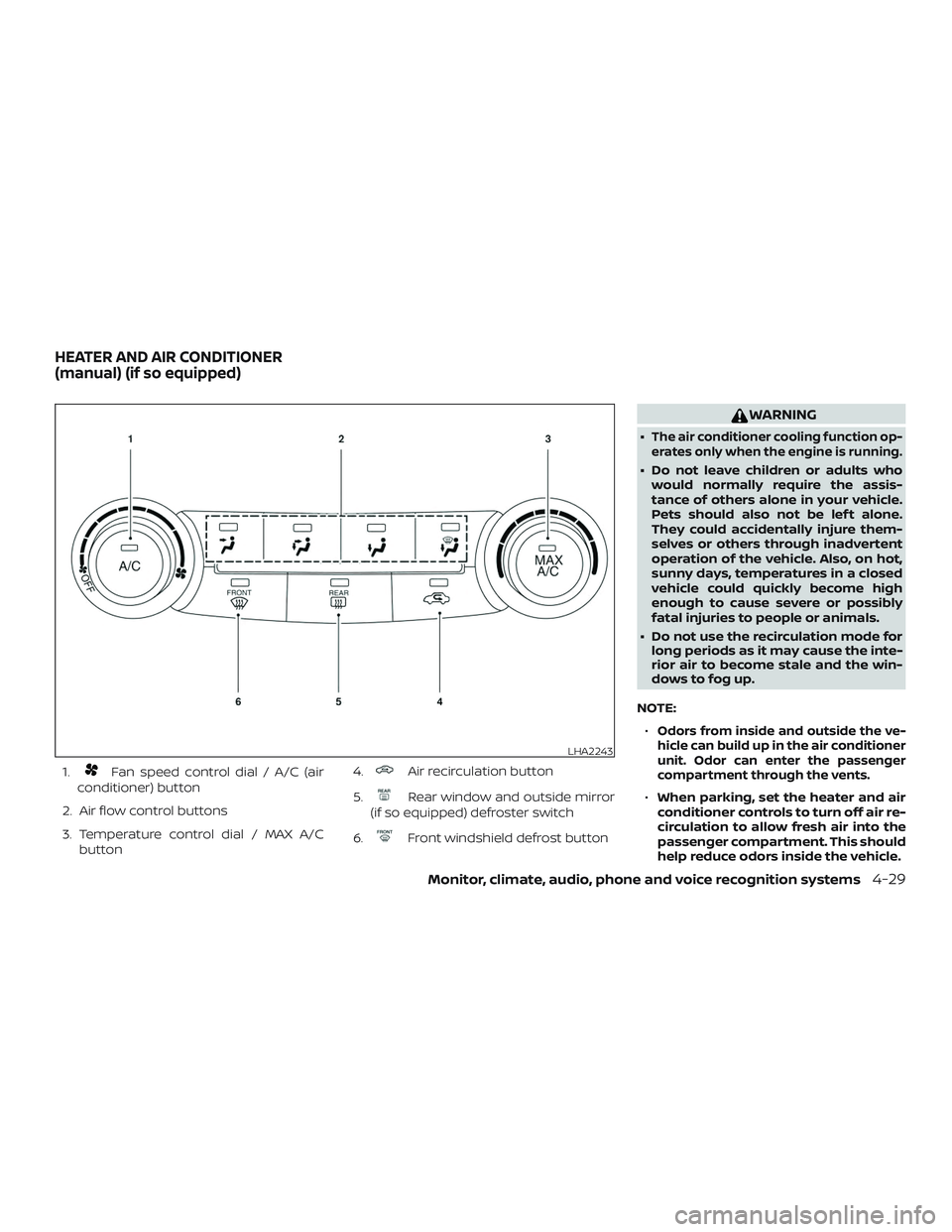
1.Fan speed control dial / A/C (air
conditioner) button
2. Air flow control buttons
3. Temperature control dial / MAX A/C button 4.Air recirculation button
5.
Rear window and outside mirror
(if so equipped) defroster switch
6.
Front windshield defrost button
WARNING
∙The air conditioner cooling function op-
erates only when the engine is running.
∙ Do not leave children or adults who would normally require the assis-
tance of others alone in your vehicle.
Pets should also not be lef t alone.
They could accidentally injure them-
selves or others through inadvertent
operation of the vehicle. Also, on hot,
sunny days, temperatures in a closed
vehicle could quickly become high
enough to cause severe or possibly
fatal injuries to people or animals.
∙ Do not use the recirculation mode for long periods as it may cause the inte-
rior air to become stale and the win-
dows to fog up.
NOTE: ∙
Odors from inside and outside the ve-
hicle can build up in the air conditioner
unit. Odor can enter the passenger
compartment through the vents.
∙ When parking, set the heater and air
conditioner controls to turn off air re-
circulation to allow fresh air into the
passenger compartment. This should
help reduce odors inside the vehicle.
LHA2243
HEATER AND AIR CONDITIONER
(manual) (if so equipped)
Monitor, climate, audio, phone and voice recognition systems4-29
Page 249 of 564
2. Press theair flow control button.
3. Turn the
fan speed control dial to
the desired position.
4. Turn the temperature control dial to the desired position between the
middle and the hot position.
Ventilation
This mode directs outside air to the side
and center vents.
1. Press the
button to change to
fresh air intake mode. The
indica-
tor light will turn off.
2. Press the
air flow control button.
3. Turn the
fan speed control dial to
the desired position.
4. Turn the temperature control dial to the desired position.
Defrosting or defogging
This mode directs the air to the defrost
outlets to defrost/defog the windows.
1. Press the
defroster button.
2. Turn the
fan speed control dial to
the desired position. 3. Turn the temperature control dial to
the desired position between the
middle and the hot position.
∙ To quickly remove ice or fog from the windows, turn the fan control dial to the
highest setting and the temperature
control to the full HOT position.
∙ When the
position is selected, the
air conditioner automatically turns on if
the outside temperature is more than
36°F (2°C). This dehumidifies the air
which helps defog the windshield.
The
indicator automatically turns
off, allowing outside air to be drawn into
the passenger compartment to further
improve the defogging performance.
The recirculation mode cannot be acti-
vated in the
position.
Bi-level heating
The bi-level mode directs warmed air to
the side and center vents and to the front
and rear floor outlets.
1. Press the
button to change to
fresh air intake mode. The
will
turn off.
2. Press the
air flow control button. 3. Turn the
fan speed control dial to
the desired position.
4. Turn the temperature control dial to the desired position.
Heating and defogging
This mode heats the interior and defogs
the windshield.
1. Press the
air flow control button.
2. Turn the
fan speed control dial to
the desired position.
3. Turn the temperature control dial to the desired position between the
middle and the hot position.
∙ When the
position is selected, the
air conditioner automatically turns on if
the outside temperature is more than
36°F (2°C). This dehumidifies the air
which helps defog the windshield.
The
indicator automatically turns
off, allowing outside air to be drawn into
the passenger compartment to further
improve the defogging performance.
Operating tips
Clear snow and ice from the wiper blades
and air inlet in front of the windshield.
This improves heater operation.
Monitor, climate, audio, phone and voice recognition systems4-31
Page 250 of 564
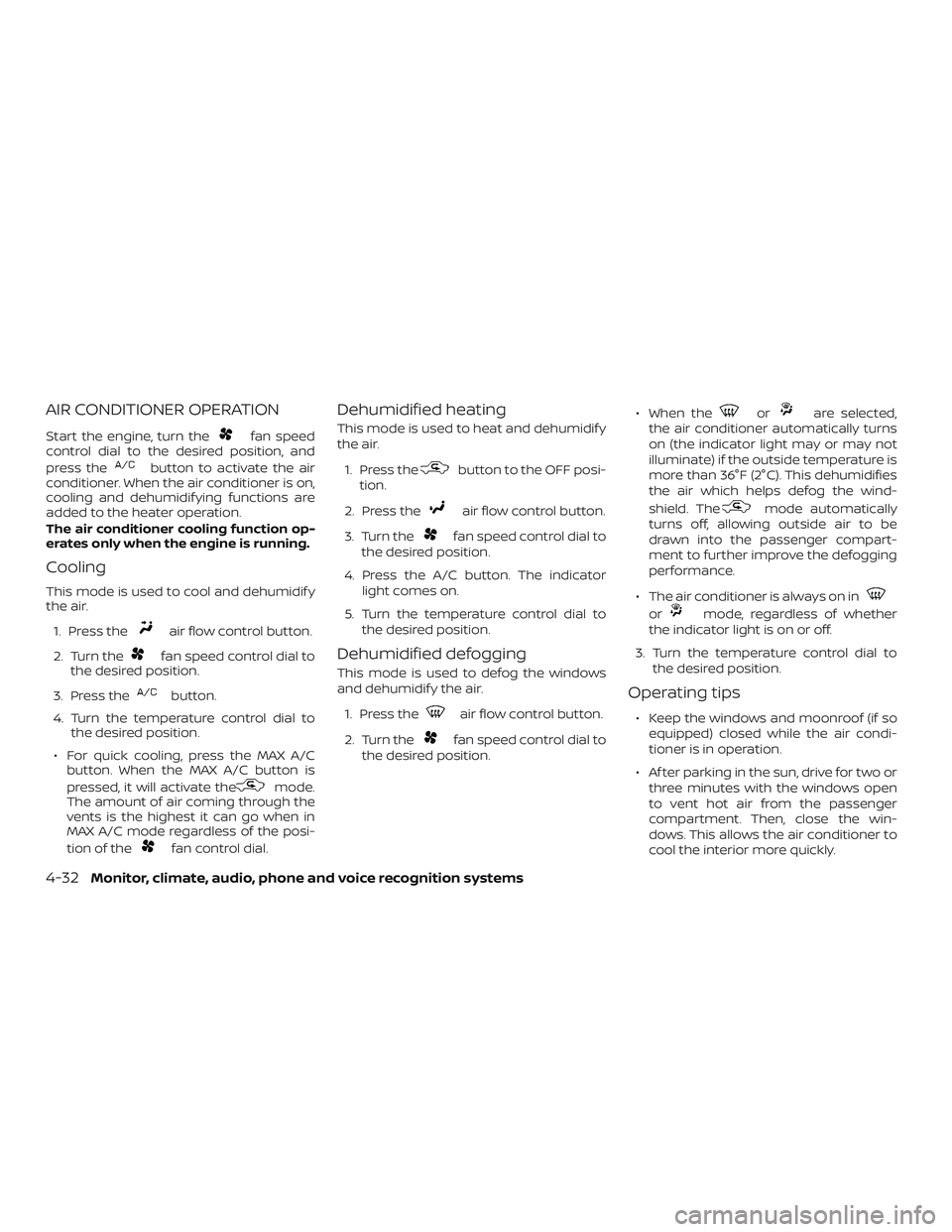
AIR CONDITIONER OPERATION
Start the engine, turn thefan speed
control dial to the desired position, and
press the
button to activate the air
conditioner. When the air conditioner is on,
cooling and dehumidif ying functions are
added to the heater operation.
The air conditioner cooling function op-
erates only when the engine is running.
Cooling
This mode is used to cool and dehumidif y
the air.
1. Press the
air flow control button.
2. Turn the
fan speed control dial to
the desired position.
3. Press the
button.
4. Turn the temperature control dial to the desired position.
∙ For quick cooling, press the MAX A/C button. When the MAX A/C button is
pressed, it will activate the
mode.
The amount of air coming through the
vents is the highest it can go when in
MAX A/C mode regardless of the posi-
tion of the
fan control dial.
Dehumidified heating
This mode is used to heat and dehumidif y
the air.
1. Press the
button to the OFF posi-
tion.
2. Press the
air flow control button.
3. Turn the
fan speed control dial to
the desired position.
4. Press the A/C button. The indicator light comes on.
5. Turn the temperature control dial to the desired position.
Dehumidified defogging
This mode is used to defog the windows
and dehumidif y the air.
1. Press the
air flow control button.
2. Turn the
fan speed control dial to
the desired position. ∙ When the
orare selected,
the air conditioner automatically turns
on (the indicator light may or may not
illuminate) if the outside temperature is
more than 36°F (2°C). This dehumidifies
the air which helps defog the wind-
shield. The
mode automatically
turns off, allowing outside air to be
drawn into the passenger compart-
ment to further improve the defogging
performance.
∙ The air conditioner is always on in
ormode, regardless of whether
the indicator light is on or off.
3. Turn the temperature control dial to the desired position.
Operating tips
∙ Keep the windows and moonroof (if soequipped) closed while the air condi-
tioner is in operation.
∙ Af ter parking in the sun, drive for two or three minutes with the windows open
to vent hot air from the passenger
compartment. Then, close the win-
dows. This allows the air conditioner to
cool the interior more quickly.
4-32Monitor, climate, audio, phone and voice recognition systems
Page 255 of 564
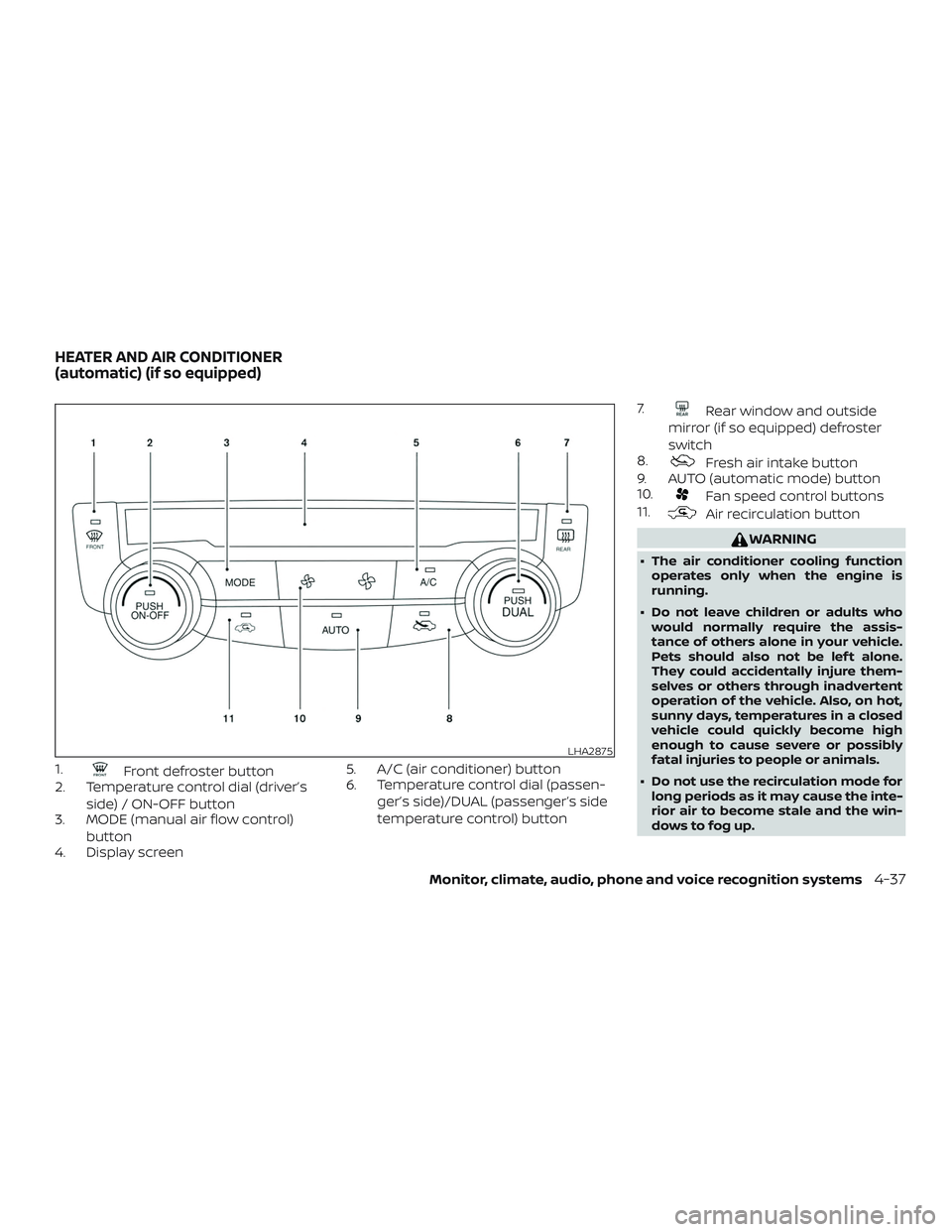
1.Front defroster button
2. Temperature control dial (driver’s
side) / ON-OFF button
3. MODE (manual air flow control)
button
4. Display screen 5. A/C (air conditioner) button
6. Temperature control dial (passen-
ger’s side)/DUAL (passenger’s side
temperature control) button 7.
Rear window and outside
mirror (if so equipped) defroster
switch
8.
Fresh air intake button
9. AUTO (automatic mode) button
10.
Fan speed control buttons
11.
Air recirculation button
WARNING
∙ The air conditioner cooling function
operates only when the engine is
running.
∙ Do not leave children or adults who would normally require the assis-
tance of others alone in your vehicle.
Pets should also not be lef t alone.
They could accidentally injure them-
selves or others through inadvertent
operation of the vehicle. Also, on hot,
sunny days, temperatures in a closed
vehicle could quickly become high
enough to cause severe or possibly
fatal injuries to people or animals.
∙ Do not use the recirculation mode for long periods as it may cause the inte-
rior air to become stale and the win-
dows to fog up.
LHA2875
HEATER AND AIR CONDITIONER
(automatic) (if so equipped)
Monitor, climate, audio, phone and voice recognition systems4-37
Page 256 of 564
NOTE:∙ Odors from inside and outside the ve-
hicle can build up in the air condi-
tioner unit. Odor can enter the pas-
senger compartment through the
vents.
∙ When parking, set the heater and air
conditioner controls to turn off air re-
circulation to allow fresh air into the
passenger compartment. This should
help reduce odors inside the vehicle.
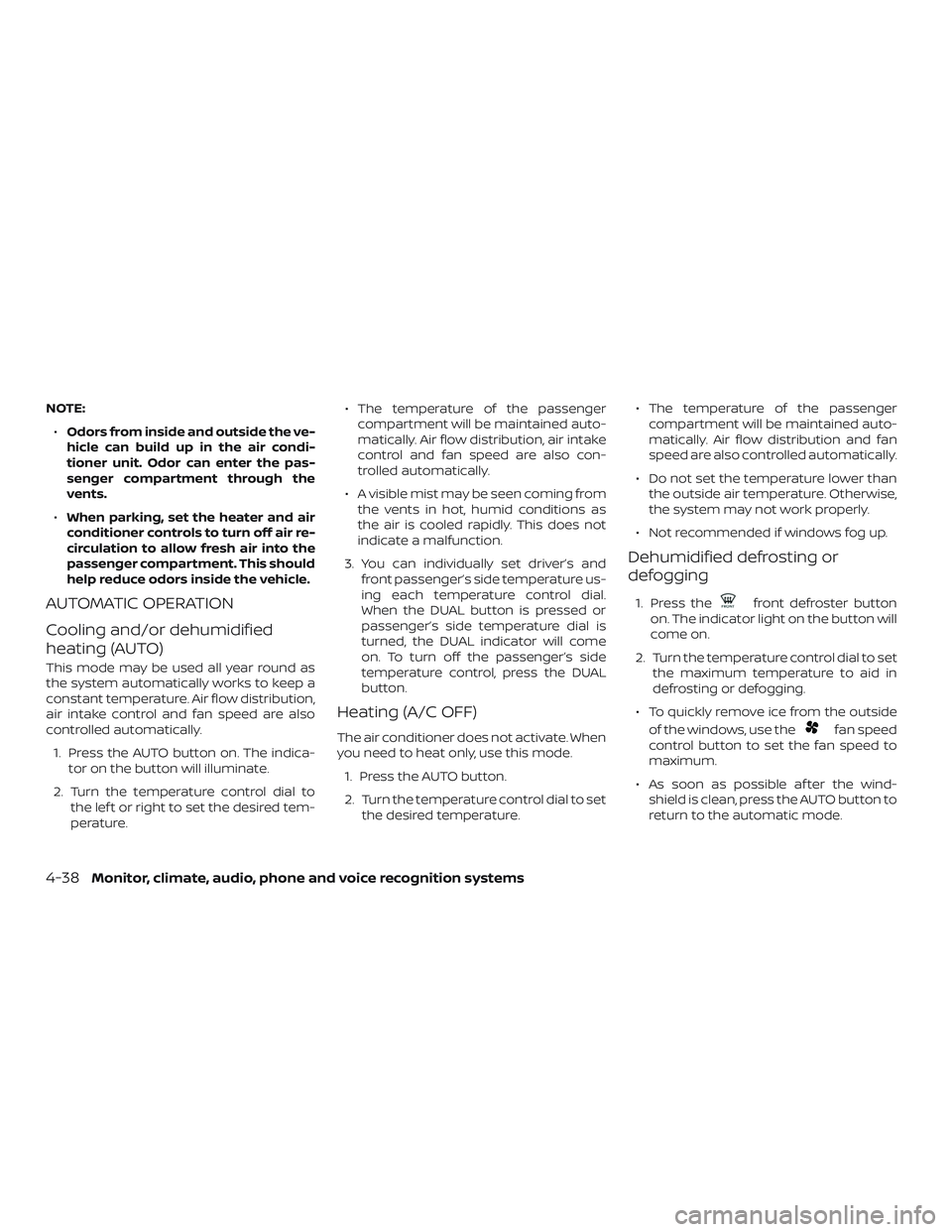
AUTOMATIC OPERATION
Cooling and/or dehumidified
heating (AUTO)
This mode may be used all year round as
the system automatically works to keep a
constant temperature. Air flow distribution,
air intake control and fan speed are also
controlled automatically.
1. Press the AUTO button on. The indica- tor on the button will illuminate.
2. Turn the temperature control dial to the lef t or right to set the desired tem-
perature. ∙ The temperature of the passenger
compartment will be maintained auto-
matically. Air flow distribution, air intake
control and fan speed are also con-
trolled automatically.
∙ A visible mist may be seen coming from the vents in hot, humid conditions as
the air is cooled rapidly. This does not
indicate a malfunction.
3. You can individually set driver’s and front passenger’s side temperature us-
ing each temperature control dial.
When the DUAL button is pressed or
passenger’s side temperature dial is
turned, the DUAL indicator will come
on. To turn off the passenger’s side
temperature control, press the DUAL
button.
Heating (A/C OFF)
The air conditioner does not activate. When
you need to heat only, use this mode.
1. Press the AUTO button.
2. Turn the temperature control dial to set the desired temperature. ∙ The temperature of the passenger
compartment will be maintained auto-
matically. Air flow distribution and fan
speed are also controlled automatically.
∙ Do not set the temperature lower than the outside air temperature. Otherwise,
the system may not work properly.
∙ Not recommended if windows fog up.
Dehumidified defrosting or
defogging
1. Press thefront defroster button
on. The indicator light on the button will
come on.
2. Turn the temperature control dial to set the maximum temperature to aid in
defrosting or defogging.
∙ To quickly remove ice from the outside of the windows, use the
fan speed
control button to set the fan speed to
maximum.
∙ As soon as possible af ter the wind- shield is clean, press the AUTO button to
return to the automatic mode.
4-38Monitor, climate, audio, phone and voice recognition systems
Page 257 of 564
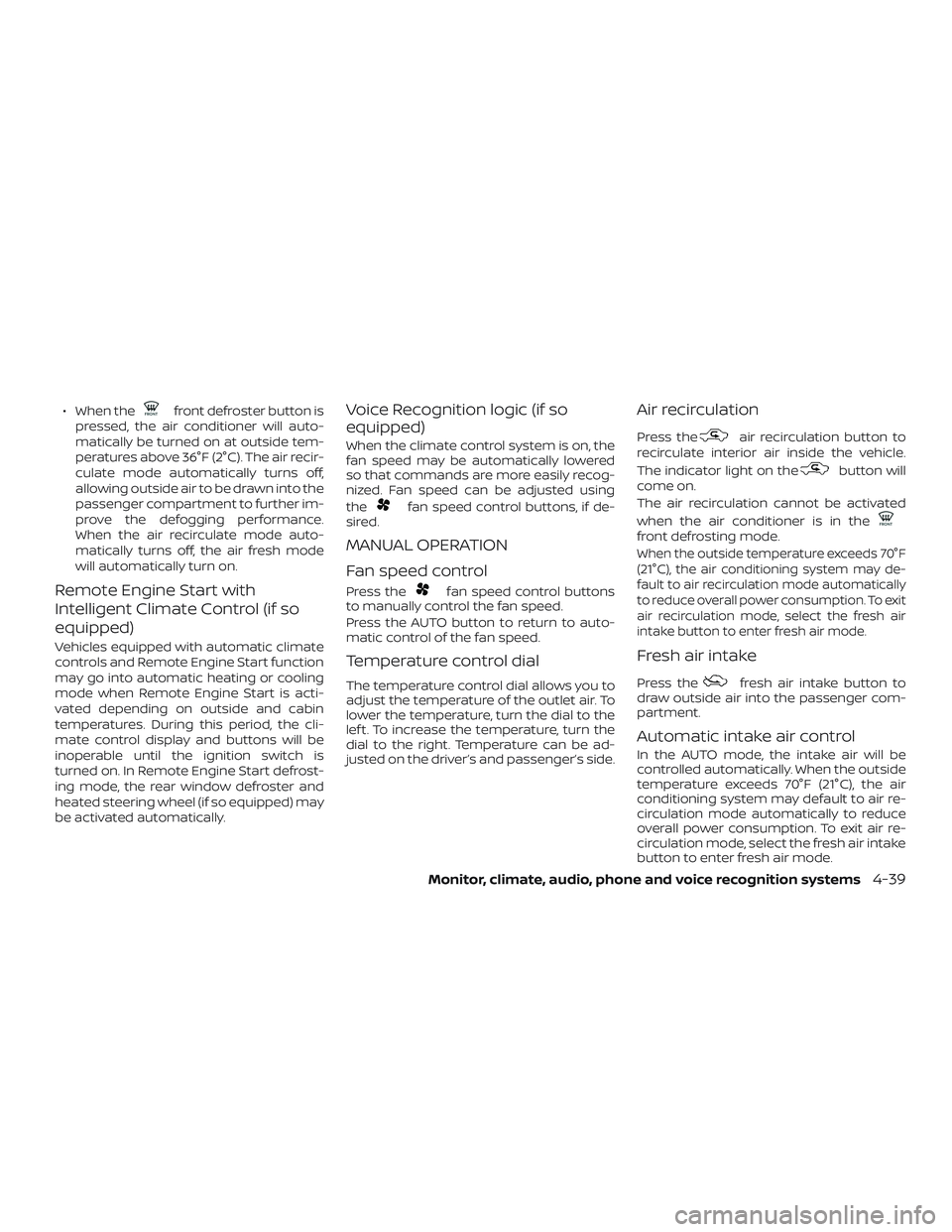
∙ When thefront defroster button is
pressed, the air conditioner will auto-
matically be turned on at outside tem-
peratures above 36°F (2°C). The air recir-
culate mode automatically turns off,
allowing outside air to be drawn into the
passenger compartment to further im-
prove the defogging performance.
When the air recirculate mode auto-
matically turns off, the air fresh mode
will automatically turn on.
Remote Engine Start with
Intelligent Climate Control (if so
equipped)
Vehicles equipped with automatic climate
controls and Remote Engine Start function
may go into automatic heating or cooling
mode when Remote Engine Start is acti-
vated depending on outside and cabin
temperatures. During this period, the cli-
mate control display and buttons will be
inoperable until the ignition switch is
turned on. In Remote Engine Start defrost-
ing mode, the rear window defroster and
heated steering wheel (if so equipped) may
be activated automatically.
Voice Recognition logic (if so
equipped)
When the climate control system is on, the
fan speed may be automatically lowered
so that commands are more easily recog-
nized. Fan speed can be adjusted using
the
fan speed control buttons, if de-
sired.
MANUAL OPERATION
Fan speed control
Press thefan speed control buttons
to manually control the fan speed.
Press the AUTO button to return to auto-
matic control of the fan speed.
Temperature control dial
The temperature control dial allows you to
adjust the temperature of the outlet air. To
lower the temperature, turn the dial to the
lef t. To increase the temperature, turn the
dial to the right. Temperature can be ad-
justed on the driver’s and passenger’s side.
Air recirculation
Press theair recirculation button to
recirculate interior air inside the vehicle.
The indicator light on the
button will
come on.
The air recirculation cannot be activated
when the air conditioner is in the
front defrosting mode.
When the outside temperature exceeds 70°F
(21°C), the air conditioning system may de-
fault to air recirculation mode automatically
to reduce overall power consumption. To exit
air recirculation mode, select the fresh air
intake button to enter fresh air mode.
Fresh air intake
Press thefresh air intake button to
draw outside air into the passenger com-
partment.
Automatic intake air control
In the AUTO mode, the intake air will be
controlled automatically. When the outside
temperature exceeds 70°F (21°C), the air
conditioning system may default to air re-
circulation mode automatically to reduce
overall power consumption. To exit air re-
circulation mode, select the fresh air intake
button to enter fresh air mode.
Monitor, climate, audio, phone and voice recognition systems4-39
Page 300 of 564
LDW SYSTEM LIMITATIONS
WARNING
Listed below are the system limitations
for the LDW system. Failure to follow the
warnings and instructions for proper
use of the LDW system could result in
serious injury or death.
∙ The system will not operate at speedsbelow approximately 37 mph
(60 km/h) or if it cannot detect lane
markers.
∙ Excessive noise will interfere with the warning chime sound, and the chime
may not be heard.
∙ Do not use the LDW system under the following conditions as it may not
function properly:
– During bad weather (rain, fog, snow, etc.).
– When driving on slippery roads, such as on ice or snow.
– When driving on winding or un- even roads.
– When there is a lane closure due to road repairs. – When driving in a makeshif t or
temporary lane.
– When driving on roads where the lane width is too narrow.
– When driving without normal tire conditions (for example, tire wear,
low tire pressure, installation of
spare tire, tire chains, nonstandard
wheels).
– When the vehicle is equipped with non-original brake parts or sus-
pension parts.
– When you are towing a trailer or other vehicle.
∙ The system may not function prop- erly under the following conditions:
– On roads where there are multiple parallel lane markers; lane mark-
ers that are faded or not painted
clearly; yellow painted lane mark-
ers; non-standard lane markers; or
lane markers covered with water,
dirt, snow, etc.
– On roads where the discontinued lane markers are still detectable.
– On roads where there are sharp curves. –
On roads where there are sharply
contrasting objects, such as shad-
ows, snow, water, wheel ruts, seams
or lines remaining af ter road re-
pairs. (The LDW system could detect
these items as lane markers.)
– On roads where the traveling lane merges or separates.
– When the vehicle’s traveling direc- tion does not align with the lane
marker.
– When traveling close to the vehicle in front of you, which obstructs the
lane camera unit detection range.
– When rain, snow, dirt or an object adheres to the windshield in front
of the lane camera unit.
– When the headlights are not bright due to dirt on the lens or if the aim-
ing is not adjusted properly.
– When strong light enters the lane camera unit. (For example, the light
directly shines on the front of the
vehicle at sunrise or sunset.)
– When a sudden change in bright- ness occurs. (For example, when
the vehicle enters or exits a tunnel
or under a bridge.)
5-38Starting and driving
Page 305 of 564
NOTE:
When “Prevention (LDP)” is selected in
the settings menu, turning the ProPILOT
Assist system (if so equipped) on will ac-
tivate the I-LI system at the same time. If
“Prevention (LDP)” is not selected in the
settings menu, I-LI will automatically ac-
tivate when the ProPILOT Assist system
is “SET.” For additional information, refer
to “Intelligent Lane Intervention (I-LI)” in
this section.
I-LI SYSTEM LIMITATIONS
WARNING
Listed below are the system limitations
for the I-LI system. Failure to follow the
warnings and instructions for proper
use of the I-LI system could result in
serious injury or death.
∙ The I-LI system may activate if youchange lanes without first activating
your turn signal or, for example, if a
construction zone directs traffic to
cross an existing lane marker. If this
occurs you may need to apply correc-
tive steering to complete your lane
change. ∙ Because the I-LI may not activate un-
der the road, weather, and lane
marker conditions described in this
section, it may not activate every time
your vehicle begins to leave its lane
and you will need to apply corrective
steering.
∙ When the I-LI system is operating, avoid excessive or sudden steering
maneuvers. Otherwise, you could lose
control of the vehicle.
∙ The I-LI system will not operate at speeds below approximately 37 mph
(60 km/h) or if it cannot detect lane
markers.
∙ Do not use the I-LI system under the following conditions as it may not
function properly:
– During bad weather (rain, fog, snow, etc.).
– When driving on slippery roads, such as on ice or snow.
– When driving on winding or un- even roads.
– When there is a lane closure due to road repairs. – When driving in a makeshif t or
temporary lane.
– When driving on roads where the lane width is too narrow.
– When driving without normal tire conditions (for example, tire wear,
low tire pressure, installation of
spare tire, tire chains, non-
standard wheels).
– When the vehicle is equipped with nonoriginal brake parts or suspen-
sion parts.
– When you are towing a trailer or other vehicle.
– On roads where there are multiple parallel lane markers; lane mark-
ers that are faded or not painted
clearly; yellow painted lane mark-
ers; non-standard lane markers; or
lane markers covered with water,
dirt, snow, etc.
– On roads where discontinued lane markers are still detectable.
– On roads where there are sharp curves.
Starting and driving5-43