belt NISSAN ROGUE 2020 Owner´s Manual
[x] Cancel search | Manufacturer: NISSAN, Model Year: 2020, Model line: ROGUE, Model: NISSAN ROGUE 2020Pages: 567, PDF Size: 6.63 MB
Page 88 of 567
When pretensioner(s) activate, smoke is re-
leased and a loud noise may be heard. This
smoke is not harmful and does not indi-
cate a fire. Care should be taken not to
inhale it, as it may cause irritation and
choking. Those with a history of a breath-
ing condition should get fresh air promptly.
Af ter the pretensioner(s’) activation, load
limiters allow the seat belt to release web-
bing (if necessary) to reduce forces against
the chest.
The supplemental air bag warning
light
is used to indicate malfunctions
in the pretensioner system. For additional
information, refer to "Supplemental air bag
warning light" in this section. If the opera-
tion of the supplemental air bag warning
light indicates there is a malfunction, have
the system checked. It is recommended
that you visit a NISSAN dealer for this ser-
vice.
When selling your vehicle, we request that
you inform the buyer about the preten-
sioner system and guide the buyer to the
appropriate sections in this Owner’s
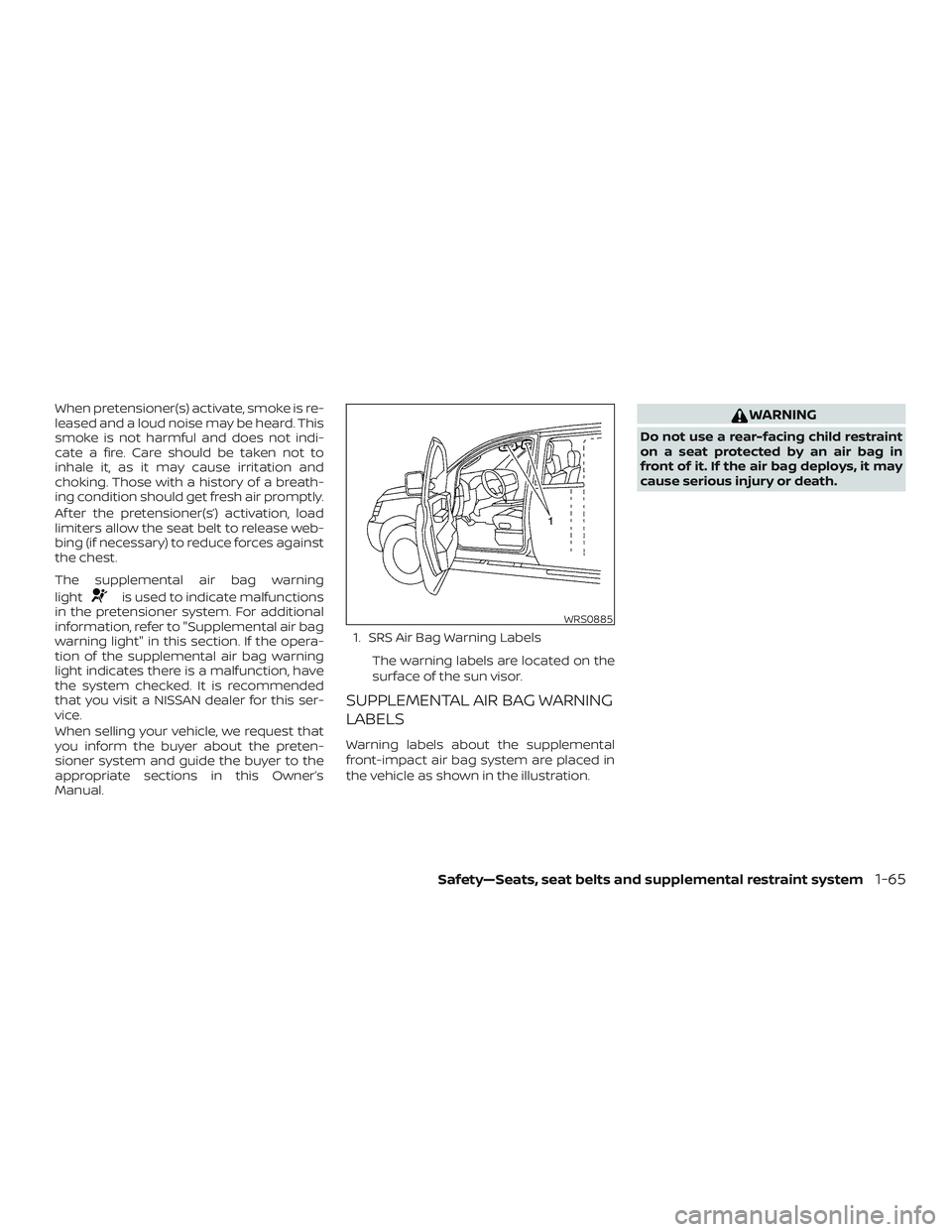
Manual. 1. SRS Air Bag Warning Labels
The warning labels are located on the
surface of the sun visor.
SUPPLEMENTAL AIR BAG WARNING
LABELS
Warning labels about the supplemental
front-impact air bag system are placed in
the vehicle as shown in the illustration.
WARNING
Do not use a rear-facing child restraint
on a seat protected by an air bag in
front of it. If the air bag deploys, it may
cause serious injury or death.
WRS0885
Safety—Seats, seat belts and supplemental restraint system1-65
Page 89 of 567
SUPPLEMENTAL AIR BAG WARNING
LIGHT
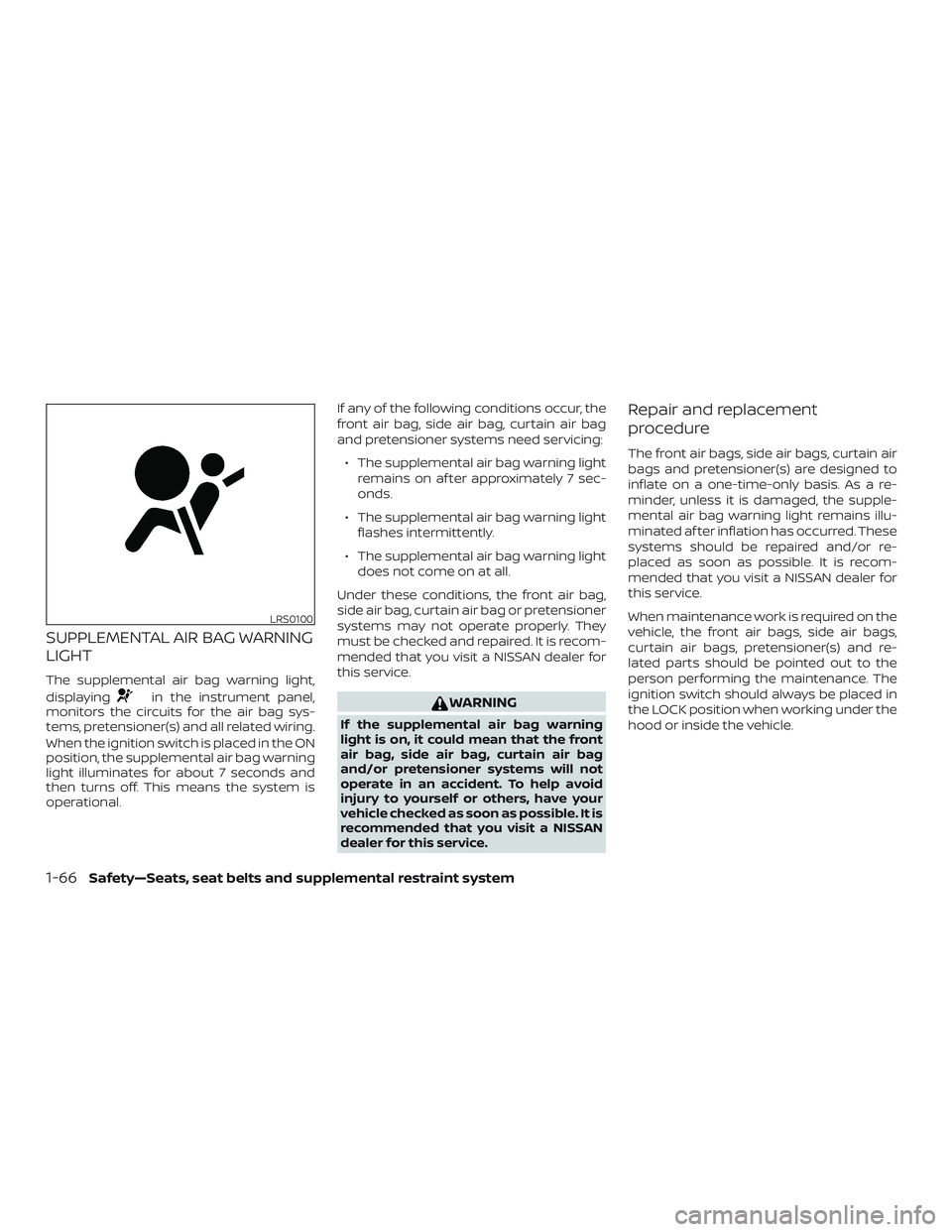
The supplemental air bag warning light,
displaying
in the instrument panel,
monitors the circuits for the air bag sys-
tems, pretensioner(s) and all related wiring.
When the ignition switch is placed in the ON
position, the supplemental air bag warning
light illuminates for about 7 seconds and
then turns off. This means the system is
operational. If any of the following conditions occur, the
front air bag, side air bag, curtain air bag
and pretensioner systems need servicing:
∙ The supplemental air bag warning light remains on af ter approximately 7 sec-
onds.
∙ The supplemental air bag warning light flashes intermittently.
∙ The supplemental air bag warning light does not come on at all.
Under these conditions, the front air bag,
side air bag, curtain air bag or pretensioner
systems may not operate properly. They
must be checked and repaired. It is recom-
mended that you visit a NISSAN dealer for
this service.WARNING
If the supplemental air bag warning
light is on, it could mean that the front
air bag, side air bag, curtain air bag
and/or pretensioner systems will not
operate in an accident. To help avoid
injury to yourself or others, have your
vehicle checked as soon as possible. It is
recommended that you visit a NISSAN
dealer for this service.
Repair and replacement
procedure
The front air bags, side air bags, curtain air
bags and pretensioner(s) are designed to
inflate on a one-time-only basis. As a re-
minder, unless it is damaged, the supple-
mental air bag warning light remains illu-
minated af ter inflation has occurred. These
systems should be repaired and/or re-
placed as soon as possible. It is recom-
mended that you visit a NISSAN dealer for
this service.
When maintenance work is required on the
vehicle, the front air bags, side air bags,
curtain air bags, pretensioner(s) and re-
lated parts should be pointed out to the
person performing the maintenance. The
ignition switch should always be placed in
the LOCK position when working under the
hood or inside the vehicle.
LRS0100
1-66Safety—Seats, seat belts and supplemental restraint system
Page 90 of 567
WARNING
∙ Once a front air bag, side air bag, orcurtain air bag has inflated, the air
bag module will not function again
and must be replaced. Additionally,
the activated pretensioner(s) must
also be replaced. The air bag module
and pretensioner(s) should be re-
placed. It is recommended that you
visit a NISSAN dealer for this service.
However, the air bag module and pre-
tensioner(s) cannot be repaired.
∙ The front air bag, side air bag, curtain air bag systems and the pretensioner
system should be inspected if there is
any damage to the front end or side
portion of the vehicle. It is recom-
mended that you visit a NISSAN dealer
for this service.
∙ If you need to dispose of the supple- mental air bag or pretensioner sys-
tems or scrap the vehicle, it is recom-
mended that you visit a NISSAN
dealer. Incorrect disposal procedures
could cause personal injury. ∙ If there is an impact to your vehicle
from any direction, your Occupant
Classification Sensor (OCS) should be
checked to verif y it is still functioning
correctly. It is recommended that you
visit a NISSAN dealer for this service.
The OCS should be checked even if no
air bags deploy as a result of the im-
pact. Failure to verif y proper OCS
function may result in an improper air
bag deployment resulting in injury or
death.
Safety—Seats, seat belts and supplemental restraint system1-67
Page 102 of 567
orAnti-lock Braking System (ABS)
warning lightRear Automatic Braking (RAB) system
warning light (if so equipped)High Beam Assist indicator light (green)
(if so equipped)
Automatic Emergency Braking (AEB) system
warning light (if so equipped)Seat belt warning light and chimeHigh beam indicator light (blue)
Automatic Emergency Braking (AEB) with
Pedestrian Detection system warning light
(if so equipped)Supplemental air bag warning lightMalfunction Indicator Light (MIL)
orBrake warning light (red)All-Wheel Drive (AWD) LOCK indicator
light (if so equipped)Security indicator light
Charge warning lightAutomatic brake hold indicator light
(green) (if so equipped)Side light and headlight indicator light
(green)
orElectronic parking brake warn-
ing light (yellow) (if so equipped)Automatic brake hold indicator light
(white) (if so equipped)Slip indicator light
Low tire pressure warning lightorElectronic parking brake
indicator light (red)
(if so equipped)Turn signal/hazard indicator lights
Master warning lightFront fog light indicator light
(if so equipped)Vehicle Dynamic Control (VDC) OFF
indicator light
Power steering warning lightFront passenger air bag status light
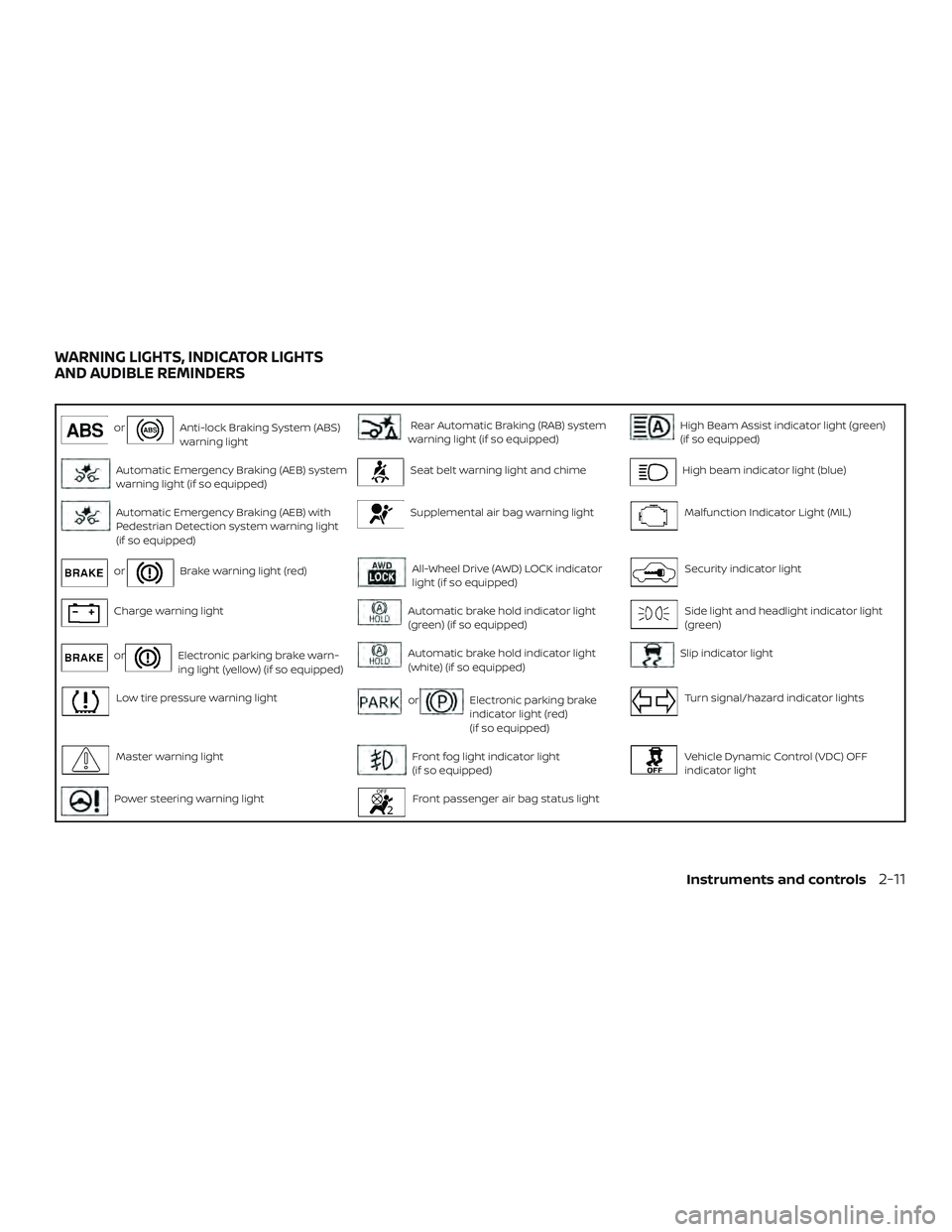
WARNING LIGHTS, INDICATOR LIGHTS
AND AUDIBLE REMINDERS
Instruments and controls2-11
Page 103 of 567

CHECKING LIGHTS
With all doors closed, apply the parking
brake, fasten the seat belts and place the
ignition switch in the ON position without
starting the engine. The following lights (if
so equipped) will come on:
PARKor(red),,,,
The following lights (if so equipped) come
on briefly and then go off:
or(red),or,,
,,,
If any light fails to come on or operate in a
way other than described, it may indicate a
burned-out bulb and/or a system mal-
function. Have the system checked. It is
recommended that you visit a NISSAN
dealer for this service.
Some indicators and warnings are also dis-
played on the vehicle information display
between the speedometer and tachom-
eter. For additional information, refer to “Ve-
hicle information display” in this section.
WARNING LIGHTS
For additional information, refer to “Vehicle
information display” in this section.
orAnti-lock BrakingSystem (ABS)
warning light
When the ignition switch is placed in the ON
position, the ABS warning light illuminates
and then turns off. This indicates the ABS is
operational.
If the ABS warning light illuminates while
the engine is running or while driving, it
may indicate the ABS is not functioning
properly. Have the system checked. It is
recommended that you visit a NISSAN
dealer for this service.
If an ABS malfunction occurs, the anti-lock
function is turned off. The brake system
then operates normally but without anti-
lock assistance. For additional information,
refer to “Brake system” in the “Starting and
driving” section of this manual.
Automatic EmergencyBraking (AEB) system
warning light (if so
equipped)
This light comes on when the ignition
switch is placed in the ON position. It turns
off af ter the engine is started.
This light illuminates when the AEB system
is set to OFF on the vehicle information
display.
If the light illuminates when the AEB sys-
tem is on, it may indicate that the system is
unavailable. For additional information, re-
fer to “Automatic Emergency Braking (AEB)”
in the “Starting and driving” section of this
manual.
Automatic EmergencyBraking (AEB) with
Pedestrian Detection
system warning light (if so
equipped)
This light comes on when the ignition
switch is placed in the ON position. It turns
off af ter the engine is started.
2-12Instruments and controls
Page 104 of 567
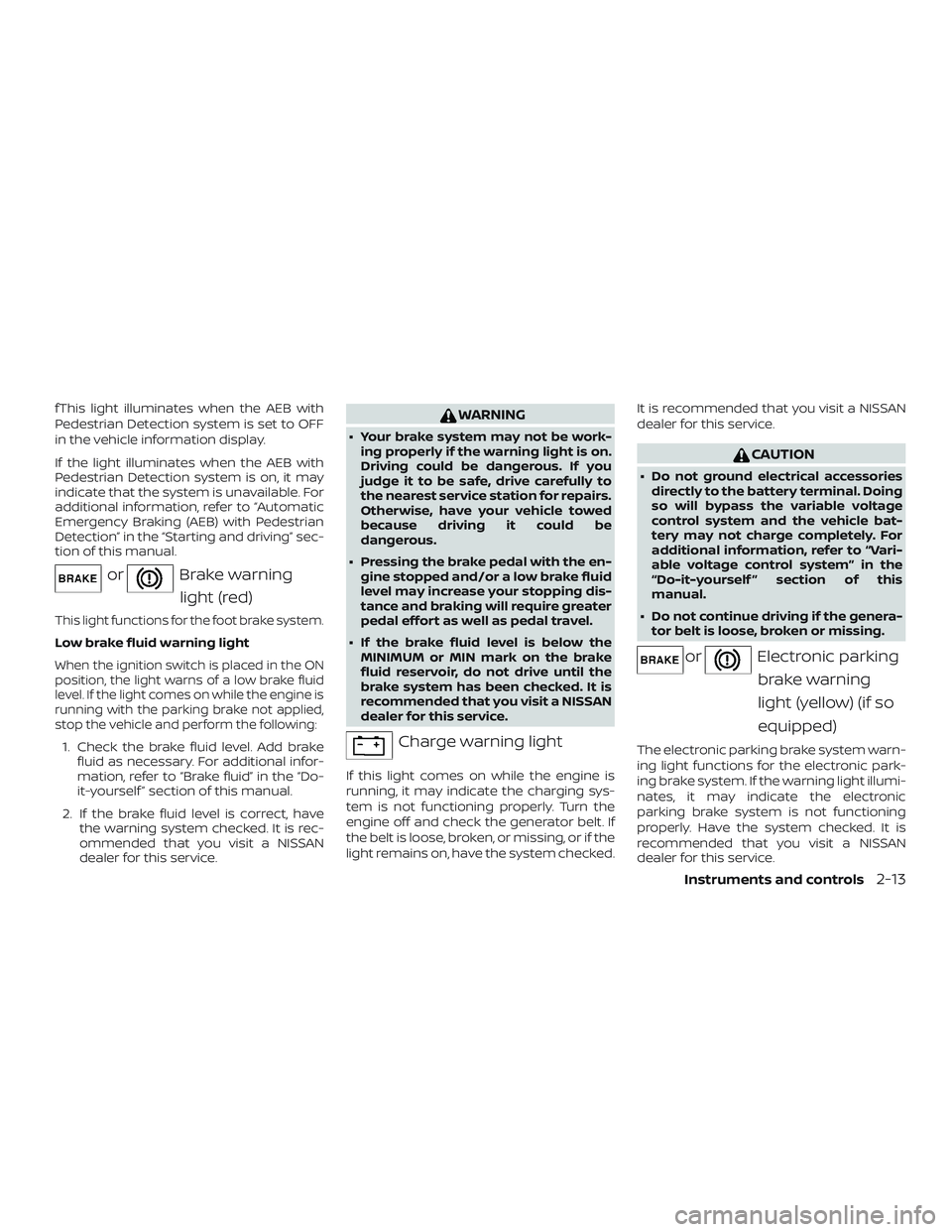
fThis light illuminates when the AEB with
Pedestrian Detection system is set to OFF
in the vehicle information display.
If the light illuminates when the AEB with
Pedestrian Detection system is on, it may
indicate that the system is unavailable. For
additional information, refer to “Automatic
Emergency Braking (AEB) with Pedestrian
Detection” in the “Starting and driving” sec-
tion of this manual.
orBrake warninglight (red)
This light functions for the foot brake system.
Low brake fluid warning light
When the ignition switch is placed in the ON
position, the light warns of a low brake fluid
level. If the light comes on while the engine is
running with the parking brake not applied,
stop the vehicle and perform the following:
1. Check the brake fluid level. Add brake fluid as necessary. For additional infor-
mation, refer to “Brake fluid” in the “Do-
it-yourself ” section of this manual.
2. If the brake fluid level is correct, have the warning system checked. It is rec-
ommended that you visit a NISSAN
dealer for this service.
WARNING
∙ Your brake system may not be work-ing properly if the warning light is on.
Driving could be dangerous. If you
judge it to be safe, drive carefully to
the nearest service station for repairs.
Otherwise, have your vehicle towed
because driving it could be
dangerous.
∙ Pressing the brake pedal with the en- gine stopped and/or a low brake fluid
level may increase your stopping dis-
tance and braking will require greater
pedal effort as well as pedal travel.
∙ If the brake fluid level is below the MINIMUM or MIN mark on the brake
fluid reservoir, do not drive until the
brake system has been checked. It is
recommended that you visit a NISSAN
dealer for this service.
Charge warning light
If this light comes on while the engine is
running, it may indicate the charging sys-
tem is not functioning properly. Turn the
engine off and check the generator belt. If
the belt is loose, broken, or missing, or if the
light remains on, have the system checked. It is recommended that you visit a NISSAN
dealer for this service.
CAUTION
∙ Do not ground electrical accessories
directly to the battery terminal. Doing
so will bypass the variable voltage
control system and the vehicle bat-
tery may not charge completely. For
additional information, refer to “Vari-
able voltage control system” in the
“Do-it-yourself ” section of this
manual.
∙ Do not continue driving if the genera- tor belt is loose, broken or missing.
orElectronic parking
brake warning
light (yellow) (if so
equipped)
The electronic parking brake system warn-
ing light functions for the electronic park-
ing brake system. If the warning light illumi-
nates, it may indicate the electronic
parking brake system is not functioning
properly. Have the system checked. It is
recommended that you visit a NISSAN
dealer for this service.
Instruments and controls2-13
Page 108 of 567

Seat belt warning light andchime
The light and chime remind you to fasten
your seat belts. The light illuminates when-
ever the ignition switch is placed in the ON
or START position and remains illuminated
until the driver’s seat belt is fastened. At the
same time, the chime sounds for about
6 seconds unless the driver’s seat belt is
securely fastened.
The seat belt warning light may also illumi-
nate if the front passenger’s seat belt is not
fastened when the front passenger’s seat
is occupied. For 7 seconds af ter the ignition
switch is placed in the ON position, the sys-
tem does not activate the warning light for
the front passenger.
For additional information, refer to “Seat
belts” in the “Safety—Seats, seat belts and
supplemental restraint system” section of
this manual.
Supplemental air bagwarning light
When the ignition switch is placed in the ON
or START position, the supplemental air
bag warning light illuminates for about
7 seconds and then turns off. This means
the system is operational. If any of the following conditions occur, the
front air bag, side air bag, curtain air bag,
and pretensioner seat belt systems need
servicing:
∙ The supplemental air bag warning light remains on af ter approximately 7 sec-
onds.
∙ The supplemental air bag warning light flashes intermittently.
∙ The supplemental air bag warning light does not come on at all.
It is recommended that you visit a NISSAN
dealer for these services.
Unless checked and repaired, the supple-
mental restraint system (air bag system)
and/or the pretensioner(s) may not func-
tion properly. For additional information, re-
fer to “Supplemental Restraint System
(SRS)” in the “Safety—Seats, seat belts and
supplemental restraint system” section of
this manual.
WARNING
If the supplemental air bag warning
light is on, it could mean that the front
air bag, side air bag, curtain air bag
and/or pretensioner systems will not
operate in an accident. To help avoid
injury to yourself or others, have your
vehicle checked as soon as possible. It is
recommended that you visit a NISSAN
dealer for this service.
INDICATOR LIGHTS
For additional information, refer to “Vehicle
information display” in this section.
All-Wheel Drive (AWD) LOCK indicator light (if so
equipped)
When the ignition switch is in the ON posi-
tion, the All-Wheel Drive (AWD) LOCK indica-
tor light illuminates and then turns off.
When selecting AWD LOCK mode while the
engine is running, the AWD LOCK indicator
light illuminates.
CAUTION
Do not drive on dry hard surface roads
in the LOCK mode.
Instruments and controls2-17
Page 109 of 567
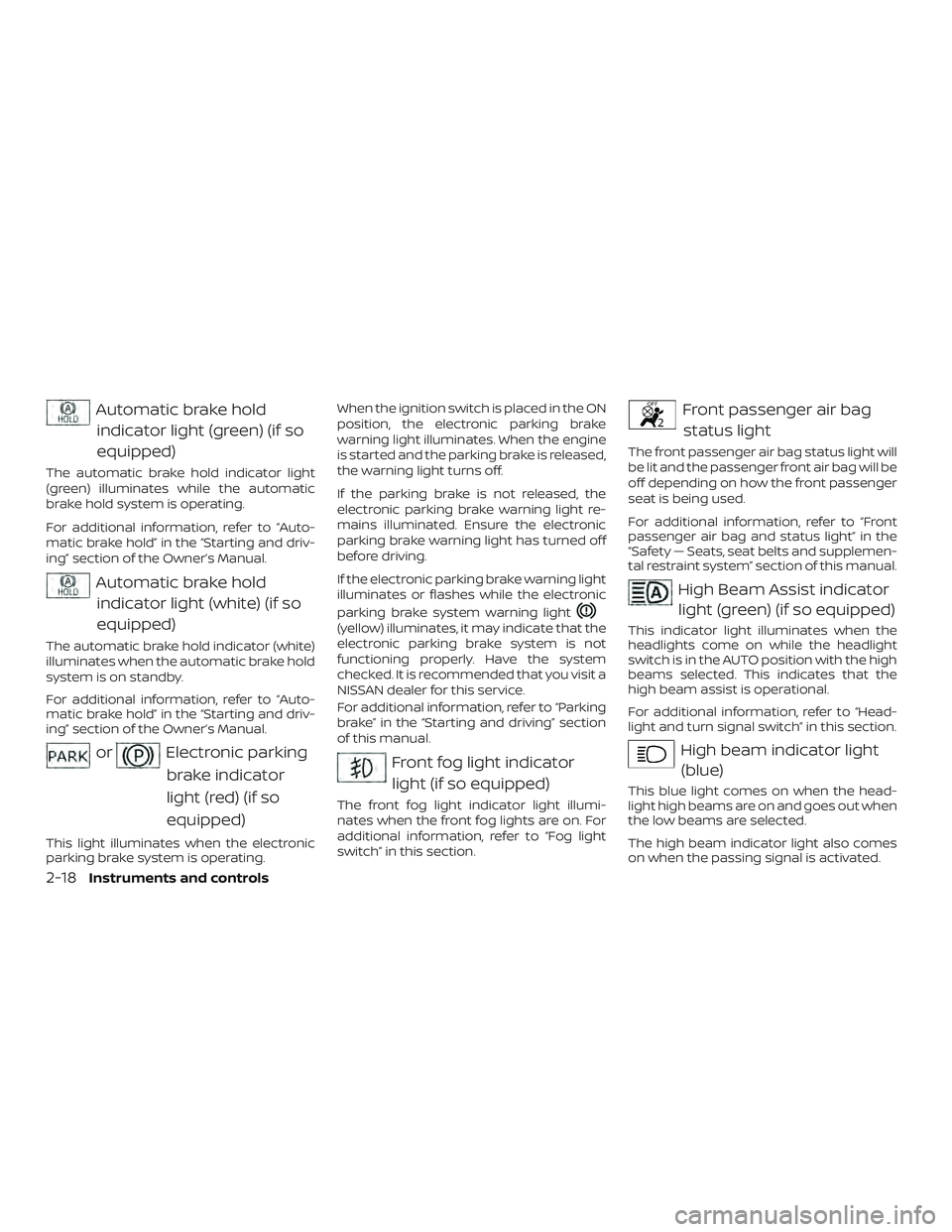
Automatic brake holdindicator light (green) (if so
equipped)
The automatic brake hold indicator light
(green) illuminates while the automatic
brake hold system is operating.
For additional information, refer to “Auto-
matic brake hold” in the “Starting and driv-
ing” section of the Owner’s Manual.
Automatic brake holdindicator light (white) (if so
equipped)
The automatic brake hold indicator (white)
illuminates when the automatic brake hold
system is on standby.
For additional information, refer to “Auto-
matic brake hold” in the “Starting and driv-
ing” section of the Owner’s Manual.
orElectronic parking
brake indicator
light (red) (if so
equipped)
This light illuminates when the electronic
parking brake system is operating. When the ignition switch is placed in the ON
position, the electronic parking brake
warning light illuminates. When the engine
is started and the parking brake is released,
the warning light turns off.
If the parking brake is not released, the
electronic parking brake warning light re-
mains illuminated. Ensure the electronic
parking brake warning light has turned off
before driving.
If the electronic parking brake warning light
illuminates or flashes while the electronic
parking brake system warning light
(yellow) illuminates, it may indicate that the
electronic parking brake system is not
functioning properly. Have the system
checked. It is recommended that you visit a
NISSAN dealer for this service.
For additional information, refer to “Parking
brake” in the “Starting and driving” section
of this manual.
Front fog light indicator
light (if so equipped)
The front fog light indicator light illumi-
nates when the front fog lights are on. For
additional information, refer to “Fog light
switch” in this section.
Front passenger air bagstatus light
The front passenger air bag status light will
be lit and the passenger front air bag will be
off depending on how the front passenger
seat is being used.
For additional information, refer to “Front
passenger air bag and status light” in the
“Safety — Seats, seat belts and supplemen-
tal restraint system” section of this manual.
High Beam Assist indicatorlight (green) (if so equipped)
This indicator light illuminates when the
headlights come on while the headlight
switch is in the AUTO position with the high
beams selected. This indicates that the
high beam assist is operational.
For additional information, refer to “Head-
light and turn signal switch” in this section.
High beam indicator light(blue)
This blue light comes on when the head-
light high beams are on and goes out when
the low beams are selected.
The high beam indicator light also comes
on when the passing signal is activated.
2-18Instruments and controls
Page 126 of 567
46. Not Available Parking Brake On (if soequipped)
47. Not Available Seat Belt Not Fastened (if so equipped)
48. Step on Brake Now (if so equipped)
49. Steering Assist Alert (if so equipped)
50. Automatic Emergency Braking (AEB) emergency warning indicator
51. Rear Door Alert is activated
52. Check Rear Seat for All Articles
53. Rear Automatic Braking (RAB) indicator (if so equipped)
54. Rear Sonar System (RSS) indicator (if so equipped)
55. Parking Sensor Error: See Owner’s Manual (if so equipped)
56. Blind Spot Warning (BSW) indicator
57. System Fault (if so equipped)
Engine start operation
This indicator appears when the shif t lever
is in the P (Park) position. This indicator means that the engine will
start by pushing the ignition switch with
the brake pedal depressed. You can start
the engine from any position of the ignition
switch.
No Key Detected (if so equipped)
This warning appears when the Intelligent
Key is lef t outside the vehicle with the igni-
tion switch in the ON position. Make sure
the Intelligent Key is inside the vehicle.
For additional information about the Intel-
ligent Key, refer to “NISSAN Intelligent Key®”
in the “Pre-driving checks and adjust-
ments” section of this manual.
Shif t to Park
This warning illuminates when the ignition
switch is in the OFF position and the shif t
lever is not in the P (Park) position. Also, a
chime sounds when the ignition switch is
in the OFF position.
If this warning illuminates, move the shif t
lever to the P (Park) position and start the
engine.
Key Battery Low (if so equipped)
This indicator illuminates when the Intelli-
gent Key battery is running out of power.If this indicator illuminates, replace the bat-
tery with a new one. For additional infor-
mation, refer to “Battery replacement” in
the “Do-it-yourself ” section of this manual.
Engine start operation for Intelligent
Key system (if I-Key battery level is low)
(if so equipped)
This indicator appears when the battery of
the Intelligent Key is low and when the In-
telligent Key system and the vehicle are not
communicating normally.
If this appears, touch the ignition switch
with the Intelligent Key while depressing
the brake pedal. For additional information,
refer to “NISSAN Intelligent Key® battery dis-
charge” in the “Starting and driving” section
of this manual.
Key ID incorrect (if so equipped)
This warning appears when the ignition
switch is placed from the OFF position and
the Intelligent Key is not recognized by the
system. You cannot start the engine with
an unregistered key.
For additional information, refer to “NISSAN
Intelligent Key®” in the “Pre-driving checks
and adjustments” section of this manual.
Instruments and controls2-35
Page 131 of 567
∙ Strong light, such as sunlight or highbeams from oncoming vehicles, enter
the front camera
∙ When the wiper (HI) operates
The system will be available when the
above conditions no longer exist.
If the warning message continues to ap-
pear, stop the vehicle in a safe location, turn
the engine off and clean the windshield.
Steering Assist Currently unavailable (if
so equipped)
This message may appear when the Steer-
ing Assist system is engaged.
Under the following conditions, the Steer-
ing Assist system is automatically can-
celed: ∙ When the wiper (LO) operates
∙ When lane markers in the traveling lane cannot be correctly detected for a pe-
riod of time due to such items as a
snow rut, reflection of light on a rainy
day or several unclear lane markers are
present If you want to use the Steering Assist sys-
tem again, cancel the ProPILOT Assist sys-
tem and set it again when lane markers are
clearly visible.
Not Available Front camera visibility is
impaired (if so equipped)
This message may appear when the Intel-
ligent Cruise Control (ICC) (with ProPILOT
Assist) system is engaged.
Under the following conditions, the ICC
(with ProPILOT Assist) system is automati-
cally canceled:
∙ The camera area of the windshield is fogged up or covered with dirt, water,
drops, ice, snow, etc.
∙ Strong light, such as sunlight or high beams from oncoming vehicles, enter
the front camera
∙ When the wiper (HI) operates
The system will be available when the
above conditions no longer exist.
If the warning message continues to ap-
pear, stop the vehicle in a safe location, turn
the engine off and clean the windshield. Not Available Parking Brake On (if so
equipped)
This message may appear when the Intel-
ligent Cruise Control (ICC) (with ProPILOT
Assist) system is engaged.
Under the following condition, the ICC (with
ProPILOT Assist) system is automatically
canceled:
∙ The electronic parking brake is applied
The above system cannot be used when
the electric parking brake is activated.
Not Available Seat Belt Not Fastened (if
so equipped)
This message may appear when the Intel-
ligent Cruise Control (ICC) (with ProPILOT
Assist) system is engaged.
Under the following condition, the ICC (with
ProPILOT Assist) system is automatically
canceled: ∙ When the driver’s seat belt is not fas- tened
The above system cannot be used when
the driver’s seat belt is not fastened.
2-40Instruments and controls