instrument panel NISSAN ROGUE 2021 Owner´s Manual
[x] Cancel search | Manufacturer: NISSAN, Model Year: 2021, Model line: ROGUE, Model: NISSAN ROGUE 2021Pages: 556, PDF Size: 2.7 MB
Page 99 of 556
WAC0566X
WAC0489X
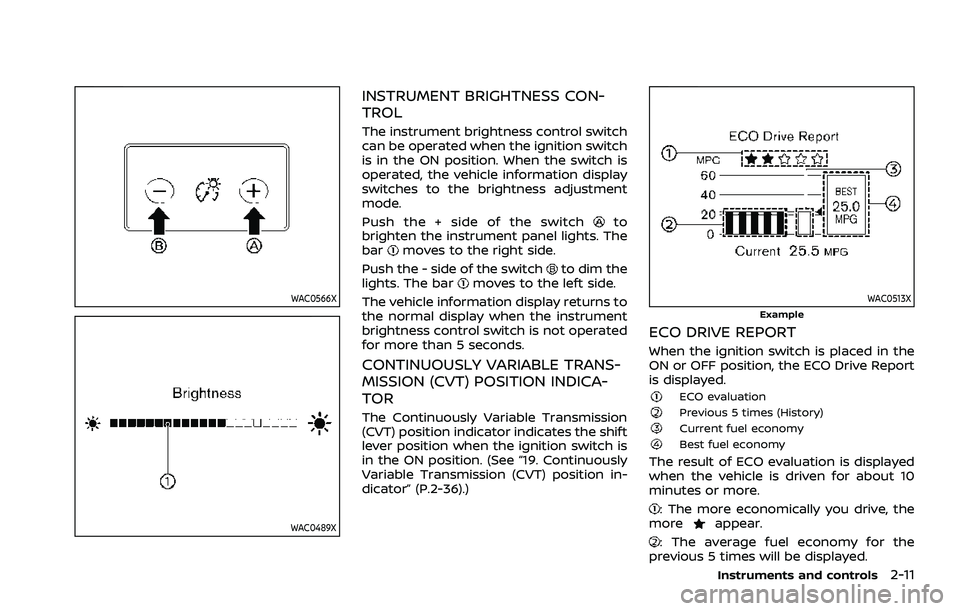
INSTRUMENT BRIGHTNESS CON-
TROL
The instrument brightness control switch
can be operated when the ignition switch
is in the ON position. When the switch is
operated, the vehicle information display
switches to the brightness adjustment
mode.
Push the + side of the switch
to
brighten the instrument panel lights. The
bar
moves to the right side.
Push the - side of the switch
to dim the
lights. The barmoves to the left side.
The vehicle information display returns to
the normal display when the instrument
brightness control switch is not operated
for more than 5 seconds.
CONTINUOUSLY VARIABLE TRANS-
MISSION (CVT) POSITION INDICA-
TOR
The Continuously Variable Transmission
(CVT) position indicator indicates the shift
lever position when the ignition switch is
in the ON position. (See “19. Continuously
Variable Transmission (CVT) position in-
dicator” (P.2-36).)
WAC0513XExample
ECO DRIVE REPORT
When the ignition switch is placed in the
ON or OFF position, the ECO Drive Report
is displayed.
ECO evaluationPrevious 5 times (History)Current fuel economyBest fuel economy
The result of ECO evaluation is displayed
when the vehicle is driven for about 10
minutes or more.
: The more economically you drive, the
moreappear.
: The average fuel economy for the
previous 5 times will be displayed.
Instruments and controls2-11
Page 136 of 556
2-48Instruments and controls
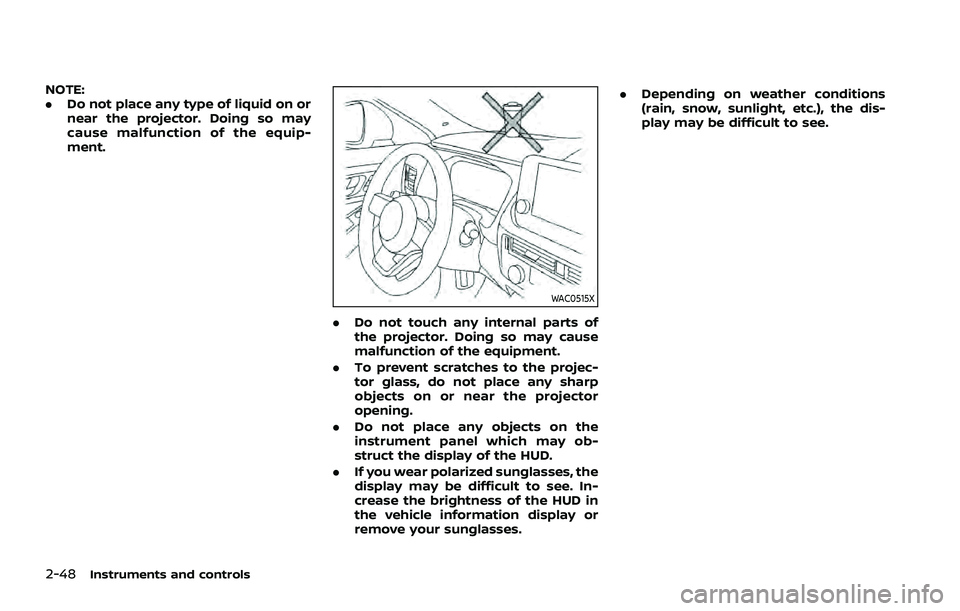
NOTE:
.Do not place any type of liquid on or
near the projector. Doing so may
cause malfunction of the equip-
ment.
WAC0515X
.Do not touch any internal parts of
the projector. Doing so may cause
malfunction of the equipment.
. To prevent scratches to the projec-
tor glass, do not place any sharp
objects on or near the projector
opening.
. Do not place any objects on the
instrument panel which may ob-
struct the display of the HUD.
. If you wear polarized sunglasses, the
display may be difficult to see. In-
crease the brightness of the HUD in
the vehicle information display or
remove your sunglasses. .
Depending on weather conditions
(rain, snow, sunlight, etc.), the dis-
play may be difficult to see.
Page 144 of 556
2-56Instruments and controls
WAC0533X
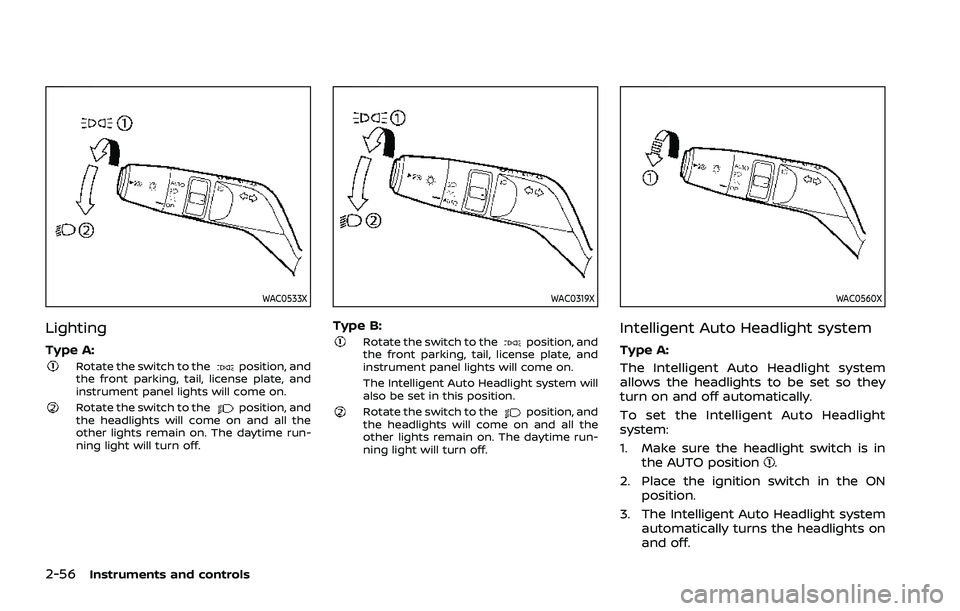
Lighting
Type A:Rotate the switch to theposition, and
the front parking, tail, license plate, and
instrument panel lights will come on.
Rotate the switch to theposition, and
the headlights will come on and all the
other lights remain on. The daytime run-
ning light will turn off.
WAC0319X
Type B:Rotate the switch to theposition, and
the front parking, tail, license plate, and
instrument panel lights will come on.
The Intelligent Auto Headlight system will
also be set in this position.
Rotate the switch to theposition, and
the headlights will come on and all the
other lights remain on. The daytime run-
ning light will turn off.
WAC0560X
Intelligent Auto Headlight system
Type A:
The Intelligent Auto Headlight system
allows the headlights to be set so they
turn on and off automatically.
To set the Intelligent Auto Headlight
system:
1. Make sure the headlight switch is in
the AUTO position
.
2. Place the ignition switch in the ON position.
3. The Intelligent Auto Headlight system automatically turns the headlights on
and off.
Page 145 of 556
To turn the Intelligent Auto Headlight
system off, turn the switch to the OFF,
orposition.
The Intelligent Auto Headlight system can
turn on the headlights automatically
when it is dark and turn off the headlights
when it is light.
The headlights will also be turned on
automatically at twilight or in rainy
weather (when the windshield wiper is
operated continuously).
If the ignition switch is placed in the OFF
position and one of the doors is opened
and this condition is continued, the head-
lights remain on for 5 minutes.
WAC0320X
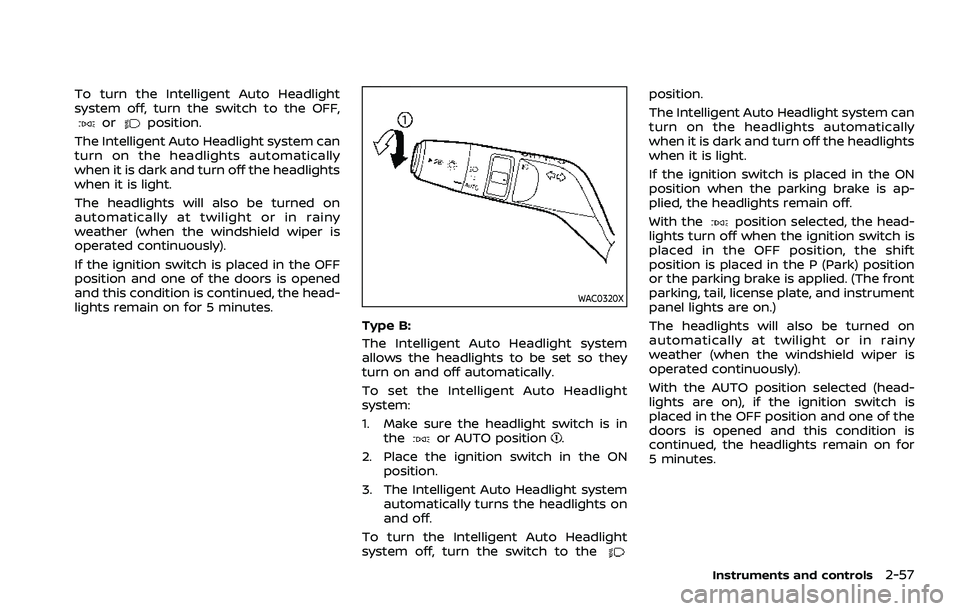
Type B:
The Intelligent Auto Headlight system
allows the headlights to be set so they
turn on and off automatically.
To set the Intelligent Auto Headlight
system:
1. Make sure the headlight switch is in the
or AUTO position.
2. Place the ignition switch in the ON position.
3. The Intelligent Auto Headlight system automatically turns the headlights on
and off.
To turn the Intelligent Auto Headlight
system off, turn the switch to the
position.
The Intelligent Auto Headlight system can
turn on the headlights automatically
when it is dark and turn off the headlights
when it is light.
If the ignition switch is placed in the ON
position when the parking brake is ap-
plied, the headlights remain off.
With the
position selected, the head-
lights turn off when the ignition switch is
placed in the OFF position, the shift
position is placed in the P (Park) position
or the parking brake is applied. (The front
parking, tail, license plate, and instrument
panel lights are on.)
The headlights will also be turned on
automatically at twilight or in rainy
weather (when the windshield wiper is
operated continuously).
With the AUTO position selected (head-
lights are on), if the ignition switch is
placed in the OFF position and one of the
doors is opened and this condition is
continued, the headlights remain on for
5 minutes.
Instruments and controls2-57
Page 146 of 556
2-58Instruments and controls
WAC0522X
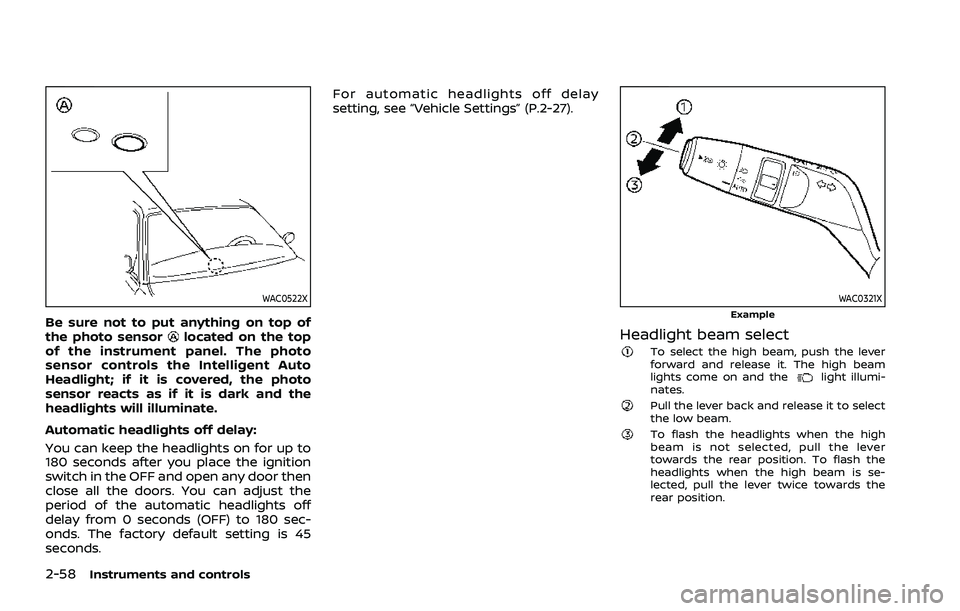
Be sure not to put anything on top of
the photo sensorlocated on the top
of the instrument panel. The photo
sensor controls the Intelligent Auto
Headlight; if it is covered, the photo
sensor reacts as if it is dark and the
headlights will illuminate.
Automatic headlights off delay:
You can keep the headlights on for up to
180 seconds after you place the ignition
switch in the OFF and open any door then
close all the doors. You can adjust the
period of the automatic headlights off
delay from 0 seconds (OFF) to 180 sec-
onds. The factory default setting is 45
seconds. For automatic headlights off delay
setting, see “Vehicle Settings” (P.2-27).
WAC0321XExample
Headlight beam selectTo select the high beam, push the lever
forward and release it. The high beam
lights come on and the
light illumi-
nates.
Pull the lever back and release it to select
the low beam.
To flash the headlights when the high
beam is not selected, pull the lever
towards the rear position. To flash the
headlights when the high beam is se-
lected, pull the lever twice towards the
rear position.
Page 152 of 556
2-64Instruments and controls
.Any liquid spilled on the heated
seat should be removed immedi-
ately with a dry cloth.
. When cleaning the seat, never use
gasoline, thinner, or any similar
materials.
. If any malfunctions are found or
the heated seat does not operate,
turn the switch off and have the
system checked. It is recom-
mended you visit a NISSAN dealer
for this service.
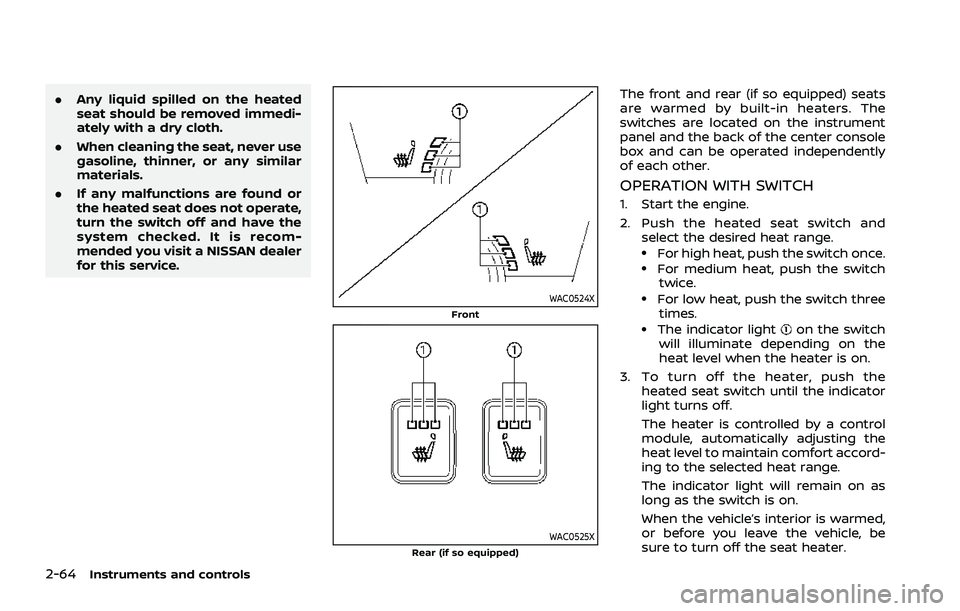
WAC0524XFront
WAC0525XRear (if so equipped)
The front and rear (if so equipped) seats
are warmed by built-in heaters. The
switches are located on the instrument
panel and the back of the center console
box and can be operated independently
of each other.
OPERATION WITH SWITCH
1. Start the engine.
2. Push the heated seat switch and
select the desired heat range.
.For high heat, push the switch once..For medium heat, push the switchtwice.
.For low heat, push the switch three
times.
.The indicator lighton the switch
will illuminate depending on the
heat level when the heater is on.
3. To turn off the heater, push the heated seat switch until the indicator
light turns off.
The heater is controlled by a control
module, automatically adjusting the
heat level to maintain comfort accord-
ing to the selected heat range.
The indicator light will remain on as
long as the switch is on.
When the vehicle’s interior is warmed,
or before you leave the vehicle, be
sure to turn off the seat heater.
Page 154 of 556
2-66Instruments and controls
vehicle information display but the horn
will not sound.
WARNING
.If the driver selects “Disable
Alert”, no audible alert will be
provided regardless of rear door
open/close status.
. There may be times when there is
an object or passenger in the rear
seat(s) but the audible alert does
not sound. For example, this may
occur if rear seat passengers
enter or exit the vehicle during a
trip.
. The system does not directly
detect objects or passengers in
the rear seat(s). Instead, it can
detect when a rear door is
opened and closed, indicating
that there may be something in
the rear seat(s).
NOTE:
There may be times when the horn
sounds but there are no objects or
passengers in the rear seat(s).
(See “31. Rear Door Alert is activated
indicator” (P.2-37).)
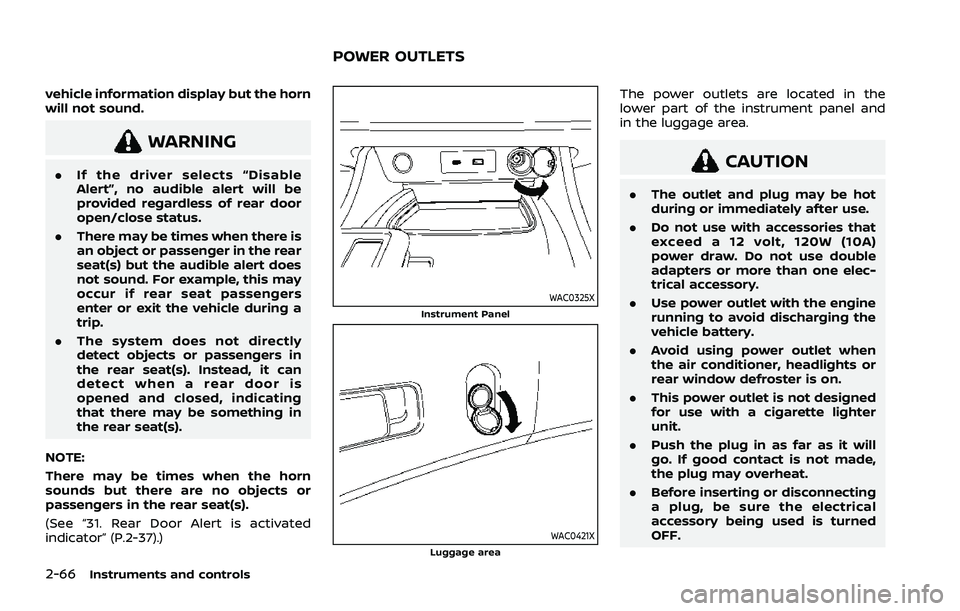
WAC0325XInstrument Panel
WAC0421XLuggage area
The power outlets are located in the
lower part of the instrument panel and
in the luggage area.
CAUTION
. The outlet and plug may be hot
during or immediately after use.
. Do not use with accessories that
exceed a 12 volt, 120W (10A)
power draw. Do not use double
adapters or more than one elec-
trical accessory.
. Use power outlet with the engine
running to avoid discharging the
vehicle battery.
. Avoid using power outlet when
the air conditioner, headlights or
rear window defroster is on.
. This power outlet is not designed
for use with a cigarette lighter
unit.
. Push the plug in as far as it will
go. If good contact is not made,
the plug may overheat.
. Before inserting or disconnecting
a plug, be sure the electrical
accessory being used is turned
OFF.
POWER OUTLETS
Page 158 of 556

2-70Instruments and controls
EMERGENCY SUPPORT
NissanConnect® Services provide various
services to support dealing with emer-
gencies of the subscribed vehicle and the
driver.
For example, in case of an illness or
serious injury, you can seek support by
pushing the in-vehicle Emergency Call
(SOS) button and connecting to the
NissanConnect® Services Response Cen-
ter. The NissanConnect® Services Re-
sponse Center can specify the location
of the vehicle via GPS, and the informa-
tion will be sent to the police or other
agencies as needed.
For information about other NissanCon-
nect® Services emergency support re-
lated services, contact the
NissanConnect® Customer Support line
at 1-855-426-6628 or refer to the Nissan-
Connect® Services website www.nissanu-
sa.com/connect (for U.S.) or www.nissan.
ca/nissanconnect (English)/www.nissan.
ca/nissanconnect/fr (French) (for Cana-
da).
WARNING
.Please note that the Automatic
Collision Notification service and
Emergency Call function cannot be used in the following condi-
tions:
— Emergency functions and ser-
vices will not be available
without a paid subscription
to NissanConnect® Services.
— The NissanConnect® Services network system is disabled.
— The vehicle moves outside the service area where the TCU
(Telematics Control Unit) is
connected to the system.
— The vehicle is outside the area where the cellular network
service is receivable.
— The vehicle is in a location with poor signal reception
such as tunnels, underground
parking garages, behind
buildings or in mountainous
areas.
— The line is busy.
— The TCU (Telematics Control Unit) or other systems of your
vehicle are not working prop-
erly.
— It may not be possible to make an emergency call de-
pending on the severity of a collision and/or emergency.
. Park the vehicle in a safe location
and set the parking brake before
operating the Emergency Call
(SOS) button.
. Only use this service in case of an
emergency. There may be a pen-
alty for inappropriate use of the
service.
. Radio waves could adversely af-
fect electric medical equipment.
Individuals who use a pacemaker
should contact the device manu-
facturer regarding any possible
effects before using the system.
. The TCU (Telematics Control Unit)
antenna is installed inside the
upper central part of the instru-
ment panel. An occupant should
not get any closer to the antenna
than specified by the pacemaker
manufacturer. The radio waves
from the TCU antenna may ad-
versely affect the operation of the
pacemaker while using the Nis-
sanConnect® Services.
EMERGENCY CALL (SOS) BUTTON
(if so equipped)
Page 200 of 556
3-24Pre-driving checks and adjustments
OPERATING POWER LIFTGATE (if so
equipped)
To operate the power liftgate, the vehicle
must be in the P (Park) position.
The power liftgate will not operate if the
battery voltage is low.
The power liftgate operation can be
activated or deactivated in the vehicle
information display. (See “Vehicle Set-
tings” (P.2-27).)
NOTE:
.For models with motion-activated
liftgate: When washing, waxing or
maintaining your vehicle, placing or
replacing the body cover, or splash-
ing water to the area around the kick
motion sensor, turn off the power
liftgate.
. If the power open or close operation
is performed consecutively, the
safety mode activates and the op-
eration cannot be performed for a
certain period of time. In this case,
wait for a while and then perform
the operation.
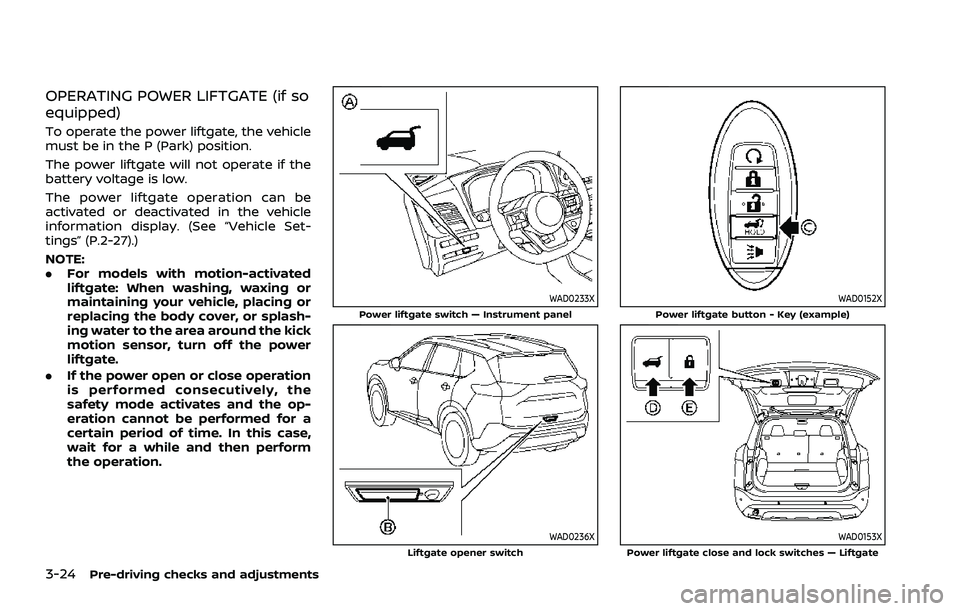
WAD0233XPower liftgate switch — Instrument panel
WAD0236XLiftgate opener switch
WAD0152XPower liftgate button - Key (example)
WAD0153XPower liftgate close and lock switches — Liftgate
Page 201 of 556
Power open (using switches)
When the liftgate is fully closed, the
liftgate will fully open automatically by:
.pushing the power liftgate switch
on the instrument panel for more
than 1 second
. pushing the liftgate opener switch
.pushing the power liftgate buttonon the key for more than 1 second
The outside chime sounds when the
liftgate starts opening.
NOTE:
The liftgate can be opened by the
power liftgate switch
or the power
liftgate buttoneven if the
liftgate is locked. The liftgate can be
unlocked and opened independently of
the other doors, even when they are
locked. The liftgate must be unlocked
(or the Intelligent Key must be within
range) to open with the liftgate opener
switch
.
Power close (using switches)
When the liftgate is fully opened, the
liftgate will fully close automatically by:
. pushing the power liftgate switch
on the instrument panel for more
than 1 second .
pushing the power liftgate button
on the key for more than 1 second
. pushing the power liftgate close
switch
on the lower part of the
liftgate for 1 second
The outside chime sounds when the
liftgate starts closing.
Power close and lock
When the liftgate is fully opened and the
Intelligent Key is carried with you near the
liftgate, the liftgate will fully close and lock
automatically by pushing the power lift-
gate lock switch
on the lower part of
the liftgate.
The outside chime sounds when the
liftgate starts closing.
Stop and reverse function (if so
equipped)
The power liftgate will stop immediately if
one of the following actions is performed
during power open or close.
. pushing the power liftgate switch
.pushing the liftgate opener switch
.pushing the power liftgate close
switchon the lower part of the
liftgate
. pushing the power liftgate button
on the key
And then the power liftgate will move in the reverse direction if one of the above
actions is performed again.
The outside chime sounds when the
liftgate starts to reverse.
Auto reverse function
The auto-reverse function enables the
liftgate to automatically reverse when
something is caught in the liftgate as it
is opening or closing. When the control
unit detects an obstacle, the liftgate will
reverse and return to the full open or full
close position.
If a second obstacle is detected, the
liftgate motion will stop. The liftgate will
enter the manual mode.
A pinch sensor is mounted on each side
of the liftgate. If an obstacle is detected
by the pinch sensor during power close,
the liftgate will reverse and return to the
full open position immediately.
NOTE:
If the pinch sensor is damaged or
removed, the power close function will
not operate.
WARNING
There is a small distance immedi-
ately before the closed position that
cannot be detected. Make sure that
Pre-driving checks and adjustments3-25