reset NISSAN ROGUE 2021 Owner´s Manual
[x] Cancel search | Manufacturer: NISSAN, Model Year: 2021, Model line: ROGUE, Model: NISSAN ROGUE 2021Pages: 556, PDF Size: 2.7 MB
Page 133 of 556
each time when refueling.
4. Fuel economy display
Current fuel consumption:
The Fuel economy display mode shows
the current fuel consumption.
Average fuel consumption:
The Fuel economy display mode shows
the average fuel consumption since the
last reset.
The Fuel economy display mode have
three modes of operation. You can switch
between Manual Reset1, Manual Reset2 or
Auto Refuel by pushing the scroll dial
.
Manual Reset1 can be reset manually by
using the scroll dial
.
Manual Reset2 can be reset manually by
using the scroll dial
, or will be reset
automatically each time the ignition
switch is placed in the OFF position (if so
equipped).
Auto Refuel will be reset automatically
each time when refueling.
5. ECO Pedal Guide
When the ECO mode is selected, you can
view the ECO Pedal Guide function for
improving fuel economy.
The ECO Pedal Guide mode have three
modes of operation. You can switch
between Manual Reset1, Manual Reset2
or Auto Refuel by pushing the scroll dial
.
Manual Reset1 can be reset manually by
using the scroll dial
.
Manual Reset2 can be reset manually by
using the scroll dial
, or will be reset
automatically each time the ignition
switch is placed in the OFF position (if so
equipped).
Auto Refuel will be reset automatically
each time when refueling.
(See “ECO Pedal Guide function” (P.5-33).)
6. Tire Pressures
The tire pressure mode shows the pres-
sure of all four tires while the vehicle is
driven.
With the “Tire Pres ECO advice” function
ON, when the tire pressure is getting low,
”Check Tire Pressures for Best Fuel Econ-
omy” or ”Add air for Best Fuel Economy”
appears. (See “ECO Mode Setting” (P.2-26)
and “Tire Pres ECO advice” (P.5-33).) When the Tire Pressure Low — Add Air
warning appears, the display can be
switched to the tire pressure mode by
pushing the scroll dial
to reveal addi-
tional details on the displayed warning.
7. Intelligent 4x4 torque distribution
display (if so equipped)
When the Intelligent 4x4 torque distribu-
tion display is selected, you can view the
distribution ratio of the transmission
torque to the front and rear wheels
during driving.
8. Compass (if so equipped)
This display indicates the heading direc-
tion of the vehicle.
9. Navigation (if so equipped)
When the route guidance is set in the
navigation system, this item shows the
navigation route information.
10. Audio
The audio mode shows the status of
audio information.
Instruments and controls2-45
Page 137 of 556
JVI1787X
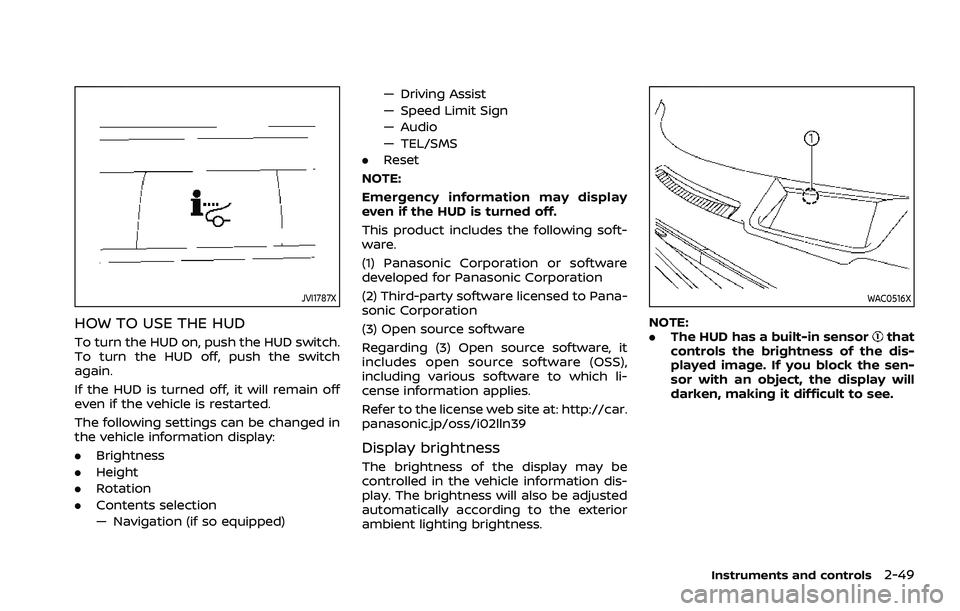
HOW TO USE THE HUD
To turn the HUD on, push the HUD switch.
To turn the HUD off, push the switch
again.
If the HUD is turned off, it will remain off
even if the vehicle is restarted.
The following settings can be changed in
the vehicle information display:
.Brightness
. Height
. Rotation
. Contents selection
— Navigation (if so equipped) — Driving Assist
— Speed Limit Sign
— Audio
— TEL/SMS
. Reset
NOTE:
Emergency information may display
even if the HUD is turned off.
This product includes the following soft-
ware.
(1) Panasonic Corporation or software
developed for Panasonic Corporation
(2) Third-party software licensed to Pana-
sonic Corporation
(3) Open source software
Regarding (3) Open source software, it
includes open source software (OSS),
including various software to which li-
cense information applies.
Refer to the license web site at: http://car.
panasonic.jp/oss/i02lln39
Display brightness
The brightness of the display may be
controlled in the vehicle information dis-
play. The brightness will also be adjusted
automatically according to the exterior
ambient lighting brightness.
WAC0516X
NOTE:
. The HUD has a built-in sensorthat
controls the brightness of the dis-
played image. If you block the sen-
sor with an object, the display will
darken, making it difficult to see.
Instruments and controls2-49
Page 169 of 556
WAC0535X
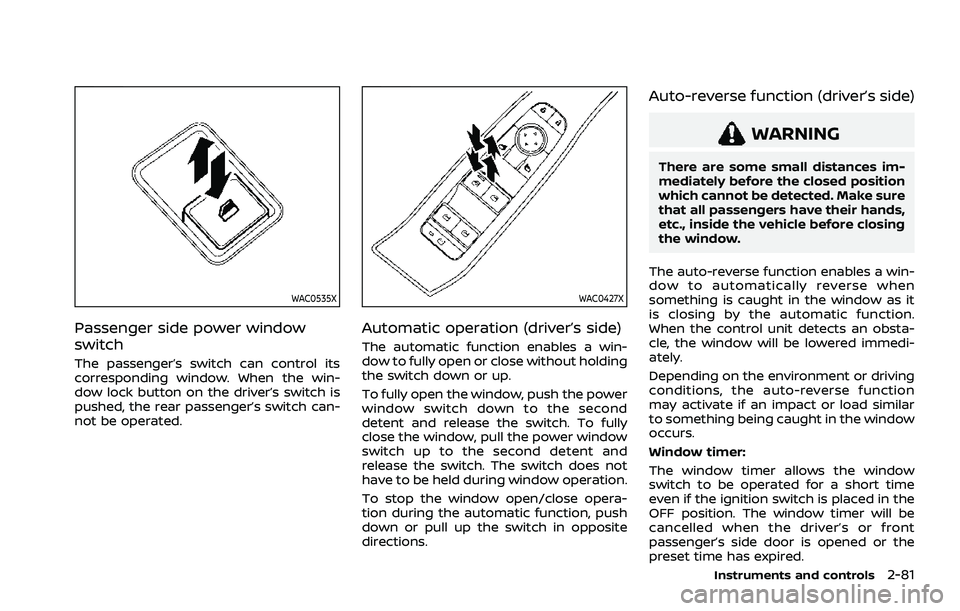
Passenger side power window
switch
The passenger’s switch can control its
corresponding window. When the win-
dow lock button on the driver’s switch is
pushed, the rear passenger’s switch can-
not be operated.
WAC0427X
Automatic operation (driver’s side)
The automatic function enables a win-
dow to fully open or close without holding
the switch down or up.
To fully open the window, push the power
window switch down to the second
detent and release the switch. To fully
close the window, pull the power window
switch up to the second detent and
release the switch. The switch does not
have to be held during window operation.
To stop the window open/close opera-
tion during the automatic function, push
down or pull up the switch in opposite
directions.
Auto-reverse function (driver’s side)
WARNING
There are some small distances im-
mediately before the closed position
which cannot be detected. Make sure
that all passengers have their hands,
etc., inside the vehicle before closing
the window.
The auto-reverse function enables a win-
dow to automatically reverse when
something is caught in the window as it
is closing by the automatic function.
When the control unit detects an obsta-
cle, the window will be lowered immedi-
ately.
Depending on the environment or driving
conditions, the auto-reverse function
may activate if an impact or load similar
to something being caught in the window
occurs.
Window timer:
The window timer allows the window
switch to be operated for a short time
even if the ignition switch is placed in the
OFF position. The window timer will be
cancelled when the driver’s or front
passenger’s side door is opened or the
preset time has expired.
Instruments and controls2-81
Page 198 of 556
3-22Pre-driving checks and adjustments
WARNING
.Make sure the hood is completely
closed and latched before driving.
Failure to do so could cause the
hood to fly open and result in an
accident.
. Never open the hood if steam or
smoke is coming from the engine
compartment to avoid injury.
WAD0150X
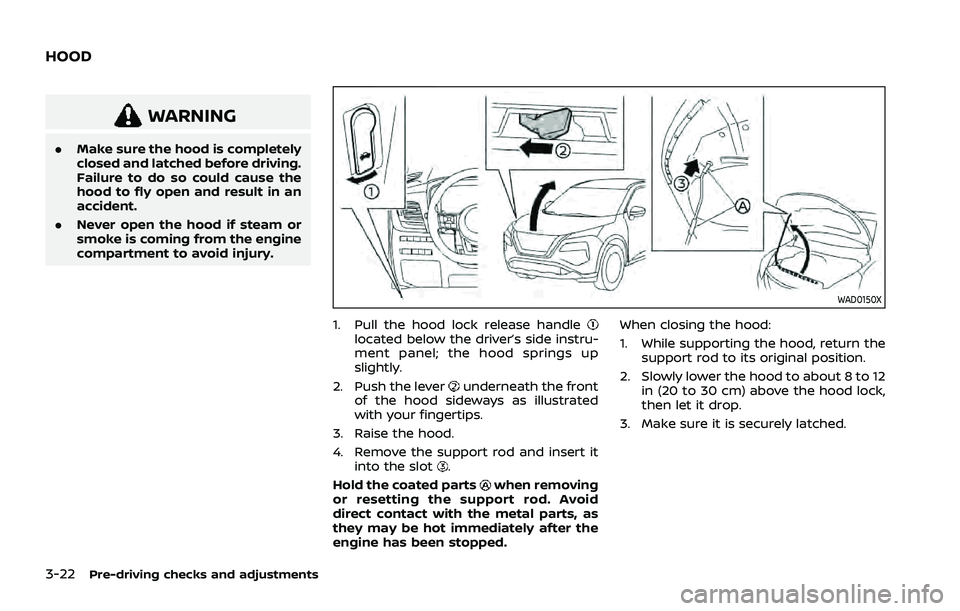
1. Pull the hood lock release handlelocated below the driver’s side instru-
ment panel; the hood springs up
slightly.
2. Push the lever
underneath the front
of the hood sideways as illustrated
with your fingertips.
3. Raise the hood.
4. Remove the support rod and insert it into the slot
.
Hold the coated parts
when removing
or resetting the support rod. Avoid
direct contact with the metal parts, as
they may be hot immediately after the
engine has been stopped. When closing the hood:
1. While supporting the hood, return the
support rod to its original position.
2. Slowly lower the hood to about 8 to 12 in (20 to 30 cm) above the hood lock,
then let it drop.
3. Make sure it is securely latched.
HOOD
Page 262 of 556
5-8Starting and driving
a spare tire as soon as possible.
(See “Flat tire” (P.6-3) for chan-
ging a flat tire.)
. Since the spare tire is not
equipped with the TPMS, when a
spare tire is mounted or a wheel
is replaced, the TPMS will not
function and the low tire pressure
warning light will flash for ap-
proximately 1 minute. The light
will remain on after 1 minute.
Have your tires replaced and/or
TPMS system reset as soon as
possible. It is recommended you
visit a NISSAN dealer for these
services.
. Replacing tires with those not
originally specified by NISSAN
could affect the proper operation
of the TPMS.
. Do not inject any tire liquid or
aerosol tire sealant into the tires,
as this may cause a malfunction
of the tire pressure sensors.
CAUTION
.The TPMS may not function prop-
erly when the wheels are
equipped with tire chains or the wheels are buried in snow.
. Do not place metalized film or
any metal parts (antenna, etc.) on
the windows. This may cause
poor reception of the signals
from the tire pressure sensors,
and the TPMS will not function
properly.
Some devices and transmitters may tem-
porarily interfere with the operation of
the TPMS and cause the low tire pressure
warning light to illuminate. Some exam-
ples are:
. Facilities or electric devices using
similar radio frequencies are near the
vehicle.
. If a transmitter set to similar frequen-
cies is being used in or near the
vehicle.
. If a computer (or similar equipment) or
a DC/AC converter is being used in or
near the vehicle.
Low tire pressure warning light may
illuminate in the following cases.
. If the vehicle is equipped with a wheel
and tire without TPMS.
. If the TPMS has been replaced and the
ID has not been registered. .
If the wheel is not originally specified
by NISSAN.
FCC Notice:
For USA:
Tire Pressure Monitoring System (TPMS)
transmitter
FCC ID: KR5TIS-10DL
Body Control Module (BCM)
40406556
Continental
This device complies with Part 15 of the
FCC Rules. Operation is subject to the
following two conditions: (1) This device
may not cause harmful interference,
and (2) this device must accept any
interference received, including inter-
ference that may cause undesired op-
eration.
Note: Changes or modifications not
expressly approved by the party re-
sponsible for compliance could void
the user’s authority to operate the
equipment.
For Canada:
Tire Pressure Monitoring System (TPMS)
transmitter
Continental
Page 337 of 556
.The cruise indicator may blink when
the Cruise ON/OFF switch is turned
ON while pushing up the RES+, push-
ing down the SET-, or pushing the
CANCEL switch. To properly set the
cruise control system, perform the
following procedures.
CRUISE CONTROL OPERATIONS
The cruise control allows driving at
speeds above 25 MPH (40 km/h) without
keeping your foot on the accelerator
pedal.
The cruise control will automatically be
canceled if the vehicle slows down more
than approximately 8 MPH (13 km/h)
below the vehicle set speed. (“Unavailable:
Under specified speed” message appears
in the display.)
Moving the shift lever to the N (Neutral)
position will cancel the cruise control.
Turning on cruise control
Push the Cruise ON/OFF switch. The
cruise indicator and “Standby Push SET-
to active” message in the vehicle informa-
tion display will appear.
Setting cruising speed
1. Accelerate to the desired speed.
2. Push the SET- switch down or RES+
switch up and release it.
3. Take your foot off the accelerator pedal.
The vehicle will maintain the set speed. (“+
/- Change Set speed” message appears in
the display.)
NOTE:
If pushed the RES+ switch and released
it when there is no vehicle set speed,
the set speed is set to the current
vehicle speed.
Passing another vehicle:
Depress the accelerator pedal to accel-
erate. After releasing the accelerator
pedal, the vehicle will return to the pre-
viously set speed.
The vehicle may not maintain the set
speed when going up or down steep hills.
In such cases, drive without the cruise
control.
Resetting to slower speed:
Use any one of the following methods to
reset to a slower speed.
. Lightly tap the foot brake pedal. When
the vehicle reaches the desired speed,
push down and release the SET- switch.
. Push down and hold the SET- switch.
When the vehicle reaches the desired
speed, release the SET- switch.
. Quickly push down and release the
SET- switch. This will reduce the
vehicle speed by about 1 MPH (1.6
km/h).
Resetting to faster speed:
Use any one of the following methods to
reset to a faster speed.
. Depress the accelerator pedal. When
the vehicle reaches the desired speed,
push down and release the SET-
switch.
. Push up and hold the RES+ switch.
When the vehicle reaches the desired
speed, release the RES+ switch.
. Quickly push up and release the RES+
switch. This will increase the vehicle
speed by about 1 MPH (1.6 km/h).
Resuming at preset speed:
Push up and release the RES+ switch.
The vehicle will resume the last set
cruising speed when the vehicle speed is
over 25 MPH (40 km/h). (“Resumed” mes-
sage appears in the display.)
Starting and driving5-83
Page 340 of 556
5-86Starting and driving
WAF0557X
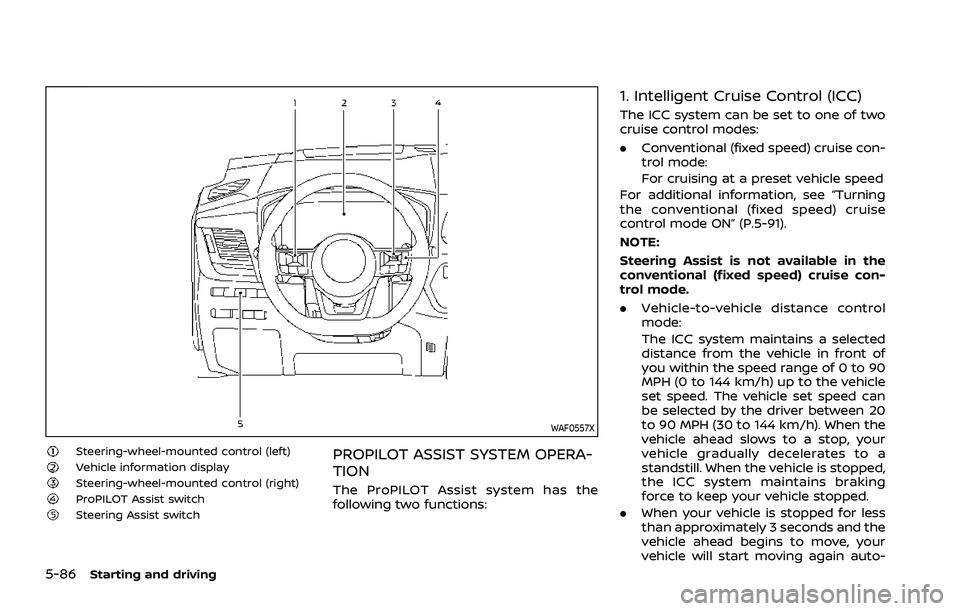
Steering-wheel-mounted control (left)Vehicle information displaySteering-wheel-mounted control (right)ProPILOT Assist switchSteering Assist switch
PROPILOT ASSIST SYSTEM OPERA-
TION
The ProPILOT Assist system has the
following two functions:
1. Intelligent Cruise Control (ICC)
The ICC system can be set to one of two
cruise control modes:
.Conventional (fixed speed) cruise con-
trol mode:
For cruising at a preset vehicle speed
For additional information, see “Turning
the conventional (fixed speed) cruise
control mode ON” (P.5-91).
NOTE:
Steering Assist is not available in the
conventional (fixed speed) cruise con-
trol mode.
. Vehicle-to-vehicle distance control
mode:
The ICC system maintains a selected
distance from the vehicle in front of
you within the speed range of 0 to 90
MPH (0 to 144 km/h) up to the vehicle
set speed. The vehicle set speed can
be selected by the driver between 20
to 90 MPH (30 to 144 km/h). When the
vehicle ahead slows to a stop, your
vehicle gradually decelerates to a
standstill. When the vehicle is stopped,
the ICC system maintains braking
force to keep your vehicle stopped.
. When your vehicle is stopped for less
than approximately 3 seconds and the
vehicle ahead begins to move, your
vehicle will start moving again auto-
Page 375 of 556
WAF0428X
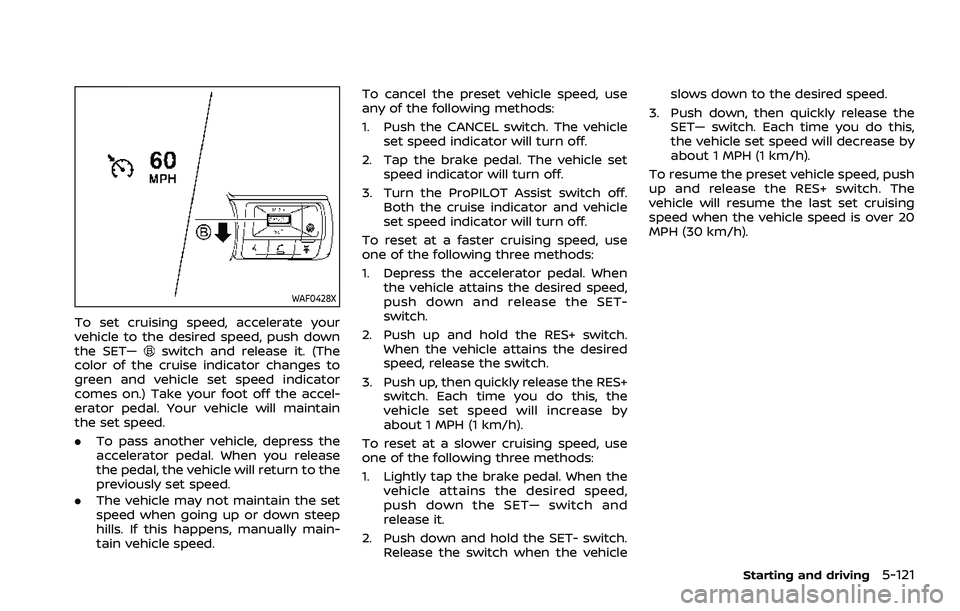
To set cruising speed, accelerate your
vehicle to the desired speed, push down
the SET—
switch and release it. (The
color of the cruise indicator changes to
green and vehicle set speed indicator
comes on.) Take your foot off the accel-
erator pedal. Your vehicle will maintain
the set speed.
. To pass another vehicle, depress the
accelerator pedal. When you release
the pedal, the vehicle will return to the
previously set speed.
. The vehicle may not maintain the set
speed when going up or down steep
hills. If this happens, manually main-
tain vehicle speed. To cancel the preset vehicle speed, use
any of the following methods:
1. Push the CANCEL switch. The vehicle
set speed indicator will turn off.
2. Tap the brake pedal. The vehicle set speed indicator will turn off.
3. Turn the ProPILOT Assist switch off. Both the cruise indicator and vehicle
set speed indicator will turn off.
To reset at a faster cruising speed, use
one of the following three methods:
1. Depress the accelerator pedal. When the vehicle attains the desired speed,
push down and release the SET-
switch.
2. Push up and hold the RES+ switch. When the vehicle attains the desired
speed, release the switch.
3. Push up, then quickly release the RES+ switch. Each time you do this, the
vehicle set speed will increase by
about 1 MPH (1 km/h).
To reset at a slower cruising speed, use
one of the following three methods:
1. Lightly tap the brake pedal. When the vehicle attains the desired speed,
push down the SET— switch and
release it.
2. Push down and hold the SET- switch. Release the switch when the vehicle slows down to the desired speed.
3. Push down, then quickly release the SET— switch. Each time you do this,
the vehicle set speed will decrease by
about 1 MPH (1 km/h).
To resume the preset vehicle speed, push
up and release the RES+ switch. The
vehicle will resume the last set cruising
speed when the vehicle speed is over 20
MPH (30 km/h).
Starting and driving5-121
Page 395 of 556
WARNING
Failure to follow the warnings and
instructions for proper use of the I-
DA system could result in serious
injury or death.
.The I–DA system is only a warning
to inform the driver of a potential
lack of driver attention or drowsi-
ness. It will not steer the vehicle
or prevent loss of control.
. The I–DA system does not detect
and provide an alert of the dri-
ver’s lack of attention or fatigue
in every situation.
. It is the driver’s responsibility to:
— Stay alert.
— Drive safely.
— Keep the vehicle in the travel- ing lane.
— Be in control of the vehicle at all times.
— Avoid driving when tired.
— Avoid distractions (texting, etc). The I–DA system helps alert the driver if
the system detects a lack of attention or
driving fatigue.
The system monitors driving style and
steering behavior over a period of time,
and it detects changes from the normal
pattern. If the system detects that driver
attention is decreasing over a period of
time, the system uses audible and visual
warnings to suggest that the driver take a
break.
WAF0641XExample
I-DA SYSTEM OPERATION
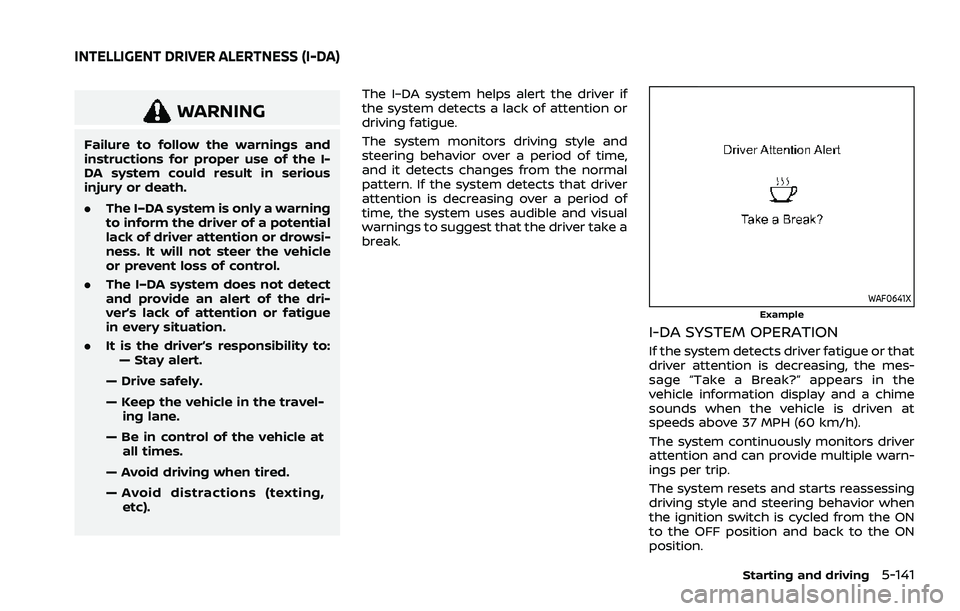
If the system detects driver fatigue or that
driver attention is decreasing, the mes-
sage “Take a Break?” appears in the
vehicle information display and a chime
sounds when the vehicle is driven at
speeds above 37 MPH (60 km/h).
The system continuously monitors driver
attention and can provide multiple warn-
ings per trip.
The system resets and starts reassessing
driving style and steering behavior when
the ignition switch is cycled from the ON
to the OFF position and back to the ON
position.
Starting and driving5-141
INTELLIGENT DRIVER ALERTNESS (I-DA)
Page 411 of 556
tion, it switches the ABS off and illumi-
nates the ABS warning light on the
instrument panel. The brake system then
operates normally, but without anti-lock
assistance.
If the ABS warning light illuminates during
the self-test or while driving, have the
vehicle checked. It is recommended you
visit a NISSAN dealer for this service.
Normal operation
The ABS operates at speeds above 3 to 6
MPH (5 to 10 km/h). The speed varies
according to road conditions.
When the ABS senses that one or more
wheels are close to locking up, the
actuator rapidly applies and releases
hydraulic pressure. This action is similar
to pumping the brakes very quickly. You
may feel a pulsation in the brake pedal
and hear a noise from under the hood or
feel a vibration from the actuator when it
is operating. This is normal and indicates
that the ABS is operating properly. How-
ever, the pulsation may indicate that road
conditions are hazardous and extra care
is required while driving.The Vehicle Dynamic Control (VDC) sys-
tem uses various sensors to monitor
driver inputs and vehicle motion. Under
certain driving conditions, the VDC sys-
tem helps to perform the following func-
tions.
.
Controls brake pressure to reduce
wheel slip on one slipping drive wheel
so power is transferred to a non
slipping drive wheel on the same axle.
. Controls brake pressure and engine
output to reduce drive wheel slip
based on vehicle speed (traction con-
trol function).
. Controls brake pressure at individual
wheels and engine output to help the
driver maintain control of the vehicle
in the following conditions:
— understeer (vehicle tends to not
follow the steered path despite
increased steering input)
— oversteer (vehicle tends to spin due to certain road or driving condi-
tions).
The VDC system can help the driver to
maintain control of the vehicle, but it
cannot prevent loss of vehicle control in
all driving situations.
When the VDC system operates, the slip
indicator light
in the instrument panel
flashes so note the following: .
The road may be slippery or the
system may determine some action
is required to help keep the vehicle on
the steered path.
. You may feel a pulsation in the brake
pedal and hear a noise or vibration
from under the hood. This is normal
and indicates that the VDC system is
working properly.
. Adjust your speed and driving to the
road conditions.
If a malfunction occurs in the system, the
slip indicator light
illuminates in the
instrument panel. The VDC system auto-
matically turns off.
The vehicle information display is used to
turn off the VDC system. The VDC off
indicator
illuminates to indicate the
VDC system is off. When the VDC system
is turned off, the VDC system still oper-
ates to prevent one drive wheel from
slipping by transferring power to a non
slipping drive wheel. The slip indicator
light
flashes if this occurs. All other
VDC functions are off, and the slip in-
dicator light
will not flash. The VDC
system is automatically reset to on when
the ignition switch is placed in the off
position then back to the on position.
See “Slip indicator light” (P.2-20) and
“Vehicle Dynamic Control (VDC) off indi-
cator light” (P.2-20).
Starting and driving5-157
VEHICLE DYNAMIC CONTROL (VDC) SYSTEM