seats NISSAN ROGUE 2021 Owner´s Manual
[x] Cancel search | Manufacturer: NISSAN, Model Year: 2021, Model line: ROGUE, Model: NISSAN ROGUE 2021Pages: 556, PDF Size: 2.7 MB
Page 90 of 556
Heated seats (if so equipped) .......................................... 2-63Operation with switch .................................................... 2-64
Steering Assist switch (models with
ProPILOT Assist) ........................................................................\
.. 2-65
Rear Door Alert ........................................................................\
.... 2-65
Power outlets ........................................................................\
....... 2-66 USB (Universal Serial Bus) charging
connector (if so equipped) .......................................... 2-67
Wireless charger (if so equipped) ........................... 2-68
Emergency Call (SOS) button (if
so equipped) ........................................................................\
.......... 2-70
Emergency support .......................................................... 2-70
Storage ........................................................................\
...................... 2-71 Cup holders ........................................................................\
..... 2-71
Soft bottle holders ............................................................. 2-72
Adjustable luggage floor (if so equipped) ....... 2-72
Glove box ........................................................................\
........... 2-75
Console box ........................................................................\
..... 2-75
Lower console tray ............................................................ 2-76 Sunglasses holder ............................................................ 2-76
Card holder ........................................................................\
... 2-77
Coat hooks ........................................................................\
.... 2-77
Cargo cover (if so equipped) ................................... 2-77
Luggage hooks .................................................................. 2-78
Roof rack (if so equipped) .................................................. 2-78
Windows ........................................................................\
................... 2-79 Power windows ................................................................. 2-79
Moonroof (if so equipped) ................................................. 2-83 Automatic moonroof and sunshade ................ 2-83
Interior lights ........................................................................\
...... 2-85
Interior light switch ........................................................ 2-85
Map lights ........................................................................\
....... 2-86
Room lights (if so equipped) ................................... 2-86
Rear personal lights (if so equipped) ................ 2-86
Vanity mirror light ............................................................ 2-87
Cargo light ........................................................................\
..... 2-87
Page 151 of 556
WAC0565X
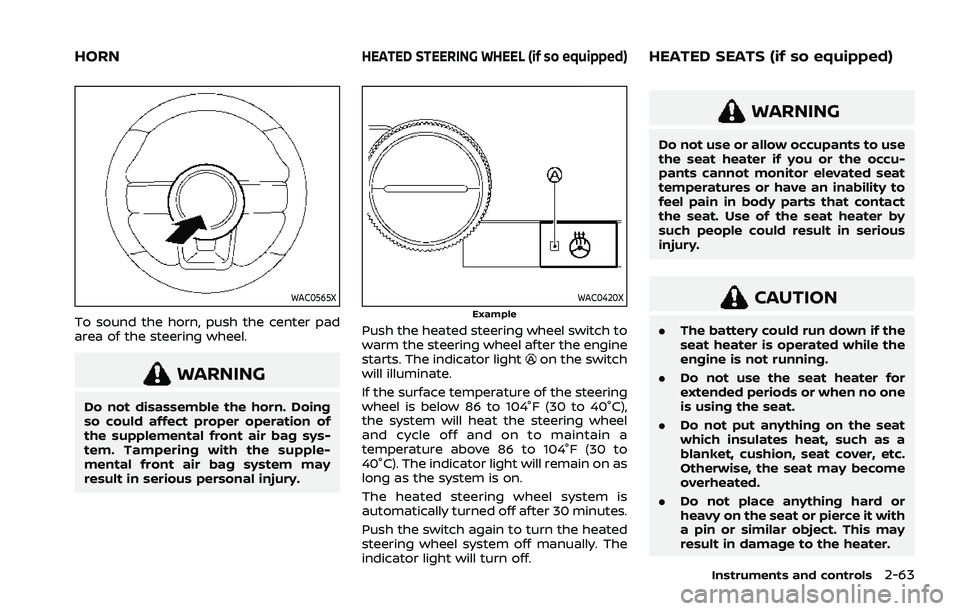
To sound the horn, push the center pad
area of the steering wheel.
WARNING
Do not disassemble the horn. Doing
so could affect proper operation of
the supplemental front air bag sys-
tem. Tampering with the supple-
mental front air bag system may
result in serious personal injury.
WAC0420XExample
Push the heated steering wheel switch to
warm the steering wheel after the engine
starts. The indicator light
on the switch
will illuminate.
If the surface temperature of the steering
wheel is below 86 to 104°F (30 to 40°C),
the system will heat the steering wheel
and cycle off and on to maintain a
temperature above 86 to 104°F (30 to
40°C). The indicator light will remain on as
long as the system is on.
The heated steering wheel system is
automatically turned off after 30 minutes.
Push the switch again to turn the heated
steering wheel system off manually. The
indicator light will turn off.
WARNING
Do not use or allow occupants to use
the seat heater if you or the occu-
pants cannot monitor elevated seat
temperatures or have an inability to
feel pain in body parts that contact
the seat. Use of the seat heater by
such people could result in serious
injury.
CAUTION
. The battery could run down if the
seat heater is operated while the
engine is not running.
. Do not use the seat heater for
extended periods or when no one
is using the seat.
. Do not put anything on the seat
which insulates heat, such as a
blanket, cushion, seat cover, etc.
Otherwise, the seat may become
overheated.
. Do not place anything hard or
heavy on the seat or pierce it with
a pin or similar object. This may
result in damage to the heater.
Instruments and controls2-63
HORNHEATED STEERING WHEEL (if so equipped)HEATED SEATS (if so equipped)
Page 152 of 556
2-64Instruments and controls
.Any liquid spilled on the heated
seat should be removed immedi-
ately with a dry cloth.
. When cleaning the seat, never use
gasoline, thinner, or any similar
materials.
. If any malfunctions are found or
the heated seat does not operate,
turn the switch off and have the
system checked. It is recom-
mended you visit a NISSAN dealer
for this service.
WAC0524XFront
WAC0525XRear (if so equipped)
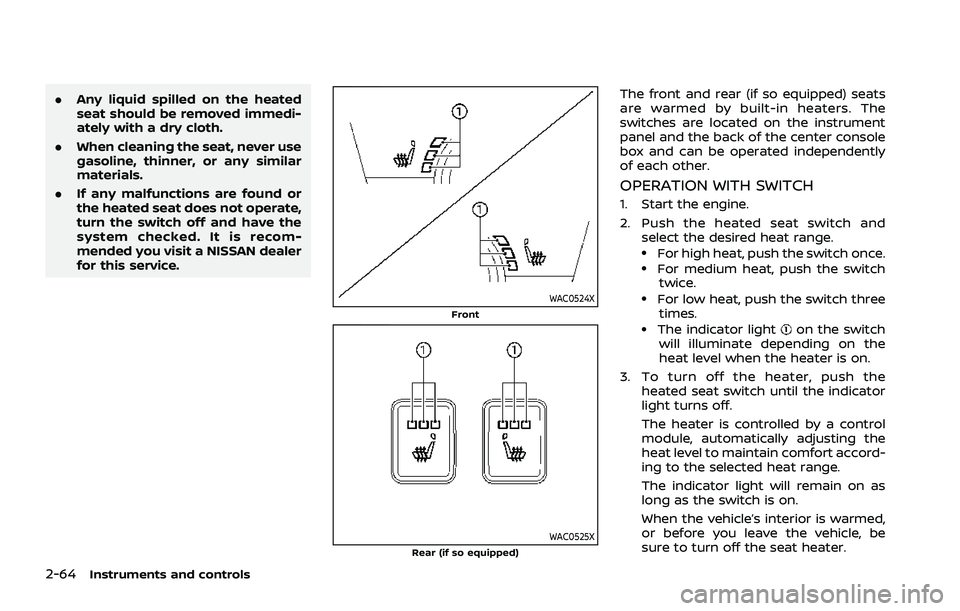
The front and rear (if so equipped) seats
are warmed by built-in heaters. The
switches are located on the instrument
panel and the back of the center console
box and can be operated independently
of each other.
OPERATION WITH SWITCH
1. Start the engine.
2. Push the heated seat switch and
select the desired heat range.
.For high heat, push the switch once..For medium heat, push the switchtwice.
.For low heat, push the switch three
times.
.The indicator lighton the switch
will illuminate depending on the
heat level when the heater is on.
3. To turn off the heater, push the heated seat switch until the indicator
light turns off.
The heater is controlled by a control
module, automatically adjusting the
heat level to maintain comfort accord-
ing to the selected heat range.
The indicator light will remain on as
long as the switch is on.
When the vehicle’s interior is warmed,
or before you leave the vehicle, be
sure to turn off the seat heater.
Page 204 of 556
3-28Pre-driving checks and adjustments
CAUTION
Do not set the height of the liftgate
below approximately 1/3 of the way
to the floor using garage mode. Even
if you set the height below approxi-
mately 1/3 of the way to the floor,
the height will automatically be set
to approximately 1/3 of the way to
the floor.
AUTO CLOSURE (if so equipped)
When the liftgate reaches the secondary
position, the closure motor engages and
pulls the liftgate to its primary latch
position.
Do not apply excessive force when the
auto closure is operating. Excessive
force applied may cause the mechan-
ism to malfunction.
CAUTION
.The liftgate will automatically
close from the secondary posi-
tion. To avoid pinching, keep
hands and fingers away from
liftgate opening. .
Do not let children operate the
liftgate.
WAD0155X
LIFTGATE RELEASE LEVER
If the liftgate cannot be opened with the
power door lock switch due to a dis-
charged battery, follow these steps.
1. Fold the rear seats down. (See “Seats”
(P.1-3).)
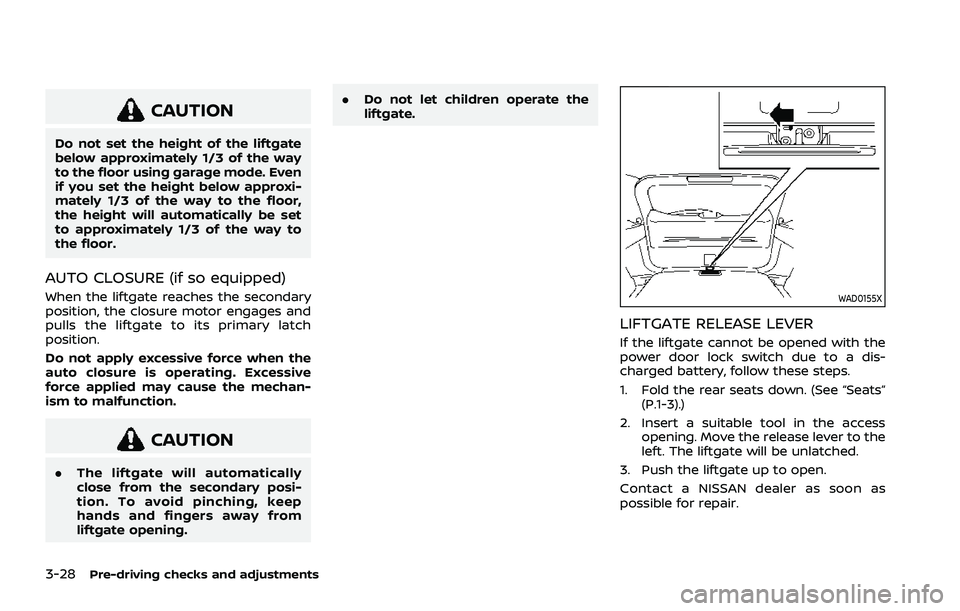
2. Insert a suitable tool in the access opening. Move the release lever to the
left. The liftgate will be unlatched.
3. Push the liftgate up to open.
Contact a NISSAN dealer as soon as
possible for repair.
Page 212 of 556
3-36Pre-driving checks and adjustments
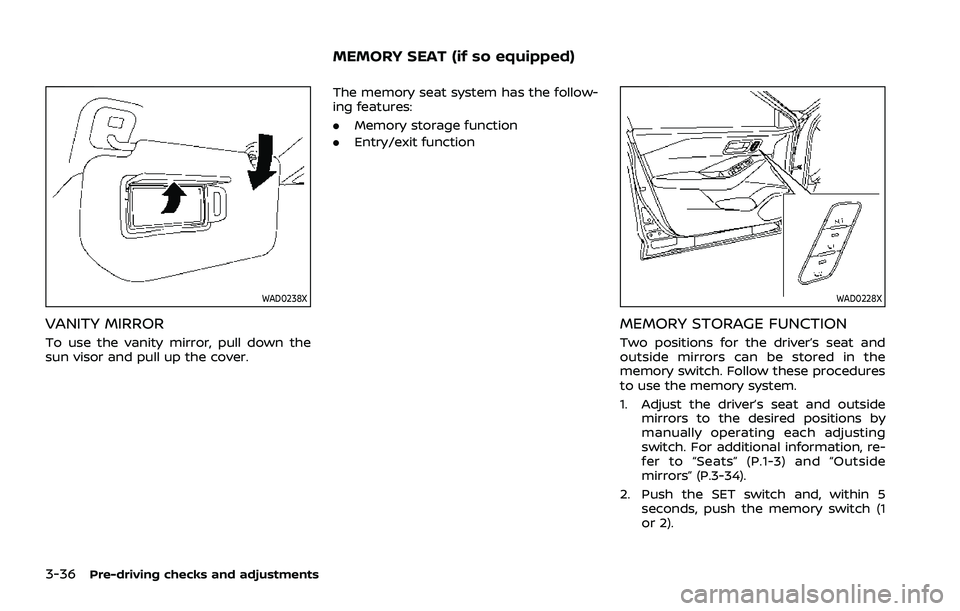
WAD0238X
VANITY MIRROR
To use the vanity mirror, pull down the
sun visor and pull up the cover.The memory seat system has the follow-
ing features:
.
Memory storage function
. Entry/exit function
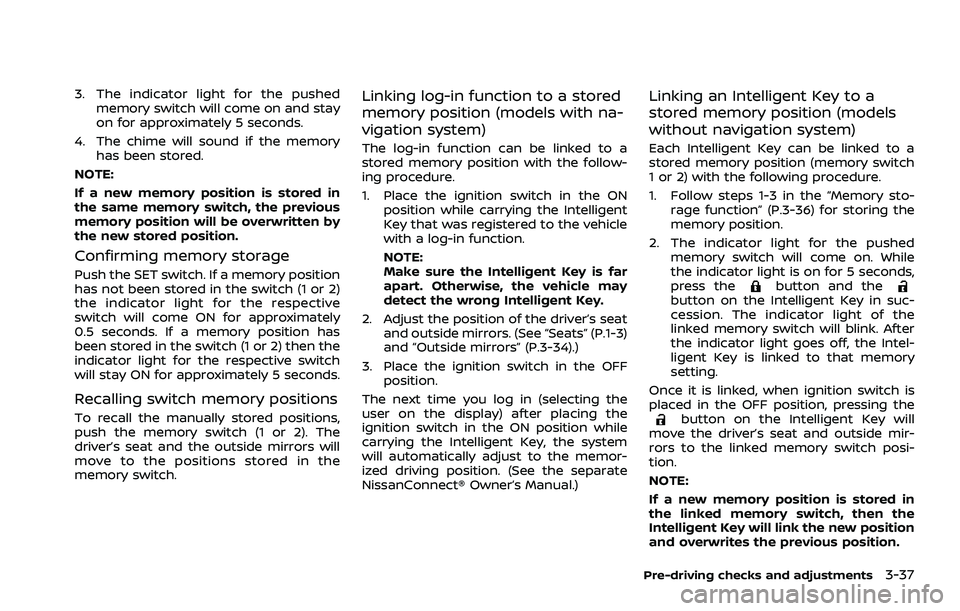
WAD0228X
MEMORY STORAGE FUNCTION
Two positions for the driver’s seat and
outside mirrors can be stored in the
memory switch. Follow these procedures
to use the memory system.
1. Adjust the driver’s seat and outside
mirrors to the desired positions by
manually operating each adjusting
switch. For additional information, re-
fer to “Seats” (P.1-3) and “Outside
mirrors” (P.3-34).
2. Push the SET switch and, within 5 seconds, push the memory switch (1
or 2).
MEMORY SEAT (if so equipped)
Page 213 of 556
3. The indicator light for the pushedmemory switch will come on and stay
on for approximately 5 seconds.
4. The chime will sound if the memory has been stored.
NOTE:
If a new memory position is stored in
the same memory switch, the previous
memory position will be overwritten by
the new stored position.
Confirming memory storage
Push the SET switch. If a memory position
has not been stored in the switch (1 or 2)
the indicator light for the respective
switch will come ON for approximately
0.5 seconds. If a memory position has
been stored in the switch (1 or 2) then the
indicator light for the respective switch
will stay ON for approximately 5 seconds.
Recalling switch memory positions
To recall the manually stored positions,
push the memory switch (1 or 2). The
driver’s seat and the outside mirrors will
move to the positions stored in the
memory switch.
Linking log-in function to a stored
memory position (models with na-
vigation system)
The log-in function can be linked to a
stored memory position with the follow-
ing procedure.
1. Place the ignition switch in the ON position while carrying the Intelligent
Key that was registered to the vehicle
with a log-in function.
NOTE:
Make sure the Intelligent Key is far
apart. Otherwise, the vehicle may
detect the wrong Intelligent Key.
2. Adjust the position of the driver’s seat and outside mirrors. (See “Seats” (P.1-3)
and “Outside mirrors” (P.3-34).)
3. Place the ignition switch in the OFF position.
The next time you log in (selecting the
user on the display) after placing the
ignition switch in the ON position while
carrying the Intelligent Key, the system
will automatically adjust to the memor-
ized driving position. (See the separate
NissanConnect® Owner’s Manual.)
Linking an Intelligent Key to a
stored memory position (models
without navigation system)
Each Intelligent Key can be linked to a
stored memory position (memory switch
1 or 2) with the following procedure.
1. Follow steps 1-3 in the “Memory sto- rage function” (P.3-36) for storing the
memory position.
2. The indicator light for the pushed memory switch will come on. While
the indicator light is on for 5 seconds,
press the
button and thebutton on the Intelligent Key in suc-
cession. The indicator light of the
linked memory switch will blink. After
the indicator light goes off, the Intel-
ligent Key is linked to that memory
setting.
Once it is linked, when ignition switch is
placed in the OFF position, pressing the
button on the Intelligent Key will
move the driver’s seat and outside mir-
rors to the linked memory switch posi-
tion.
NOTE:
If a new memory position is stored in
the linked memory switch, then the
Intelligent Key will link the new position
and overwrites the previous position.
Pre-driving checks and adjustments3-37
Page 252 of 556
4-38Monitor, heater, air conditioner, audio and phone systems
OPERATING TIPS (for automatic air
conditioner)
When the engine coolant temperature
and outside air temperature are low, the
air flow from the foot outlets may be
limited when in the automatic mode.
However, this is not a malfunction. After
the coolant temperature warms up, air
flow from the foot outlets will operate
normally.
For rear temperature control (if so
equipped):
.The purpose of the rear temperature
control is to vary the temperature of
the rear airflow.
. The amount of airflow to the rear
ventilators is primarily controlled by
the front passenger’s blower and
mode settings.
. The amount of airflow to the rear
ventilators is also affected by the rear
temperature setting. Higher rear tem-
perature settings have lower airflow
amounts than cooler temperature
settings. This condition ensures better
comfort to the head and face area,
while primary heating for the rear
passenger seats is provided through
the foot outlets.
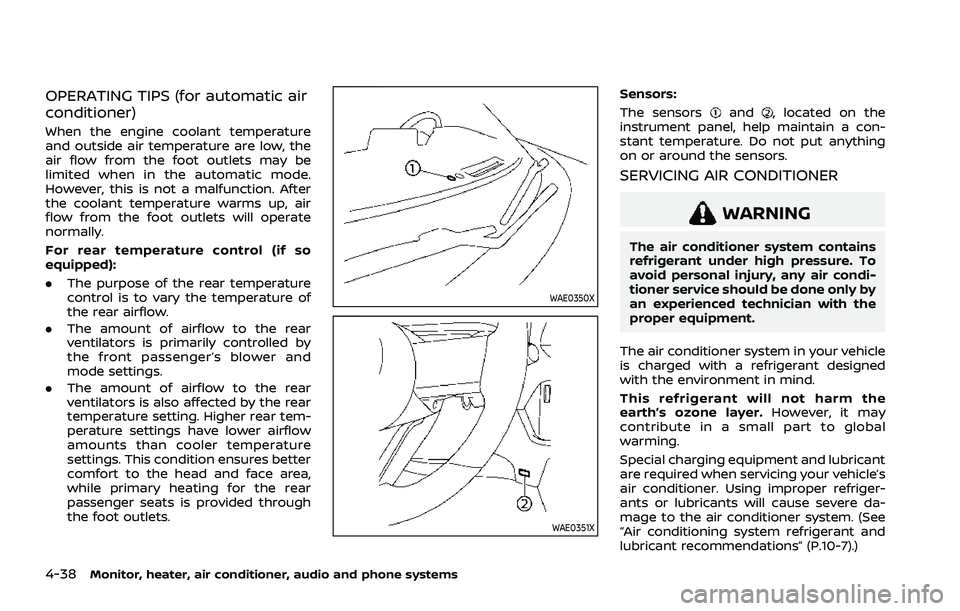
WAE0350X
WAE0351X
Sensors:
The sensors
and, located on the
instrument panel, help maintain a con-
stant temperature. Do not put anything
on or around the sensors.
SERVICING AIR CONDITIONER
WARNING
The air conditioner system contains
refrigerant under high pressure. To
avoid personal injury, any air condi-
tioner service should be done only by
an experienced technician with the
proper equipment.
The air conditioner system in your vehicle
is charged with a refrigerant designed
with the environment in mind.
This refrigerant will not harm the
earth’s ozone layer. However, it may
contribute in a small part to global
warming.
Special charging equipment and lubricant
are required when servicing your vehicle’s
air conditioner. Using improper refriger-
ants or lubricants will cause severe da-
mage to the air conditioner system. (See
“Air conditioning system refrigerant and
lubricant recommendations” (P.10-7).)
Page 450 of 556
7-4Appearance and care
CAUTION
Follow the directions below to avoid
staining or discoloring the wheels:
.Do not use a cleaner that uses
strong acid or alkali contents to
clean the wheels.
. Do not apply wheel cleaners to
the wheels when they are hot.
The wheel temperature should be
the same as ambient tempera-
ture.
. Rinse the wheel to completely
remove the cleaner within 15
minutes after the cleaner is ap-
plied.
CHROME PARTS
Clean chrome parts regularly with a non-
abrasive chrome polish to maintain the
finish.
TIRE DRESSING
NISSAN does not recommend the use of
tire dressings. Tire manufacturers apply a
coating to the tires to help reduce dis-
coloration of the rubber. If a tire dressing
is applied to the tires, it may react with
the coating and form a compound. This
compound may come off the tire while driving and stain the vehicle paint.
If you choose to use a tire dressing, take
the following precautions:
.
Use a water-based tire dressing. The
coating on the tire dissolves more
easily with an oil-based tire dressing.
. Apply a light coat of tire dressing to
help prevent it from entering the tire
tread/grooves (where it would be
difficult to remove).
. Wipe off excess tire dressing using a
dry towel. Make sure the tire dressing
is completely removed from the tire
tread/grooves.
. Allow the tire dressing to dry as
recommended by tire dressing manu-
facturer.
Occasionally remove loose dust from the
interior trim, plastic parts and seats using
a vacuum cleaner or soft bristled brush.
Wipe the vinyl and leather surfaces with a
clean, soft cloth dampened in mild soap
solution, then wipe clean with a dry soft
cloth.
Regular care and cleaning is required in
order to maintain the appearance of the
leather (if so equipped).
Before using any fabric protector, read
the manufacturer’s recommendations.
Some fabric protectors contain chemicals
that may stain or bleach the seat materi-
al.
Use a cloth dampened only with water, to
clean the meter and gauge lens.
WARNING
Do not use water or acidic cleaners
(hot steam cleaners) on the seat. This
can damage the seat or occupant
classification sensors. This can also
affect the operation of the air bag
system and result in serious perso-
nal injury.
CLEANING INTERIOR
Page 453 of 556
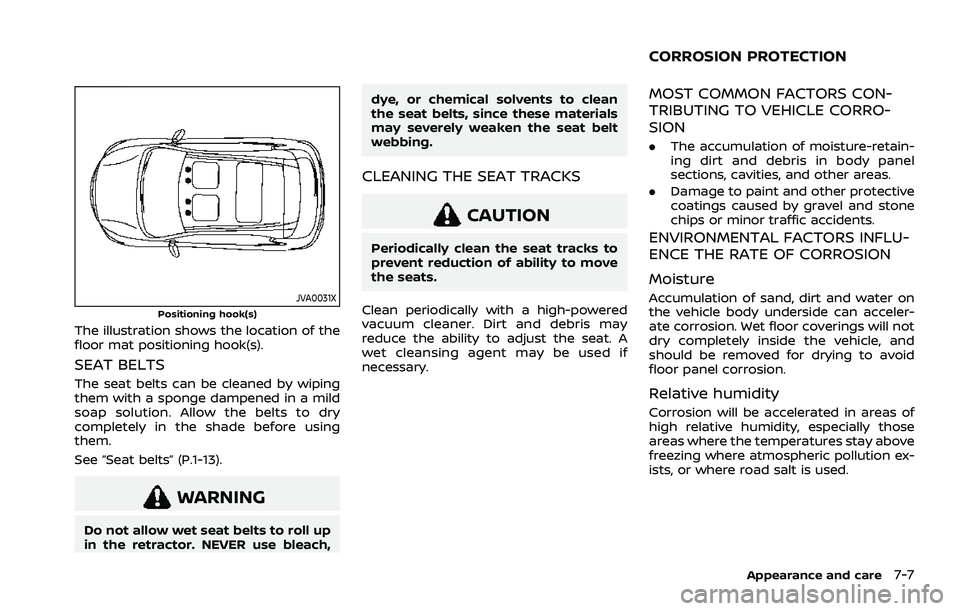
JVA0031XPositioning hook(s)
The illustration shows the location of the
floor mat positioning hook(s).
SEAT BELTS
The seat belts can be cleaned by wiping
them with a sponge dampened in a mild
soap solution. Allow the belts to dry
completely in the shade before using
them.
See “Seat belts” (P.1-13).
WARNING
Do not allow wet seat belts to roll up
in the retractor. NEVER use bleach,dye, or chemical solvents to clean
the seat belts, since these materials
may severely weaken the seat belt
webbing.
CLEANING THE SEAT TRACKS
CAUTION
Periodically clean the seat tracks to
prevent reduction of ability to move
the seats.
Clean periodically with a high-powered
vacuum cleaner. Dirt and debris may
reduce the ability to adjust the seat. A
wet cleansing agent may be used if
necessary.
MOST COMMON FACTORS CON-
TRIBUTING TO VEHICLE CORRO-
SION
. The accumulation of moisture-retain-
ing dirt and debris in body panel
sections, cavities, and other areas.
. Damage to paint and other protective
coatings caused by gravel and stone
chips or minor traffic accidents.
ENVIRONMENTAL FACTORS INFLU-
ENCE THE RATE OF CORROSION
Moisture
Accumulation of sand, dirt and water on
the vehicle body underside can acceler-
ate corrosion. Wet floor coverings will not
dry completely inside the vehicle, and
should be removed for drying to avoid
floor panel corrosion.
Relative humidity
Corrosion will be accelerated in areas of
high relative humidity, especially those
areas where the temperatures stay above
freezing where atmospheric pollution ex-
ists, or where road salt is used.
Appearance and care7-7
CORROSION PROTECTION
Page 496 of 556
9-4Maintenance and schedules
Seats:Check seat position controls such
as seat adjusters, seatback recliners, etc.
to ensure they operate smoothly and that
all latches lock securely in every position.
Check that the head restraints/headrests
move up and down smoothly and that
the locks (if so equipped) hold securely in
all latched positions.
Steering wheel: Check for changes in the
steering conditions, such as excessive
free play, hard steering or strange noises.
Warning lights and chimes: Make sure
that all warning lights and chimes are
operating properly.
Windshield defroster: Check that the air
comes out of the defroster outlets prop-
erly and in sufficient quantity when oper-
ating the heater or air conditioner.
Windshield wiper and washer*: Check
that the wipers and washers operate
properly and that the wipers do not
streak.
Under the hood and vehicle
The maintenance items listed here should
be checked periodically (for example,
each time you check the engine oil or
refuel).
Battery*: This vehicle is equipped with a
sealed maintenance free battery. It is
recommended that you visit a NISSAN dealer for service.
NOTE:
Care should be taken to avoid situations
that can lead to potential battery dis-
charge and potential no-start condi-
tions such as:
1.
Installation or extended use of elec-
tronic accessories that consume
battery power when the engine is
not running (Phone chargers, GPS,
DVD players, etc.)
2. Vehicle is not driven regularly and/
or only driven short distances.
In these cases, the battery may need to
be charged to maintain battery health.
Brake fluid level*: Make sure that the
brake fluid level is between the MAX and
MIN lines on the reservoir.
Engine coolant level*: Check the coolant
level when the engine is cold.
Engine drive belt*: Make sure that the
drive belt is not frayed, worn, cracked or
oily.
Engine oil level*: Check the level after
parking the vehicle on a level surface and
turning off the engine. Wait more than 10
minutes for the oil to drain back into the
oil pan.
Exhaust system: Make sure there are no
loose supports, cracks or holes. If the sound of the exhaust seems unusual or
there is a smell of exhaust fumes, im-
mediately have the exhaust system in-
spected. It is recommended you visit a
NISSAN dealer for this service. (See “Pre-
cautions when starting and driving” (P.5-
5) for exhaust gas (carbon monoxide).)
Fluid leaks:
Check under the vehicle for
fuel, oil, water or other fluid leaks after the
vehicle has been parked for a while. Water
dripping from the air conditioner after use
is normal. If you should notice any leaks
or if gasoline fumes are evident, check for
the cause and have it corrected immedi-
ately.
Radiator and hoses: Check the front of
the radiator and clean off any dirt, insects,
leaves, etc., that may have accumulated.
Make sure the hoses have no cracks,
deformation, rot or loose connections.
Underbody: The underbody is frequently
exposed to corrosive substances such as
those used on icy roads or to control
dust. It is very important to remove these
substances, otherwise rust will form on
the floor pan, frame, fuel lines and around
the exhaust system. At the end of winter,
the underbody should be thoroughly
flushed with plain water, being careful to
clean those areas where mud and dirt
may accumulate. For additional informa-
tion, see “Cleaning exterior” (P.7-2).