parking brake automatically NISSAN ROGUE 2021 Owner´s Manual
[x] Cancel search | Manufacturer: NISSAN, Model Year: 2021, Model line: ROGUE, Model: NISSAN ROGUE 2021Pages: 556, PDF Size: 2.7 MB
Page 123 of 556
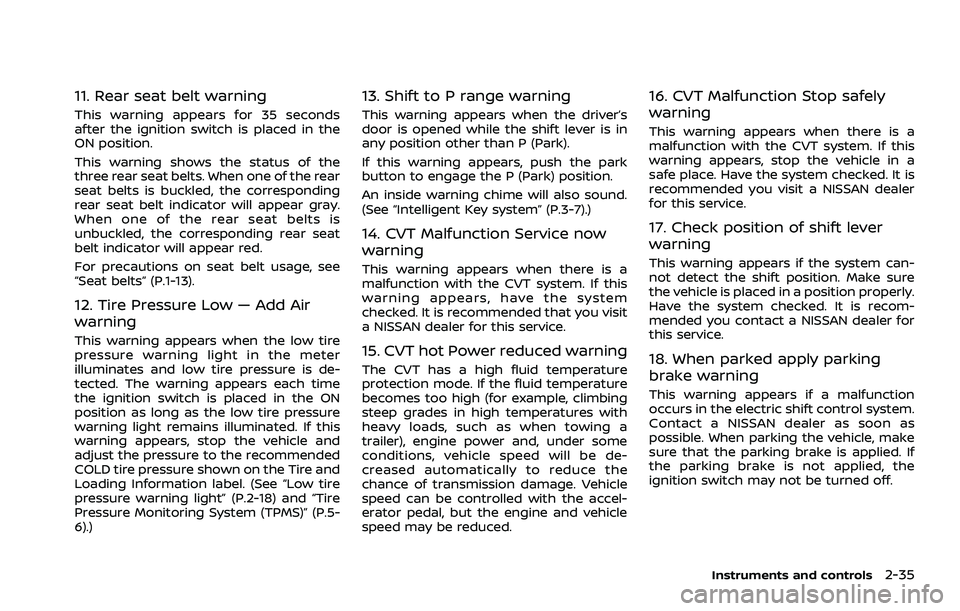
11. Rear seat belt warning
This warning appears for 35 seconds
after the ignition switch is placed in the
ON position.
This warning shows the status of the
three rear seat belts. When one of the rear
seat belts is buckled, the corresponding
rear seat belt indicator will appear gray.
When one of the rear seat belts is
unbuckled, the corresponding rear seat
belt indicator will appear red.
For precautions on seat belt usage, see
“Seat belts” (P.1-13).
12. Tire Pressure Low — Add Air
warning
This warning appears when the low tire
pressure warning light in the meter
illuminates and low tire pressure is de-
tected. The warning appears each time
the ignition switch is placed in the ON
position as long as the low tire pressure
warning light remains illuminated. If this
warning appears, stop the vehicle and
adjust the pressure to the recommended
COLD tire pressure shown on the Tire and
Loading Information label. (See “Low tire
pressure warning light” (P.2-18) and “Tire
Pressure Monitoring System (TPMS)” (P.5-
6).)
13. Shift to P range warning
This warning appears when the driver’s
door is opened while the shift lever is in
any position other than P (Park).
If this warning appears, push the park
button to engage the P (Park) position.
An inside warning chime will also sound.
(See “Intelligent Key system” (P.3-7).)
14. CVT Malfunction Service now
warning
This warning appears when there is a
malfunction with the CVT system. If this
warning appears, have the system
checked. It is recommended that you visit
a NISSAN dealer for this service.
15. CVT hot Power reduced warning
The CVT has a high fluid temperature
protection mode. If the fluid temperature
becomes too high (for example, climbing
steep grades in high temperatures with
heavy loads, such as when towing a
trailer), engine power and, under some
conditions, vehicle speed will be de-
creased automatically to reduce the
chance of transmission damage. Vehicle
speed can be controlled with the accel-
erator pedal, but the engine and vehicle
speed may be reduced.
16. CVT Malfunction Stop safely
warning
This warning appears when there is a
malfunction with the CVT system. If this
warning appears, stop the vehicle in a
safe place. Have the system checked. It is
recommended you visit a NISSAN dealer
for this service.
17. Check position of shift lever
warning
This warning appears if the system can-
not detect the shift position. Make sure
the vehicle is placed in a position properly.
Have the system checked. It is recom-
mended you contact a NISSAN dealer for
this service.
18. When parked apply parking
brake warning
This warning appears if a malfunction
occurs in the electric shift control system.
Contact a NISSAN dealer as soon as
possible. When parking the vehicle, make
sure that the parking brake is applied. If
the parking brake is not applied, the
ignition switch may not be turned off.
Instruments and controls2-35
Page 128 of 556
2-40Instruments and controls
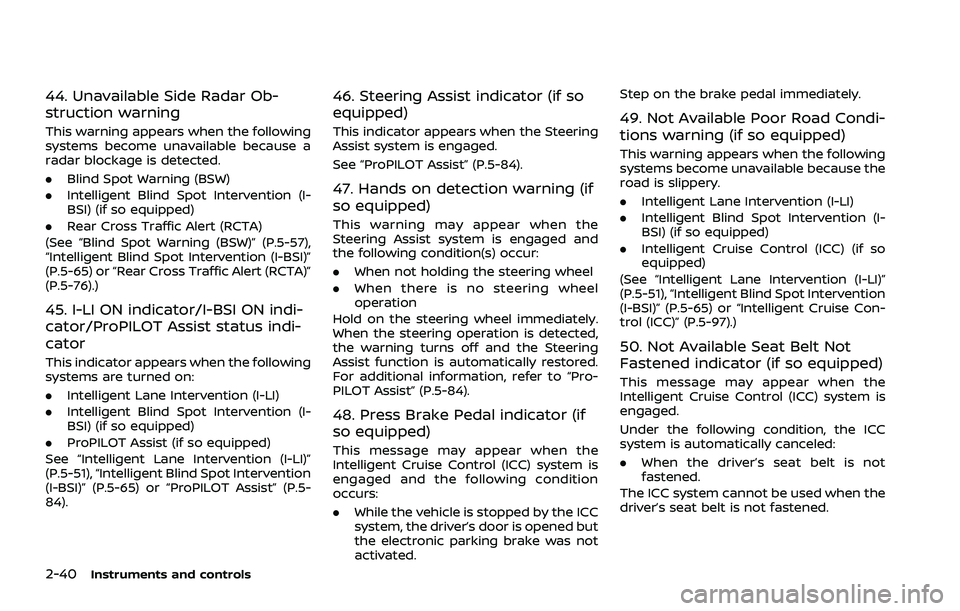
44. Unavailable Side Radar Ob-
struction warning
This warning appears when the following
systems become unavailable because a
radar blockage is detected.
.Blind Spot Warning (BSW)
. Intelligent Blind Spot Intervention (I-
BSI) (if so equipped)
. Rear Cross Traffic Alert (RCTA)
(See “Blind Spot Warning (BSW)” (P.5-57),
“Intelligent Blind Spot Intervention (I-BSI)”
(P.5-65) or “Rear Cross Traffic Alert (RCTA)”
(P.5-76).)
45. I-LI ON indicator/I-BSI ON indi-
cator/ProPILOT Assist status indi-
cator
This indicator appears when the following
systems are turned on:
. Intelligent Lane Intervention (I-LI)
. Intelligent Blind Spot Intervention (I-
BSI) (if so equipped)
. ProPILOT Assist (if so equipped)
See “Intelligent Lane Intervention (I-LI)”
(P.5-51), “Intelligent Blind Spot Intervention
(I-BSI)” (P.5-65) or “ProPILOT Assist” (P.5-
84).
46. Steering Assist indicator (if so
equipped)
This indicator appears when the Steering
Assist system is engaged.
See “ProPILOT Assist” (P.5-84).
47. Hands on detection warning (if
so equipped)
This warning may appear when the
Steering Assist system is engaged and
the following condition(s) occur:
. When not holding the steering wheel
. When there is no steering wheel
operation
Hold on the steering wheel immediately.
When the steering operation is detected,
the warning turns off and the Steering
Assist function is automatically restored.
For additional information, refer to “Pro-
PILOT Assist” (P.5-84).
48. Press Brake Pedal indicator (if
so equipped)
This message may appear when the
Intelligent Cruise Control (ICC) system is
engaged and the following condition
occurs:
. While the vehicle is stopped by the ICC
system, the driver’s door is opened but
the electronic parking brake was not
activated. Step on the brake pedal immediately.
49. Not Available Poor Road Condi-
tions warning (if so equipped)
This warning appears when the following
systems become unavailable because the
road is slippery.
.
Intelligent Lane Intervention (I-LI)
. Intelligent Blind Spot Intervention (I-
BSI) (if so equipped)
. Intelligent Cruise Control (ICC) (if so
equipped)
(See “Intelligent Lane Intervention (I-LI)”
(P.5-51), “Intelligent Blind Spot Intervention
(I-BSI)” (P.5-65) or “Intelligent Cruise Con-
trol (ICC)” (P.5-97).)
50. Not Available Seat Belt Not
Fastened indicator (if so equipped)
This message may appear when the
Intelligent Cruise Control (ICC) system is
engaged.
Under the following condition, the ICC
system is automatically canceled:
. When the driver’s seat belt is not
fastened.
The ICC system cannot be used when the
driver’s seat belt is not fastened.
Page 129 of 556
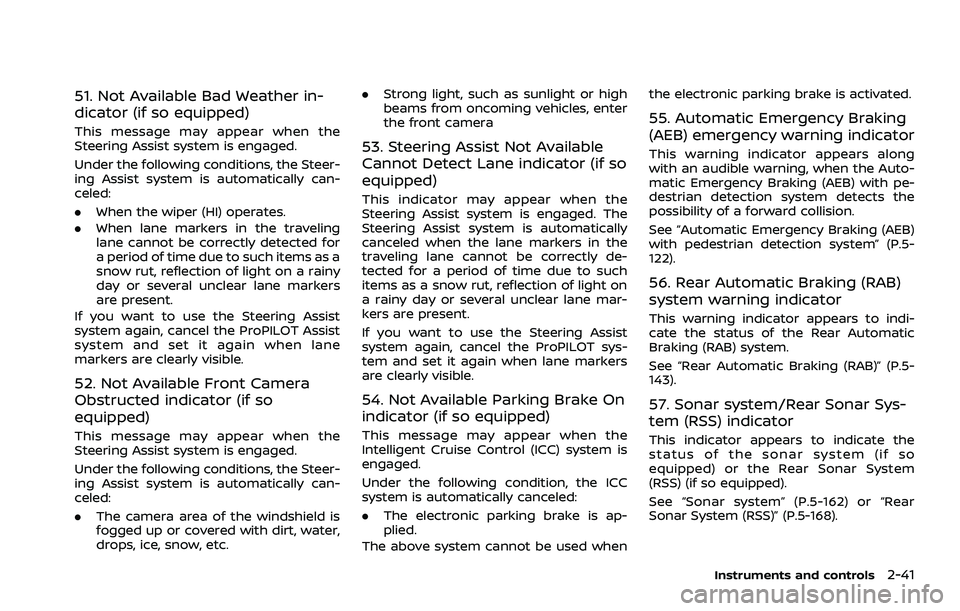
51. Not Available Bad Weather in-
dicator (if so equipped)
This message may appear when the
Steering Assist system is engaged.
Under the following conditions, the Steer-
ing Assist system is automatically can-
celed:
.When the wiper (HI) operates.
. When lane markers in the traveling
lane cannot be correctly detected for
a period of time due to such items as a
snow rut, reflection of light on a rainy
day or several unclear lane markers
are present.
If you want to use the Steering Assist
system again, cancel the ProPILOT Assist
system and set it again when lane
markers are clearly visible.
52. Not Available Front Camera
Obstructed indicator (if so
equipped)
This message may appear when the
Steering Assist system is engaged.
Under the following conditions, the Steer-
ing Assist system is automatically can-
celed:
. The camera area of the windshield is
fogged up or covered with dirt, water,
drops, ice, snow, etc. .
Strong light, such as sunlight or high
beams from oncoming vehicles, enter
the front camera
53. Steering Assist Not Available
Cannot Detect Lane indicator (if so
equipped)
This indicator may appear when the
Steering Assist system is engaged. The
Steering Assist system is automatically
canceled when the lane markers in the
traveling lane cannot be correctly de-
tected for a period of time due to such
items as a snow rut, reflection of light on
a rainy day or several unclear lane mar-
kers are present.
If you want to use the Steering Assist
system again, cancel the ProPILOT sys-
tem and set it again when lane markers
are clearly visible.
54. Not Available Parking Brake On
indicator (if so equipped)
This message may appear when the
Intelligent Cruise Control (ICC) system is
engaged.
Under the following condition, the ICC
system is automatically canceled:
.The electronic parking brake is ap-
plied.
The above system cannot be used when the electronic parking brake is activated.
55. Automatic Emergency Braking
(AEB) emergency warning indicator
This warning indicator appears along
with an audible warning, when the Auto-
matic Emergency Braking (AEB) with pe-
destrian detection system detects the
possibility of a forward collision.
See “Automatic Emergency Braking (AEB)
with pedestrian detection system” (P.5-
122).
56. Rear Automatic Braking (RAB)
system warning indicator
This warning indicator appears to indi-
cate the status of the Rear Automatic
Braking (RAB) system.
See “Rear Automatic Braking (RAB)” (P.5-
143).
57. Sonar system/Rear Sonar Sys-
tem (RSS) indicator
This indicator appears to indicate the
status of the sonar system (if so
equipped) or the Rear Sonar System
(RSS) (if so equipped).
See “Sonar system” (P.5-162) or “Rear
Sonar System (RSS)” (P.5-168).
Instruments and controls2-41
Page 130 of 556
2-42Instruments and controls
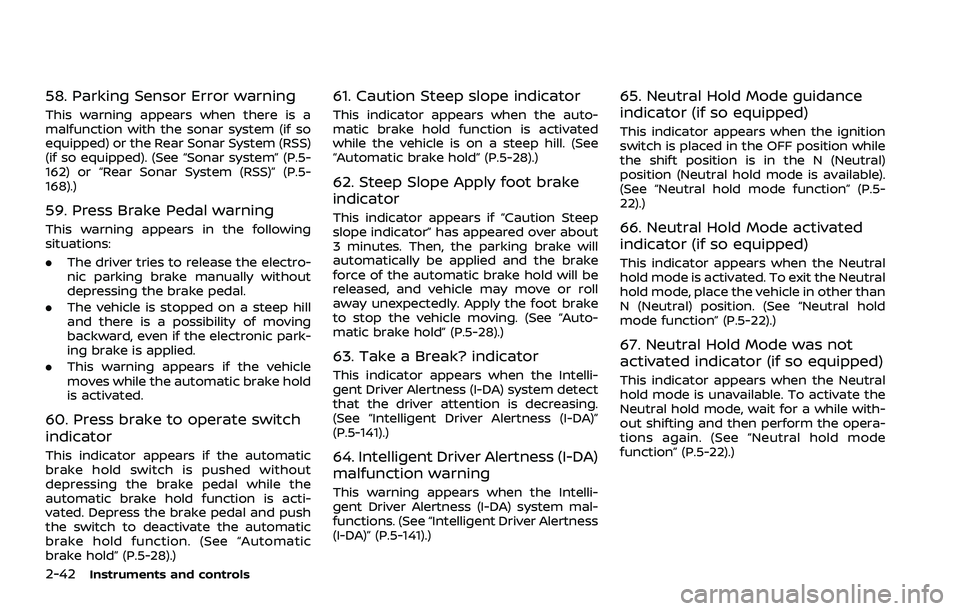
58. Parking Sensor Error warning
This warning appears when there is a
malfunction with the sonar system (if so
equipped) or the Rear Sonar System (RSS)
(if so equipped). (See “Sonar system” (P.5-
162) or “Rear Sonar System (RSS)” (P.5-
168).)
59. Press Brake Pedal warning
This warning appears in the following
situations:
.The driver tries to release the electro-
nic parking brake manually without
depressing the brake pedal.
. The vehicle is stopped on a steep hill
and there is a possibility of moving
backward, even if the electronic park-
ing brake is applied.
. This warning appears if the vehicle
moves while the automatic brake hold
is activated.
60. Press brake to operate switch
indicator
This indicator appears if the automatic
brake hold switch is pushed without
depressing the brake pedal while the
automatic brake hold function is acti-
vated. Depress the brake pedal and push
the switch to deactivate the automatic
brake hold function. (See “Automatic
brake hold” (P.5-28).)
61. Caution Steep slope indicator
This indicator appears when the auto-
matic brake hold function is activated
while the vehicle is on a steep hill. (See
“Automatic brake hold” (P.5-28).)
62. Steep Slope Apply foot brake
indicator
This indicator appears if “Caution Steep
slope indicator” has appeared over about
3 minutes. Then, the parking brake will
automatically be applied and the brake
force of the automatic brake hold will be
released, and vehicle may move or roll
away unexpectedly. Apply the foot brake
to stop the vehicle moving. (See “Auto-
matic brake hold” (P.5-28).)
63. Take a Break? indicator
This indicator appears when the Intelli-
gent Driver Alertness (I-DA) system detect
that the driver attention is decreasing.
(See “Intelligent Driver Alertness (I-DA)”
(P.5-141).)
64. Intelligent Driver Alertness (I-DA)
malfunction warning
This warning appears when the Intelli-
gent Driver Alertness (I-DA) system mal-
functions. (See “Intelligent Driver Alertness
(I-DA)” (P.5-141).)
65. Neutral Hold Mode guidance
indicator (if so equipped)
This indicator appears when the ignition
switch is placed in the OFF position while
the shift position is in the N (Neutral)
position (Neutral hold mode is available).
(See “Neutral hold mode function” (P.5-
22).)
66. Neutral Hold Mode activated
indicator (if so equipped)
This indicator appears when the Neutral
hold mode is activated. To exit the Neutral
hold mode, place the vehicle in other than
N (Neutral) position. (See “Neutral hold
mode function” (P.5-22).)
67. Neutral Hold Mode was not
activated indicator (if so equipped)
This indicator appears when the Neutral
hold mode is unavailable. To activate the
Neutral hold mode, wait for a while with-
out shifting and then perform the opera-
tions again. (See “Neutral hold mode
function” (P.5-22).)
Page 145 of 556
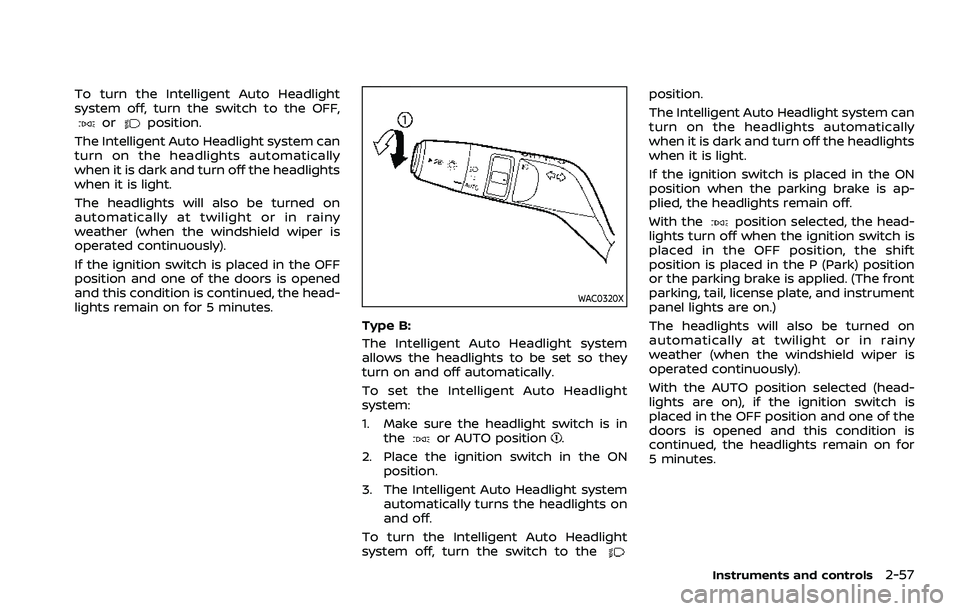
To turn the Intelligent Auto Headlight
system off, turn the switch to the OFF,
orposition.
The Intelligent Auto Headlight system can
turn on the headlights automatically
when it is dark and turn off the headlights
when it is light.
The headlights will also be turned on
automatically at twilight or in rainy
weather (when the windshield wiper is
operated continuously).
If the ignition switch is placed in the OFF
position and one of the doors is opened
and this condition is continued, the head-
lights remain on for 5 minutes.
WAC0320X
Type B:
The Intelligent Auto Headlight system
allows the headlights to be set so they
turn on and off automatically.
To set the Intelligent Auto Headlight
system:
1. Make sure the headlight switch is in the
or AUTO position.
2. Place the ignition switch in the ON position.
3. The Intelligent Auto Headlight system automatically turns the headlights on
and off.
To turn the Intelligent Auto Headlight
system off, turn the switch to the
position.
The Intelligent Auto Headlight system can
turn on the headlights automatically
when it is dark and turn off the headlights
when it is light.
If the ignition switch is placed in the ON
position when the parking brake is ap-
plied, the headlights remain off.
With the
position selected, the head-
lights turn off when the ignition switch is
placed in the OFF position, the shift
position is placed in the P (Park) position
or the parking brake is applied. (The front
parking, tail, license plate, and instrument
panel lights are on.)
The headlights will also be turned on
automatically at twilight or in rainy
weather (when the windshield wiper is
operated continuously).
With the AUTO position selected (head-
lights are on), if the ignition switch is
placed in the OFF position and one of the
doors is opened and this condition is
continued, the headlights remain on for
5 minutes.
Instruments and controls2-57
Page 149 of 556
If the ambient image sensor is damaged
due to an accident, it is recommended
you contact a NISSAN dealer.
Battery saver system
.When the headlight switch is in theorposition while the ignition
switch is in the ON position, the lights
will automatically turn off within a
period of time after the ignition switch
has been placed in the OFF position.
. When the headlight switch remains in
the
orposition after the lights
automatically turn off, the lights will
turn on when the ignition switch is
placed in the ON position.
CAUTION
. When you turn on the headlight
switch again after the lights auto-
matically turn off, the lights will
not turn off automatically. Be
sure to turn the light switch to
the OFF (if so equipped) or the
AUTO position when you leave
the vehicle for extended periods
of time, otherwise the battery will
be discharged.
. Never leave the light switch on
when the engine is not running for extended periods of time even
if the headlights turn off auto-
matically.
Daytime Running Light (DRL) sys-
tem
The LED Daytime Running Lights (DRL)
automatically illuminate when the engine
is started and the parking brake is
released. The LED DRL operate with the
headlight switch in the OFF (if so
equipped),
, or AUTO (when the head-
lights are off) position. When you turn the
headlight switch to the
position for
full illumination, the LED lights switch
from LED DRL to the park function.
Type A: If the parking brake is applied
before the engine is started, the LED DRL
do not illuminate. The LED DRL illuminate
when the parking brake is released. This
feature will work in the
, AUTO or OFF
position. The LED DRL will remain on until
the ignition switch is placed in the OFF
position.
Type B: If the parking brake is applied
before the engine is started, the LED DRL
do not illuminate. The LED DRL illuminate
when the parking brake is released. This
feature will work in the AUTO or
position. The LED DRL will remain on until
the ignition switch is placed in the OFF position.
WARNING
When the LED DRL system is active
with the headlight switch in the OFF
position (if so equipped), tail lights
on your vehicle are not on. It is
necessary at dusk to turn on your
headlights. Failure to do so could
cause an accident injuring yourself
and others.
Instruments and controls2-61
Page 273 of 556
CONTINUOUSLY VARIABLE TRANS-
MISSION (CVT)
The CVT in your vehicle is electronically
controlled to produce maximum power
and smooth operation.
The recommended operating procedures
for this transmission are shown on the
following pages. Follow these procedures
for maximum vehicle performance and
driving enjoyment.
Engine power may be automatically
reduced to protect the CVT if the engine
speed increases quickly when driving
on slippery roads or while being tested
on some dynamometers.
WARNING
.Do not depress the accelerator
pedal while shifting from P (Park)
or N (Neutral) to R (Reverse), D
(Drive), or M (Manual shift mode).
Always depress the brake pedal
until shifting is completed. Failure
to do so could cause you to lose
control and have an accident.
. Cold engine idle speed is high, so
use caution when shifting into a
forward or reverse gear before
the engine has warmed up. .
Do not downshift abruptly on
slippery roads. This may cause a
loss of control.
. Never shift to either the P (Park)
or R (Reverse) position while the
vehicle is moving forward and P
(Park) or D (Drive) position while
the vehicle is reversing. This could
cause an accident or damage the
transmission.
. Except in an emergency, do not
shift to the N (Neutral) position
while driving. Coasting with the
transmission in the N (Neutral)
position may cause serious da-
mage to the transmission.CAUTION
.To avoid possible damage to your
vehicle, when stopping the vehi-
cle on an uphill grade, do not hold
the vehicle by depressing the
accelerator pedal. The foot brake
should be used for this purpose.
. Do not hang items on the shift
lever. This may cause an accident
due to a sudden start.
Starting the vehicle
1. After starting the engine, fully depress
the foot brake pedal before attempt-
ing to place the shift position out of
the P (Park) position. This CVT is
designed so that the foot brake
pedal must be depressed before
shifting from P (Park) to any driving
position while the ignition switch is
in the ON position. The shift position
cannot be placed out of the P (Park)
position and into any of the other
positions if the ignition switch is
placed in the OFF position.
2. Keep the foot brake pedal depressed and move the shift lever into a driving
position.
3. Release the parking brake, the foot brake pedal, and then gradually start
the vehicle in motion.
CAUTION
.DEPRESS THE FOOT BRAKE PEDAL
- Shifting the shift lever to D
(Drive), R (Reverse) or M (Manual
shift mode) without depressing
the foot brake pedal causes the
vehicle to move slowly when the
engine is running. Make sure the
foot brake pedal is depressed
Starting and driving5-19
DRIVING THE VEHICLE
Page 275 of 556
in an accident.
. The following operations are not
allowed because excessive force
would be applied to the transmis-
sion and this may result in da-
mage to the vehicle:
— Moving the shift lever to the R
(Reverse) position when driv-
ing forward
— Moving the shift lever to the D (Drive) position when rever-
sing
If these operations are at-
tempted, a chime sounds and
the vehicle shifts to the N (Neu-
tral) position.
P (Park):
CAUTION
. To prevent transmission damage,
use the P (Park) position only
when the vehicle is completely
stopped.
. Do not slide the shift lever while
pushing the park button. This
may damage the shift control
system. Use this position when the vehicle is
parked or starting the engine. Always
make sure that the vehicle is completely
stopped before pushing the park button
to engage the P (Park) position. For
maximum safety, the brake pedal must
be depressed before engaging the P
(Park) position. Use this position together
with the electronic parking brake. When
parking on a hill, first depress the brake
pedal, apply the electronic parking brake
and then engage the P (Park) position.
The parking lock should not be used as a
brake when parking. In order to secure
the vehicle, always apply the electronic
parking brake in addition to the parking
lock.
In the event of a malfunction of the
vehicle’s electronics, the transmission
may lock in the P (Park) position. Have
the vehicle’s electronics checked immedi-
ately. It is recommended that you visit a
NISSAN dealer for this service.
The P (Park) position is automatically
engaged if:
.
You switch off the ignition switch
. You unfasten the driver’s seat belt and
open the driver side door when the
vehicle is stationary or driving at very
low speed and the transmission is in
the D (Drive) position, the R (Reverse)
position or the N position unless the Neutral hold mode is engaged.
CAUTION
To avoid CVT malfunction, it is re-
commended that you manually
place the shift position in the P (Park)
position under the above conditions.
R (Reverse):
CAUTION
To prevent transmission damage,
use the R (Reverse) position only
when the vehicle is completely
stopped.
Use the R (Reverse) position to back up.
Make sure the vehicle is completely
stopped before selecting the R (Reverse)
position. The brake pedal must be de-
pressed and the shift lever button
pushed to move the shift lever from
the home position to R (Reverse). If the
vehicle is placed in the R (Reverse)
position while the vehicle is moving
forward, the chime will sound and the
vehicle will switch into the N (Neutral)
position.
Starting and driving5-21
Page 279 of 556
WARNING
When the high fluid temperature
protection mode or fail-safe opera-
tion occurs, vehicle speed may be
gradually reduced. The reduced
speed may be lower than other
traffic, which could increase the
chance of a collision. Be especially
careful when driving. If necessary,
pull to the side of the road at a safe
place and allow the transmission to
return to normal operation, or have it
repaired if necessary.
WARNING
.Never drive the vehicle with the
parking brake applied. The brake
will overheat and fail to operate
and will lead to an accident.
. Never release the parking brake
from outside the vehicle. If the
vehicle moves, it will be impossi-
ble to push the foot brake pedal
and will lead to an accident.
. Never use the shift lever in place
of the parking brake. When park-
ing, be sure the parking brake is
fully applied.
. To help avoid risk of injury or
death through unintended opera-
tion of the vehicle and/or its
systems, do not leave children,
people who require the assis-
tance of others or pets unat-
tended in your vehicle.
Additionally, the temperature in-
side a closed vehicle on a warm
day can quickly become high
enough to cause a significant risk
of injury or death to people and
pets.
WAF0517X
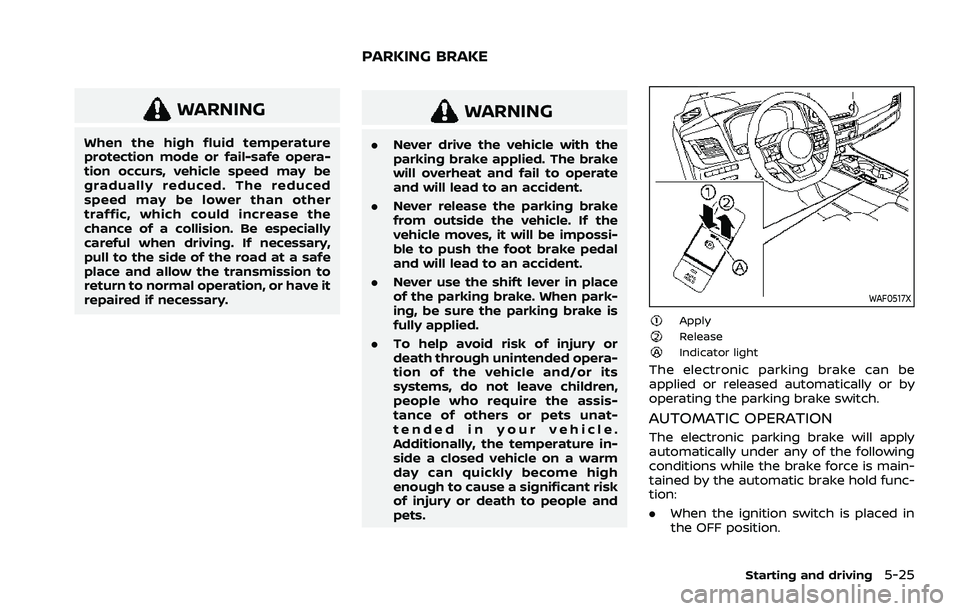
ApplyReleaseIndicator light
The electronic parking brake can be
applied or released automatically or by
operating the parking brake switch.
AUTOMATIC OPERATION
The electronic parking brake will apply
automatically under any of the following
conditions while the brake force is main-
tained by the automatic brake hold func-
tion:
.When the ignition switch is placed in
the OFF position.
Starting and driving5-25
PARKING BRAKE
Page 280 of 556
5-26Starting and driving
.When the shift position is placed in the
P (Park) position.
. When the driver’s door is opened.
. When the driver’s seat belt is unfas-
tened.
The electronic parking brake is automati-
cally released as soon as the vehicle
starts while the accelerator pedal is
depressed under the following condi-
tions.
. While the engine is running.
. When the shift position is in the D
(Drive) or R (Reverse) position.
. When the driver’s door is closed.
The electronic parking brake is automati-
cally released within 5 seconds after the
shift position is placed in the D (Drive) or R
(Reverse) position even if the driver’s door
is opened. Be sure to close the door
before starting the vehicle.
WARNING
. When the automatic brake hold
function is activated, the electro-
nic parking brake will not be
automatically applied when the
engine is stopped without using
the ignition switch (for example,
by engine stalling). Without the vehicle stationary,
the electronic parking brake will
not be automatically applied
even if the engine is turned off
with the ignition switch.
. Before leaving the vehicle, place
the shift position in the P (Park)
position and check that the elec-
tronic parking brake warning
light is illuminated to confirm
that the electronic parking brake
is applied. The electronic parking
brake warning light will remain
on for a period of time after the
driver’s door is locked.
CAUTION
When parking in an area where the
outside temperature is below 32°F
(0°C), the electronic parking brake, if
applied, may freeze in place and may
be difficult to release.
For safe parking, it is recommended
that you place the shift position in
the P (Park) position and securely
block the wheels. NOTE:
.
To keep the electronic parking brake
released after the engine is turned
off, place the ignition switch in the
OFF position, depress the brake
pedal and push down the parking
brake switch before opening the
driver’s door.
. If a malfunction occurs in the elec-
tronic parking brake system (for
example, due to battery discharge),
it is recommended to contact a
NISSAN dealer.
. Under the following conditions, the
electronic parking brake will auto-
matically be applied and the brake
force of the automatic brake hold
will be released.
—The braking force is applied by
the automatic brake hold function
for 3 minutes or longer.
— The vehicle is placed in the P
(Park) position.
— The driver’s seat belt is unfas-
tened.
— The driver’s door is opened.
— The ignition switch is placed in
the OFF position.
— The electronic parking brake is
applied manually.